Email Finder Tool By Phone Number: What Actually Works in 2026
Reverse phone-to-email lookup sounds like a shortcut to any inbox. In B2B it mostly isn't. Here's what these tools really return, where the data comes from, and the workflow that beats them.
You have a list of phone numbers. You need work emails. So you search for an email finder tool by phone number and hope one click solves it. This guide shows what those tools return, how often they hit, and the faster route to verified emails.
TL;DR
- A true email finder tool by phone number — type a mobile number, get a verified work email — barely exists in B2B. Most tools that sell it run identity resolution on consumer data. The hit rates show it.
- Realistic phone-to-email match rates in B2B sit near 15–35%. Name-and-domain finding hits 70–95% on the same contacts.
- Use the phone number as a bridge. Resolve it to a person or a company first. Then run a normal email finder on that name plus domain.
- Reverse phone lookup is legal in most places. It still carries more privacy risk than domain-based finding, above all under GDPR.
- Already have numbers in your CRM? Enrich the company field, not the number.
What is an email finder tool by phone number?#
An email finder tool by phone number takes a phone number and returns an email tied to it. Think of a phone book in reverse. The classic book maps a name to a number. A reverse telephone directory flips it, so the number becomes the key. These tools add one more step: number to person, then person to email.
Three very different products hide behind that label.
- Consumer people-search — Numbers are matched against public records, data brokers, and breach-adjacent files. You get personal emails, like gmail.com or outlook.com. Common in the US. Mostly absent in the EU.
- B2B identity resolution — The number is matched to a contact record in a business database. That record already holds a work email. The number finds nothing. It is only a join key.
- Waterfall enrichment — The number resolves to a person or company. Then a real email finder runs a pattern and verification pass on that company domain. Only this version has steady accuracy.
Type 3 is what strong outbound teams use. The landing page may still say "find email by phone number." Knowing which type you buy is most of the battle.
Does an email finder tool by phone number work in B2B?#
Sometimes. Less often than the landing pages suggest.
B2B phone numbers and B2B emails come from different places. They rarely travel together. A work email comes from a company domain and a name pattern (first.last@, flast@, first@). A direct dial or mobile number has no link to that domain. No algorithm turns +1-415-555-0142 into sarah.chen@acme.com. Only a database that stored both fields on one row can do it.
So match rate is a coverage question. Does the vendor hold the row? If yes, you get an email. If no, you get nothing. There is no partial credit and no pattern guess.
Three results follow from that.
- Mobile numbers beat office numbers. A shared switchboard number maps to a company, not a person. It cannot resolve to one email.
- US coverage beats the rest. Consumer data is uneven across regions.
- Senior titles beat junior ones. Executives leave more public traces, so their records are richer.
How accurate is an email finder tool by phone number?#
Here is the honest gap. Run the same 500 B2B contacts through both routes. The results are not close.

Accuracy means two separate things. Vendors love to blur them.
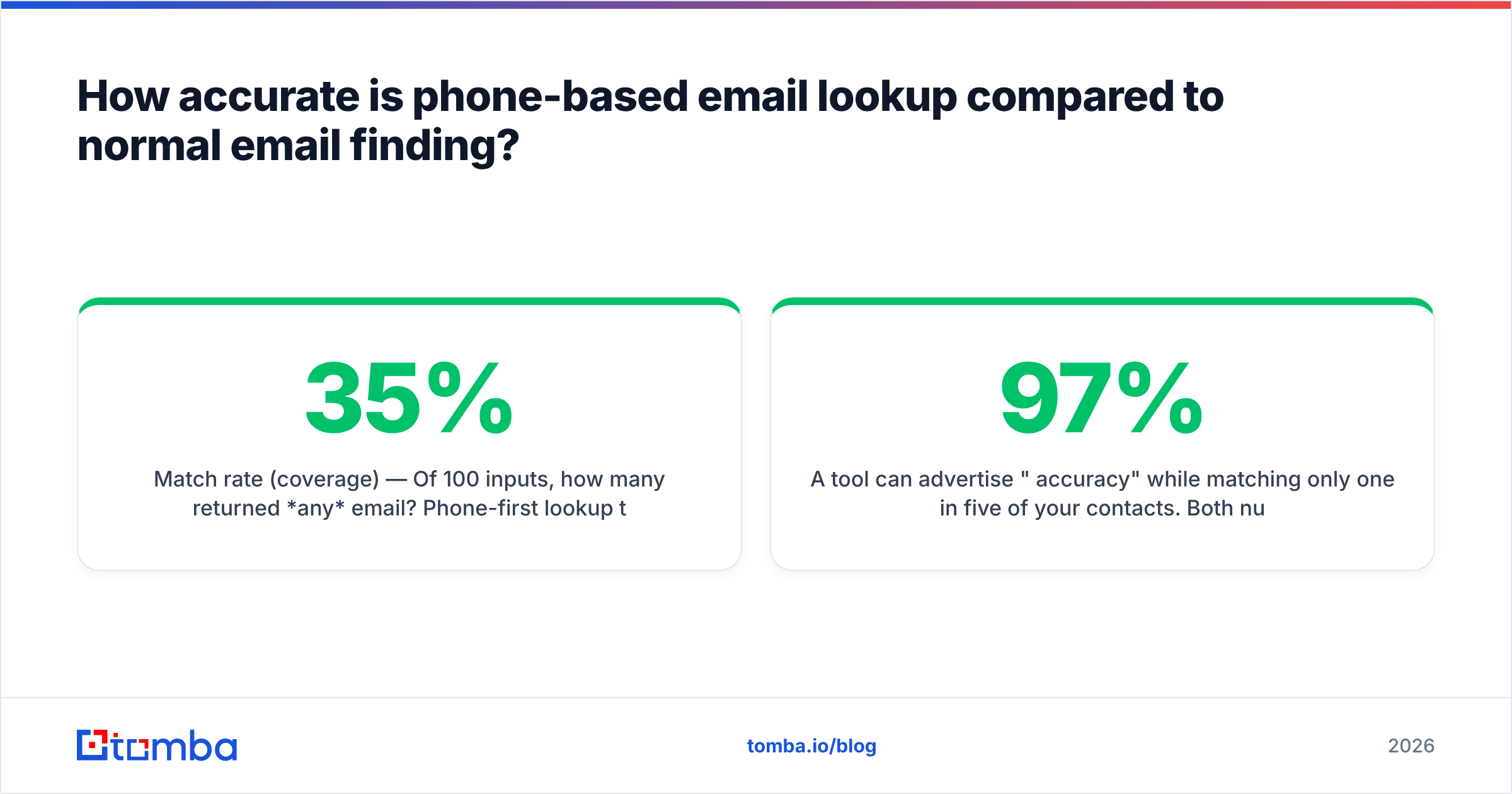
- Match rate (coverage) — Of 100 inputs, how many returned any email? Phone-first lookup lands near 15–35% in B2B. It runs higher for US consumer records.
- Validity rate (accuracy) — Of the emails returned, how many still accept mail? Phone-derived data suffers here. The record may be years old and never re-checked.
A tool can claim "97% accuracy" and still match one in five of your contacts. Multiply the two numbers. A 30% match rate at 90% validity gives 27 usable emails per 100 inputs. A domain-based finder at 85% match and 95% validity gives 80. That gap decides if a campaign is worth running.
Always re-check what a phone lookup returns. Run it through an independent email verifier before it touches a sending tool. Old personal addresses cause bounces. Bounces wreck email deliverability.
Which tools work as an email finder tool by phone number?#
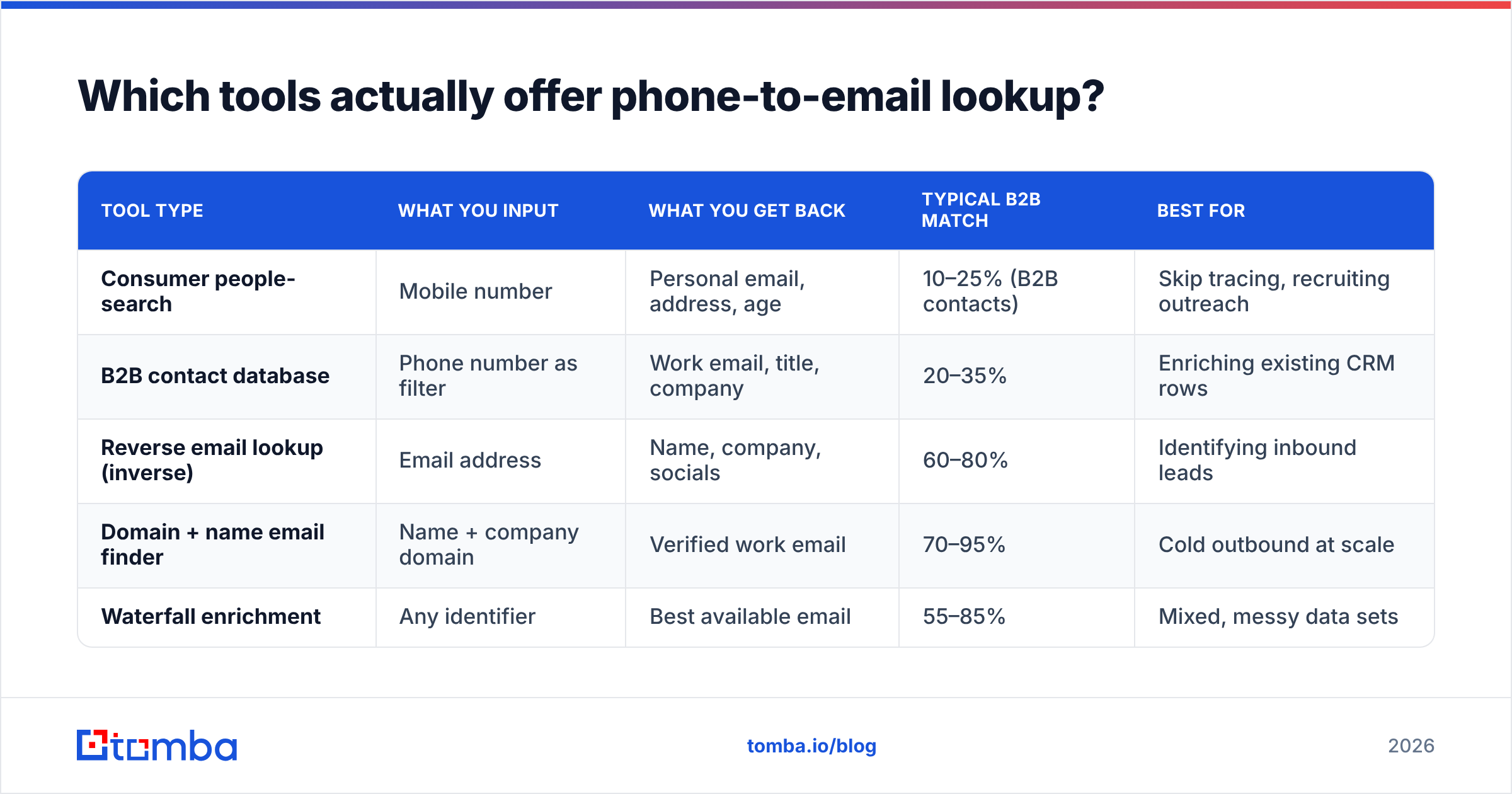
The category splits by intent. Consumer people-search products index individuals. B2B platforms index employees at companies. They are not swaps for each other.
| Tool type | What you input | What you get back | Typical B2B match | Best for |
|---|---|---|---|---|
| Consumer people-search | Mobile number | Personal email, address, age | 10–25% (B2B contacts) | Skip tracing, recruiting outreach |
| B2B contact database | Phone number as filter | Work email, title, company | 20–35% | Enriching existing CRM rows |
| Reverse email lookup (inverse) | Email address | Name, company, socials | 60–80% | Identifying inbound leads |
| Domain + name email finder | Name + company domain | Verified work email | 70–95% | Cold outbound at scale |
| Waterfall enrichment | Any identifier | Best available email | 55–85% | Mixed, messy data sets |
Look at the third row. Reverse email lookup goes from an email to a person. It works far better than the phone direction. Emails are tied to domains, and domains are tied to companies. That gap is not a vendor failure. It is how the data is shaped.
Need the opposite direction? If you have emails and want dials, a dedicated phone finder is the right tool. Match rates there are much healthier than phone-to-email.
Is it legal to find someone's email from their phone number?#
Mostly yes in the US. There are real limits elsewhere. This is not legal advice, but the shape of the rules is worth knowing.
In the US, reverse lookup of public information is legal. The Telephone Consumer Protection Act still governs what you do with the number afterward. FCRA rules apply if the data affects jobs, credit, or housing.
In the EU and UK, GDPR treats a personal mobile number and a personal email as personal data. You need a lawful basis to process them. For B2B outbound that is often legitimate interest. That basis asks for a written balancing test and an easy opt-out.
Work emails on a company domain carry the lower risk. Personal Gmail addresses pulled from a consumer database carry more. Many EU teams drop personal-email sources for that reason.
Practical rules that keep you out of trouble:
- Prefer work emails on company domains over personal addresses.
- Track where each contact came from. Vendors like BookYourData and Tomba both publish data sources docs you can cite in a compliance review.
- Honor suppression lists across channels. Someone who opted out of email should not get a cold dial.
- Do not scrape numbers from platforms that forbid it and then resell the file.
A better workflow than an email finder tool by phone number#
Flip the direction. Do not ask the number for an email. Ask it for a company. Then let a proper finder do what it is good at.
- Resolve the number to a company. Area code, carrier data, or an existing CRM field usually names the employer. Even a partial match is enough.
- Turn the company name into a domain. A company-to-website lookup turns "Acme Logistics Group" into
acmelogistics.com. This step is cheap and near-perfect for real businesses. - Pull the company's email pattern. Domain search returns every known address at that domain plus the main format —
first.last@,flast@,f.last@. - Build and verify the address. With a name, a domain, and a pattern, an email finder builds the candidate and SMTP-verifies it in one call. No guessing.
- Handle catch-all domains on their own. About a fifth of B2B domains accept all mail. That breaks normal checks. A catch-all verifier uses deeper signals instead.
- Write the result back to the CRM. Store the verified email on the same record as the phone number. The next campaign then starts warm.
This chain turns a low-yield lookup into a high-yield one. Teams who run it see three to four times more usable contacts than a direct phone-to-email call. Step 4 does not need the vendor to own the row already. It derives the answer.

What an email finder tool by phone number really costs#
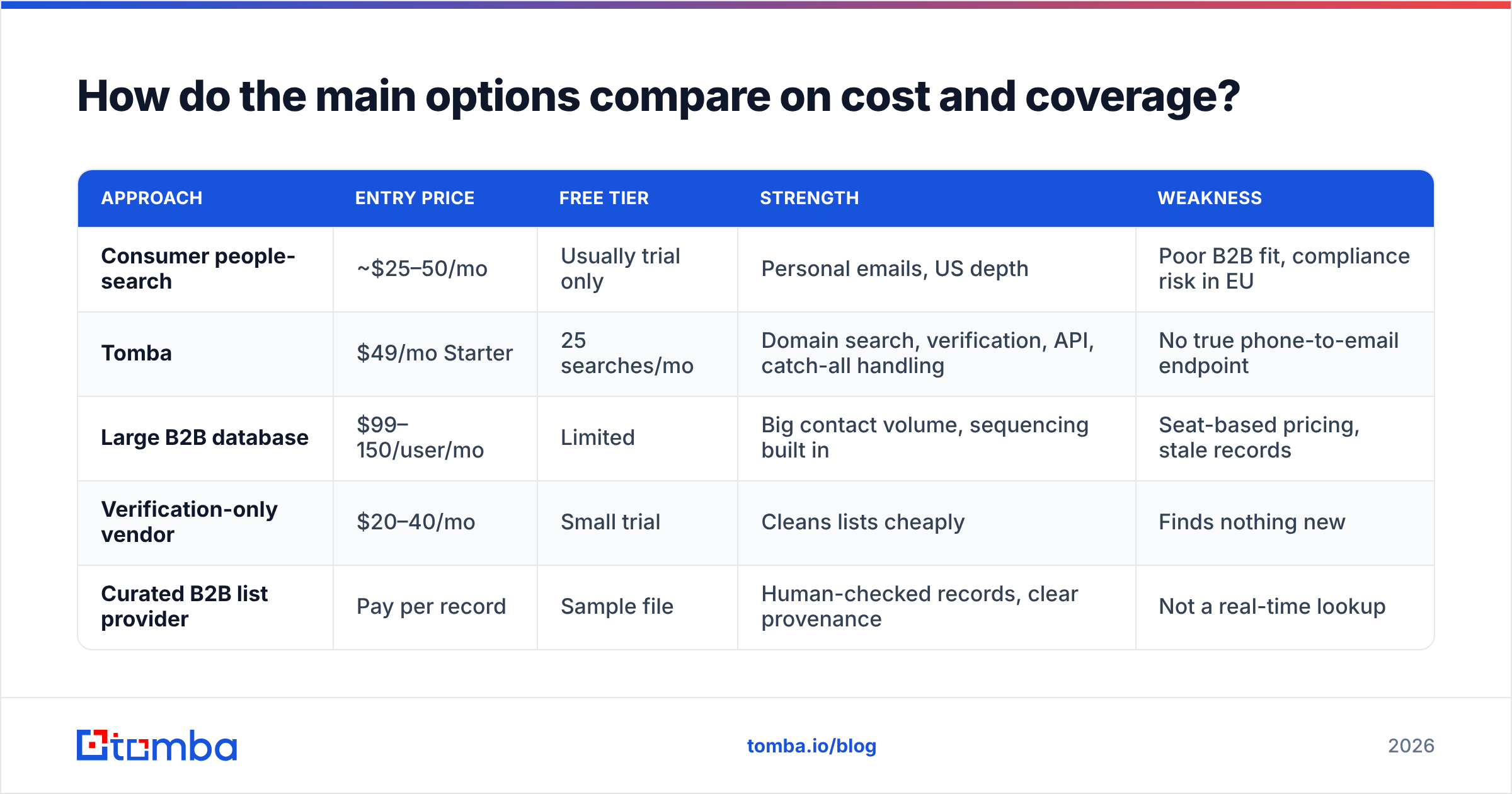
Cost per usable email is the only number that counts. A cheap lookup at a 20% match rate costs more per result than a pricier finder at 85%.

| Approach | Entry price | Free tier | Strength | Weakness |
|---|---|---|---|---|
| Consumer people-search | ~$25–50/mo | Usually trial only | Personal emails, US depth | Poor B2B fit, compliance risk in EU |
| Tomba | $49/mo Starter | 25 searches/mo | Domain search, verification, API, catch-all handling | No true phone-to-email endpoint |
| Large B2B database | $99–150/user/mo | Limited | Big contact volume, sequencing built in | Seat-based pricing, stale records |
| Verification-only vendor | $20–40/mo | Small trial | Cleans lists cheaply | Finds nothing new |
| Curated B2B list provider | Pay per record | Sample file | Human-checked records, clear provenance | Not a real-time lookup |
Tomba's plans run Free (25 searches a month), Starter $49, Growth $99, Pro $249, and Enterprise custom. See the full Tomba pricing page. Credits are shared across finder, verifier, and enrichment. So a waterfall workflow does not force three subscriptions on you. Working from a list of numbers? The bulk email finder handles CSV uploads in one pass.
Want to check vendor claims yourself? G2's lead intelligence category publishes match-rate reviews from verified users. Most CRM vendors, including HubSpot, document how enrichment data flows into contact records.
What should you actually buy?#
Match the tool to the way your data flows.
- You have phone numbers and need work emails at scale. Skip the phone-to-email product. Resolve to a company, then use a domain-based finder with an email finder API. The whole chain runs as one job.
- You have names and companies. This is the highest-yield case by far. Use name plus domain. No phone needed.
- You have emails and need dials. Reverse the flow. A phone finder on verified emails beats the other direction.
- You have a messy mixed CSV. Run data enrichment first to clean company and domain fields. Then finder. Then verifier.
- You need consumer emails. A B2B tool will not help. Use a people-search product and take the compliance review seriously.
Here is the blunt summary. "Email finder tool by phone number" is a search query more than a product category. People type it because they hold a sheet of numbers and no emails. That problem is real and common. The fix is just not the one the query implies.
Frequently asked questions#
Can I find a work email from a mobile number for free? Sometimes, on free reverse-lookup sites. B2B hit rates are very low and results are rarely verified. A free tier with real finder credits — Tomba gives 25 searches a month — returns more usable output than an unlimited low-quality lookup.
Why do phone lookups return personal emails instead of work emails? The data comes from consumer records. There the number and the personal email were captured together. Work emails live in business data keyed on company domain. Those consumer sources do not index it.
Does WhatsApp or Telegram reveal an email from a number? No. Those apps show a profile name and photo at most. Any tool that claims otherwise scrapes the data elsewhere and credits the messenger.
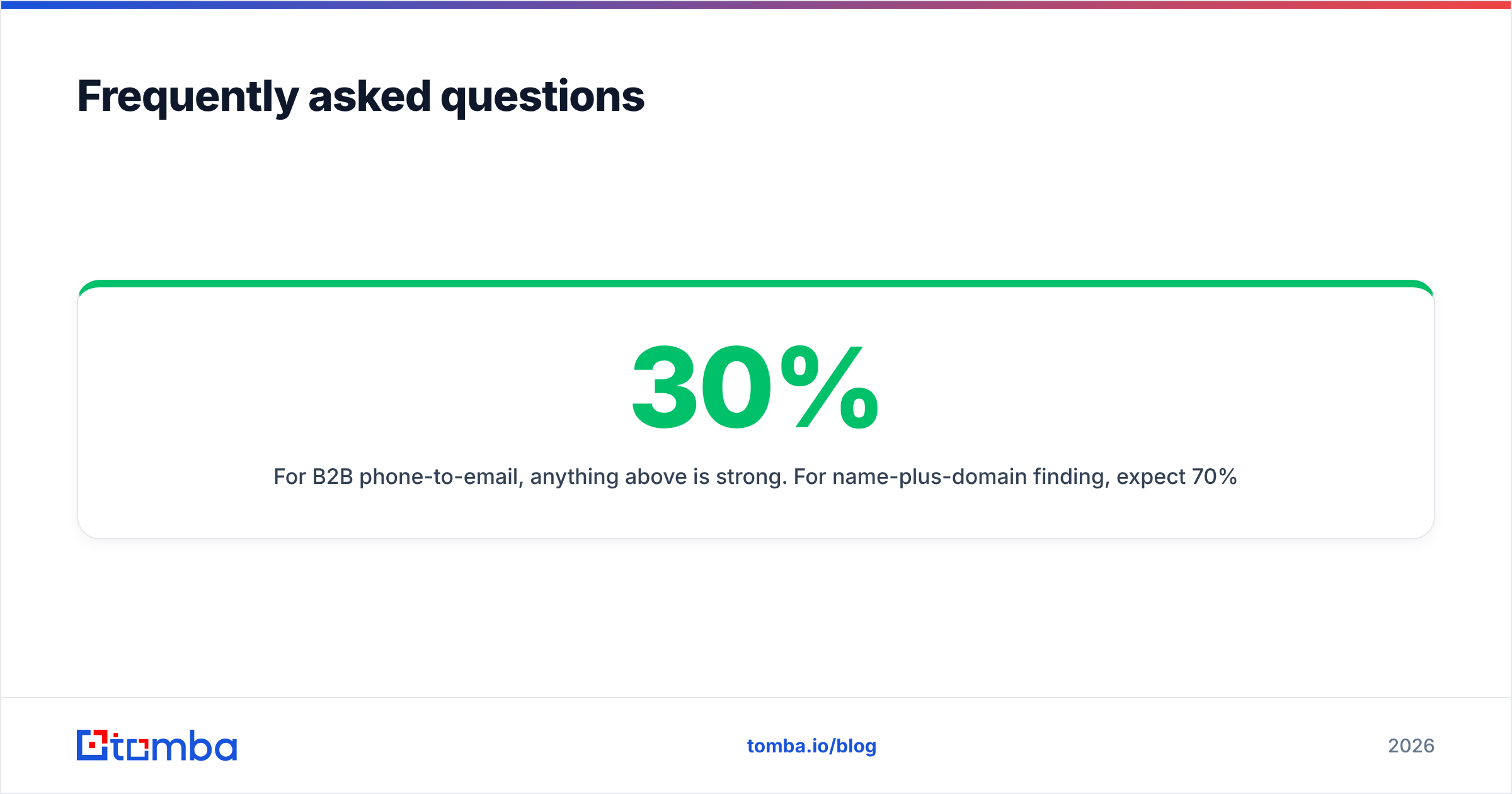
What match rate should I accept? For an email finder tool by phone number, anything above 30% is strong. For name-plus-domain finding, expect 70% or more. Treat anything under 60% as a coverage problem worth switching over.
Should I verify emails that a lookup tool already marked valid? Yes. Vendor "valid" flags often reflect the record at collection time, not today. One independent check before sending is the cheapest insurance against bounces.
Start with the direction that actually converts#
Sitting on a list of phone numbers with no emails? The shortcut is real. It just runs through the company domain, not the number. Resolve the employer. Pull the pattern. Build and verify the address. That path returns three to four times more usable contacts than any reverse-phone endpoint. Every result arrives verified, not assumed.
The Tomba Email Finder handles the whole chain: domain search, pattern detection, SMTP verification, and catch-all handling. The free tier gives 25 searches a month, so you can test it on your own data first. Upload your 25 hardest records. Compare the yield against any email finder tool by phone number you were about to buy. Then let the match rate decide.
Related guides#
Ready to find emails that actually work?
Join 150,000+ professionals who stopped guessing and started sending. Free credits on signup — no credit card required.
Get the Tomba newsletter
Practical outbound tactics and product updates — once every two weeks.
About the author