Email Finder With CRM Integration: The 2026 Buyer's Guide
Native CRM sync is the difference between a lead list and a working pipeline. Here's how email finders actually connect to HubSpot, Salesforce and Pipedrive in 2026 — and where the sync quietly breaks.
TL;DR
- An email finder with CRM integration is judged on three things: whether the sync is native or Zapier-glued, whether it writes to custom fields, and whether it dedupes before it writes.
- Native HubSpot and Salesforce apps beat middleware for volume work. Middleware (Zapier, Make) wins when you need branching logic or a CRM nobody supports.
- Verification order matters more than tool choice. Find → verify → dedupe → sync. Skip step two and you pay for the mistake twice: once in credits, once in deliverability.
- Budget roughly $49–$99/month for a single-rep workflow with real CRM sync; enterprise CRM packages with SSO and field-level mapping run 3–5x that.
- The most common failure isn't bad data — it's 4,000 duplicate contacts created because the sync matched on name instead of email.
What does "email finder with CRM integration" actually mean?#
It means the tool writes contacts into your CRM without you touching a spreadsheet. That's the short version. The longer version is where vendors differ wildly.
Think of it like plumbing. Everyone sells you a tap. What matters is whether it's connected to the mains or whether you're expected to fill a bucket from the well and pour it in yourself. A CSV export is a bucket. A native, bidirectional sync is the mains.
In practice, four things separate a real integration from a marketing checkbox:
- Direction. One-way push (finder → CRM) is table stakes. Two-way sync — where the CRM tells the finder "this contact bounced, stop enriching it" — is rare and genuinely valuable.
- Field mapping. Can you write
job_titleinto your customPersona_Level__cfield, or does everything dump into notes? Field-level mapping is the single biggest predictor of whether your RevOps team will actually keep the integration switched on after month two. - Deduplication logic. Does the tool match on email (correct), on company + name (risky), or not at all (chaos)?
- Trigger model. Push-on-find, scheduled batch, or on-demand from inside the CRM record? Each suits a different motion.
If a vendor's integration page only shows a logo grid, assume it's a Zapier connector and price it accordingly.

Why does CRM integration matter more than database size?#
Because the database is a commodity and the workflow isn't.
Every serious provider is pulling from broadly overlapping sources: public web crawls, SMTP checks, pattern inference, opt-in contributory data, and licensed business registries. Coverage differences on mid-market B2B domains are real but narrower than the marketing suggests. Where tools diverge hugely is what happens in the ninety seconds after the email is found.
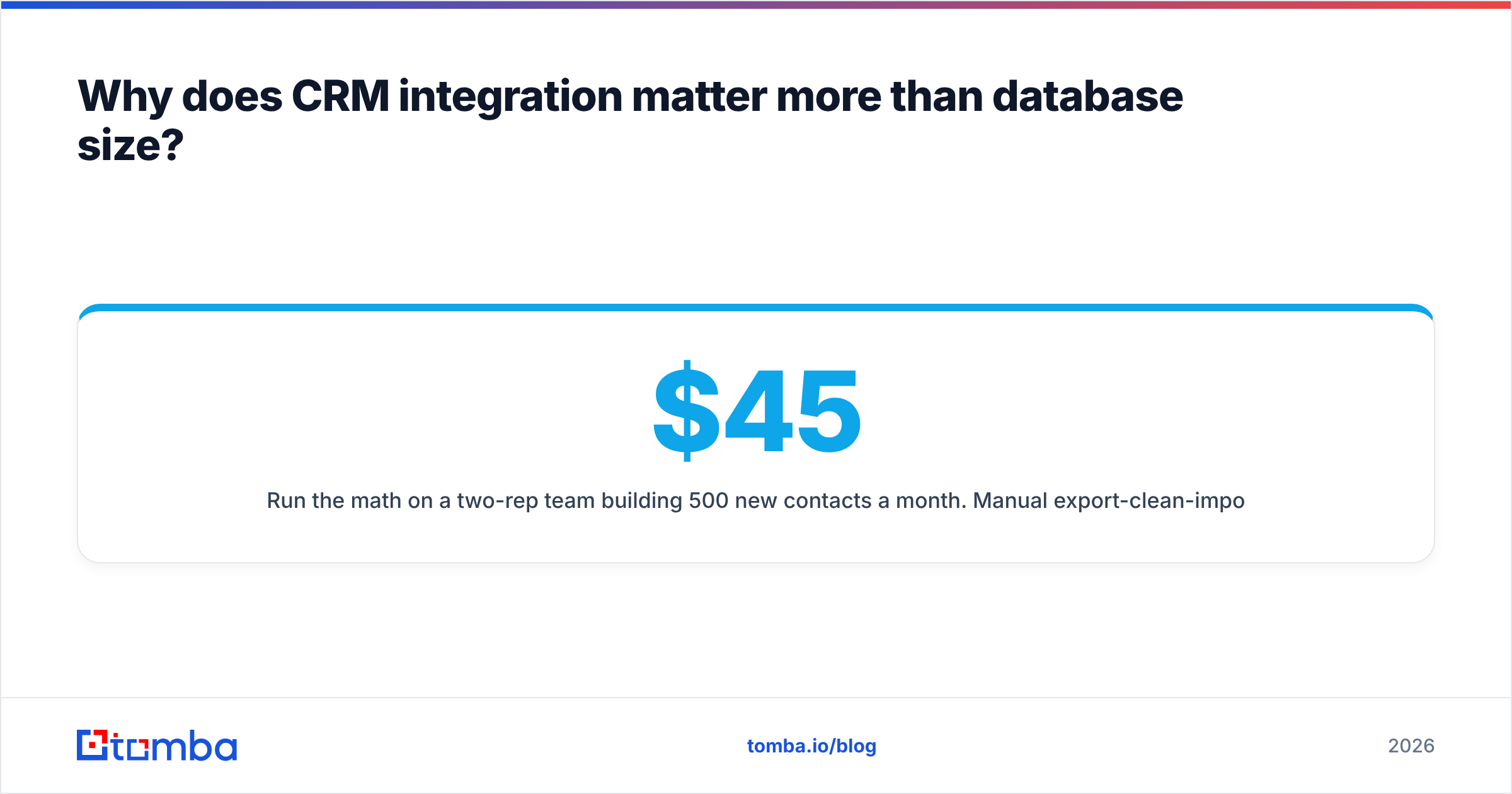
Run the math on a two-rep team building 500 new contacts a month. Manual export-clean-import is roughly 4–6 hours of work: exporting, opening the file, fixing the header row, mapping columns during import, resolving duplicate warnings, then re-checking the ones the CRM silently merged. At a loaded cost of $45/hour that's $180–$270 a month of admin, on top of your tool spend. A native sync collapses that to near zero — which is why the integration, not the record count, is the line item that actually pays for itself.
There's a data-hygiene argument too. Manual imports are where the junk enters. Someone pastes a column shifted by one, and now half your first_name values are job titles. CRMs are unforgiving about that: bad data compounds silently until a campaign goes out addressed to "Dear VP of Engineering."
What are the main integration patterns to choose between?#
There are four, and picking the wrong one is the most expensive mistake in this category.
- Native marketplace app — installed from the HubSpot App Marketplace or Salesforce AppExchange, authenticated by OAuth. Best for: teams on mainstream CRMs who want field mapping and no maintenance. Weakness: you get the fields the vendor decided to expose.
- In-CRM sidebar / widget — the finder appears inside the contact record, and a rep clicks "enrich." Best for: AE-driven, low-volume, high-value accounts. Weakness: doesn't scale past a few dozen records a day.
- Middleware (Zapier / Make) — an automation layer between the two. Best for: conditional logic ("only sync if company size > 200"), or CRMs nobody builds native apps for. Weakness: per-task pricing, latency, and one more thing to debug at 2am.
- Direct API — you or your ops engineer writes the sync. Best for: high volume, custom scoring, or when enrichment needs to fire inside an existing pipeline. Weakness: it's software; someone has to own it. The Tomba API and comparable REST endpoints from most vendors handle this fine, but budget engineering time honestly.
A quick heuristic: under 200 finds/month, use the sidebar. 200–5,000, use the native app. Over 5,000 or with any custom scoring, go API and stop fighting the UI.
Which email finders with CRM integration compare best in 2026?#
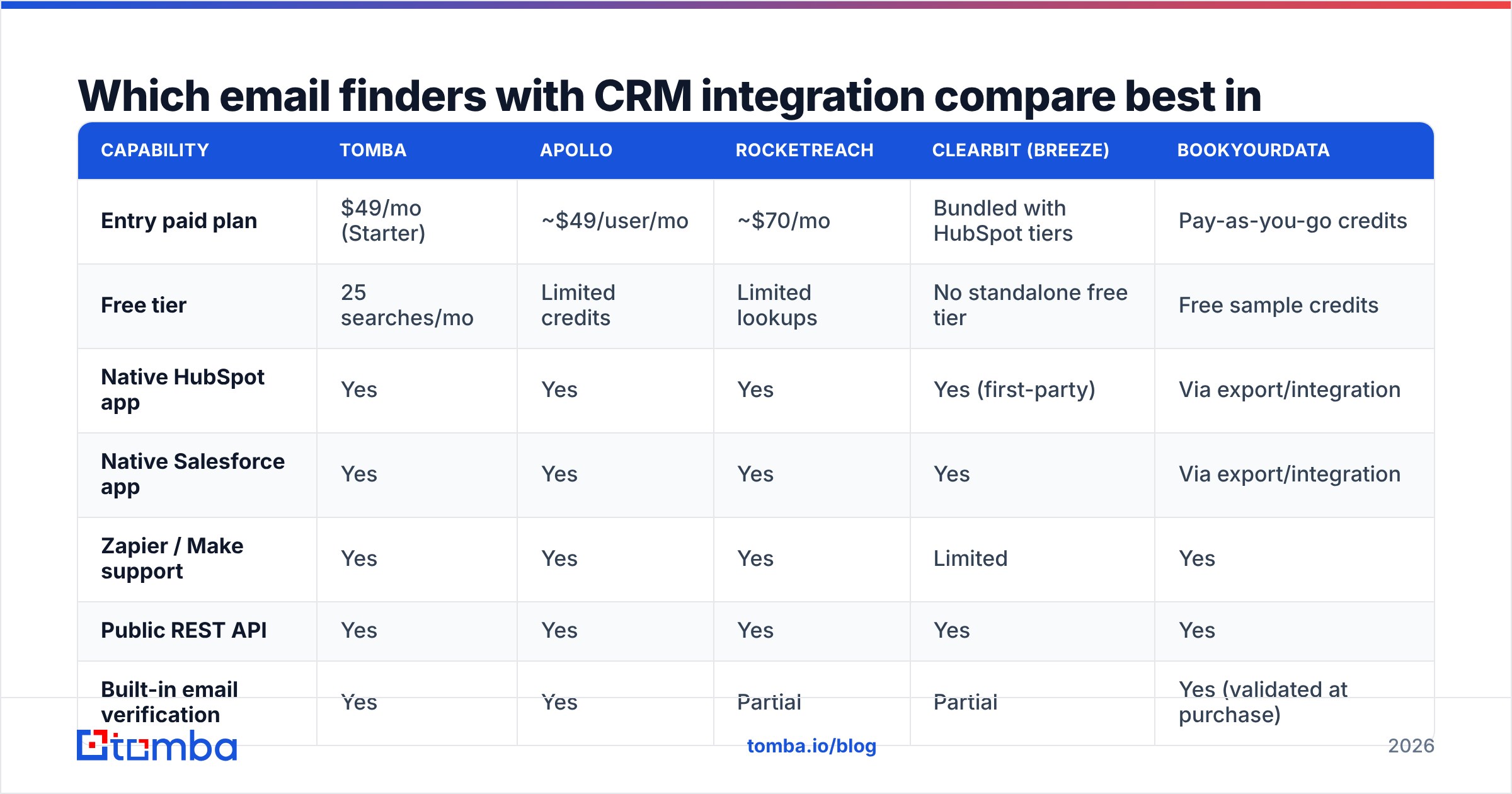
Below is a like-for-like comparison of the tools most often shortlisted for this job. Pricing reflects published list rates at the time of writing — always confirm on the vendor's own page, since credit bundles change quarterly.
| Capability | Tomba | Apollo | RocketReach | Clearbit (Breeze) | BookYourData |
|---|---|---|---|---|---|
| Entry paid plan | $49/mo (Starter) | ~$49/user/mo | ~$70/mo | Bundled with HubSpot tiers | Pay-as-you-go credits |
| Free tier | 25 searches/mo | Limited credits | Limited lookups | No standalone free tier | Free sample credits |
| Native HubSpot app | Yes | Yes | Yes | Yes (first-party) | Via export/integration |
| Native Salesforce app | Yes | Yes | Yes | Yes | Via export/integration |
| Zapier / Make support | Yes | Yes | Yes | Limited | Yes |
| Public REST API | Yes | Yes | Yes | Yes | Yes |
| Built-in email verification | Yes | Yes | Partial | Partial | Yes (validated at purchase) |
| Catch-all handling | Dedicated verifier | Flagged only | Flagged only | Flagged only | Pre-screened |
| Bulk CSV enrichment | Yes | Yes | Yes | Yes | Yes (core model) |
| Best fit | Finder-first teams needing clean sync + API | All-in-one prospecting + sequencing | Recruiting and individual lookups | Teams already standardised on HubSpot | Buying pre-built, verified list segments |

A note on scope, because the categories blur: Apollo and Clearbit/Breeze are platforms where finding email is one module among many — sequencing, intent, scoring. Tomba and RocketReach are finder-first. BookYourData sits in a different lane again: rather than searching contact-by-contact, you build and buy a validated segment up front, which suits teams who know exactly which ICP slice they want and would rather not manage a credit meter. None of these is wrong; they answer different questions. Match the tool to whether your bottleneck is discovery, orchestration, or list supply.
Cross-check any shortlist against current user reviews on G2's lead-capture category before you commit — integration reliability is one of the few things review sites genuinely capture well, because broken syncs generate loud, specific complaints.
How accurate is the data once it lands in your CRM?#
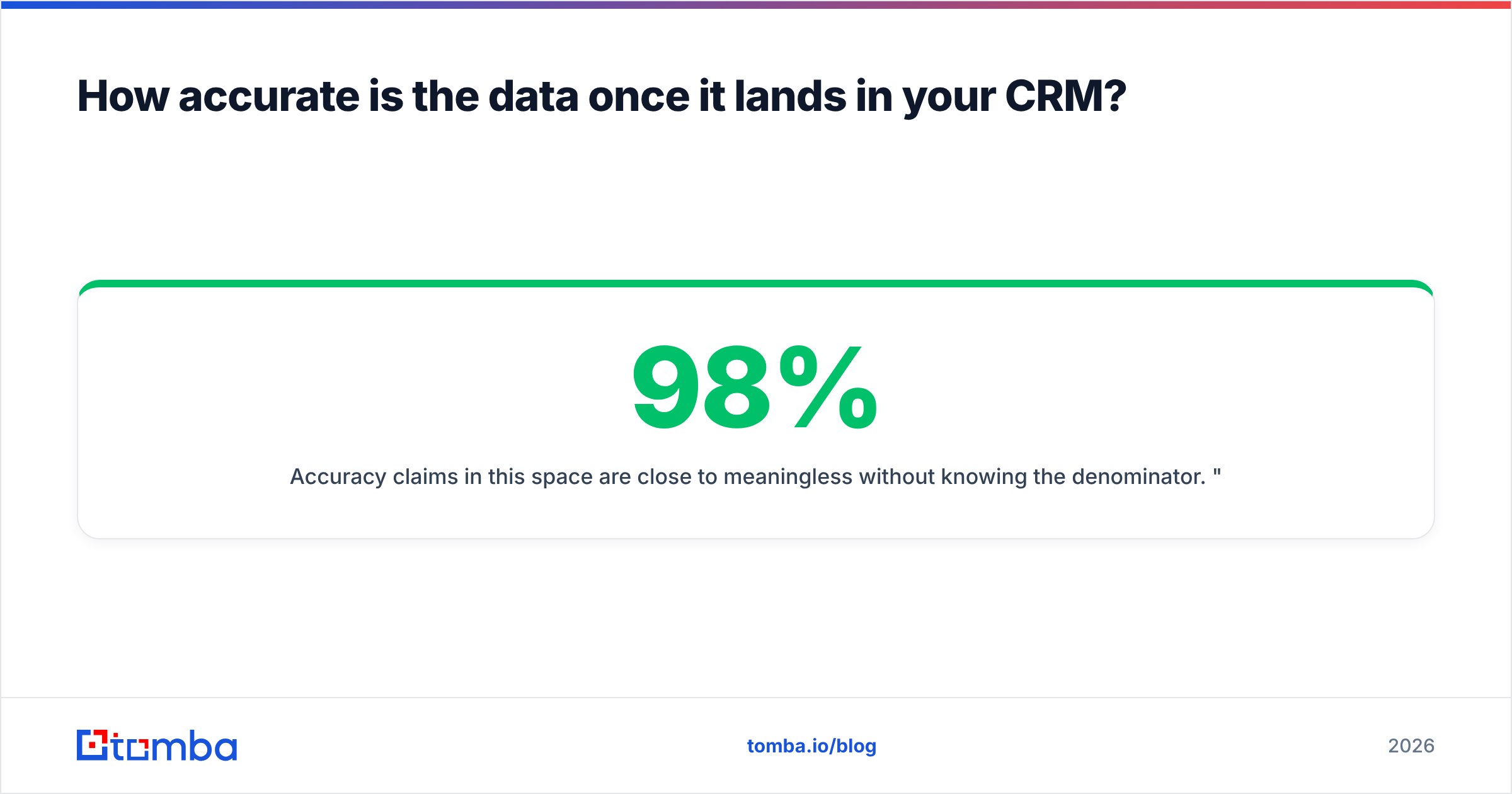
Accuracy claims in this space are close to meaningless without knowing the denominator. "98% accurate" usually means "98% of the emails we chose to return passed a syntax and MX check" — not "we found 98% of the people you asked for." Those are completely different numbers, and the second one (hit rate) is the one that determines your pipeline.

Three things to check before you trust anything into a live CRM:
- Hit rate on your ICP, not theirs. Run the same 100 target contacts through every trial. Vendors optimise for different segments — US SaaS mid-market coverage tells you nothing about German manufacturing.
- Confidence scores you can filter on. A tool that returns a score and lets you sync only above a threshold is worth more than one claiming higher blanket accuracy. Set the gate at whatever your bounce tolerance allows, usually 90+.
- Catch-all behaviour. Catch-all domains accept everything at the SMTP layer, so a naive check marks them "valid." They're roughly a fifth of B2B domains. A tool that flags catch-alls separately — and offers a dedicated verification path — saves you from a bounce spike three weeks later.
Run everything through an email verifier before the sync fires, not after. Once a bad address is a CRM record, it's in your workflows, your lists, and your sender reputation. Cleaning it up costs an order of magnitude more than filtering it at the door.

How do you set up the sync without polluting your CRM?#
Here's the sequence that survives contact with reality. Do it in this order.
- Define the match key first. Email address, always. Never company + name. Configure this before you sync a single record — most duplicate disasters trace back to this one setting.
- Create a staging property. Add a
data_sourcefield and stamp every synced record with the tool name and date. When something looks wrong in six months, you'll be able to isolate it in one filtered view. - Map fields explicitly. Job title, company domain, LinkedIn URL, confidence score. If the vendor won't let you write the confidence score into the CRM, that's a real limitation — you lose the ability to segment by data quality later.
- Gate on verification status. Sync only
validand, if your risk tolerance allows,catch-allinto a separate list. Everything else stays out. - Run a 50-record pilot. Sync fifty contacts, then open ten at random and inspect every field. Do not skip this. Field-mapping errors are invisible in aggregate and obvious in a single record.
- Turn on the full flow with a volume cap for the first week, then remove it.
If you're on HubSpot, the HubSpot integration route handles steps 1–4 in the setup wizard, which is the main practical argument for a native app over a Zapier chain: the guardrails come pre-built.
What breaks, and what does it really cost?#
Three failure modes account for most of the pain.
Silent duplicate creation. The sync matches loosely, and one contact becomes four. Symptom: your CRM record count grows faster than your outreach. Fix: email-only matching, plus a monthly dedupe audit.
Credit burn on records you already own. Many tools enrich everything in a list, including the 40% already in your CRM with complete data. Fix: filter the input list against existing records before enrichment — or pick a tool whose integration checks first and only bills on net-new.
Field drift. Someone renames a CRM property; the sync keeps writing to the old one; nobody notices for a quarter. Fix: the data_source stamp from step two, plus a quarterly spot check.
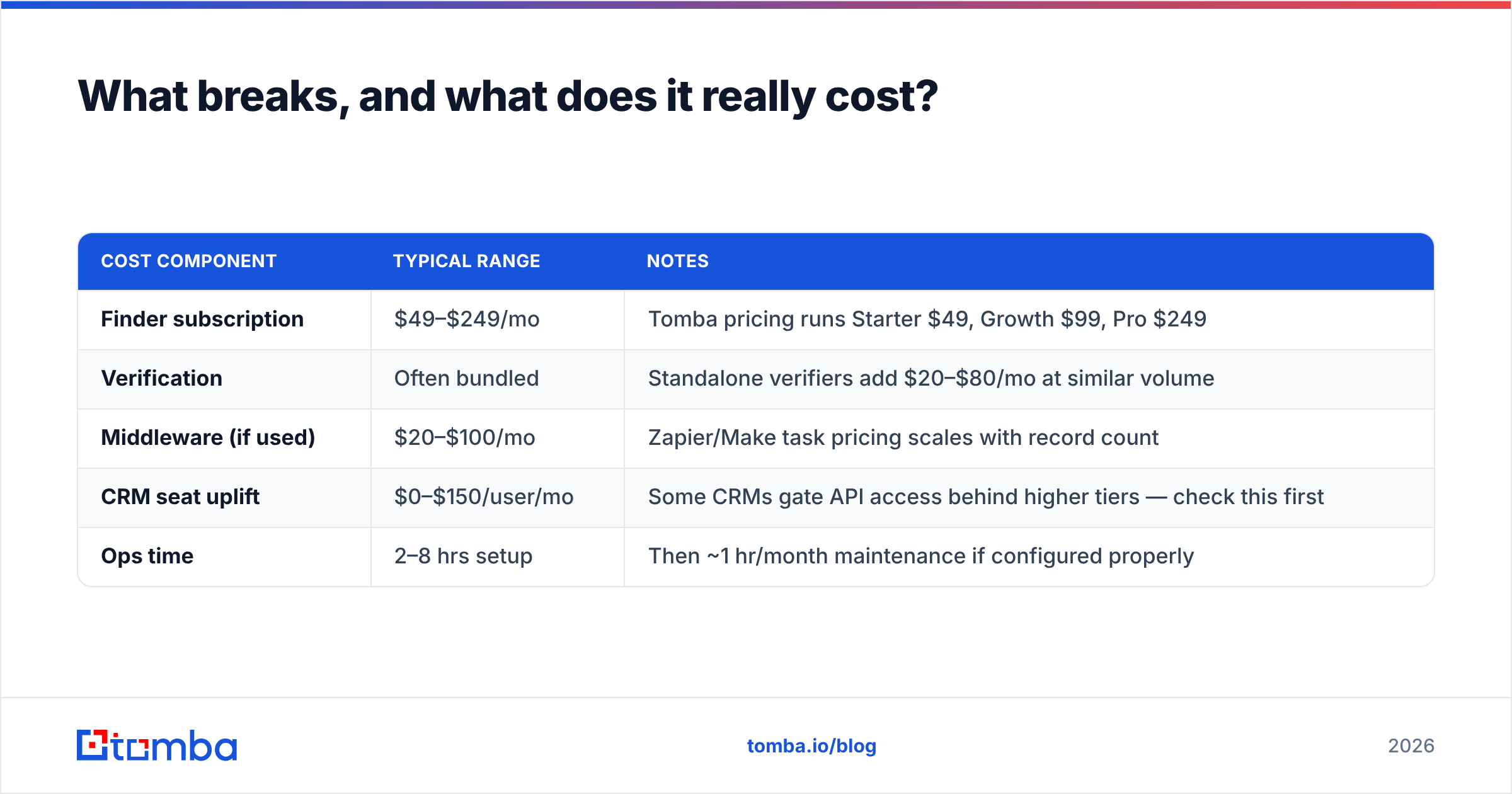
On cost, be honest about the total. The sticker price is the smallest line:
| Cost component | Typical range | Notes |
|---|---|---|
| Finder subscription | $49–$249/mo | Tomba pricing runs Starter $49, Growth $99, Pro $249 |
| Verification | Often bundled | Standalone verifiers add $20–$80/mo at similar volume |
| Middleware (if used) | $20–$100/mo | Zapier/Make task pricing scales with record count |
| CRM seat uplift | $0–$150/user/mo | Some CRMs gate API access behind higher tiers — check this first |
| Ops time | 2–8 hrs setup | Then ~1 hr/month maintenance if configured properly |
That CRM seat uplift catches people out. Confirm your current tier actually permits third-party API writes before you buy anything; on some Salesforce and Pipedrive plans it doesn't.
Which one should you actually pick?#
Decide by bottleneck, not by feature count.
- Your problem is finding contacts, and your CRM is the system of record. Pick a finder-first tool with a native app and a real API. You want clean data written correctly, not another sequencing UI to ignore.
- Your problem is that outreach lives in five places. Pick an all-in-one platform and accept slightly weaker finding for consolidated workflow.
- Your problem is that you need a defined segment right now. Buying a pre-validated list is faster than building one contact at a time — that's a legitimate strategy, not a shortcut.
- Your problem is engineering-shaped (enrichment inside a product signup flow, lead scoring, a data warehouse). Skip the UI comparison entirely and evaluate on API docs, rate limits, and response schema.
Whatever you choose, the non-negotiable is verification before sync. Every integration argument in this post collapses if the addresses flowing through it are wrong.
Ready to wire it up?#
If your bottleneck is discovery and you want the results landing in HubSpot, Salesforce or Pipedrive without a CSV in sight, start with the Tomba Email Finder. The free tier gives you 25 searches a month — enough to run the 100-contact ICP test described above and see your real hit rate before you commit to anything. Verification is built in, the native CRM apps handle field mapping and email-based deduplication out of the box, and if you outgrow the UI, the same data is one API call away.
Test it against your own target list. That's the only benchmark that counts.
Related guides#
Ready to find emails that actually work?
Join 150,000+ professionals who stopped guessing and started sending. Free credits on signup — no credit card required.
Get the Tomba newsletter
Practical outbound tactics and product updates — once every two weeks.
About the author