Email Hunter Verifier: How Email Finding and Verification Work in 2026
Finding an email is only half the job — verifying it is what keeps your domain alive. Here's how email hunter and verifier tools actually work, where they fail, and how to pick one in 2026.
TL;DR
- An "email hunter verifier" is really two separate jobs bolted together: finding a likely address (pattern inference + source data) and verifying it exists (SMTP, MX, and catch-all handling). Tools that do only one leave you exposed.
- Vendor accuracy claims of "98%+" are almost always measured on deliverable-only subsets. Real-world usable rates on cold B2B lists sit closer to 85–95% depending on region and company size.
- Catch-all domains are the single biggest source of silent failure. Roughly 15–25% of B2B domains accept everything at the SMTP layer, so a "valid" result there means nothing without a dedicated catch-all check.
- Cost per usable contact matters more than cost per credit. A $49/mo plan with 90% usable data beats a $29/mo plan at 70%.
- Practical stack: find by domain → verify → segment catch-alls → enrich → send. Skipping step two is how you get a 12% bounce rate and a burned sending domain.
What Is an Email Hunter Verifier?#
An email hunter verifier is a tool (or a pair of tools) that does two things in sequence: it hunts for a person's work email address, then verifies that the address actually accepts mail.
Think of it like a locksmith and a lock tester. The hunter cuts a key based on the pattern of every other key in the building — if jane.doe@acme.com and bob.smith@acme.com exist, then sara.chen@acme.com is a strong guess. The verifier walks over and tries the key in the door without opening it, confirming the lock accepts it before you commit.
Both halves have very different failure modes:
- The hunter fails silently by guessing. Pattern inference is statistically sound but not proof. A company that switched from
first.lasttoflastthree years ago will have two live patterns and a graveyard of dead ones. - The verifier fails silently by trusting SMTP. Mail servers lie. Some accept every recipient (catch-all), some greylist unknown senders, some return a 250 OK and bin the message later.
- The combination fails on data freshness. An address verified in 2024 has roughly a 22–30% chance of being wrong by 2026 given normal B2B job-change rates.
- Neither half catches role accounts.
info@,sales@, andsupport@verify perfectly and convert terribly.
The term "email hunter" is often used generically — people search for it the way they say "google it" — but the underlying category is the email finder, and it's paired with an email verifier in any serious workflow.

How Does Email Hunting Actually Work?#
There are four discovery methods, and every vendor uses some blend of them. The blend is what determines coverage and accuracy.
1. Crawled public sources. Company sites, press releases, GitHub commits, conference speaker pages, author bylines, WHOIS records, and public filings. This is real observed data — highest confidence, lowest coverage. An author finder is a specialised version of this, pulling contacts from article bylines.
2. Pattern inference. Once a provider has confirmed 5–10 addresses at acme.com, it can infer the company's format with high confidence. Around 70% of B2B domains use first.last@, first@, or flast@. This drives most of the volume in every finder on the market.
3. Contributed and licensed data. Contact databases assembled from opt-in networks, browser extensions, CRM syncs, and licensed data partners. Coverage is broad; freshness varies wildly.
4. Real-time SMTP probing. Rather than returning a guess, the tool tests candidate addresses against the mail server before returning anything. Slower, more accurate, and the reason some tools take 4–8 seconds per lookup instead of 400ms.
The important thing: a confidence score is not a verification result. A 95% confidence score from a pattern engine means "95% of similar guesses were right." It does not mean this mailbox exists today.

Why Does Verification Matter More Than Finding?#
Because bounces are permanent damage and bad addresses are a temporary inconvenience.
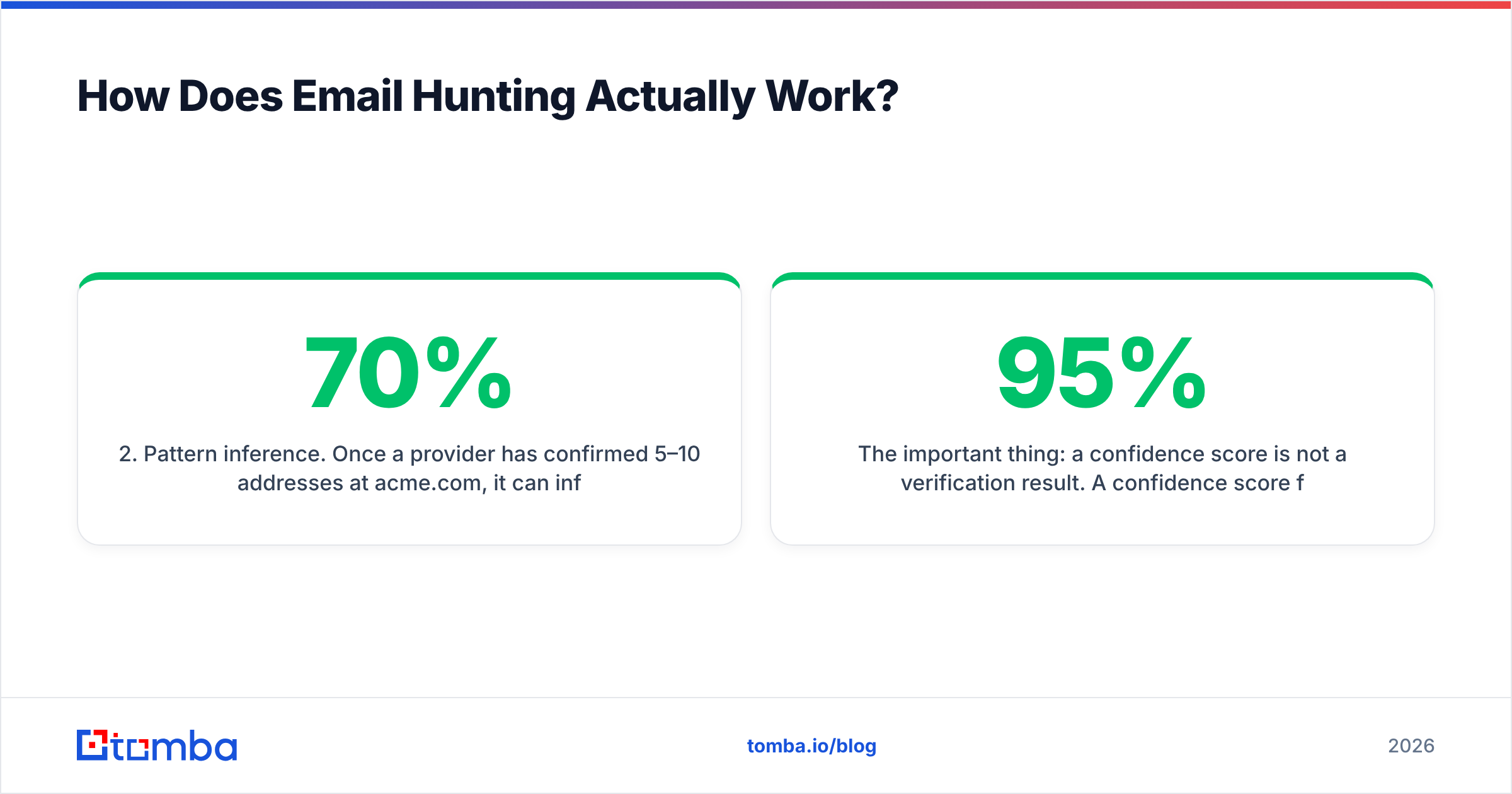
Mailbox providers score your sending domain on complaint rate, engagement, and — critically — hard bounce rate. Google and Yahoo's bulk-sender requirements, published in 2024 and tightened since, put spam complaint thresholds at 0.3% and expect authenticated, low-bounce sending. Google's own sender guidelines spell out the requirements. Cross the bounce threshold on a cold domain and your inbox placement drops for months, not days.
The math is unforgiving. Send 5,000 emails at a 12% bounce rate and you've generated 600 hard bounces in a week. That's a signal no warmup schedule recovers from quickly. Send the same 5,000 after verification at a 1.5% bounce rate and you're inside normal operating range.
There's also the wasted-effort cost. If a quarter of your list is dead, a quarter of your reps' follow-up sequences, your personalisation research, and your CRM records are dead too. Verification is cheaper than every downstream step it protects.
Understanding email deliverability as a system — authentication, reputation, list hygiene, content — makes it obvious that list hygiene is the cheapest lever you control.
How Do the Main Email Hunter Verifier Tools Compare in 2026?#
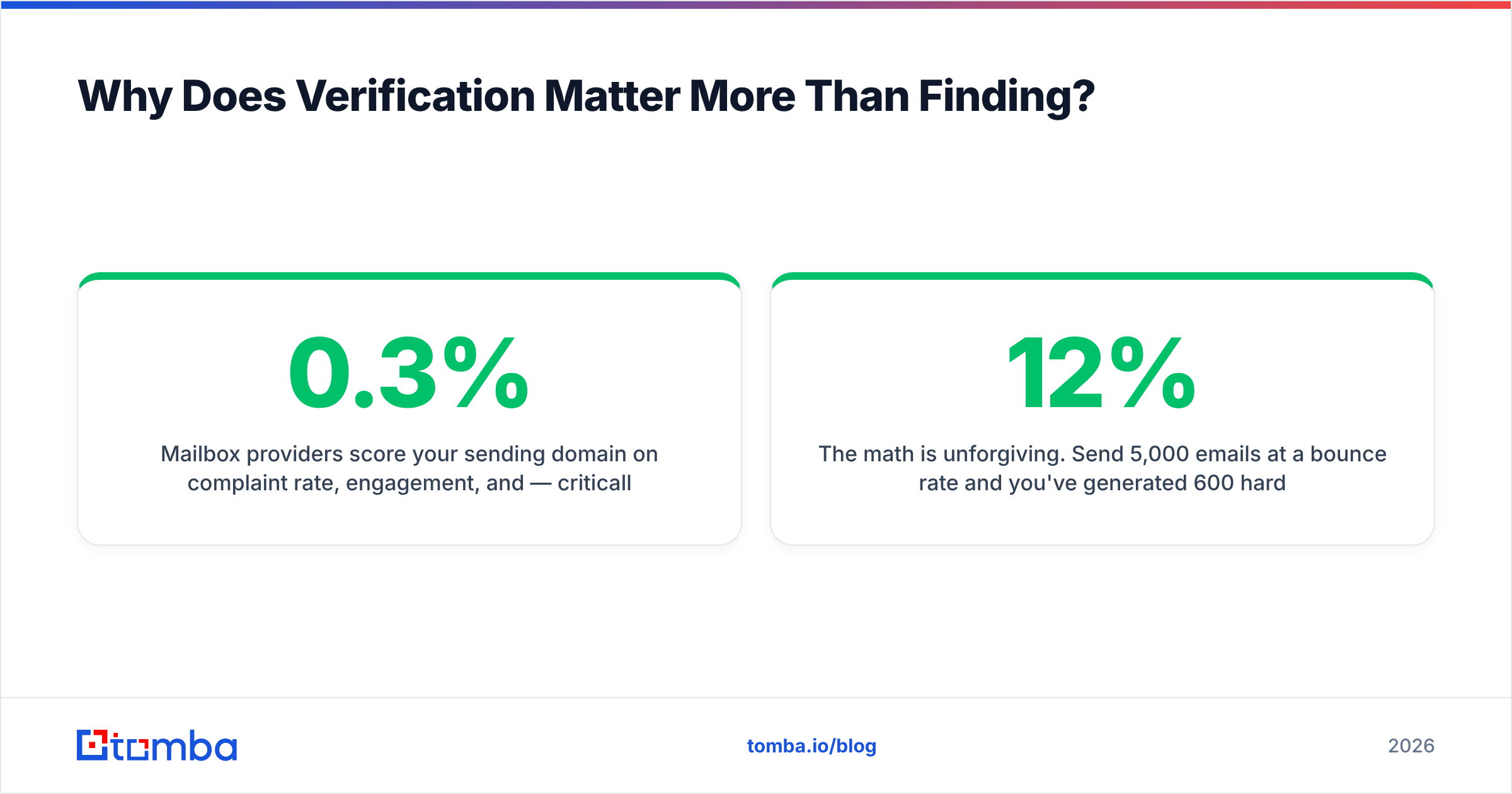
The category splits into three shapes: finder-first tools (find + basic verify), verifier-first tools (verify only, no discovery), and all-in-one sales platforms (find, verify, sequence, dial). Here's how the main options line up on the attributes that actually change your cost per usable contact.
| Attribute | Tomba | Hunter | Apollo | ZeroBounce | BookYourData |
|---|---|---|---|---|---|
| Primary function | Find + verify | Find + verify | Find + sequence | Verify only | Prebuilt B2B lists |
| Starter price | $49/mo | ~$49/mo | ~$49/user/mo | Pay-as-you-go | Pay-per-record |
| Free tier | 25 searches/mo | 25–50/mo | Limited credits | 100 free credits | Sample records |
| Domain search | Yes | Yes | Yes | No | N/A (list-based) |
| Catch-all handling | Dedicated verifier | Flagged only | Flagged only | Flagged + scored | Pre-screened |
| Phone numbers | Yes | No | Yes | No | Yes |
| Native API | Yes | Yes | Yes | Yes | Yes |
| Spreadsheet add-ins | Sheets, Excel, Airtable | Sheets | Limited | Sheets | CSV export |
| Best for | Verified discovery at volume | Simple domain lookups | Full outbound suite | Cleaning existing lists | Buying ready lists |
Read that table as a fit exercise, not a leaderboard. If you already have 200,000 contacts and just need them cleaned, a dedicated verifier is the right purchase and a finder is wasted spend. If you're building lists from scratch against a defined ICP, a finder with built-in verification collapses two vendors into one. And if you want a pre-built list handed to you with the research already done, a curated database vendor like BookYourData solves a different problem entirely — it's a legitimately different buying motion, not a worse one.

What Do Accuracy Claims Really Mean?#
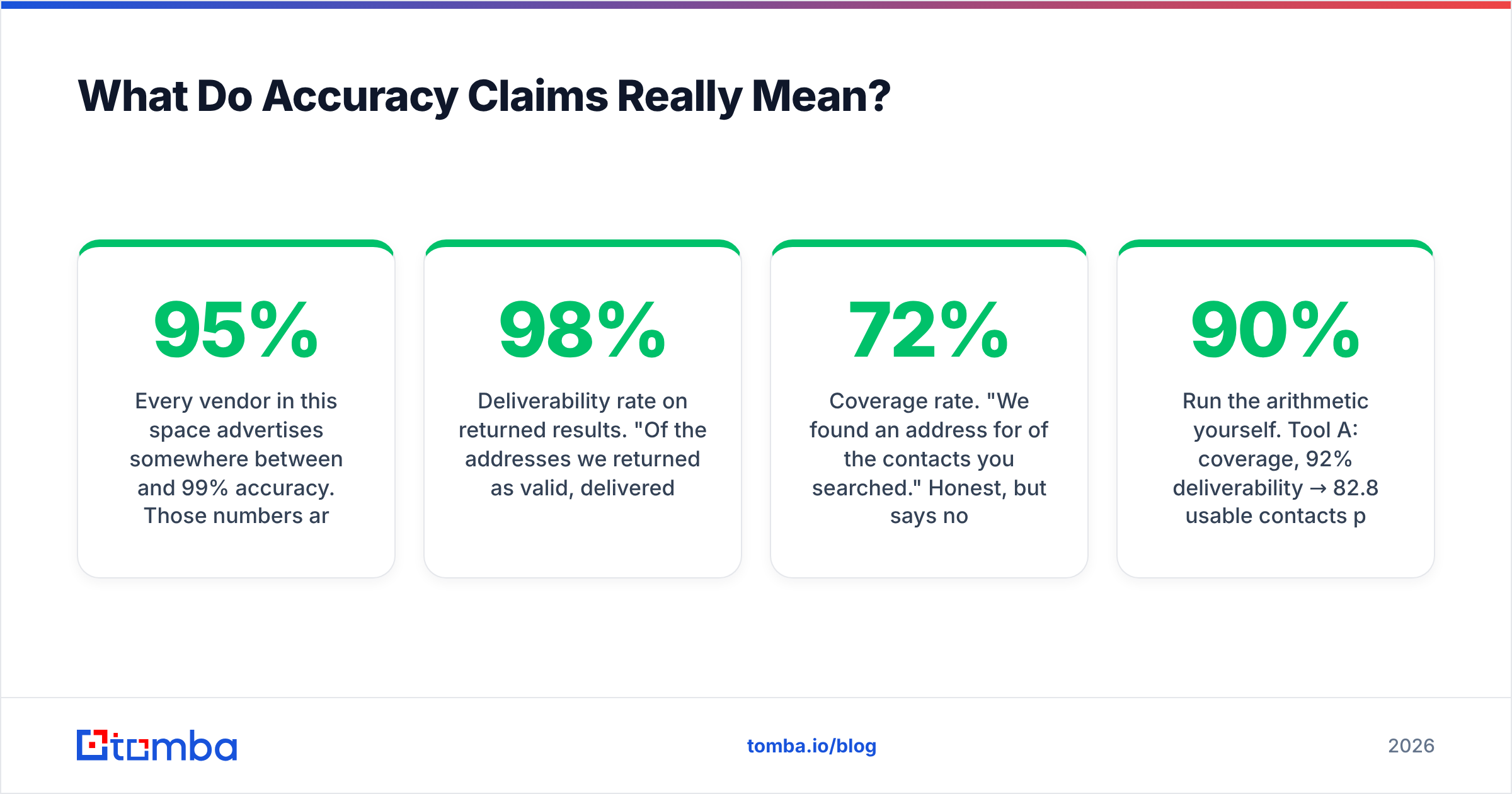
Every vendor in this space advertises somewhere between 95% and 99% accuracy. Those numbers are not comparable, because nobody defines the denominator the same way.
Here are the three definitions in common use:
- Deliverability rate on returned results. "Of the addresses we returned as valid, 98% delivered." This excludes every lookup that returned nothing. A tool that returns results for only 40% of your list can post a spectacular number here.
- Coverage rate. "We found an address for 72% of the contacts you searched." Honest, but says nothing about whether those addresses work.
- Usable rate. Coverage × deliverability. This is the only number that predicts your actual outcome, and almost nobody publishes it.
Run the arithmetic yourself. Tool A: 90% coverage, 92% deliverability → 82.8 usable contacts per 100 searched. Tool B: 55% coverage, 99% deliverability → 54.5 usable. Tool B wins the marketing page and loses your pipeline.
The only reliable evaluation is a blind test on your own data. Take 200 known-good contacts from your CRM — ones you've genuinely emailed and gotten replies from — strip the addresses, and run the names and domains through each tool's free tier. Score coverage and exact-match accuracy. It takes an afternoon and it beats every review site. That said, G2's email verification category is a reasonable starting point for shortlisting before you test.
Also check where the data originates. Providers who publish their data sources are making a falsifiable claim; those who say "proprietary AI" are not.
How Do You Handle Catch-All Domains?#
This is where most workflows quietly break, so it gets its own section.
A catch-all (or "accept-all") domain is configured to accept mail for any address at that domain, then sort or discard it internally. asdkjhaskdj@acme.com returns the same SMTP 250 OK as ceo@acme.com. Standard verification cannot distinguish them.
Catch-alls are common at enterprises and at any company running Microsoft 365 with default settings — figure 15–25% of B2B domains depending on your segment. Two bad responses to this:
- Treating catch-alls as valid. You inflate your list with addresses that may not exist, and you find out via bounces.
- Discarding catch-alls entirely. You throw away a fifth of your addressable market, including a disproportionate share of enterprise accounts.
The correct handling is a three-way segmentation:
- Verified valid — SMTP-confirmed on a non-catch-all domain. Send freely.
- Catch-all, high confidence — the domain accepts everything, but the address matches a confirmed company pattern and appears in observed sources. Send in smaller, throttled batches from a secondary domain and monitor bounces separately.
- Catch-all, low confidence — pattern-guessed only, no corroborating source. Hold, or route to LinkedIn/phone outreach instead.
A dedicated catch-all verifier does deeper probing on these domains rather than shrugging and flagging them. Combine that with sensible list segmentation and catch-alls stop being a landmine.

What Does a Practical Workflow Look Like?#
Here's a sequence that holds up at both 500 and 50,000 contacts per month.
Step 1 — Define the account list before touching a tool. Firmographics, headcount band, tech stack, trigger events. Pulling 10,000 random addresses is not prospecting.
Step 2 — Run domain-level discovery. For each target account, a domain search returns everyone the provider knows at that company plus the detected email pattern. That pattern is reusable for anyone you later add manually.
Step 3 — Find named contacts. Feed first name, last name, and domain. This is far more accurate than pulling whoever the tool happens to have, because you've already decided who matters.
Step 4 — Verify everything, including addresses you were given. Verify contacts from trade shows, form fills, and old CRM exports too. Anything older than six months is suspect.
Step 5 — Segment by verification status. Valid, catch-all-high, catch-all-low, invalid. Send volume and sending domain should differ per bucket.
Step 6 — Enrich what survived. Job title, seniority, LinkedIn, company size, funding. Contact enrichment turns an address into something you can personalise against.
Step 7 — Re-verify quarterly. B2B data decays at roughly 2–2.5% per month. A list you cleaned in January is measurably worse by April.
For bulk operations, run steps 2–4 through a bulk email finder rather than one-by-one lookups, or wire it into your CRM directly through the Tomba API so records get verified at the moment they're created instead of in a quarterly cleanup panic.
What Should You Look For When Choosing a Tool?#
Six criteria, in the order they matter:
- Usable rate on your ICP, not global accuracy. A tool strong in North American SaaS may be weak in EU manufacturing. Test on your actual segment.
- Explicit catch-all handling. Ask specifically what happens on accept-all domains. "We flag them" is a partial answer, not a solution.
- Credit model transparency. Does a failed search burn a credit? Does a verification cost the same as a find? Do credits roll over? Read Tomba pricing and every competitor's pricing page with those three questions in hand.
- API and integration depth. If verification isn't automated at the point of record creation, it won't happen consistently. Check for native integrations with your CRM and sequencer before you buy.
- Compliance posture. GDPR lawful basis, CCPA handling, opt-out processing, and a real data-subject request path. This is not optional for EU-facing outbound.
- Support responsiveness during evaluation. How a vendor responds during a trial is the best available signal of how they'll respond during an incident.
Skip the vendors that won't let you test before paying. A free tier — 25 searches is enough for a smoke test — tells you more in twenty minutes than any comparison article, including this one.
Common Mistakes That Kill Campaigns#
- Sending to a fresh list from your primary domain. Use a separate sending domain for cold outreach. Always.
- Verifying once and never again. Decay is continuous; hygiene should be too.
- Keeping role accounts.
info@,hello@,careers@verify clean and convert near zero. Strip them. - Ignoring the invalid bucket. Invalid results often signal a wrong domain or a company that rebranded — worth a manual look on your top accounts.
- Confusing verification with permission. A valid address is not consent. Know your legal basis before you send.
- Optimising for credit price. The cheapest credits are usually the stalest data. Measure cost per meeting booked, not cost per credit.
The Bottom Line#
Finding an address and proving it exists are two different jobs, and the second one is what protects your sender reputation. Any tool that only does the first is handing you a liability dressed as a lead list.
Build the workflow around verification: discover at the domain level, target named contacts, verify everything, segment catch-alls instead of guessing at them, enrich what survives, and re-run the whole thing quarterly. That sequence is boring, and it's the difference between a 1.5% bounce rate and a dead domain.
If you want find and verify in one place instead of stitching two vendors together, start with the Tomba Email Finder. The free tier gives you 25 searches a month to run the blind test described above on your own contacts, and paid plans start at $49/mo with verification, domain search, and catch-all checks included rather than sold as add-ons. Test it against whatever you're using now — on your data, on your ICP — and let the usable rate decide.
Related guides#
Ready to find emails that actually work?
Join 150,000+ professionals who stopped guessing and started sending. Free credits on signup — no credit card required.
Get the Tomba newsletter
Practical outbound tactics and product updates — once every two weeks.
About the author