Email ID Validator: How to Check Any Email Address in 2026
A regex pattern only proves an address looks like an email. Here's what a real email id validator checks, how the tools compare on price and accuracy, and where every one of them still guesses.
TL;DR
- An email id validator answers one question: will mail sent to this address land in a real inbox? Syntax checking answers a much smaller question — does this string look like an address?
- Real validation runs four layers: syntax, DNS/MX, SMTP mailbox probe, and risk classification (role, disposable, catch-all, spam trap patterns).
- Catch-all domains are where every validator gets fuzzy. Anything above ~30% "accept-all" in your list means your reported accuracy number is fiction.
- Expect $0.0005–$0.008 per verification depending on volume and vendor. Free tiers cover 25–200 checks a month, enough to test but not to run outbound.
- Validate at three points, not one: at import, at signup (real time), and again 30–60 days later before any campaign send.
What is an email id validator?#
An email id validator is a service that takes an address and returns a verdict — deliverable, undeliverable, risky, or unknown — without sending an actual email to the person.
Think of it like a courier checking an address before driving out. They confirm the street exists (DNS), that a building sits on it (MX records), and that the mailbox on the door accepts letters (SMTP handshake). They never open the door. Same with validation: the mail server is asked whether it would accept a message for that recipient, then the connection is dropped before anything is delivered.
"Email ID" is just the regional phrasing — common in India and much of South Asia — for what US and EU teams call an email address. The validation mechanics are identical. What differs between vendors is how many of those four layers they actually run, and how honestly they report the cases where the answer is genuinely unknowable.
The reason this matters more in 2026 than it did five years ago: Google and Yahoo's bulk sender rules put a hard 0.3% spam complaint ceiling on senders, and hard bounces above roughly 2% get you throttled fast. A list with 12% dead addresses is not a slow leak — it's a domain reputation problem that shows up in week two of a campaign and takes a month to unwind.
Why does regex validation always fail?#
Because regex validates form, not existence. It cannot tell you that sarah.chen@stripe.com is a working mailbox and sarah.chenn@stripe.com is not — both match every pattern you can write.
Worse, most copy-pasted regex patterns are wrong in both directions. The RFC 5322 specification permits quoted local parts, plus-addressing, and characters that the average one-line regex rejects outright. Meanwhile that same regex happily approves asdf@asdf.com, every disposable domain, and a typo'd @gmial.com.
Here's what each layer actually rules out:
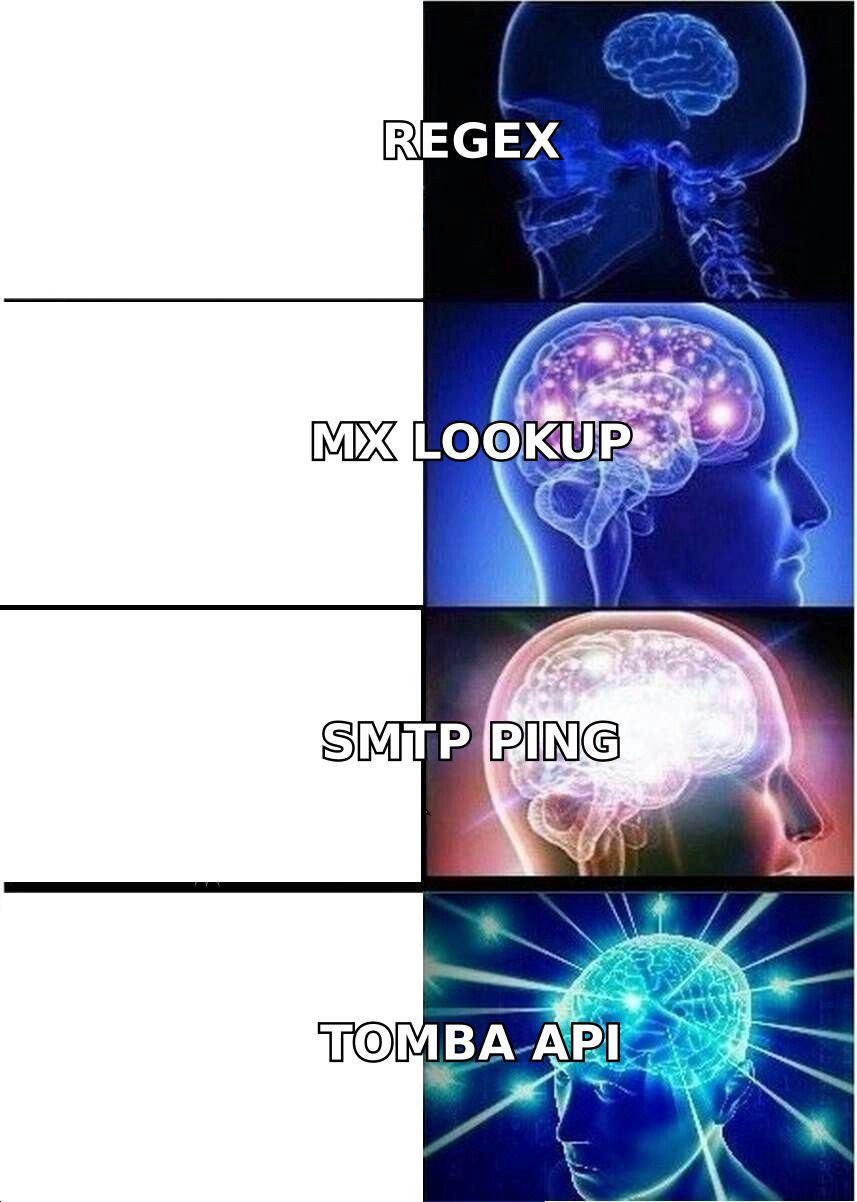
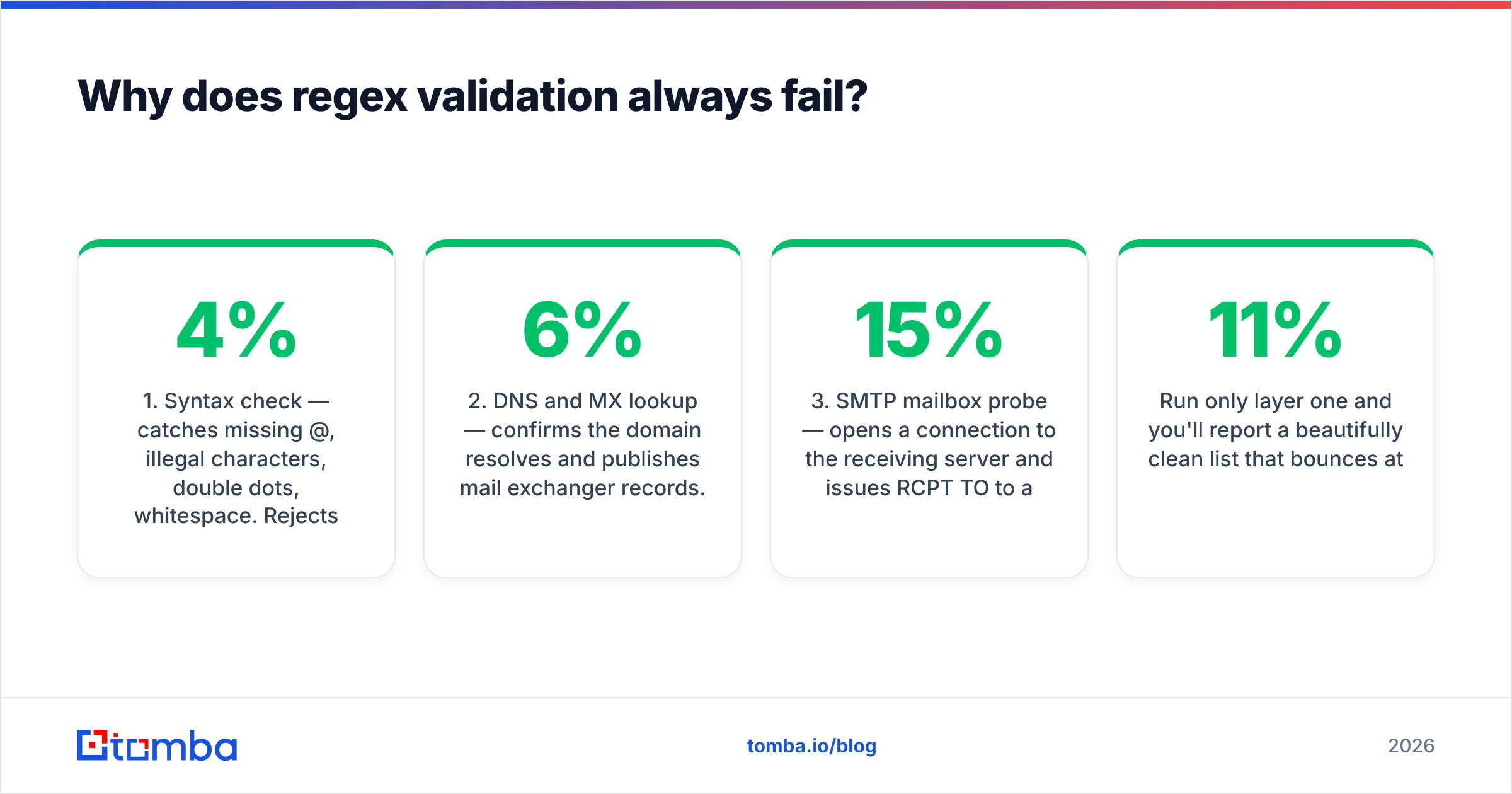
- Syntax check — catches missing
@, illegal characters, double dots, whitespace. Rejects maybe 2–4% of a typical raw list. Free, instant, and nearly worthless on its own. - DNS and MX lookup — confirms the domain resolves and publishes mail exchanger records. Kills parked domains, dead companies, and typo'd TLDs. Adds another 3–6% of removals.
- SMTP mailbox probe — opens a connection to the receiving server and issues
RCPT TOto ask whether the specific mailbox exists. This is the layer that separates a validator from a syntax checker, and it's where the real 5–15% of dead addresses surface. - Risk classification — flags role accounts (
info@,sales@,admin@), known disposable providers, catch-all domains, and addresses with spam-trap characteristics. These are deliverable but often shouldn't be mailed.
Run only layer one and you'll report a beautifully clean list that bounces at 11%.
How do email id validators compare on accuracy and price?#
The honest answer to "which is most accurate" is that vendor-published accuracy numbers are marketing, because each vendor picks its own test list and its own definition of a correct answer. What you can compare is coverage of the four layers, how unknowns are handled, and what you pay.
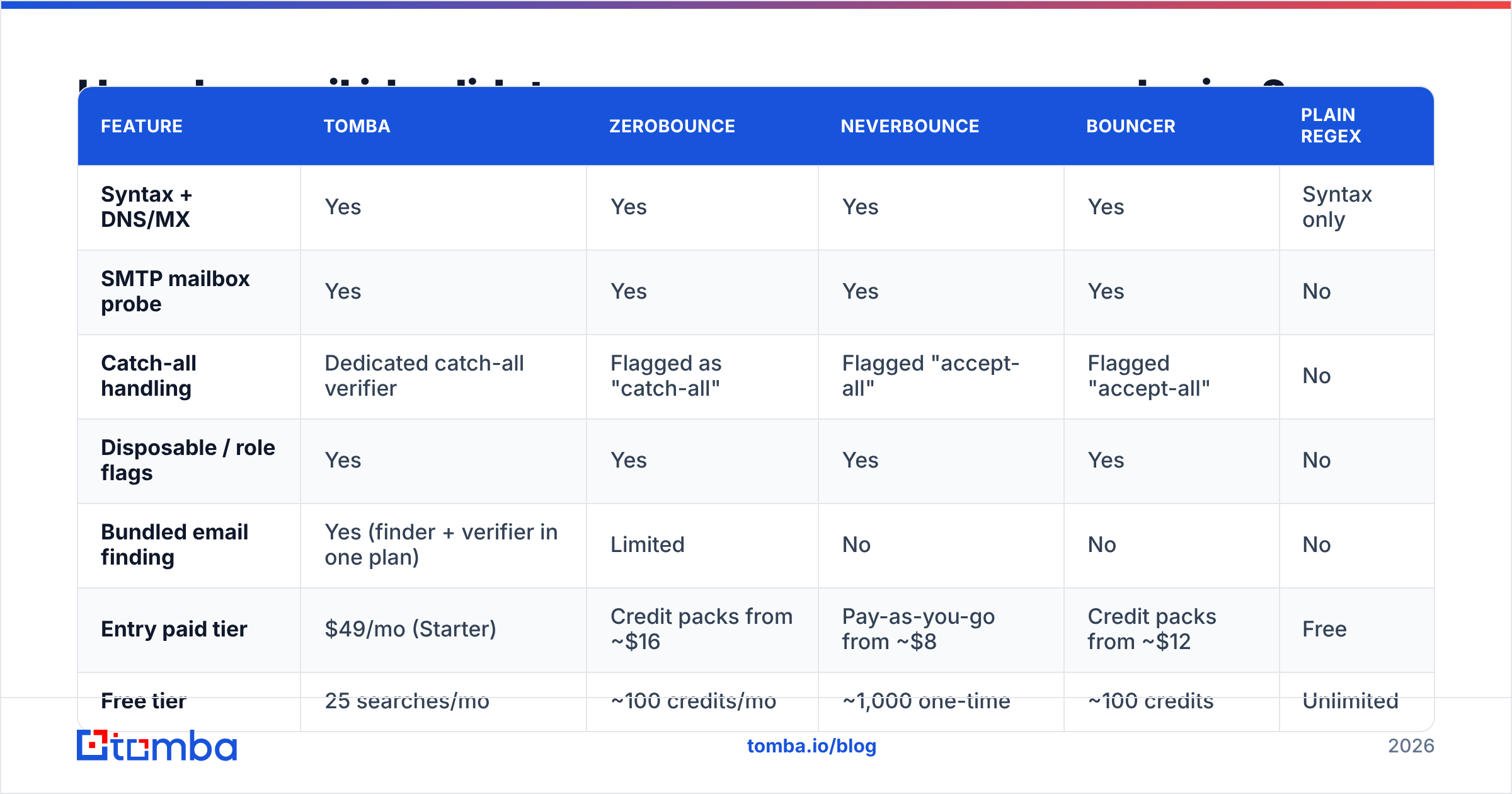
| Feature | Tomba | ZeroBounce | NeverBounce | Bouncer | Plain regex |
|---|---|---|---|---|---|
| Syntax + DNS/MX | Yes | Yes | Yes | Yes | Syntax only |
| SMTP mailbox probe | Yes | Yes | Yes | Yes | No |
| Catch-all handling | Dedicated catch-all verifier | Flagged as "catch-all" | Flagged "accept-all" | Flagged "accept-all" | No |
| Disposable / role flags | Yes | Yes | Yes | Yes | No |
| Bundled email finding | Yes (finder + verifier in one plan) | Limited | No | No | No |
| Entry paid tier | $49/mo (Starter) | Credit packs from ~$16 | Pay-as-you-go from ~$8 | Credit packs from ~$12 | Free |
| Free tier | 25 searches/mo | ~100 credits/mo | ~1,000 one-time | ~100 credits | Unlimited |
| API + bulk upload | Yes | Yes | Yes | Yes | No |
Two things to read out of that table. First, pure-play verifiers with low pay-as-you-go entry points are genuinely cheaper if verification is all you need — if someone hands you a 40,000-row list once a quarter, buy credits and move on. Second, if you're building the list as well as cleaning it, paying two vendors for finding and verifying is usually the more expensive path; Tomba's email verifier draws from the same credit pool as the finder, which is why the flat $49/mo Starter tier tends to beat stacked per-vendor credit packs once you're running outbound weekly.
Check current numbers before you commit — vendors reprice constantly, and verification tool reviews on G2 are a better read on real support quality than any comparison page, including this one.
What do the result codes actually mean?#
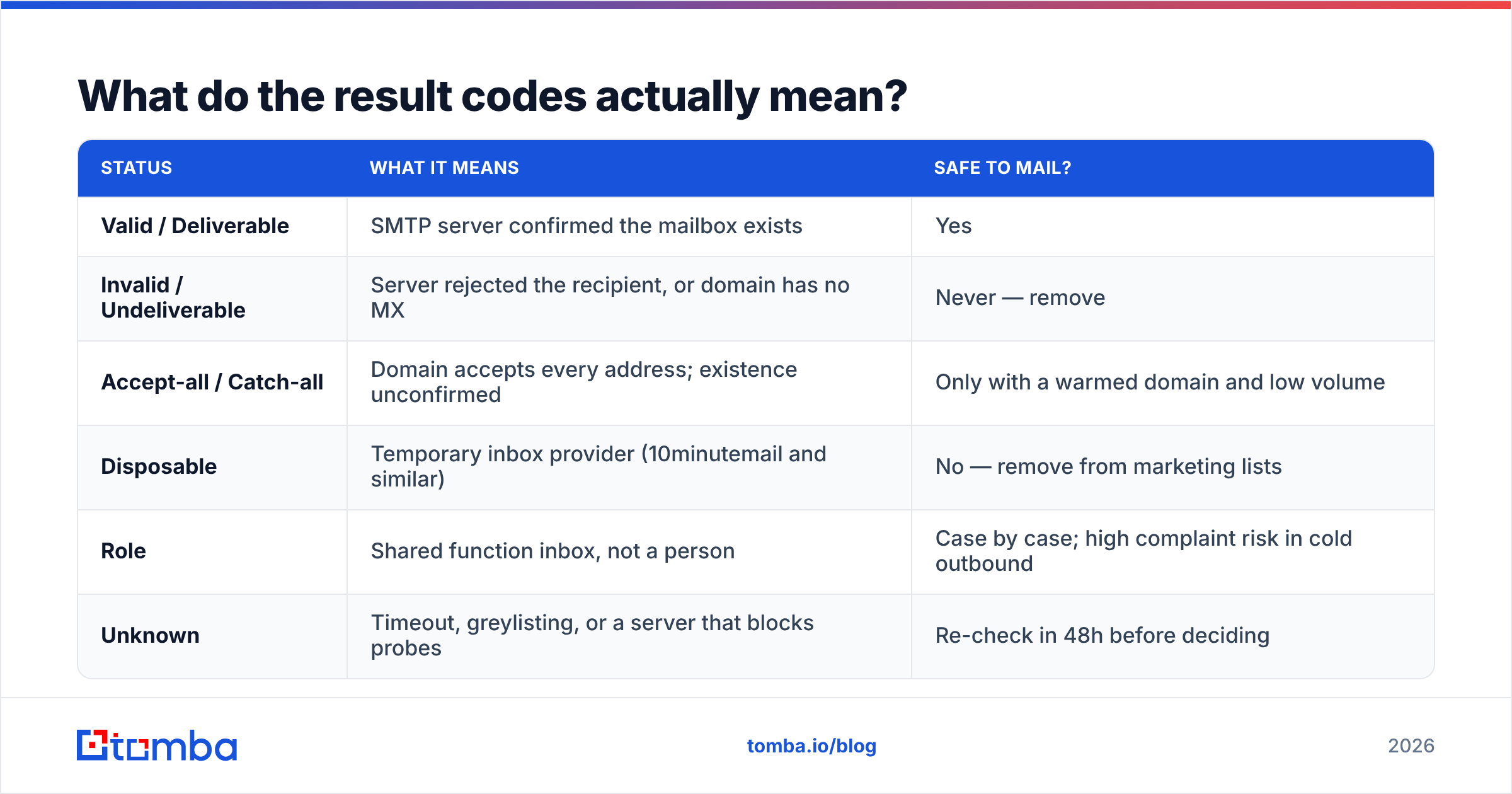
Every validator returns a status, and the labels differ just enough to cause trouble. Here's the translation layer:
| Status | What it means | Safe to mail? |
|---|---|---|
| Valid / Deliverable | SMTP server confirmed the mailbox exists | Yes |
| Invalid / Undeliverable | Server rejected the recipient, or domain has no MX | Never — remove |
| Accept-all / Catch-all | Domain accepts every address; existence unconfirmed | Only with a warmed domain and low volume |
| Disposable | Temporary inbox provider (10minutemail and similar) | No — remove from marketing lists |
| Role | Shared function inbox, not a person | Case by case; high complaint risk in cold outbound |
| Unknown | Timeout, greylisting, or a server that blocks probes | Re-check in 48h before deciding |
The two rows that cost people money are accept-all and unknown. Vendors that quietly bucket accept-all into "valid" post gorgeous accuracy stats and hand you a bounce problem. Vendors that bucket it into "invalid" burn perfectly good contacts — a large share of enterprise domains run catch-all by policy.
Treat catch-all as its own tier with its own workflow. A catch-all verifier uses pattern history and previous engagement signals to grade those addresses instead of coin-flipping them, which is the difference between mailing 400 of them and mailing none.
When should you validate — and how often?#
Validation is not a one-time cleanup. Contact data decays at roughly 22–30% a year as people change jobs, and B2B lists decay faster than consumer ones.
- At capture (real time). Wire the API into your signup form, demo request, and lead magnet. A validator call adds 200–600ms and stops the typo'd address before it enters your CRM. This is the highest-ROI integration point by a wide margin.
- At import (bulk). Any purchased, scraped, or event list gets a full pass before it touches your sending domain. Use a bulk email finder run or a CSV upload rather than looping single calls.
- Before each campaign. Re-verify anything untouched for 60+ days. This is cheap insurance compared to a reputation repair.
- After a bounce spike. If a segment bounces above 3%, stop the send and re-verify the whole segment, not just the bounced rows. A spike usually means a stale slice, not bad luck.
For the real-time case, the integration is a single HTTP call. The email verification API pattern looks the same across vendors:
curl "https://api.tomba.io/v1/email-verifier/sarah.chen@stripe.com" \
  -H "X-Tomba-Key: $TOMBA_KEY" \
  -H "X-Tomba-Secret: $TOMBA_SECRET"
Cache the result keyed by address for 30 days. There's no reason to spend a credit re-checking the same address a user typed twice in one session.
What can no email id validator do?#
This is the section vendors leave out, so here it is plainly.
Yahoo, AOL, and most Microsoft 365 tenants block SMTP probes. They either accept every RCPT TO or rate-limit the connection. Any confident "valid" on those domains is inference from historical data, not a live confirmation. Good vendors say so; the rest report a green checkmark.
Greylisting produces false unknowns. Some servers deliberately reject the first connection from an unfamiliar IP and accept the retry. A single-pass validator reads that as a failure. Re-checking 48 hours later resolves most of them.
No validator knows whether the person still works there. sarah.chen@stripe.com can be a live, deliverable mailbox that auto-forwards to a manager for six months after Sarah leaves. That's a data freshness problem, and the fix is contact enrichment against current employment signals, not verification.
Spam traps are only partially detectable. Recycled traps — old real addresses reactivated by mailbox providers — pass every SMTP check because they are deliverable. Pattern heuristics catch some; nothing catches all. This is why list hygiene beats list volume.
Aggressive probing can hurt you. Hammering a receiving server with thousands of RCPT TO commands from one IP is a good way to get that IP blocked. This is a real argument for using a vendor with a distributed, reputation-managed IP pool rather than rolling your own SMTP checker on a $5 VPS. That homegrown script is cheap right up until the day your own mail server's IP lands on a blocklist.
For a deeper background read on the underlying address standard and its edge cases, Wikipedia's email address entry is genuinely good and free of vendor spin.
How do you pick the right validator for your volume?#
Match the tool to the shape of your work, not to the highest advertised accuracy percentage.
- Under 500 checks a month, occasional use. Free tiers plus a free email checker for one-off lookups. Don't pay for a subscription you'll use twice.
- Cleaning a purchased list once, then done. Pay-as-you-go credits from a pure verifier. No monthly commitment, no lock-in.
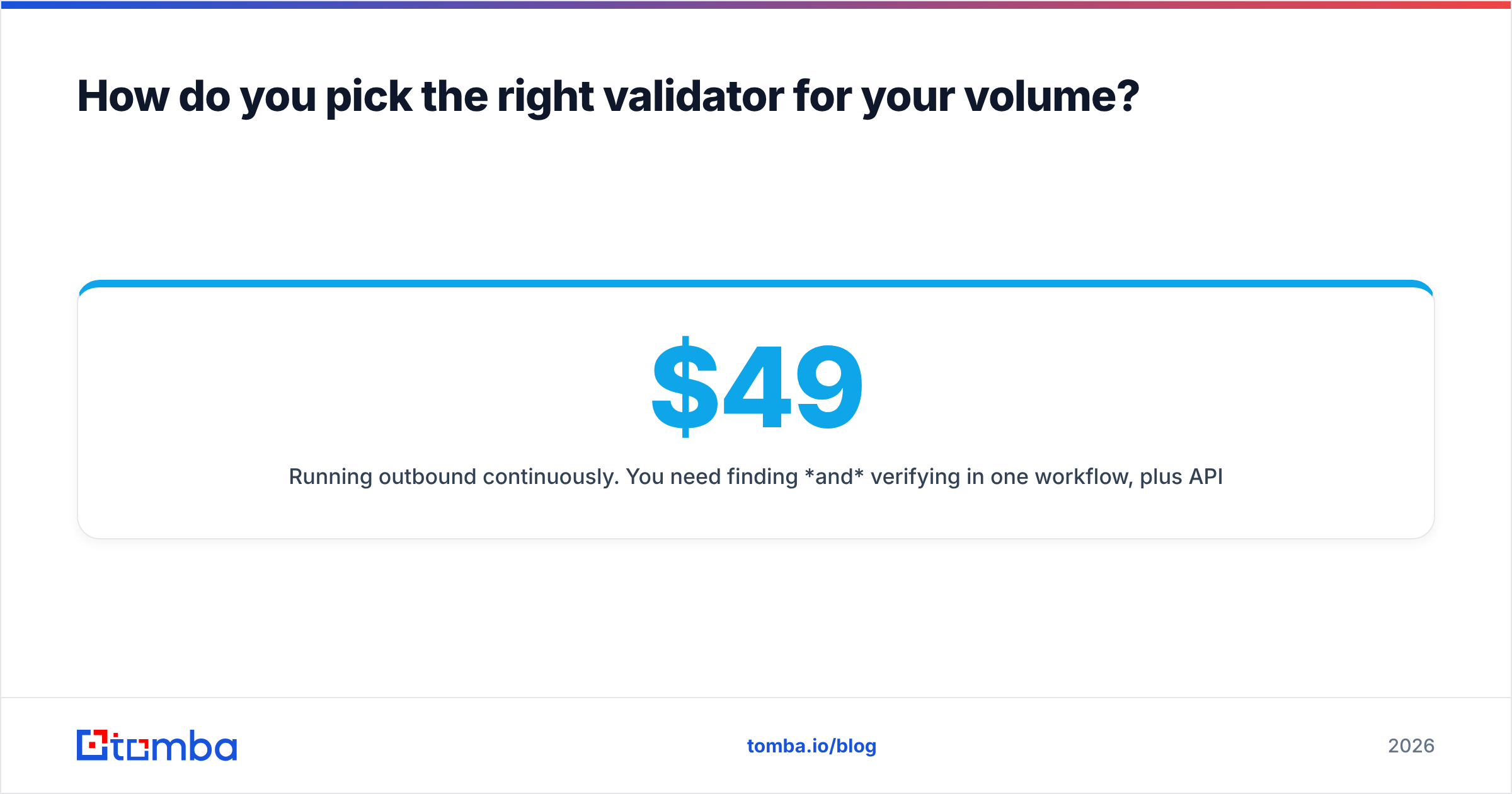
- Running outbound continuously. You need finding and verifying in one workflow, plus API access and a CRM integration. A flat monthly plan wins here — see the current Tomba pricing tiers at $49, $99, and $249/mo against per-credit math at your real monthly volume.
- Product signup flows at scale. Prioritize API latency, uptime SLA, and disposable-domain coverage over raw accuracy claims. A 900ms validator in a signup form costs you conversions.
- Regulated or high-compliance environments. Ask about data residency and whether uploaded lists are retained or used for training. Get the answer in writing.
One test before you buy: take 200 addresses you already know the truth about — 100 confirmed live from your own reply data, 100 confirmed bounced — and run them through each vendor's free tier. That 200-row benchmark on your data beats every published accuracy chart, because it reflects your actual domain mix.
Where should you start?#
If your problem is a dirty list, start with verification and re-check every 60 days. If your problem is that the list barely exists yet, validation is the second step, not the first — finding correct addresses in the first place is what determines your bounce rate, and cleaning up after a bad source is always more expensive than using a better source.
That's the case for doing both in one place. Tomba's Email Finder returns addresses with a confidence score and a verification status attached at discovery time, so the address that reaches your sequence has already cleared syntax, MX, and SMTP checks before you spend a credit on it. Start on the free tier with 25 searches, run your own 200-row benchmark, and only upgrade once the numbers hold up on your data.
Related guides#
Ready to find emails that actually work?
Join 150,000+ professionals who stopped guessing and started sending. Free credits on signup — no credit card required.
Get the Tomba newsletter
Practical outbound tactics and product updates — once every two weeks.
About the author