Email Leads in 2026: How to Find, Verify, and Convert Them
Most email lead lists rot faster than teams expect. Here's how sourcing, verification, and scoring actually work in 2026, with real costs per route and the bounce math behind each one.
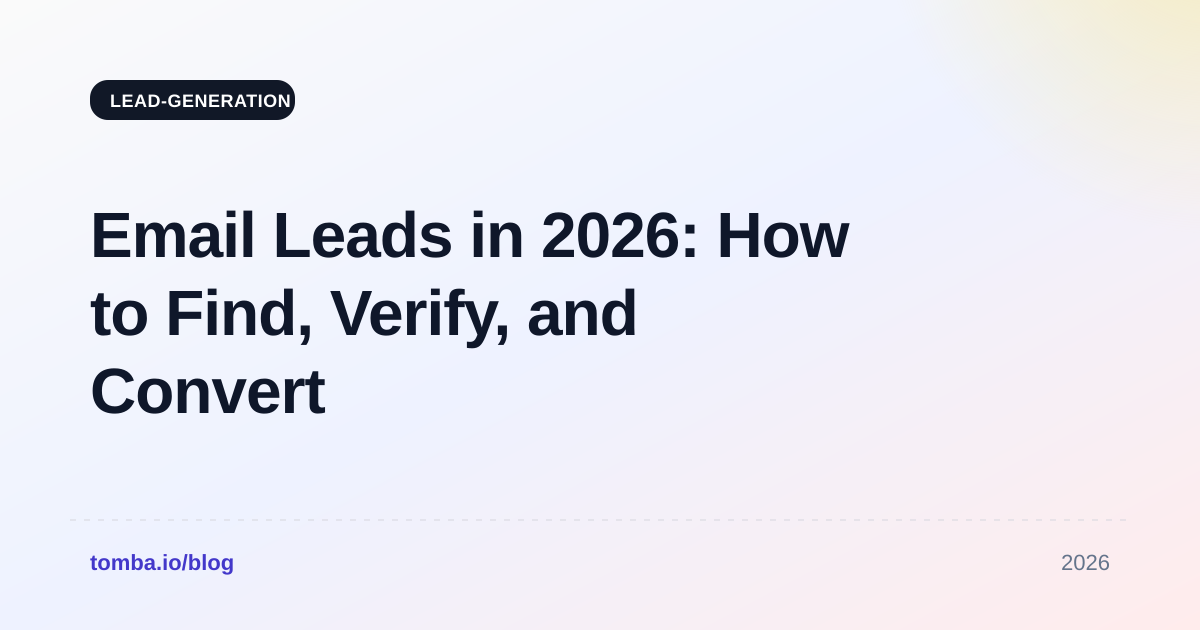
TL;DR
- An "email lead" is only worth something if three things are true at once: the address resolves, the person still holds the role, and the company matches your ICP. Most lists fail on the second one.
- B2B contact data decays at roughly 22-30% per year. A list you bought in January is measurably worse by June, whether or not anyone touched it.
- Sourcing routes are not interchangeable. Scraping, database subscriptions, pattern-based finding, and inbound capture produce different accuracy, different cost per usable lead, and different legal exposure.
- Verification is not optional overhead. At a 4% bounce rate, mailbox providers start throttling you; the cost of verifying 10,000 addresses is smaller than the cost of rebuilding a burned sending domain.
- Cost per usable lead is the only number that matters. A $0.02 record with 40% bounces is more expensive than a $0.12 record with 3% bounces.
What Are Email Leads, and What Counts as a Good One?#
An email lead is a business contact you can reach by email who plausibly has a reason to buy what you sell. That definition does a lot of quiet work. "Can reach" excludes dead mailboxes. "Plausibly has a reason" excludes the 900 junior designers you pulled while targeting VPs of Engineering.
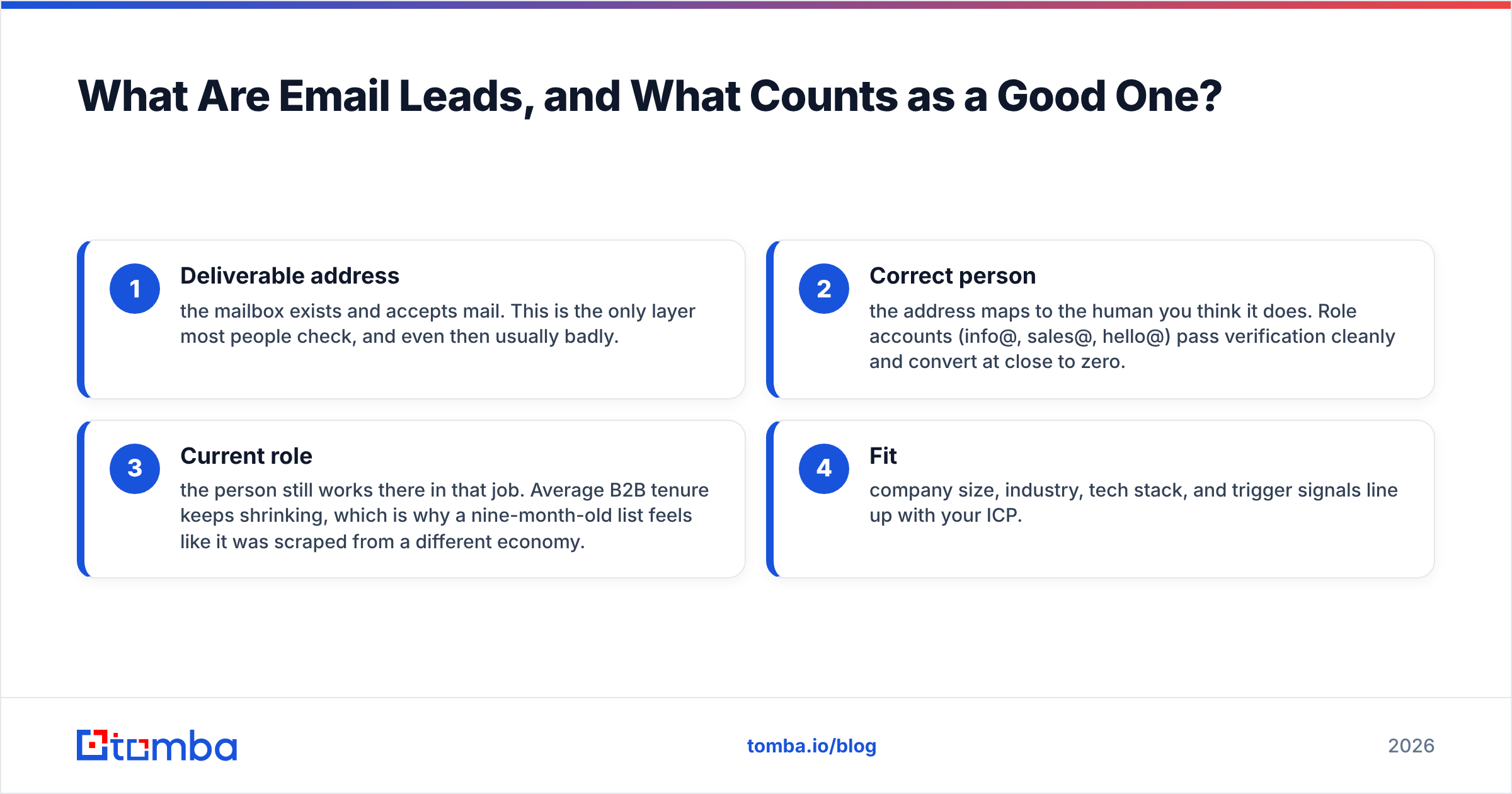
In practice a lead record has four layers, and each one fails independently:
- Deliverable address — the mailbox exists and accepts mail. This is the only layer most people check, and even then usually badly.
- Correct person — the address maps to the human you think it does. Role accounts (info@, sales@, hello@) pass verification cleanly and convert at close to zero.
- Current role — the person still works there in that job. Average B2B tenure keeps shrinking, which is why a nine-month-old list feels like it was scraped from a different economy.
- Fit — company size, industry, tech stack, and trigger signals line up with your ICP.
A record that passes all four is a lead. A record that passes only the first is an address. Vendors sell you addresses and invoice you for leads, and the gap between those two words is where most outbound budgets disappear.
The useful mental model: think of a lead list like fresh produce, not like a warehouse of bolts. It has a shelf life measured in months, it degrades whether or not you use it, and buying in bulk without a plan to consume it quickly is how you end up throwing most of it out.
Where Do Email Leads Actually Come From?#
There are five realistic sourcing routes in 2026, and serious teams use two or three of them together rather than betting on one.
- Pattern-based email finding — you know the name and the company domain, and a tool resolves the likely address by combining known company patterns with verification. This is what an email finder does. Highest precision when you already have a target list.
- Domain search — you start from a company, not a person, and pull every discoverable address at that domain with role and seniority labels. Useful for account-based motions where you need three contacts per account, not one. See what domain search is if the term is new to you.
- Database subscriptions — a vendor maintains a large contact index and you query it with filters. Fast coverage, variable freshness, and you are trusting someone else's refresh cadence.
- Purchased static lists — a CSV delivered once. Cheapest per row, fastest to decay, and the route with the most legal footguns depending on jurisdiction.
- Inbound and first-party capture — content downloads, webinar signups, trial registrations, and website visitor identification. Slowest to scale, highest converting, and the only source that produces genuine consent in most regulatory regimes.
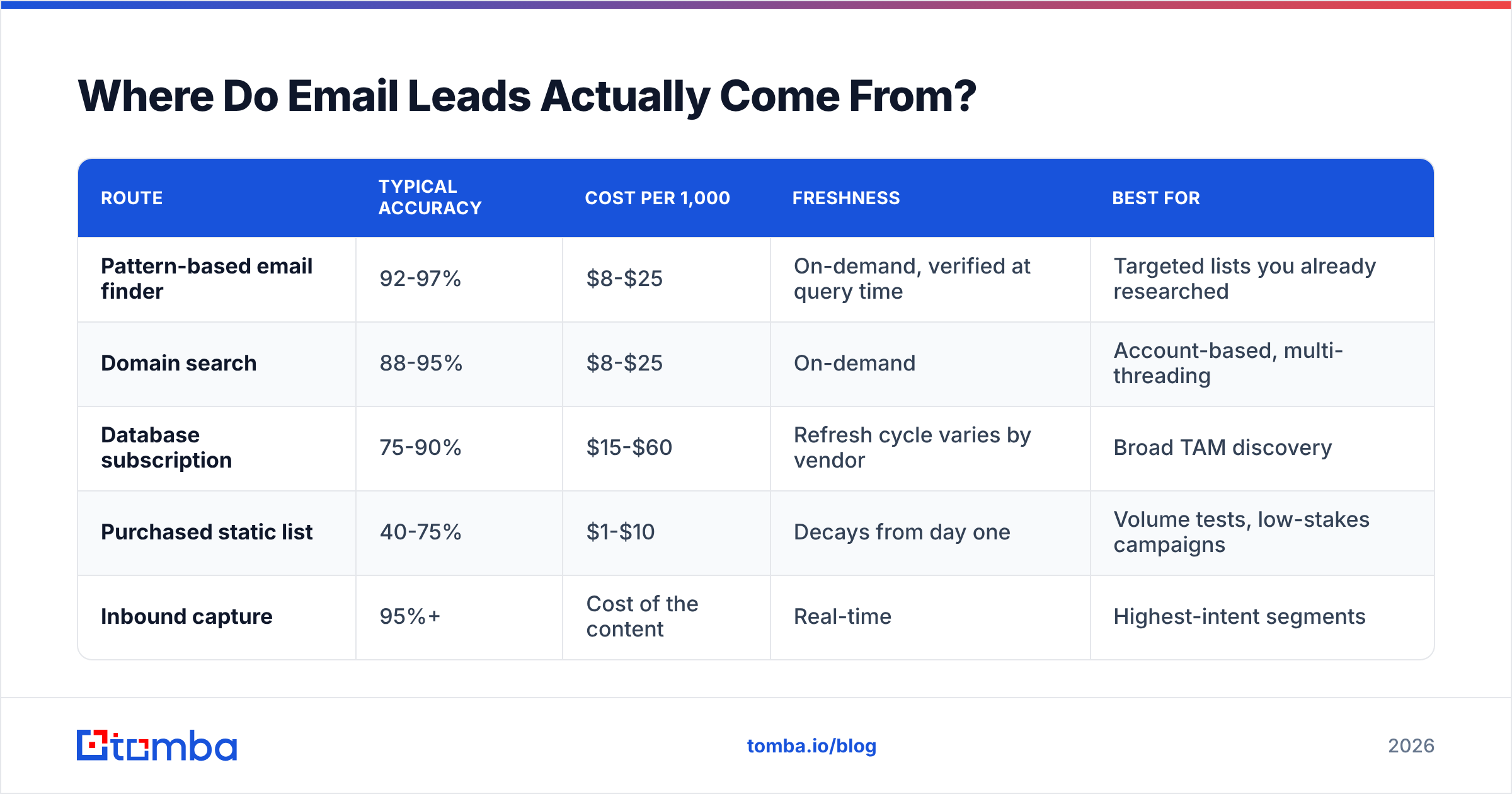
Here is how the routes compare on the dimensions that actually change your results:
| Route | Typical accuracy | Cost per 1,000 | Freshness | Best for |
|---|---|---|---|---|
| Pattern-based email finder | 92-97% | $8-$25 | On-demand, verified at query time | Targeted lists you already researched |
| Domain search | 88-95% | $8-$25 | On-demand | Account-based, multi-threading |
| Database subscription | 75-90% | $15-$60 | Refresh cycle varies by vendor | Broad TAM discovery |
| Purchased static list | 40-75% | $1-$10 | Decays from day one | Volume tests, low-stakes campaigns |
| Inbound capture | 95%+ | Cost of the content | Real-time | Highest-intent segments |
Notice that the cheapest row is also the worst row on two of the three quality columns. That is not a coincidence, and it is the single most common budgeting mistake in outbound.

Is Buying an Email List Better Than Building One?#
Short answer: buying is faster, building is cheaper per usable lead, and the right split depends on how narrow your ICP is.
Buy when your ICP is broad and your qualification happens in the campaign. If you sell to any company with 50-500 employees in North America, a database subscription gets you a workable universe in an afternoon, and the 15-20% junk rate is tolerable because your targeting was loose anyway.
Build when your ICP is narrow and every wasted send costs you a shot at a named account. If your list is 400 companies and you need the Head of Data at each one, you do not want a vendor's guess. You want to identify the person, then resolve their address with a tool that verifies at query time.
There is also a compliance dimension people skip. Under GDPR, purchased B2B lists sit in a legitimate-interest grey zone that varies by member state, and CAN-SPAM in the US does not require prior consent but does require accurate headers, a physical address, and a working opt-out. Vendors like BookYourData publish their compliance posture and verification guarantees openly, which is a reasonable bar to hold any list provider to. If a seller will not tell you where the data came from or when it was last checked, that silence is the answer.
Worth reading if you are formalizing this: HubSpot's breakdown of why purchased lists underperform owned lists is vendor-adjacent but the deliverability math in it holds up independently.
How Do You Verify Email Leads Before You Send?#
Verification is a pipeline, not a checkbox. Run it in this order, because each step is cheaper than the one after it:
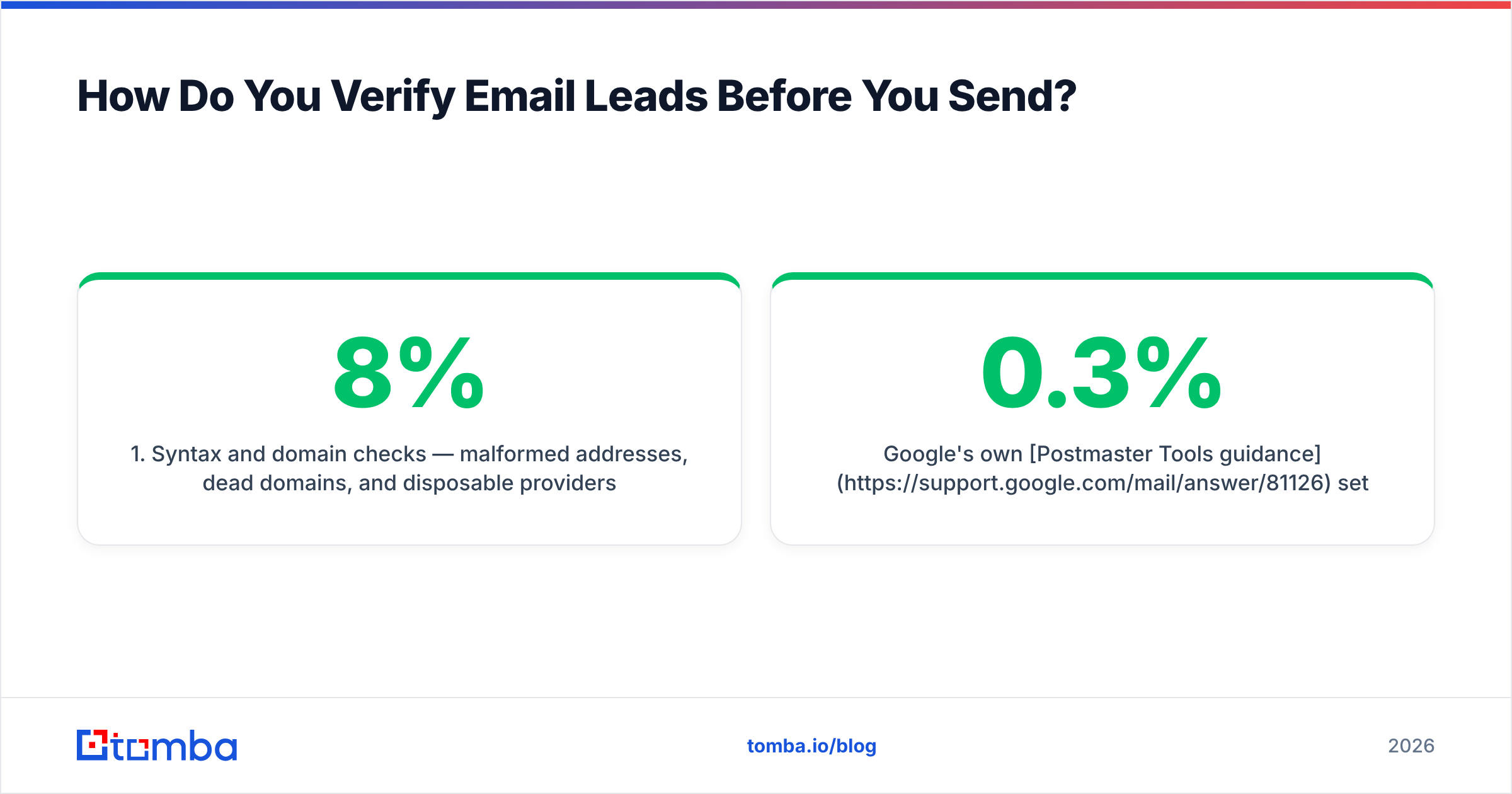
- Syntax and domain checks — malformed addresses, dead domains, and disposable providers get dropped for free. This removes 3-8% of a typical purchased list before you spend a credit.
- MX record lookup — confirms the domain can receive mail at all. Companies that shut down or migrated badly get caught here.
- SMTP validation — the mail server is asked whether the mailbox exists, without sending anything. This is the core of what an email verifier does.
- Catch-all handling — some domains accept everything, so SMTP returns "valid" for addresses that do not exist. A catch-all verifier uses additional signals to estimate real deliverability instead of shrugging.
- Role and risk flagging — separate info@ and support@ from named humans, and flag known complainers and spam traps.
Two rules that save people from themselves. First, verify immediately before send, not immediately after purchase — a list verified in March and sent in July is an unverified list. Second, treat "catch-all" as its own bucket with its own send policy rather than merging it into "valid." Sending your whole catch-all segment on day one of a new domain is a reliable way to teach Google that you are a problem.
Google's own Postmaster Tools guidance sets the practical ceiling: keep spam complaints under 0.3% and bounces well under 4%. Those numbers are not aspirational targets. They are the thresholds where filtering changes.
What Do Email Lead Tools Actually Cost in 2026?#
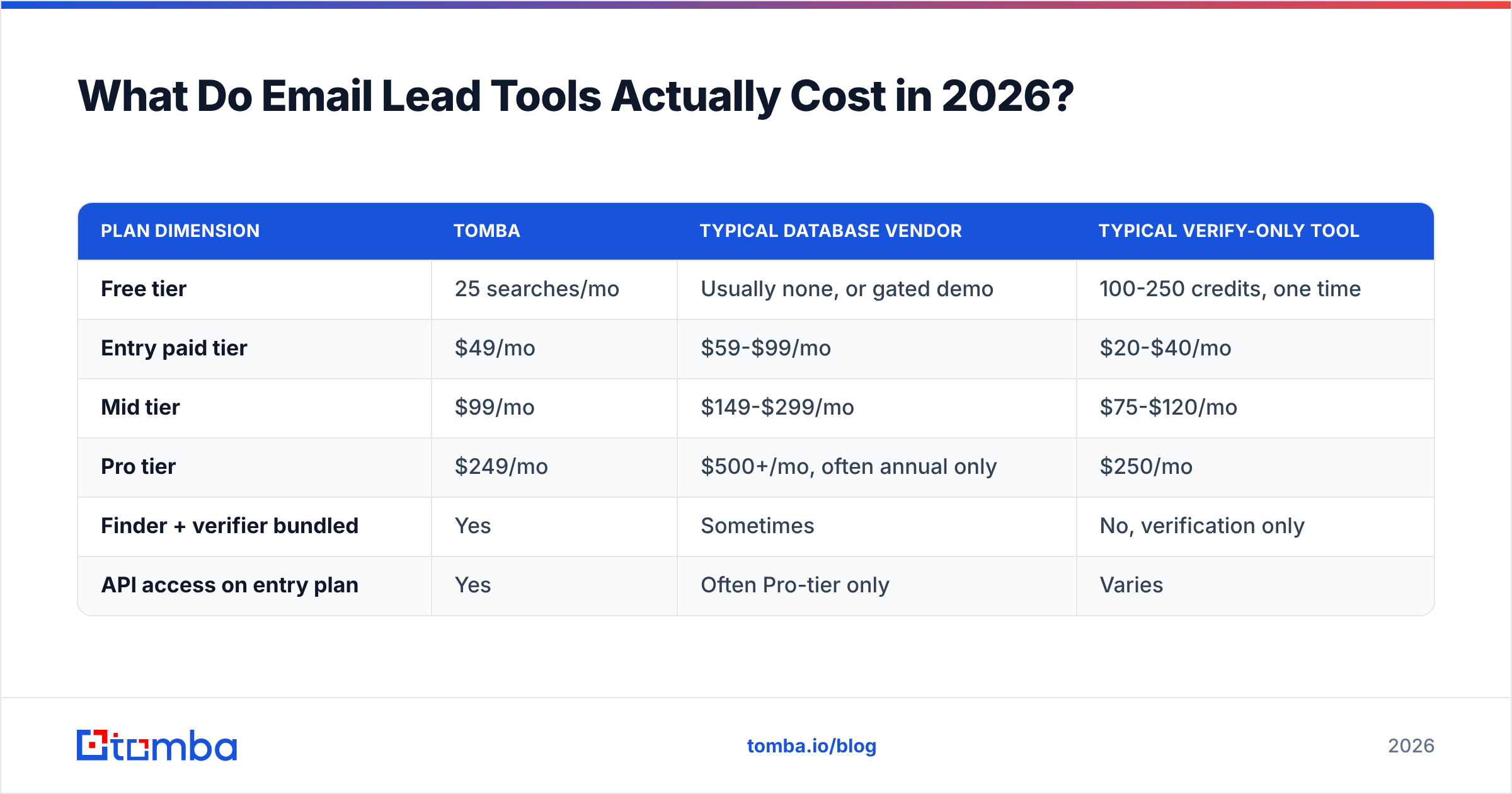
Published pricing is easy to compare and slightly misleading, because vendors count credits differently — some charge for failed lookups, some do not; some charge separately for finding and verifying the same address.
| Plan dimension | Tomba | Typical database vendor | Typical verify-only tool |
|---|---|---|---|
| Free tier | 25 searches/mo | Usually none, or gated demo | 100-250 credits, one time |
| Entry paid tier | $49/mo | $59-$99/mo | $20-$40/mo |
| Mid tier | $99/mo | $149-$299/mo | $75-$120/mo |
| Pro tier | $249/mo | $500+/mo, often annual only | $250/mo |
| Finder + verifier bundled | Yes | Sometimes | No, verification only |
| API access on entry plan | Yes | Often Pro-tier only | Varies |
Full Tomba pricing is public, including which features unlock at which tier, which is worth checking against any vendor that hides pricing behind a call.
The number to compute for yourself is cost per usable lead:
Cost per usable lead = (plan cost ÷ credits) ÷ (accuracy rate × ICP-fit rate)
Run it on a real example. A $0.015 purchased record at 60% accuracy and 50% ICP fit costs $0.05 per usable lead. A $0.05 finder credit at 95% accuracy and 90% fit costs $0.058. Nearly identical — except the second one does not put your domain reputation at risk, which is an unpriced liability on the first.

How Should You Score and Segment Email Leads?#
Once the list is clean, sending it as one undifferentiated blob wastes the good records. Segment on signals you can actually observe:
- Seniority tier — a VP and an individual contributor at the same company need different first lines. Most finders return a role label; use it.
- Company trigger — funding rounds, hiring surges for relevant roles, tech-stack changes, and leadership moves. Triggers roughly double reply rates in most teams' data.
- Verification confidence — send to your "valid" bucket first, let the domain warm, then layer in catch-alls at reduced volume.
- Enrichment completeness — records with firmographics attached can carry a specific, relevant opener. Records with just an address get generic copy and predictably worse response rates. Running data enrichment over your best segment before writing copy is usually a better use of an hour than writing more copy.
- Prior engagement — anyone who opened a previous campaign, visited pricing, or engaged on LinkedIn goes in a separate, hotter track.
A workable default: four segments, four sequences, and a hard rule that anyone who does not open two consecutive campaigns gets suppressed rather than re-mailed. Suppression is a deliverability feature, not lost pipeline.
What Kills an Email Lead List Fastest?#
Ranked by how often it actually happens:
- Sending unverified purchased data on a new domain. This is the classic. Bounce rate spikes past 20%, the domain gets flagged in under a week, and nothing you send from it lands for months.
- Buying once and sending for a year. Decay is real and continuous. Re-verify anything older than 90 days.
- Mailing role accounts. They rarely convert, they frequently forward to shared inboxes, and shared inboxes generate complaints.
- Ignoring catch-all domains. They inflate your apparent list quality and deflate your actual delivery.
- One sequence for every segment. Not a data problem, but it destroys the ROI of good data, which amounts to the same thing on the P&L.
If you want an outside benchmark on tooling before committing, G2's email verification category aggregates enough reviews to spot the vendors with systemic accuracy complaints.
How Do You Turn Email Leads Into Replies?#
Data quality sets your ceiling; execution decides where under it you land.
Keep first touches under 90 words. Lead with the specific reason you are writing to this company, not a value proposition that would fit any of the 500 others on your list. Ask for a reply, not a meeting, on the first email. Follow up three to four times over two weeks, then stop and move the record to a nurture track rather than grinding it into a complaint.
The uncomfortable truth is that most "our cold email doesn't work" diagnoses are actually list problems wearing a copy costume. Before rewriting your sequence for the fifth time, pull 50 random records from your last campaign and manually check whether those people still hold those jobs. If more than a handful do not, the copy was never the variable.
Where Should You Start?#
Pick one route, instrument it, and measure cost per usable lead rather than cost per row. If you have a target account list already, start with pattern-based finding and verify at send time. If you are still mapping your TAM, start with domain search across 100 accounts and see what the fit rate looks like before scaling spend.
The Tomba Email Finder handles both paths from one place: resolve addresses by name and domain, pull full contact sets per company, and verify at query time so the record you export is the record that lands. The free tier gives you 25 searches a month to test accuracy against your own ICP before spending anything, and paid plans start at $49/mo with API access included rather than gated behind an enterprise conversation. Run it against 50 accounts you already know well; the fit rate on names you can verify by hand will tell you more than any vendor benchmark.
Related guides#
Ready to find emails that actually work?
Join 150,000+ professionals who stopped guessing and started sending. Free credits on signup — no credit card required.
Get the Tomba newsletter
Practical outbound tactics and product updates — once every two weeks.
About the author