35 Email Opener Examples That Actually Get Replies in 2026
Thirty-five opener lines you can steal, sorted by how much research each one costs you — plus the six openers that quietly tank your reply rate and what to send instead.
TL;DR
- The opener is the first 8–15 words after the greeting. It does one job: buy attention for sentence two. It is not where you pitch.
- The best-performing openers are observational (something true about them) or transactional (why you're in their inbox). Both beat flattery and both beat weather talk.
- Personalization has a cost curve. A LinkedIn-post reference takes 4 minutes per prospect; a segment-level trigger takes 4 minutes per 500 prospects. Pick based on list size, not on what sounds nicest.
- Six openers are actively hurting you: "Hope you're well," "Quick question," "My name is X and I'm the," "I came across your website," "Congrats on the funding" (six months late), and anything starting with "I."
- None of it matters if the address bounces. Verify before you A/B test copy — bounce noise will make a good opener look terrible.
What is an email opener, exactly?#
An email opener is the first sentence of the body — the line that sits between "Hi Sarah," and whatever you actually want. Think of it like the first ten seconds of a phone call with an unknown number. You are not selling yet. You are answering one silent question the reader is already asking: why is this in front of me?
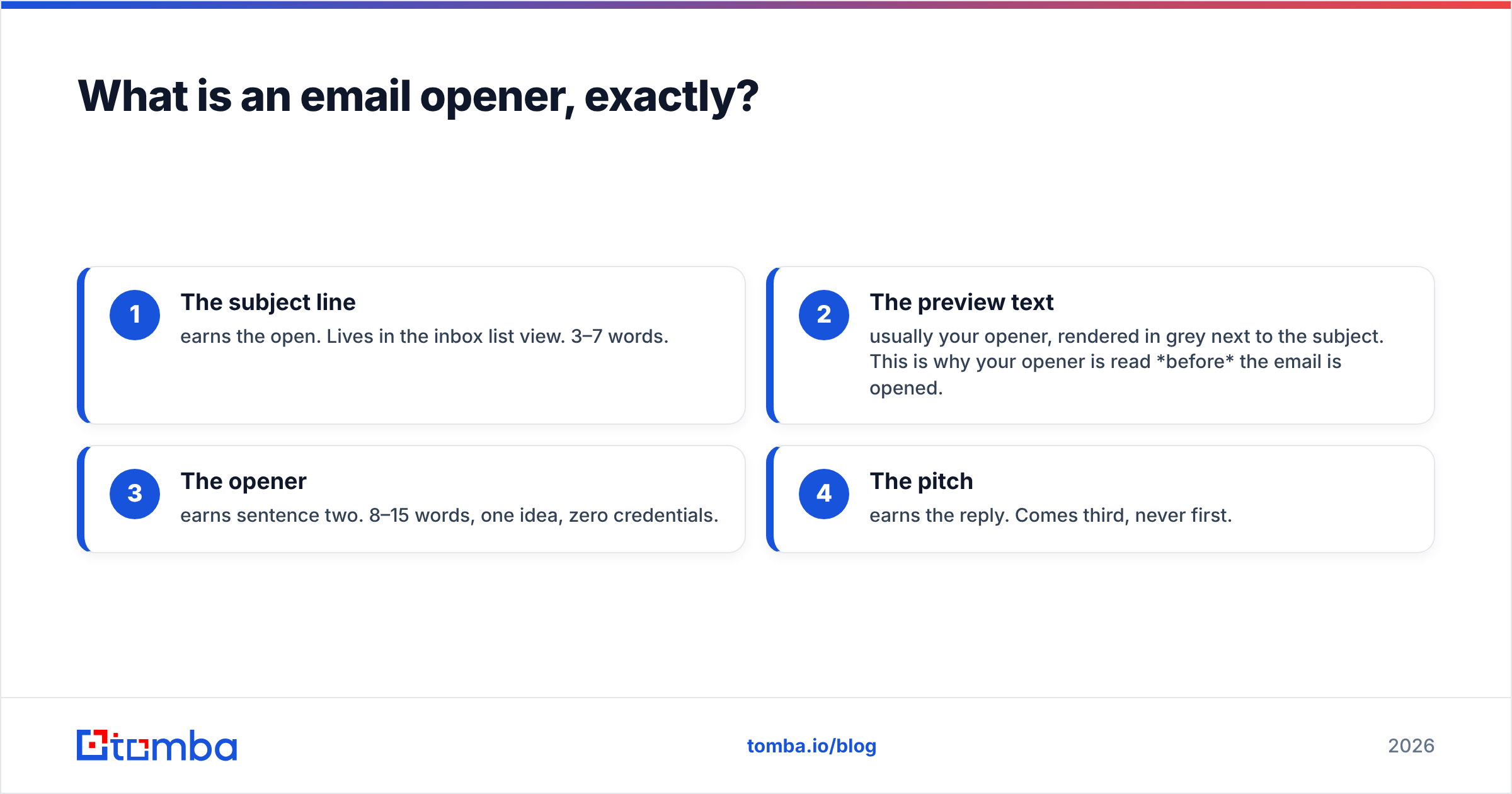
Most people conflate three things that do separate jobs:
- The subject line — earns the open. Lives in the inbox list view. 3–7 words.
- The preview text — usually your opener, rendered in grey next to the subject. This is why your opener is read before the email is opened.
- The opener — earns sentence two. 8–15 words, one idea, zero credentials.
- The pitch — earns the reply. Comes third, never first.
That third bullet is the one people miss. In Gmail, Outlook, and every mobile client, your opening line doubles as preview text. So "Hope this email finds you well" isn't just a weak sentence — it's burning the second-most-valuable piece of real estate in the inbox on a phrase that carries zero information. If you're still workshopping the line above it, run a few variants through a subject line generator first so the subject and opener aren't repeating each other.
Why do most email openers fail?#
Because they're written from the sender's chair. The three failure modes:
Self-reference. "I'm reaching out because I'm the Head of Growth at..." The reader does not care who you are until they care what you're about. Any opener starting with "I" spends its budget on the wrong subject.
Fake familiarity. "Hope you're crushing it this week!" reads as a template because it is a template. Prospects have pattern-matched it. The moment a line could have been sent to 10,000 people, it gets processed as bulk.
Research theater. "I loved your recent post about scaling RevOps." If the post was 14 months ago, or if it's obvious you skimmed the headline, the reference backfires harder than no reference at all. Half-personalization is worse than honest brevity.
There's a fourth, quieter one: the opener never got read because the email never landed. If 12% of your list is invalid, your inbox placement drops, and every copy test you run is measuring deliverability noise instead of persuasion. That's a data problem wearing a copywriting costume — worth checking your email deliverability baseline before you blame the words.
What are the best cold email opener examples?#
Sorted by how much research each one demands. Steal the structure, not the words.
Tier 1 — Observational (highest effort, highest reply rate)#
- "Saw you're hiring three SDRs in Austin — usually means the outbound motion just got a number attached to it."
- "Your pricing page moved to per-seat last quarter. Guessing that changed who owns the renewal conversation."
- "You mentioned on the Sales Hacker panel that your team gave up on intent data. Curious what broke."
- "Noticed your careers page lists Salesforce and HubSpot. That's usually a migration or a truce."
- "Read your teardown of the Gong pricing model — the point about seat inflation is the one nobody says out loud."
- "You're the only vendor in your category still publishing real pricing. Deliberate?"
- "Your last three blog posts are all about pipeline coverage. Reads like a board deck theme."
Tier 2 — Trigger-based (medium effort, scales to segments)#
- "Congrats on the Series B — the 40-person hiring plan is the part that usually breaks the data stack."
- "Saw the SOC 2 announcement. Enterprise deals get easier and your ICP just moved up-market."
- "You just opened a London office. Most teams discover their EU data coverage is thin about six weeks in."
- "New VP of Sales started in March. Month four is usually when the tooling audit lands."
- "Your team added 11 people to the RevOps function this year. That's a system-of-record problem forming."
- "You switched to a self-serve tier last month — that changes what a qualified lead even means."
Tier 3 — Transactional (low effort, honest, surprisingly durable)#
- "I'll be direct: I'm emailing because you run demand gen at a 200-person SaaS company and we help ten of your peers."
- "Cold email, but a specific one — you're the third person I've contacted at [Company] and the first who owns the budget."
- "No pretense of having researched you deeply. Here's the one line that matters:"
- "This is a sales email. Thirty seconds and you'll know if it's relevant."
- "You don't know me. Skip to the second paragraph if the first bores you."
- "I found you through your engineering blog, not a database. That's the whole personalization budget I had."
Tier 4 — Question-led (low effort, high risk of feeling generic)#
- "How is [Company] handling data decay on the outbound list right now — manual scrub or tooling?"
- "Who owns email verification on your team, you or RevOps?"
- "Is the 2026 pipeline number up more than headcount is?"
- "What broke first when you scaled outbound — deliverability or data quality?"
Tier 5 — Follow-up and warm-lead openers#
- "Bumping this once. If the timing is wrong, 'not now' is a complete answer."
- "Last email from me on this — closing the loop so I stop cluttering your inbox."
- "You downloaded the deliverability checklist Tuesday. Most people who do are mid-migration."
- "You replied 'circle back in Q3.' It's Q3."
- "Two months ago you said budget was frozen. Asking once because thaw dates are usually April or September."
- "Different angle than my last email, since that one clearly missed."
- "Your teammate Dana suggested I talk to you instead. Her words: 'he actually owns this.'"
- "We met at SaaStr — you were the one arguing that intent data is astrology."
- "You visited the pricing page three times last week. Either you're evaluating or you're benchmarking us against someone."
- "Reviving a thread from January. New reason, same problem."
- "You unsubscribed from the newsletter but kept the trial. Reading that as 'less noise, more product.'"
- "Your reply was 'send me pricing.' Attached, with the annual math done."
Which opener type should you use?#
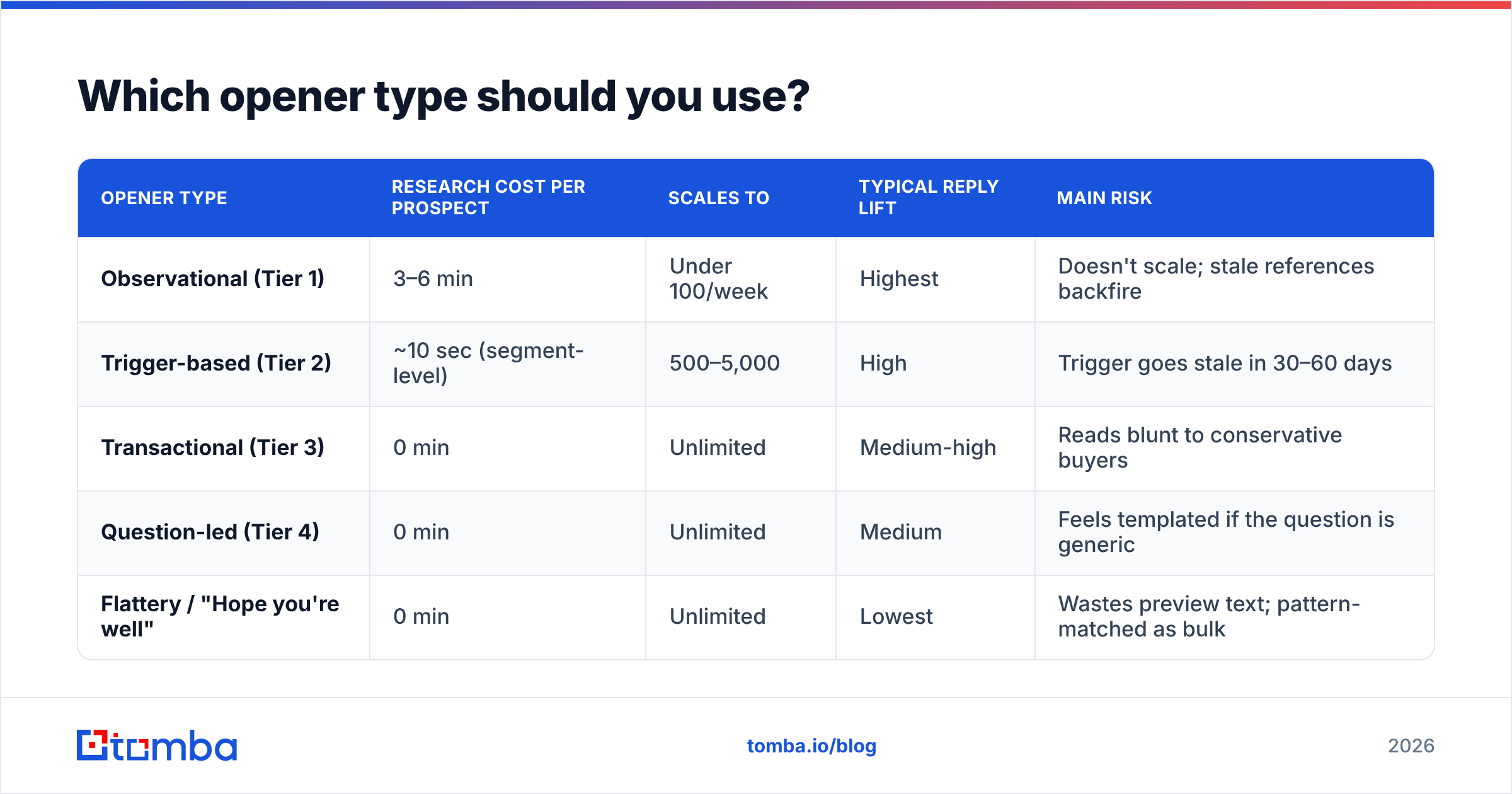
Depends on list size, not on which one reads best in isolation. The trade-off is real: the openers with the highest reply rates are the ones you cannot send to 5,000 people.
| Opener type | Research cost per prospect | Scales to | Typical reply lift | Main risk |
|---|---|---|---|---|
| Observational (Tier 1) | 3–6 min | Under 100/week | Highest | Doesn't scale; stale references backfire |
| Trigger-based (Tier 2) | ~10 sec (segment-level) | 500–5,000 | High | Trigger goes stale in 30–60 days |
| Transactional (Tier 3) | 0 min | Unlimited | Medium-high | Reads blunt to conservative buyers |
| Question-led (Tier 4) | 0 min | Unlimited | Medium | Feels templated if the question is generic |
| Flattery / "Hope you're well" | 0 min | Unlimited | Lowest | Wastes preview text; pattern-matched as bulk |
The practical answer for most teams is a blend: Tier 1 for the top 50 accounts, Tier 2 for the named-account list, Tier 3 for volume. Trying to run Tier 1 across an entire database is how outbound programs stall — reps spend the week researching and send 40 emails.
Which email openers should you delete today?#
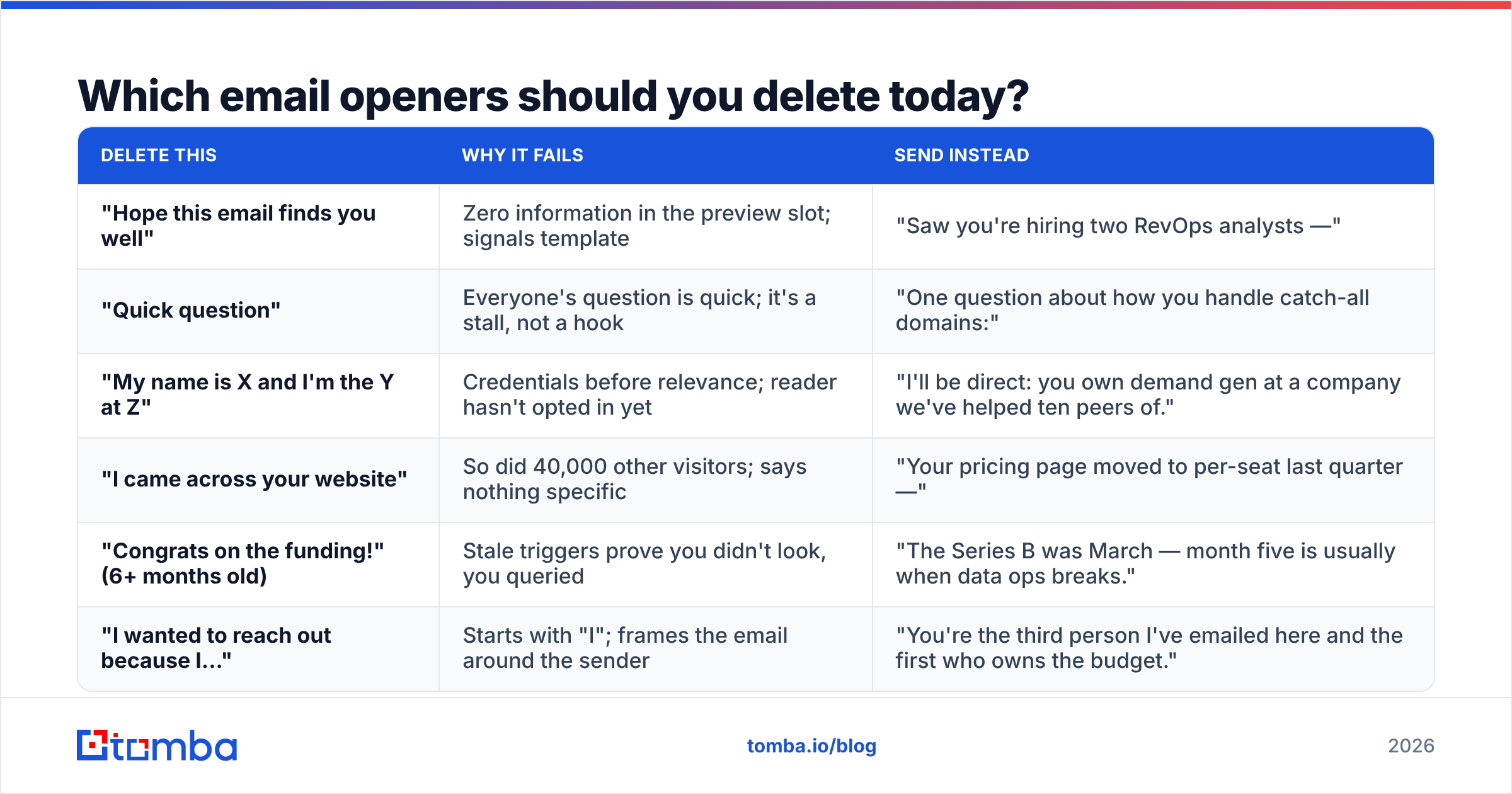
Six lines, and what to send in their place.
| Delete this | Why it fails | Send instead |
|---|---|---|
| "Hope this email finds you well" | Zero information in the preview slot; signals template | "Saw you're hiring two RevOps analysts —" |
| "Quick question" | Everyone's question is quick; it's a stall, not a hook | "One question about how you handle catch-all domains:" |
| "My name is X and I'm the Y at Z" | Credentials before relevance; reader hasn't opted in yet | "I'll be direct: you own demand gen at a company we've helped ten peers of." |
| "I came across your website" | So did 40,000 other visitors; says nothing specific | "Your pricing page moved to per-seat last quarter —" |
| "Congrats on the funding!" (6+ months old) | Stale triggers prove you didn't look, you queried | "The Series B was March — month five is usually when data ops breaks." |
| "I wanted to reach out because I..." | Starts with "I"; frames the email around the sender | "You're the third person I've emailed here and the first who owns the budget." |
The HubSpot sales blog has been publishing reply-rate teardowns on this pattern for years, and the finding is consistent: specificity beats politeness, and brevity beats both when you have nothing specific to say.
How do you write an opener from scratch in 90 seconds?#
A repeatable loop, not inspiration:
- Find one fact. Job posting, pricing-page change, podcast quote, funding round, new exec, tech-stack switch. One is enough.
- State it flatly. No adjectives. "You're hiring three SDRs in Austin." Not "I was so impressed to see your exciting growth."
- Add the inference. This is the part that separates a good opener from a scraped variable. "...usually means outbound just got a number attached to it." The inference proves you thought, not just scraped.
- Cut to 15 words. If it doesn't fit in the preview pane on an iPhone, it doesn't exist.
- Read the first three words alone. If they're "I," "Hope," "Just," or "My name," rewrite.
- Check it couldn't be sent to 1,000 people. If it could, that's fine — but then use Tier 3 and be honestly blunt instead of fake-personal.
Step 1 is where most of the time goes, and it's the step most worth automating at the segment level. Pull the trigger data once, write one opener per segment, and stop pretending each of 800 emails got individual attention.
Do openers work the same across channels?#
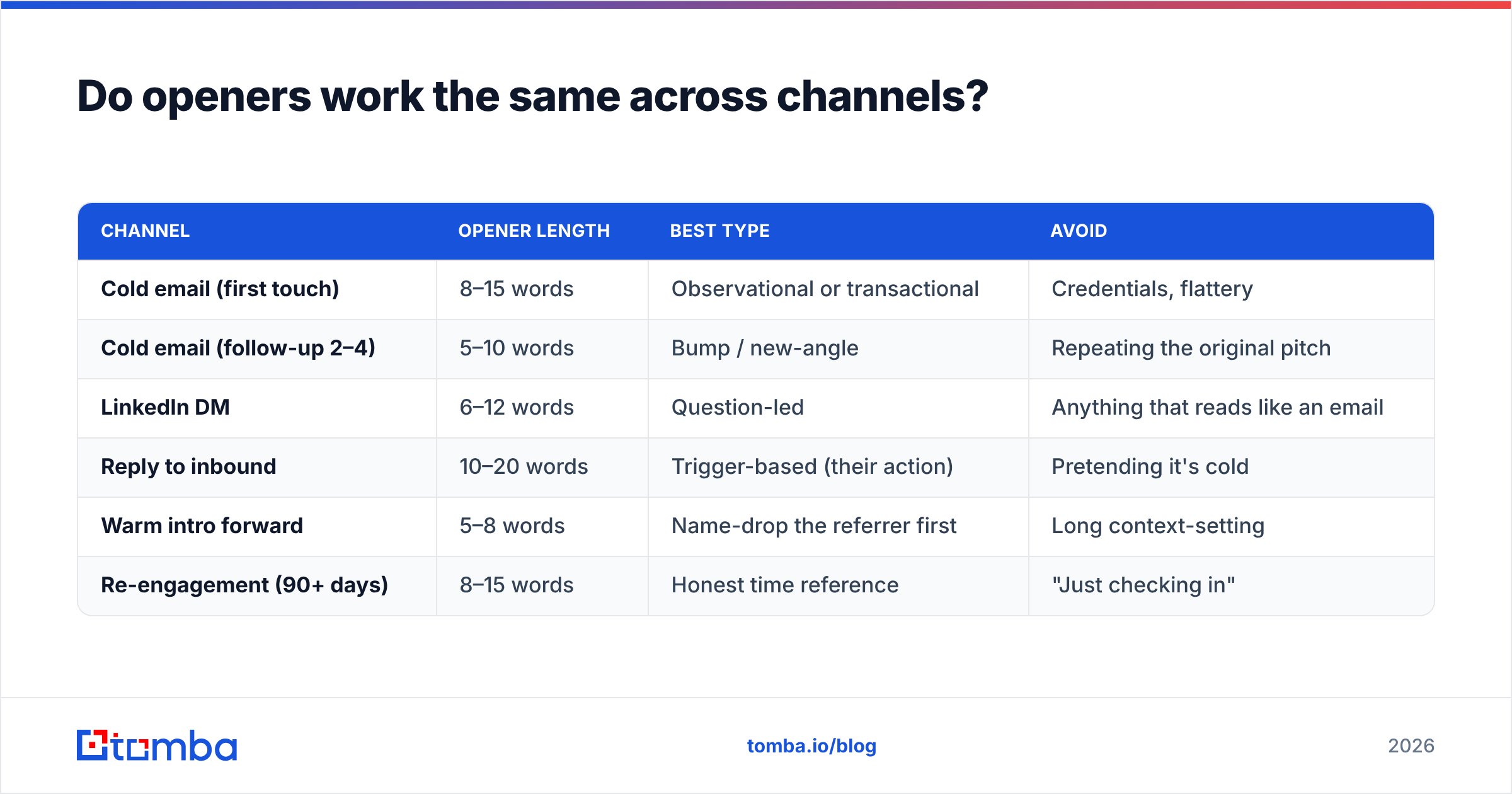
No. The same sentence performs differently depending on where it lands and what the reader already knows about you.
| Channel | Opener length | Best type | Avoid |
|---|---|---|---|
| Cold email (first touch) | 8–15 words | Observational or transactional | Credentials, flattery |
| Cold email (follow-up 2–4) | 5–10 words | Bump / new-angle | Repeating the original pitch |
| LinkedIn DM | 6–12 words | Question-led | Anything that reads like an email |
| Reply to inbound | 10–20 words | Trigger-based (their action) | Pretending it's cold |
| Warm intro forward | 5–8 words | Name-drop the referrer first | Long context-setting |
| Re-engagement (90+ days) | 8–15 words | Honest time reference | "Just checking in" |
The channel rule of thumb: the more the reader already knows about you, the shorter your opener should be. A referral email needs six words. A true cold email to a VP who's never heard your company name needs the full 15 and every one of them working.
How do you test openers without wrecking your data?#
Three rules that keep the experiment honest.
Isolate one variable. Change the opener, hold subject line, body, CTA, send time, and sender constant. Teams routinely "test openers" while also rotating subject lines and then conclude nothing.
Get a real sample. Reply rates in cold outbound run low enough that 100 sends per variant tells you almost nothing. Aim for 400+ per arm before you call a winner, and read reply rate, not open rate — open tracking has been unreliable since Apple Mail Privacy Protection, and Google's own bulk sender rules pushed the rest of the industry the same direction.
Clean the list first. This is the one people skip. If arm A happens to contain more dead addresses than arm B, you're measuring list hygiene and calling it copywriting. Run the list through an email verifier before you split it, and handle catch-all domains explicitly with a catch-all verifier rather than letting them land in one bucket by accident. Vendor comparisons on G2's sales engagement category are useful for tooling shortlists, but no tool fixes a dirty list after the fact.
One more discipline: log your winners. Keep a running doc of openers by segment and reply rate. After two quarters you'll have a house library that beats anything you'd find in a swipe file, because it's calibrated to your ICP. If you want a starting point while that library fills up, our cold email templates collection covers the standard sequences these openers slot into.
What's the honest summary?#
Openers are a leverage point, not a magic trick. A great opener on a relevant offer sent to a verified contact who actually owns the problem will get replies. A great opener on an irrelevant offer sent to a scraped address will get nothing, and you'll spend a month rewriting sentences when the problem was two layers below the copy.
Order of operations: right person → valid address → relevant reason → good opener. In that order. Most teams work it backwards and wonder why the swipe file didn't help.
Get the first two right and the openers above start earning their keep. Tomba Email Finder gives you verified professional addresses by domain, name, or company, with a free tier at 25 searches/month and paid plans starting at $49/month — see Tomba pricing for the full breakdown. Build the list that deserves a good opener, then go write one.
Related guides#
Ready to find emails that actually work?
Join 150,000+ professionals who stopped guessing and started sending. Free credits on signup — no credit card required.
Get the Tomba newsletter
Practical outbound tactics and product updates — once every two weeks.
About the author