Email Personalization Tools in 2026: A Buyer's Field Guide
Most email personalization tools sell you variables you already had. Here's what actually moves reply rates, which tiers are worth paying for, and where the data layer quietly decides everything.
TL;DR
- Personalization software does not fix a broken list. If 22% of your contacts bounce, a perfectly written first line lands nowhere — the data layer decides your ceiling, not the copy layer.
- There are four distinct categories being sold under one label: merge-field engines, AI first-line writers, signal/intent triggers, and dynamic content blocks. Buying the wrong one is the most common mistake.
- Expect to pay $30–$99/mo for AI first-line generation at small volume, and $99–$500+/mo once you add intent signals. Enrichment credits are almost always billed separately.
- The measurable lift from personalization is real but smaller than vendors claim: independent benchmarks land around 15–30% relative improvement in reply rate, not 3x.
- Best practical stack for most teams under 20 reps: a verified data source, one sequencer, and personalization tokens driven by a single high-signal variable — not eleven.
What are email personalization tools, exactly?#
They are software that inserts recipient-specific content into an outbound email before it sends. That's the whole definition — and it's why the category is so confusing. A $9/mo mail-merge add-on and a $2,000/mo intent platform both truthfully call themselves email personalization tools.
Think of it like a coffee shop. Writing the customer's name on the cup is personalization. So is remembering they take oat milk, come in every Tuesday at 8, and hate when the espresso is over-pulled. Both are "personal." Only one changes whether they come back.
In practice, the market splits into four layers:
- Merge-field engines — replace
{{first_name}},{{company}},{{title}}from a CSV or CRM record. Built into nearly every sequencer. Table stakes, near-zero lift on its own in 2026 because everyone does it. - AI first-line and icebreaker writers — scrape a prospect's LinkedIn, website, or recent post and generate one to three custom sentences. This is where most standalone "personalization tool" budgets go.
- Signal and trigger platforms — watch for job changes, funding rounds, hiring posts, tech-stack changes, or site visits, then personalize around the event. Highest lift, highest price.
- Dynamic content blocks — swap whole paragraphs, case studies, or CTAs based on segment (industry, company size, persona). Common in lifecycle marketing tools, underused in outbound.
Most teams buy layer 2 when their problem is actually layer 0: the underlying contact record is wrong, stale, or unverified.

Why does the data layer matter more than the personalization layer?#
Because personalization is a multiplier, and a multiplier applied to zero is zero.
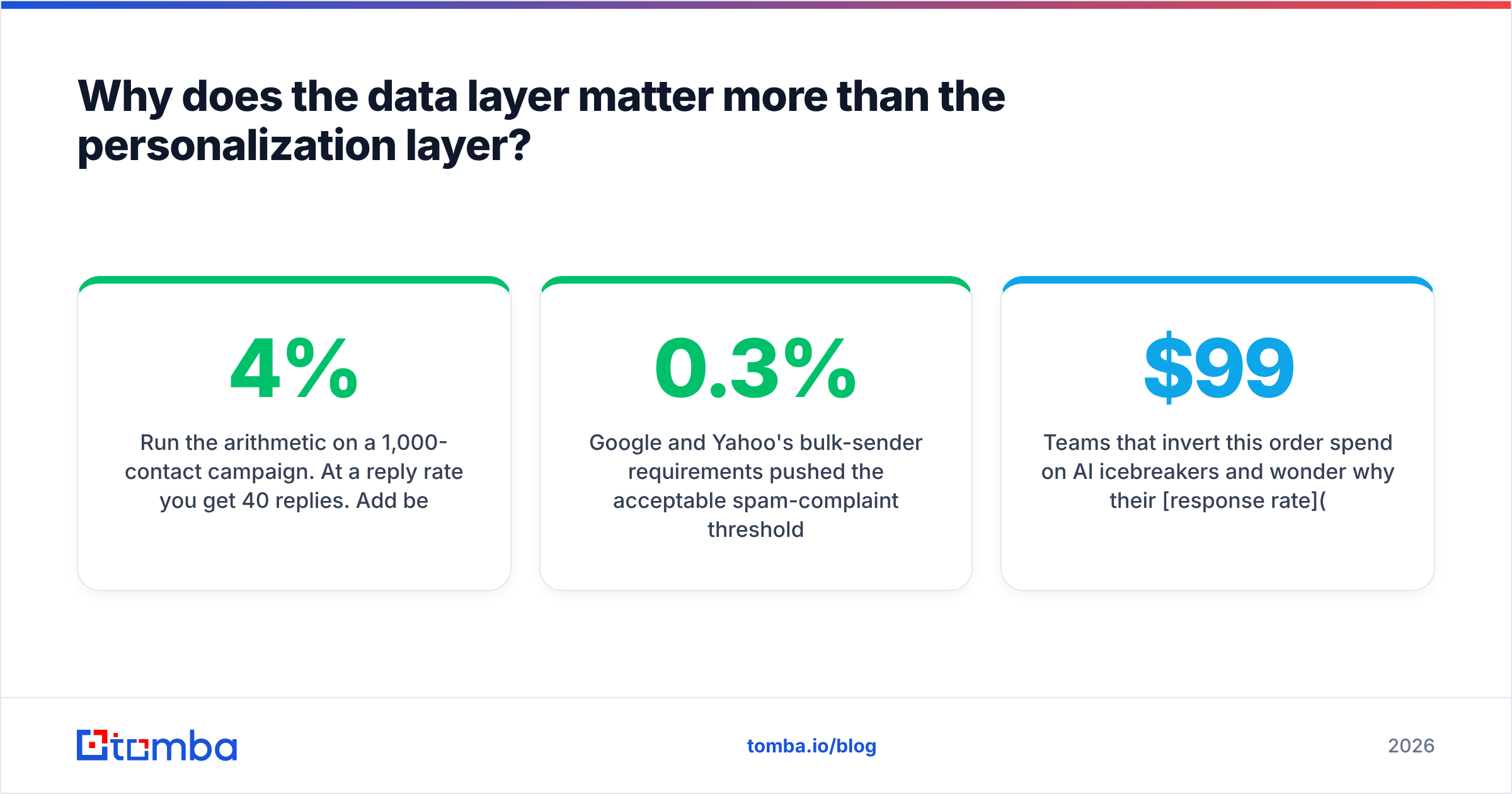
Run the arithmetic on a 1,000-contact campaign. At a 4% reply rate you get 40 replies. Add best-in-class AI personalization and assume a generous 25% relative lift — 50 replies. Now assume 20% of your list bounces or routes to a dead mailbox: you're sending to 800 people, reply rate on delivered mail is unchanged, and you get 40 replies again. The personalization spend bought you nothing, and the bounce rate quietly damaged your sender reputation for the next campaign too.
Google and Yahoo's bulk-sender requirements pushed the acceptable spam-complaint threshold to 0.3%, and inbox providers weight bounce rate heavily in filtering decisions. A list with 15%+ hard bounces will get throttled regardless of how clever the opening line is.
So the sequence matters:
- First, get a real, deliverable address. An email finder that returns a confidence score beats one that returns a guess.
- Second, verify it. Run the list through an email verifier and cut anything unknown or risky before it enters a sequence.
- Third, enrich with the attributes you will actually personalize on — title, seniority, tech stack, headcount band. Skip the 40 fields you'll never use.
- Fourth, and only then, personalize.
Teams that invert this order spend $99/mo on AI icebreakers and wonder why their response rate didn't move.
How do the main email personalization tools compare in 2026?#
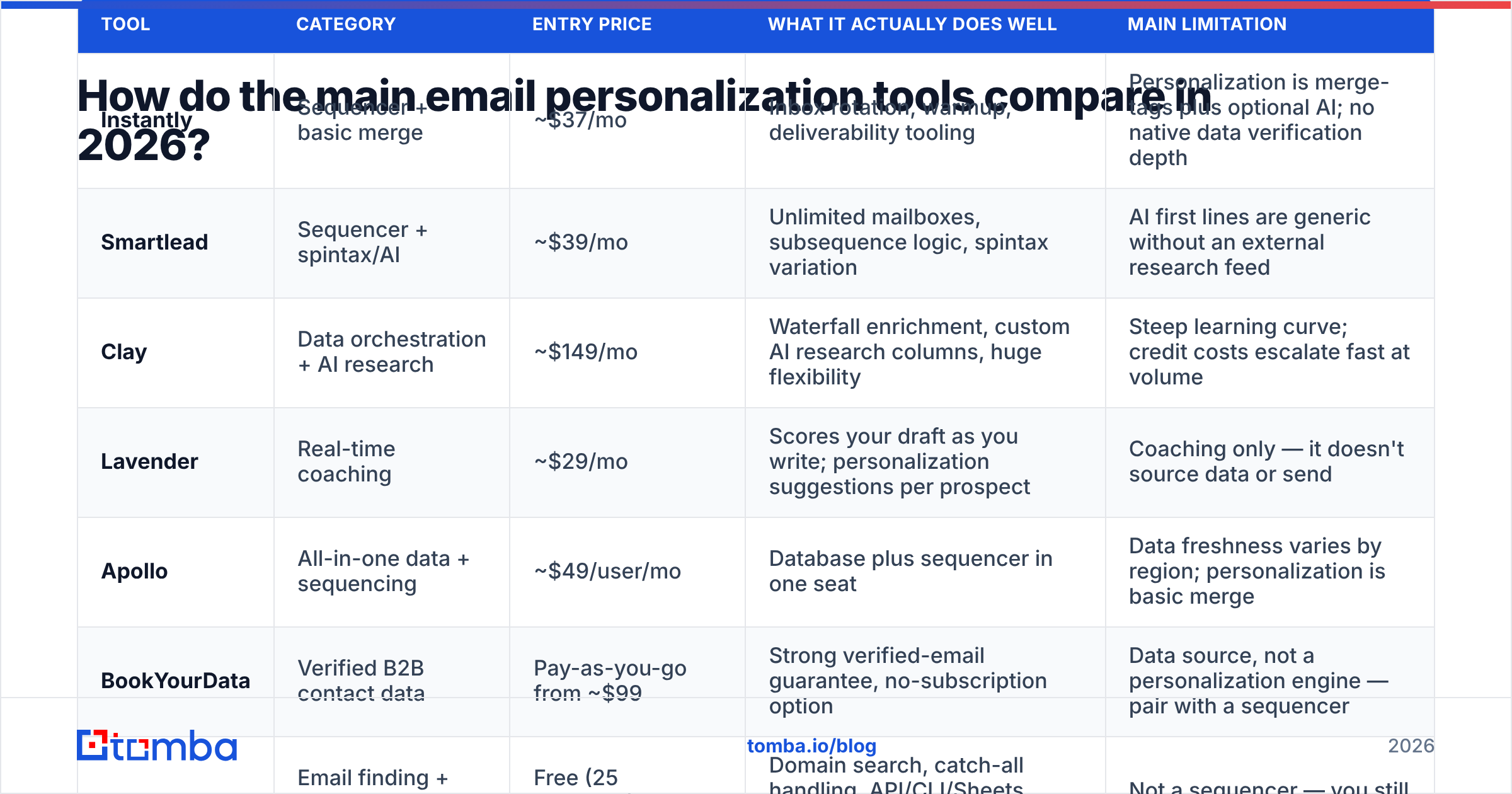
Pricing below reflects publicly listed entry tiers as of early 2026. Vendors change plans often — check the source before you buy.
| Tool | Category | Entry price | What it actually does well | Main limitation |
|---|---|---|---|---|
| Instantly | Sequencer + basic merge | ~$37/mo | Inbox rotation, warmup, deliverability tooling | Personalization is merge-tags plus optional AI; no native data verification depth |
| Smartlead | Sequencer + spintax/AI | ~$39/mo | Unlimited mailboxes, subsequence logic, spintax variation | AI first lines are generic without an external research feed |
| Clay | Data orchestration + AI research | ~$149/mo | Waterfall enrichment, custom AI research columns, huge flexibility | Steep learning curve; credit costs escalate fast at volume |
| Lavender | Real-time coaching | ~$29/mo | Scores your draft as you write; personalization suggestions per prospect | Coaching only — it doesn't source data or send |
| Apollo | All-in-one data + sequencing | ~$49/user/mo | Database plus sequencer in one seat | Data freshness varies by region; personalization is basic merge |
| BookYourData | Verified B2B contact data | Pay-as-you-go from ~$99 | Strong verified-email guarantee, no-subscription option | Data source, not a personalization engine — pair with a sequencer |
| Tomba | Email finding + verification + enrichment | Free (25 searches), $49/mo Starter | Domain search, catch-all handling, API/CLI/Sheets access for automated personalization inputs | Not a sequencer — you still need a sending tool |
The honest read: no single vendor owns all four layers well. The teams getting results run a data tool + sequencer pair, not one platform that half-does both.
Which personalization variables actually change reply rates?#
Not all tokens are equal. Ranked by observed impact in outbound programs, from highest to lowest:
- Trigger events — funding, a new role, a relevant job posting, a public product launch. These give you a reason to email now, which is the single strongest personalization signal there is.
- Role-specific pain — a sentence that names the problem their exact title owns. "VP Ops at a 200-person logistics firm" implies a very different pain than "VP Ops at a 20-person agency."
- Company-specific observation — something checkable on their site or changelog. Requires research, and this is where AI writers earn their keep.
- Mutual context — shared connection, same conference, same customer. Rare but converts hardest.
- Recent content — a post, podcast, or article they authored. Useful; slightly overused in 2026, and prospects have learned to spot the "loved your post about X" pattern.
- Name and company merge tags — expected baseline. Their absence hurts; their presence helps nothing.
The trap is stacking all six. An email carrying five personalization hooks reads like a dossier and triggers suspicion. One strong hook plus a clear ask beats six weak ones consistently.
If you publish or prospect around content, an author finder turns a byline into a reachable contact — that's category 5 done with real data instead of a guess.
Is AI-generated personalization worth paying for?#
Sometimes. It depends entirely on what the AI is reading.
An AI that only sees {first_name, company, title} will produce interchangeable filler: "I noticed Acme is doing great things in logistics." That's not personalization — it's a compliment template. Prospects delete it faster than a plain email because the fake specificity reads as automated.
An AI that reads the prospect's actual careers page, their recent funding announcement, or their product changelog can produce a genuinely specific opener. The difference is not the model — it's the input.
Practical rules that hold up:
- Feed it a source URL, not just fields. If your tool can't accept a page to read, its output will be generic.
- Cap generated text at one to two sentences. Longer AI blocks drift into hallucination and awkward phrasing.
- Always run a human spot-check on 10% of the batch. AI confidently invents partnerships, funding rounds, and product names.
- Never let AI generate the ask. The CTA should be identical across the campaign so you can measure what the personalization did.
- Measure against a control. Send 20% of the segment with no AI opener. If the personalized cohort isn't beating it by a meaningful margin, you're paying for decoration.
That last point kills more personalization budget than anything else. Most teams never run the control, so they never learn the tool did nothing.
What does a working personalization stack look like?#
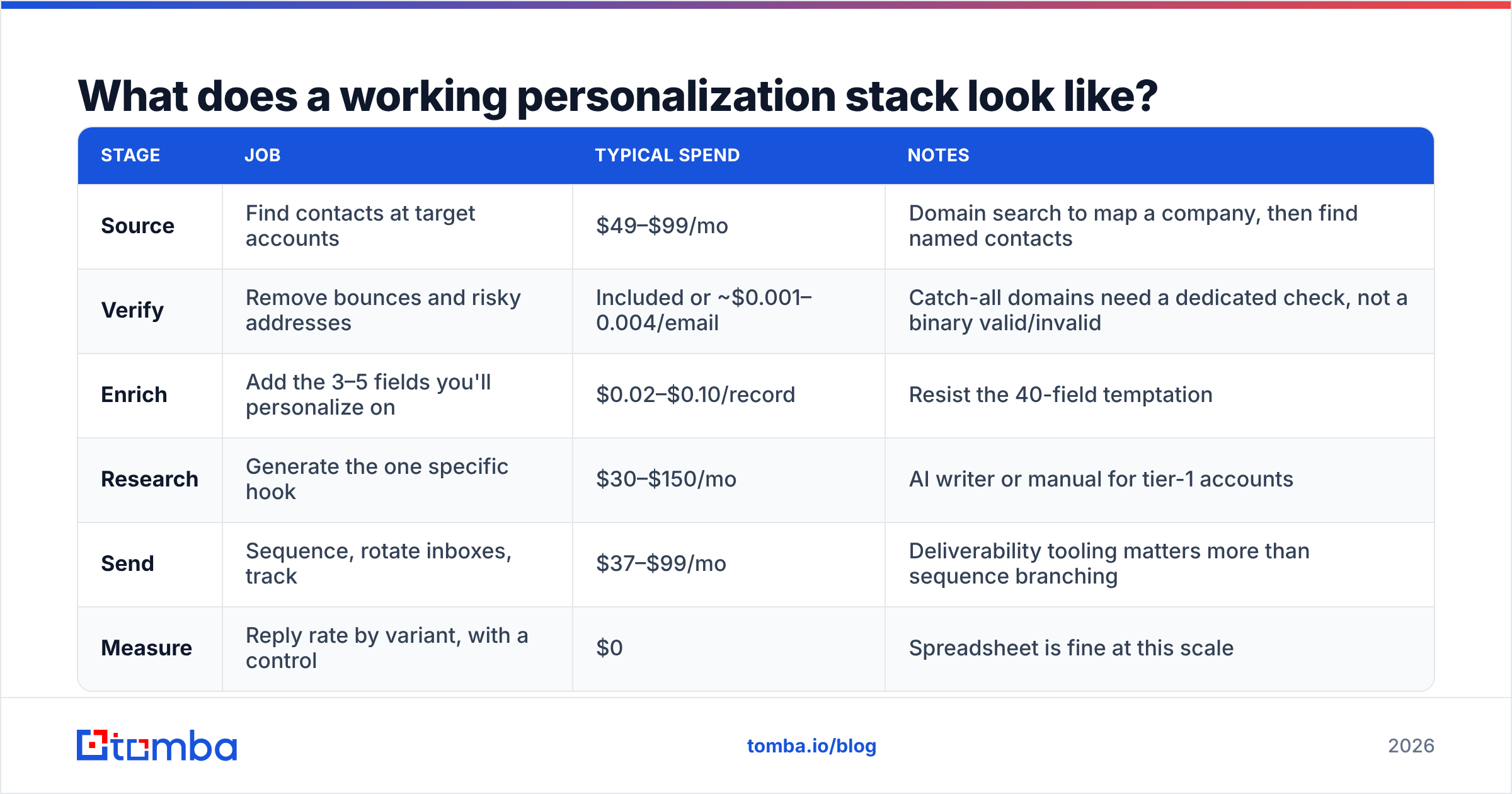
Here's a configuration that works for a team of two to twenty reps without a data engineer:
| Stage | Job | Typical spend | Notes |
|---|---|---|---|
| Source | Find contacts at target accounts | $49–$99/mo | Domain search to map a company, then find named contacts |
| Verify | Remove bounces and risky addresses | Included or ~$0.001–0.004/email | Catch-all domains need a dedicated check, not a binary valid/invalid |
| Enrich | Add the 3–5 fields you'll personalize on | $0.02–$0.10/record | Resist the 40-field temptation |
| Research | Generate the one specific hook | $30–$150/mo | AI writer or manual for tier-1 accounts |
| Send | Sequence, rotate inboxes, track | $37–$99/mo | Deliverability tooling matters more than sequence branching |
| Measure | Reply rate by variant, with a control | $0 | Spreadsheet is fine at this scale |
Total: roughly $150–$400/mo for a small team, before per-seat sequencer costs. Compare that to a single Clay + enrichment-credit setup that can exceed $500/mo alone once waterfall lookups run at volume.
Tiering your effort matters as much as tooling. A workable split:
- Tier 1 (top 50 accounts): manual research, 3–4 sentences of genuine specificity, multi-channel. Cost per contact is high, and that's correct.
- Tier 2 (next 500): AI opener from a real source URL, one strong variable, verified email required.
- Tier 3 (the rest): segment-level personalization only — industry and persona swaps in a dynamic block. No per-contact research.
Spending Tier 1 effort on Tier 3 accounts is the fastest way to burn a quarter. If you're routing high volume, a bulk email finder plus a scripted verification step keeps the Tier 3 lane cheap and clean.
How do you measure whether personalization is working?#
Track four numbers, in this order:
- Bounce rate — must be under 3% before any other metric means anything. Above that, fix the data and stop reading the rest.
- Reply rate by variant — personalized cohort vs. control cohort, same list, same day, same CTA. This is the only number that proves the tool earned its price.
- Positive reply rate — total replies include "unsubscribe" and "wrong person." Segment them, or you'll optimize for annoyance.
- Meetings booked per 1,000 sent — the only metric that survives contact with a board deck.
Open rate is no longer usable as a personalization signal. Apple Mail Privacy Protection and similar proxies inflate opens with machine-generated pixel loads, and Litmus's ongoing tracking shows a large share of "opens" now come from prefetching rather than humans. Subject-line personalization tests that report only open-rate deltas are measuring noise.
For a plain-language reference on the terms your reporting will use, Tomba's B2B glossary covers the deliverability and pipeline vocabulary without vendor spin.
What are the common failure modes?#
Personalizing the wrong thing. Referencing a prospect's college or hometown reads as surveillance, not research. Stay professional-context only — company, role, industry, public work.
Broken merge tags. "Hi {{first_name}}," in production is still one of the most common outbound errors. Every sequencer supports fallback values; use them, and QA-send to yourself first.
Over-personalizing the first touch. A four-paragraph email demonstrating you researched them thoroughly puts a heavy read-cost on a stranger. Short and specific beats long and thorough at first contact.
Ignoring catch-all domains. Many enterprise domains accept all mail at the SMTP layer, so a naive verifier marks every address "valid." They aren't. A dedicated catch-all verifier is the difference between a clean list and a silent 30% waste rate.
Assuming personalization fixes targeting. If you're emailing the wrong persona, a perfect opener just makes the rejection more polite. G2's buyer-behavior research consistently shows relevance-to-role outranks message craft — start with who, not what. You can sanity-check any vendor's claims against real user reviews on G2 before committing budget.
Skipping the control group. Covered above, worth repeating. Without a control you cannot distinguish a good tool from a good list.
Which tool should you pick?#
Match the tool to the actual bottleneck:
- Bounces above 5%? Your problem is data, not personalization. Fix sourcing and verification first, and don't buy an AI writer this quarter.
- Good deliverability, flat replies? You need better variables, which usually means signals — job changes, hiring, funding. Look at trigger platforms.
- Good replies, no scale? You need automation, not more research depth. Move Tier 3 to segment-level dynamic blocks and reclaim rep hours.
- Everything works but costs too much? Audit enrichment credit burn. Waterfall enrichment is powerful and quietly expensive — cap it per record.
The uncomfortable answer is that most teams don't need another personalization tool. They need a list where every address is real, a single variable worth mentioning, and the discipline to run a control group.
Start with the layer that actually gates your results#
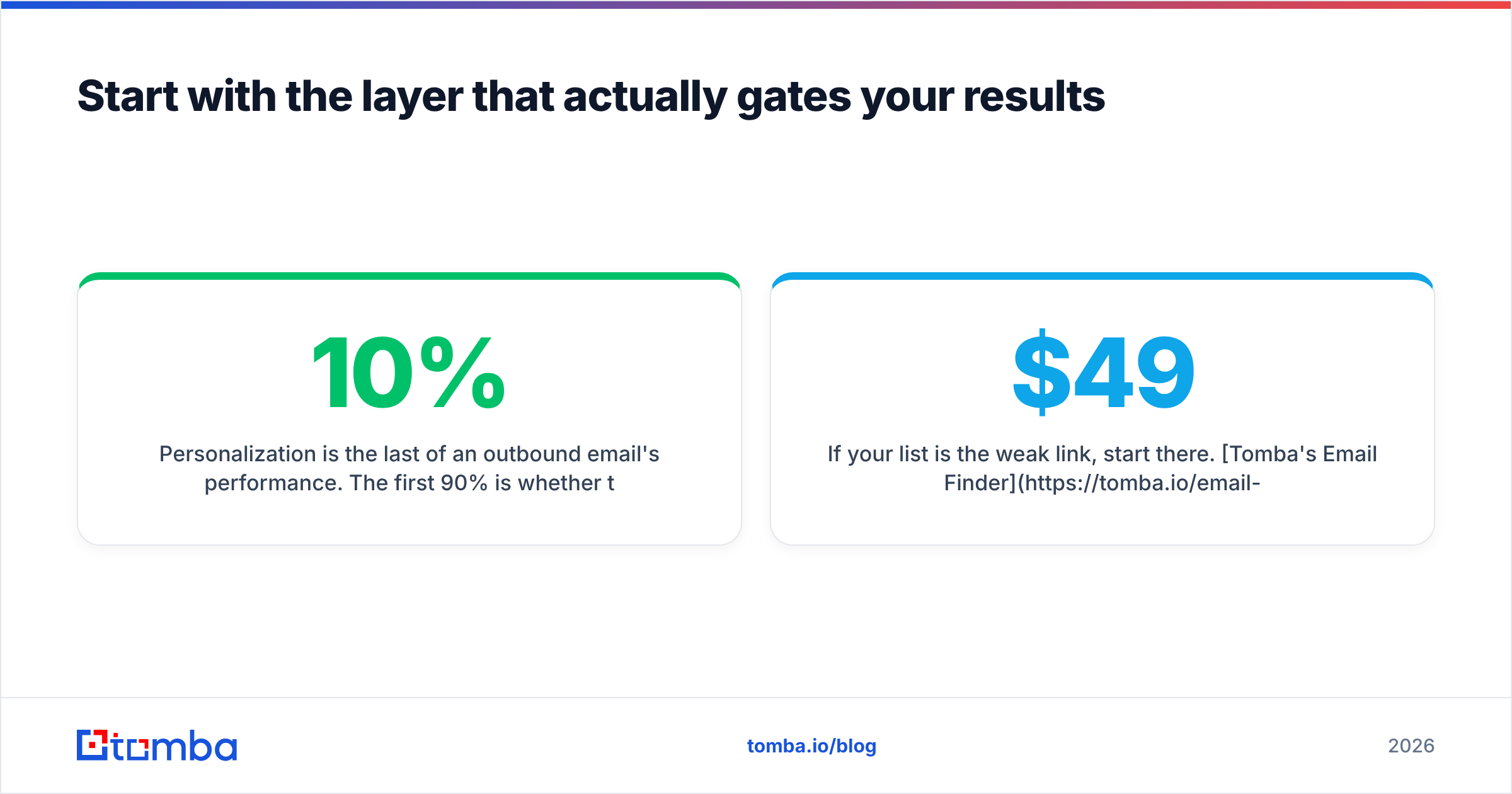
Personalization is the last 10% of an outbound email's performance. The first 90% is whether the message reached a real person who has the problem you solve.
If your list is the weak link, start there. Tomba's Email Finder locates professional addresses by domain, name, or company, returns a confidence score instead of a guess, and hands off cleanly to verification — including catch-all domains that fool most checkers. The free tier gives you 25 searches a month to test accuracy against your own known-good contacts, and paid plans start at $49/mo on the Starter tier; full Tomba pricing is public, with API, CLI, Sheets, and Chrome-extension access on every plan.
Run 100 of your current contacts through it. If the match rate and verification results are better than what you're working with today, you just found the cheapest reply-rate lift available — before you spend a dollar on AI icebreakers.
Related guides#
Ready to find emails that actually work?
Join 150,000+ professionals who stopped guessing and started sending. Free credits on signup — no credit card required.
Get the Tomba newsletter
Practical outbound tactics and product updates — once every two weeks.
About the author