Email Provider Checker: How to Identify Any Domain's MX in 2026
Most bounces are predictable before you send. An email provider checker reads a domain's MX records and tells you who really runs the mailbox, how strictly it validates, and whether your list is about to hit a catch-all wall.
TL;DR
- An email provider checker resolves a domain's MX records. It tells you which service really receives mail: Google Workspace, Microsoft 365, Zoho, Proton, an ISP, or a security gateway in front of one of them.
- The provider decides how your verification results behave. Google is honest about unknown recipients. Microsoft 365 often is not. Gateways like Proofpoint and Mimecast accept almost everything at the SMTP handshake.
- Provider data is the missing variable in most bounce-rate post-mortems. A list that is 70% Microsoft 365 behaves nothing like a list that is 70% Google.
- Free tools answer one domain at a time. A useful email provider checker runs in bulk. It tags every row with provider data and feeds your verification logic.
- Use it before you build a sending plan. Not after your domain reputation tanks.
What is an email provider checker?#
An email provider checker is a lookup tool. You give it a domain name. It returns the mail service that handles inbound email for that domain. Type in stripe.com and it names the mail exchange host. Feed it a 5,000-row CSV and a good one does the same for every domain. It also flags catch-all domains, spots security gateways, and tells you what that means before you send.
Think of it like checking who owns the building before you mail a letter. The street address may be valid. But the mailroom decides what happens next. It can accept unknown names, forward them, or shred them in silence. MX records are the sign on the door.
The check itself is a DNS query for a domain's MX (mail exchange) records. Those records list the hosts that accept SMTP connections for the domain, ranked by priority. aspmx.l.google.com means Google Workspace. <domain>.mail.protection.outlook.com means Microsoft 365. mx.zoho.com means Zoho. The MX record specification has been stable for decades. That is why this signal stays reliable while other data fields rot.
One more trap: people mix up "email provider" with "email domain." A contact at @acmecorp.com is rarely on a private Acme mail server. In 2026 they are almost certainly on Google or Microsoft, with a filter layer bolted on. An email provider checker closes that gap.

How does an email provider checker actually work?#
The depth of the check decides whether the answer is useful or just trivia. Five steps matter.
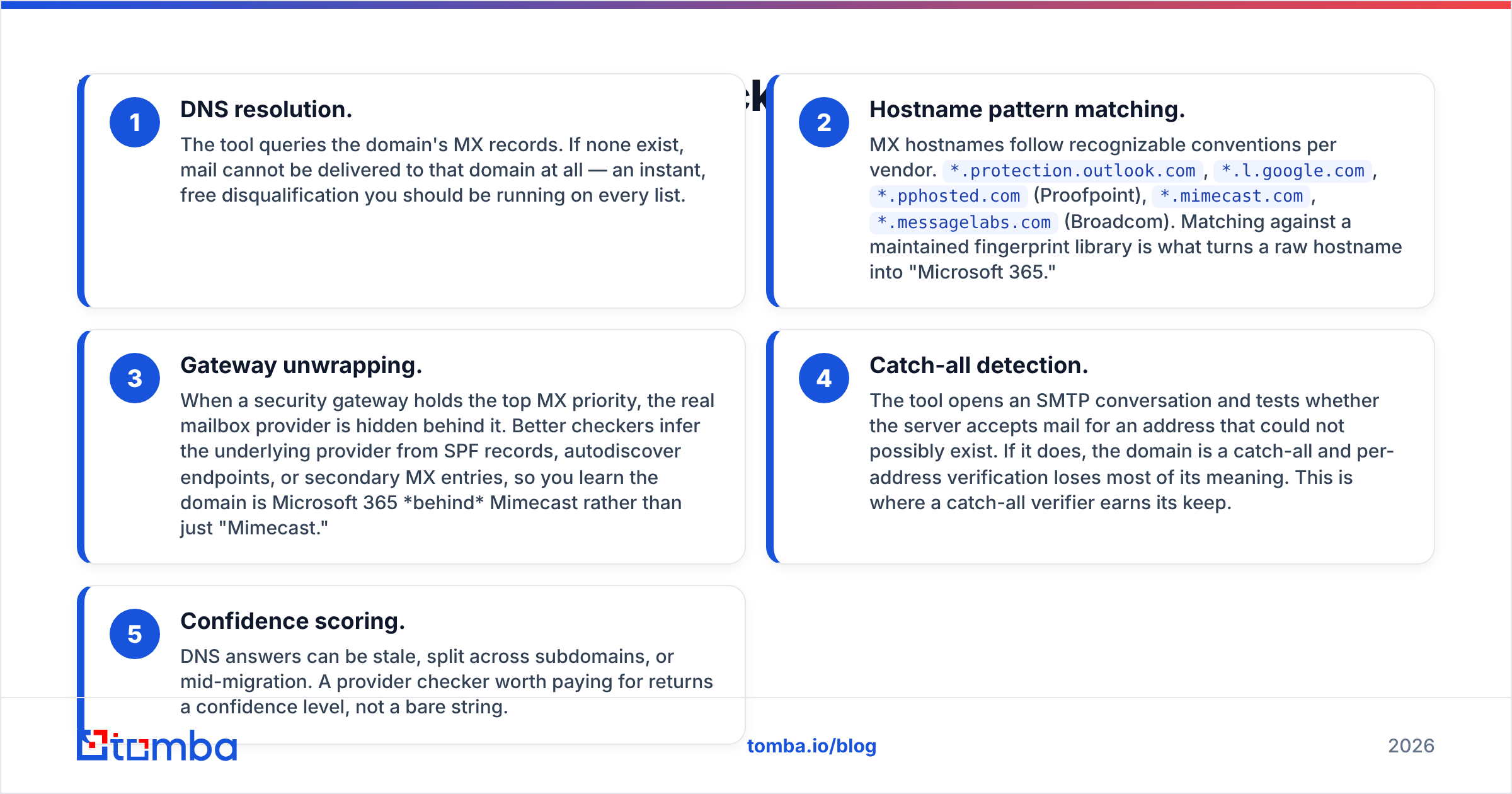
- DNS resolution. The tool queries the domain's MX records. No records means mail cannot reach that domain at all. That is a free, instant cut. Run it on every list.
- Hostname pattern matching. MX hostnames follow set naming rules per vendor.
*.protection.outlook.com,*.l.google.com,*.pphosted.com(Proofpoint),*.mimecast.com,*.messagelabs.com(Broadcom). A maintained fingerprint library turns a raw hostname into "Microsoft 365." - Gateway unwrapping. A security gateway often holds the top MX slot. That hides the real mailbox provider. Better tools infer it from SPF records, autodiscover endpoints, or backup MX entries. You learn the domain is Microsoft 365 behind Mimecast, not just "Mimecast."
Those three steps name the provider. The last two tell you how far to trust the answer.
- Catch-all detection. The tool opens an SMTP session. It asks for an address that cannot exist. If the server says yes, the domain is a catch-all. Per-address checks then lose most of their meaning. This is where a catch-all verifier earns its keep.
- Confidence scoring. DNS answers go stale. They split across subdomains. They shift mid-migration. A paid email provider checker returns a confidence level, not a bare string.
Steps 1 and 2 are cheap and instant. Steps 3 to 5 are where the tools separate.
Which email providers will you actually find?#
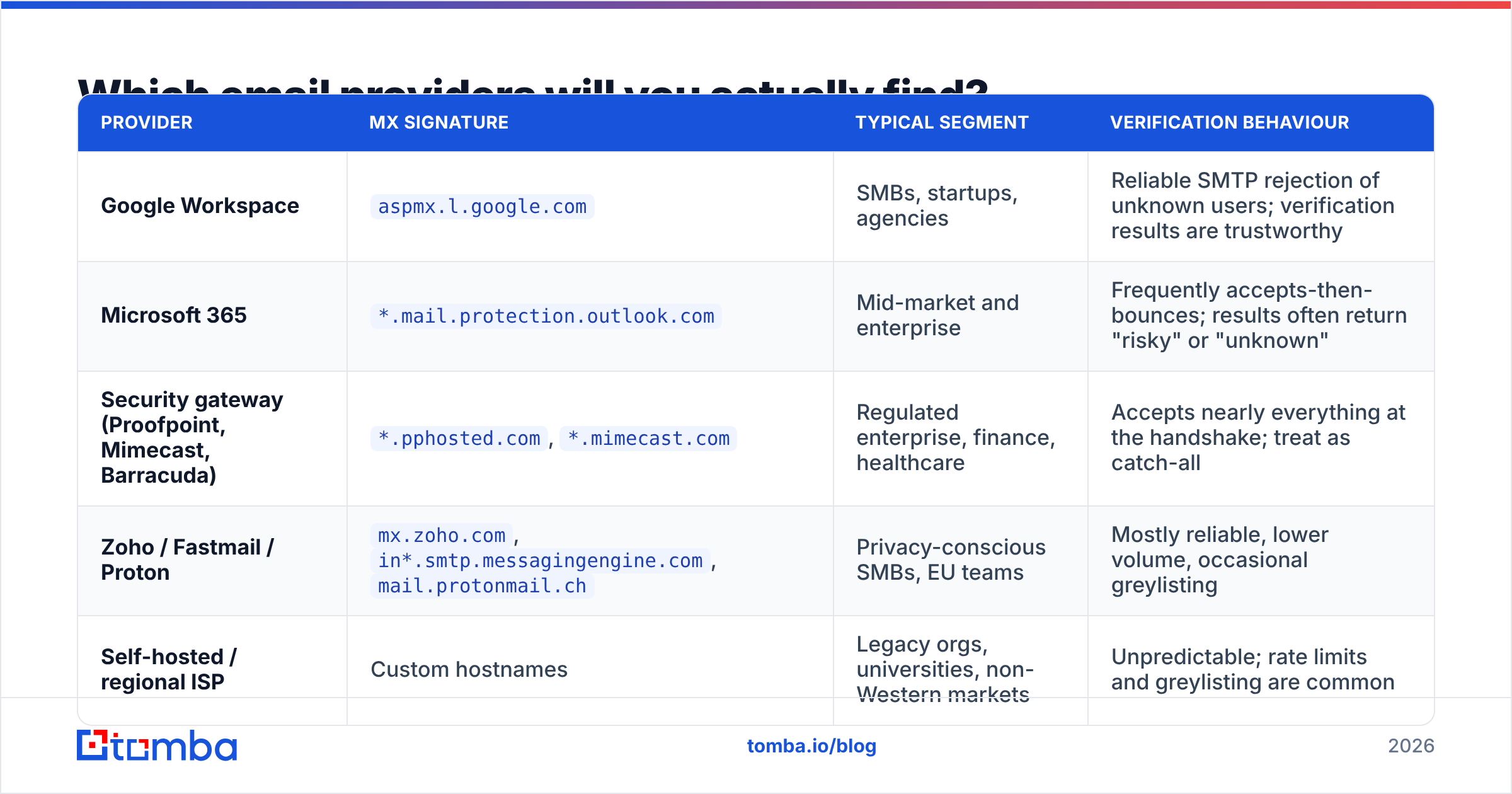
An email provider checker sorts most B2B domains into five buckets. What differs is how each one answers when you try to verify an address.
| Provider | MX signature | Typical segment | Verification behaviour |
|---|---|---|---|
| Google Workspace | aspmx.l.google.com |
SMBs, startups, agencies | Reliable SMTP rejection of unknown users; verification results are trustworthy |
| Microsoft 365 | *.mail.protection.outlook.com |
Mid-market and enterprise | Frequently accepts-then-bounces; results often return "risky" or "unknown" |
| Security gateway (Proofpoint, Mimecast, Barracuda) | *.pphosted.com, *.mimecast.com |
Regulated enterprise, finance, healthcare | Accepts nearly everything at the handshake; treat as catch-all |
| Zoho / Fastmail / Proton | mx.zoho.com, in*.smtp.messagingengine.com, mail.protonmail.ch |
Privacy-conscious SMBs, EU teams | Mostly reliable, lower volume, occasional greylisting |
| Self-hosted / regional ISP | Custom hostnames | Legacy orgs, universities, non-Western markets | Unpredictable; rate limits and greylisting are common |
Two readings come out of this table. First, watch the gateway and Microsoft 365 rows. If they own a big share of your list, your "verified" pass rate looks better than it is. Many of those addresses were simply waved through at the door.
Second, a Google-heavy list is the easy case. You can trust the output more, and you can send faster.
Why does the email provider matter for cold email?#
The provider quietly sets the rules for everything downstream: bounce rate, spam placement, throttling, even replies.
Bounce risk is provider-shaped. Google rejects mail to unknown users during the SMTP session. A verifier sees that rejection and marks the address invalid before you send. Microsoft 365 often takes the message instead. Then it sends a failure notice minutes later. That bounce still counts against you at your sending platform, and no check could see it coming. So budget for a higher bounce rate on Microsoft-heavy lists. Slow your ramp to match.
Throttling limits are provider-shaped. Microsoft throttles unknown senders hard. Blasting 400 messages an hour at one outlook.com cluster is a fast way to earn a block. Google is easier on volume but stricter on content. Sender reputation is scored at each provider on its own. A good name with Google buys you nothing at Microsoft.
Targeting gets sharper. Provider data is a free tech signal. A domain on Google Workspace with Slack and HubSpot is a different buyer than a domain behind Proofpoint with on-prem Exchange. If you sell security tools, an email provider checker doubles as a qualification filter.
Segmentation gets easier. Split the campaign into Google and Microsoft cohorts. Send each from its own infrastructure. Few outbound teams try this, and it pays. Each cohort has its own warm-up curve, volume ceiling, and bounce baseline. Blend them and you tune to an average that fits neither.
Microsoft's own Exchange Online Protection documentation is worth a read. It shows how many filter layers sit between your SMTP connection and a real inbox.
Which email provider checkers are worth using in 2026?#
Every email provider checker falls into one of three tiers. Free single-lookup tools. Dedicated deliverability suites. And data platforms that treat provider detection as one field among many.
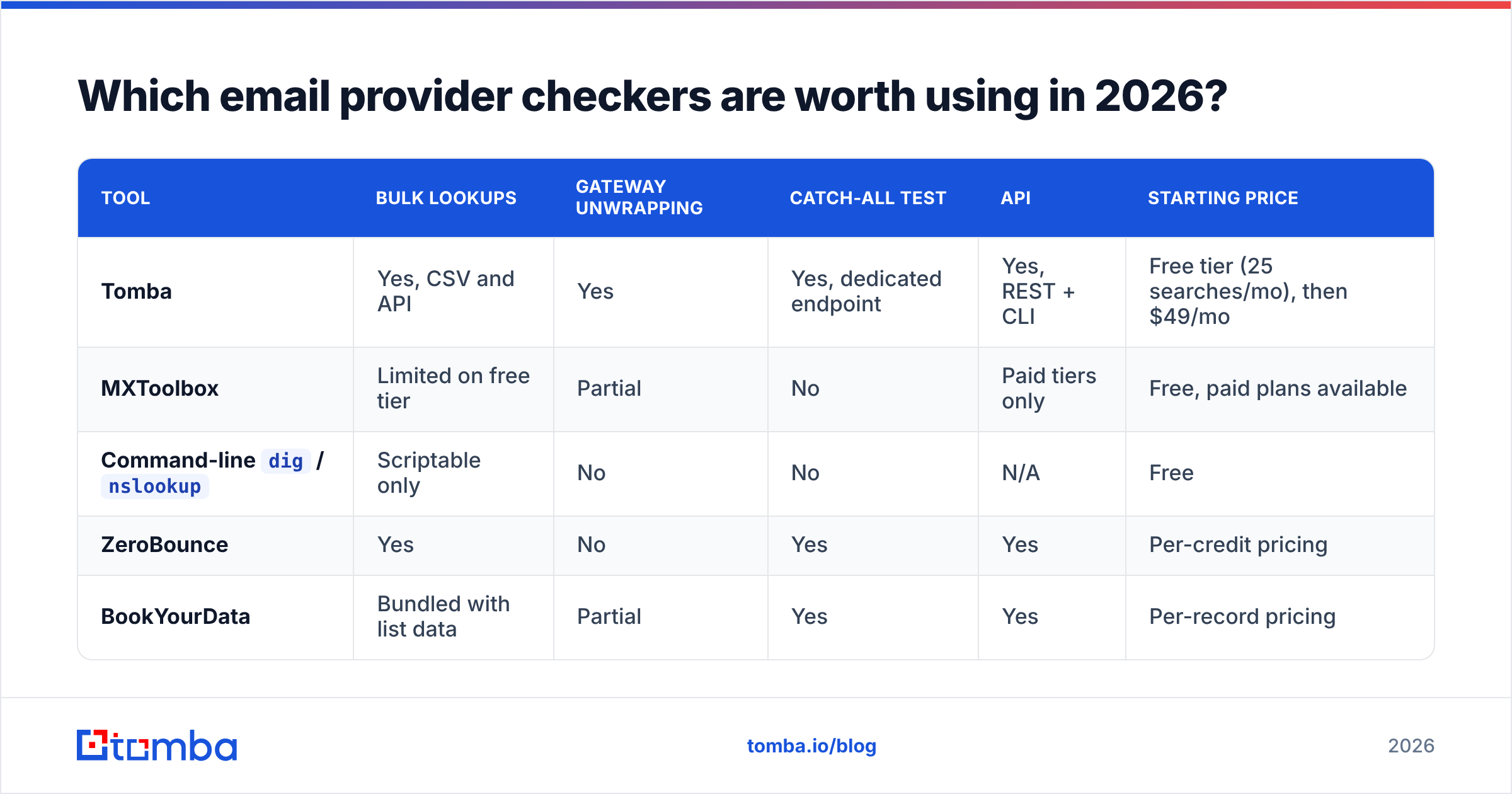
| Tool | Bulk lookups | Gateway unwrapping | Catch-all test | API | Starting price |
|---|---|---|---|---|---|
| Tomba | Yes, CSV and API | Yes | Yes, dedicated endpoint | Yes, REST + CLI | Free tier (25 searches/mo), then $49/mo |
| MXToolbox | Limited on free tier | Partial | No | Paid tiers only | Free, paid plans available |
Command-line dig / nslookup |
Scriptable only | No | No | N/A | Free |
| ZeroBounce | Yes | No | Yes | Yes | Per-credit pricing |
| BookYourData | Bundled with list data | Partial | Yes | Yes | Per-record pricing |
A few honest notes on this table. dig MX example.com is free, instant, and correct. If you need one domain and you can read hostnames, open a terminal instead. MXToolbox is still the best single-domain UI on the web, and it adds blacklist and SPF checks in the same view. But it is a diagnostics tool, not a pipeline tool.
BookYourData comes at this from the list-purchase side. Provider data arrives attached to records you buy, not domains you supply. That is a fair model if you are sourcing data rather than enriching your own.
Tomba fits the pipeline case. You have 8,000 domains in a spreadsheet. You need provider, catch-all status, and valid contacts on every row. And you need it to run again next month without a human. That is a bulk email finder and Tomba API problem more than a lookup problem.

How do you use provider data to cut bounce rates?#
Here is the workflow that moves the number.
- Run an email provider checker first, before verification. It is a DNS query. It costs nothing, and it tells you which results to trust. Delete domains with no MX records right away.
- Split the list by provider. Google, Microsoft, gateway, other. Four buckets is enough.
- Verify each bucket, then read it in context. Use an email verifier on all of them. But read the results with the provider in mind. "Valid" on a Google domain means valid. "Valid" on a Proofpoint domain means the door was open.
That sorts the list. The next three steps decide how you send to it.
- Handle catch-alls apart. Do not delete them. Do not trust them either. Route them through pattern confidence. Say a domain uses
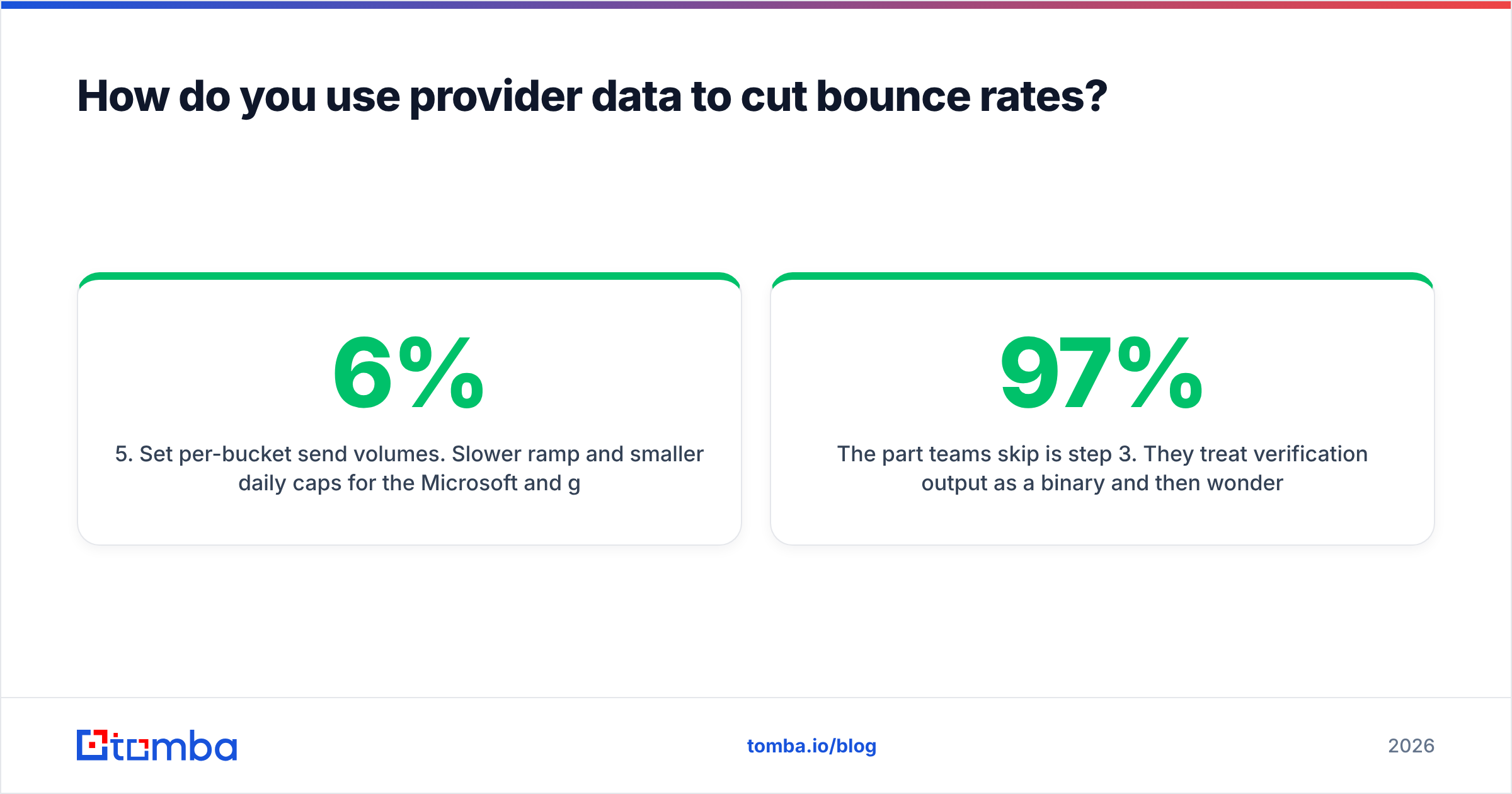
first.last@across twelve known contacts. A thirteenthfirst.last@is then a fair bet. The company email pattern check is the cheap version of this. - Set send volumes per bucket. Use a slower ramp and smaller daily caps for the Microsoft and gateway cohorts. This alone often takes a 6% bounce rate under 2%.
- Re-check every quarter. Migrations never stop. A domain on on-prem Exchange in January can be on Microsoft 365 by June, and its behaviour changes with it.
Teams skip step 3. They read verification output as a yes or no. Then they wonder why a list that scored 97% valid bounced at 5%. The verifier was not wrong. It just could not see past the gateway, and nobody told it to try.
What are the limits of an email provider checker?#
An email provider checker tells you who runs the mailbox. It does not tell you whether one person exists there.
MX records are domain-level. They say nothing about whether sarah.chen@ is a real account. They cannot tell you she left the company in March. They will not flag an address that forwards to a shared inbox nobody reads. Provider data narrows the guesswork. It does not end it. You still need address-level discovery and checks, which is what a domain search gives you.
Three more caveats are worth knowing:
- Split routing exists. Big firms sometimes route subdomains apart from the main domain. Others run two systems mid-migration.
acme.comon Google andmail.acme.comon Microsoft is not unusual. - DNS caching lies. A provider change can take up to 48 hours to spread. Check during a migration window and you may get the old answer.
- Provider does not equal interest. Google Workspace tells you the rules of delivery. It says nothing about whether that buyer wants your product. No amount of tuning fixes a bad offer.
Treat provider data as a routing input, not a scoring input. It decides how you send. Your research decides whether you should.
What should you do next?#
Pull one hundred domains from your current outbound list. Run an email provider checker on them. If more than a third land on Microsoft 365 or a security gateway, your report is too rosy. That segment needs a slower ramp. This one check often explains a bounce rate people have blamed on their copy for months.
Ready to make it a pipeline instead of a spot check? The Tomba Email Finder resolves provider, catch-all status, and verified contacts in one pass. It works in bulk or via API, so provider data lands on every row with no manual step. Start free at 25 searches a month. Or check Tomba pricing — Starter runs $49/mo — when you are ready to run a full list.
Related guides#
Ready to find emails that actually work?
Join 150,000+ professionals who stopped guessing and started sending. Free credits on signup — no credit card required.
Get the Tomba newsletter
Practical outbound tactics and product updates — once every two weeks.
About the author