Email Request For Meeting With Client: Templates That Book
Most meeting-request emails get ignored because they ask for time before earning it. Here are the structures, timing rules, and 9 templates that actually get calendar holds from busy clients.
TL;DR
- The phrase "quick call" is doing more damage to your calendar than any subject line. Clients don't decline meetings because they're busy — they decline because you asked them to do the work of figuring out why the meeting matters.
- A meeting-request email that converts has four parts: a specific reason, a stated outcome, a bounded time ask, and exactly one decision for the recipient to make.
- Proposing two concrete slots beats "let me know what works" by a wide margin in practice, because it converts an open-ended scheduling task into a yes/no.
- Cold meeting requests and warm client meeting requests are different genres. Using cold-email structure on an existing client reads as transactional; using warm structure on a stranger reads as presumptuous.
- Deliverability matters more than wording. A perfectly written request that lands in Promotions is a zero. Verify the address, warm the domain, keep the first email link-free.
What Is an Email Request for Meeting With Client, Exactly?#
An email request for meeting with client is a short message whose only job is to get a specific time block reserved on someone's calendar. That's it. It is not a pitch, not a status update, not a relationship-building note that happens to end with "would love to chat."
The confusion is where most of these emails die. Writers try to make the email do three jobs at once — establish credibility, explain the product, and book the time — and the result is 280 words that ask for nothing clearly. The recipient reads it, feels vaguely obligated, files it under "reply later," and never does.
Think of it like asking a colleague to help you move a couch. You don't open with your history of furniture ownership. You say: "Saturday, 10am, twenty minutes, I'll buy lunch." Specificity is the courtesy.
The functional definition: a meeting request email succeeds when the recipient can decide yes or no in under fifteen seconds without opening a second tab, checking with anyone, or replying with a clarifying question.
Why Do Most Meeting Request Emails Get Ignored?#
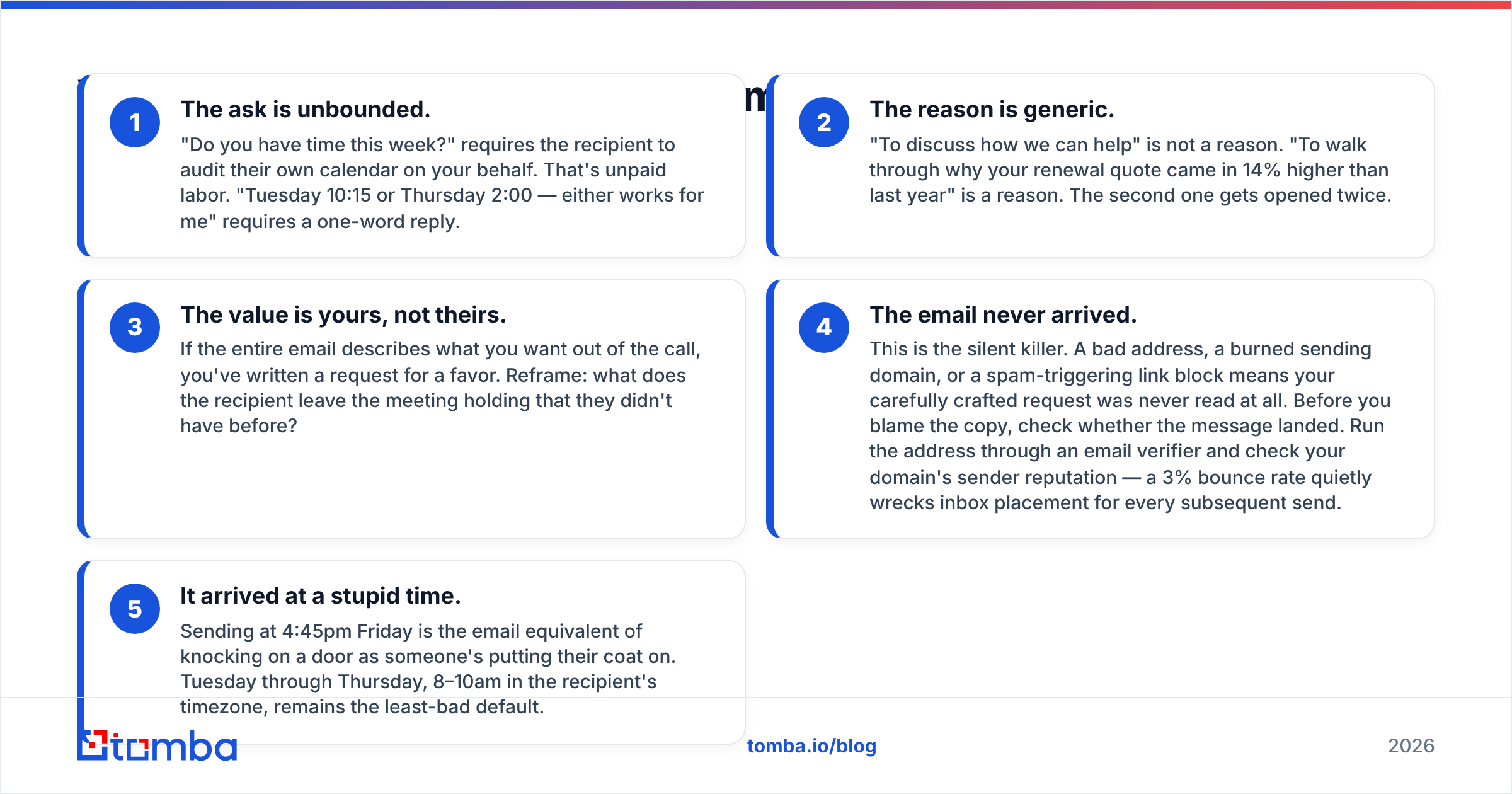
Four failure modes account for the overwhelming majority of ignored requests. Fix these before you touch templates.
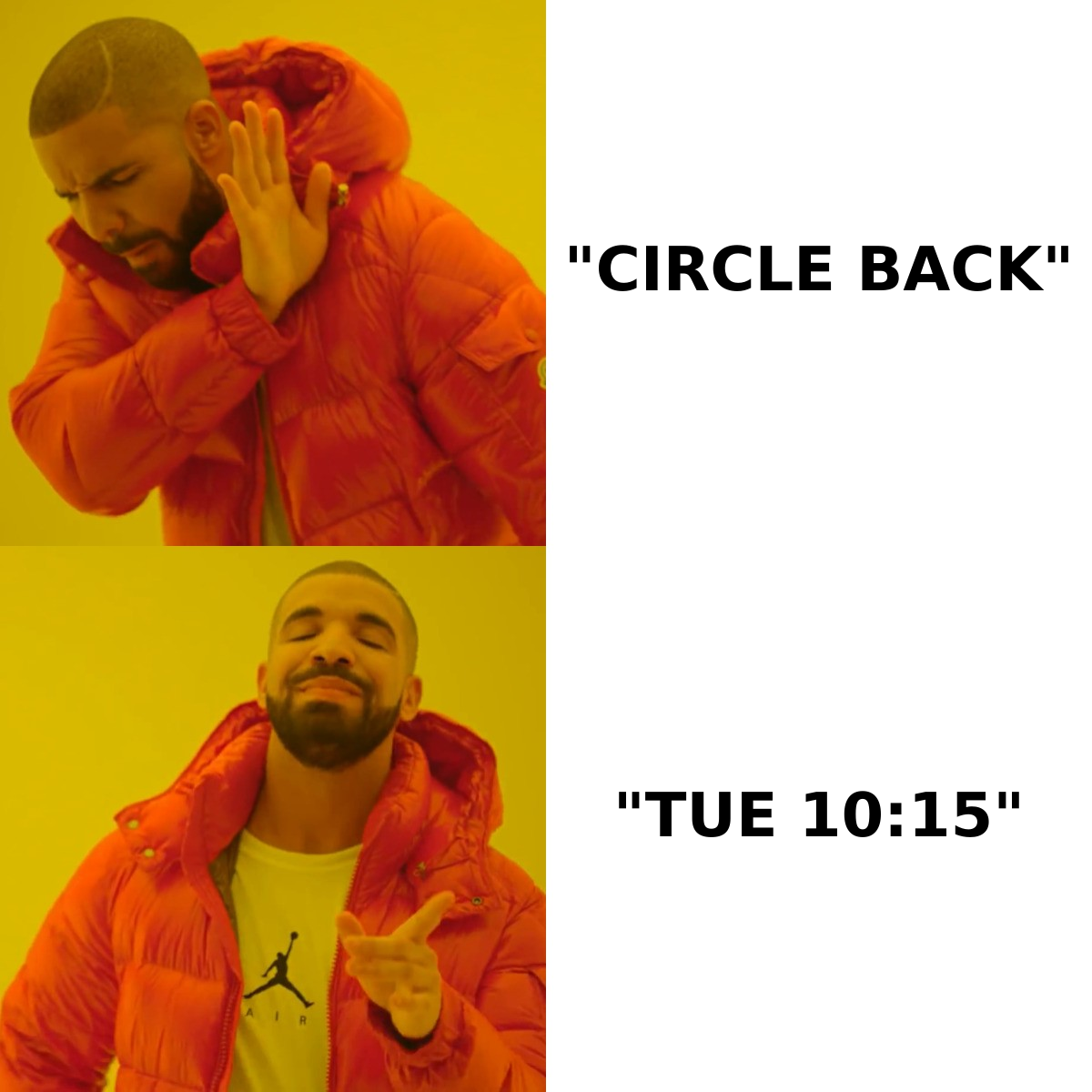
- The ask is unbounded. "Do you have time this week?" requires the recipient to audit their own calendar on your behalf. That's unpaid labor. "Tuesday 10:15 or Thursday 2:00 — either works for me" requires a one-word reply.
- The reason is generic. "To discuss how we can help" is not a reason. "To walk through why your renewal quote came in 14% higher than last year" is a reason. The second one gets opened twice.
- The value is yours, not theirs. If the entire email describes what you want out of the call, you've written a request for a favor. Reframe: what does the recipient leave the meeting holding that they didn't have before?
- The email never arrived. This is the silent killer. A bad address, a burned sending domain, or a spam-triggering link block means your carefully crafted request was never read at all. Before you blame the copy, check whether the message landed. Run the address through an email verifier and check your domain's sender reputation — a 3% bounce rate quietly wrecks inbox placement for every subsequent send.
- It arrived at a stupid time. Sending at 4:45pm Friday is the email equivalent of knocking on a door as someone's putting their coat on. Tuesday through Thursday, 8–10am in the recipient's timezone, remains the least-bad default.
How Should You Structure a Meeting Request Email?#
Five components, in order. Deviating from the order costs you more than deviating from the wording.
1. Subject line — state the meeting, not the pitch.
Good: Tuesday 10:15 — Q3 renewal walkthrough? Bad: Partnership opportunity. The subject line's job is to make the meeting legible from the inbox list view.
2. Context line — one sentence, prove you're not blasting. Reference something real and recent: a support ticket, a LinkedIn post, a funding round, a line item on their invoice. One sentence. Two is bragging about your research.
3. The reason — why this meeting, specifically. Name the decision or problem the meeting resolves. "I want to show you the three options for consolidating your seat licenses before your Nov 1 renewal locks."
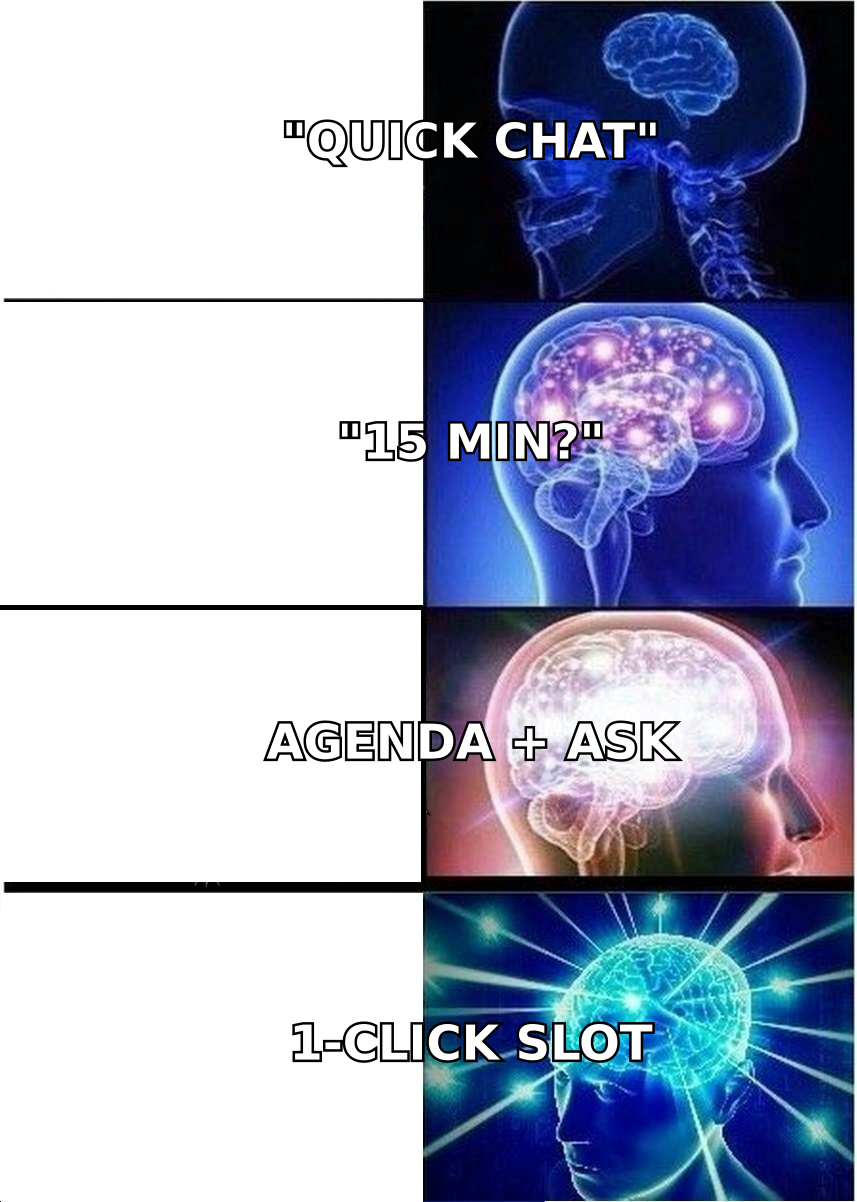
4. The bounded ask — duration and two slots. "15 minutes. Tuesday 10:15 or Thursday 2:00 ET — happy to work around either." Duration signals respect. Two slots signal you've thought about it. Three or more slots is a scheduling menu and creates decision fatigue.
5. The one-line out. "If this isn't the right time, tell me and I'll drop it." Counterintuitively this raises reply rates, because it removes the social cost of saying no — and a fast no is worth more to you than a slow maybe.
Keep the entire email under 120 words. If you cannot make the case in 120 words, the meeting probably isn't warranted yet.
Cold Prospect vs. Existing Client: What Actually Changes?#
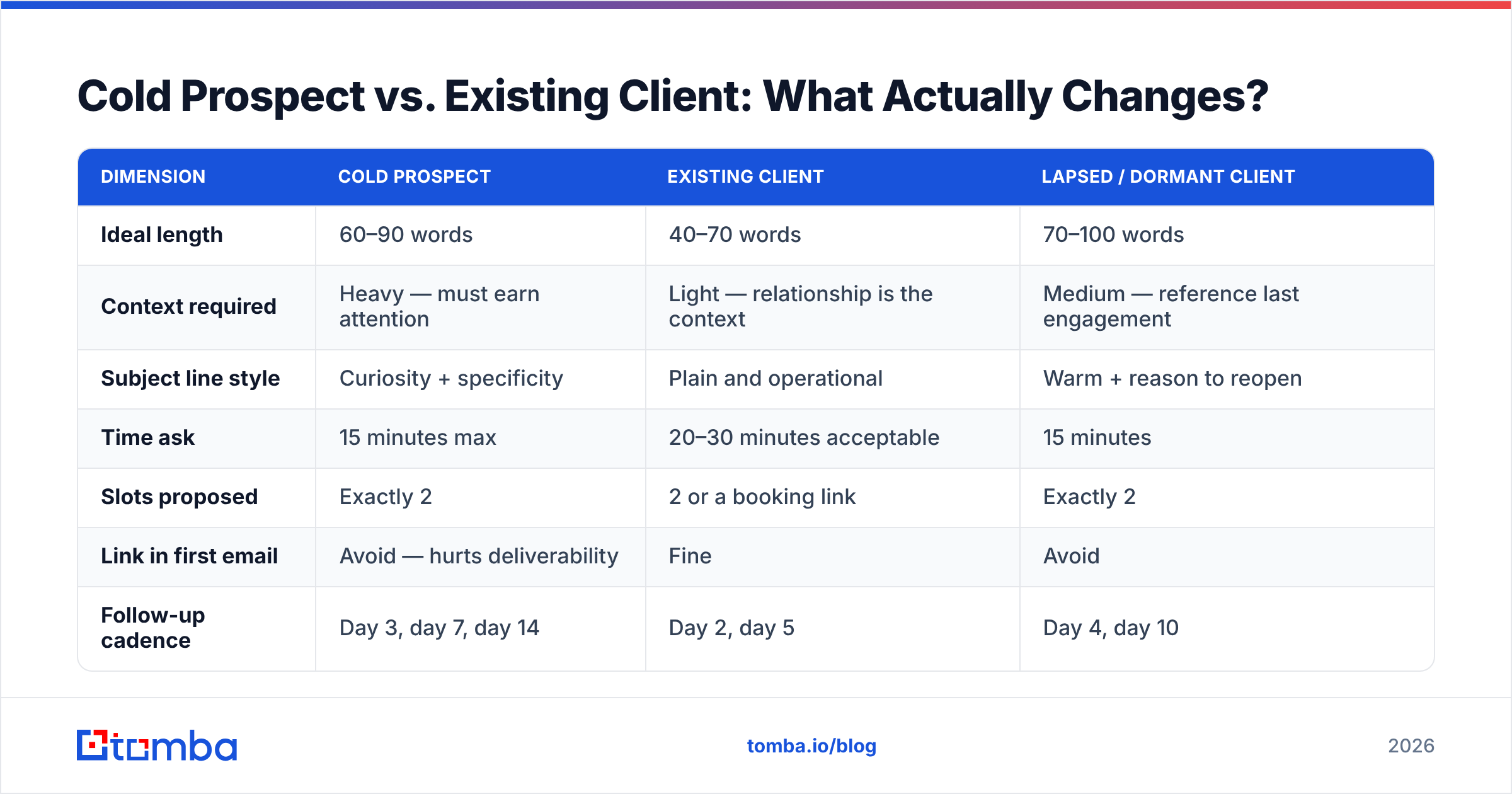
These are different emails and the distinction is not cosmetic. Here's the breakdown.
| Dimension | Cold prospect | Existing client | Lapsed / dormant client |
|---|---|---|---|
| Ideal length | 60–90 words | 40–70 words | 70–100 words |
| Context required | Heavy — must earn attention | Light — relationship is the context | Medium — reference last engagement |
| Subject line style | Curiosity + specificity | Plain and operational | Warm + reason to reopen |
| Time ask | 15 minutes max | 20–30 minutes acceptable | 15 minutes |
| Slots proposed | Exactly 2 | 2 or a booking link | Exactly 2 |
| Link in first email | Avoid — hurts deliverability | Fine | Avoid |
| Follow-up cadence | Day 3, day 7, day 14 | Day 2, day 5 | Day 4, day 10 |
| Expected reply rate | 3–8% | 40–70% | 15–25% |
| Personalization depth | Company + role + trigger event | Account history | Prior project outcome |
The pattern: the colder the relationship, the more the email must earn before it asks. The warmer the relationship, the more the email should just get to the point — over-explaining to a client you talk to monthly reads as though you've forgotten who they are.
What Do Templates That Actually Book Meetings Look Like?#
Nine templates. Adapt the specifics; keep the skeletons.
Template 1 — Cold, trigger-event based
Subject: Congrats on the Series B — 15 min?
Hi Maya — saw the $18M round announced Tuesday. Congrats.
Teams at your stage usually hit a data-hygiene wall around month four post-raise, when headcount doubles and the CRM stops matching reality. I've got a 15-minute walkthrough of how three similar teams handled it.
Tuesday 10:15 or Thursday 2:00 ET?
If it's not a priority right now, just say so and I'll leave it.
Template 2 — Cold, referral-anchored
Subject: Priya suggested I reach out
Hi Daniel — Priya Raghavan at Northlane mentioned you're rebuilding the outbound motion this quarter.
She thought the way we handled her territory-mapping problem might be relevant. 20 minutes, screen share, no deck.
Wednesday 9:30 or Friday 11:00?
Template 3 — Existing client, quarterly review
Subject: Q3 review — Tue 10:15 or Wed 3:00?
Hi Sam — time for the quarterly walkthrough. I'll bring the usage breakdown, the three seats that haven't logged in since June, and the renewal options.
30 minutes. Tuesday 10:15 or Wednesday 3:00 — your call.
Template 4 — Existing client, problem-triggered
Subject: Your API error rate jumped Thursday
Hi Rob — our monitoring flagged a 4x spike in 429s on your account starting Thursday afternoon. Nothing's broken, but you're going to hit the ceiling within about two weeks at this rate.
Want to grab 20 minutes to look at it together? Monday 11:00 or Tuesday 2:30.
Template 5 — Lapsed client, re-engagement
Subject: The reporting gap you flagged in March
Hi Elena — you paused last spring because the reporting couldn't segment by region. That shipped in June.
Not asking you to come back. Asking for 15 minutes to show you what changed so you can decide for yourself.
Thursday 10:00 or Friday 1:30?
Template 6 — Post-demo, moving to decision
Subject: Next step after Tuesday's demo
Hi Tomás — you mentioned security review is the gate. I'd like to get your InfoSec lead on a 25-minute call with our solutions architect so they can ask directly rather than trading PDFs for three weeks.
Does Wednesday 9:00 or Thursday 4:00 work? Happy to send the SOC 2 package ahead of it either way.
Template 7 — Executive, ultra-short
Subject: 12 minutes on the Q1 consolidation
Hi Anita — three options for consolidating the four regional contracts into one. Recommendation attached in a single page.
12 minutes to walk through it. Tuesday 8:15 or 8:30 ET.
Template 8 — After a conference or event
Subject: Following up from the SaaStr booth
Hi Jordan — we talked briefly Wednesday about your attribution problem, right before your session.
I sketched out how we'd approach it. Want to see it? 15 minutes, Tuesday 1:00 or Thursday 10:30.
Template 9 — Final follow-up (the close-the-loop)
Subject: Closing this out
Hi Wren — I've reached out twice about the renewal walkthrough and haven't heard back, which usually means the timing's wrong.
I'll stop here. If it becomes relevant in Q4, reply to this thread and I'll pick it straight back up.
Template 9 is the highest-reply-rate email in this list. Not because it's clever — because it's the only one that doesn't ask for anything.
How Many Times Should You Follow Up?#
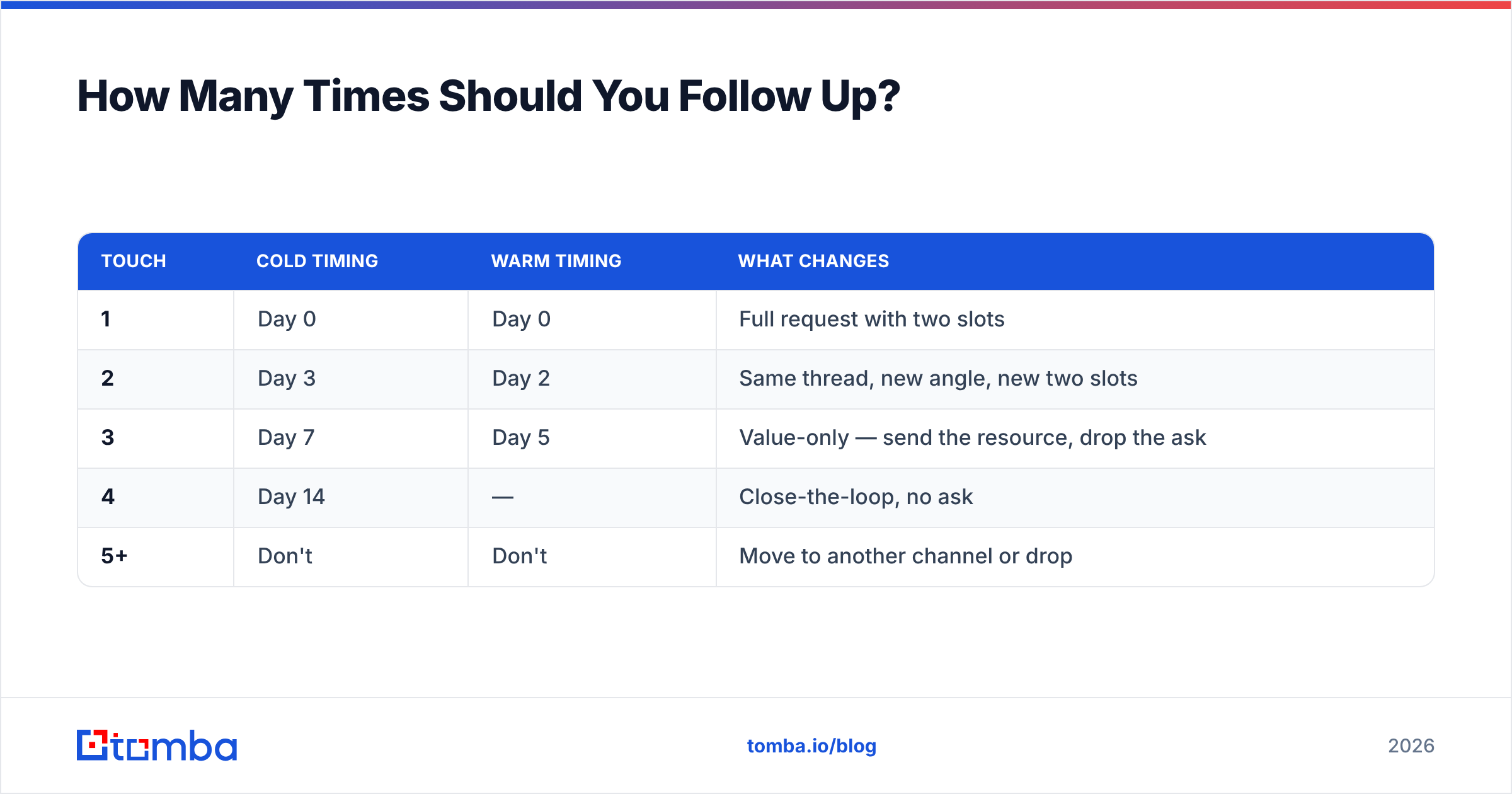
Three touches for cold, two for warm, then stop. The math is unforgiving after that: reply rates on touch four and beyond drop below the point where the spam-complaint risk outweighs the marginal meeting.
| Touch | Cold timing | Warm timing | What changes |
|---|---|---|---|
| 1 | Day 0 | Day 0 | Full request with two slots |
| 2 | Day 3 | Day 2 | Same thread, new angle, new two slots |
| 3 | Day 7 | Day 5 | Value-only — send the resource, drop the ask |
| 4 | Day 14 | — | Close-the-loop, no ask |
| 5+ | Don't | Don't | Move to another channel or drop |
Reply in the same thread for touches 2 and 3. New threads reset the recipient's context and read as though you've forgotten you already wrote. Change the angle each time — repeating the same request louder is how you get marked as spam.
If email has genuinely stalled after four touches, switch channels rather than escalating volume. A phone finder lookup and one voicemail often outperforms touches five through eight combined, and LinkedIn outreach gives you a second surface without burning your sending domain.
What Actually Makes These Emails Land in the Inbox?#
Copy is downstream of delivery. Three things dominate.
Address accuracy. Bounces above 2% start degrading inbox placement across your whole domain. If you're pulling contacts from a scrape, an export, or a list you bought, verify before you send — not after. Google's Postmaster Tools will show you the damage after the fact; verification prevents it.
Domain warmth. A brand-new sending domain firing 200 meeting requests on day one will land in spam regardless of how good the copy is. Ramp over 3–4 weeks. HubSpot's email deliverability guide covers the authentication baseline — SPF, DKIM, DMARC — and it's worth doing correctly once rather than debugging it later.
First-email restraint. No tracking pixels, no link, no attachment, no image on a cold first touch. Plain text from a real person's address. Every one of those elements is a small spam signal, and they compound.
Beyond that: check your email deliverability fundamentals quarterly rather than reactively. Most teams only look at this after reply rates crater, by which point the domain reputation takes months to recover.
What Should You Never Put in a Meeting Request?#
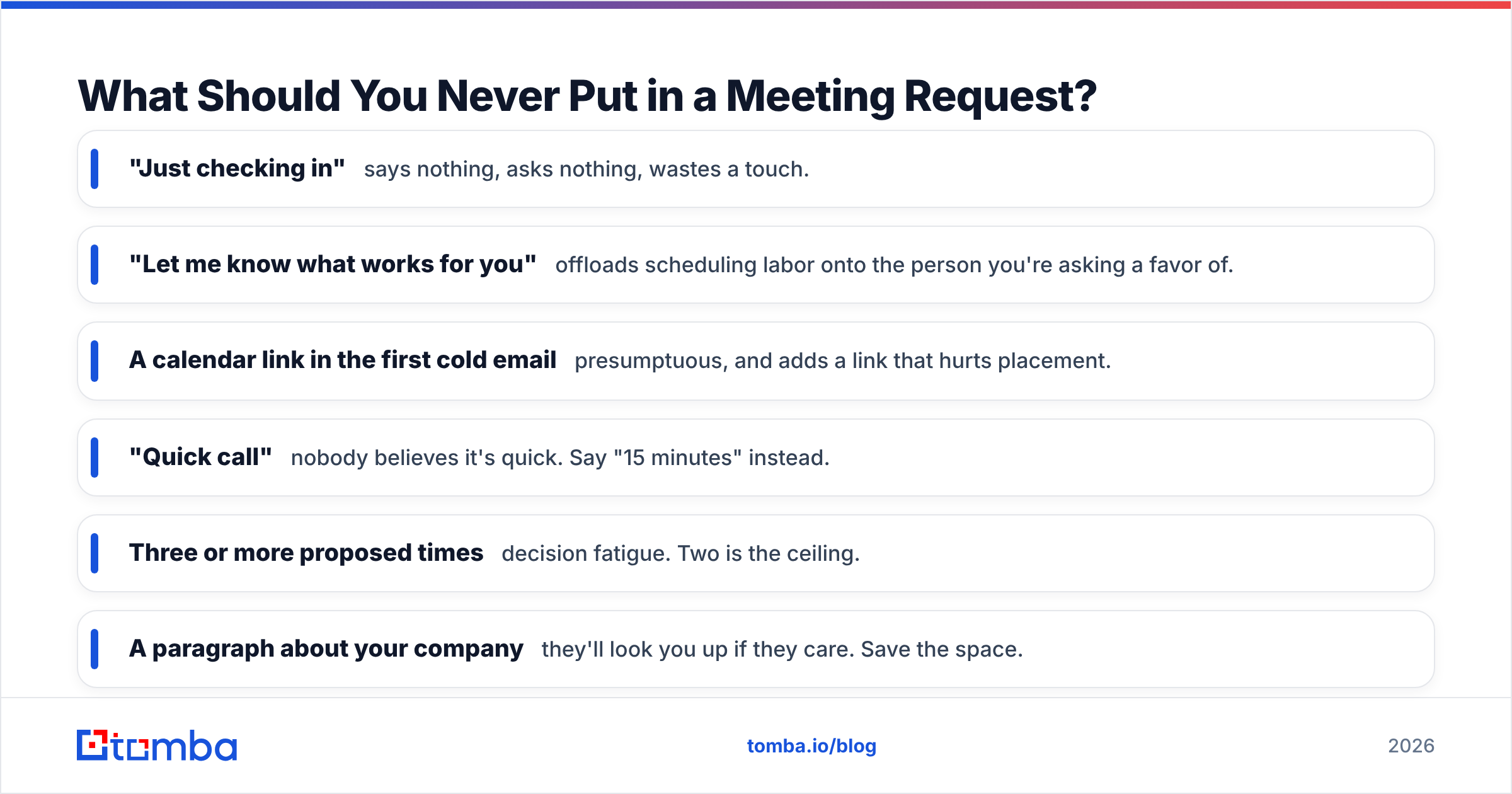
- "Just checking in" — says nothing, asks nothing, wastes a touch.
- "Let me know what works for you" — offloads scheduling labor onto the person you're asking a favor of.
- A calendar link in the first cold email — presumptuous, and adds a link that hurts placement.
- "Quick call" — nobody believes it's quick. Say "15 minutes" instead.
- Three or more proposed times — decision fatigue. Two is the ceiling.
- A paragraph about your company — they'll look you up if they care. Save the space.
- "Hope this finds you well" — costs you the first line, which is the only line half of recipients read.
Ready to Send Meeting Requests That Reach Real Inboxes?#
The best-written meeting request in the world converts at zero percent if it hits a dead address or a spam folder. Before you send the next batch, get the contact data right: Tomba Email Finder locates verified professional addresses by name and domain, so your carefully structured request lands where a human will actually read it. The free tier covers 25 searches a month, and the Starter plan is $49/mo when you're ready to scale past testing.
Fix the delivery, then fix the copy. In that order.
Related guides#
Ready to find emails that actually work?
Join 150,000+ professionals who stopped guessing and started sending. Free credits on signup — no credit card required.
Get the Tomba newsletter
Practical outbound tactics and product updates — once every two weeks.
About the author