Email Request Template: 12 Proven Formats That Get Replies
Most request emails fail on structure, not politeness. Here are 12 email request templates — meeting, referral, testimonial, invoice, extension — plus the anatomy, the send rules, and the mistakes that quietly kill your reply rate.
TL;DR
- A good email request template does one job: make saying yes cheaper than ignoring you. Structure beats politeness every time.
- The reply-first anatomy is five parts: context line, single ask, why-you, effort estimate, and a low-friction close. Anything else is decoration.
- Different asks need different shapes. A meeting request and an invoice chase should not use the same template — this post gives 12 formats mapped to situations.
- The three silent killers: a buried ask, a vague deadline, and an unverified email address that never lands in the inbox at all.
- Personalize the first line and the ask; keep the rest templated. That's the ratio that survives volume.
What is an email request template?#
An email request template is a reusable skeleton for asking someone to do something specific — take a meeting, make an introduction, send a file, approve a budget, pay an invoice, write a testimonial. The template holds the structure constant so you only have to think about the two variables that actually matter: who you're writing to and what you want from them.
Think of it like a restaurant order pad. The pad doesn't decide the meal; it just guarantees nobody forgets the table number, the dish, and the allergy note. A request template does the same for email — it guarantees you never send a message where the recipient has to reverse-engineer what you want.
The failure mode is predictable. People write request emails as apologies with a favor buried in paragraph three. The recipient scans, finds no clear action, and files it under "later," which is the same folder as "never."
What makes a request email get a reply?#
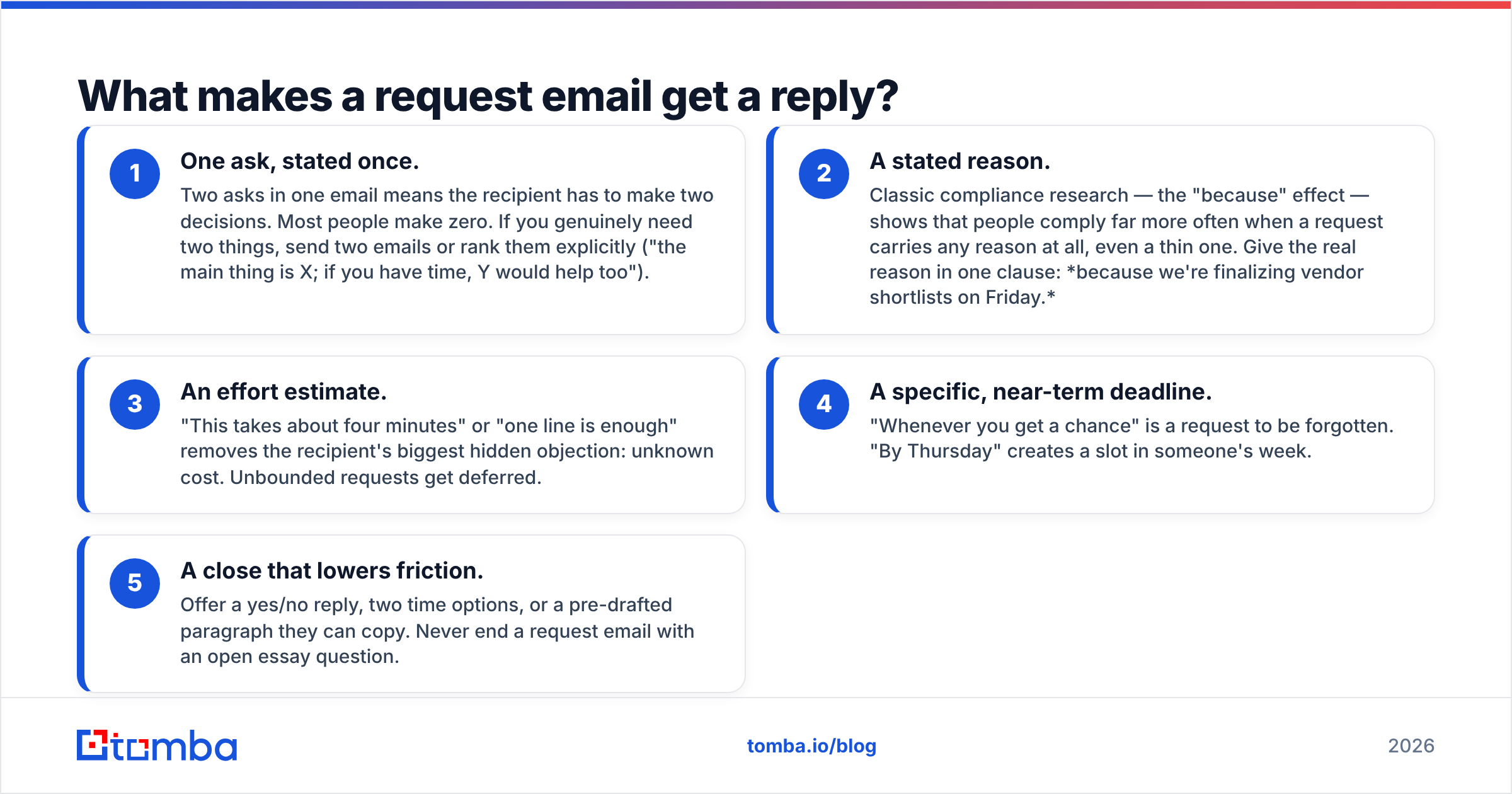
Five things, in this order of impact:
- One ask, stated once. Two asks in one email means the recipient has to make two decisions. Most people make zero. If you genuinely need two things, send two emails or rank them explicitly ("the main thing is X; if you have time, Y would help too").
- A stated reason. Classic compliance research — the "because" effect — shows that people comply far more often when a request carries any reason at all, even a thin one. Give the real reason in one clause: because we're finalizing vendor shortlists on Friday.
- An effort estimate. "This takes about four minutes" or "one line is enough" removes the recipient's biggest hidden objection: unknown cost. Unbounded requests get deferred.
- A specific, near-term deadline. "Whenever you get a chance" is a request to be forgotten. "By Thursday" creates a slot in someone's week.
- A close that lowers friction. Offer a yes/no reply, two time options, or a pre-drafted paragraph they can copy. Never end a request email with an open essay question.
Everything else — the pleasantries, the company boilerplate, the signature block with three social icons — is neutral at best and noise at worst.

What is the anatomy of a high-reply request email?#
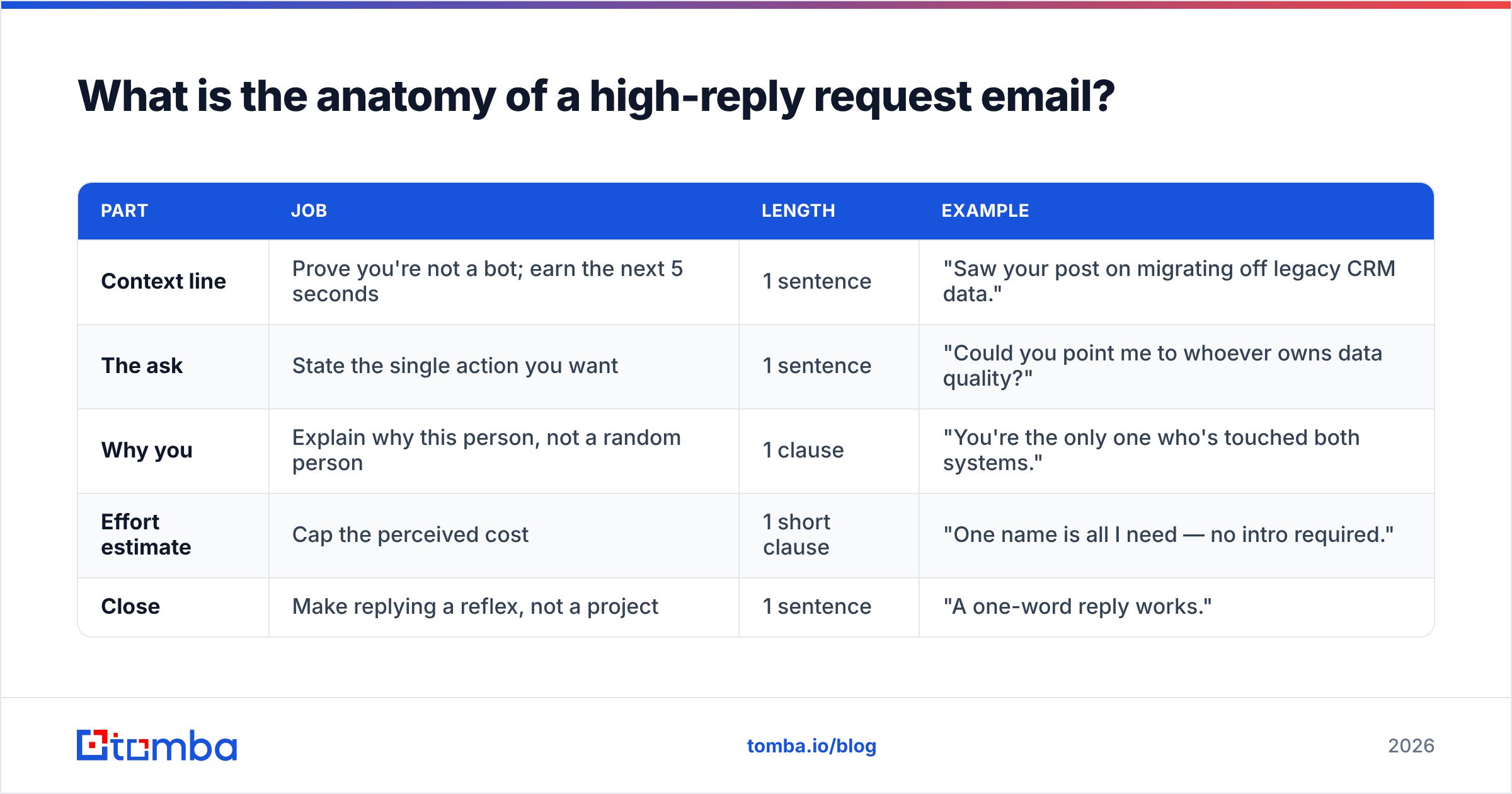
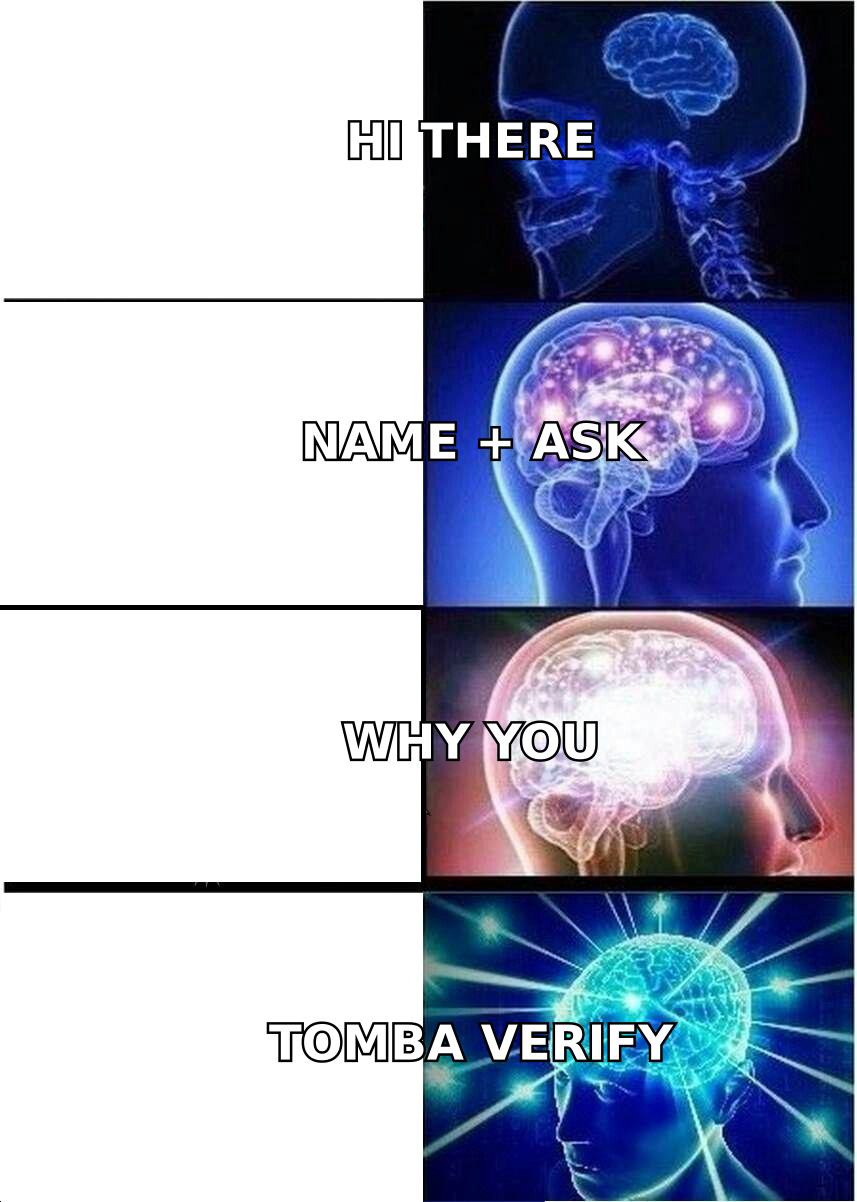
Here's the five-part structure with what each part does and how long it should be. This is the skeleton every template below is built on.
| Part | Job | Length | Example |
|---|---|---|---|
| Context line | Prove you're not a bot; earn the next 5 seconds | 1 sentence | "Saw your post on migrating off legacy CRM data." |
| The ask | State the single action you want | 1 sentence | "Could you point me to whoever owns data quality?" |
| Why you | Explain why this person, not a random person | 1 clause | "You're the only one who's touched both systems." |
| Effort estimate | Cap the perceived cost | 1 short clause | "One name is all I need — no intro required." |
| Close | Make replying a reflex, not a project | 1 sentence | "A one-word reply works." |
Subject line sits outside the body but carries disproportionate weight. Keep it under 50 characters, make it descriptive rather than clever, and hint at the ask: "Quick question about your data-quality owner" beats "Touching base." If you're testing variants, run them through a subject line tester before you commit a whole sequence to one line.
Which email request template should you use for each situation?#
Twelve formats, grouped by what you're actually asking for. Copy them, then rewrite the context line — that's the part that has to be yours.
1. Meeting request (cold or semi-warm)#
Subject: 15 min on [specific problem]?
Hi [Name],
[Company] just [trigger event — funding, hire, launch, tool change]. Teams at that stage usually hit [specific problem] within a quarter.
Worth 15 minutes to see if what we built for [comparable company] applies? I'd come with two ideas, not a deck.
Tuesday 10:00 or Thursday 14:00 — either works, or tell me a better slot.
[Your name]
Why it works: the trigger event proves research, the two-option close removes calendar negotiation, and "not a deck" preempts the fear of a 45-minute demo.
2. Introduction / referral request#
Subject: Intro to [Person] at [Company]?
Hi [Name],
You mentioned you worked with [Person] at [Company]. We're building [one-line description] and they're exactly who it's for.
Would you be open to a forwardable intro? I've written a paragraph below you can paste or ignore entirely — and a no is genuinely fine, it won't be awkward.
[Forwardable paragraph: 3 sentences, third person.]
Why it works: the pre-written blurb turns a 10-minute task into a 10-second one, and the explicit permission to decline protects the relationship.
3. Information or document request (internal)#
Subject: Need [document] before Thursday's [meeting]
Hi [Name],
For Thursday's [meeting], I need [exact document/number] for [period].
If it's easier, the raw export works — I'll clean it up. Thursday 09:00 is my hard deadline; after that I'll present with an estimate and flag it as unconfirmed.
Thanks, [Your name]
Why it works: it names the consequence of silence without threatening anyone. "I'll present with an estimate" is a far stronger motivator than "please advise."
4. Testimonial request#
Subject: Two sentences about [result]?
Hi [Name],
You mentioned [specific result] last month. Would you be up for two sentences we could use on our site?
To make it painless, here's a draft — edit freely or bin it and write your own:
"[Draft quote referencing the specific number.]"
No pressure at all if now's a bad time.
5. Review request (G2, Capterra, app stores)#
Subject: Would you leave us a [platform] review?
Hi [Name],
You've been using [product] for [duration] now. Reviews on G2 are the single biggest driver of new trials for us, and yours would carry real weight given [their use case].
Direct link: [URL]. It takes about four minutes, and honest criticism is welcome — we'd rather have the real version.
6. Invoice / payment request#
Subject: Invoice #[number] — due [date]
Hi [Name],
Invoice #[number] for [amount] was due on [date]. Attaching it again for convenience.
If it's already scheduled, ignore this and let me know the payment date. If it's stuck in approval, tell me who owns it and I'll follow up with them directly.
Why it works: it gives two exits — both of which produce a reply.
7. Feedback request (on work you produced)#
Subject: Feedback on [deliverable] — 3 questions
Hi [Name],
Attached is [deliverable]. Rather than "any thoughts?", three specific questions:
- Does section 2 match what you'd tell a customer?
- Anything factually wrong?
- What would you cut?
Bullet answers are perfect. By [date] if possible.
8. Deadline extension request#
Subject: [Project] — proposing [new date]
Hi [Name],
[Project] is at [honest % complete]. [One-sentence, no-excuse reason.]
I can deliver a reduced version on [original date] covering [scope], or the full version on [new date]. My recommendation is the second — which do you want?
9. Guest post / collaboration request#
Subject: Guest post pitch: [specific title]
Hi [Name],
I read [specific article] and noticed you haven't covered [gap]. I'd like to write [working title] — [one-line angle], with original data from [source].
Full outline below. If the angle's wrong but the topic's right, tell me and I'll re-pitch.
10. Quote / pricing request (buyer side)#
Subject: Pricing for [X seats / Y volume]
Hi [Name],
We're evaluating [category] for a team of [size], processing roughly [volume] per month. Requirements: [3 bullets].
Can you send indicative pricing and whether [key requirement] is included? We're shortlisting on [date].
11. Time-off / internal approval request#
Subject: PTO request: [dates]
Hi [Name],
Requesting [dates] off. [Colleague] has agreed to cover [responsibilities], and [deliverable] ships before I leave.
Let me know if that works and I'll put it in the system.
12. Re-engagement request (gone quiet)#
Subject: Closing the loop on [topic]?
Hi [Name],
I haven't heard back on [topic], which usually means one of three things: it's not a priority now, someone else owns it, or the timing's wrong.
Which is it? Any of the three is a useful answer and I'll act accordingly.
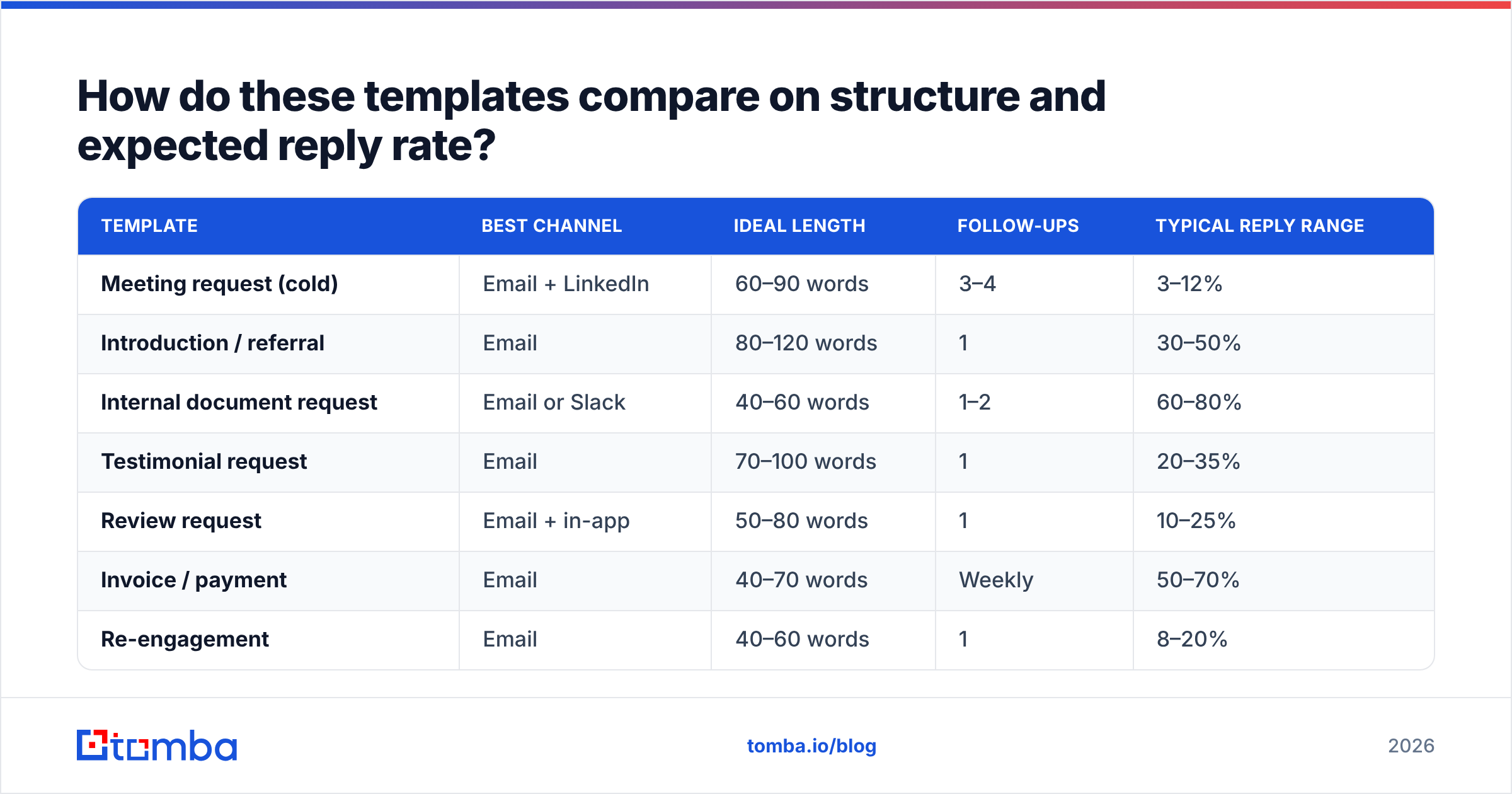
How do these templates compare on structure and expected reply rate?#
Reply-rate ranges below are directional benchmarks from B2B outbound and internal-comms reporting — treat them as relative ordering, not guarantees. Your list quality moves these numbers more than your copy does.
| Template | Best channel | Ideal length | Follow-ups | Typical reply range |
|---|---|---|---|---|
| Meeting request (cold) | Email + LinkedIn | 60–90 words | 3–4 | 3–12% |
| Introduction / referral | 80–120 words | 1 | 30–50% | |
| Internal document request | Email or Slack | 40–60 words | 1–2 | 60–80% |
| Testimonial request | 70–100 words | 1 | 20–35% | |
| Review request | Email + in-app | 50–80 words | 1 | 10–25% |
| Invoice / payment | 40–70 words | Weekly | 50–70% | |
| Re-engagement | 40–60 words | 1 | 8–20% |
The pattern is obvious once you see it side by side: warm, specific, low-effort asks clear 50%, cold asks live in single digits, and length correlates negatively with reply rate almost everywhere. The referral template is the outlier worth exploiting — it's the highest-yield request format in B2B and almost nobody sends enough of them.
How do you personalize a template without rewriting it every time?#
Use the 80/20 split: 80% of the email stays templated, 20% is variable. The variable part is always the context line plus one clause inside the ask. Everything else — structure, effort estimate, close — is fixed.
- Tier your personalization by list size. Under 50 recipients: hand-write the context line from something they published. 50–500: use a research variable (funding round, job change, tech stack, hiring signal) merged in. Over 500: segment tighter instead of personalizing harder — a well-defined segment beats a shallow merge field.
- Never merge a field you haven't checked. A broken
{{first_name}}renders as "Hi ," and instantly reveals the template. Run a merge-preview on 10 random rows before every send. - Keep a template library, not a folder of drafts. Store each template with its use case, average reply rate, and last-edited date. HubSpot's sales email guidance is a decent external baseline; our own cold email templates library is organized this way so you can lift a format without re-deriving the structure.
- Rewrite the template when the reply rate drops, not on a schedule. Templates decay when a market gets saturated with the same angle, not when they hit a certain age.
- Track the ask, not the open. Opens are increasingly unreliable. Measure replies and completed actions — that's the only metric a request template exists to move. If you need a shared definition for reporting, see response rate.
The underlying psychology hasn't changed: specific, justified, low-cost requests trigger reciprocity and clear decision-making. Templates just make you consistent about applying it.
What silently kills your request emails?#
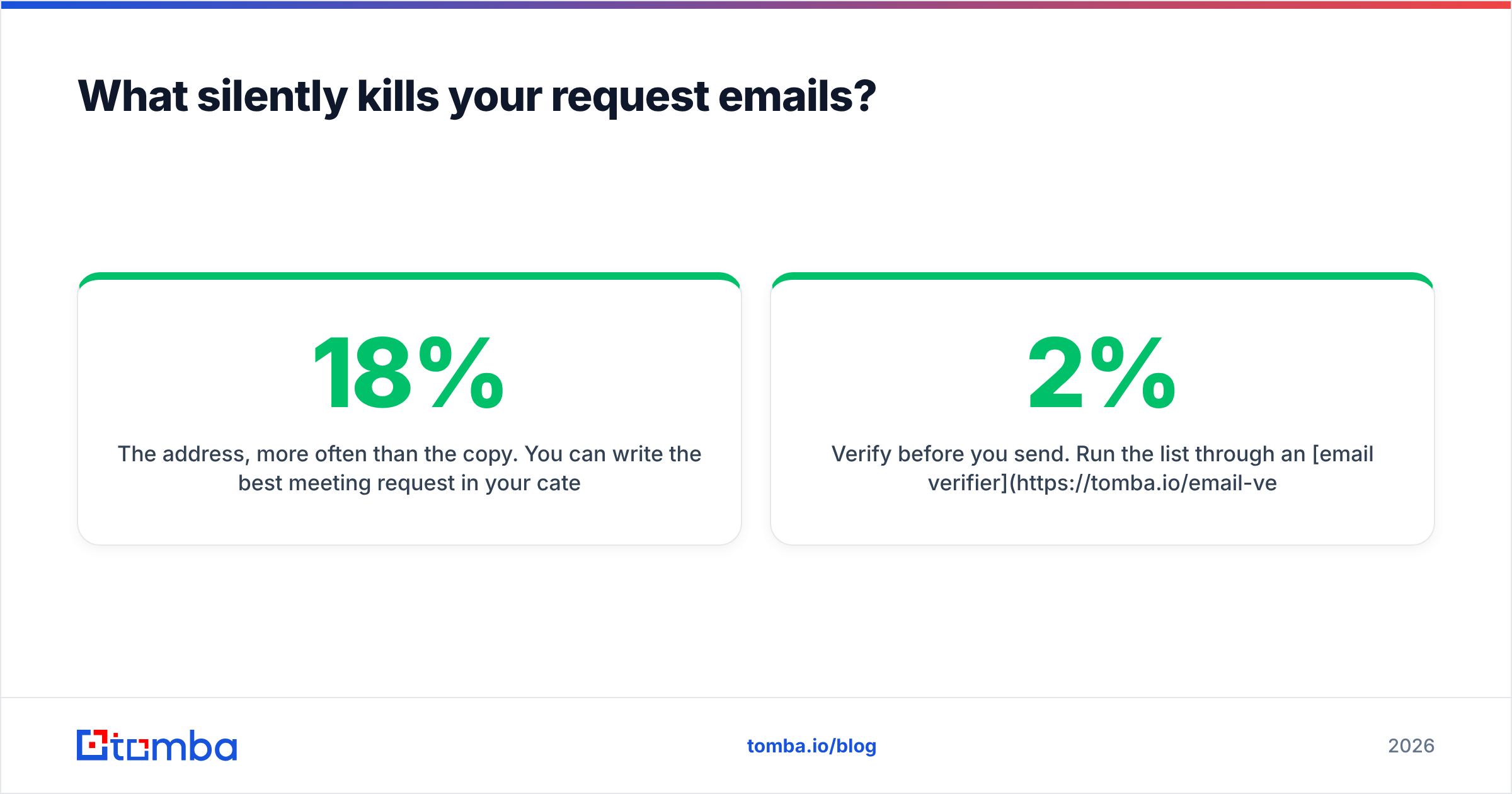
The address, more often than the copy. You can write the best meeting request in your category and get zero replies because 18% of your list bounced and your domain reputation took the hit. Request emails are usually sent to people you've never emailed before — exactly the segment where data decays fastest, at roughly 2–3% per month as people change jobs.
Three fixes, in order of impact:
- Verify before you send. Run the list through an email verifier and drop anything that isn't deliverable. Keeping bounce rate under 2% protects everything downstream.
- Find the right person, not just a valid address. Sending a perfect referral request to a generic info@ address is a wasted template. Use an email finder to get the individual owner of the problem you're writing about.
- Fix the ask, then the volume. If a template underperforms at 50 sends, sending 500 makes it worse, not better. Test the ask on a small batch, keep what clears baseline, and scale only the winners.
Other common killers: attachments on a first cold email (spam trigger), more than one link in the body, a subject line that promises something the body doesn't deliver, and a signature block heavier than the message itself.
Do request templates still work in 2026?#
Yes — but the bar moved. Generic AI-written request emails flooded inboxes over the last two years, which means the reply premium has shifted almost entirely to specificity. A template with a genuinely researched context line now outperforms an AI-generated "personalized" paragraph, because recipients have learned to recognize the latter's rhythm.
Practical implication: spend your time on research and list quality, not on generating more copy variants. The template is a container. What you put in the first sentence — and whether the address is real — decides the outcome.
Where should you start?#
Pick the two templates you'll send most this quarter, build them properly, and stop there. Most teams don't have a template problem; they have a "the ask is buried and the list is 20% dead" problem.
Once your copy is tight, the remaining variable is whether your request reaches a real, current inbox. That's where Tomba Email Finder fits: search by domain, name, or company to get the individual behind the role, with verification built into the same workflow so you're not sending your best template into a bounce. The free tier covers 25 searches a month if you just want to test a segment, and paid plans start at $49/mo — full Tomba pricing is public if you're comparing options. Get the address right, then let the template do its job.
Related guides#
Ready to find emails that actually work?
Join 150,000+ professionals who stopped guessing and started sending. Free credits on signup — no credit card required.
Get the Tomba newsletter
Practical outbound tactics and product updates — once every two weeks.
About the author