Email Search by Name: How to Find Anyone's Work Email in 2026
Searching for an email by name alone is the least reliable way to reach someone. Here's how name-based lookup actually works, what accuracy you should expect, and which tools earn the credit.
TL;DR
- A name alone is not enough. Every reliable email search by name needs a second signal — a company domain, a LinkedIn URL, or an employer name that resolves to a domain.
- Pattern inference does the heavy lifting. Tools detect a company's dominant format (
first.last@,flast@,first@) from known addresses, then apply it to your target name. - Expect 85-97% accuracy on name + domain, and closer to 40-60% on name alone. Anyone promising more from a bare name is selling you guesses.
- Verification is not optional. An unverified guess costs you sender reputation, not just a bounce.
- Free tiers exist and are usable for low volume — Tomba gives 25 searches/month free, and permutator tools cost nothing if you're willing to verify manually.
What is email search by name?#
Email search by name is the process of turning a person's first and last name into their working professional email address. In practice it is almost never a one-input operation. You supply a name plus a company anchor — a domain like stripe.com, a company name, or a LinkedIn profile — and the tool returns the most probable address along with a confidence score.
Think of it like finding an apartment number when you know the building and the tenant's name. The building (the domain) narrows it to a few hundred possibilities. The naming convention on the mailboxes (the email pattern) narrows it to one. A name floating in space, with no building attached, is unusable.
That distinction matters because most people typing "email search by name" into Google expect the first version — type "Sarah Chen," get an inbox. The tools that claim to do this are either searching a static database of previously-collected contacts (fine if Sarah is in it, useless if she isn't) or returning a list of every Sarah Chen on earth and letting you sort it out.
How does email search by name actually work?#
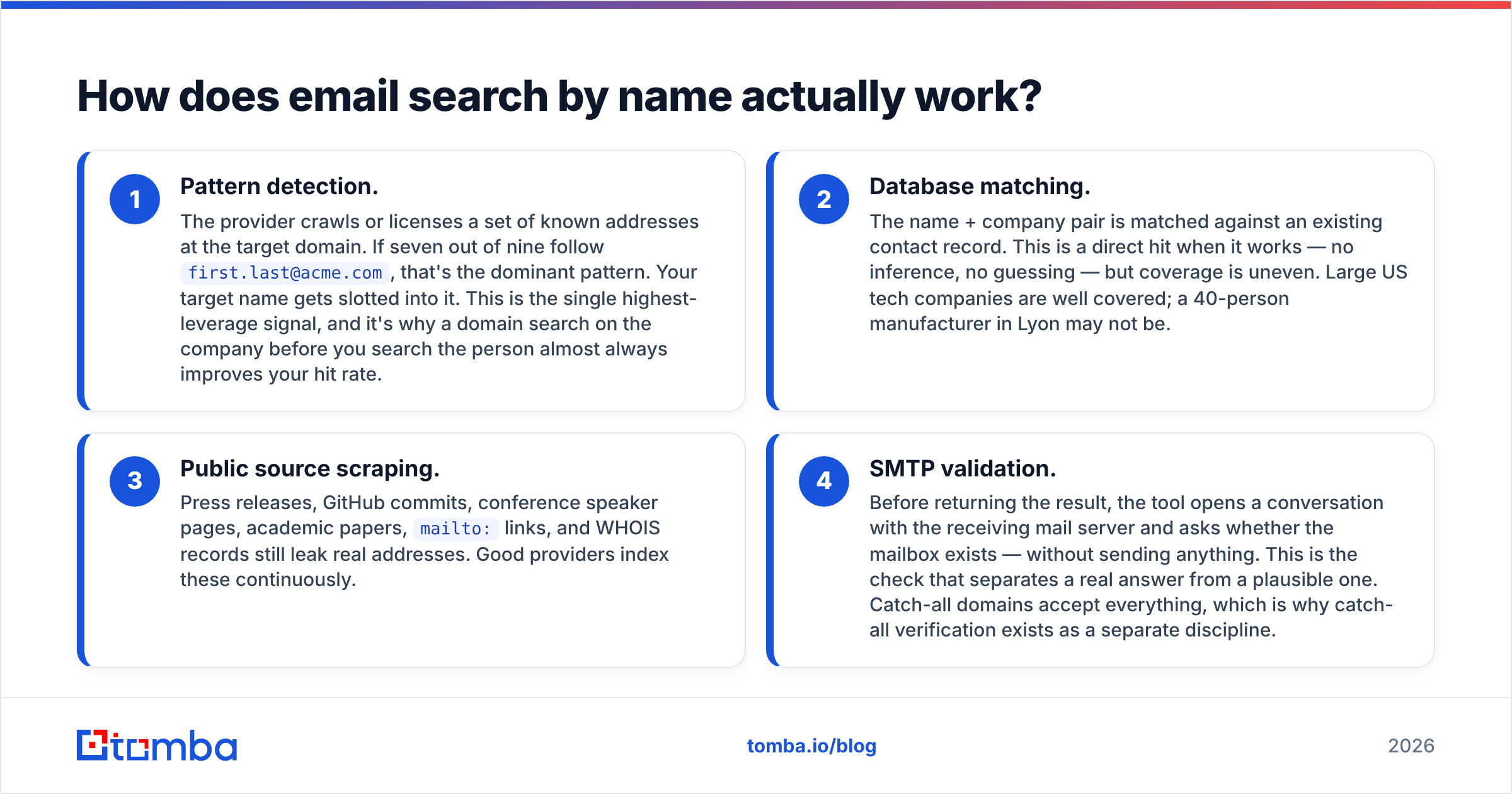
Four mechanisms are doing the work behind any lookup tool. Most providers blend all four and weight them differently, which is exactly why accuracy varies so much between them.
- Pattern detection. The provider crawls or licenses a set of known addresses at the target domain. If seven out of nine follow
first.last@acme.com, that's the dominant pattern. Your target name gets slotted into it. This is the single highest-leverage signal, and it's why a domain search on the company before you search the person almost always improves your hit rate. - Database matching. The name + company pair is matched against an existing contact record. This is a direct hit when it works — no inference, no guessing — but coverage is uneven. Large US tech companies are well covered; a 40-person manufacturer in Lyon may not be.
- Public source scraping. Press releases, GitHub commits, conference speaker pages, academic papers,
mailto:links, and WHOIS records still leak real addresses. Good providers index these continuously. - SMTP validation. Before returning the result, the tool opens a conversation with the receiving mail server and asks whether the mailbox exists — without sending anything. This is the check that separates a real answer from a plausible one. Catch-all domains accept everything, which is why catch-all verification exists as a separate discipline.
The order matters. A tool that returns a pattern guess without step 4 is handing you a hypothesis and calling it a contact.
Why do most name-only searches fail?#
Because names are ambiguous and email patterns are not universal. Three failure modes account for the bulk of bad results:
Name collisions. There are thousands of "David Kim" records in any large B2B dataset. Without a company anchor, the tool picks the most prominent one — which is rarely yours.
Non-standard patterns. Roughly one company in five uses something a permutator will never generate: employee IDs, middle initials, localized transliterations, or legacy addresses inherited from an acquisition. Pattern inference has no way to recover these.
Stale data. B2B contact data decays at roughly 22-30% per year through job changes alone. A name that resolved correctly in 2024 may point at an abandoned mailbox now. Database-heavy providers with slow refresh cycles are the worst offenders here.

The practical consequence: treat a name-only result as a lead, not an answer. Anchor it to a domain, then verify.
How accurate is email search by name in 2026?#
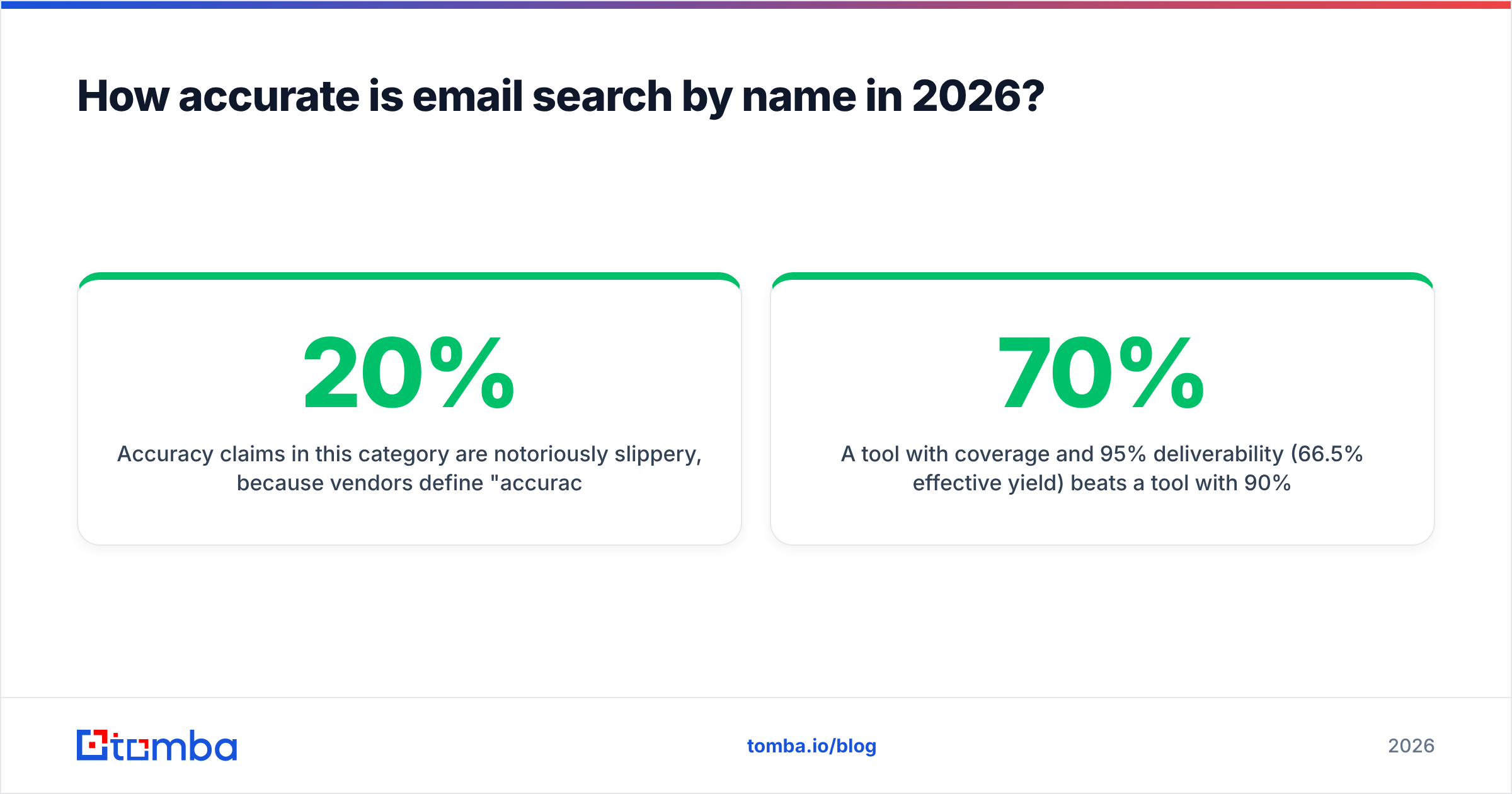
Accuracy claims in this category are notoriously slippery, because vendors define "accuracy" differently. Some report the percentage of returned results that are deliverable (which lets a tool with 20% coverage claim 99% accuracy). Others report deliverable results as a share of all attempted lookups, which is the number you actually care about.

Here's the honest framing when you're evaluating a provider:
- Coverage rate — of 100 name + domain inputs, how many return anything at all?
- Deliverability rate — of those returns, how many actually land?
- Effective yield — coverage × deliverability. This is your real number.
A tool with 70% coverage and 95% deliverability (66.5% effective yield) beats a tool with 90% coverage and 70% deliverability (63%), and it beats it twice over once you account for the bounce damage. Bounces above 2-3% start degrading sender reputation, and reputation damage is slow to repair.
Run your own test before committing. Take 50 contacts you already have confirmed addresses for, strip the emails, and feed the names + domains through each trial. Compare. It takes an hour and it will disagree with the marketing pages.
Which email search by name tools are worth using?#
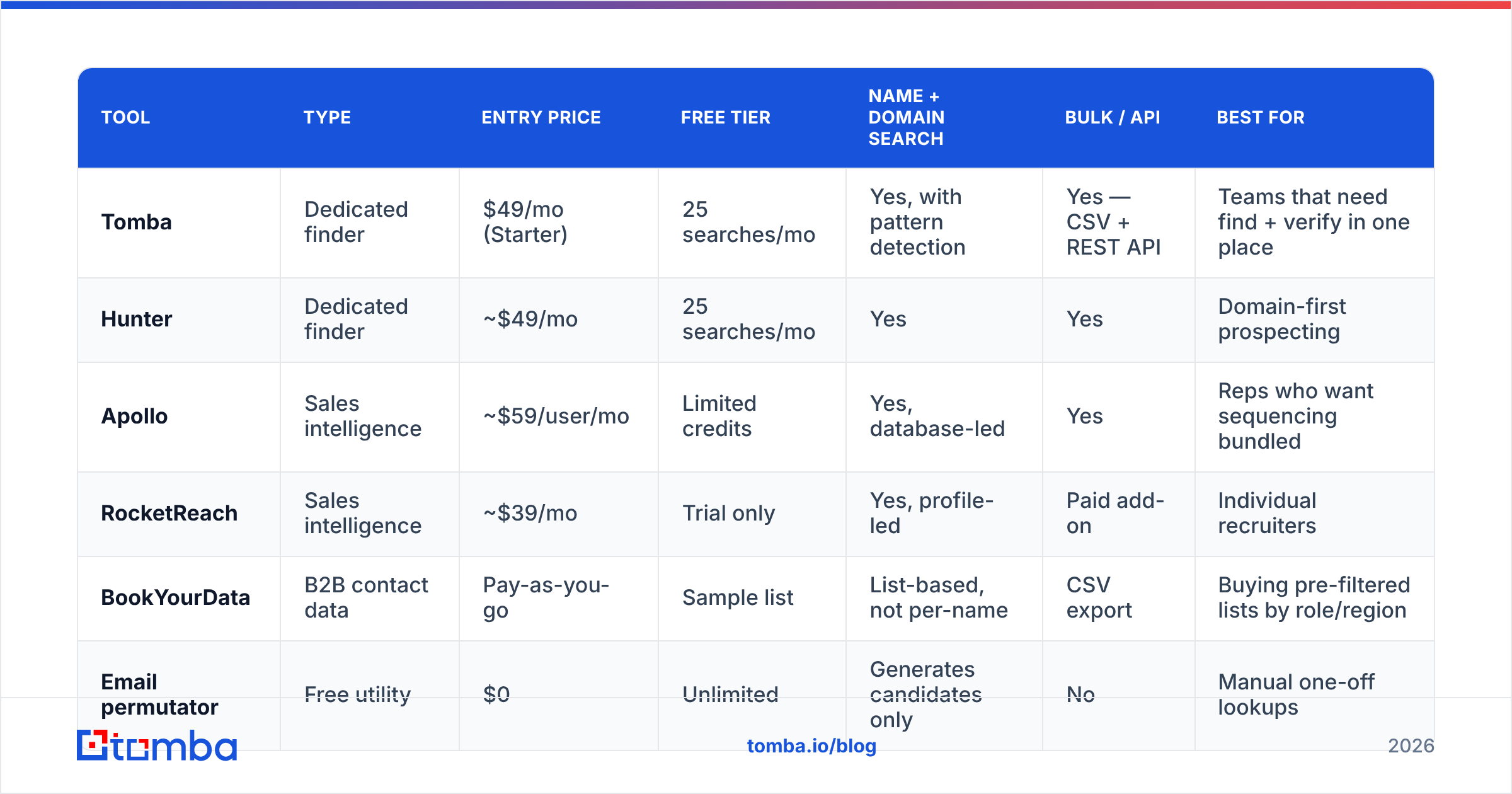
The category splits into three types: dedicated finders (built around search + verification), sales-intelligence platforms (large databases with finders attached), and static B2B lists (pre-built contact files you buy).

| Tool | Type | Entry price | Free tier | Name + domain search | Bulk / API | Best for |
|---|---|---|---|---|---|---|
| Tomba | Dedicated finder | $49/mo (Starter) | 25 searches/mo | Yes, with pattern detection | Yes — CSV + REST API | Teams that need find + verify in one place |
| Hunter | Dedicated finder | ~$49/mo | 25 searches/mo | Yes | Yes | Domain-first prospecting |
| Apollo | Sales intelligence | ~$59/user/mo | Limited credits | Yes, database-led | Yes | Reps who want sequencing bundled |
| RocketReach | Sales intelligence | ~$39/mo | Trial only | Yes, profile-led | Paid add-on | Individual recruiters |
| BookYourData | B2B contact data | Pay-as-you-go | Sample list | List-based, not per-name | CSV export | Buying pre-filtered lists by role/region |
| Email permutator | Free utility | $0 | Unlimited | Generates candidates only | No | Manual one-off lookups |
A few notes that the table can't carry:
Dedicated finders win on cost-per-verified-contact because you're not paying for a CRM, a dialer, and a sequencer you already have. Tomba's pricing runs Free (25 searches/mo), Starter $49/mo, Growth $99/mo, Pro $249/mo, and Enterprise custom — with verification included rather than billed as a second product.
Sales-intelligence platforms win on discovery. If you don't yet know who to search for, a filterable database beats a finder. If you already have a name list from LinkedIn Sales Navigator or a conference attendee page, you're paying a large premium for a lookup.
Static lists — including BookYourData, which is a solid option when you want a clean, filtered file rather than a subscription — are the right call for one-off campaigns into a well-defined segment. They're the wrong call when your target list changes weekly, because the file is a snapshot and decay starts the moment you download it.
Can you do email search by name for free?#
Yes, within limits, and the limits are the point.
Free tier from a paid tool. Tomba's free plan gives 25 searches per month with the same engine as paid plans. Hunter's free tier is comparable. If you're sending 20 targeted emails a month, this is genuinely sufficient — you do not need a subscription.
Permutator plus verifier. Generate every plausible format with an email permutator, then run the candidates through a free email checker. You'll spend five minutes per contact instead of five seconds, but the cost is zero. Reasonable for a handful of high-value targets; unworkable past ten.
Pattern-first manual method. Find any two public addresses at the domain (check the contact page, press releases, or a site:domain.com "@domain.com" Google search). Infer the pattern. Apply it. Verify. This works surprisingly well and costs nothing but attention.
What doesn't work for free: bulk. Every provider gates volume, because SMTP verification at scale has real infrastructure cost. If you need 5,000 addresses, budget for it or accept a bounce rate that will hurt you more than the subscription would have.
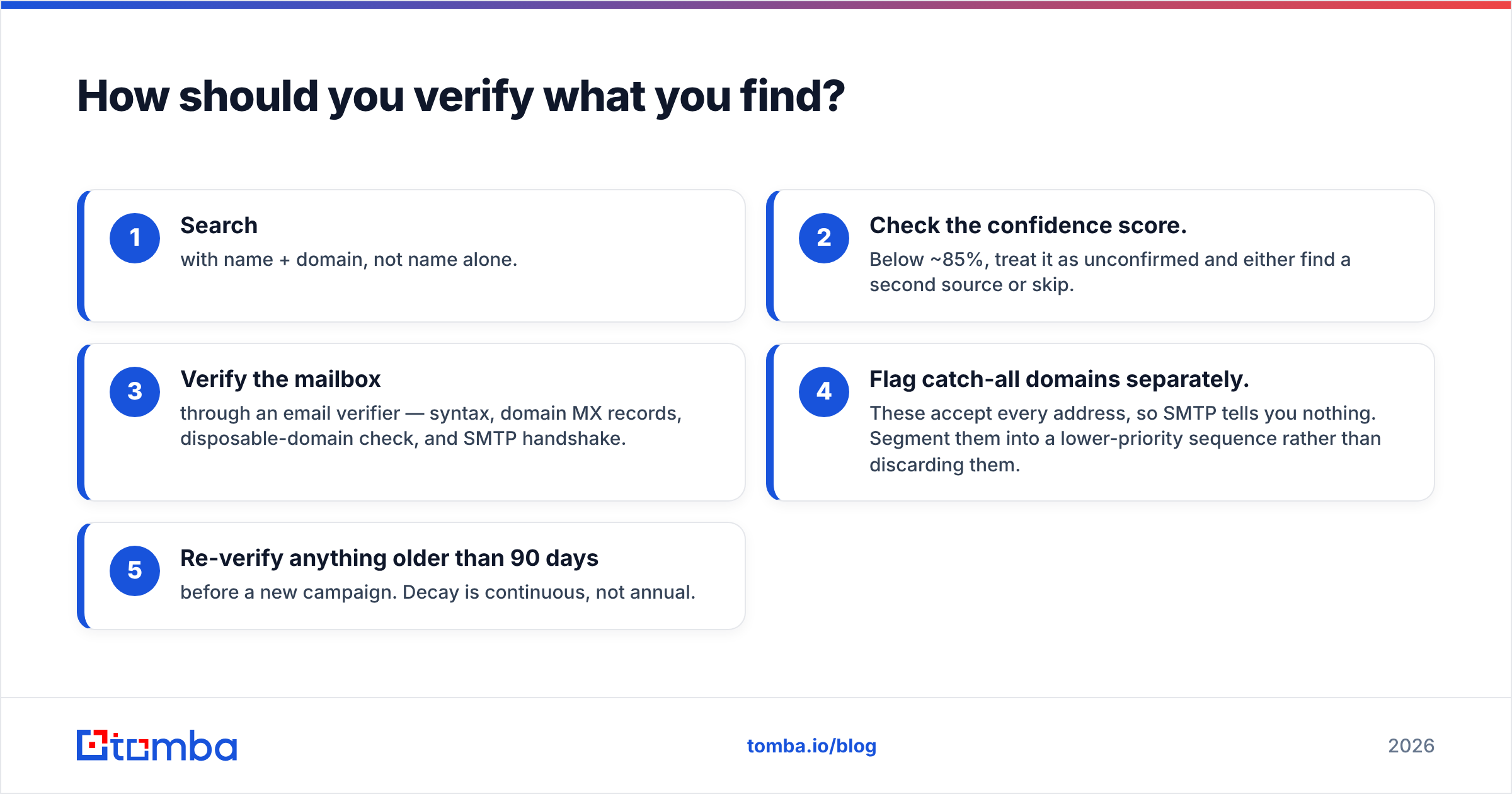
How should you verify what you find?#
Never send to an unverified result. The workflow that holds up:
- Search with name + domain, not name alone.
- Check the confidence score. Below ~85%, treat it as unconfirmed and either find a second source or skip.
- Verify the mailbox through an email verifier — syntax, domain MX records, disposable-domain check, and SMTP handshake.
- Flag catch-all domains separately. These accept every address, so SMTP tells you nothing. Segment them into a lower-priority sequence rather than discarding them.
- Re-verify anything older than 90 days before a new campaign. Decay is continuous, not annual.
For volume work, this pipeline belongs in automation rather than a browser tab. The Tomba API handles search and verification in the same request, so enriched records land in your CRM already scored. A bulk email finder covers the same ground for CSV workflows if you'd rather not write code.
What are the legal limits on searching for someone's email?#
Short answer: finding a business email address is legal in most jurisdictions; what you do next is regulated.
Under GDPR, a work email tied to an identifiable person is personal data. Legitimate interest can cover B2B outreach in the EU, but you need to document the assessment, honor opt-outs immediately, and disclose your source if asked. CAN-SPAM in the US is looser — accurate headers, a real physical address, a working unsubscribe — but it still binds you. CASL in Canada is the strictest of the three and generally requires consent or a demonstrable existing business relationship.
Two practical rules that keep you clean regardless of jurisdiction: only contact people whose role plausibly relates to what you're selling, and never source personal addresses (@gmail.com, @outlook.com) for cold B2B outreach. If you want to understand where a provider's records come from before you build on them, ask — Tomba publishes its data sources, and any vendor that won't is a vendor you shouldn't rely on for compliance defensibility.
For a broader view of how vendors in this space are rated by actual users rather than by their own marketing, G2's lead intelligence category is a reasonable neutral starting point.
What's the fastest reliable workflow?#
If you're doing this daily, compress it to four steps:
- Start from the domain, not the person. Run a domain search to learn the company's pattern and pull every public address at once. You'll often find your target directly and skip the name search entirely.
- Batch your names. Twenty individual lookups take twenty context switches. One CSV upload takes one.
- Push verification upstream. Verify at import time, not at send time. A clean list is a list you never have to think about again.
- Enrich once, reuse forever. Store the confidence score and verification date alongside the address so re-verification is a filter, not a re-run.
The compounding gain isn't in finding addresses faster — it's in never sending to a bad one. A 1% bounce rate and a 6% bounce rate look similar on a spreadsheet and behave completely differently at the mailbox provider.
Where to start#
If your bottleneck is turning names into deliverable addresses — not building a database, not sequencing, not dialing — start with a dedicated tool and see what your real yield looks like on your own list. The Tomba Email Finder handles name + domain lookup with pattern detection and SMTP verification in a single step, and the free tier gives you 25 searches a month to run that 50-contact accuracy test before you spend anything. Test it against whatever you're using now, compare effective yield rather than advertised accuracy, and let the numbers pick the winner.
Related guides#
Ready to find emails that actually work?
Join 150,000+ professionals who stopped guessing and started sending. Free credits on signup — no credit card required.
Get the Tomba newsletter
Practical outbound tactics and product updates — once every two weeks.
About the author