Email Subject Lines That Get Responses: 2026 Playbook
Most subject lines are optimized for opens, not replies. Here is what separates the two, which formulas still earn responses in 2026, and how to test them without torching your sending domain.
TL;DR#
- Opens and replies are different games. A curiosity-gap subject line can lift opens 20% and still flatline replies because the body cannot pay off the promise.
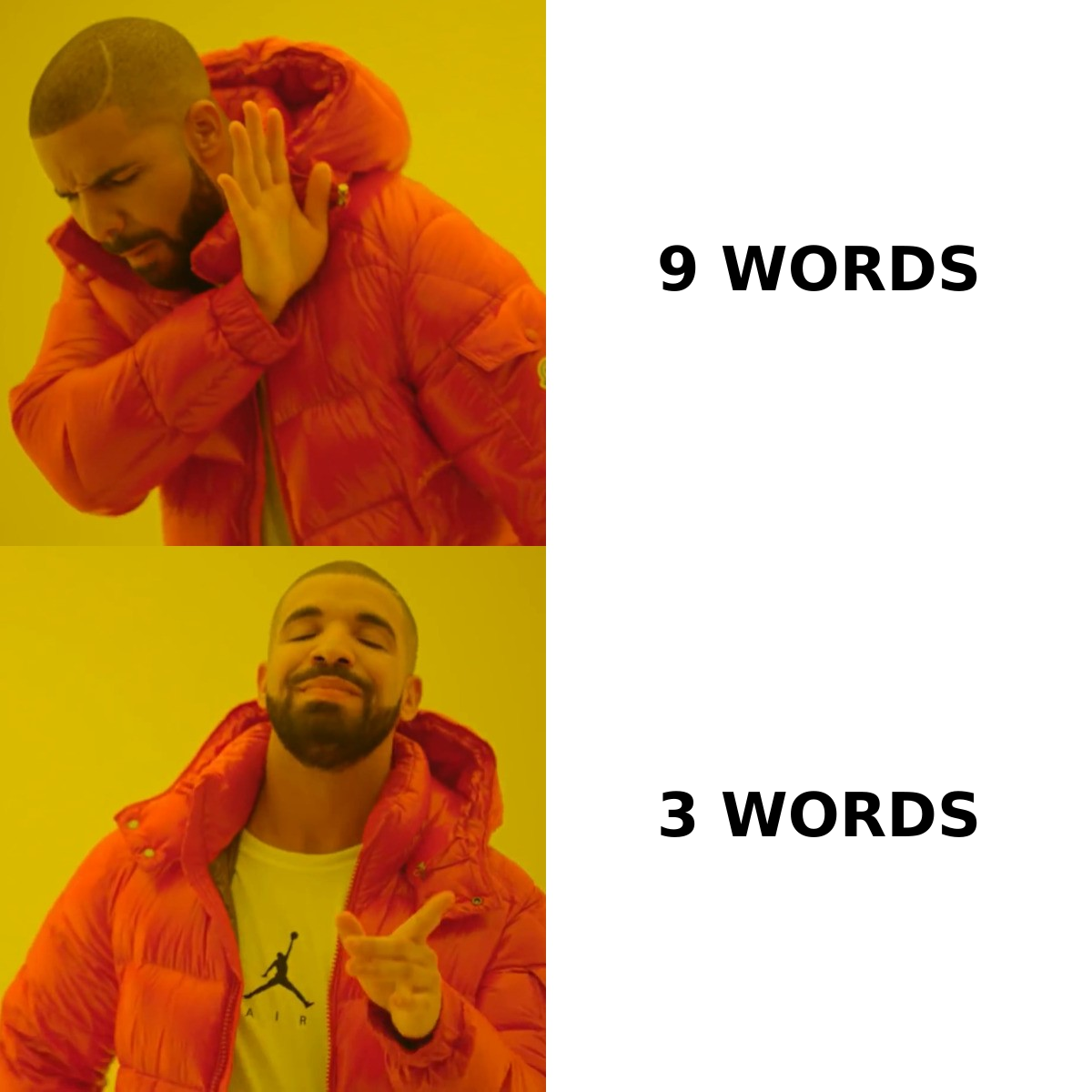
- Three to five words beats nine to twelve in cold outbound, mostly because short lines read like internal mail on mobile, where 60-70% of B2B mail is first previewed.
- Relevance out-performs cleverness every time. The highest-replying subject lines name a company, a role, a number, or a trigger event — not a benefit.
- Your subject line cannot outrun bad data. Bounces and spam traps suppress inbox placement, so verified addresses matter more than word choice.
- Test in blocks of 200+ sends per variant. Anything smaller is noise, and reply-rate deltas need volume to be readable.
What separates email subject lines that get responses from ones that just get opened?#
A reply is a commitment. An open is a reflex.
Think of it like a doorbell versus a dinner invitation. Anyone will glance through the peephole when the bell rings — that is your open rate. Getting someone to unlock the door, sit down, and talk is a different ask entirely. Subject lines engineered purely for curiosity ("quick question", "you're going to want to see this") ring the bell loudly and then deliver nothing worth opening the door for. The prospect feels baited, closes the message, and your reply rate drops even as your open rate climbs.
Subject lines that earn responses do three things at once:
- They signal relevance in the first three words. Mobile previews truncate around 30-40 characters. If your qualifier lands at word eight, it never renders.
- They match the body's ask. If the subject says "pricing question" the first line of the email had better contain a pricing question.
- They read like a human wrote them to one person. Title Case, brackets, and emoji all read as broadcast. Sentence case reads as correspondence.
- They lower the cost of replying. A subject that implies a one-word answer ("worth a look?") converts better than one implying a meeting-length commitment.
That last point is the one most teams miss. You are not selling the product in the subject line. You are selling the next fifteen seconds.
Do short subject lines really beat long ones?#
Mostly yes — but the mechanism is not length, it is what length implies.
Short subject lines survive mobile truncation, and they mimic the pattern of internal company mail. Nobody's colleague writes "Unlock 3X Pipeline Growth With Our Proven Framework." They write "budget q3" or "re: onboarding." Short lines borrow that register.
The exception: warm and nurture sequences. When a recipient already knows you, specificity beats brevity. "notes from the Tuesday demo + the two numbers you asked for" outperforms "following up" because the recipient can triage it without opening.
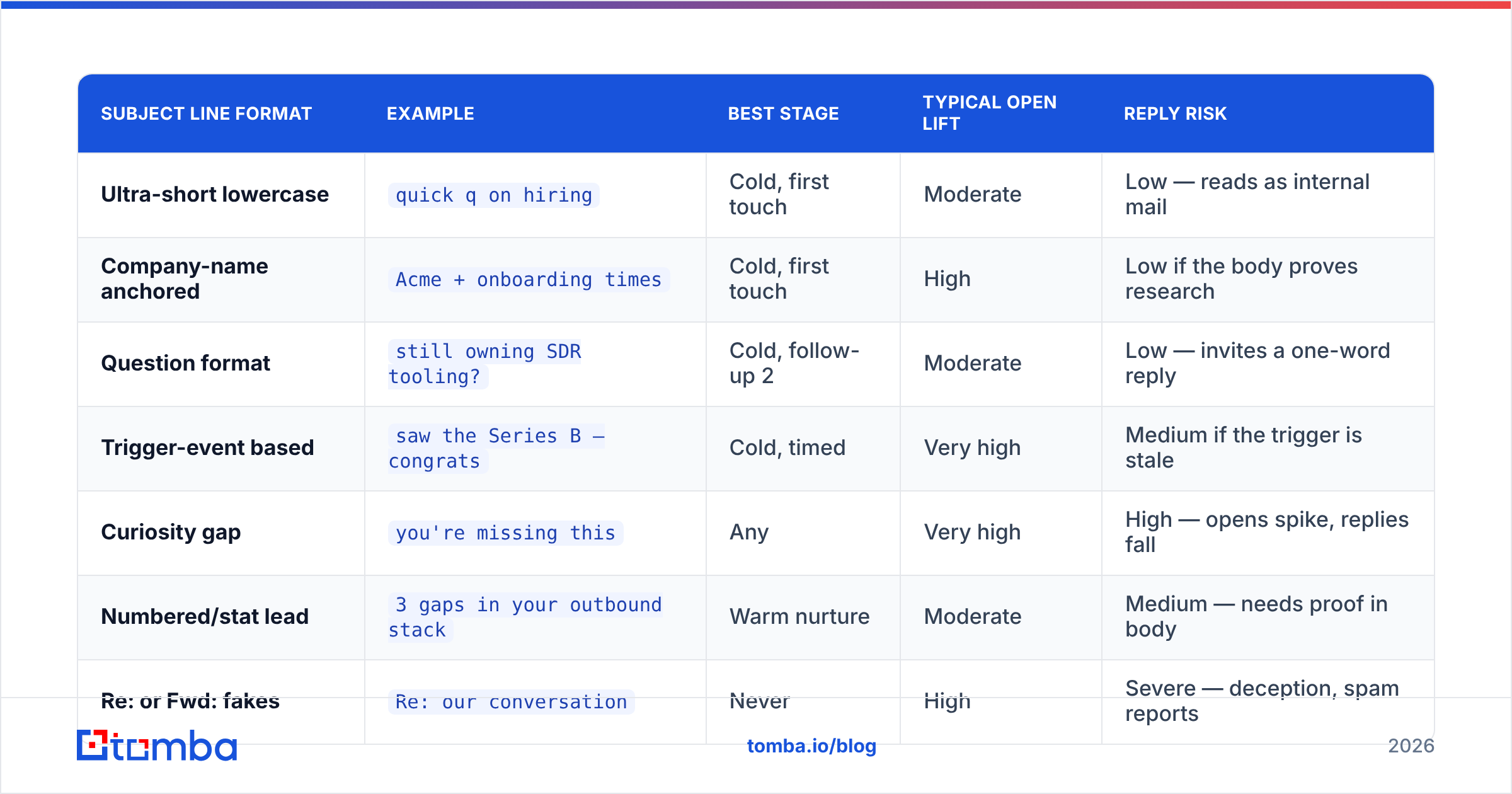
Here is how the common formats behave in practice across cold, warm, and re-engagement contexts:
| Subject line format | Example | Best stage | Typical open lift | Reply risk |
|---|---|---|---|---|
| Ultra-short lowercase | quick q on hiring |
Cold, first touch | Moderate | Low — reads as internal mail |
| Company-name anchored | Acme + onboarding times |
Cold, first touch | High | Low if the body proves research |
| Question format | still owning SDR tooling? |
Cold, follow-up 2 | Moderate | Low — invites a one-word reply |
| Trigger-event based | saw the Series B — congrats |
Cold, timed | Very high | Medium if the trigger is stale |
| Curiosity gap | you're missing this |
Any | Very high | High — opens spike, replies fall |
| Numbered/stat lead | 3 gaps in your outbound stack |
Warm nurture | Moderate | Medium — needs proof in body |
| Re: or Fwd: fakes | Re: our conversation |
Never | High | Severe — deception, spam reports |
| Personal-name only | Sarah — 30 seconds |
Follow-up 3+ | Low | Low but fatigues fast |
Two rows deserve extra caution. The fake Re: prefix still circulates in playbooks from 2019; it inflates opens and destroys trust, and in several jurisdictions it edges into deceptive-header territory under rules like the CAN-SPAM Act. The curiosity gap is legal but expensive: you spend reputation to buy an open, then have nothing to pay it back with.
Which subject line formulas actually earn replies in 2026?#
The formulas below have held up across a decade of shifting inbox behavior because none of them depend on tricking a filter.
- Anchor on the account, not the offer.
Acme's careers pagebeatsimprove your hiring funnel. The prospect's own noun is the strongest personalization token you have — stronger than a first name, which every automated tool merges. - Ask a qualifying question.
still the right person for RevOps?gives a busy exec a defensible one-line reply. Replies of any kind reset the thread and improve future placement. - Reference a verifiable trigger. Funding, a new hire, a product launch, a job posting, a conference talk. Freshness matters — a trigger older than 30 days reads as scraped.
- Use a peer or category reference.
how [similar company] handled catch-all bouncesworks because it implies a story, not a pitch. - Go plain on follow-ups. By touch three, the highest-replying subject is often the empty-ish one:
re: belowor simply threading the original. Novelty on every touch signals a sequence. - Name the ask when the ask is small.
two questions, 40 secondssets a cost the recipient can accept.
What consistently underperforms: superlatives ("revolutionary", "game-changing"), all-caps words, exclamation points, percentage claims in the subject, and any subject that could be pasted into a thousand other emails unchanged. HubSpot's sales research has spent years documenting the same pattern — specificity wins, hype loses.
How much does personalization depth actually change reply rates?#
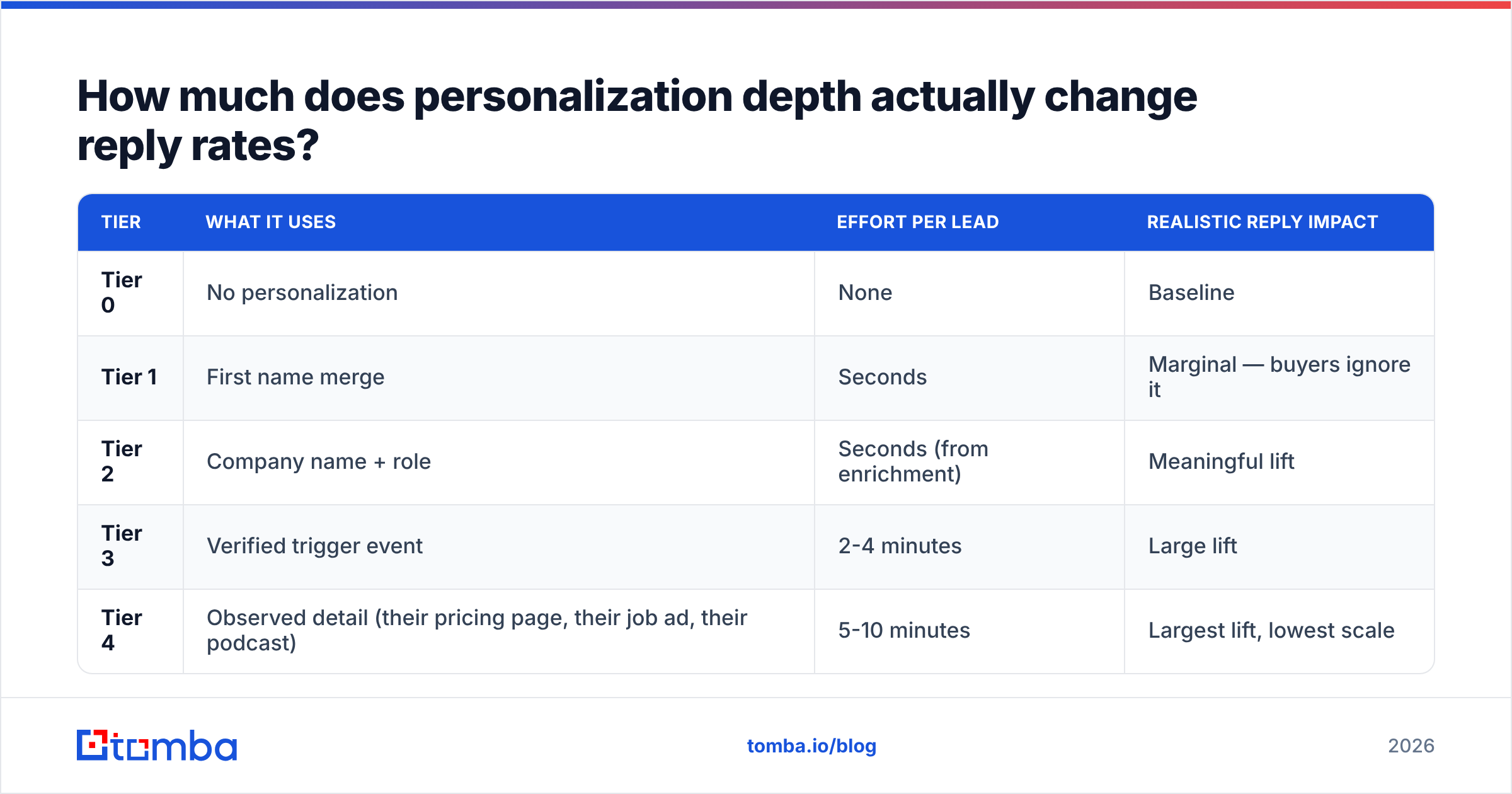
Personalization is a ladder, and most teams stop on the first rung.
| Tier | What it uses | Effort per lead | Realistic reply impact |
|---|---|---|---|
| Tier 0 | No personalization | None | Baseline |
| Tier 1 | First name merge | Seconds | Marginal — buyers ignore it |
| Tier 2 | Company name + role | Seconds (from enrichment) | Meaningful lift |
| Tier 3 | Verified trigger event | 2-4 minutes | Large lift |
| Tier 4 | Observed detail (their pricing page, their job ad, their podcast) | 5-10 minutes | Largest lift, lowest scale |
The honest trade-off: Tier 3 and 4 do not scale to 3,000 sends a week without a research layer. Most teams should run Tier 2 at volume and reserve Tier 4 for a hand-picked list of 50-100 target accounts. Trying to fake Tier 4 with an LLM that hallucinates a detail is worse than Tier 0 — a wrong specific is a credibility bomb.
Tier 2 depends entirely on your data. If your enrichment returns the wrong title or a stale company, your "personalized" subject line is now an error message. Pulling role and company from a current source through data enrichment is what makes the tier viable at scale.
What kills reply rates faster than a weak subject line?#
Landing in spam. No subject line survives the promotions tab or the junk folder.
The order of operations matters here, and it is the reverse of how most teams work. They spend three hours A/B testing words and zero minutes on the infrastructure that decides whether those words get rendered at all.
Check these before you touch copy:
- Authentication. SPF, DKIM, and DMARC aligned on the sending domain. Run an SPF checker before a campaign, not after replies dry up.
- List hygiene. Bounce rates above 3% signal a scraped list to mailbox providers. Verifying addresses with an email verifier removes the invalid ones before they cost you placement.
- Catch-all handling. Catch-all domains accept everything and tell you nothing. Treat them as a separate risk bucket rather than assuming they are valid.
- Volume ramp. New domains sending 500 cold emails on day one get throttled regardless of copy quality.
- Spam-trigger scan. Run the draft through a spam checker to catch the phrases and formatting that route mail to promotions.
Deliverability and copy are not separate disciplines. A subject line is a deliverability signal — spam complaints on misleading subjects feed directly back into your sender reputation, and reputation is what determines whether next month's honest subject line even renders.
Should you use AI to write subject lines?#
Yes, for volume and variants. No, for final judgment.
Language models are excellent at producing 20 rewrites of one idea in fifteen seconds. They are poor at knowing which of the 20 sounds like a person who has actually worked in your prospect's industry. The failure mode is consistent: LLM subject lines drift toward marketing register — abstract nouns, benefit framing, balanced clauses. Real internal mail is lumpy and lowercase.
A workable division of labor:
- Human writes the angle. One sentence: "we noticed they're hiring three SDRs and still on a manual data stack."
- AI generates variants. Ten options at three to six words each, in lowercase, no punctuation beyond a question mark. A tool like a subject line generator is faster than staring at a blank cell.
- Human cuts to two. Kill anything you would be embarrassed to send from your personal address.
- Tool scores the finalists. Run both through a subject line tester to catch length, spam-word, and truncation problems before send.
- Data decides. Whichever wins on replies, not opens, becomes the control.
Gartner's ongoing coverage of buyer behavior in B2B keeps landing on the same conclusion — buyers are increasingly self-directed and increasingly resistant to obvious vendor language. Your subject line is the first place they detect it. Gartner's sales research is worth reading before you standardize on any template library.
How do you test subject lines without burning your domain?#
Test in blocks, measure replies, and change one variable at a time.
The most common testing error in outbound is sample size. A team sends 40 emails on variant A and 40 on variant B, sees a 5% versus 2.5% reply rate, and declares a winner. That is a difference of one reply. It means nothing.
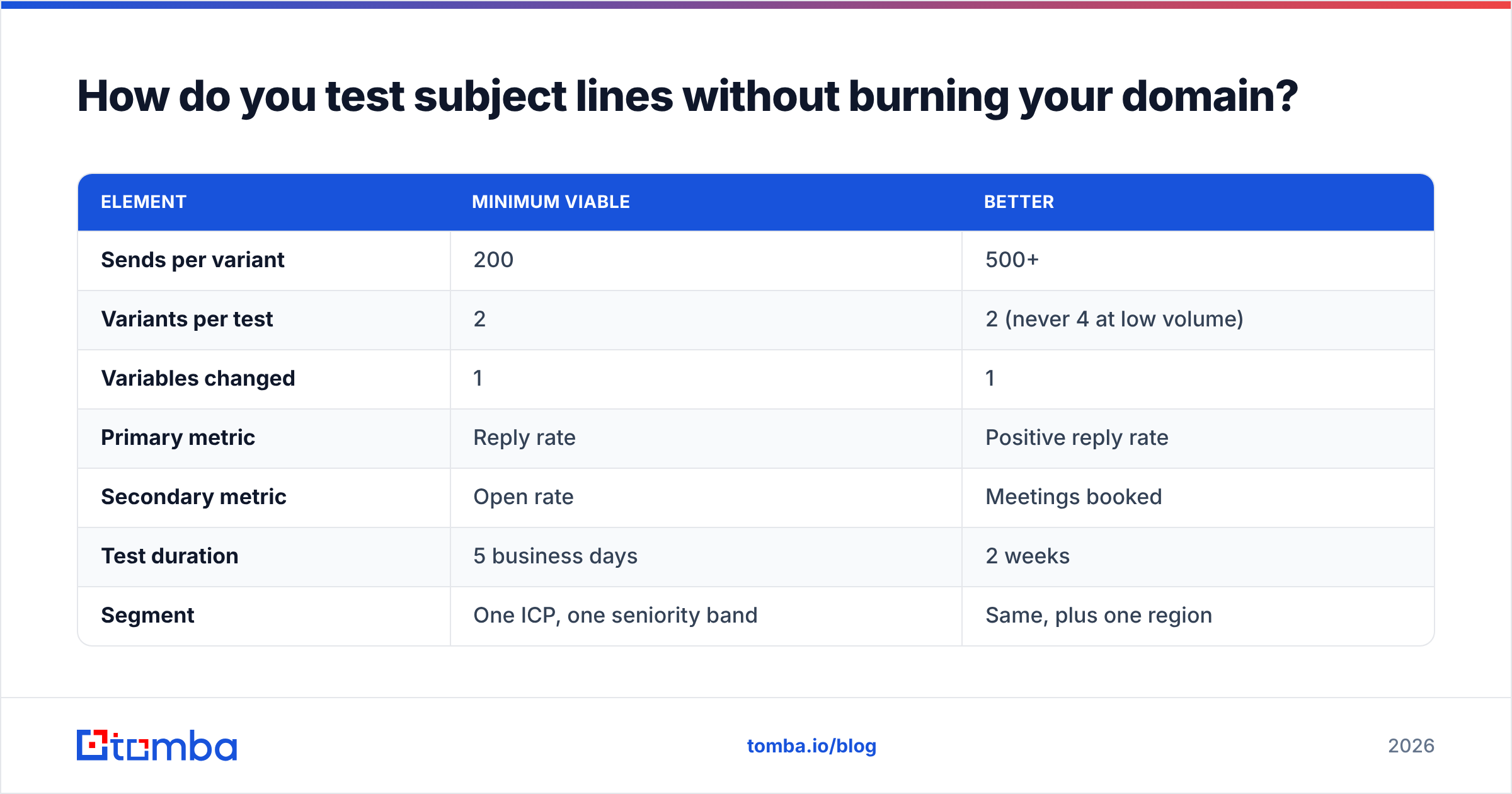
A defensible test structure:
| Element | Minimum viable | Better |
|---|---|---|
| Sends per variant | 200 | 500+ |
| Variants per test | 2 | 2 (never 4 at low volume) |
| Variables changed | 1 | 1 |
| Primary metric | Reply rate | Positive reply rate |
| Secondary metric | Open rate | Meetings booked |
| Test duration | 5 business days | 2 weeks |
| Segment | One ICP, one seniority band | Same, plus one region |
Track positive replies, not raw replies. "Unsubscribe" and "wrong person" both count as replies in most sequencer dashboards, and a subject line that provokes irritation will look like a winner until you read the inbox.
Also hold your list constant. If variant A went to a list built from a scraped export and variant B went to a list built through domain search on target accounts, you tested data quality, not copy. That is a useful test — just not the one you thought you ran.
What should you do first if your reply rate is under 2%?#
Work in this order, because each step gates the next:
- Fix data. Verify the list, remove risky and invalid addresses, confirm role accuracy.
- Fix infrastructure. Authentication, warmup, volume ramp, dedicated sending domain.
- Fix targeting. A perfect subject line to the wrong persona is still a zero.
- Fix the body. If people open and do not reply, the problem is below the subject line.
- Then fix subject lines. This is the last 10-15%, not the first.
Teams inverted on this order will iterate on words for months while the actual constraint — a list where a quarter of the addresses are guesses — never moves.
Getting the list right before the copy#
The best-performing subject line in your account is probably one you have already written. What is limiting it is who receives it.
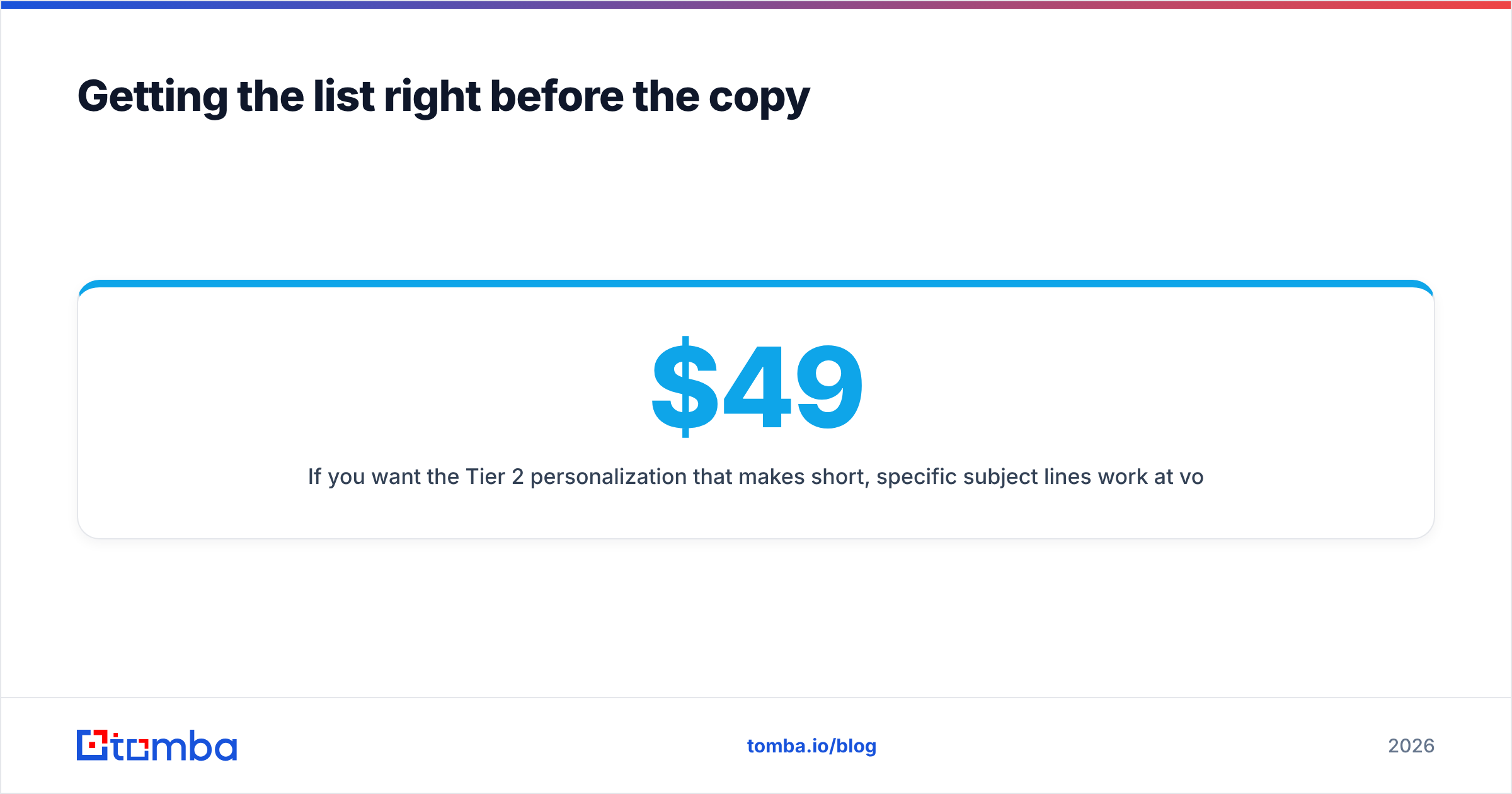
If you want the Tier 2 personalization that makes short, specific subject lines work at volume — correct company, correct role, deliverable address — start with the data layer. The Tomba Email Finder returns verified professional addresses by name, domain, or company, with confidence scoring so you know what you are sending into. The free tier covers 25 searches a month for testing the workflow, and paid plans start at $49/mo on Starter, with Growth at $99/mo and Pro at $249/mo — full Tomba pricing is public. Build the clean list first, then spend your energy on the three words that open the thread.
Related guides#
Ready to find emails that actually work?
Join 150,000+ professionals who stopped guessing and started sending. Free credits on signup — no credit card required.
Get the Tomba newsletter
Practical outbound tactics and product updates — once every two weeks.
About the author