Email Tracking App: The 2026 Guide to Open Tracking
Open rates got noisy, pixels got blocked, and inbox providers got stricter. Here is what an email tracking app can still tell you in 2026, which tools are worth paying for, and when tracking quietly costs you replies.
TL;DR
- An email tracking app tells you when a message is opened, clicked, or forwarded — but since Apple Mail Privacy Protection and Gmail image proxying, raw open rates are inflated by 20-70% depending on your audience mix.
- Click tracking and reply tracking survived the privacy shift. Open tracking did not. Build your reporting on the two that still work.
- Tracking pixels and rewritten link domains are two of the fastest ways to damage inbox placement if you use a shared tracking domain or track 1:1 replies.
- Free tiers (Mailtrack, HubSpot, Streak) are genuinely usable for solo sellers; team plans run $20-$65 per user per month once you need shared reporting.
- Tracking is downstream of data quality. A 60% open rate on a list full of dead addresses is a vanity metric — verify first, track second.
What is an email tracking app?#
An email tracking app is a small piece of software — usually a browser extension, a Gmail/Outlook add-in, or a feature inside a sales engagement platform — that reports back when a recipient interacts with a message you sent.
Think of it as the delivery-confirmation sticker on a package. The courier scans it at each stop, and you get a notification. You do not see what the recipient did with the box, only that it moved through certain checkpoints. Email tracking works the same way: it records checkpoints, not intent.
Technically, three mechanisms do the work:
- The tracking pixel. A 1x1 transparent image hosted on the vendor's server is embedded in your HTML email. When the recipient's mail client loads images, it requests that image, and the vendor logs a timestamp, IP, and user agent. That request is your "open."
- Link rewriting. Every URL in your email is replaced with a redirect through the tracking domain. The recipient clicks, the vendor logs the click, then forwards them to the real destination in milliseconds.
- Reply and thread detection. The tool watches your sent folder and inbox (via OAuth on Gmail/Microsoft 365) and matches inbound messages to the original thread.
The first mechanism is the one that broke. The second and third still work fine.

Why did open rates stop being reliable?#
Because the mail clients started opening your emails for the recipient.
Apple introduced Mail Privacy Protection (MPP) in 2021. When enabled — and it is opt-in during device setup, where most users just tap "Protect Mail Activity" — Apple Mail pre-fetches all remote images through a proxy as soon as the message arrives, regardless of whether a human ever looks at it. The pixel fires. Your tracking app records an open. The recipient may be asleep.
Google has proxied images through googleusercontent.com since 2013, which already obscured IP and geolocation. Add corporate security gateways that detonate every link and image in a sandbox before delivery, and you get a third source of phantom activity: security scanners that "open" and "click" every email within seconds of delivery.
The practical damage:
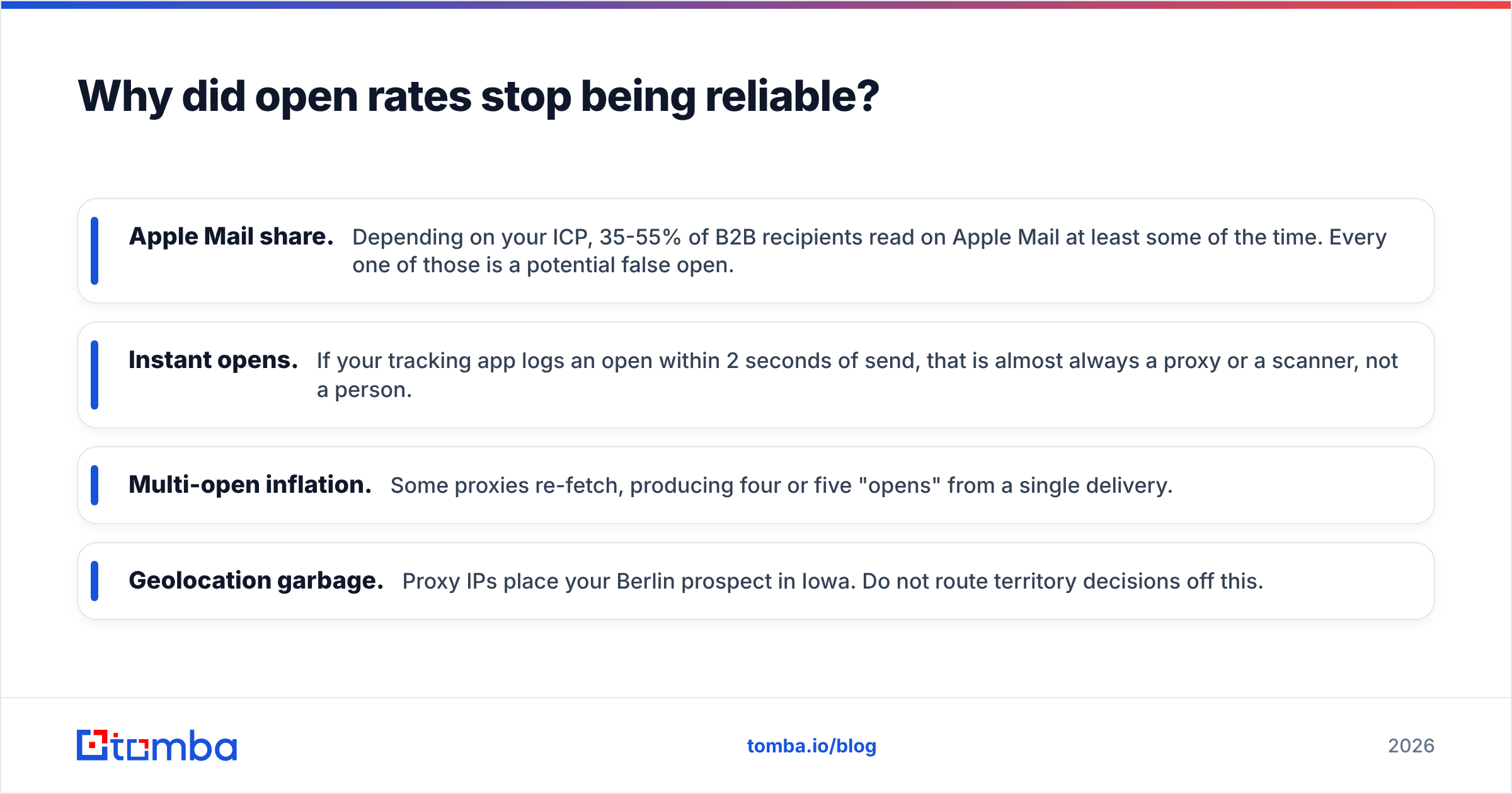
- Apple Mail share. Depending on your ICP, 35-55% of B2B recipients read on Apple Mail at least some of the time. Every one of those is a potential false open.
- Instant opens. If your tracking app logs an open within 2 seconds of send, that is almost always a proxy or a scanner, not a person.
- Multi-open inflation. Some proxies re-fetch, producing four or five "opens" from a single delivery.
- Geolocation garbage. Proxy IPs place your Berlin prospect in Iowa. Do not route territory decisions off this.
The result is that open rate has become a directional health metric — useful for spotting a catastrophic drop that indicates a deliverability problem — rather than an engagement metric you can rank prospects with.
Which signals should you actually track in 2026?#
Rank your metrics by how hard they are to fake, accidentally or otherwise:
- Replies. The only signal that requires a human to type. This is your north star. If a tool cannot report reply rate cleanly, it is a toy.
- Meetings booked. One step further down the funnel and directly tied to revenue.
- Unique clicks with a delay filter. A click that lands 40 minutes after delivery, from a residential IP, on a mobile user agent, is almost certainly real. A click 1.2 seconds after delivery is a security scanner. Good tools let you exclude the latter.
- Bounce and complaint rate. Not engagement, but the fastest early warning that your list or your sending setup is degrading.
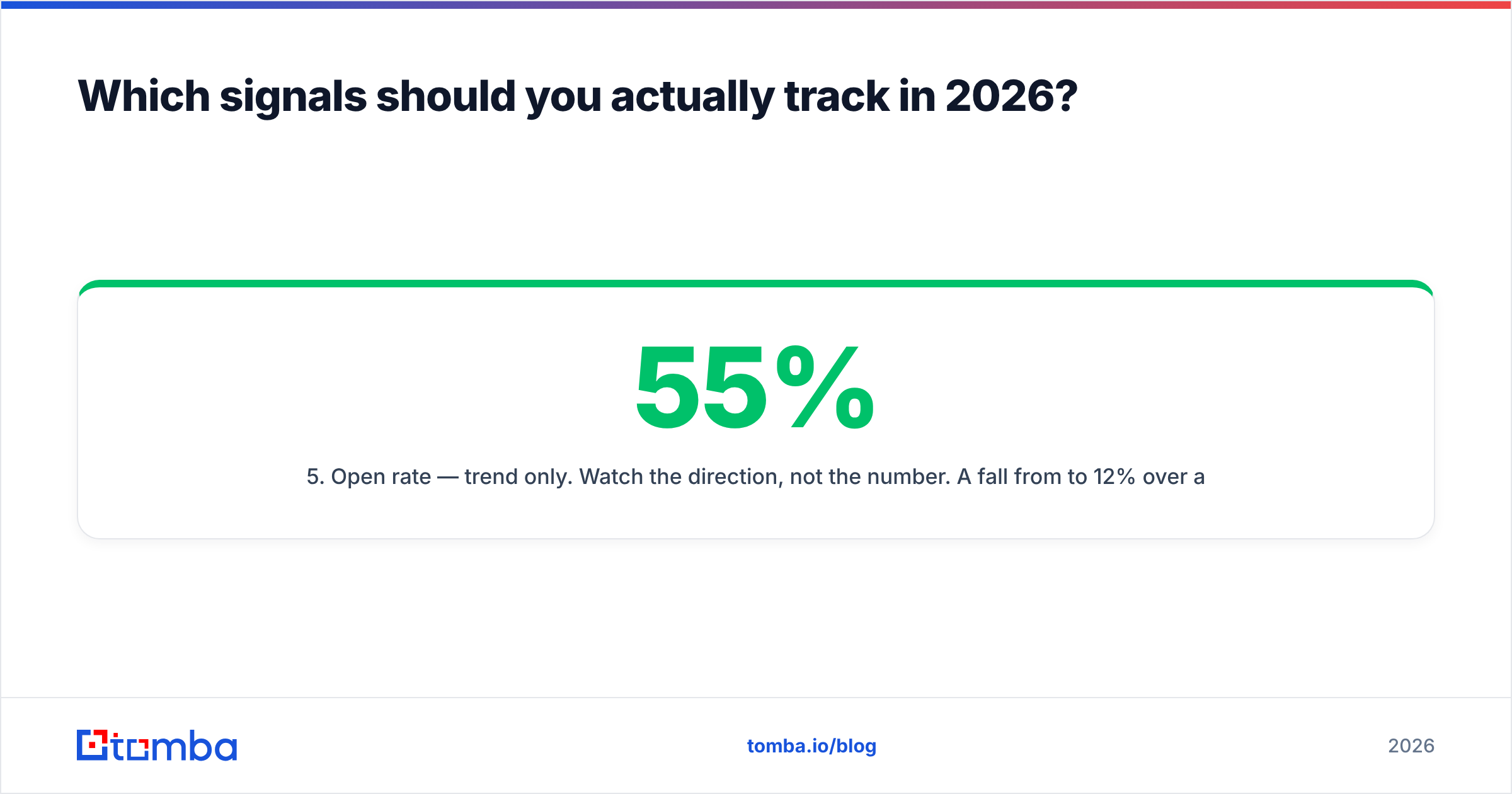
- Open rate — trend only. Watch the direction, not the number. A fall from 55% to 12% over a week means placement collapsed. A 55% "open rate" means nothing on its own.
- Page-level intent. If your tracking app also fires on pricing-page visits or proposal views, that outranks any inbox metric.
A quick sanity check you can run this week: pull last quarter's closed-won deals and check whether the first-touch email was logged as "opened." In most teams the correlation between open events and revenue is close to zero, while the correlation between reply-within-72-hours and revenue is strong. Report accordingly. If your team still runs a leaderboard on opens, you are ranking people on their prospects' phone settings.
How do the main email tracking apps compare?#
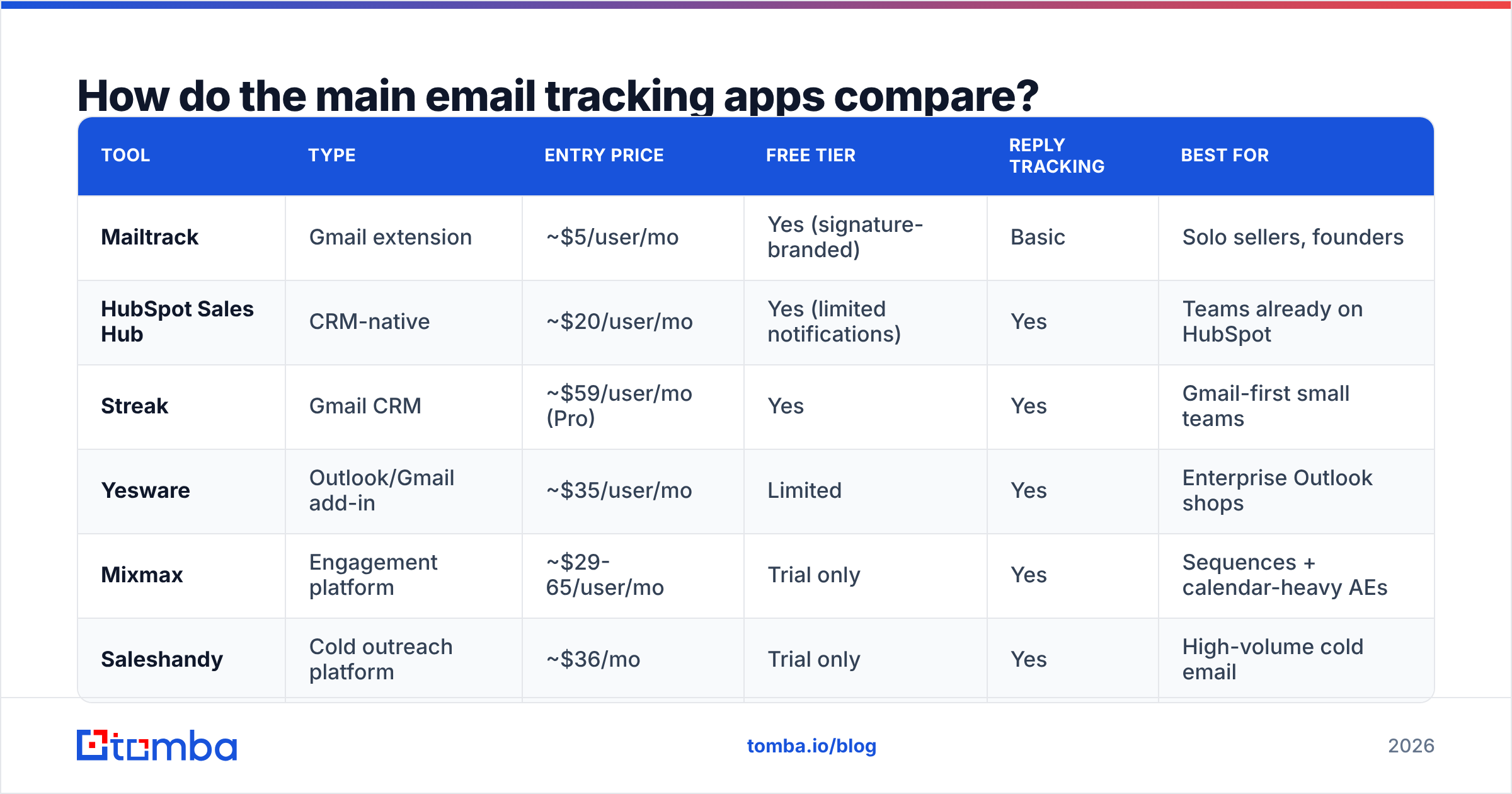
The market splits into three groups: lightweight inbox extensions (cheap, 1:1 focused), sales engagement platforms with tracking bundled in (expensive, sequence-focused), and CRM-native tracking (free-ish, tied to your CRM).
| Tool | Type | Entry price | Free tier | Reply tracking | Best for |
|---|---|---|---|---|---|
| Mailtrack | Gmail extension | ~$5/user/mo | Yes (signature-branded) | Basic | Solo sellers, founders |
| HubSpot Sales Hub | CRM-native | ~$20/user/mo | Yes (limited notifications) | Yes | Teams already on HubSpot |
| Streak | Gmail CRM | ~$59/user/mo (Pro) | Yes | Yes | Gmail-first small teams |
| Yesware | Outlook/Gmail add-in | ~$35/user/mo | Limited | Yes | Enterprise Outlook shops |
| Mixmax | Engagement platform | ~$29-65/user/mo | Trial only | Yes | Sequences + calendar-heavy AEs |
| Saleshandy | Cold outreach platform | ~$36/mo | Trial only | Yes | High-volume cold email |
Prices move; check each vendor's page before you commit budget. Two things matter more than the number in that column:
Does it give you a dedicated tracking domain? If your click-tracking links resolve to a shared vendor domain used by ten thousand other senders, you inherit their reputation. Any serious tool lets you CNAME your own subdomain (links.yourcompany.com). Treat this as a hard requirement, not a nice-to-have.
Can you turn tracking off per message? You want tracking on a cold sequence and off on a reply to a warm prospect's legal team. Tools that force tracking on every send create both deliverability risk and awkward moments.
For a broader vendor list with user reviews, the G2 email tracking category is the most useful neutral index. HubSpot's email tracking product page is worth reading even if you do not use HubSpot, because it documents the notification model most competitors copied. Mailtrack remains the reference point for the free, minimal end of the market.
Does email tracking hurt deliverability?#
Yes, in four specific ways — and no in every other way. The nuance matters because "tracking kills deliverability" gets repeated as gospel and is only partly true.
Where tracking genuinely costs you:
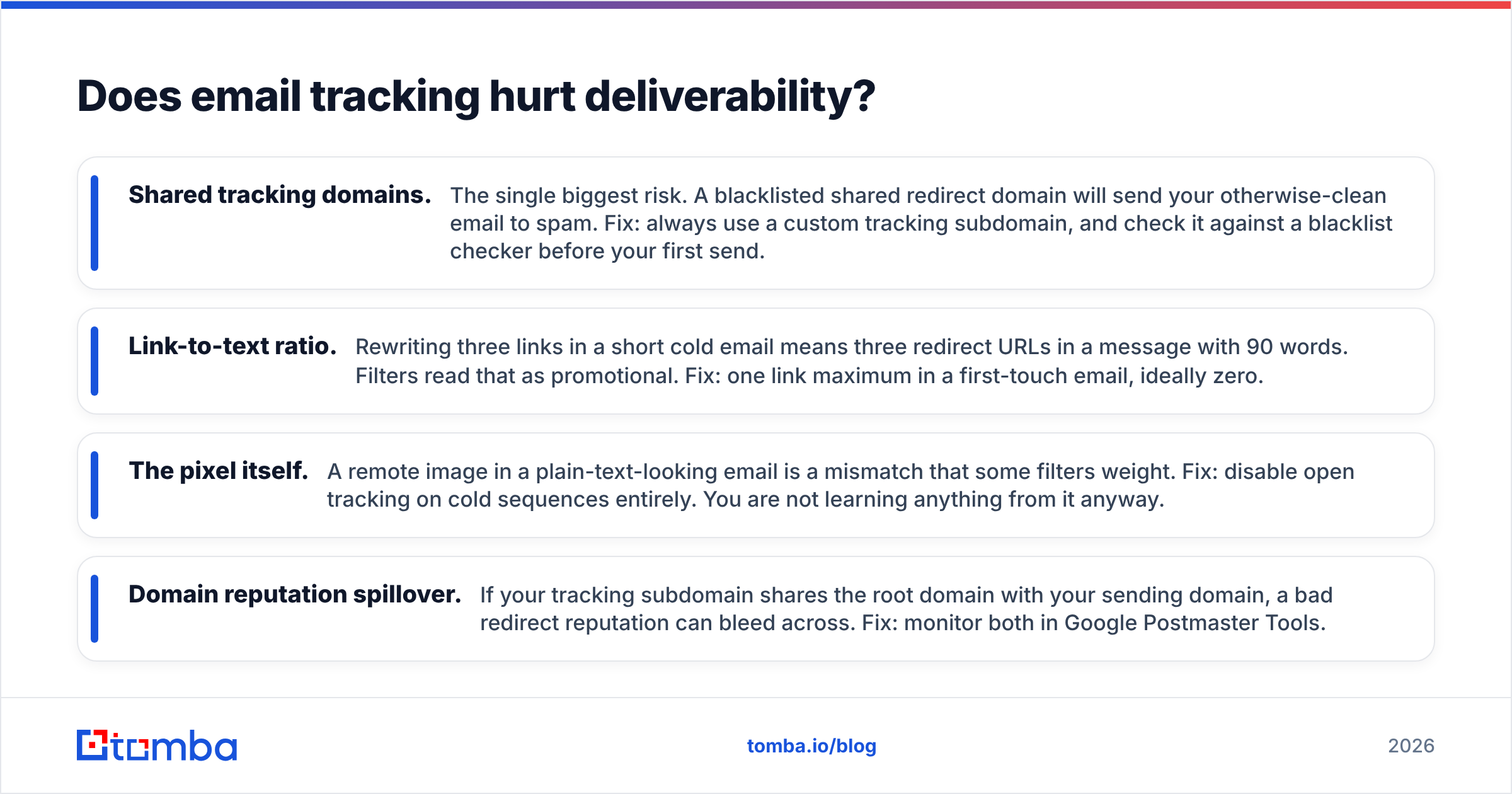
- Shared tracking domains. The single biggest risk. A blacklisted shared redirect domain will send your otherwise-clean email to spam. Fix: always use a custom tracking subdomain, and check it against a blacklist checker before your first send.
- Link-to-text ratio. Rewriting three links in a short cold email means three redirect URLs in a message with 90 words. Filters read that as promotional. Fix: one link maximum in a first-touch email, ideally zero.
- The pixel itself. A remote image in a plain-text-looking email is a mismatch that some filters weight. Fix: disable open tracking on cold sequences entirely. You are not learning anything from it anyway.
- Domain reputation spillover. If your tracking subdomain shares the root domain with your sending domain, a bad redirect reputation can bleed across. Fix: monitor both in Google Postmaster Tools.
Where tracking is harmless: click tracking on warm, opted-in traffic; reply tracking (no pixel, no rewrite, purely OAuth-based); and tracking on transactional or newsletter mail where recipients expect HTML.
The rule of thumb: cold email should carry as little tracking machinery as possible, warm email can carry more. Your first touch to a stranger should look like a message a human typed in Gmail. Once someone replies, the constraint relaxes.
If deliverability is where you are actually losing, tracking config is only one lever. Authentication, list hygiene, and volume ramp matter more — the fundamentals of email deliverability haven't changed just because measurement did.
Is email tracking legal and ethical?#
Legally, it depends on jurisdiction and consent. Under GDPR, a tracking pixel is generally treated as personal data processing — you need a lawful basis, and legitimate interest is the usual argument for B2B. Under CCPA/CPRA the bar is lower but disclosure still matters. Several EU regulators have taken a harder line on pixels in marketing mail specifically.
Practical guardrails most B2B teams settle on:
- Disclose tracking in your privacy policy and link it in your email footer.
- Honor opt-outs across the board, including one-click unsubscribe headers.
- Do not track 1:1 conversational replies once a relationship exists. It reads as surveillance if discovered, and the data is worthless anyway.
- Never use "he opened it 6 times" as a talking point on a call. This is the fastest way to torch trust.
- Suppress tracking entirely for recipients in stricter jurisdictions if your legal team asks.
Ethically, the line most sellers can defend: tracking aggregate campaign performance is fine, using per-person open logs to imply urgency is not.
How do you set up tracking that actually produces signal?#
Tracking sits at the end of a chain. If the earlier links are weak, better tracking just measures the failure more precisely.
Step 1 — Fix the data. A tracking app cannot distinguish "not interested" from "the address was wrong." Bad addresses bounce, damage domain reputation, and drag every downstream metric. Run your list through an email verifier before it ever enters a sequence, and source new contacts from a tool that returns confidence scores rather than guesses. Tomba's email finder returns a verification status with each result, so you are not tracking messages that were never deliverable.
Step 2 — Separate your domains. Send from a subdomain (mail.yourcompany.com), track on a different subdomain (links.yourcompany.com), and keep your primary domain out of both. Verify SPF, DKIM, and DMARC before the first send.
Step 3 — Choose the minimum viable tracking. Cold sequences: reply tracking on, open tracking off, click tracking only if you have exactly one link. Warm nurture: all three on.
Step 4 — Define your filters. In whichever tool you pick, exclude opens and clicks that occur under 5 seconds after delivery and clicks from known datacenter IP ranges. If the tool cannot do this, do it in your BI layer.
Step 5 — Report on replies. Build the dashboard around response rate, meetings booked, and pipeline created. Keep open rate on the dashboard as a small trendline in the corner, labeled as a health check.
Step 6 — Re-baseline quarterly. Mail client behavior changes without announcement. Whatever "normal" looked like six months ago may not hold.
What should a small team buy?#
If you send fewer than 50 emails a day and work out of Gmail, a free tier plus disciplined reply tracking covers you. Mailtrack's free plan or HubSpot's free CRM will do the job.
If you run sequences across a team of three or more, buy a platform with reply detection, custom tracking domains, and per-message tracking toggles. Budget $30-65 per user per month, and expect to spend more time configuring domains than evaluating features.
If you are building your own reporting, skip the extension entirely and wire tracking events into your warehouse via API. The vendors that expose clean webhook payloads are worth more than the ones with prettier dashboards.
Whatever you buy, remember the ordering: data quality, then deliverability, then measurement. A team with verified contacts and no tracking app will outperform a team with dirty data and the best tracking stack on the market.
Where does Tomba fit?#
Tomba is not an email tracking app, and that is deliberate — it sits one step earlier in the chain, where most tracking problems originate. If your open rates look bad, there is a good chance the addresses were never valid to begin with.
Start with the Tomba Email Finder to source verified, deliverable contacts by name, domain, or company, with a confidence score attached to every result. Pair it with the email verifier before each send so your tracking app is reporting on real humans instead of bounced addresses. The free tier gives you 25 searches a month to test the accuracy against your own list; paid plans start at $49/mo — see Tomba pricing for the full breakdown.
Fix the input, and your tracking numbers start meaning something.
Related guides#
Ready to find emails that actually work?
Join 150,000+ professionals who stopped guessing and started sending. Free credits on signup — no credit card required.
Get the Tomba newsletter
Practical outbound tactics and product updates — once every two weeks.
About the author