Email Tracking Without Branding: The 2026 Setup Guide
Vendor-branded pixels and shared link domains quietly tell recipients (and spam filters) that your email came from a bulk tool. Here is how unbranded tracking actually works, what it costs, and when to turn it off entirely.
TL;DR
- "Email tracking without branding" means your open pixels and click-redirect links resolve on your domain, not
track.somevendor.com, and no "Sent with X" footer appears in the message. - The branding itself is not what hurts you. The shared infrastructure behind it does: thousands of senders share the same tracking hostname, and filters score that hostname, not you.
- A custom tracking subdomain (CNAME) takes about 15 minutes to set up and is the single highest-leverage change most cold senders never make.
- Open tracking in 2026 is close to useless as a metric thanks to Apple Mail Privacy Protection and Gmail image proxying, but the pixel still carries deliverability cost. Turn it off; keep click tracking on a custom domain.
- The order that matters: clean list first, then authentication, then unbranded tracking. Tracking hygiene cannot rescue a list full of dead addresses.
What does "email tracking without branding" actually mean?#
Three separate things get bundled under that phrase, and they fail in different ways.
1. The open pixel. A 1x1 transparent image loaded from a tracking server. When the recipient's client loads it, the server logs an open. If your tool is on a shared plan, that image URL looks like https://open.mailtoolxyz.com/o/9f2a1c.gif. Anyone who views source sees the vendor name, and every filter that has ever seen that hostname attached to spam has already scored it.
2. The click redirect. Your link to yourcompany.com/case-study gets rewritten as https://link.mailtoolxyz.com/c/abc123. This is the bigger deliverability lever, because link reputation is one of the strongest signals filters use. Redirect chains through a shared domain are exactly what phishing looks like structurally.
3. The visible footer. "Sent with Vendor X" or a powered-by badge appended to the body. Free tiers of most sending tools include this. It instantly reclassifies a 1:1-looking email as bulk marketing in the reader's head.
Unbranded tracking removes all three. The pixel and the redirect resolve on something like t.yourcompany.com, and the footer is gone. To the recipient and to the filter, the message looks like it came from your infrastructure, because it did.
The underlying mechanism is old and well documented — a web beacon is the same technique advertisers have used since the late 1990s. What changed is that mailbox providers now treat unfamiliar beacon hosts with far more suspicion than they did five years ago.
Why does vendor branding show up in tracked emails at all?#
Because it is cheaper for the vendor. Running one tracking hostname for 40,000 customers costs one certificate and one DNS record. Giving every customer their own subdomain means per-customer certificate provisioning, DNS validation support tickets, and higher infrastructure spend. So it gets gated behind a paid tier.
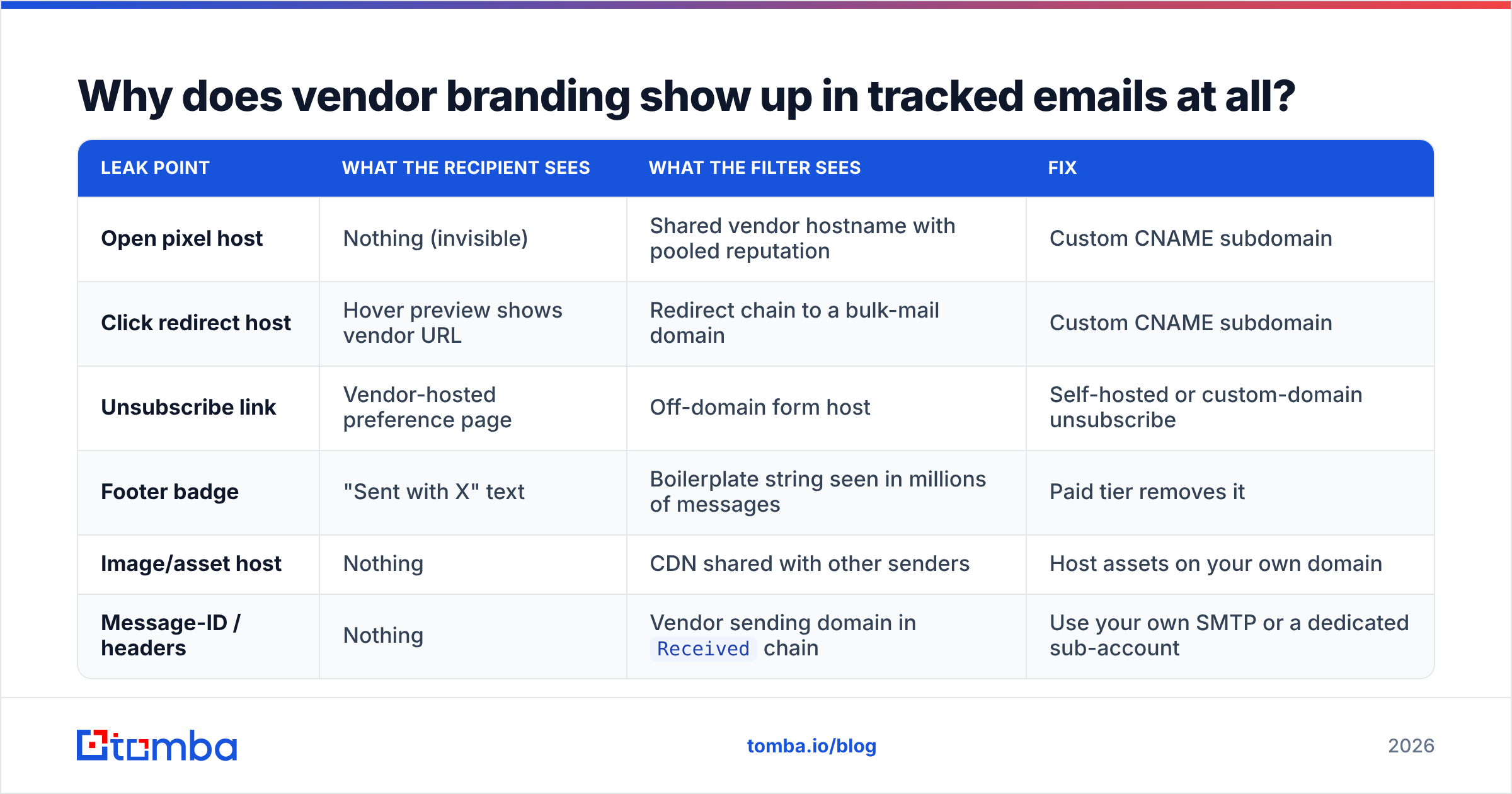
Here is where branding leaks in a typical tracked email:
| Leak point | What the recipient sees | What the filter sees | Fix |
|---|---|---|---|
| Open pixel host | Nothing (invisible) | Shared vendor hostname with pooled reputation | Custom CNAME subdomain |
| Click redirect host | Hover preview shows vendor URL | Redirect chain to a bulk-mail domain | Custom CNAME subdomain |
| Unsubscribe link | Vendor-hosted preference page | Off-domain form host | Self-hosted or custom-domain unsubscribe |
| Footer badge | "Sent with X" text | Boilerplate string seen in millions of messages | Paid tier removes it |
| Image/asset host | Nothing | CDN shared with other senders | Host assets on your own domain |
| Message-ID / headers | Nothing | Vendor sending domain in Received chain |
Use your own SMTP or a dedicated sub-account |
Most teams fix the footer, feel done, and leave the two hosts that actually matter untouched.
Does tracking without branding actually help deliverability?#
Yes, but the effect is indirect and easy to overstate.
Filters do not have a rule that says "penalise vendor branding." What they have is a reputation score for every hostname that appears in a message: the From domain, the link domains, the image hosts, the redirect targets. A shared tracking domain aggregates the behaviour of every sender using it. If a few hundred of them blast bad lists, the hostname's score drops, and your perfectly targeted 40-prospect sequence inherits that score.
Moving to t.yourcompany.com gives you an isolated reputation. It starts neutral, which is better than "shared with known spammers" and worse than "established and trusted." That is the trade: you take on the responsibility for warming a new hostname in exchange for never being dragged down by strangers.
Three caveats worth internalising before you treat this as a silver bullet:
- A brand-new subdomain has no history. For the first couple of weeks it is an unknown, and some filters treat unknown redirect hosts cautiously. Ramp volume the way you would ramp a new sending domain.
- It does not fix authentication. If your SPF record is broken or DMARC is unaligned, a custom tracking domain changes nothing. Run an SPF checker before you touch tracking.
- It does not fix list quality. Bounces and spam complaints dominate email deliverability scoring. Unbranded tracking on a dirty list is a nicer paint job on a car with no engine.
Google's own guidance for bulk senders, published through Postmaster Tools, puts authentication, complaint rate, and unsubscribe handling well ahead of anything tracking-related. Treat unbranded tracking as the last 10%, not the first 90%.
Which tracking setup should you choose?#
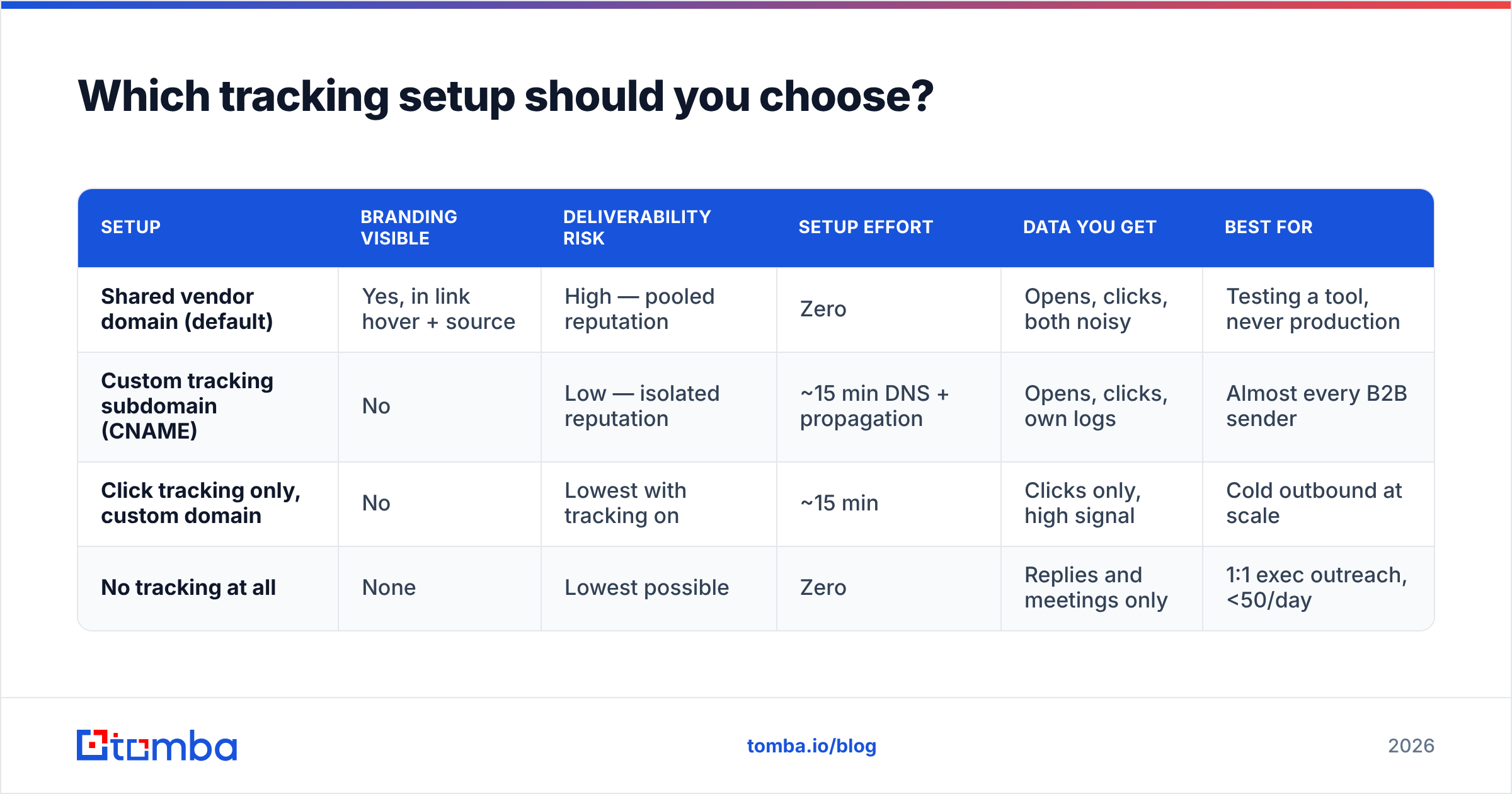
Four realistic configurations, ranked by how much control they give you:
| Setup | Branding visible | Deliverability risk | Setup effort | Data you get | Best for |
|---|---|---|---|---|---|
| Shared vendor domain (default) | Yes, in link hover + source | High — pooled reputation | Zero | Opens, clicks, both noisy | Testing a tool, never production |
| Custom tracking subdomain (CNAME) | No | Low — isolated reputation | ~15 min DNS + propagation | Opens, clicks, own logs | Almost every B2B sender |
| Click tracking only, custom domain | No | Lowest with tracking on | ~15 min | Clicks only, high signal | Cold outbound at scale |
| No tracking at all | None | Lowest possible | Zero | Replies and meetings only | 1:1 exec outreach, <50/day |
The middle two are where most teams should land. Full no-tracking is defensible for founder-led outbound where every send is manual and reply rate is the only metric that matters, but it makes A/B testing subject lines and landing pages impossible.
How do you set up a custom tracking domain?#
The mechanics are the same across nearly every sending platform. Budget 15 minutes plus DNS propagation time.
- Pick a subdomain that is not your root domain. Use
t.yourcompany.com,go.yourcompany.com, orlink.yourcompany.com. Never point your root or yourwwwat a tracking host — if the vendor has an outage, your website goes with it. - Use a subdomain of your sending domain, not a lookalike. If you send from
yourcompany.com, track ont.yourcompany.com. Buyingyourcompany-mail.comfor tracking creates exactly the domain-mismatch pattern phishing filters are trained to catch. - Add the CNAME record your vendor gives you. It will look like
t.yourcompany.com CNAME custom.trackinghost.net. Add it at your DNS provider, TTL 3600, and wait. Propagation is usually minutes but can take hours. - Verify in the vendor dashboard, then check TLS. Load
https://t.yourcompany.comin a browser. If you get a certificate warning, the vendor has not provisioned the cert yet — do not send until that resolves, because a cert error on a redirect host is a hard trust failure. - Send a test to a seed set across Gmail, Outlook, and a corporate Microsoft 365 tenant. View source. Confirm the pixel and every rewritten link resolve to your subdomain, and that no vendor hostname survives anywhere in the HTML.
- Ramp volume for two weeks. Start at your normal daily volume divided by four and step up. You are building reputation on a hostname that has none.
If you send from multiple domains — common when running separate warmed domains for outbound — give each one its own tracking subdomain. Sharing one tracking host across four sending domains recreates the pooling problem in miniature and ties their fates together.
Should you track opens at all in 2026?#
Probably not. The metric is broken in ways that are not recoverable.
Apple Mail Privacy Protection pre-fetches images on Apple's servers for anyone using Mail on iOS or macOS with the default setting, which registers an "open" whether or not a human looked at the message. Gmail proxies and caches images through its own infrastructure. Corporate security gateways at Microsoft, Proofpoint, and Mimecast detonate links and load images in sandboxes before delivery. Between them, a meaningful share of your logged opens are machines.
The practical consequences:
- Open rate is not comparable across time. A 2023 baseline and a 2026 number measure different things.
- Open-based triggers misfire. "Follow up when they open twice" fires on a security scanner, and your rep sends a warm follow-up to someone who never saw the first email.
- The pixel still costs you. You are adding an external image request to every message for data you cannot trust.
Clicks survive better. A click on a rewritten link is still occasionally a sandbox, but the noise floor is far lower, and clicks correlate with actual intent. Reply rate and meetings booked remain the only metrics worth reporting upward — HubSpot's ongoing sales and marketing research has been pushing this same point for several cycles.
What replaces open tracking once you turn it off?#
You lose a vanity number and gain three better ones.
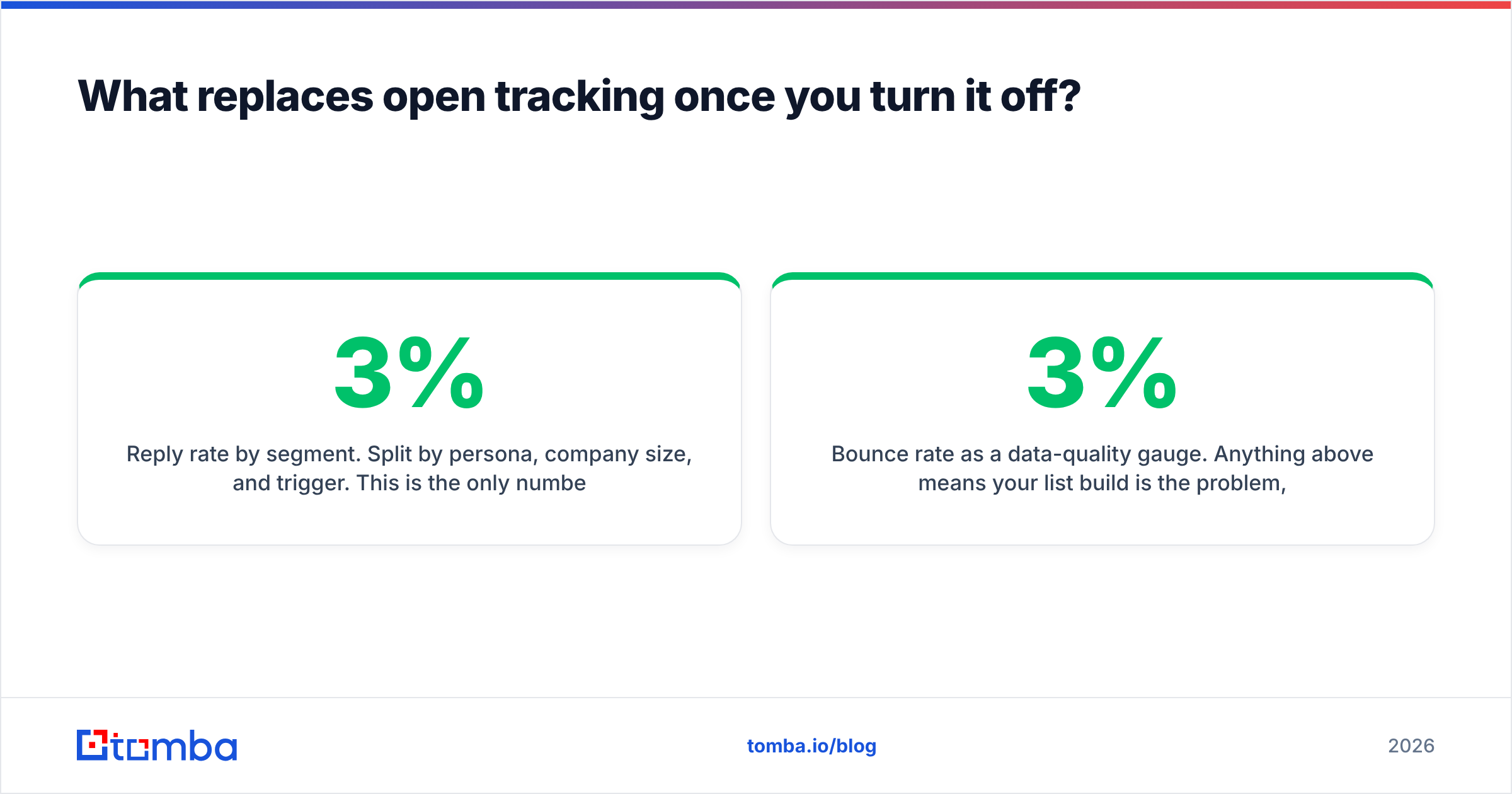
- Reply rate by segment. Split by persona, company size, and trigger. This is the only number that predicts pipeline. A 3% reply rate on 500 well-targeted prospects beats 1% on 5,000.
- Click-to-reply ratio. High clicks with low replies means your copy is interesting and your ask is wrong. Low clicks with decent replies means your links are unnecessary — cut them and improve deliverability for free.
- Bounce rate as a data-quality gauge. Anything above 3% means your list build is the problem, not your copy. Run addresses through an email verifier before the sequence starts, not after the bounces come in.
- Website visit correlation. Server-side, on your own analytics, matched to the accounts you emailed. No pixel required, no privacy exposure, and it captures the prospect who forwarded your email to a colleague who then visited — something open tracking never sees.
That last one is worth dwelling on. The whole reason open tracking felt valuable was that it was the only intent signal available on a cold send. First-party site analytics matched against your target account list gives you the same signal without touching the recipient's inbox at all.
Where does data quality fit into this?#
Ahead of everything else on this page. Tracking configuration is a multiplier on a base number, and if the base number is a list of guessed addresses, the multiplier does not matter.
A concrete sequence that works:
- Build the account list first. Firmographic fit before contact discovery, always.
- Find contacts with a tool that returns a confidence score rather than a permutation guess. Pattern generators produce syntactically valid addresses that bounce, and bounces damage the domain you just spent two weeks warming.
- Verify before send. SMTP-level verification catches the addresses that existed six months ago and do not now.
- Handle catch-all domains explicitly. A catch-all accepts everything, so a naive verifier marks it valid. A catch-all verifier applies additional signals instead of shrugging.
- Only then worry about tracking domains and pixels.
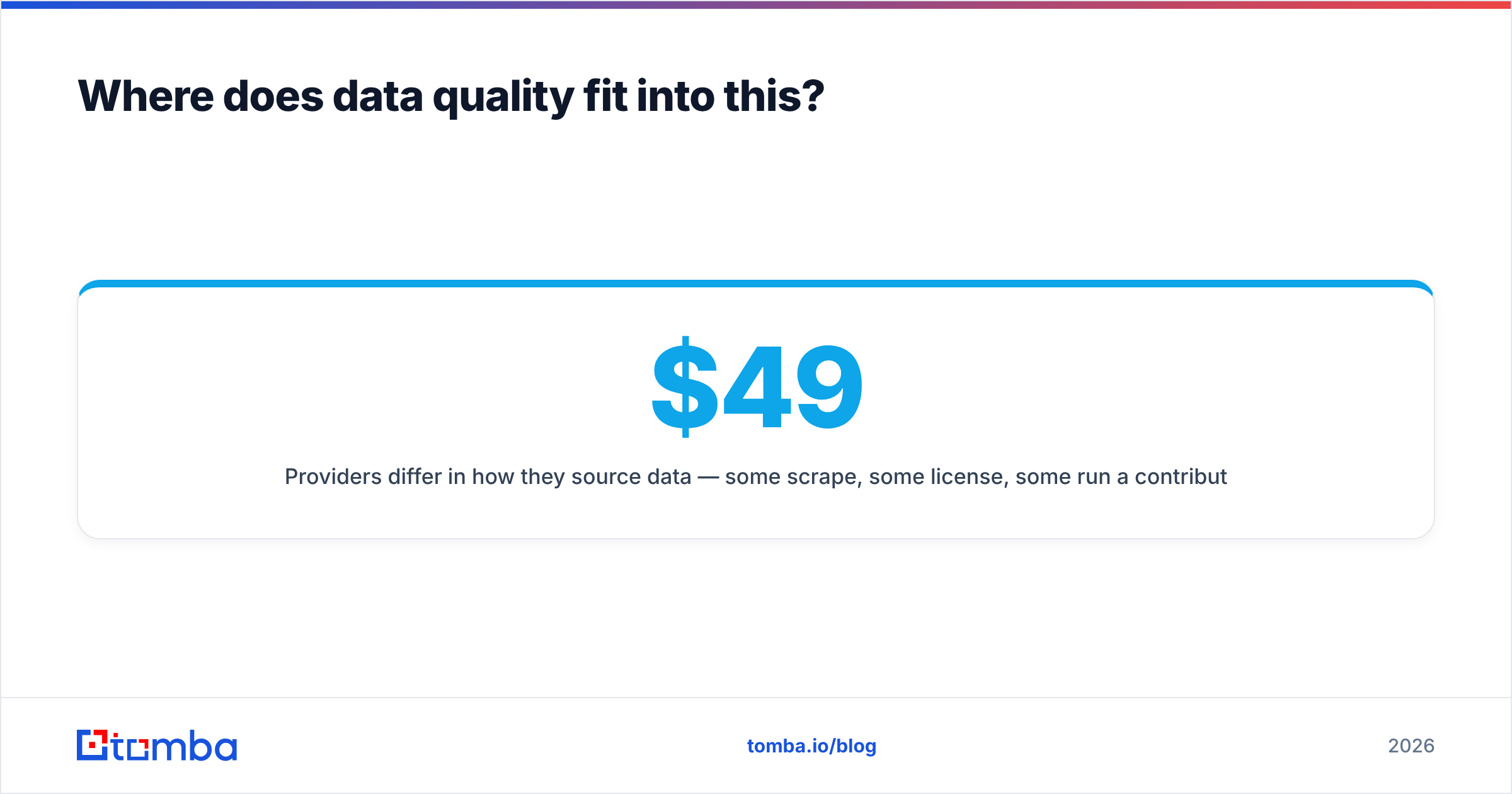
Providers differ in how they source data — some scrape, some license, some run a contributor network like BookYourData and similar database-first vendors, and some combine approaches. Whichever you use, the question to ask is what happens to an address between the moment it was collected and the moment you send. Anything without a re-verification step is selling you a snapshot of the past. Tomba publishes its data sources for exactly this reason, and pricing is straightforward: a free tier at 25 searches per month, Starter at $49/mo, Growth at $99/mo, and Pro at $249/mo — full Tomba pricing is public rather than quote-gated.
What are the common mistakes with unbranded tracking?#
- Pointing the root domain at the tracker. Your website now depends on your email vendor's uptime.
- Reusing one tracking subdomain across every client. Agencies do this constantly. It is the shared-domain problem with extra steps, and one bad client poisons the rest.
- Removing the footer badge but keeping the shared redirect host. Cosmetic fix, zero deliverability benefit.
- Skipping the TLS check. A certificate warning on a link the prospect clicks is worse than any branding you removed.
- Keeping open tracking "just for the dashboard." You are trading a real deliverability cost for a number you have already agreed is unreliable.
- Treating this as a one-time task. Re-verify the CNAME after any DNS migration. Tracking hosts silently break when someone cleans up "unused" records.
The honest verdict#
Email tracking without branding is worth setting up, and it is worth roughly 15 minutes of your time — not the week some vendors imply. It removes a real but modest deliverability drag, it stops advertising which tool you use, and it gives you clean click data on infrastructure you control.
What it will not do is fix a bad list, weak targeting, or copy that reads like a template. If you are choosing between spending an afternoon on tracking domains and spending it on tightening your ICP and verifying your contacts, verify the contacts. Then come back and do the CNAME.
Start where the leverage is. Use the Tomba Email Finder to build a contact list with confidence scores instead of guessed patterns, verify it before the first send, and then configure your unbranded tracking on top of data that will actually land. The free tier gives you 25 searches a month to test the accuracy against a domain you already know well — which is the only benchmark that matters.
Related guides#
Ready to find emails that actually work?
Join 150,000+ professionals who stopped guessing and started sending. Free credits on signup — no credit card required.
Get the Tomba newsletter
Practical outbound tactics and product updates — once every two weeks.
About the author