Email Unsubscribe Best Practices: The 2026 Playbook
Most senders treat the unsubscribe link as a leak to plug. Gmail and Yahoo treat it as a signal. Here is how to build an opt-out flow that lowers complaints, protects sender reputation, and keeps your list clean.
TL;DR
- An unsubscribe is the cheapest possible outcome of a bad send. A spam complaint costs you 10 to 30 times more in reputation damage than an opt-out does.
- Since 2024, Gmail and Yahoo require bulk senders to support one-click unsubscribe via the
List-UnsubscribeandList-Unsubscribe-Postheaders, and to process requests within two days. - Keep complaint rates under 0.10% and unsubscribe rates under roughly 0.5% per campaign. If unsubs are low but complaints are high, your opt-out is too hard to find.
- Preference centers beat single-link opt-outs for newsletters, but they must never be the only path out. One-click still has to work.
- Cold outbound follows a different playbook: plain-text opt-out line, no tracking pixel gymnastics, and a suppression list that syncs across every sending domain you own.
What are email unsubscribe best practices?#
Email unsubscribe best practices are the set of design, technical, and process rules that let a recipient leave your list in one action, permanently, without filing a spam complaint instead.
That last clause is the whole point. Every recipient who wants out has two buttons available: your unsubscribe link and their mailbox provider's "Report spam" button. You do not get to remove the second button. You only get to make the first one more attractive.
Most senders get this backwards. They bury the link, add a five-step confirmation flow, or require a login, on the theory that friction preserves list size. It does preserve list size. It also converts opt-outs into complaints, and complaints are what mailbox providers actually score you on. A shrinking list of people who want your email outperforms a bloated list that is quietly poisoning your email deliverability.
The modern definition of a good unsubscribe flow has four properties:
- Visible — findable in under three seconds, in every message, without scrolling gymnastics on mobile.
- One-click — a single action removes the recipient. No login, no password, no "select a reason" gate.
- Fast — processed within two days at the outside, immediately in practice.
- Global — the suppression applies across all your sending domains, tools, and CRMs, not just the one that sent the message.
Why does hiding the unsubscribe link cost you more than it saves?#
Because the math is brutally one-sided.
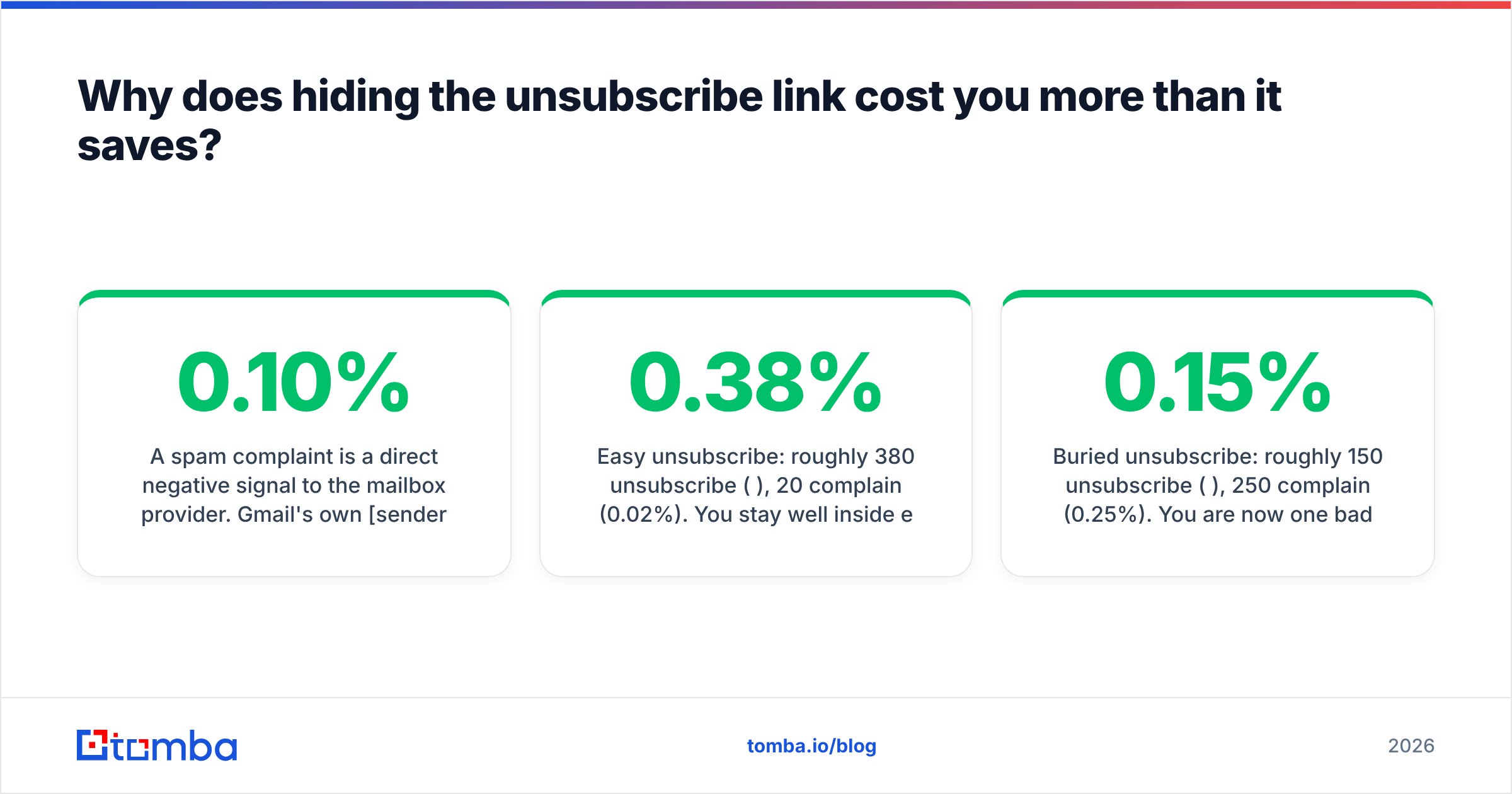
A spam complaint is a direct negative signal to the mailbox provider. Gmail's own sender guidelines tell bulk senders to keep the reported-spam rate below 0.10% and to never reach 0.30%. At 0.30%, filtering degrades for your entire domain, including the transactional mail you actually need delivered. An unsubscribe, by contrast, is a neutral-to-positive signal. It is a recipient using the mechanism you provided, exactly as designed.
Here is the practical consequence. Suppose you send 100,000 emails and 400 people want out.
- Easy unsubscribe: roughly 380 unsubscribe (0.38%), 20 complain (0.02%). You stay well inside every threshold.
- Buried unsubscribe: roughly 150 unsubscribe (0.15%), 250 complain (0.25%). You are now one bad campaign from the 0.30% cliff.
The second scenario "saved" 230 subscribers. Those subscribers do not open your email, do not click, and actively drag down your engagement averages, which is the other input mailbox providers weigh. You paid reputation to keep dead weight.
The other hidden cost is data quality. When people cannot leave, they abandon the address, and abandoned addresses eventually become spam traps. Running your list through an email verifier catches syntactic and mailbox-level problems, but it cannot detect a human who stopped caring. Only the unsubscribe rate tells you that.
What do the 2026 rules actually require?#
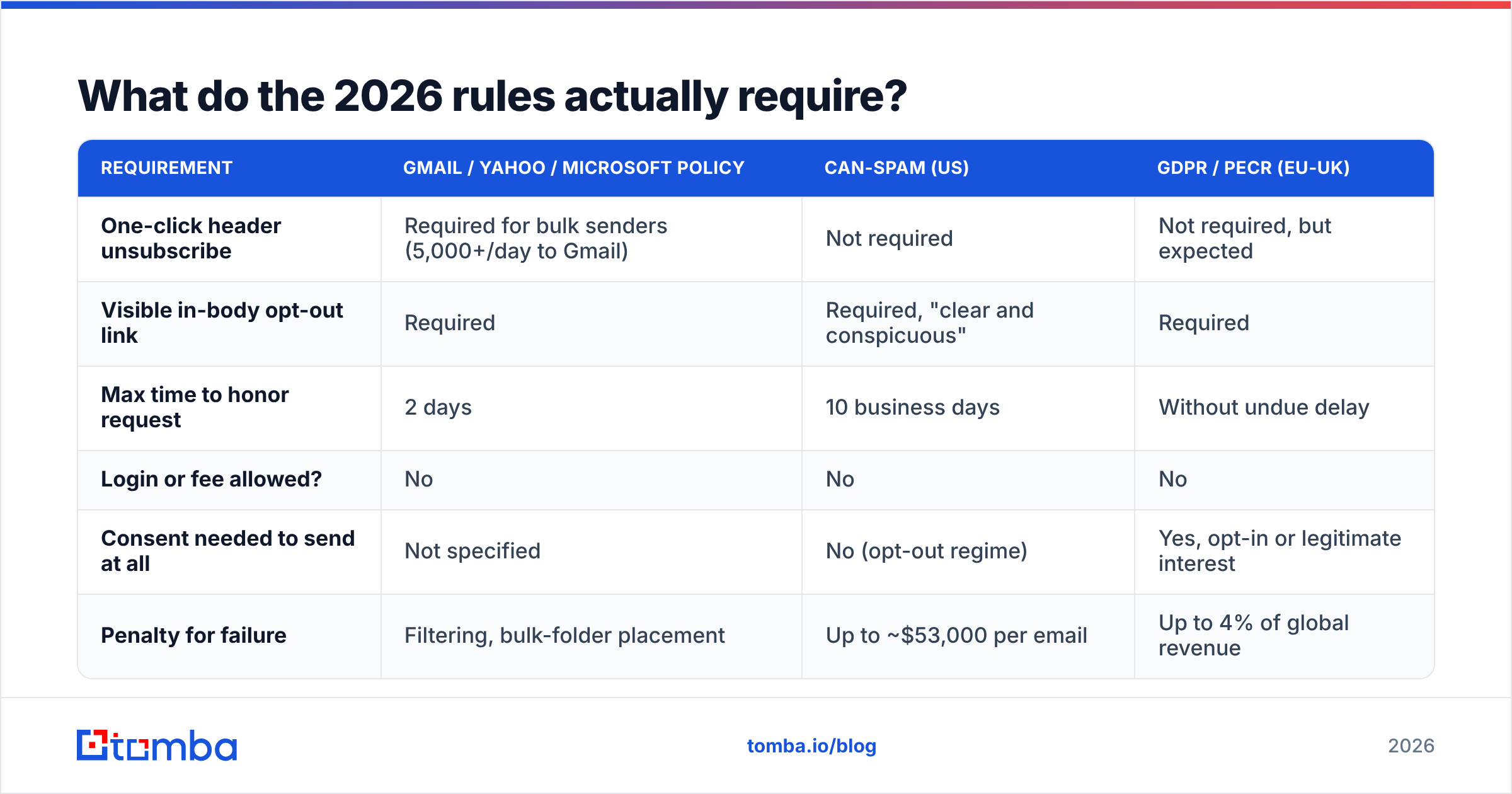
Three different rulebooks apply at once: mailbox provider policy, US law, and EU/UK consent law. They overlap but are not identical, and provider policy is now the strictest of the three in practice because it is enforced automatically.
| Requirement | Gmail / Yahoo / Microsoft policy | CAN-SPAM (US) | GDPR / PECR (EU-UK) |
|---|---|---|---|
| One-click header unsubscribe | Required for bulk senders (5,000+/day to Gmail) | Not required | Not required, but expected |
| Visible in-body opt-out link | Required | Required, "clear and conspicuous" | Required |
| Max time to honor request | 2 days | 10 business days | Without undue delay |
| Login or fee allowed? | No | No | No |
| Consent needed to send at all | Not specified | No (opt-out regime) | Yes, opt-in or legitimate interest |
| Penalty for failure | Filtering, bulk-folder placement | Up to ~$53,000 per email | Up to 4% of global revenue |
The one-click requirement is the piece most teams still implement badly. It is defined by RFC 8058 and needs two headers, not one:
List-Unsubscribe: <https://example.com/u/abc123>, <mailto:unsub@example.com>
List-Unsubscribe-Post: List-Unsubscribe=One-Click
If you ship only List-Unsubscribe with a mailto:, Gmail will not render the native unsubscribe button reliably, and you lose the single best complaint-deflection surface you have. If you ship the HTTPS URL but omit List-Unsubscribe-Post, the click still lands on a page that asks for confirmation, which defeats the purpose.
The US FTC's CAN-SPAM compliance guide is the authoritative source on the legal minimum, and the legal minimum is genuinely low. Do not use it as your design target. Provider policy is the real bar.
Where should the unsubscribe link live, and what should it say?#
Footer, left or center aligned, at a readable size. That is it. The debates about placement are mostly noise, but a few specifics measurably change complaint rates:
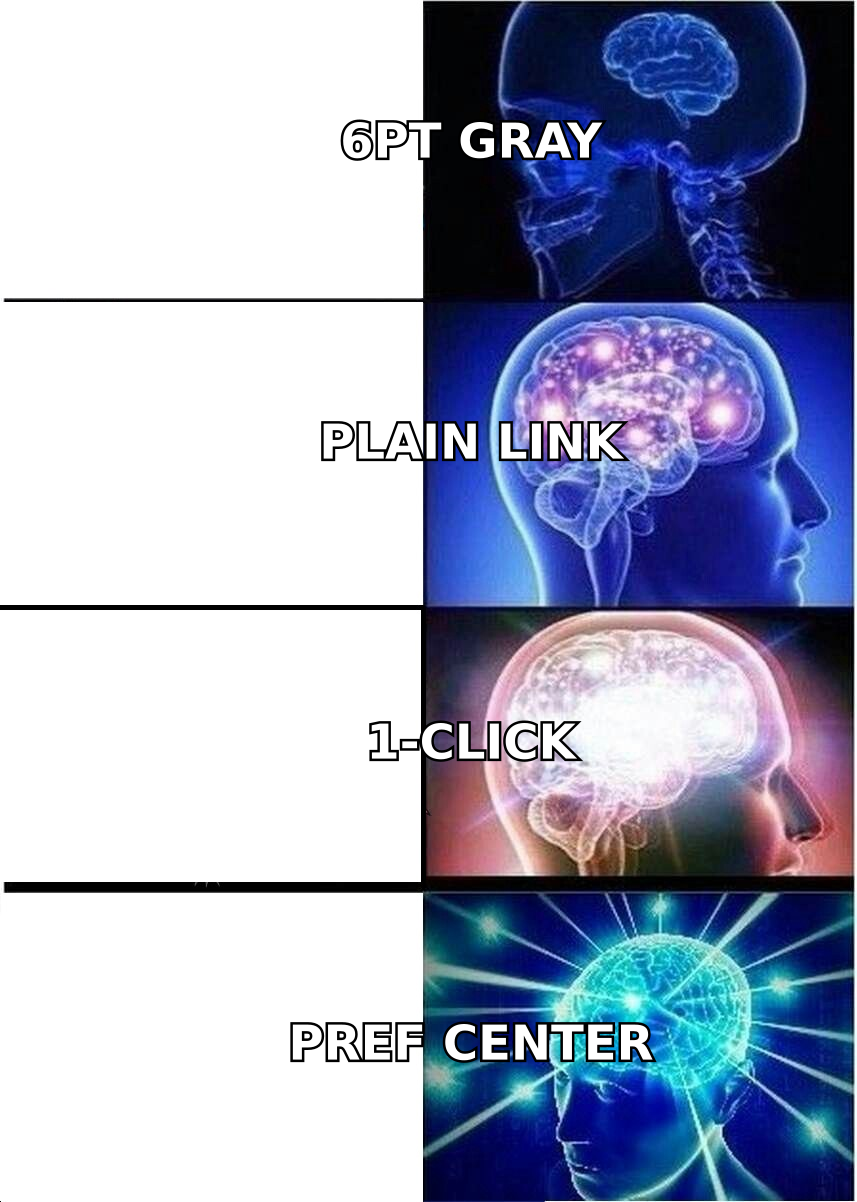
- Minimum 12px, real contrast. Gray-on-gray 9px text is the single most common footer failure. If a recipient squints, they click "Report spam" instead.
- Underlined and obviously a link. Do not style it as body copy.
- Plain, honest label. "Unsubscribe" outperforms "Manage your communication preferences" because it matches what the person is searching for. Use the clever label as a secondary line, not the primary one.
- Never inside an image. Image blocking is still on by default in plenty of clients, and an image-only footer means no visible opt-out at all.
- Repeat it in plain text. Your plain-text MIME part needs the same link. Some senders forget the alternative part entirely, which is also a spam-filter signal.
A footer that works reads roughly like this: your legal entity name, physical mailing address (required by CAN-SPAM), one line explaining why the person is receiving the message, then the unsubscribe link. The "why you're getting this" line is underrated. A large share of complaints come from people who genuinely do not remember signing up, and a single sentence of context converts a lot of those into unsubscribes instead.
Is a preference center better than a single opt-out link?#
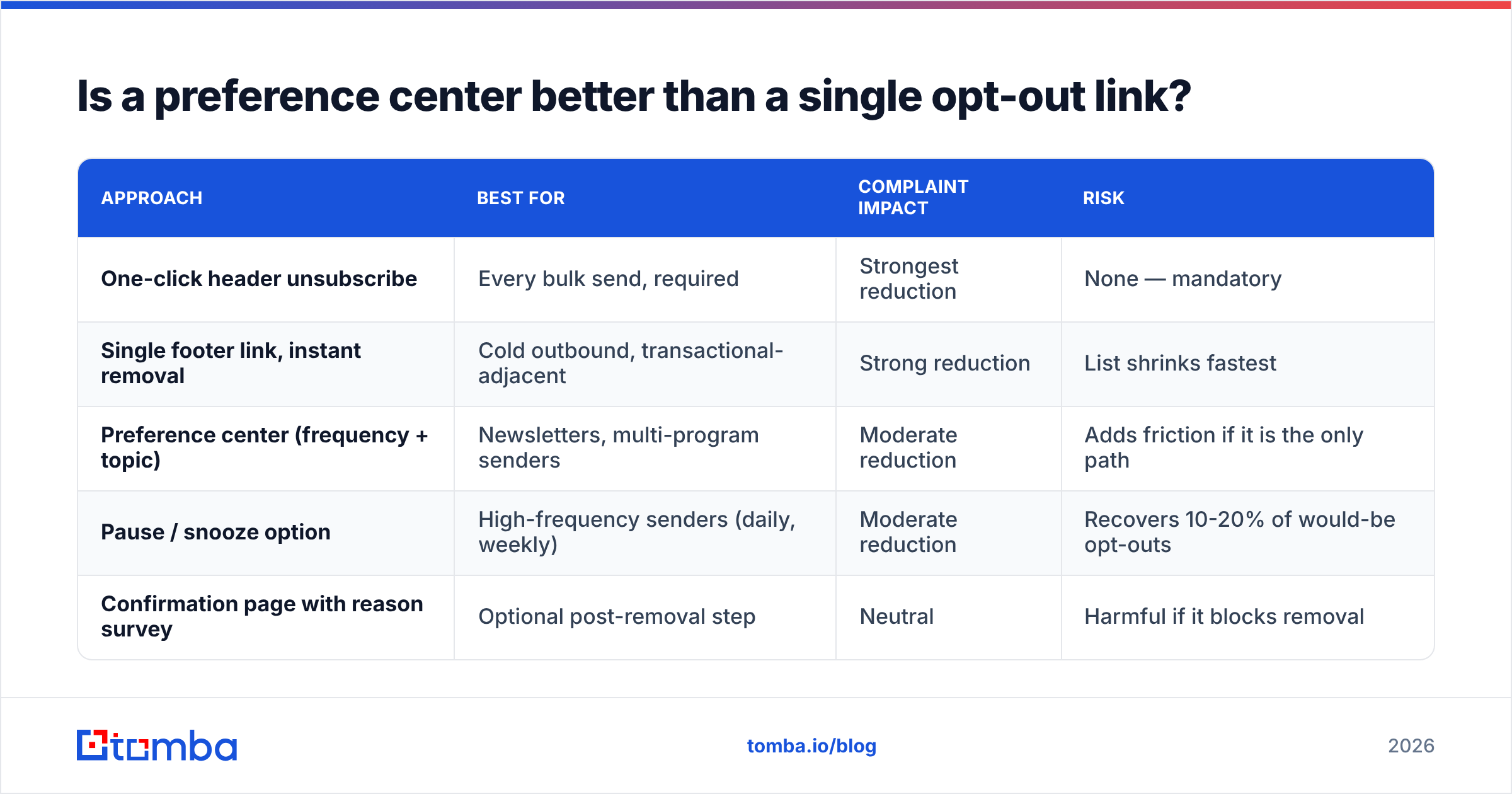
For newsletters and marketing programs, yes. For cold outbound, no. And in every case a preference center must sit behind one-click, not in front of it.
| Approach | Best for | Complaint impact | Risk |
|---|---|---|---|
| One-click header unsubscribe | Every bulk send, required | Strongest reduction | None — mandatory |
| Single footer link, instant removal | Cold outbound, transactional-adjacent | Strong reduction | List shrinks fastest |
| Preference center (frequency + topic) | Newsletters, multi-program senders | Moderate reduction | Adds friction if it is the only path |
| Pause / snooze option | High-frequency senders (daily, weekly) | Moderate reduction | Recovers 10-20% of would-be opt-outs |
| Confirmation page with reason survey | Optional post-removal step | Neutral | Harmful if it blocks removal |
The rule that keeps you compliant and sane: remove first, ask second. Process the unsubscribe the instant the link is clicked, then show a page that says "You're unsubscribed" and offers optional downgrades ("Get the monthly digest instead" or "Pause for 90 days"). Recovery offers presented after removal recover a meaningful slice of subscribers without ever holding anyone hostage.
Frequency is the most common real reason people leave, not content. If your preference center offers only topic toggles, add a frequency toggle. HubSpot's research on email frequency consistently finds send cadence at the top of opt-out drivers.

How should unsubscribes work for cold outbound versus marketing email?#
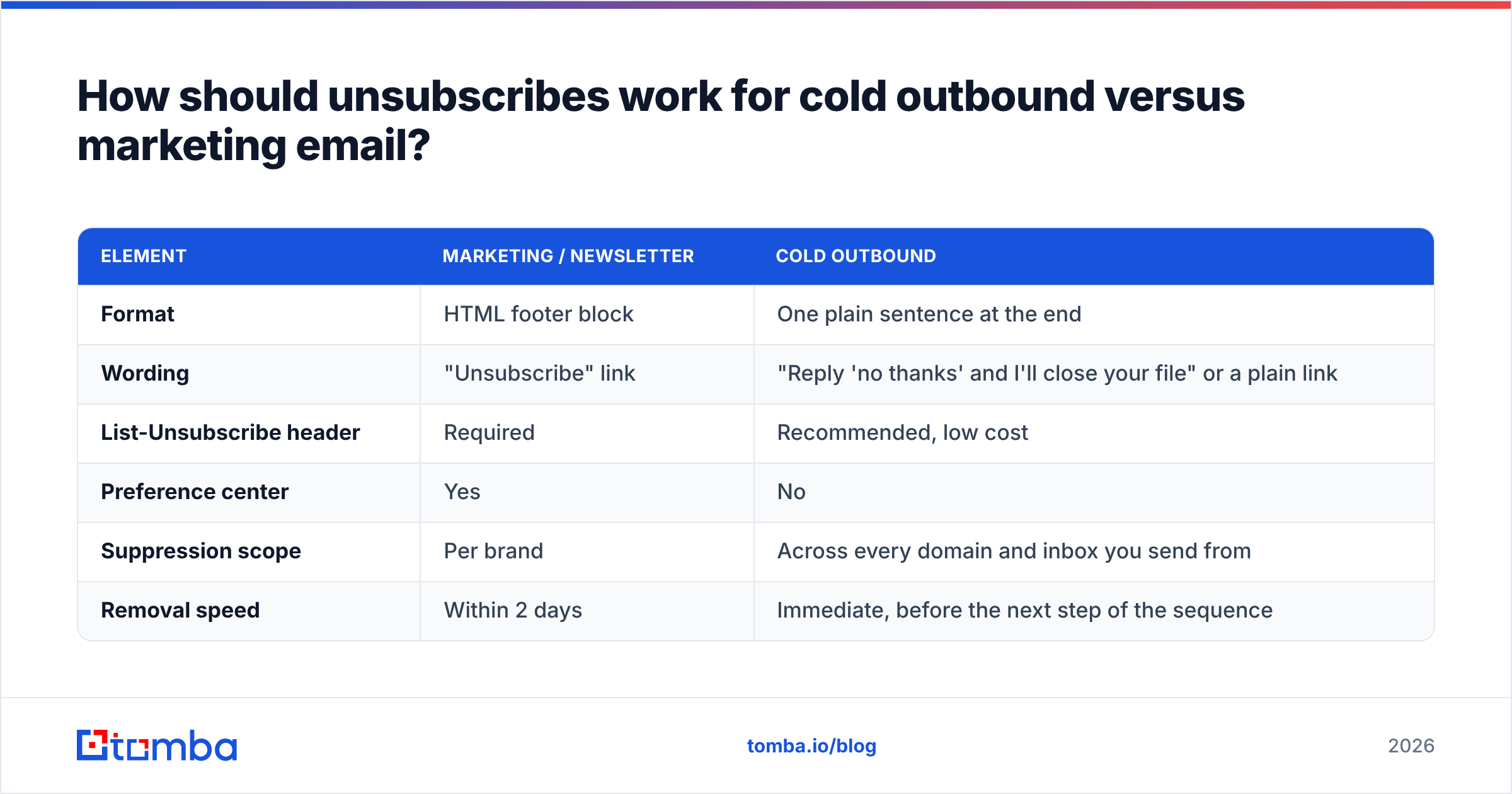
Different mechanics, same principle. Cold outbound is one-to-one in appearance, so a branded HTML footer with a preference center breaks the illusion and tanks reply rates. But "no footer" is not an option either.
| Element | Marketing / newsletter | Cold outbound |
|---|---|---|
| Format | HTML footer block | One plain sentence at the end |
| Wording | "Unsubscribe" link | "Reply 'no thanks' and I'll close your file" or a plain link |
| List-Unsubscribe header | Required | Recommended, low cost |
| Preference center | Yes | No |
| Suppression scope | Per brand | Across every domain and inbox you send from |
| Removal speed | Within 2 days | Immediate, before the next step of the sequence |
The cold-outbound failure mode is almost never the footer. It is suppression leakage: someone opts out of sequence A on domain-one.com, and three weeks later sequence B on domain-two.com hits them again because the two tools do not share a suppression list. That is the fastest way to earn a complaint from someone who already told you no, politely.
Fix it at the data layer. Maintain a single master suppression list keyed on normalized email address (lowercased, plus-tags stripped, aliases resolved), and check it before every enrichment and every send. If you are pulling contacts via a bulk email finder or an API, run the suppression check on import, not just on export, so opted-out contacts never re-enter the pipeline in the first place.
What should happen after someone unsubscribes?#
Six things, in order:
- Suppress immediately. Write to the master suppression table before you render the confirmation page. Do not queue it for a nightly job.
- Halt in-flight sequences. Any scheduled follow-up in an automation must be cancelled, not just skipped for the current step.
- Sync to the CRM. Set the opt-out flag on the contact record so reps do not manually re-add the address next quarter.
- Keep the record, do not delete it. Deleting the row means the address can be re-imported cleanly. Suppression only works if you remember who left.
- Confirm on-screen, not by email. Sending a "you have been unsubscribed" email to someone who just asked you to stop emailing them is legal, annoying, and complaint-generating. Show a page.
- Log the reason if offered, and act on it. Ten people saying "too frequent" in a month is a cadence problem, not a copy problem.
Step 4 deserves emphasis because it interacts with list building. If your prospecting workflow re-enriches accounts every quarter, the same contacts will resurface. The only defense is a persistent suppression record checked at import. When you enrich with a domain search and pull every address at a company, previously opted-out individuals will come back in the result set. Filter them before they reach the sequence builder.
How do you measure whether your unsubscribe flow is healthy?#
Track four numbers per campaign and per sending domain:
- Complaint rate: target under 0.10%, hard ceiling 0.30%. Above 0.10% and your opt-out is either hidden or your targeting is wrong.
- Unsubscribe rate: healthy range is 0.10% to 0.50% per campaign for marketing email. Under 0.05% usually means people cannot find the link, not that they love you.
- Complaint-to-unsubscribe ratio: the diagnostic metric nobody tracks. If complaints exceed one-fifth of unsubscribes, your opt-out has a friction problem. Healthy programs sit closer to 1:20.
- Time to suppression: measure it. If your median is over an hour, you have a queue problem that will eventually produce a post-unsubscribe send.
Watch these per domain, not just in aggregate. Sender reputation is scored at the domain and IP level, so a single sloppy sequence on one subdomain can drag placement for everything else you send from it.
Also separate hard bounces from opt-outs in your reporting. They are different failure modes with different fixes: bounces mean bad data, opt-outs mean bad targeting or bad cadence. Cleaning the list with verification fixes the first and does nothing for the second.
What unsubscribe mistakes still hurt senders in 2026?#
- Requiring a login to opt out. Explicitly prohibited by provider policy and by CAN-SPAM. Still shipping in enterprise portals everywhere.
- The "are you sure?" interstitial. Every confirmation step measurably raises complaint rates. Remove first, upsell after.
- Unsubscribe that only pauses one campaign. If someone opts out of "product updates" and keeps getting "company news," they will report spam. Offer granularity, but always include a global opt-out on the same page.
- Missing
List-Unsubscribe-Post. Header present, one-click broken. Test it by viewing raw headers in Gmail, not by trusting your ESP's checkbox. - Suppression lists that live in one tool. Multi-domain outbound stacks leak unless suppression is centralized.
- Sending to a list you never verified. High bounce rates and high complaint rates compound. Verification is upstream hygiene, not a substitute for a good opt-out, but skipping it makes every other number worse.
The unifying idea: treat the unsubscribe as a product surface with a conversion goal, where the conversion is "left cleanly instead of reporting spam." Design it that way and your complaint rate takes care of itself.
Start with a list that deserves your unsubscribe link#
A clean opt-out flow protects a good list. It cannot rescue a bad one. If you are sending to scraped, stale, or guessed addresses, your complaint rate will stay high no matter how elegant the footer is.
Build the list properly instead. The Tomba Email Finder returns verified professional addresses with a confidence score and source attribution, so you know which contacts are real before they ever enter a sequence, and the free tier gives you 25 searches a month to test the data quality yourself. Paid plans start at $49/mo with Growth at $99/mo, and every result runs through the same verification layer that powers the standalone verifier. Fewer bad addresses in means fewer bounces, fewer complaints, and an unsubscribe rate that tells you something useful instead of hiding a data problem.
Related guides#
Ready to find emails that actually work?
Join 150,000+ professionals who stopped guessing and started sending. Free credits on signup — no credit card required.
Get the Tomba newsletter
Practical outbound tactics and product updates — once every two weeks.
About the author