What Is an Email Verifier? How It Works and Which Tools Win
An email verifier is the cheapest insurance your cold outbound can buy — but accuracy claims are marketing until you test them. Here is how verification actually works, what the numbers hide, and which tool fits your list.
TL;DR
- An email verifier checks whether an address can actually receive mail — syntax, DNS, MX records, and an SMTP-level handshake — before you send anything to it.
- Vendor "99% accuracy" claims are measured on their own test lists. On real B2B data with catch-all domains, expect a meaningful chunk of results to come back "unknown" no matter who you pay.
- Mailbox providers now enforce hard bounce and spam-complaint thresholds. Google and Microsoft both expect complaint rates under 0.3%; sloppy lists are the fastest way to breach that.
- Pricing clusters between roughly $0.003 and $0.010 per email once you're past a few thousand credits. The real differentiator is catch-all handling and how the tool fits your workflow, not the headline rate.
- If you're already finding emails, verifying inside the same platform removes an export/import round trip and usually costs less than buying two subscriptions.
What is an email verifier?#
An email verifier is a service that answers one question: if you send mail to this address, will it land in a real mailbox?
Think of it like calling a phone number and letting it ring once before you hang up. You learn whether the line is connected without actually talking to anyone. An email verifier does the same thing with mail servers — it opens a conversation with the receiving server, asks whether the mailbox exists, and disconnects before delivering a message.
That distinction matters. Verification is not the same as finding an address. A finder produces candidate addresses from a name and a domain. A verifier grades addresses you already have. Most teams need both, which is why they usually ship together.
The output is a status, not a yes/no: valid, invalid, catch-all (or "accept-all"), disposable, role-based, and unknown. How a tool assigns those labels — and how honest it is about the ambiguous ones — is the whole ballgame.
How does an email verifier actually work?#
Every serious verifier runs the same layered pipeline. Each layer is cheaper than the one after it, so addresses get eliminated as early as possible.
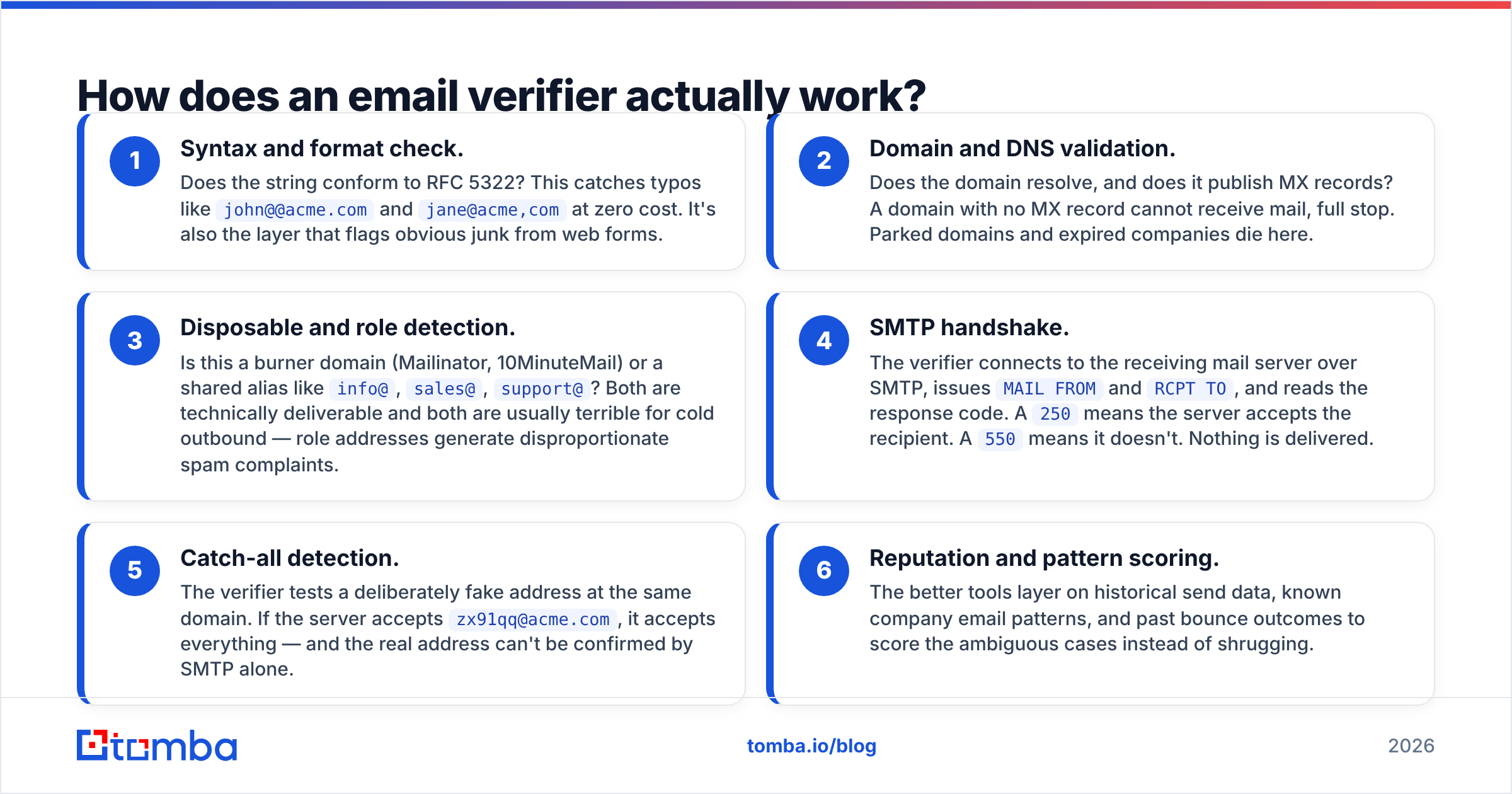
- Syntax and format check. Does the string conform to RFC 5322? This catches typos like
john@@acme.comandjane@acme,comat zero cost. It's also the layer that flags obvious junk from web forms. - Domain and DNS validation. Does the domain resolve, and does it publish MX records? A domain with no MX record cannot receive mail, full stop. Parked domains and expired companies die here.
- Disposable and role detection. Is this a burner domain (Mailinator, 10MinuteMail) or a shared alias like
info@,sales@,support@? Both are technically deliverable and both are usually terrible for cold outbound — role addresses generate disproportionate spam complaints. - SMTP handshake. The verifier connects to the receiving mail server over SMTP, issues
MAIL FROMandRCPT TO, and reads the response code. A250means the server accepts the recipient. A550means it doesn't. Nothing is delivered. - Catch-all detection. The verifier tests a deliberately fake address at the same domain. If the server accepts
zx91qq@acme.com, it accepts everything — and the real address can't be confirmed by SMTP alone. - Reputation and pattern scoring. The better tools layer on historical send data, known company email patterns, and past bounce outcomes to score the ambiguous cases instead of shrugging.
Steps 1 through 4 are commodity engineering. Step 5 and 6 are where tools genuinely diverge, and where per-credit price differences get justified or exposed.

What do accuracy claims really mean?#
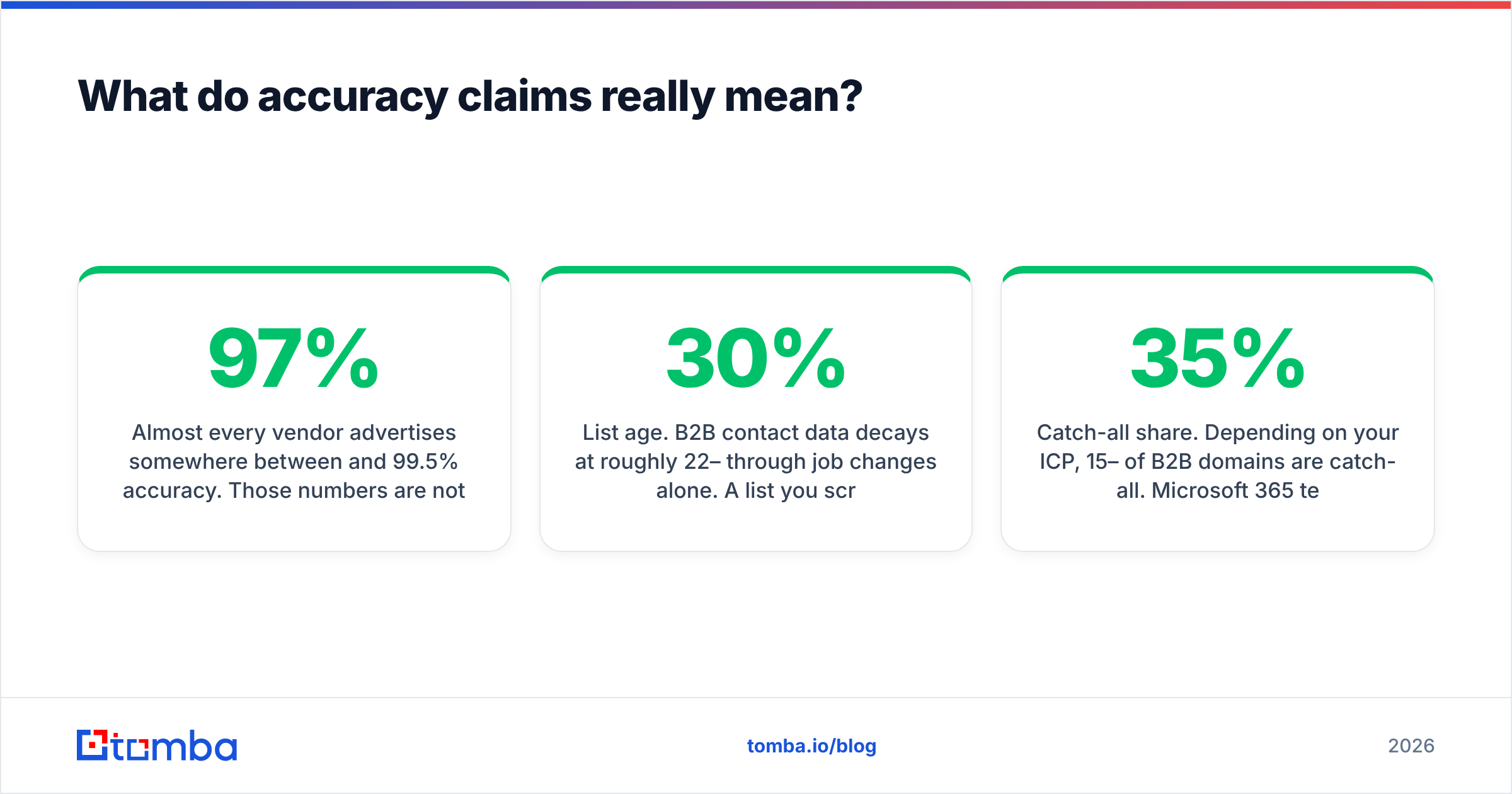
Almost every vendor advertises somewhere between 97% and 99.5% accuracy. Those numbers are not comparable, because nobody publishes the test list.
Here's what actually drives the number you experience:
- List age. B2B contact data decays at roughly 22–30% per year through job changes alone. A list you scraped 14 months ago will bounce regardless of which verifier you run it through afterward — verification tells you what's dead, it can't resurrect anything.
- Catch-all share. Depending on your ICP, 15–35% of B2B domains are catch-all. Microsoft 365 tenants in particular often accept everything at the gateway and reject internally. Every verifier will mark these "unknown" or "risky" unless it has an additional signal.
- Greylisting and rate limits. Big providers throttle or temporarily defer connections from unfamiliar IPs. A verifier that doesn't retry intelligently will report false negatives on perfectly good addresses.
- Definition games. Some tools count catch-alls as "valid" to inflate their pass rate. Your bounce rate will disagree with them.
The honest way to evaluate a verifier is to build a control list: 200 addresses you know are live (your own CRM's replied-to contacts), 100 you know are dead (bounced last quarter), and 100 catch-all domains. Run it through two or three tools and compare. That test costs a few dollars and tells you more than any marketing page.

Which email verifier should you use in 2026?#
There are three shapes of product in this market: pure verifiers, finder-plus-verifier platforms, and pre-verified data providers. Pick the shape first, then the vendor.
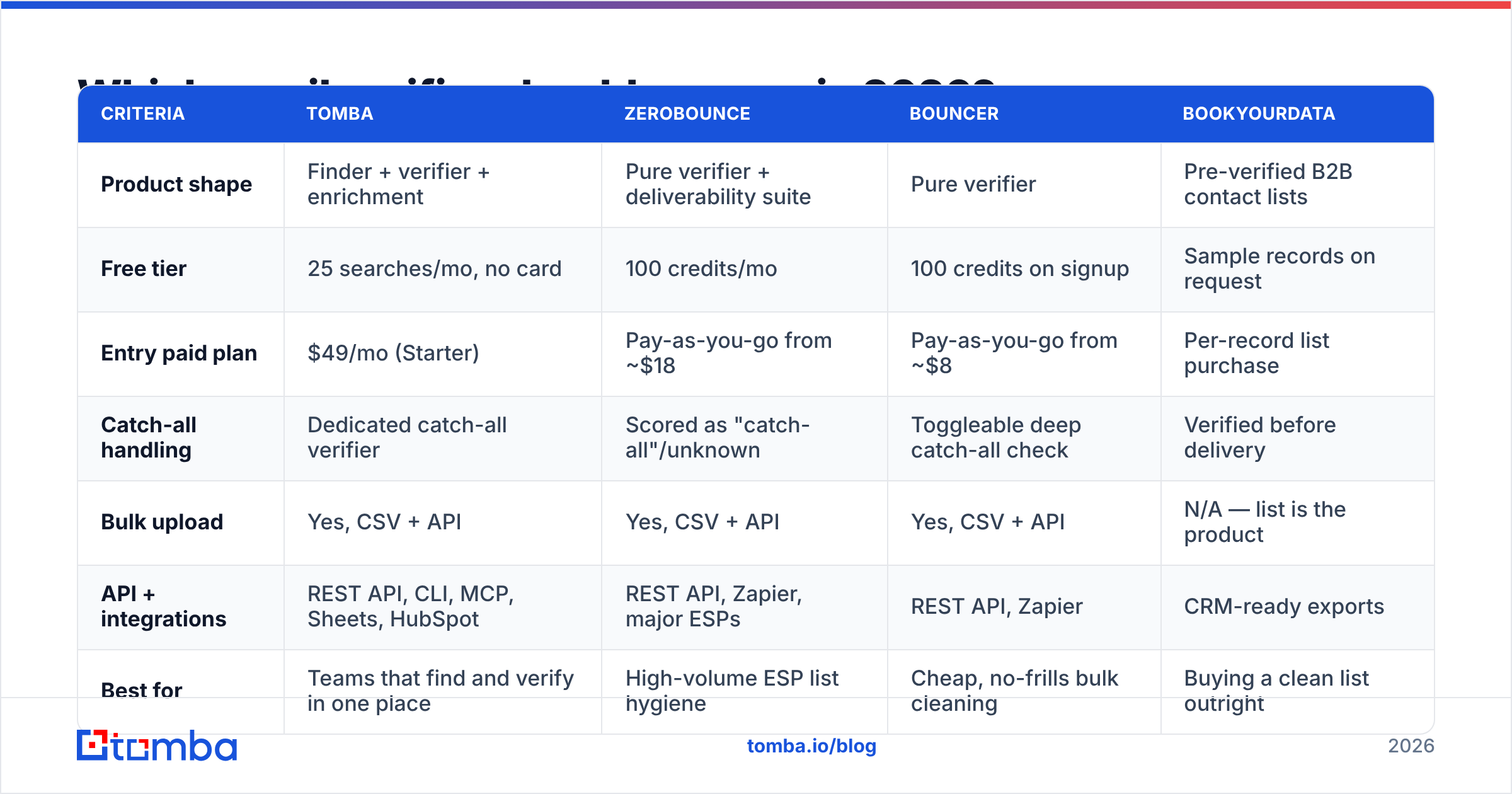
| Criteria | Tomba | ZeroBounce | Bouncer | BookYourData |
|---|---|---|---|---|
| Product shape | Finder + verifier + enrichment | Pure verifier + deliverability suite | Pure verifier | Pre-verified B2B contact lists |
| Free tier | 25 searches/mo, no card | 100 credits/mo | 100 credits on signup | Sample records on request |
| Entry paid plan | $49/mo (Starter) | Pay-as-you-go from ~$18 | Pay-as-you-go from ~$8 | Per-record list purchase |
| Catch-all handling | Dedicated catch-all verifier | Scored as "catch-all"/unknown | Toggleable deep catch-all check | Verified before delivery |
| Bulk upload | Yes, CSV + API | Yes, CSV + API | Yes, CSV + API | N/A — list is the product |
| API + integrations | REST API, CLI, MCP, Sheets, HubSpot | REST API, Zapier, major ESPs | REST API, Zapier | CRM-ready exports |
| Best for | Teams that find and verify in one place | High-volume ESP list hygiene | Cheap, no-frills bulk cleaning | Buying a clean list outright |

A few honest notes on that table. Pure verifiers like ZeroBounce and Bouncer are excellent at what they do and often cheaper per credit at very high volume — if you already have 500,000 addresses sitting in an ESP and you just need them scrubbed quarterly, that's the right tool. Prices shift; check each vendor's page before you budget. BookYourData solves a different problem entirely: you're buying contacts that arrive verified rather than cleaning your own, which suits teams without a data-sourcing motion.
Where a combined platform wins is workflow. If your SDRs are running domain search to build a list on Monday, exporting to a verifier on Tuesday, and re-importing on Wednesday, you're paying for two tools and losing two days. Independent user reviews on G2's email verification category reflect this split clearly — the complaints about pure verifiers are rarely about accuracy, they're about the round trip.
What about catch-all domains?#
Catch-all is the single hardest problem in verification, and it's worth understanding before you blame a tool for "unknown" results.
A catch-all server accepts mail for every address at the domain, then decides internally whether to deliver or discard. SMTP gives you a 250 OK either way. So the standard handshake genuinely cannot tell you if sarah.chen@acme.com exists when acme.com is catch-all.
Three approaches exist:
- Skip them. Mark everything catch-all as risky and exclude it. Safe, but you may be discarding a third of your ICP — including a lot of enterprise Microsoft tenants.
- Send and monitor. Include catch-alls in a separate, low-volume campaign on a secondary domain. Watch bounce rates. Effective, slow, and it puts your sender reputation on the line.
- Pattern and signal scoring. Use known company email formats, historical send outcomes, and cross-source confirmation to assign a probability instead of a binary. This is what a catch-all verifier does, and it's the only approach that recovers volume without gambling.
Whatever you choose, keep catch-all sends in their own segment with their own bounce tracking. Mixing them into your main list means one bad batch contaminates the metrics for everything.

Does verification actually improve deliverability?#
Yes, and the mechanism is worth being precise about, because verification is necessary but not sufficient.
Mailbox providers judge you on a handful of signals: hard bounce rate, spam complaint rate, spam trap hits, engagement, and authentication. Verification directly addresses the first three.
Google's sender guidelines set a spam complaint threshold of 0.3% and expect bulk senders to authenticate with SPF, DKIM, and DMARC. Microsoft has tightened similarly. A single unverified list with 15% dead addresses will push your bounce rate into territory where providers start throttling you within days — and recovering sender reputation takes weeks.
What verification does not fix:
- Missing or misconfigured SPF/DKIM/DMARC records
- A cold domain sending 500 emails on day one
- Bad copy that generates complaints from real, valid recipients
- Buying a list of people who have never heard of you
Treat verification as the floor, not the ceiling. Clean list plus warmed domain plus relevant message is the actual formula.
How do you build verification into your workflow?#
The teams that get this right verify at three moments, not one.
At capture. Every web form, every lead magnet, every trade-show scan. A real-time API call at submission blocks typos and disposables before they enter your CRM. This is the highest-ROI integration by a wide margin — one bad address costs you nothing to reject and a lot to store, sync, and email forever.
At list build. When an SDR assembles a target account list, verify the batch before it enters sequence. A bulk verify run of a few thousand addresses takes minutes and costs less than one wasted send day.
On a schedule. Re-verify your active CRM contacts quarterly. Job change decay means a list verified in January is measurably worse by April. Contacts you haven't emailed in six months should be re-checked before any re-engagement campaign.
For the first and third cases you want the Tomba API or a native CRM integration rather than manual CSV shuffling. If you just need to sanity-check a single address before a high-stakes send, the free email checker handles one-offs without touching credits.
How much should you budget for verification?#
Do the arithmetic against the cost of a bad send, not against the sticker price.
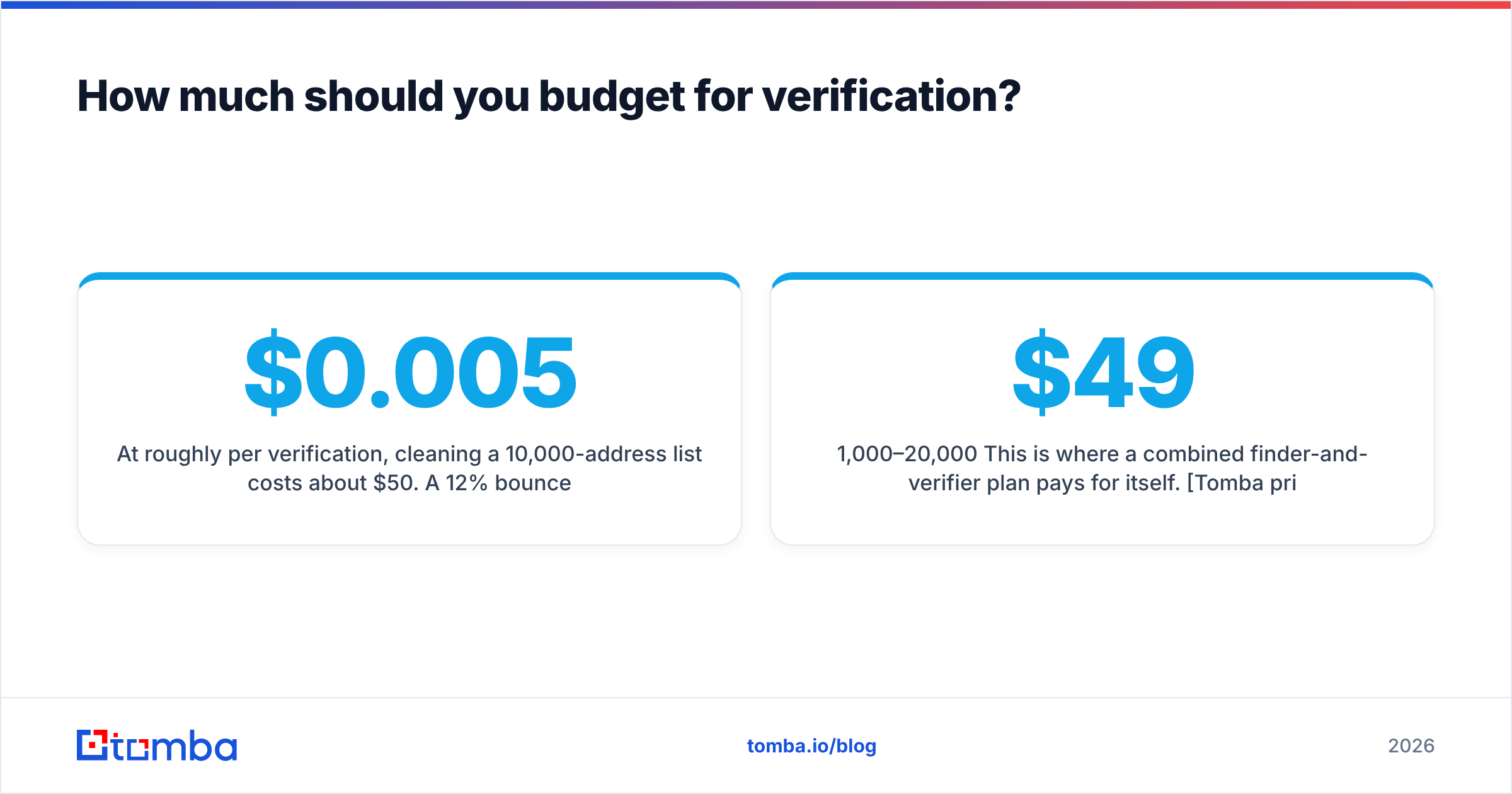
At roughly $0.005 per verification, cleaning a 10,000-address list costs about $50. A 12% bounce rate on that same list means 1,200 hard bounces, a throttled sending domain, and — if you're running a multi-touch sequence — several days of an SDR's pipeline evaporating. The verification is rounding error by comparison.
Practical guidance by volume:
- Under 1,000 addresses/month. A free tier plus occasional pay-as-you-go credits is enough. Don't buy a subscription yet.
- 1,000–20,000/month. This is where a combined finder-and-verifier plan pays for itself. Tomba pricing starts at $49/mo for Starter and $99/mo for Growth, which covers both motions rather than one.
- 20,000+/month. Negotiate. Every vendor in this category discounts at volume, and pure verifiers will often undercut platforms on raw per-credit rate — worth splitting your stack if verification alone is the bulk of your spend.
Watch for two pricing traps: credits that expire monthly (common on subscriptions, rare on pay-as-you-go), and whether "unknown" results consume a credit. Some tools charge for a non-answer. Ask before you commit.
Getting started#
If your bounce rate is above 3%, verification is the first fix — before new copy, before new sequences, before a new domain. Run a control test on 400 addresses across two vendors, compare the results against outcomes you already know, and pick based on your own data instead of anyone's accuracy badge.
If you'd rather stop paying for two tools, start with the Tomba Email Finder. It finds addresses by domain, name, or company and verifies them in the same run, so the list your SDRs load into sequence on Monday is already clean. The free tier gives you 25 searches a month with no card — enough to run the control test described above and see how the results hold up against your own bounce data.
Related guides#
Ready to find emails that actually work?
Join 150,000+ professionals who stopped guessing and started sending. Free credits on signup — no credit card required.
Get the Tomba newsletter
Practical outbound tactics and product updates — once every two weeks.
About the author