Emailable vs FindThatLead: Which Email Tool Wins in 2026?
Emailable verifies emails. FindThatLead finds them. Comparing them head-to-head only makes sense once you know which half of the problem you actually have — here's the honest breakdown on accuracy, credits, and cost.
TL;DR
- Emailable and FindThatLead solve different halves of the same problem: Emailable is a verification engine, FindThatLead is a prospecting and outreach suite. Comparing them as direct rivals is a category error most listicles make.
- If your list already exists and bounces are the problem, Emailable wins. If you have no list yet, Emailable can't help you and FindThatLead can.
- FindThatLead bundles finding, verification, and cold-email sending — but each layer is shallower than a dedicated tool, and its verification is the weakest link.
- Credit models differ sharply: Emailable is largely pay-as-you-go per verification; FindThatLead meters monthly credits across search, enrichment, and sending, so heavy prospecting drains your sending budget.
- Running both means two subscriptions and two credit pools. A single find-plus-verify platform is usually cheaper — that's the case we make for Tomba at the end, with the numbers to check it.
What are Emailable and FindThatLead?#
Start with what each company actually built, because the marketing pages blur it.
Emailable is an email verification service. You upload a list — or hit the API — and it tells you whether each address is deliverable, undeliverable, risky, or unknown. It does SMTP checks, syntax and MX validation, role-account detection, disposable-domain detection, and catch-all scoring. It does not find email addresses. There is no prospect database, no "give me the CMO at Acme" search.
FindThatLead is a lead-generation suite from Spain. It finds email addresses from a name plus domain, scrapes prospects by domain or LinkedIn, enriches them, runs a basic verification pass, and sends cold email sequences through its Scrab.in and email-sender modules. It is broad rather than deep.
So the real question behind "emailable vs findthatlead" is not which product is better. It's which stage of the pipeline is currently costing you money.
Which problem are you actually solving?#
Run through this before you compare a single price point.
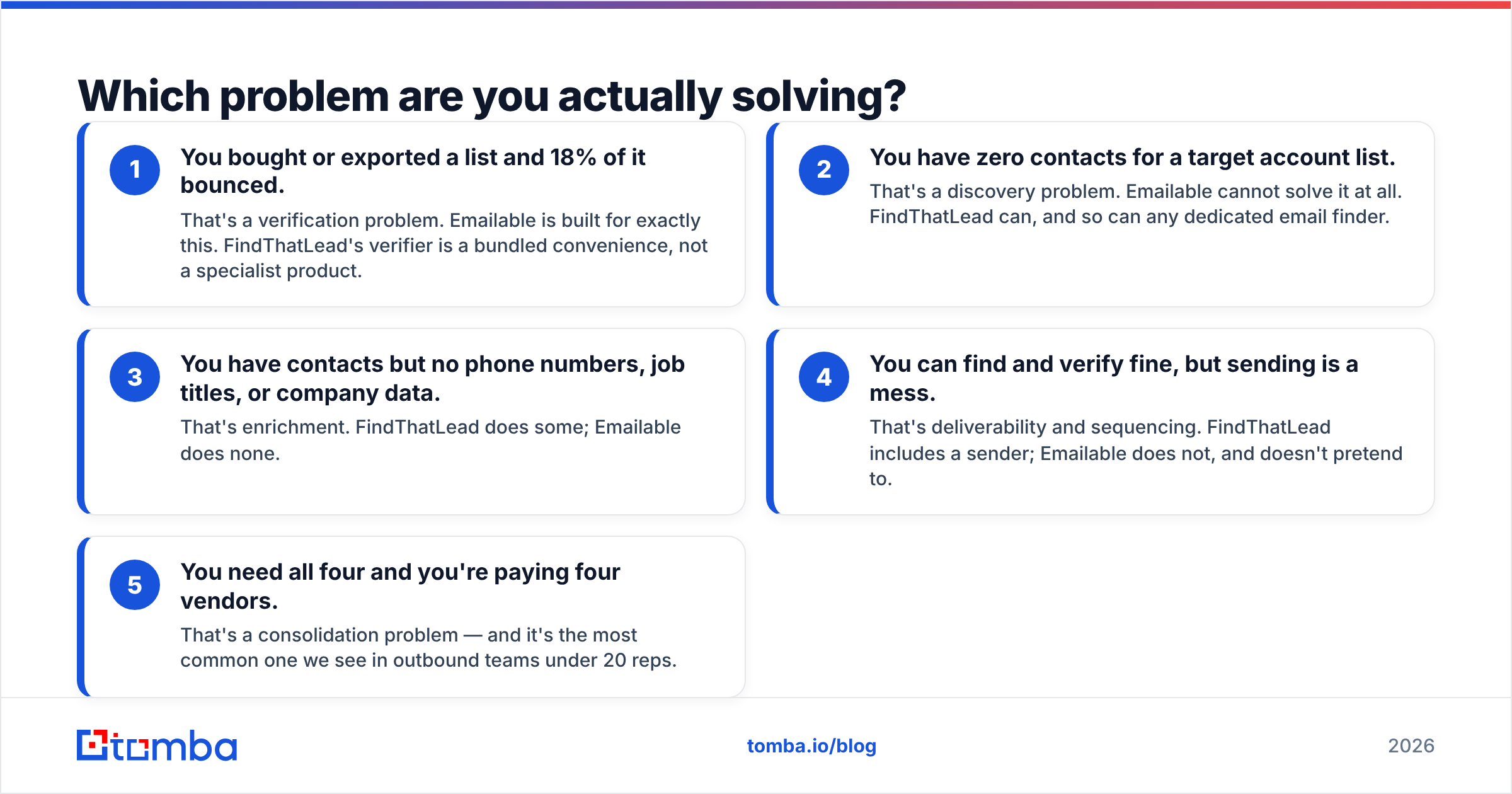
- You bought or exported a list and 18% of it bounced. That's a verification problem. Emailable is built for exactly this. FindThatLead's verifier is a bundled convenience, not a specialist product.
- You have zero contacts for a target account list. That's a discovery problem. Emailable cannot solve it at all. FindThatLead can, and so can any dedicated email finder.
- You have contacts but no phone numbers, job titles, or company data. That's enrichment. FindThatLead does some; Emailable does none.
- You can find and verify fine, but sending is a mess. That's deliverability and sequencing. FindThatLead includes a sender; Emailable does not, and doesn't pretend to.
- You need all four and you're paying four vendors. That's a consolidation problem — and it's the most common one we see in outbound teams under 20 reps.
Most teams discover they're in bucket 5 about six months into building an outbound motion. Each tool was a reasonable purchase in isolation; together they cost more than the pipeline they generate.
How do Emailable and FindThatLead compare feature by feature?#
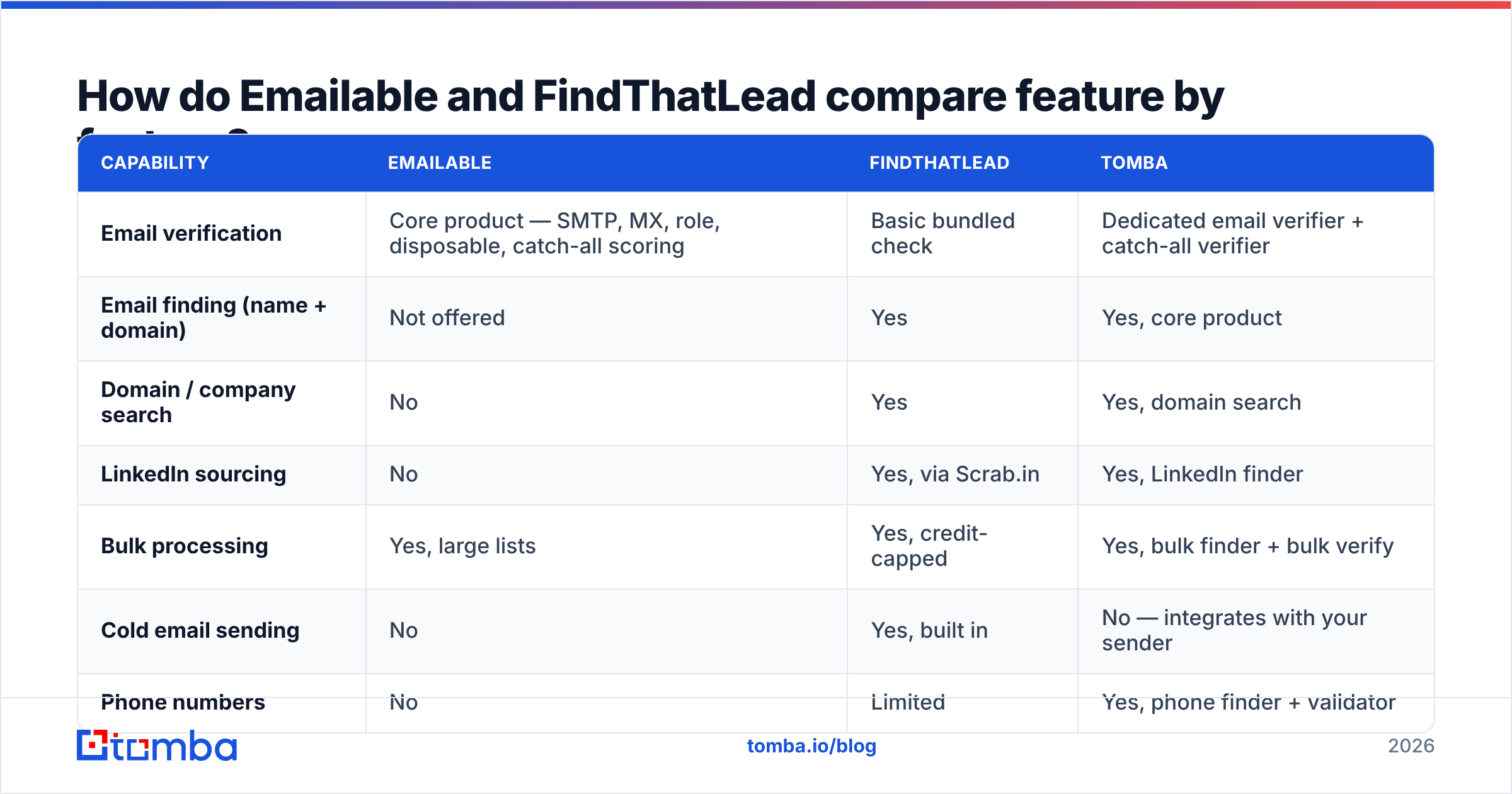
Here is the head-to-head, with Tomba included as the consolidation option since that's the third path most buyers end up evaluating.
| Capability | Emailable | FindThatLead | Tomba |
|---|---|---|---|
| Email verification | Core product — SMTP, MX, role, disposable, catch-all scoring | Basic bundled check | Dedicated email verifier + catch-all verifier |
| Email finding (name + domain) | Not offered | Yes | Yes, core product |
| Domain / company search | No | Yes | Yes, domain search |
| LinkedIn sourcing | No | Yes, via Scrab.in | Yes, LinkedIn finder |
| Bulk processing | Yes, large lists | Yes, credit-capped | Yes, bulk finder + bulk verify |
| Cold email sending | No | Yes, built in | No — integrates with your sender |
| Phone numbers | No | Limited | Yes, phone finder + validator |
| API | Yes, well documented | Yes | Yes, email finder API |
| Free tier | Trial credits | Limited free plan | 25 searches/mo, free forever |
| Entry paid price | Pay-as-you-go, from roughly $30 per 5,000 verifications | Around $49/mo entry tier | $49/mo Starter |
| Best for | Cleaning existing lists at scale | Solo founders wanting one bill | Teams that need find + verify accuracy |
Pricing on all three moves. Treat the numbers above as directional and check the vendor pages before you buy — Emailable in particular shifts between pay-as-you-go and subscription pricing depending on volume, and FindThatLead has historically run aggressive annual discounts that make the sticker price misleading.

Is Emailable more accurate than FindThatLead?#
For verification specifically, yes — and it isn't close.
Emailable does one thing, which means its whole engineering budget goes into the hard parts of verification: distinguishing a genuine catch-all from a greylisting server, handling providers that always return 250 OK, throttling SMTP probes so target servers don't blacklist the checking IPs, and keeping the "unknown" bucket small. FindThatLead's verifier exists so you don't send obviously dead addresses straight out of the finder. That's useful, but it's a seatbelt, not a crash-test program.
Where the comparison flips is finding accuracy. FindThatLead generates candidate addresses from name-plus-domain patterns and confirms what it can. That approach works well for companies with a consistent, guessable format and degrades fast for anything else — subsidiaries, rebrands, agencies with mixed formats, companies on catch-all domains. Emailable has no finding accuracy to measure, because it has no finder.

Two practical notes on reading any accuracy claim, including ours:
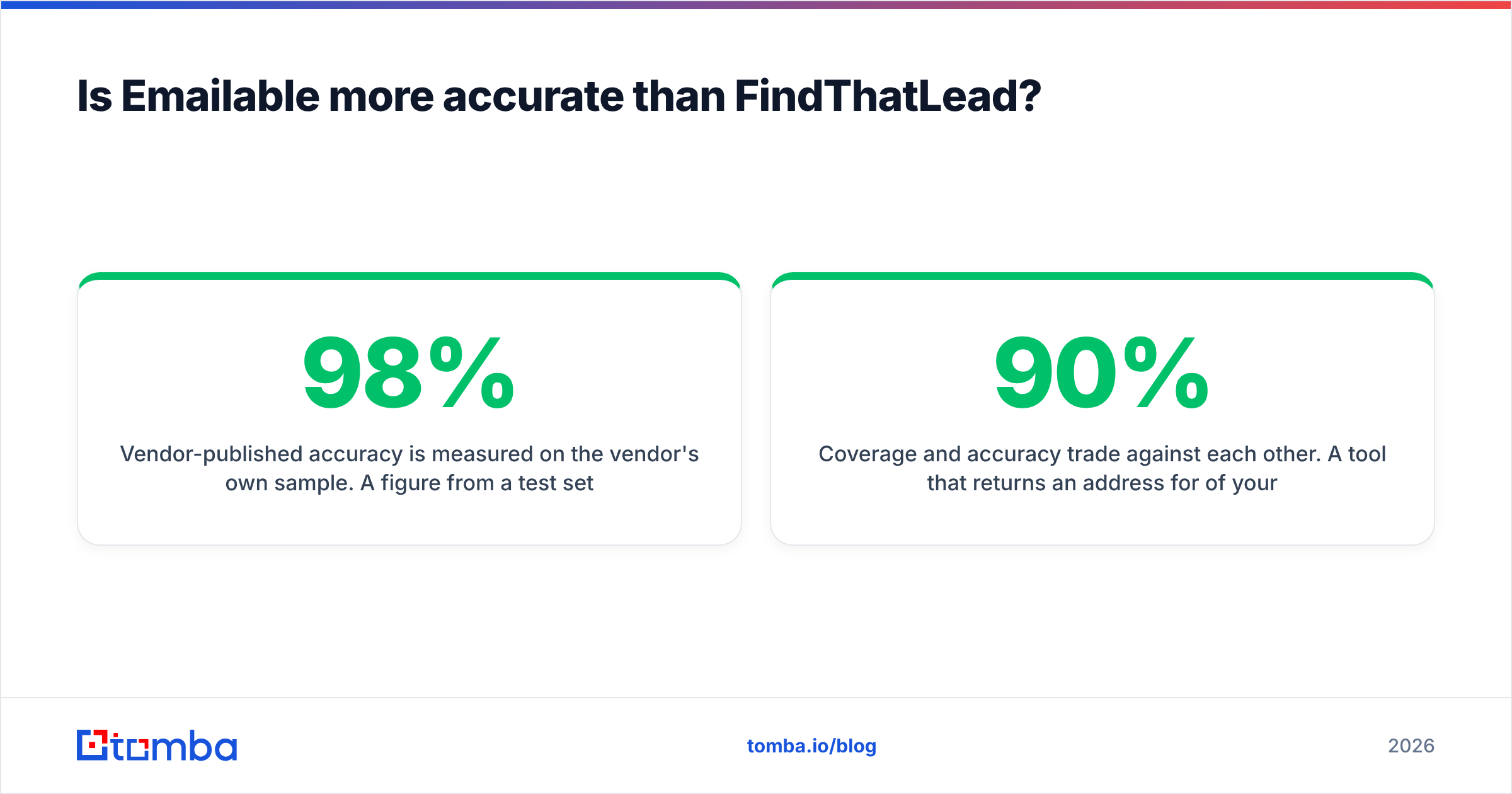
Vendor-published accuracy is measured on the vendor's own sample. A 98% figure from a test set of Fortune-500 domains with obvious formats says nothing about your list of 400 German Mittelstand manufacturers. Run your own 100-row bake-off with addresses you can independently confirm.
Coverage and accuracy trade against each other. A tool that returns an address for 90% of your inputs and is right 80% of the time is worse than one that returns 55% and is right 97% — the second one wastes fewer sends and does less damage to your domain. Ask for both numbers, never just one.
Catch-all domains are where tools separate. Roughly a fifth of B2B domains accept everything at the SMTP layer, so a naive check returns "valid" for every made-up address. Emailable scores these honestly as risky. FindThatLead often passes them through. If catch-alls are a big share of your target market, look specifically at catch-all verification capability rather than headline accuracy.
How do the pricing models actually behave?#
The sticker price matters less than how each vendor meters usage.
Emailable's pay-as-you-go structure suits lumpy work. You inherit a 40,000-row list from a trade show, buy the credits, verify it, and stop paying. Nothing expires into the void if you don't run a campaign for two months. For teams that clean lists quarterly rather than continuously, this is the cheapest model in the category.
FindThatLead's monthly credit pool suits continuous work but creates a hidden coupling: search, enrichment, and verification all draw from the same bucket. A rep who spends an afternoon exploring accounts can consume credits that were budgeted for sending. Nobody notices until the credits run out mid-sequence.

Two more cost lines that never appear on a pricing page:
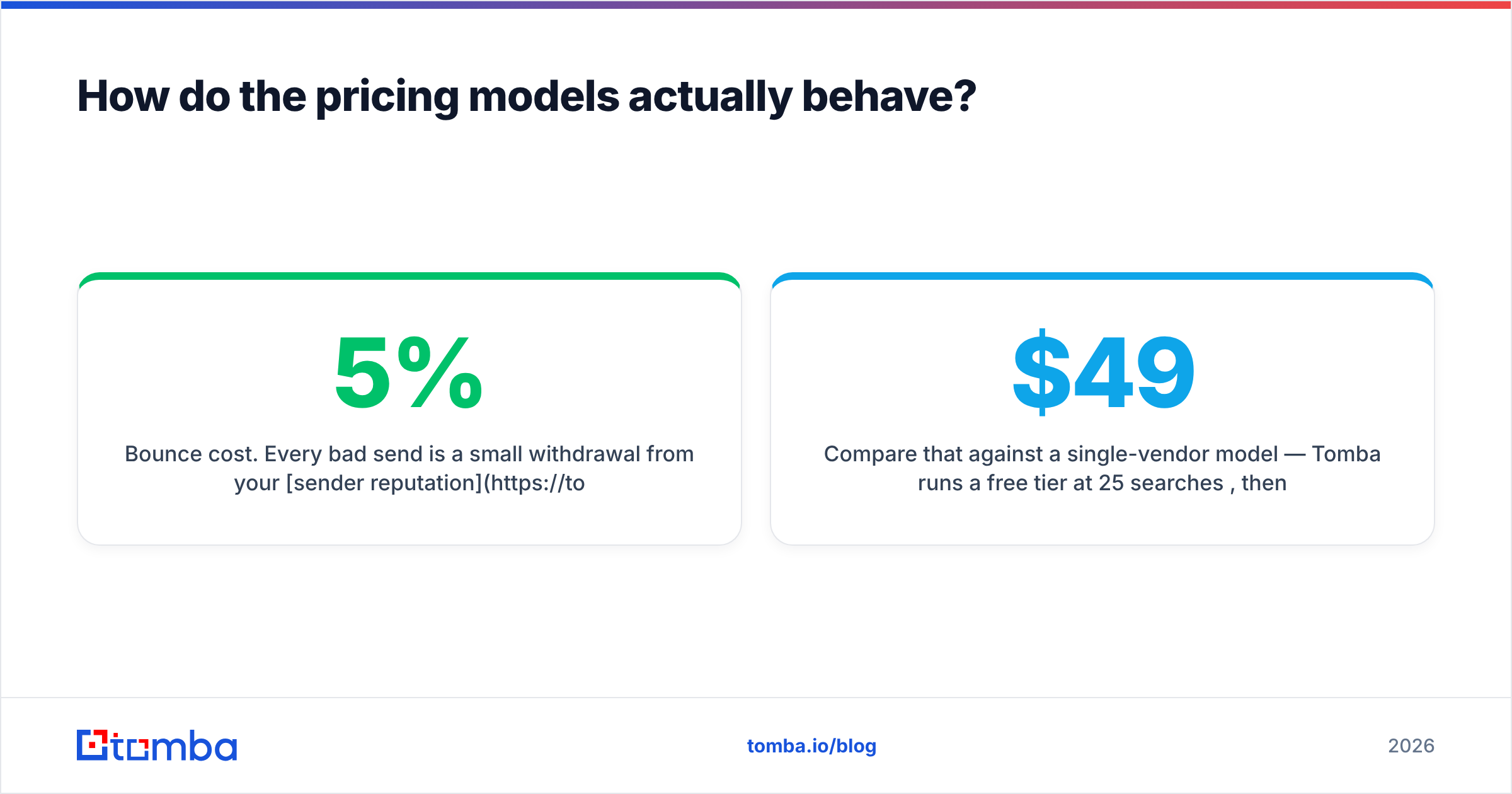
- Bounce cost. Every bad send is a small withdrawal from your sender reputation. At 5% bounce rate on a shared domain you'll see inbox placement drop within weeks. Verification isn't a line item, it's insurance on the whole channel.
- Duplicate spend. If you run FindThatLead for finding and Emailable for verifying, you're paying for FindThatLead's verifier and not using it. That's fine at small volume and irrational at scale.
Compare that against a single-vendor model — Tomba runs a free tier at 25 searches/month, then $49/mo Starter, $99/mo Growth, $249/mo Pro, with Enterprise custom. Full Tomba pricing breaks down what each tier includes across finder, verifier, enrichment, and API calls. The point isn't that one number beats another; it's that one credit pool covering both find and verify is easier to forecast than two.
Who should choose which?#
Choose Emailable if: your list acquisition is already solved — you buy data, export from a CRM, or run inbound at volume — and your problem is purely hygiene. You want the strongest possible signal on a list you already own, you process in bursts, and you don't want a subscription sitting idle. Emailable's API and documentation are genuinely good, which matters if verification is a step inside a product rather than a task in a workflow.
Choose FindThatLead if: you're a solo founder or two-person team, you want one bill and one login, and "good enough at four things" beats "excellent at one." The bundled sender is real value if you'd otherwise pay separately for a sequencer. Accept that each module is mid-tier, and plan to graduate out of at least one of them within a year.
Choose a consolidated finder-plus-verifier if: you're a real outbound team, discovery and hygiene are both continuous, and you already have a sending tool you like. This is the largest segment and the one both products fit awkwardly — Emailable is half the pipeline, FindThatLead is all of it at reduced depth.
There's a fourth path worth naming: buying a curated list outright. Providers like BookYourData sell pre-verified B2B contacts, which can be a sensible shortcut when you need volume in a defined segment and don't want to build a sourcing motion. It's a different purchase than a tool subscription — you're buying an asset, not a capability — but for one-off campaigns it often works out cheaper than either option here. Independent review volume on G2 is a reasonable sanity check across all four categories before you commit.
What does the consolidated stack look like in practice?#
If you go the single-platform route, the workflow collapses to four steps:
- Source the account list. Domain search returns every discoverable address on a company domain, so you start from what exists rather than guessing who to look for.
- Find the specific people. Name plus domain for known targets; LinkedIn finder or pattern lookup for the rest. Anything the tool can't confirm should come back as "not found," not as a guess.
- Verify before export, not after. Verification at find-time is one credit spent to save a bounce, not a second pass over a file you've already imported into your CRM.
- Enrich and push. Data enrichment fills titles, company size, and phone numbers, then the integration layer drops the record into HubSpot, Pipedrive, or a Google Sheet.
The measurable win isn't accuracy on any single lookup — it's that the file you export is already clean, so nobody spends Friday afternoon reconciling two CSVs from two vendors.
Frequently asked questions#
Can Emailable find email addresses? No. It verifies addresses you already have. Any list claiming Emailable as an "email finder" is wrong.
Is FindThatLead's verification good enough to skip a dedicated verifier? For low-volume sending to easy domains, usually yes. For anything above a few thousand sends a month, or in markets heavy with catch-all domains, no — run a real verification pass.
Do I need both tools? Only if you're committed to FindThatLead's sender and unwilling to trust its verifier. Otherwise it's two bills for one outcome.
Which is cheaper? Depends entirely on volume shape. Bursty verification work is cheapest on Emailable's pay-as-you-go. Continuous find-and-send is cheapest on a single subscription — whichever vendor's.
What actually reduces bounce rate the most? Not sending to addresses you couldn't confirm. That sounds trivial and it's the step most teams skip because a "risky" flag feels like a maybe rather than a no.
The bottom line#
Emailable and FindThatLead aren't competitors so much as neighbors. Emailable is the better verifier by a clear margin and cannot source a single lead. FindThatLead sources leads and sends campaigns, with verification that's adequate rather than strong. Pick based on which half of your pipeline is leaking.
If both halves are leaking — you need addresses and you need them clean — a combined platform removes the seam. The Tomba Email Finder does discovery by domain, name, or LinkedIn profile, and every result runs through verification before it reaches your export, so the file that lands in your CRM is one you can send to. Start on the free tier at 25 searches a month, test it against whichever tool you're using now on the same 100 target accounts, and let the bounce rate decide.
Related guides#
Ready to find emails that actually work?
Join 150,000+ professionals who stopped guessing and started sending. Free credits on signup — no credit card required.
Get the Tomba newsletter
Practical outbound tactics and product updates — once every two weeks.
About the author