Emailchaser vs LeadGenius: Which Lead Tool Wins in 2026?
One is a $20-a-month self-serve cold email tool. The other is a managed research team with an annual contract. Here is which one actually fits your pipeline in 2026 — and when a cheaper API beats both.
TL;DR
- Emailchaser is a low-cost, self-serve cold email tool: it finds emails, verifies them, and sends the sequences. One vendor, one dashboard, credit-card checkout.
- LeadGenius is the opposite model: a managed data operation that researches accounts and contacts to your spec, delivers custom fields no database has, and sells on an annual contract with a quote.
- They barely compete. If your question is "which one do I buy," you are really asking "do I need cheap volume or bespoke research?"
- Price gap is roughly two orders of magnitude. Emailchaser is tens of dollars a month; LeadGenius is a procurement conversation.
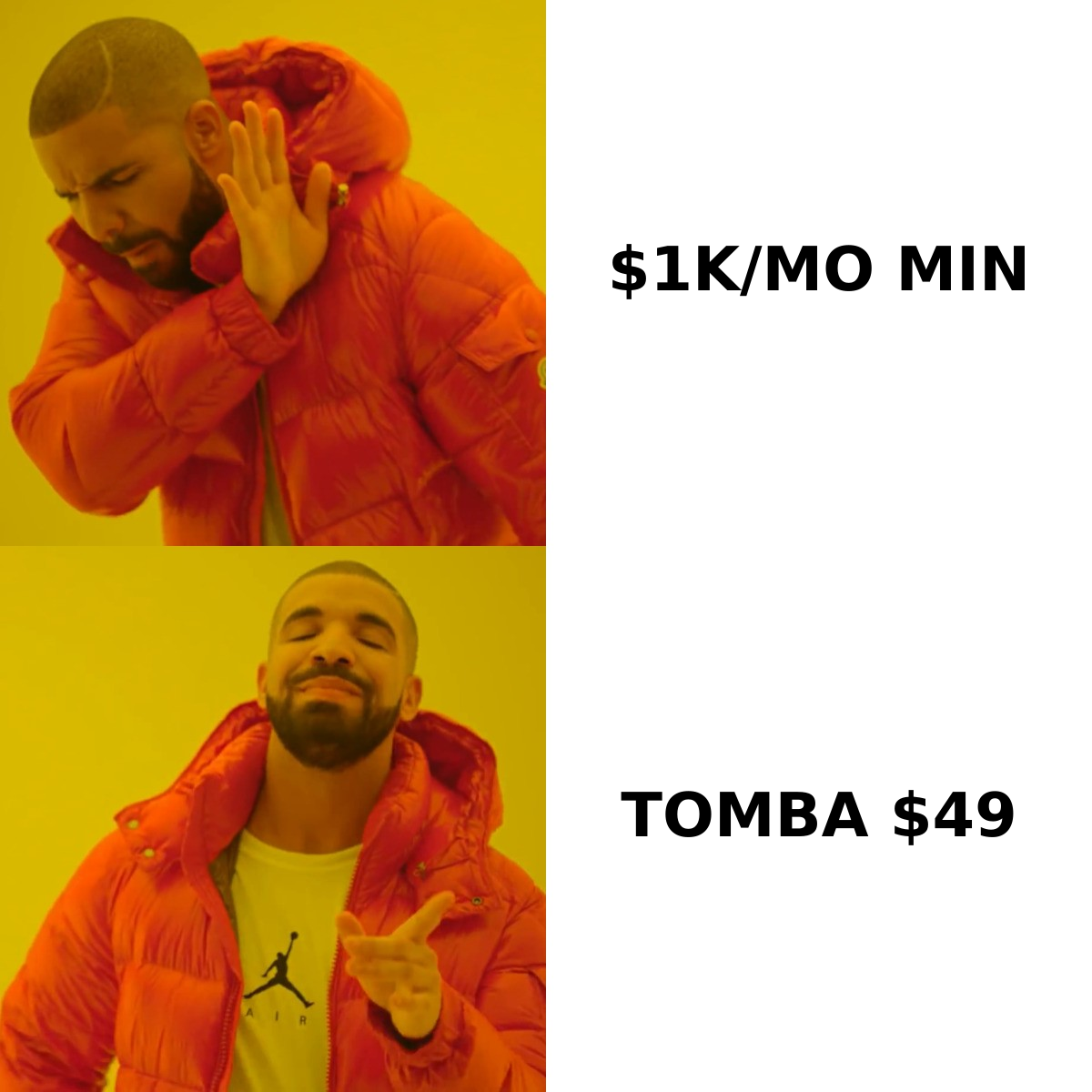
- If you want database-grade coverage plus verification without either the sending layer or the annual contract, an API-first email finder (Tomba starts free, then $49/mo) is the third door most teams should check first.
What are Emailchaser and LeadGenius, actually?#
They solve different halves of the same problem, which is why the comparison is worth making.
Emailchaser is a cold outreach platform aimed at small teams, agencies, and solo founders. Its pitch is bundling: an email finder, verification, unlimited-ish sending across connected mailboxes, follow-up sequences, and reply detection in a single cheap subscription. You paste a domain and a name, you get an address, you drop it into a sequence, and the tool chases the reply. Hence the name.
LeadGenius is a managed B2B data provider. You do not "search" LeadGenius the way you search a database. You brief a team — accounts that match this ICP, contacts holding this responsibility, plus custom attributes like "uses Shopify Plus," "has an open SDR req," or "opened a second warehouse in EMEA" — and human researchers plus automation assemble and refresh that list into your CRM. It is closer to a research subscription than to a tool.
The practical split:
- Emailchaser optimizes for cost per send. Cheap, fast, DIY, opinionated about outreach workflow.
- LeadGenius optimizes for cost per qualified account. Expensive, slow to onboard, unmatched on custom fields.
- Neither is a general-purpose contact API. Emailchaser's finder is a feature of the sender; LeadGenius delivers files and CRM syncs, not high-volume real-time lookups.
- Only one of them will pass procurement in a week. That matters more than feature parity for most buyers.
- Only one of them will survive a 50,000-row enrichment job. Also not the same one.
How do Emailchaser and LeadGenius compare on price?#
This is where the decision usually gets made, so start here.
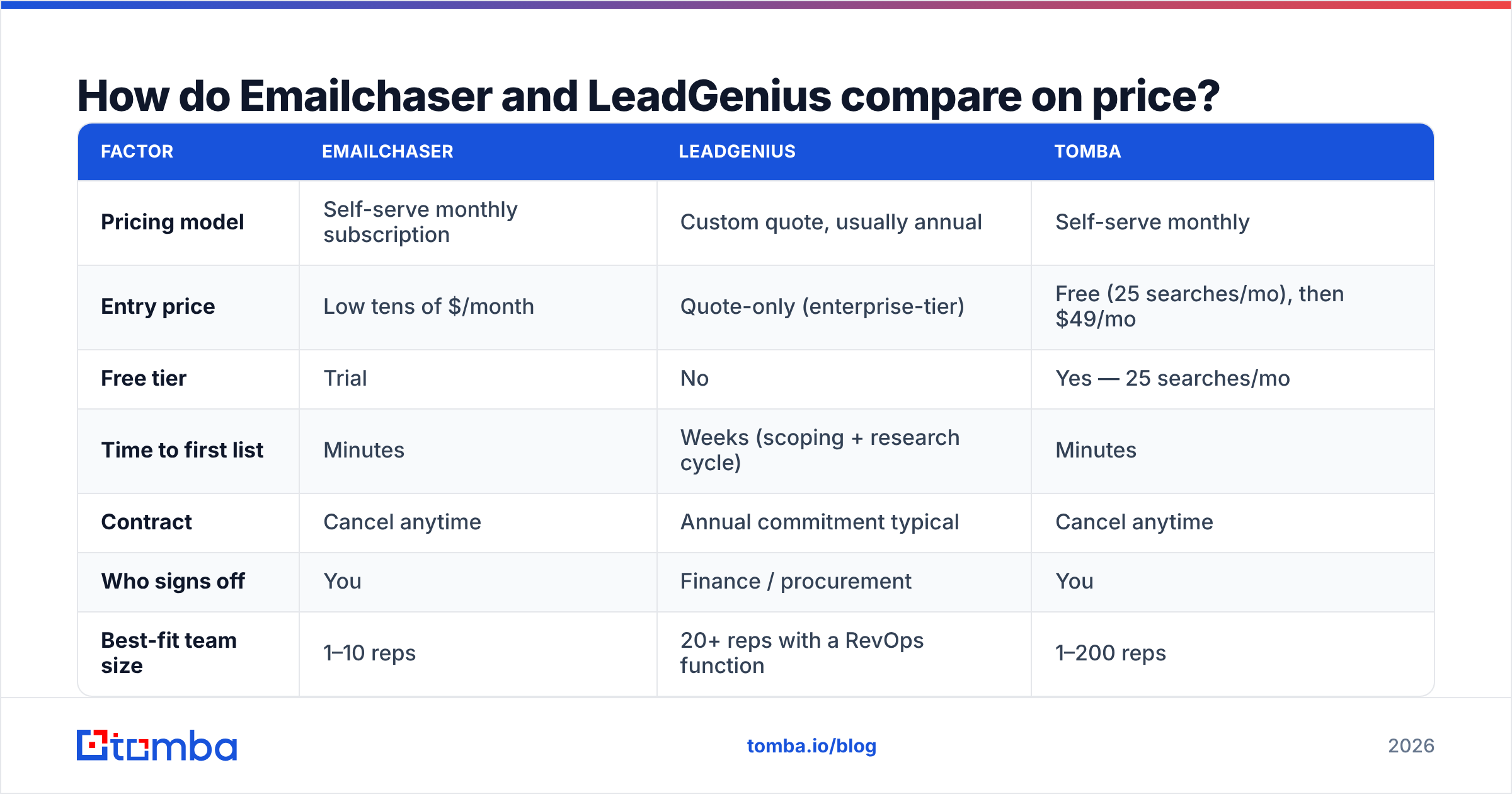
Emailchaser publishes self-serve pricing in the low tens of dollars per month, scaling with mailboxes and finder credits — the kind of number you approve yourself. LeadGenius does not publish pricing at all; it is quote-only, typically an annual commitment sized to the number of accounts and custom fields you need researched. Public buyer reviews on G2 consistently describe LeadGenius as an enterprise line item, not a tool spend. Always pull live numbers from each vendor's own pricing page before you budget — both change.
| Factor | Emailchaser | LeadGenius | Tomba |
|---|---|---|---|
| Pricing model | Self-serve monthly subscription | Custom quote, usually annual | Self-serve monthly |
| Entry price | Low tens of $/month | Quote-only (enterprise-tier) | Free (25 searches/mo), then $49/mo |
| Free tier | Trial | No | Yes — 25 searches/mo |
| Time to first list | Minutes | Weeks (scoping + research cycle) | Minutes |
| Contract | Cancel anytime | Annual commitment typical | Cancel anytime |
| Who signs off | You | Finance / procurement | You |
| Best-fit team size | 1–10 reps | 20+ reps with a RevOps function | 1–200 reps |
The gap is not a rounding error. You can run Emailchaser for a year for less than a single month of a managed research program. That does not make LeadGenius overpriced — bespoke research on 4,000 accounts costs what it costs — but it does mean the two rarely appear on the same shortlist honestly. If they are both on yours, one of them is there for the wrong reason.
Which one gives you more accurate email addresses?#
Different failure modes, so "more accurate" needs unpacking.
Emailchaser's finder is pattern-plus-verification: infer the format from the domain, generate candidates, validate at the SMTP layer, return the survivor. That works well on mid-market domains with predictable formats and degrades on catch-all domains, on enterprise domains with mixed conventions, and on any company that hides behind a security gateway. Because the finder exists to feed the sender, its coverage ceiling is lower than a dedicated data platform's — it is competent, not comprehensive.
LeadGenius's accuracy comes from a fundamentally different place: a human checked it. That is why its data survives on custom fields that no crawler can infer. The cost is throughput and freshness cadence — you get a researched list on a research schedule, not an answer in 200 milliseconds.

Two things to test before you trust either number:
- Run your own 100-row sample. Take 100 real target contacts you already know, feed them through, and count exact matches — not "found," but right. Vendor-published accuracy rates are measured on vendor-chosen samples.
- Check what happens on catch-all domains. Roughly a fifth of B2B domains accept everything, so a tool that reports every catch-all address as "valid" is inflating its score. A dedicated catch-all verifier is the honest way to handle them.
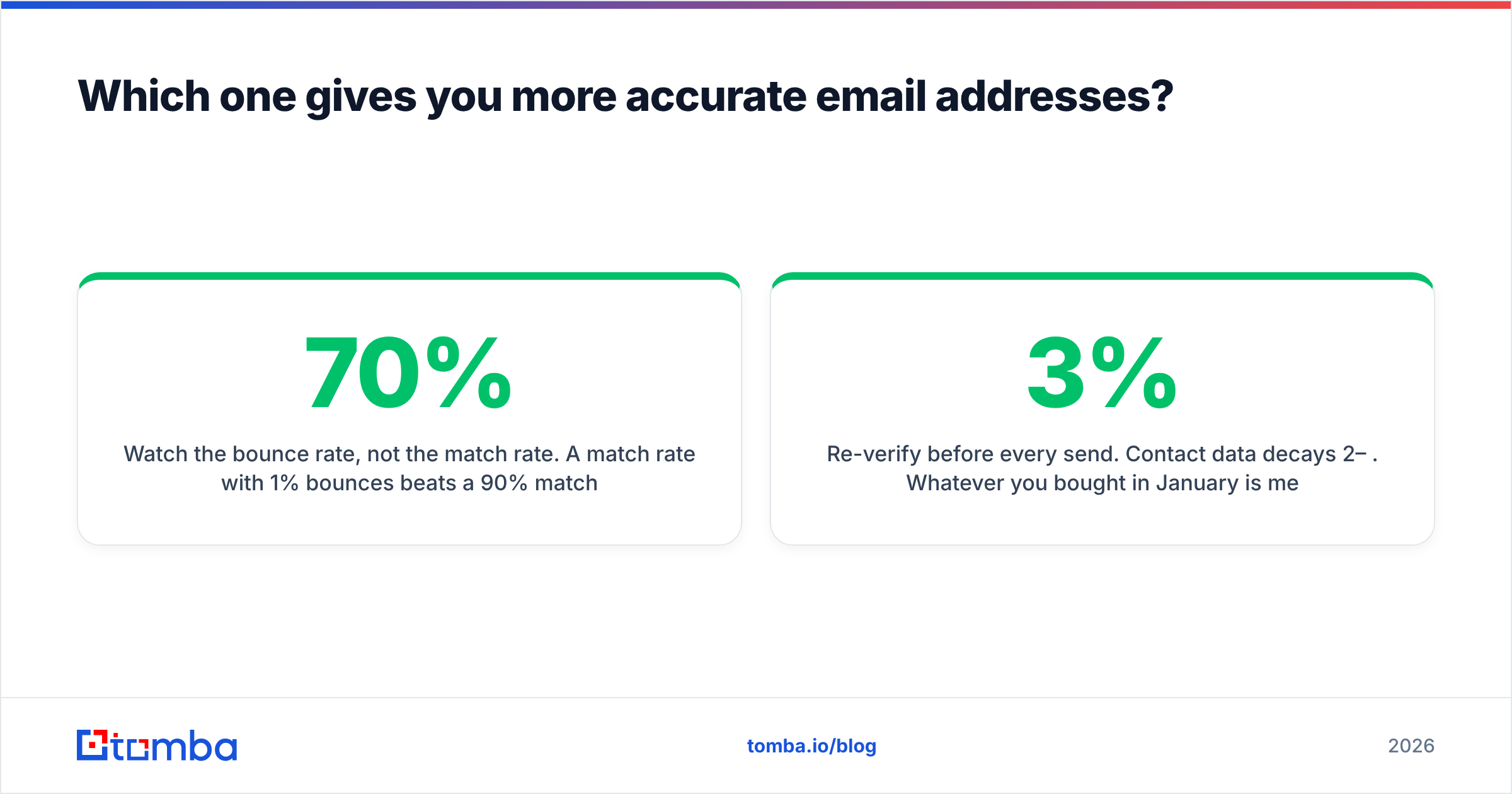
- Watch the bounce rate, not the match rate. A 70% match rate with 1% bounces beats a 90% match rate with 8% bounces. The second one costs you domain reputation.
- Re-verify before every send. Contact data decays 2–3% per month. Whatever you bought in January is measurably worse in June, which is why a standalone email verifier belongs in your stack regardless of which finder you pick.
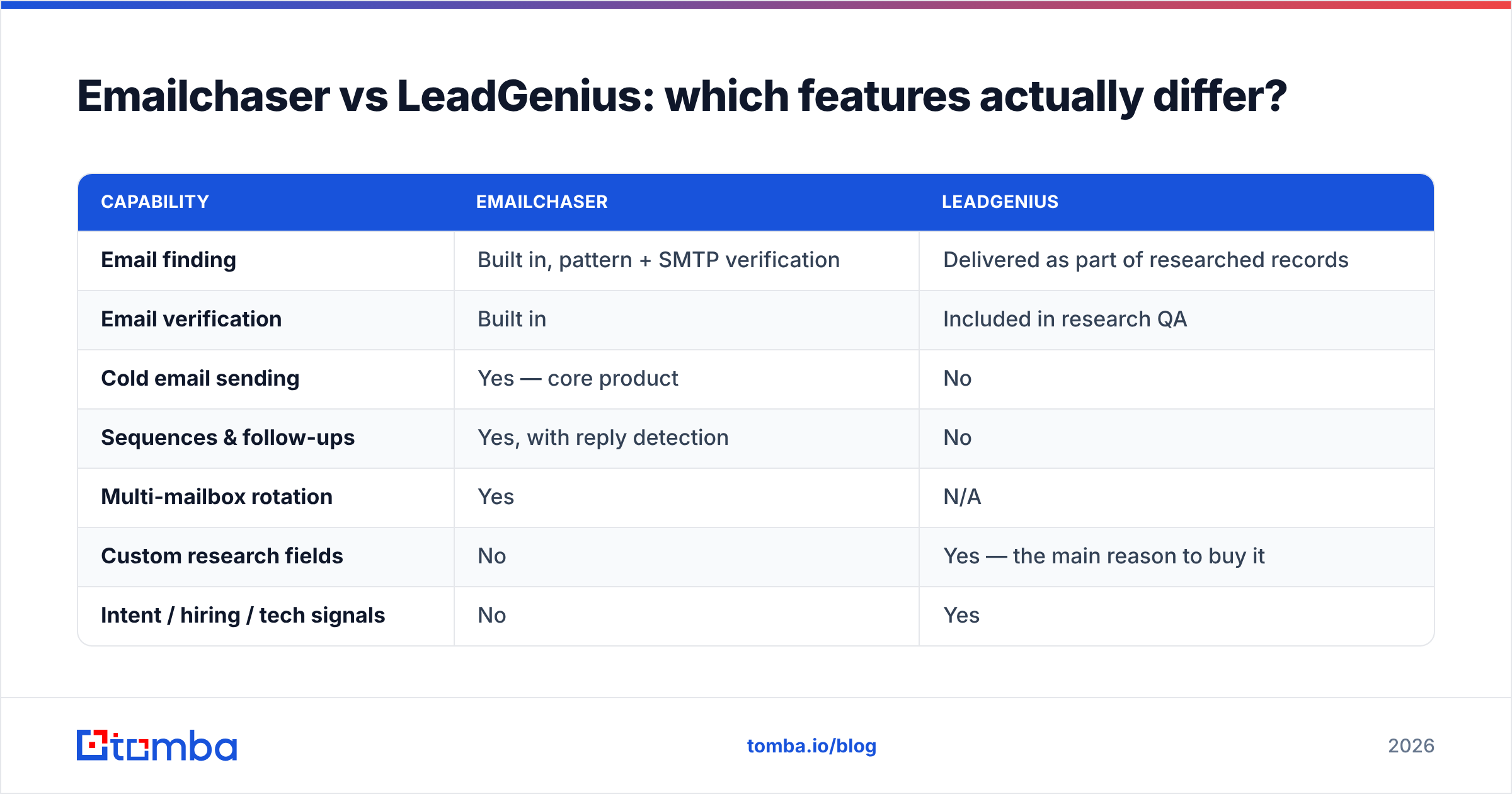
Emailchaser vs LeadGenius: which features actually differ?#
Here is the head-to-head on capability rather than price.

| Capability | Emailchaser | LeadGenius |
|---|---|---|
| Email finding | Built in, pattern + SMTP verification | Delivered as part of researched records |
| Email verification | Built in | Included in research QA |
| Cold email sending | Yes — core product | No |
| Sequences & follow-ups | Yes, with reply detection | No |
| Multi-mailbox rotation | Yes | N/A |
| Custom research fields | No | Yes — the main reason to buy it |
| Intent / hiring / tech signals | No | Yes |
| Bulk enrichment API | Limited | Via delivery pipelines, not real-time |
| CRM sync | Basic integrations | Deep, managed (Salesforce, HubSpot) |
| Phone numbers | No | Available on request |
| Onboarding effort | Under an hour | Scoping call + research cycle |
Read the two "no" columns carefully, because that is the whole story. Emailchaser cannot tell you which of your 3,000 target accounts just posted an SDR job. LeadGenius will not send your emails, write your follow-ups, or warm your mailboxes. Buying either one and expecting the other's job is the most common way these purchases go wrong.
If you need both halves — signal-rich targeting and a sending engine — you are looking at a two-tool stack no matter what. That reframes the budget question: a managed data contract plus a sequencer, or an email finder API plus a sequencer.
Who should choose Emailchaser?#
Buy Emailchaser if all of these are true:
- You are one to ten people doing outbound and nobody owns "data" as a job.
- Your ICP is definable by firmographics you can already list — industry, size, geography, job title. Nothing exotic.
- You want the finder and the sender in one bill, and you are fine with each being good rather than best-in-class.
- Your monthly volume is in the low thousands of contacts, not tens of thousands.
- You would rather start today than scope a project.
Skip it if you need real-time enrichment inside your product, if your targeting depends on non-firmographic signals, or if compliance requires documented data provenance for every record. Bundled tools trade depth for convenience — that is the deal, and at that price it is a fair one.

Who should choose LeadGenius?#
Buy LeadGenius if all of these are true:
- Your ICP cannot be expressed as a filter. "Mid-market logistics companies that added a second distribution center in the last 18 months" is a research brief, not a search query.
- You have enough pipeline value per account that four-figure monthly data spend is obviously rational.
- Someone owns revenue operations and can define fields, review deliveries, and keep the CRM schema honest.
- You are targeting hundreds or low thousands of accounts deeply, not hundreds of thousands broadly.
- Annual contracts are normal at your company.
Skip it if you are still testing whether a segment works. Managed research is the wrong instrument for discovery — it is what you buy after you know the ICP converts and you want to exhaust it properly.
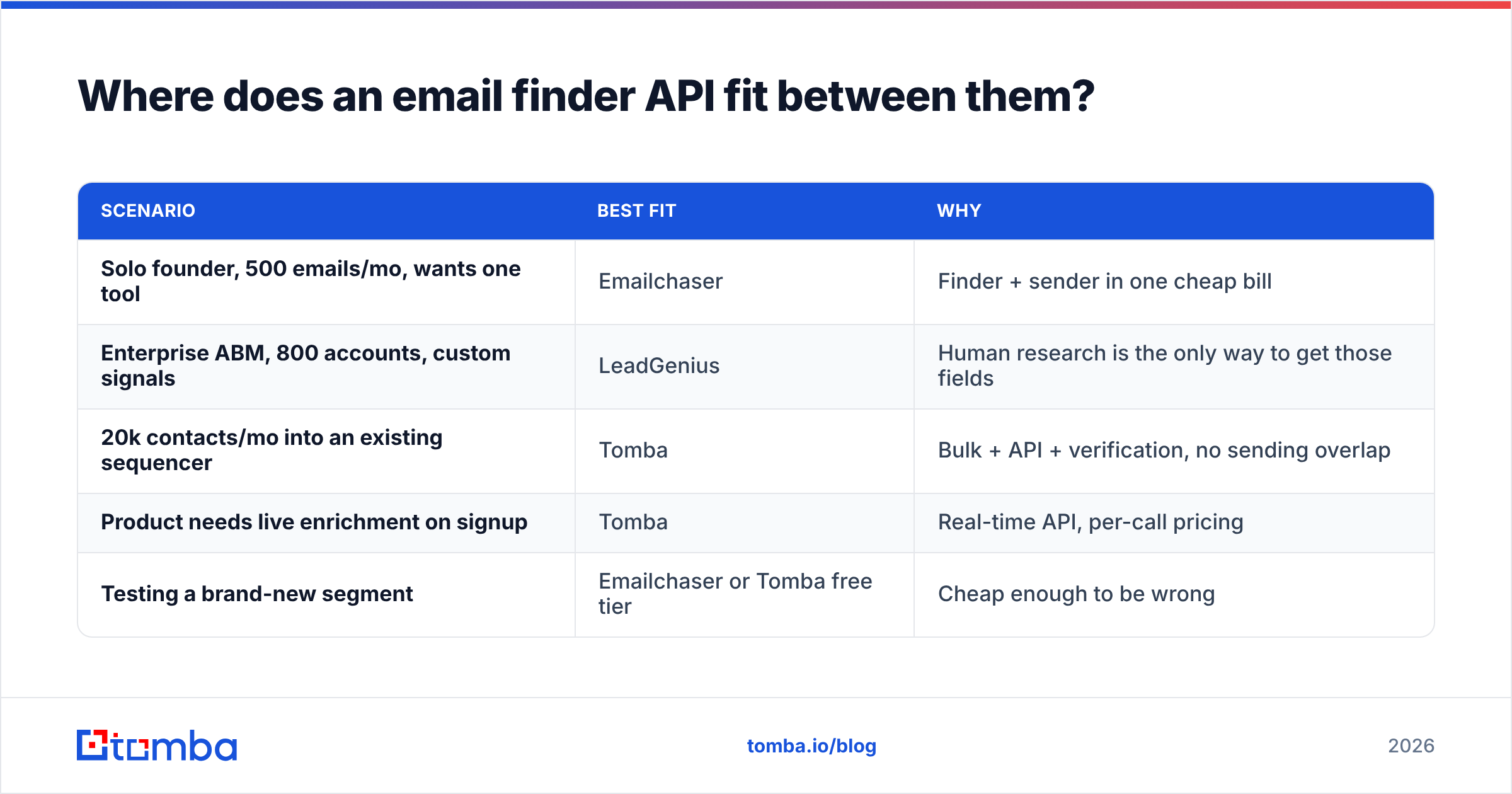
Where does an email finder API fit between them?#
Most teams land in the middle, and neither product serves the middle well.
The middle looks like this: you know your ICP well enough to filter it, you have more than a few thousand contacts to source, you already picked a sequencer you like, and you need addresses that are verified before they hit your mailbox. That is not a managed research problem, and it is bigger than a bundled sender's finder can carry.
That is the slot an API-first data tool fills. With Tomba you can run domain search to pull every discoverable address at a company, hit the bulk email finder for a CSV of 20,000 rows, verify the output, and push the clean list into whatever sequencer you already use. Tomba pricing starts free at 25 searches a month, then $49/mo on Starter, $99/mo on Growth, and $249/mo on Pro — self-serve, no annual lock-in.
| Scenario | Best fit | Why |
|---|---|---|
| Solo founder, 500 emails/mo, wants one tool | Emailchaser | Finder + sender in one cheap bill |
| Enterprise ABM, 800 accounts, custom signals | LeadGenius | Human research is the only way to get those fields |
| 20k contacts/mo into an existing sequencer | Tomba | Bulk + API + verification, no sending overlap |
| Product needs live enrichment on signup | Tomba | Real-time API, per-call pricing |
| Testing a brand-new segment | Emailchaser or Tomba free tier | Cheap enough to be wrong |
The honest framing: Emailchaser and LeadGenius are not really rivals. Emailchaser competes with other all-in-one senders. LeadGenius competes with other managed data providers and with hiring your own research contractor. Both compete, at the edges, with a plain data API plus the sequencer you already pay for — which is usually the cheapest path to the same outbound outcome.
What should you check before you sign either contract?#
Five questions, in order, and answer them in writing before a demo call:
- What is my monthly contact volume? Under 2,000 → bundled tool. Over 10,000 → API. Deep on a few hundred named accounts → managed research.
- Can I express my ICP as filters? If yes, you do not need humans researching it. If no, no amount of database coverage will save you.
- Do I already have a sender I like? If yes, do not buy another one inside a data tool. Overlapping subscriptions are how outbound budgets quietly double.
- Who re-verifies before send? Whatever you choose, a verification pass belongs between sourcing and sending. Check your sender reputation after the first 500 sends and again at 5,000.
- What is the exit cost? Monthly means you can be wrong cheaply. Annual means being wrong costs a year. Price that risk into the comparison.
Do those five and the choice usually makes itself before anyone shows you a slide deck.
The verdict#
Emailchaser wins on speed, price, and simplicity for small teams that need to be sending this week. LeadGenius wins when your targeting depends on facts that only a person can go find, and you have the budget and the operational maturity to use them. There is no scenario where both are genuinely on the shortlist — if they are, you have not yet decided whether you have a data problem or a sending problem.
And if your real problem is neither — you just need a lot of accurate, verified business emails, fast, without a contract or a sending layer you did not ask for — start with the Tomba Email Finder. The free tier gives you 25 searches a month to test accuracy against your own known contacts, Starter is $49/mo when you are ready to scale, and the API drops straight into the stack you already run. Test it on 100 contacts you can verify by hand, count the exact matches, and let the numbers pick your vendor.
Related guides#
Ready to find emails that actually work?
Join 150,000+ professionals who stopped guessing and started sending. Free credits on signup — no credit card required.
Get the Tomba newsletter
Practical outbound tactics and product updates — once every two weeks.
About the author