Emailchaser vs LeadIQ (2026): Which Tool Fits Your Team?
Emailchaser is a cheap cold-email sender with a bolt-on finder. LeadIQ is a LinkedIn-native prospecting layer for enterprise CRMs. Here's which one actually fits your motion — and when neither does.
TL;DR
- Emailchaser is a low-cost cold-email sending platform with an email-finder bolted on. It wins on price and simplicity for solo founders and small agencies running 1–3 inboxes.
- LeadIQ is a LinkedIn-native prospecting and contact-capture layer built for SDR teams that live inside Salesforce or HubSpot. It wins on CRM hygiene, sequence handoff, and team governance.
- These tools barely overlap. Emailchaser sends; LeadIQ sources. If you compare them head-to-head you're probably solving the wrong problem.
- Pricing gap is large: Emailchaser starts around $39/user/mo; LeadIQ's paid tiers start around $45/user/mo but land far higher once you add the Pro/Enterprise features most teams actually need.
- If what you really need is accurate contact data you can pipe anywhere — via API, Sheets, or bulk CSV — a dedicated finder like Tomba at $49/mo covers the data layer without locking you into either sending stack.
What are Emailchaser and LeadIQ, exactly?#
They sit at opposite ends of the outbound pipeline, which is why "Emailchaser vs LeadIQ" is a comparison most buyers get wrong on the first pass.
Emailchaser (emailchaser.com) is a cold-email platform. You connect Gmail or Outlook inboxes, build a sequence, upload a list, and it sends with automatic follow-ups that stop on reply. It layers in an email finder and verifier so you can go from a name plus domain to a send without a second vendor. The pitch is flat, cheap per-user pricing and an interface that doesn't require onboarding calls.
LeadIQ (leadiq.com) is a prospecting data platform. Its center of gravity is a Chrome extension that sits on LinkedIn Sales Navigator: you browse a lead list, click capture, and LeadIQ pushes the contact — email, mobile where available, company firmographics — straight into Salesforce, HubSpot, Outreach, or Salesloft with dedupe rules applied. It added AI email drafting (Scribe) and job-change tracking, but it is not a sending engine. You still need Outreach, Salesloft, Instantly, or similar downstream.
So: Emailchaser owns the send. LeadIQ owns the source and sync. The only genuine overlap is contact discovery, and even there the workflows are opposite — Emailchaser expects a domain and a name, LeadIQ expects a LinkedIn profile in front of you.

How do Emailchaser and LeadIQ compare on features and pricing?#
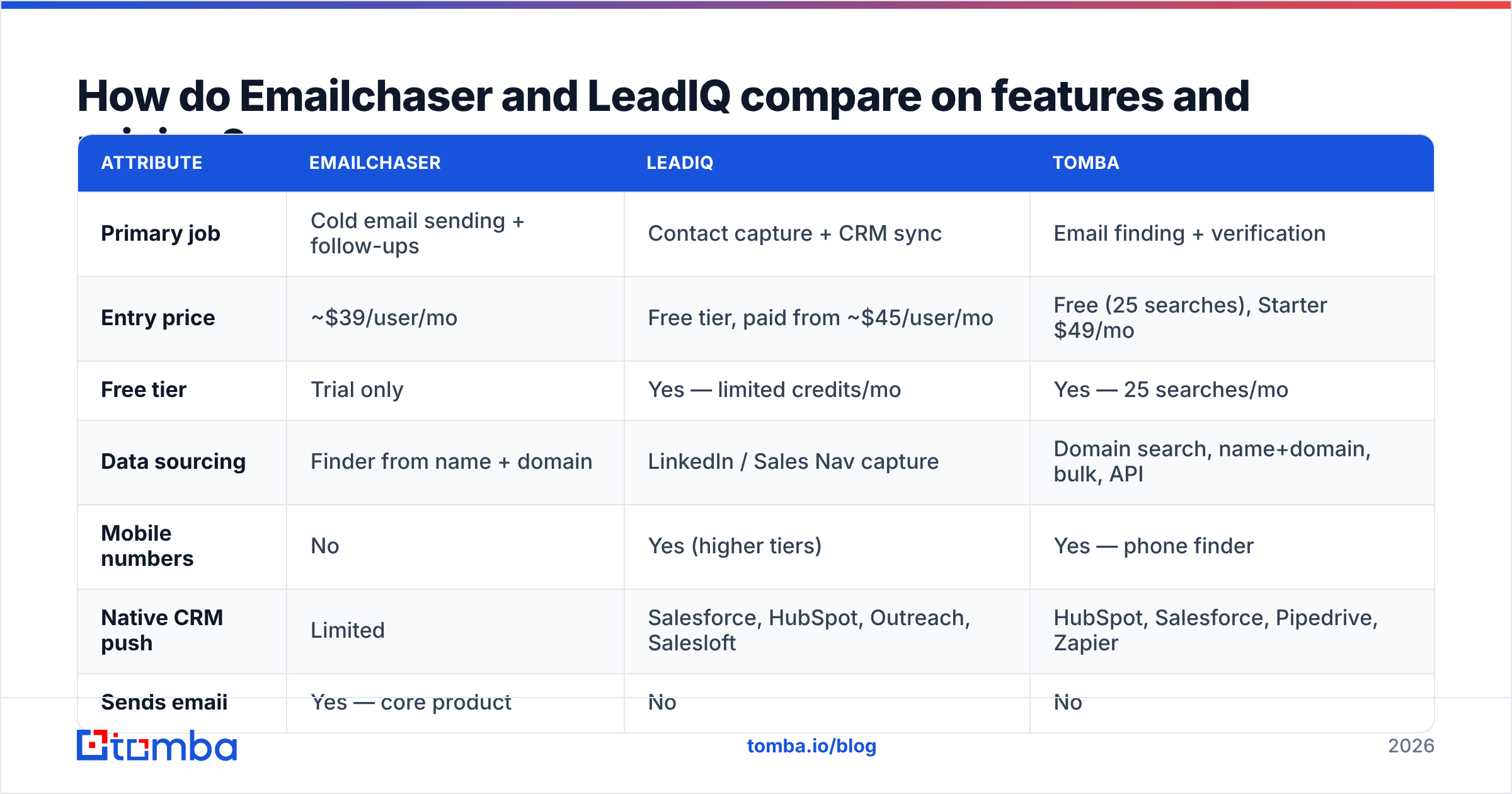
Here's the head-to-head on the attributes that actually change a buying decision. Vendor pricing moves — check both sites before you sign.
| Attribute | Emailchaser | LeadIQ | Tomba |
|---|---|---|---|
| Primary job | Cold email sending + follow-ups | Contact capture + CRM sync | Email finding + verification |
| Entry price | ~$39/user/mo | Free tier, paid from ~$45/user/mo | Free (25 searches), Starter $49/mo |
| Free tier | Trial only | Yes — limited credits/mo | Yes — 25 searches/mo |
| Data sourcing | Finder from name + domain | LinkedIn / Sales Nav capture | Domain search, name+domain, bulk, API |
| Mobile numbers | No | Yes (higher tiers) | Yes — phone finder |
| Native CRM push | Limited | Salesforce, HubSpot, Outreach, Salesloft | HubSpot, Salesforce, Pipedrive, Zapier |
| Sends email | Yes — core product | No | No |
| Catch-all handling | Basic verify | Not a focus | Dedicated catch-all verifier |
| API access | Limited | Yes (higher tiers) | Yes — all paid plans |
| Best for | Solo founders, small agencies | SDR teams inside a CRM | Data layer for any stack |
The pricing comparison is less clean than the table implies. Emailchaser's per-user number is close to your real bill — you add inboxes, not modules. LeadIQ's advertised entry price is a floor: mobile numbers, unlimited exports, advanced integrations, and SSO sit on higher tiers, and enterprise deals are quoted per seat with annual commitments. A 10-rep team budgeting from the entry price will be off by a wide margin.

Which one has better data accuracy?#
Different question for each tool, because they source differently.
LeadIQ's accuracy is strongest exactly where its workflow is: a real LinkedIn profile you are looking at. It resolves a person you have already visually confirmed — right company, right title, right seniority — so the identity match problem mostly disappears. What's left is whether the email pattern and mailbox are current. LeadIQ verifies at capture, and its job-change alerts are a genuine differentiator for keeping a CRM from rotting. Mobile-number coverage is real but uneven by geography; North American coverage outperforms EMEA and APAC by a wide margin, which is true of nearly every vendor in this space.
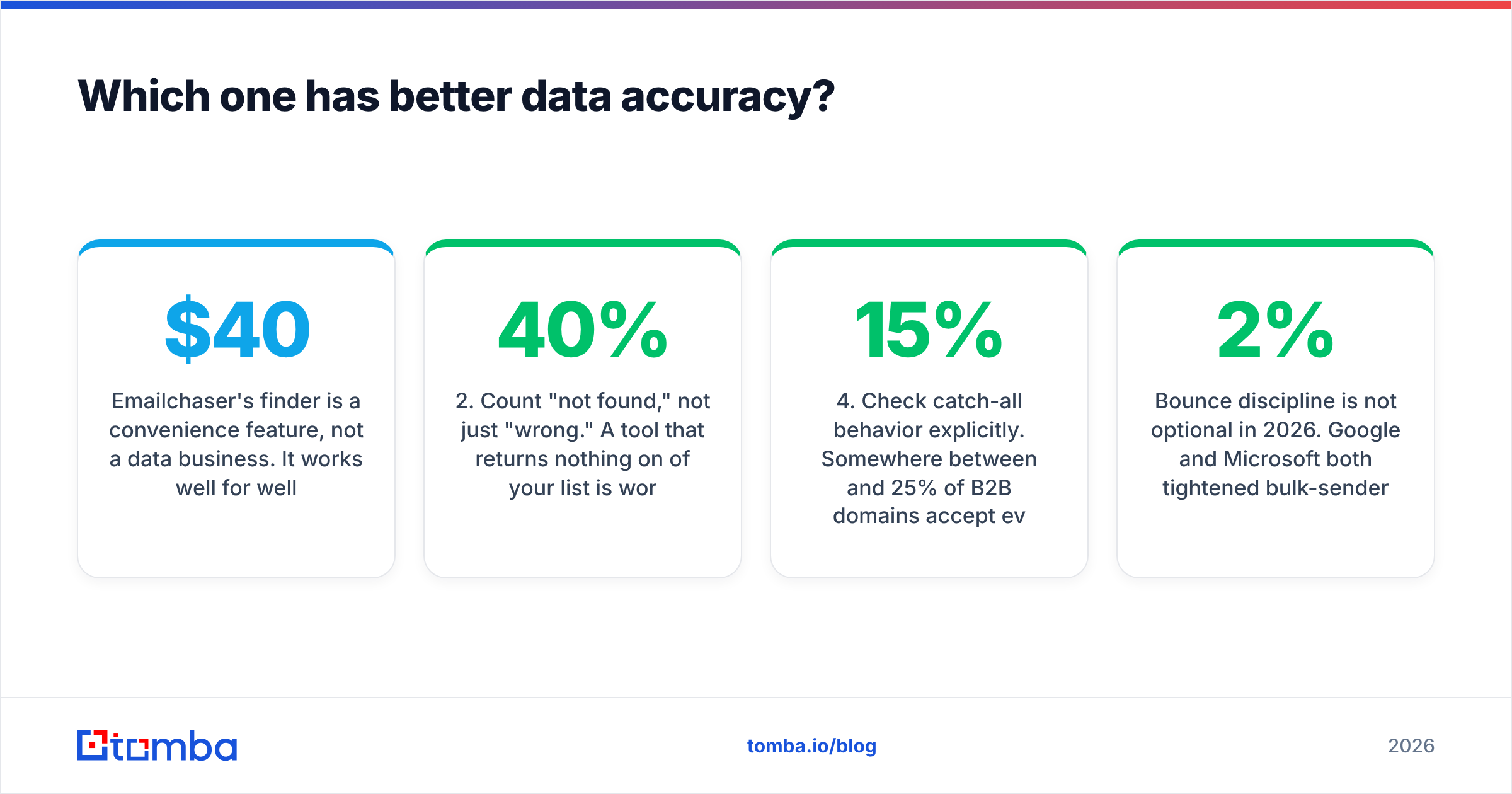
Emailchaser's finder is a convenience feature, not a data business. It works well for well-known domains with obvious patterns (first.last@, first@) and degrades on smaller companies, catch-all domains, and anything requiring cross-source corroboration. That's the honest tradeoff for a tool priced under $40. If your list is 200 mid-market SaaS companies, it'll do fine. If it's 3,000 contacts across long-tail industrials, expect a bounce rate you won't like.
Three checks worth running before you commit to either:
- Test on your own ICP, not their demo list. Pull 100 companies you actually sell to. Accuracy on Fortune 500 domains tells you nothing about accuracy on 40-person manufacturers.
- Count "not found," not just "wrong." A tool that returns nothing on 40% of your list is worse than one that returns a verifiable-but-risky address you can screen. Coverage and precision are separate metrics.
- Verify with a second source. Run the output through an independent email verifier before sending. Any finder's internal verification grades its own homework.
- Check catch-all behavior explicitly. Somewhere between 15% and 25% of B2B domains accept everything at the SMTP layer. How each tool labels those — valid, risky, or unknown — changes your effective bounce rate more than raw accuracy does. A dedicated catch-all verifier exists because this problem is hard enough to need its own tool.
Bounce discipline is not optional in 2026. Google and Microsoft both tightened bulk-sender enforcement, and sustained bounce rates above roughly 2% will visibly degrade your sender reputation regardless of which platform put the address in your sequence.
Is Emailchaser better than LeadIQ for small teams?#
Yes — if "small team" means one to five people running their own outbound and you don't have a CRM that anyone protects.
Emailchaser's case is straightforward. Flat per-user pricing, no credit accounting to reconcile, no procurement cycle. You can go from signup to first sequence in an afternoon. For a founder doing 150 sends a week or an agency running campaigns for three clients, that speed matters more than any data-quality delta, because the volumes are small enough that you can manually sanity-check the list.
Where Emailchaser breaks down:
- No mobile numbers. If your motion is email-then-call, you need a separate source. A phone finder covers this without switching your sending stack.
- Thin CRM sync. Fine when the CRM is a spreadsheet. Painful when it's Salesforce with required fields and validation rules.
- No team governance. No territory rules, no duplicate protection across reps, no audit trail. Two reps will email the same prospect eventually.
- Finder ceiling. Once your list quality becomes the bottleneck on pipeline, the bundled finder stops being enough.
LeadIQ's case is the mirror image. It exists because SDR managers got tired of reps manually retyping contacts into Salesforce and creating duplicate records. If you have 8+ reps, a CRM someone owns, and a sequencer already in place, LeadIQ removes a real, measurable tax from every rep's day. If you have three reps and a Google Sheet, you'll pay for governance you don't need.
What are the alternatives to both?#
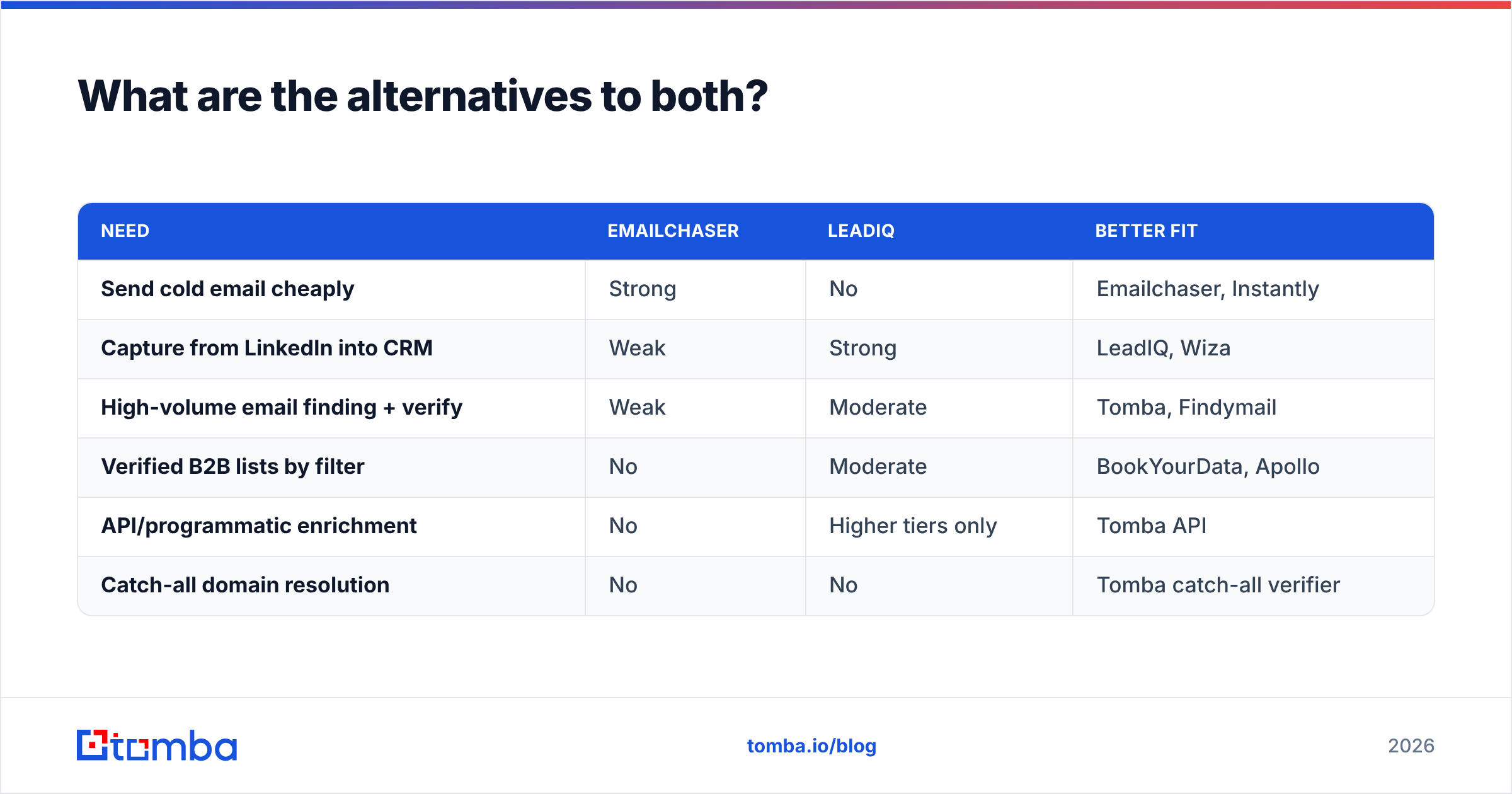
Most teams that seriously compare these two end up buying neither, because the actual need is a clean data layer that feeds whatever they already use.
| Need | Emailchaser | LeadIQ | Better fit |
|---|---|---|---|
| Send cold email cheaply | Strong | No | Emailchaser, Instantly |
| Capture from LinkedIn into CRM | Weak | Strong | LeadIQ, Wiza |
| High-volume email finding + verify | Weak | Moderate | Tomba, Findymail |
| Verified B2B lists by filter | No | Moderate | BookYourData, Apollo |
| API/programmatic enrichment | No | Higher tiers only | Tomba API |
| Catch-all domain resolution | No | No | Tomba catch-all verifier |
A few worth knowing:
- BookYourData — a solid choice when you want to buy a filtered, verified list outright rather than enrich one contact at a time. Pay-as-you-go pricing and a bounce guarantee make it a clean fit for teams that need volume fast without a subscription commitment.
- Apollo — bundles database, sequencing, and dialer. The all-in-one convenience is real; the data quality is uneven at the long tail. See our Apollo alternative breakdown.
- Wiza — the closest direct substitute for LeadIQ's LinkedIn-capture workflow, usually cheaper per export. Wiza alternative has the detail.
- Tomba — the unbundled data layer. Finder, verifier, domain search, catch-all verification, phone finder, and enrichment, exposed through a UI, a Chrome extension, Google Sheets, and a REST API. Free tier is 25 searches/mo; Starter is $49/mo, Growth $99/mo, Pro $249/mo. Full Tomba pricing is public — no quote required.
The unbundled approach is worth a serious look. Sending platforms churn — you may move from Emailchaser to Instantly to Smartlead within two years as volume grows. Your contact data shouldn't have to migrate every time. Keeping the data layer separate and API-accessible means a sender swap is a config change, not a re-enrichment project.
How do you decide between them?#
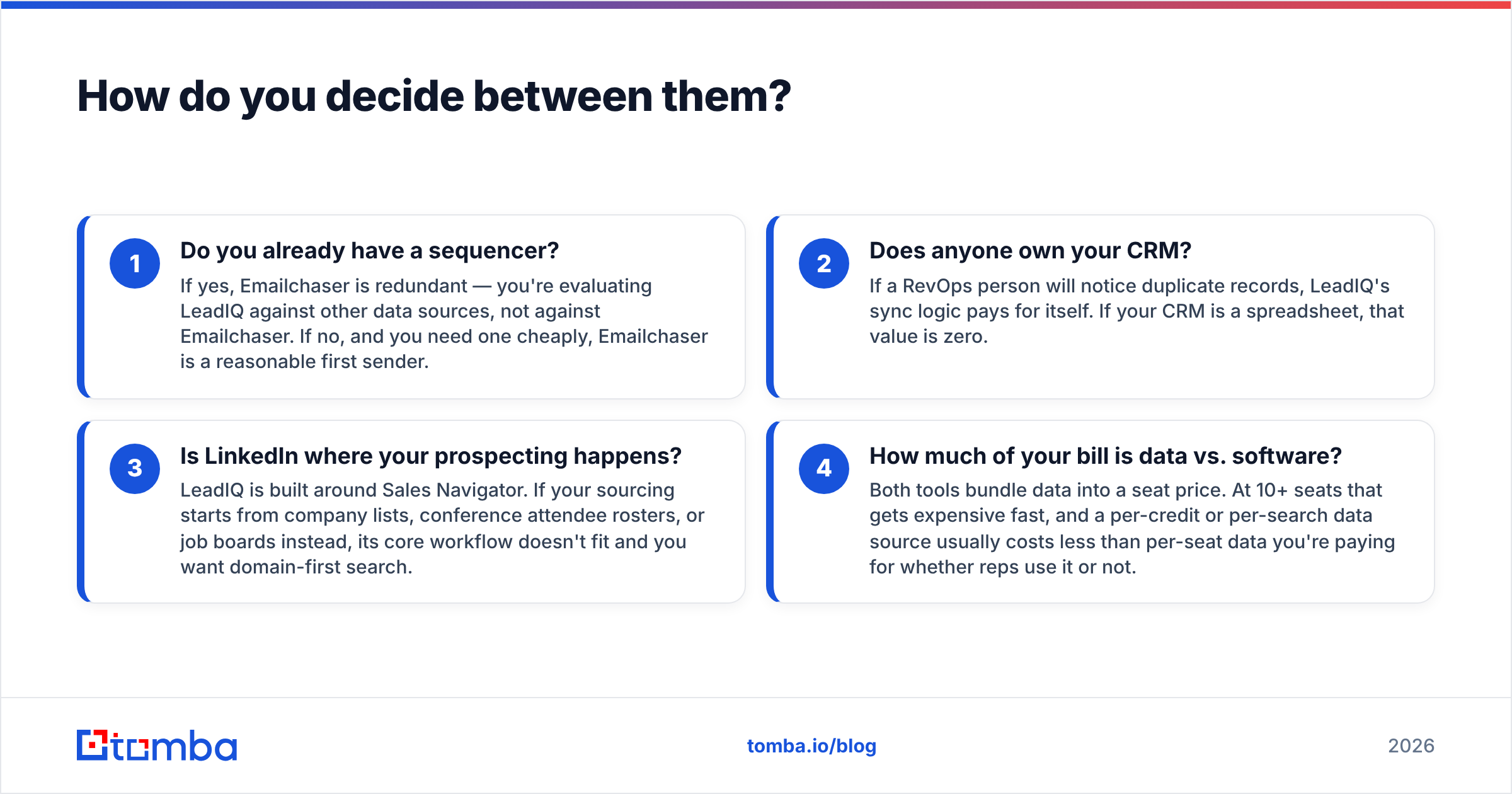
Answer four questions honestly.
- Do you already have a sequencer? If yes, Emailchaser is redundant — you're evaluating LeadIQ against other data sources, not against Emailchaser. If no, and you need one cheaply, Emailchaser is a reasonable first sender.
- Does anyone own your CRM? If a RevOps person will notice duplicate records, LeadIQ's sync logic pays for itself. If your CRM is a spreadsheet, that value is zero.
- Is LinkedIn where your prospecting happens? LeadIQ is built around Sales Navigator. If your sourcing starts from company lists, conference attendee rosters, or job boards instead, its core workflow doesn't fit and you want domain-first search.
- How much of your bill is data vs. software? Both tools bundle data into a seat price. At 10+ seats that gets expensive fast, and a per-credit or per-search data source usually costs less than per-seat data you're paying for whether reps use it or not.
Rough decision rule: under 5 reps, no CRM discipline, need to send today → Emailchaser. 8+ reps, Salesforce or HubSpot with rules, LinkedIn-first sourcing → LeadIQ. Anything volume-driven, API-driven, or multi-channel → a dedicated data layer feeding whatever sender you prefer.
What does a sane 2026 stack actually look like?#
Separate the three jobs and buy the best tool for each rather than accepting one vendor's bundle.
- Data layer — finding and verifying contacts. Should be API-first so it feeds anything. Costs scale with volume, not headcount.
- Sequencer — sending, follow-ups, inbox rotation, reply detection. Costs scale with inboxes and volume.
- System of record — CRM. Everything writes here. Costs scale with seats.
Emailchaser tries to be layers one and two. LeadIQ tries to be layers one and three. Neither is complete, which is why teams running either one usually still pay a third vendor.
The pragmatic build: a dedicated finder and verifier feeding a sequencer you actually like, syncing to your CRM through native integrations. For data, that means running bulk email finder jobs against target account lists, verifying before every send, and enriching CRM records on a schedule through the Tomba API. Total cost is usually lower than per-seat bundled data, and you keep the freedom to swap senders without re-buying contacts.
Getting started#
If your bottleneck is sending, Emailchaser is a cheap, honest entry point and you should just try it. If your bottleneck is CRM hygiene across an SDR team, LeadIQ is worth the price and the procurement cycle.
But if your bottleneck is what it usually is — not enough accurate, verified contacts to fill either tool — start with the data. The Tomba Email Finder gives you domain search, name-plus-domain lookup, bulk processing, catch-all handling, and a REST API that plugs into whatever you're sending from. The free tier is 25 searches a month with no card, so you can run your own accuracy test against your own ICP before spending anything. Run those 100 target companies through it, compare the hit rate to what Emailchaser or LeadIQ returns on the same list, and let the numbers decide.
Related guides#
Ready to find emails that actually work?
Join 150,000+ professionals who stopped guessing and started sending. Free credits on signup — no credit card required.
Get the Tomba newsletter
Practical outbound tactics and product updates — once every two weeks.
About the author