EmailListVerify vs FinalScout: Which One Do You Need?
EmailListVerify cleans lists you already have. FinalScout builds lists from LinkedIn. Here is an honest breakdown of pricing, accuracy, workflow fit — and when one tool replaces both.
TL;DR
- EmailListVerify and FinalScout are not competitors in the strict sense. EmailListVerify cleans a list you already have; FinalScout creates a list from LinkedIn profiles.
- If your bounce rate is the problem, you want a verifier. If your empty CRM is the problem, you want a finder. Buying the wrong one wastes the whole budget.
- EmailListVerify wins on cost-per-check at volume and on pay-as-you-go flexibility. FinalScout wins on LinkedIn-native sourcing and on writing outreach copy in the same window.
- Neither one covers the full find → verify → enrich loop on its own, which is why most teams end up paying two vendors — or consolidating into a single API.
- Our pick for teams that need both halves: run sourcing and verification through one provider so credits, deduping, and QA live in one place.
What are EmailListVerify and FinalScout, actually?#
Short answer: one is a scrubber, the other is a prospector.
EmailListVerify is a bulk email verification service. You upload a CSV of addresses — from a webinar, a legacy CRM export, a purchased list, a newsletter dump — and it returns each address tagged as valid, invalid, catch-all (accept-all), disposable, role-based, or unknown. It has been around since 2015, it sells credits both as subscriptions and pay-as-you-go, and it has an API for developers who want to verify at signup or at send time.
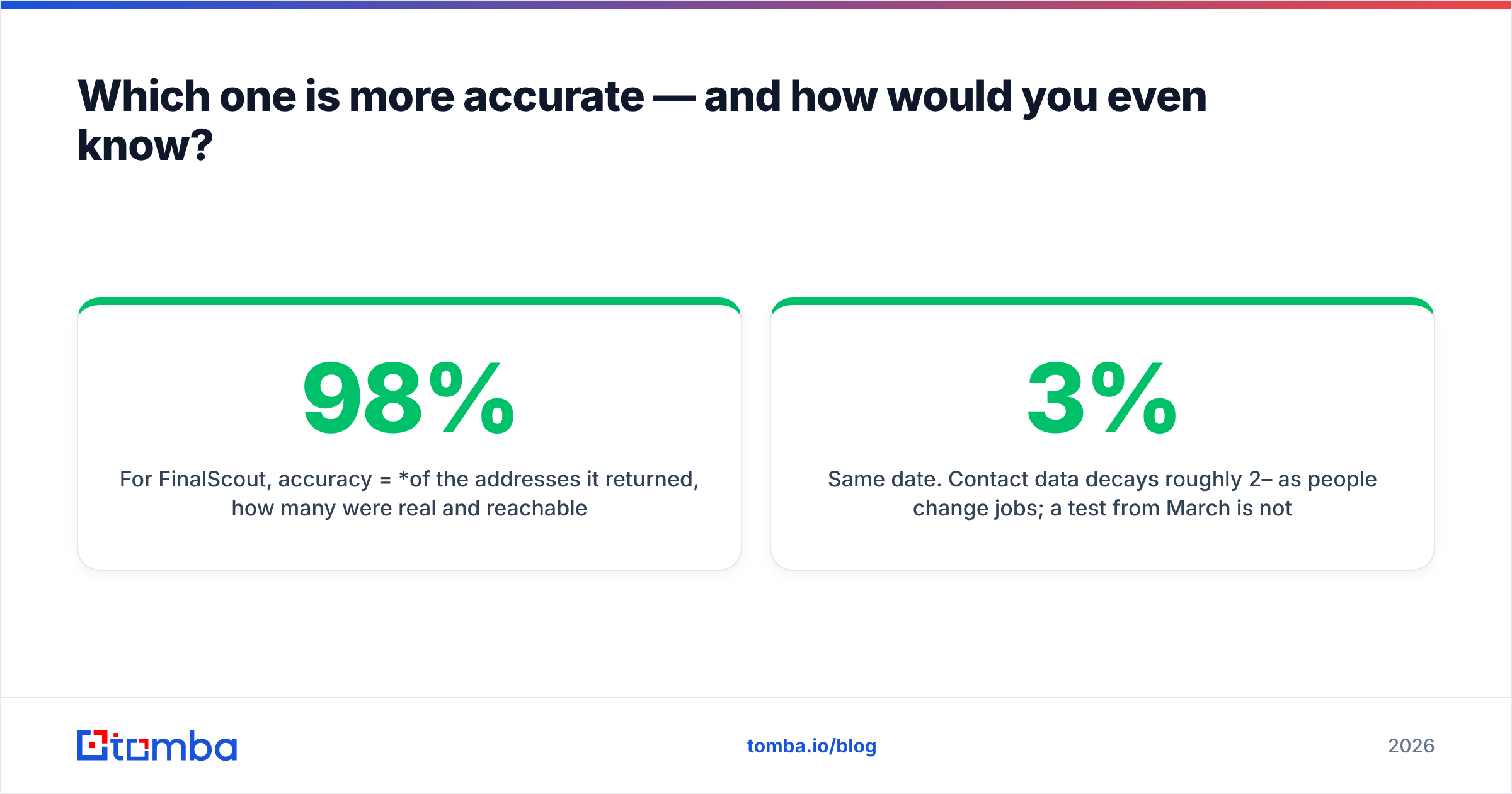
FinalScout approaches email from the opposite end. It is a Chrome extension plus web app that extracts professional email addresses from LinkedIn and Sales Navigator profiles, then uses AI to draft personalised outreach for the contacts it just found. Its main marketing claim is a deliverability guarantee — the company advertises up to 98% deliverability on the addresses it returns. It is built for the SDR who lives inside LinkedIn search, not for the RevOps engineer cleaning a 400,000-row database.
So the honest framing of "EmailListVerify vs FinalScout" is not which tool is better. It is which half of the problem do you have right now.

What does EmailListVerify do well?#
Four things stand out when you use it in production:
- Bulk throughput. It is designed for files with hundreds of thousands of rows. Upload, walk away, come back to a segmented download — valid, invalid, unknown, and accept-all as separate files.
- Cost per check at scale. Verification is a commodity market, and EmailListVerify prices like a commodity vendor. Cost per address drops sharply as pack size grows, which matters when you are verifying a 250k-record database annually.
- Pay-as-you-go credits. Credits do not expire on the pay-as-you-go packs, so seasonal senders are not forced into a monthly subscription they use twice a year.
- A real API. Single-address and bulk endpoints let you drop verification into a signup form, a lead-capture webhook, or a nightly CRM hygiene job.
Where it is weaker: catch-all domains. Every verifier struggles here, because an accept-all server says yes to everything by design. EmailListVerify flags them rather than resolving them, which means a chunk of your B2B list — Microsoft 365 tenants in particular — lands in a bucket you have to make a judgement call on. If accept-all domains are a big share of your ICP, pair it with a dedicated catch-all verifier rather than deleting those rows or blindly mailing them.
What does FinalScout do well?#
FinalScout's value is that it collapses three steps into one browser tab: find the person, find the address, write the first message.
- LinkedIn-native sourcing. Run a Sales Navigator search, click the extension, and export the visible profiles with email addresses attached. No CSV round-trip.
- Deliverability guarantee. The 98% claim means FinalScout is doing verification behind the scenes before it hands you an address — you are effectively buying find + verify as one credit.
- AI outreach drafting. Templates that pull from the profile you just scraped. For a one-person outbound motion, that removes a real bottleneck.
- No LinkedIn connection required. You do not need to be connected to the prospect to pull a business address.
Where it is weaker: coverage outside LinkedIn. If your ICP is manufacturing plants in the Midwest, regional healthcare, or European SMBs with thin LinkedIn presence, a LinkedIn-first tool leaves gaps that a domain-first tool fills. It is also not built to clean an inherited 300k-row list — that is not the product.
How do EmailListVerify and FinalScout compare head-to-head?#

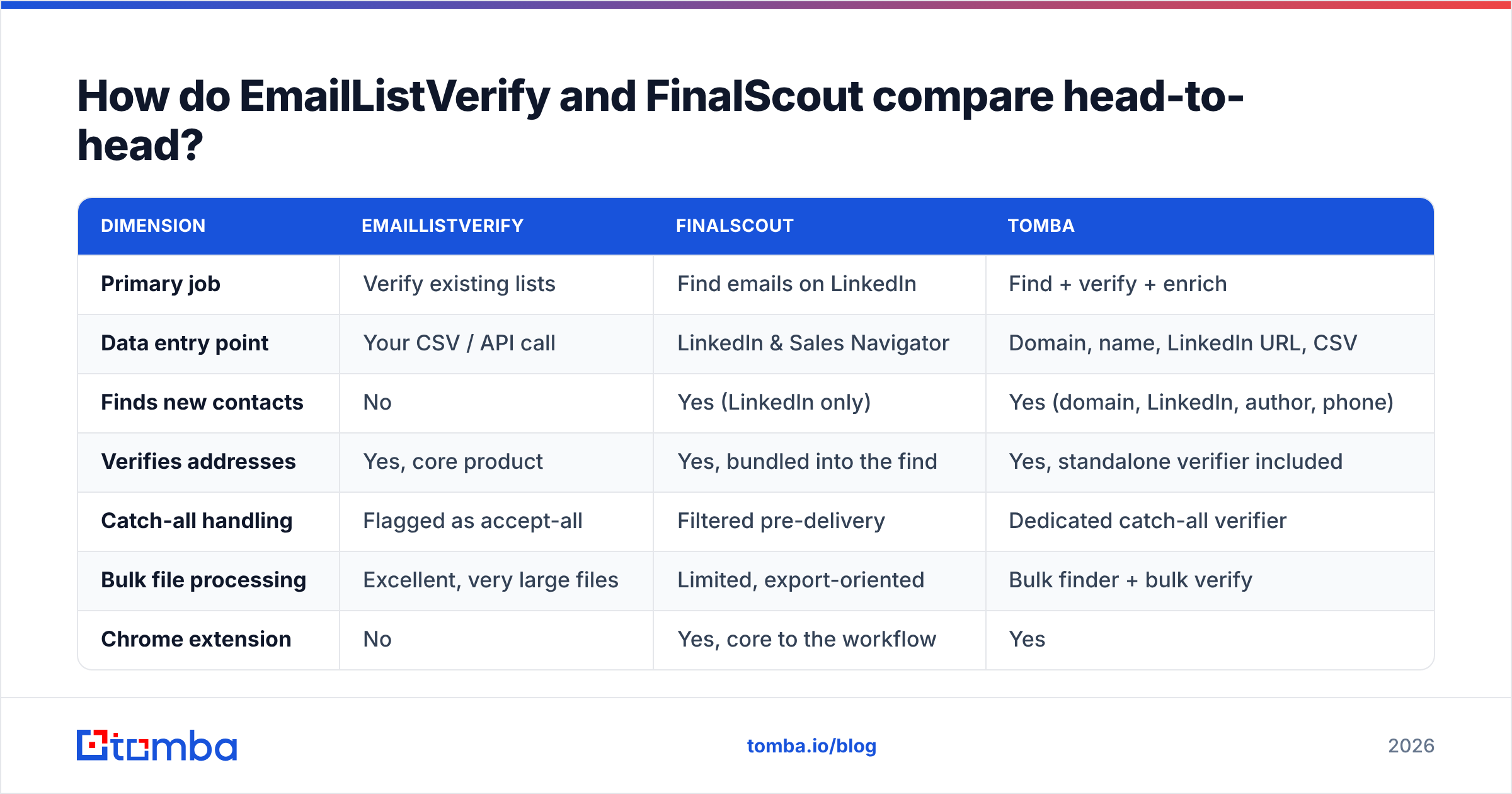
| Dimension | EmailListVerify | FinalScout | Tomba |
|---|---|---|---|
| Primary job | Verify existing lists | Find emails on LinkedIn | Find + verify + enrich |
| Data entry point | Your CSV / API call | LinkedIn & Sales Navigator | Domain, name, LinkedIn URL, CSV |
| Finds new contacts | No | Yes (LinkedIn only) | Yes (domain, LinkedIn, author, phone) |
| Verifies addresses | Yes, core product | Yes, bundled into the find | Yes, standalone verifier included |
| Catch-all handling | Flagged as accept-all | Filtered pre-delivery | Dedicated catch-all verifier |
| Bulk file processing | Excellent, very large files | Limited, export-oriented | Bulk finder + bulk verify |
| Chrome extension | No | Yes, core to the workflow | Yes |
| API access | Yes | Limited | Yes, full REST API |
| Spreadsheet add-ons | No | No | Google Sheets, Excel, Airtable |
| AI copy generation | No | Yes | No (separate free tools) |
| Best fit | RevOps list hygiene | Solo SDR on LinkedIn | Full-cycle outbound teams |
The pattern is obvious once it is in a grid: the two products barely overlap. EmailListVerify has one column filled deeply. FinalScout has a different column filled deeply. If you need both columns — and most outbound teams do — you are either buying two subscriptions or buying one platform that spans them.
Which one is more accurate — and how would you even know?#
Accuracy means different things for the two tools, so compare them on the right metric.
For EmailListVerify, accuracy = did the tool correctly classify an address I already had? The failure modes are false negatives (killing a good lead) and false positives (a "valid" that bounces). Test it by taking 500 addresses you have already emailed with known outcomes, running them through, and scoring the classifications against reality. That is the only benchmark that reflects your data.
For FinalScout, accuracy = of the addresses it returned, how many were real and reachable? But there is a second number that matters just as much and never appears in marketing: coverage, or hit rate. A tool that returns 30 addresses from a 100-person list at 98% accuracy gives you 29 usable contacts. A tool that returns 65 at 92% gives you 60. The second tool is twice as useful, and the first one has the prettier accuracy number.

When you run your own bake-off, hold four things constant:
- Same input list. 100–200 real prospects in your actual ICP, not a list of Fortune 500 CEOs every vendor has cached.
- Same date. Contact data decays roughly 2–3% per month as people change jobs; a test from March is not comparable to one from August.
- Report both numbers. Hit rate and bounce rate together, never one alone.
- Separate the catch-alls. Score them as their own bucket so one vendor's "unknown" is not silently counted as another's "valid".
Vendor-published accuracy claims — including our own — are marketing until you reproduce them on your list. Third-party review aggregates like G2 are useful for spotting support and billing complaints, but they are not accuracy benchmarks either.
What do EmailListVerify and FinalScout cost in 2026?#
Pricing on both products moves, and both run promotional pricing, so treat these as shape-of-the-pricing rather than a quote. Check the vendor pages before you buy.
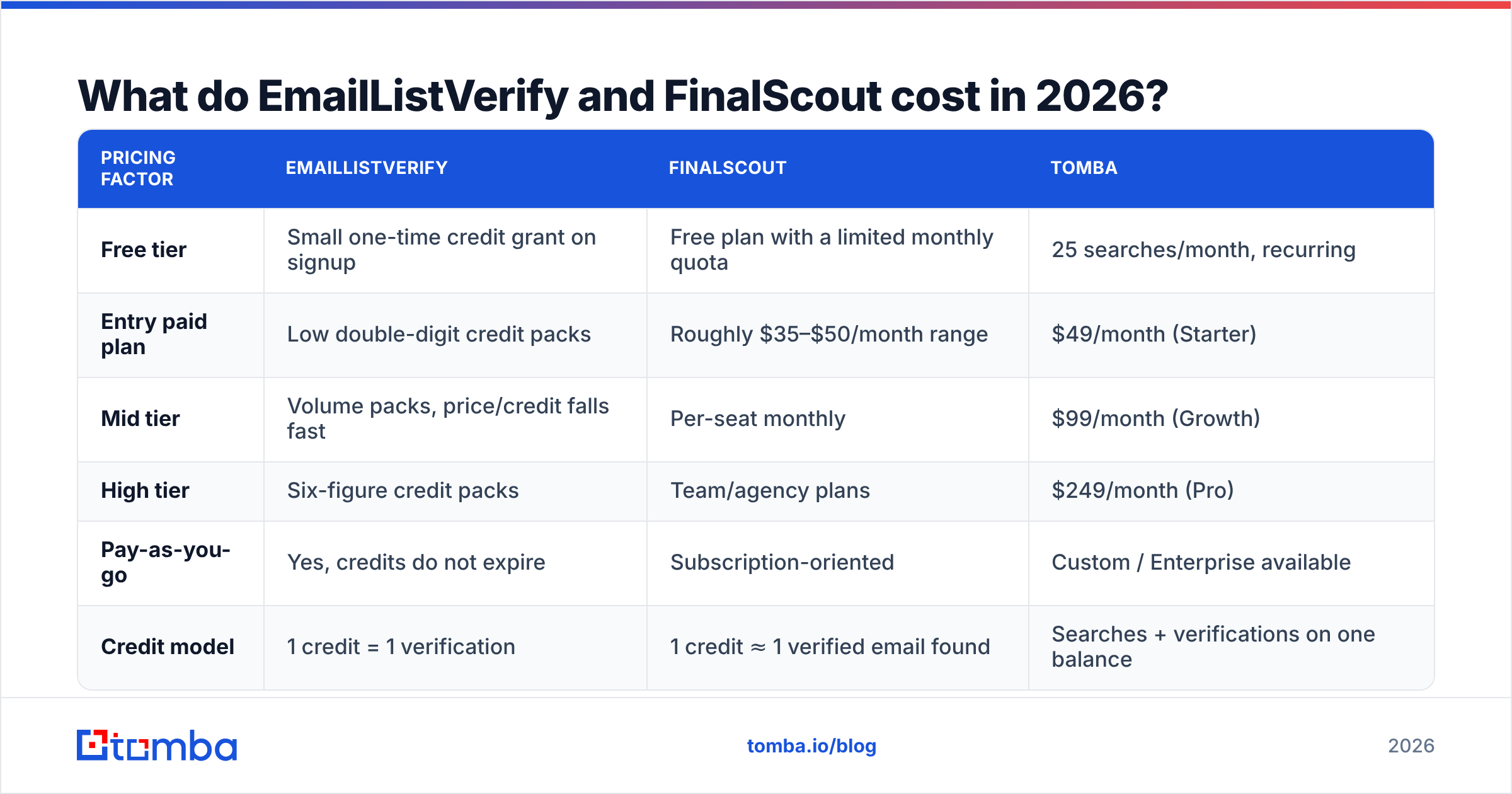
| Pricing factor | EmailListVerify | FinalScout | Tomba |
|---|---|---|---|
| Free tier | Small one-time credit grant on signup | Free plan with a limited monthly quota | 25 searches/month, recurring |
| Entry paid plan | Low double-digit credit packs | Roughly $35–$50/month range | $49/month (Starter) |
| Mid tier | Volume packs, price/credit falls fast | Per-seat monthly | $99/month (Growth) |
| High tier | Six-figure credit packs | Team/agency plans | $249/month (Pro) |
| Pay-as-you-go | Yes, credits do not expire | Subscription-oriented | Custom / Enterprise available |
| Credit model | 1 credit = 1 verification | 1 credit ≈ 1 verified email found | Searches + verifications on one balance |
The economics split predictably:
- Verification is cheap per unit, expensive at volume. A 100k-record annual cleanup is a real line item even at fractions of a cent per check.
- Finding is expensive per unit, cheap at volume. You rarely need 100k new contacts; you need 2,000 correct ones. Per-credit cost matters less than hit rate — a cheaper tool that finds half as many addresses costs you more per usable contact.
- Two subscriptions beat one only when both are used hard. If you burn a finder plan and a verifier plan every month, keep both. If either sits at 20% utilisation, consolidate. Compare against Tomba pricing where find and verify draw from the same balance and unused capacity is not stranded in the wrong product.

Do you actually need both tools?#
Map it to the job in front of you.
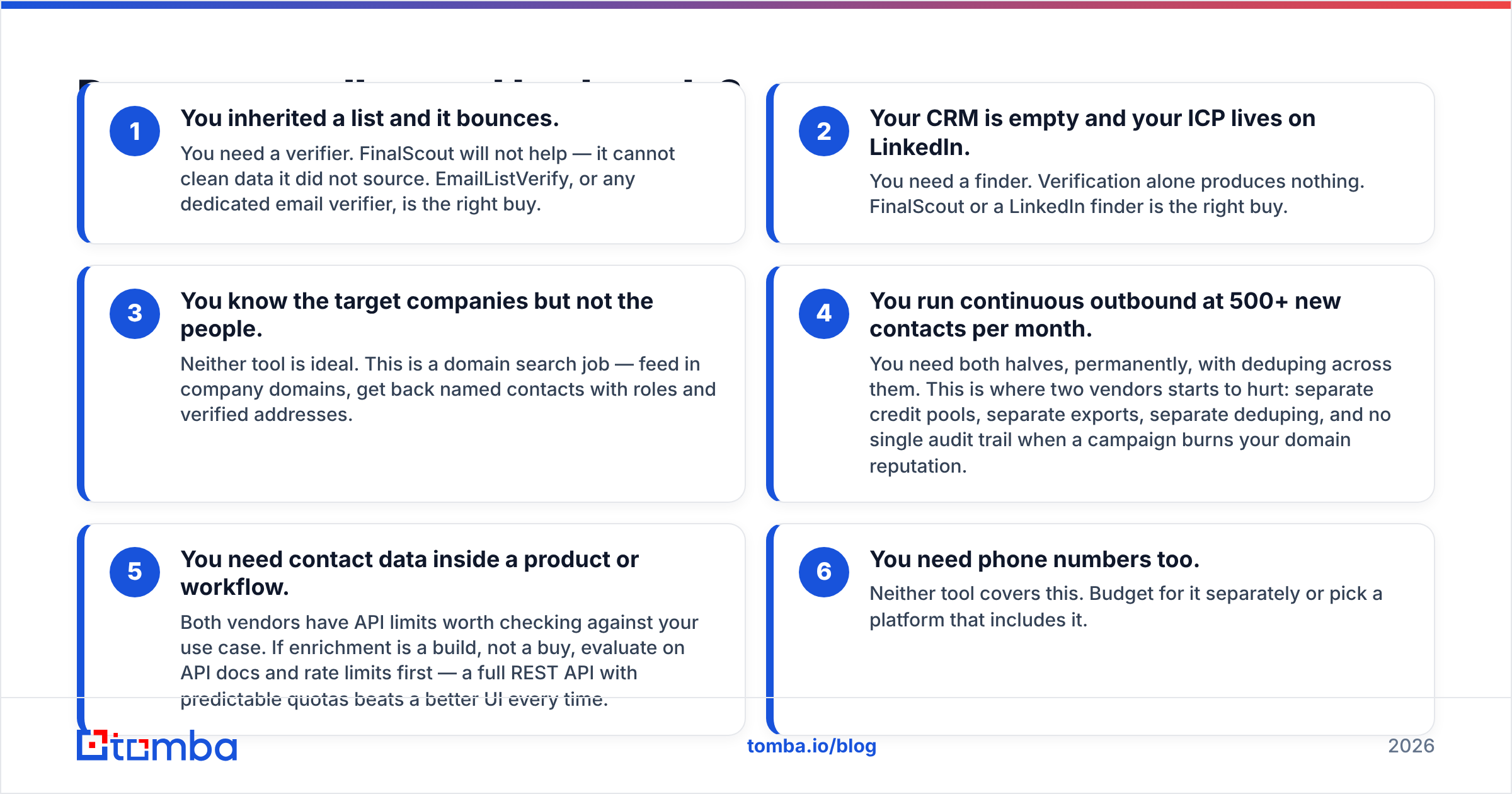
- You inherited a list and it bounces. You need a verifier. FinalScout will not help — it cannot clean data it did not source. EmailListVerify, or any dedicated email verifier, is the right buy.
- Your CRM is empty and your ICP lives on LinkedIn. You need a finder. Verification alone produces nothing. FinalScout or a LinkedIn finder is the right buy.
- You know the target companies but not the people. Neither tool is ideal. This is a domain search job — feed in company domains, get back named contacts with roles and verified addresses.
- You run continuous outbound at 500+ new contacts per month. You need both halves, permanently, with deduping across them. This is where two vendors starts to hurt: separate credit pools, separate exports, separate deduping, and no single audit trail when a campaign burns your domain reputation.
- You need contact data inside a product or workflow. Both vendors have API limits worth checking against your use case. If enrichment is a build, not a buy, evaluate on API docs and rate limits first — a full REST API with predictable quotas beats a better UI every time.
- You need phone numbers too. Neither tool covers this. Budget for it separately or pick a platform that includes it.
The trap is buying a verifier to solve a sourcing problem, or a finder to solve a hygiene problem. Both are common, both feel like progress for about six weeks, and both end with the same conclusion: the other half was missing.
What about deliverability — does either tool protect your domain?#
Partially, and it is worth being precise about the limits.
A verifier removes hard bounces. That protects your sender reputation from the single biggest, dumbest cause of damage. It does not protect you from spam complaints, from sending to role addresses like info@ and sales@, from spam traps embedded in old purchased lists, or from ramping volume too fast on a cold domain.
FinalScout's pre-verification does the same job, one contact at a time, at the point of sourcing. That is genuinely convenient — one fewer step — but it is still bounce protection, not deliverability management. You still need SPF, DKIM, and DMARC configured correctly, a warmed sending domain, and volume that ramps rather than spikes.
The practical checklist before any campaign:
- Verify within 30 days of sending. Older verification results decay with the underlying data.
- Strip role and generic addresses unless the campaign is genuinely designed for a shared inbox.
- Decide on catch-alls explicitly. Either exclude them, or send to them on a separate warmed domain so a bad batch does not poison your main one.
- Cap daily volume per mailbox. No verifier saves a domain from 500 sends a day out of a two-week-old inbox.
Which should you choose?#
Choose EmailListVerify if your primary problem is a dirty database, you verify in large infrequent batches, you want credits that do not expire, and you already have a sourcing motion that works.
Choose FinalScout if your prospecting starts and ends in LinkedIn, you are a small team or solo operator, and the AI drafting step genuinely saves you time. The bundled verification means one credit gets you a usable contact, which is a clean mental model.
Choose neither — consolidate — if you are running both motions continuously. At that point you are paying two vendors, reconciling two exports, and deduping by hand. That is where a single platform pays for itself: same credit pool for finding and verifying, one dedupe pass, one audit trail, one integration to maintain.
That is the case for Tomba's Email Finder. Search by domain, by name, or from a LinkedIn URL; every returned address runs through the same verification engine, catch-all domains get their own resolution path instead of an "unknown" shrug, and bulk jobs, Sheets, Excel, and the API all draw from one balance. The free tier gives you 25 searches a month to test it against your own ICP list — run it head to head with whatever you are using now, score hit rate and bounce rate together, and let your data pick the winner instead of a comparison post.
Related guides#
Ready to find emails that actually work?
Join 150,000+ professionals who stopped guessing and started sending. Free credits on signup — no credit card required.
Get the Tomba newsletter
Practical outbound tactics and product updates — once every two weeks.
About the author