EmailListVerify vs Leadsforge (2026): Honest Comparison
One cleans the list you already have. The other tries to build the list for you. Here's how EmailListVerify and Leadsforge actually compare on price, accuracy, and where each one breaks down.
TL;DR
- They are not the same category. EmailListVerify is a bulk email verification service — you bring a list, it tells you which addresses are safe to send to. Leadsforge is an AI-assisted lead list building tool — you describe an ICP, it returns contacts.
- Comparing them head-to-head only makes sense if your real question is "what do I buy first?" If you already have 50,000 scraped addresses, buy verification. If you have an empty CRM, verification does nothing for you.
- Pricing models differ structurally. EmailListVerify sells pay-as-you-go credits with no monthly commitment; Leadsforge sells subscription seats with monthly contact allowances. Cheap-per-credit and cheap-per-lead are not comparable numbers.
- Neither one closes the loop alone. A generated list still bounces without verification; a verified list still shrinks without fresh sourcing.
- A combined find-plus-verify platform (Tomba, and a handful of peers) usually beats stitching two single-purpose tools together once you're past ~5,000 contacts a month.
What is EmailListVerify and what is Leadsforge?#
Start here, because the naming makes this comparison confusing.
EmailListVerify is a bulk email verification service that has been around since 2015. You upload a CSV, it runs syntax checks, MX record lookups, SMTP handshakes, disposable-domain detection, role-account flagging, and spam-trap screening, then hands you back a segmented file: valid, invalid, catch-all (they call it "accept-all"), unknown. It does one job and it does not source contacts. There is no prospecting database behind it.
Leadsforge is a newer, AI-first lead generation product. The pitch is conversational list building: you describe your ideal customer in plain language ("VP of Engineering at Series B fintechs in Germany, 50–200 employees") and the tool assembles a contact list from its data layer rather than making you fiddle with twenty filter dropdowns. It's positioned as the fast path from ICP definition to a CSV of names and emails.
So the honest framing of EmailListVerify vs Leadsforge is not "which tool is better." It's: do you have a data problem or a hygiene problem?
- Hygiene problem — you have addresses, but a chunk of them are dead. Bounce rate above 3%, Gmail throttling you, sequences stalling. That's EmailListVerify's lane.
- Data problem — you don't have enough of the right people to email at all. That's Leadsforge's lane.
- Both — which, realistically, is most outbound teams. That's where the two-tool stack starts costing more than a combined platform.

How do EmailListVerify and Leadsforge actually differ?#
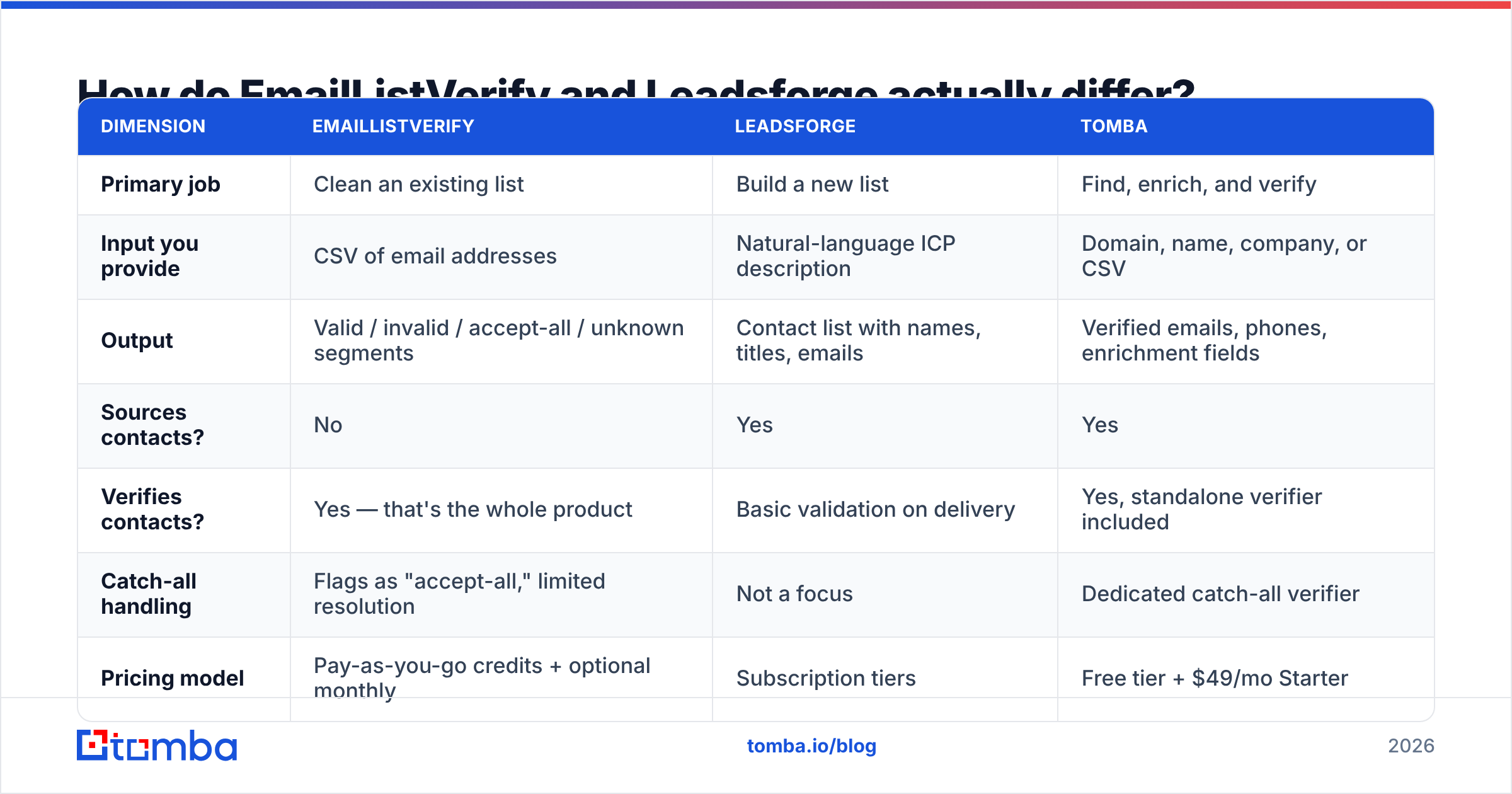
| Dimension | EmailListVerify | Leadsforge | Tomba |
|---|---|---|---|
| Primary job | Clean an existing list | Build a new list | Find, enrich, and verify |
| Input you provide | CSV of email addresses | Natural-language ICP description | Domain, name, company, or CSV |
| Output | Valid / invalid / accept-all / unknown segments | Contact list with names, titles, emails | Verified emails, phones, enrichment fields |
| Sources contacts? | No | Yes | Yes |
| Verifies contacts? | Yes — that's the whole product | Basic validation on delivery | Yes, standalone verifier included |
| Catch-all handling | Flags as "accept-all," limited resolution | Not a focus | Dedicated catch-all verifier |
| Pricing model | Pay-as-you-go credits + optional monthly | Subscription tiers | Free tier + $49/mo Starter |
| API | Yes, single + bulk verification | Yes on higher tiers | Yes, full REST API |
| Best for | Agencies, ESPs, large dirty lists | Founders and small teams building a first list | Teams that need both halves |
The structural difference matters more than any feature checkbox. EmailListVerify is a utility — you use it in bursts, when a list needs cleaning, and you pay only for what you burn. Leadsforge is a subscription — value accrues if you're building lists continuously, and idle months are wasted spend.
That distinction should drive your buying decision more than any accuracy claim on either homepage.
Which one is more accurate — and is that even the right question?#
Accuracy means two different things here, and vendors happily blur the line.
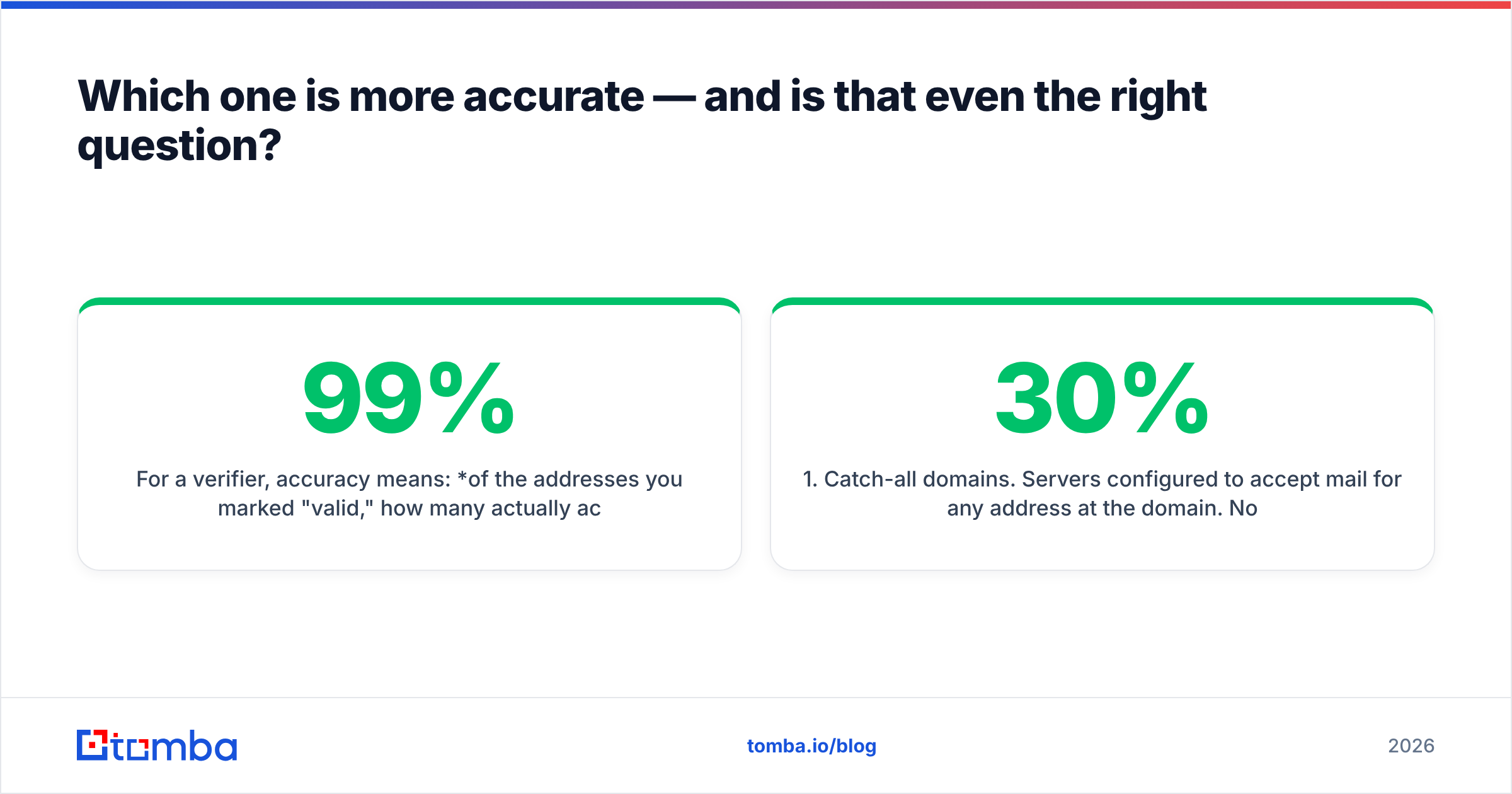
For a verifier, accuracy means: of the addresses you marked "valid," how many actually accepted mail? EmailListVerify publicly claims 99% accuracy. Most independent testing across the verification category lands real-world figures in the 95–98% band for mainstream providers, with the spread concentrated in three hard cases:
- Catch-all domains. Servers configured to accept mail for any address at the domain. No SMTP probe can distinguish a real mailbox from a typo here, so most verifiers punt and return "accept-all." That bucket is frequently 15–30% of a B2B list.
- Greylisting and rate limits. Providers that deliberately delay or refuse probes produce "unknown" results, which vendors sometimes quietly count as valid.
- Stale-but-live mailboxes. The address accepts mail; the human left the company eight months ago. Verification passes it. Your reply rate says otherwise.
For a lead generator, accuracy means something else entirely: of the contacts returned, how many are the right person, at the right company, with a working address? Title drift, org-chart churn, and recycled data licences are the failure modes. AI-assisted sourcing tools like Leadsforge are fast at assembling a list, but speed of assembly says nothing about freshness of the underlying records — and the pitch ("describe your ICP, get contacts") makes it easy to skip the sanity check.

The practical takeaway: a list generated by any AI sourcing tool should still be verified before it hits your sequencer. That's not a knock on Leadsforge specifically; it's true of every provider that returns bulk contacts, including database-first vendors like Apollo, ZoomInfo, and BookYourData. Sourcing and verification are separate quality gates and skipping the second one is how a domain gets burned.
If you're evaluating this seriously, run the same 500-contact sample through both a sourcing tool and a standalone email verifier, then send to a subset and compare the actual bounce rate against the predicted one. Vendor-published accuracy is marketing until you've reproduced it on your own data.
What do they cost in 2026?#
Pricing here moves, so treat these as shapes rather than quotes — check each vendor's page before you commit.
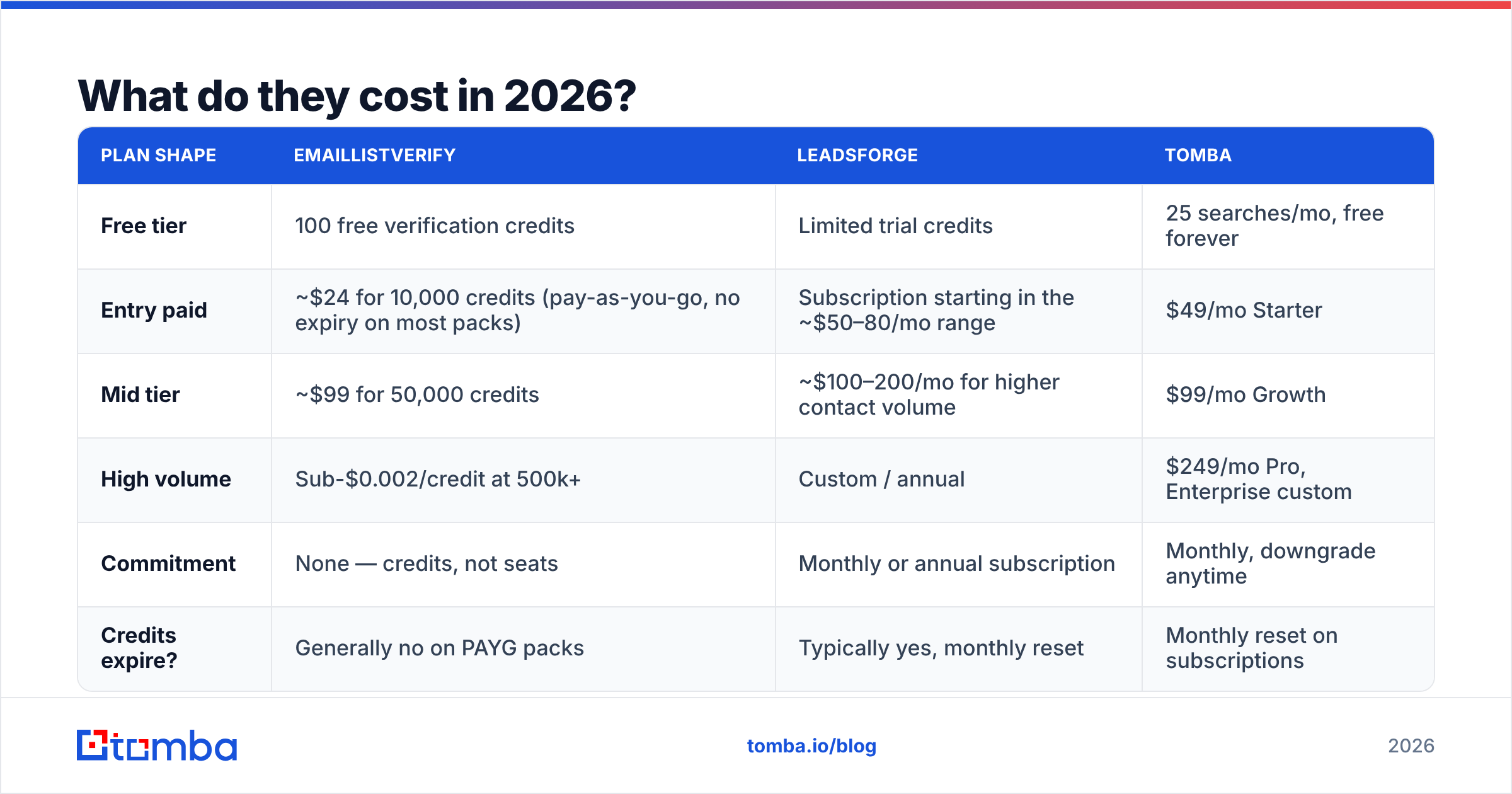
| Plan shape | EmailListVerify | Leadsforge | Tomba |
|---|---|---|---|
| Free tier | 100 free verification credits | Limited trial credits | 25 searches/mo, free forever |
| Entry paid | ~$24 for 10,000 credits (pay-as-you-go, no expiry on most packs) | Subscription starting in the ~$50–80/mo range | $49/mo Starter |
| Mid tier | ~$99 for 50,000 credits | ~$100–200/mo for higher contact volume | $99/mo Growth |
| High volume | Sub-$0.002/credit at 500k+ | Custom / annual | $249/mo Pro, Enterprise custom |
| Commitment | None — credits, not seats | Monthly or annual subscription | Monthly, downgrade anytime |
| Credits expire? | Generally no on PAYG packs | Typically yes, monthly reset | Monthly reset on subscriptions |
Two things fall out of this table.
First, pay-as-you-go is genuinely valuable for verification. If you clean a big list twice a year, a credit pack that never expires beats a subscription you forget to cancel. This is EmailListVerify's strongest structural advantage and it's why agencies keep an account open even when they have another platform.
Second, per-lead and per-credit prices are not comparable. A verification credit costs a fraction of a cent. A sourced contact costs several cents to a few dimes. If you budget "$100 of tooling" without separating the two, you will underfund sourcing and over-buy verification, or vice versa.
Run the arithmetic on your real volume before choosing. Full Tomba pricing is public if you want a third reference point for the blended find-and-verify model.
Which should you choose for your situation?#
Pick by the bottleneck you actually have, not the tool you saw demoed most recently.
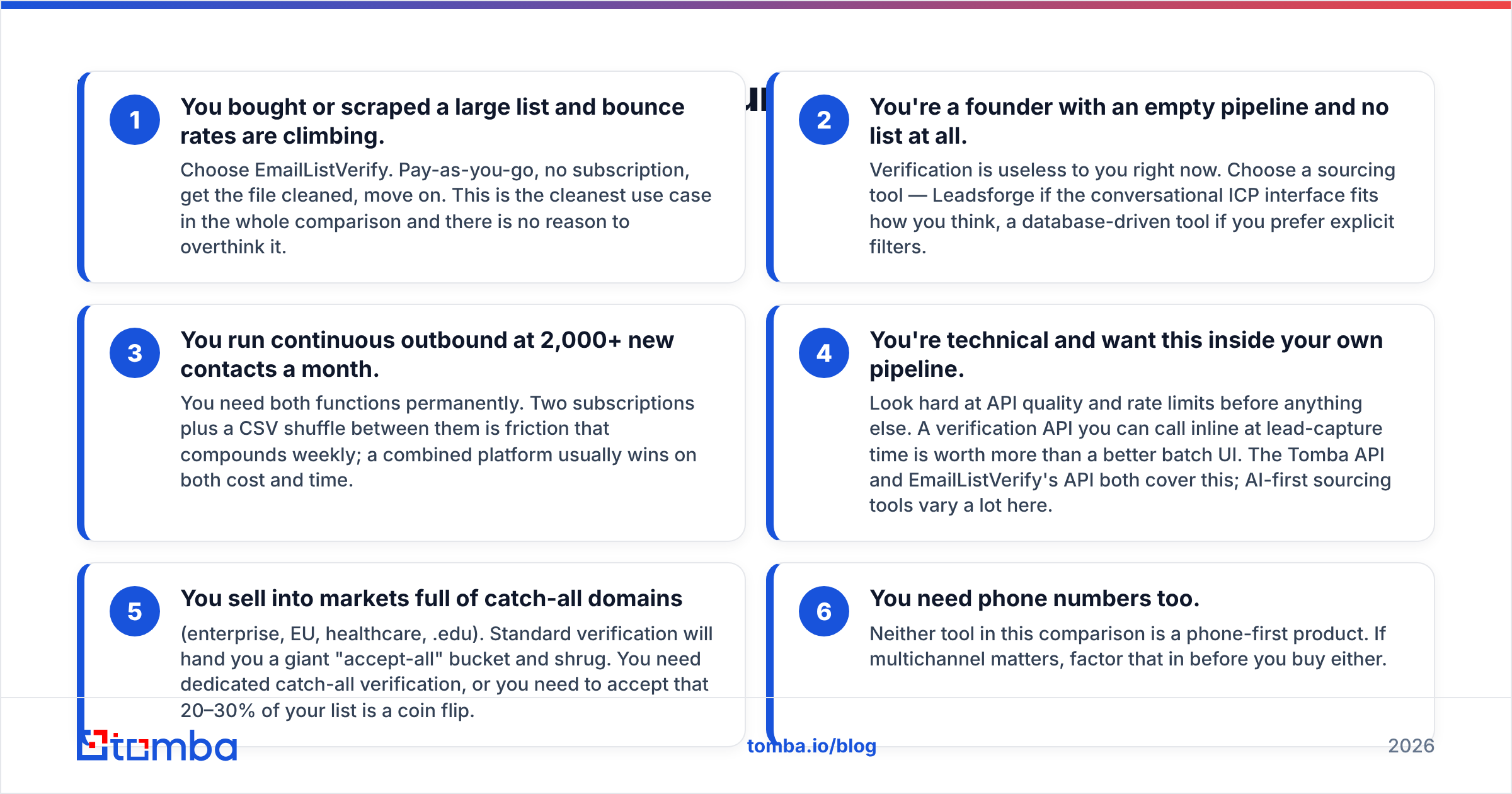
- You bought or scraped a large list and bounce rates are climbing. Choose EmailListVerify. Pay-as-you-go, no subscription, get the file cleaned, move on. This is the cleanest use case in the whole comparison and there is no reason to overthink it.
- You're a founder with an empty pipeline and no list at all. Verification is useless to you right now. Choose a sourcing tool — Leadsforge if the conversational ICP interface fits how you think, a database-driven tool if you prefer explicit filters.
- You run continuous outbound at 2,000+ new contacts a month. You need both functions permanently. Two subscriptions plus a CSV shuffle between them is friction that compounds weekly; a combined platform usually wins on both cost and time.
- You're technical and want this inside your own pipeline. Look hard at API quality and rate limits before anything else. A verification API you can call inline at lead-capture time is worth more than a better batch UI. The Tomba API and EmailListVerify's API both cover this; AI-first sourcing tools vary a lot here.
- You sell into markets full of catch-all domains (enterprise, EU, healthcare, .edu). Standard verification will hand you a giant "accept-all" bucket and shrug. You need dedicated catch-all verification, or you need to accept that 20–30% of your list is a coin flip.
- You need phone numbers too. Neither tool in this comparison is a phone-first product. If multichannel matters, factor that in before you buy either.

Do you need both tools — or one that does both?#
Here's the part vendor comparison pages skip: the two-tool stack has a hidden cost that isn't on either pricing page.
Every hand-off between a sourcing tool and a verification tool is a CSV export, a column mapping, an upload, a wait, a download, and a re-import. Do that weekly and you're spending several hours a month on file logistics. Worse, the loop is lossy — the verified file rarely makes it back into the source system cleanly, so your CRM slowly fills with addresses you already know are dead.
The alternative is a platform where finding and verifying are the same operation. When an email finder verifies at the point of discovery, you never hold an unverified address in the first place. There's no second tool, no export, no re-import, and no drift between "the list I generated" and "the list I cleaned."
That's the case for consolidation. The honest case against it: a general-purpose platform's verification engine may not match a dedicated verifier's edge-case handling on a 500,000-row list from a decade-old marketing database. If that's your workload, keep a pay-as-you-go verification account for the heavy lifts. Nothing stops you from doing both — a credit pack that doesn't expire is cheap insurance.
For a fuller feature-by-feature breakdown of where a combined platform lands against dedicated verification, see the EmailListVerify alternative comparison.

What should you actually test before buying either?#
Do not buy on homepage claims. Run this in an afternoon:
- Build a 200-contact truth set. Use contacts you can independently confirm — customers, partners, people who've replied to you. Include 20 you know are dead (departed employees, closed companies).
- Run it through the verifier. Count how many known-dead addresses get flagged. That's your true-negative rate and it's the number that protects your domain. A verifier that marks everything "valid" is worse than useless.
- Check the catch-all bucket size. If 40% of your list comes back "accept-all," the tool has deferred the decision back to you. Ask what the vendor does with those.
- For the sourcing tool, spot-check 30 records manually. Open LinkedIn. Is the title current? Is the person still there? Freshness is the whole ballgame in lead data and it's trivially auditable at small N.
- Send to a 100-contact subset and measure real bounces. Predicted deliverability and actual deliverability diverge. Only the second one matters. Google and Microsoft both tightened bulk-sender requirements — a sustained bounce rate above 3% is where reputation damage starts compounding.
- Read recent reviews, not the featured ones. Sort G2's email verification category by most recent. Data vendors degrade quietly; a review from 2023 tells you nothing about 2026 coverage.
Twenty dollars of credits and two hours of your time will tell you more than any comparison article, including this one.
So which wins?#
If your only problem is a dirty list: EmailListVerify. It's a focused, mature, no-subscription utility and it does its one job well. Nothing in this comparison beats it for the "clean this CSV and go away" job.
If your only problem is an empty list: not EmailListVerify. Leadsforge or another sourcing tool, chosen on how well its data covers your specific market — test coverage in your niche before committing, because that varies far more between vendors than any UI difference.
If you have both problems, which is most outbound teams: the two-subscription stack is the expensive answer. A platform that finds verified emails in one step removes the CSV shuttle entirely, and at $49/mo for Starter the consolidated option often costs less than either standalone tool at comparable volume.
Start with the free tier and see what your own domains return. The Tomba Email Finder gives you 25 searches a month at no cost — enough to run your ICP against a few dozen target companies and compare hit rate and deliverability against whatever you're using today. No card, no sales call, and the verification is built into the same call, so what you get back is already send-ready.
Related guides#
Ready to find emails that actually work?
Join 150,000+ professionals who stopped guessing and started sending. Free credits on signup — no credit card required.
Get the Tomba newsletter
Practical outbound tactics and product updates — once every two weeks.
About the author