Emailvalidation.io vs Tomba: Which Email Tool Wins in 2026?
Emailvalidation.io vs Tomba: one is a lean verification API. The other is a full email-finding stack with verification attached. Here is where each one wins — and where you will feel the gap.
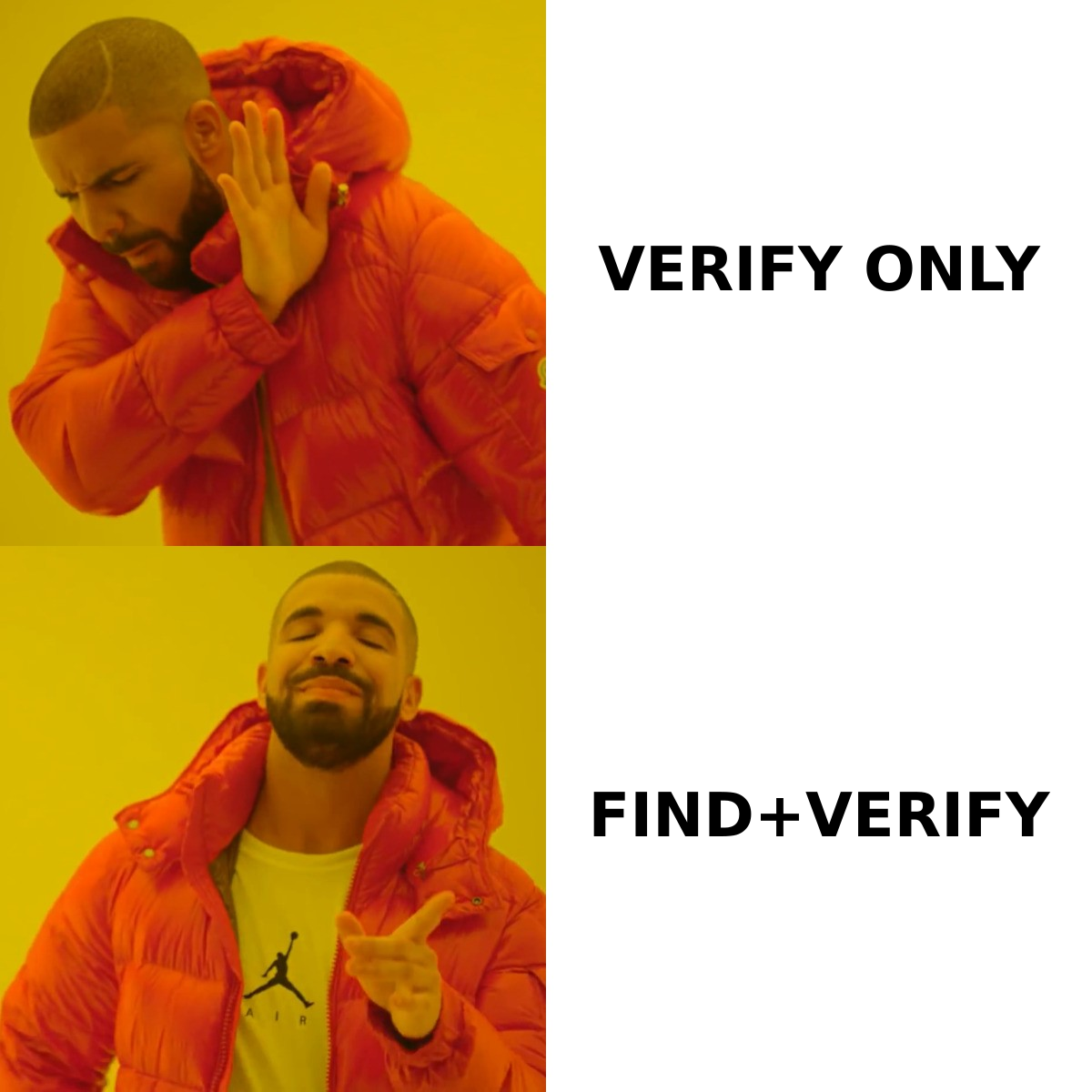
Emailvalidation.io vs Tomba comes down to one question: do you already have the addresses? One tool checks addresses you own. The other finds new ones first, then checks them too.
TL;DR
- Emailvalidation.io is a verification API, not a prospecting tool. You send it an address you already have. It tells you whether the mailbox looks real. It does not find addresses for you.
- Tomba covers the step before that. Email finder, domain search, LinkedIn lookup, and enrichment. Verification runs on the same credits and the same API key.
- If your list is already built — signup forms, CRM exports, an old newsletter file — a simple validator is cheap, fast, and enough.
- If you build lists from scratch, a finder plus a separate validator means two vendors, two rate limits, and two bills to reconcile.
- Verdict: Emailvalidation.io cleans inbound data. Tomba suits outbound teams who want the address and the verdict in one call.
What is Emailvalidation.io?#
Emailvalidation.io is a hosted email verification API. You send an address. It checks the syntax, the domain, and the MX records. It flags disposable domains, role accounts (info@, support@, sales@), and free providers. It also runs an SMTP probe on the mailbox. You get back a JSON object with a score and a result for each check.
That is the whole product, and the focus is the point. There is no CRM, no sequencer, no browser extension, and no contact database. It is one endpoint. Drop it into a signup flow or a nightly list-cleaning job. The docs are short because the product is small. You can read them in ten minutes and ship in twenty. The current spec lives at emailvalidation.io.
The typical buyer is a developer with a pile of addresses and a bounce problem. SaaS signup forms are the classic case. Block typos and throwaway addresses at signup, so your email never reaches a dead mailbox.
What is Tomba?#
Tomba starts one step earlier. Its core product is an email finder. Give it a name and a company domain, or just a domain. It returns work addresses with a confidence score and the public sources behind each one.
Around that core sit the rest of the tools. Domain search lists every published address at a company. There is also LinkedIn lookup, author finder for content and PR outreach, phone finder, data enrichment, and a bulk email finder for list-scale jobs.
Verification runs on the same account. You get a standard email verifier plus a dedicated catch-all verifier for domains that accept every address.
Distribution matters as much as the endpoints. There is a Chrome extension, Google Sheets and Excel add-ins, an Airtable integration, a CLI, an MCP server, and a REST Tomba API that exposes all of it. Same key, same credits, same dashboard.
Emailvalidation.io vs Tomba: how do they compare at a glance?#
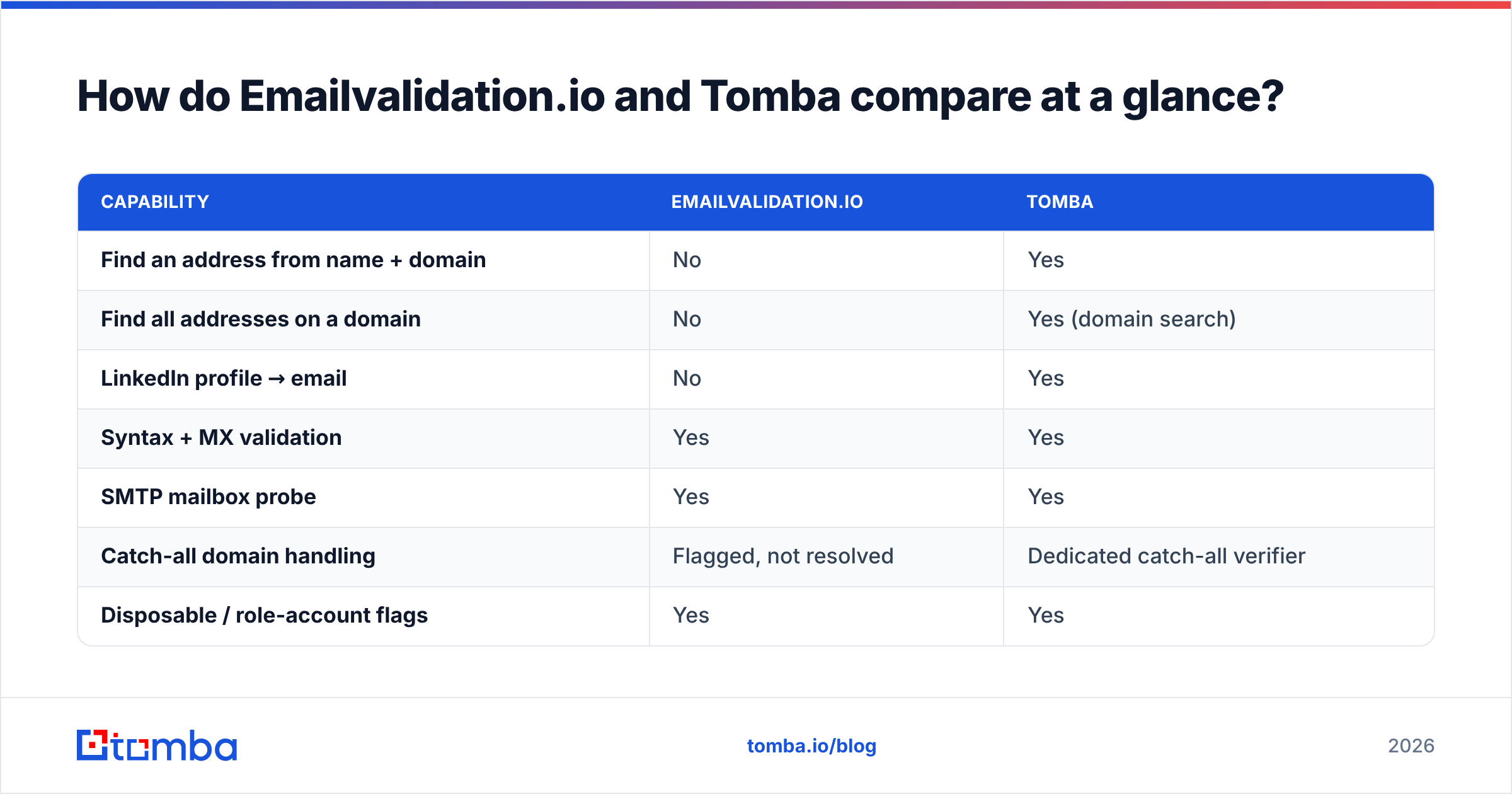
The honest question is not "which is better". It is "which problem do you have". Here is the split:
| Capability | Emailvalidation.io | Tomba |
|---|---|---|
| Find an address from name + domain | No | Yes |
| Find all addresses on a domain | No | Yes (domain search) |
| LinkedIn profile → email | No | Yes |
| Syntax + MX validation | Yes | Yes |
| SMTP mailbox probe | Yes | Yes |
| Catch-all domain handling | Flagged, not resolved | Dedicated catch-all verifier |
| Disposable / role-account flags | Yes | Yes |
| Phone number lookup | No | Yes |
| Contact enrichment (title, company, social) | No | Yes |
| Bulk CSV processing | Limited | Yes, native |
| Chrome extension | No | Yes |
| Sheets / Excel / Airtable add-ins | No | Yes |
| CLI + MCP server | No | Yes |
| Free tier | Yes, small monthly quota | Yes, 25 searches/mo |
Read that table as a shape, not a scoreboard. Emailvalidation.io is narrow on purpose. Tomba is broad on purpose. Narrow tools are easier to reason about. They are also harder to outgrow gracefully.
Which one is more accurate?#
Accuracy means two different things here. Mixing them up is the most common buying mistake.
Verification accuracy asks: does the verdict match reality? Both tools run the same core checks. Syntax, DNS and MX lookups, an SMTP handshake, plus disposable and role checks. On normal domains with a friendly mail server, any decent verifier lands in the same range. The gaps show up at the edges: greylisting, hard rate limits, Microsoft 365 tenants that answer the same way for every address, and catch-all setups.
Discovery accuracy asks: is the address you produced the one that person actually reads? A validator has no opinion here, because it never produced an address. Say your finder guesses first.last@ but the company uses flast@. Your validator marks the guess invalid. The verdict is right, the credit is gone, and you still have no lead.

The cost adds up fast. If you generate addresses by pattern and test them one by one, you pay for every miss. Catch-all domains make it worse. Every guess comes back "accepted", so you learn nothing. A finder pulls the real address from public sources and skips that loop. That is why Tomba pairs its finder with a separate catch-all verifier, instead of pretending SMTP alone settles the question.
Ignore the accuracy percentages on both websites. Both vendors quote numbers in the nineties. Neither number came from your list. Run 200 of your own addresses through each free tier. Send, then compare the bounces. That is the only test that counts.
How does pricing compare?#
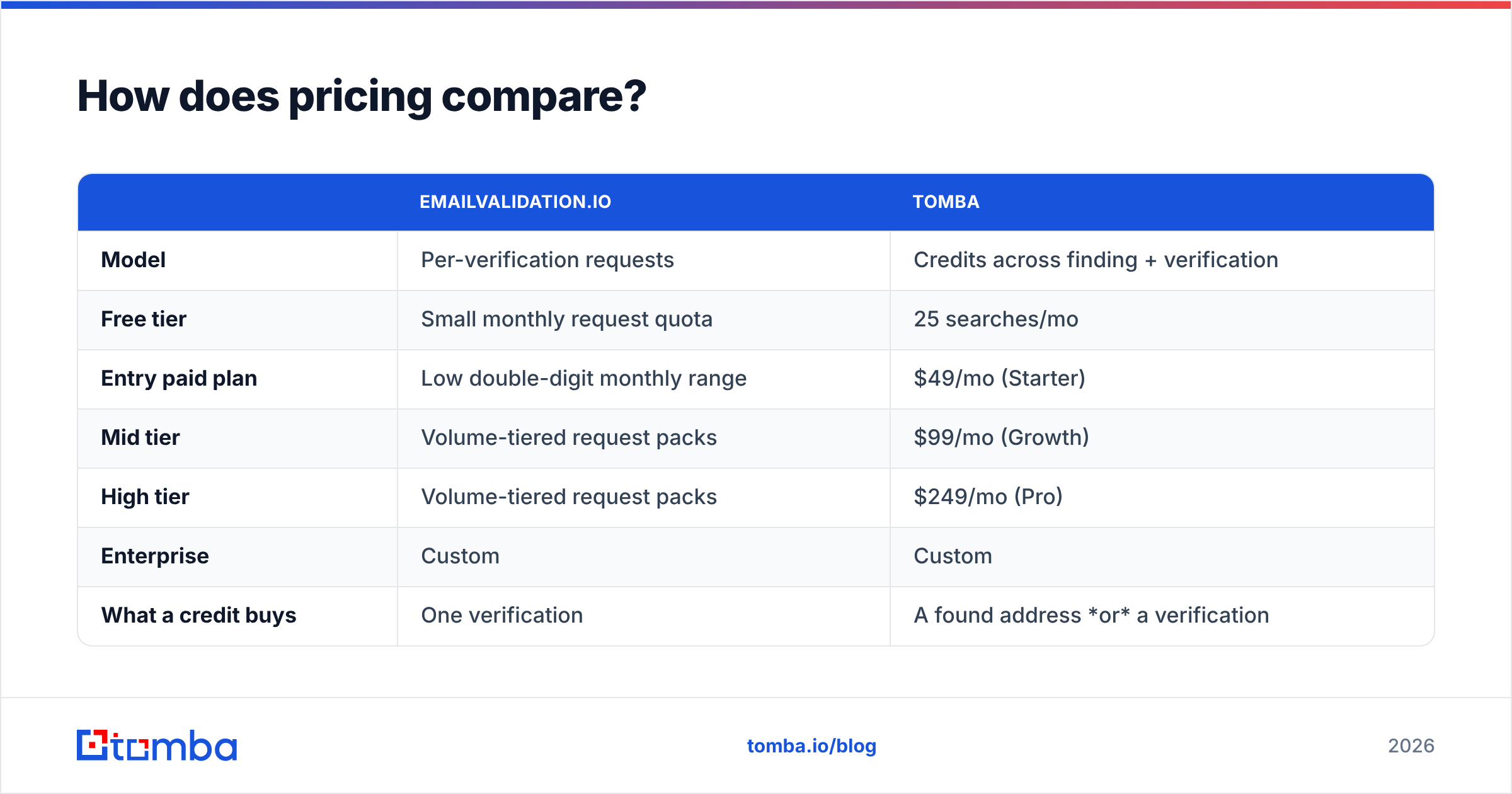
The two pricing models are built differently. Per-credit math misleads until you check what a credit actually buys.
| Emailvalidation.io | Tomba | |
|---|---|---|
| Model | Per-verification requests | Credits across finding + verification |
| Free tier | Small monthly request quota | 25 searches/mo |
| Entry paid plan | Low double-digit monthly range | $49/mo (Starter) |
| Mid tier | Volume-tiered request packs | $99/mo (Growth) |
| High tier | Volume-tiered request packs | $249/mo (Pro) |
| Enterprise | Custom | Custom |
| What a credit buys | One verification | A found address or a verification |
| Separate finder needed? | Yes, budget for it | No |
Vendor pricing moves. Check emailvalidation.io and the Tomba pricing page before you commit. Treat the shape of the table as stable and the exact figures as a snapshot.
What matters is the cost of the whole stack. A $20 validator looks cheaper than a $49 platform. Then you add the finder you still need. Now you run two subscriptions, two API keys, two rate limits, and glue code between them. The cheap option usually ends up costing more. It always ends up more fragile.

There is one case where the narrow tool clearly wins on cost: huge verification volume with no discovery at all. Say you clean a 2-million-row legacy database once a quarter. A validator priced purely on requests will beat a platform where credits also fund a finder you never use. Buy the narrow tool for the narrow job.
Which API is easier to build on?#
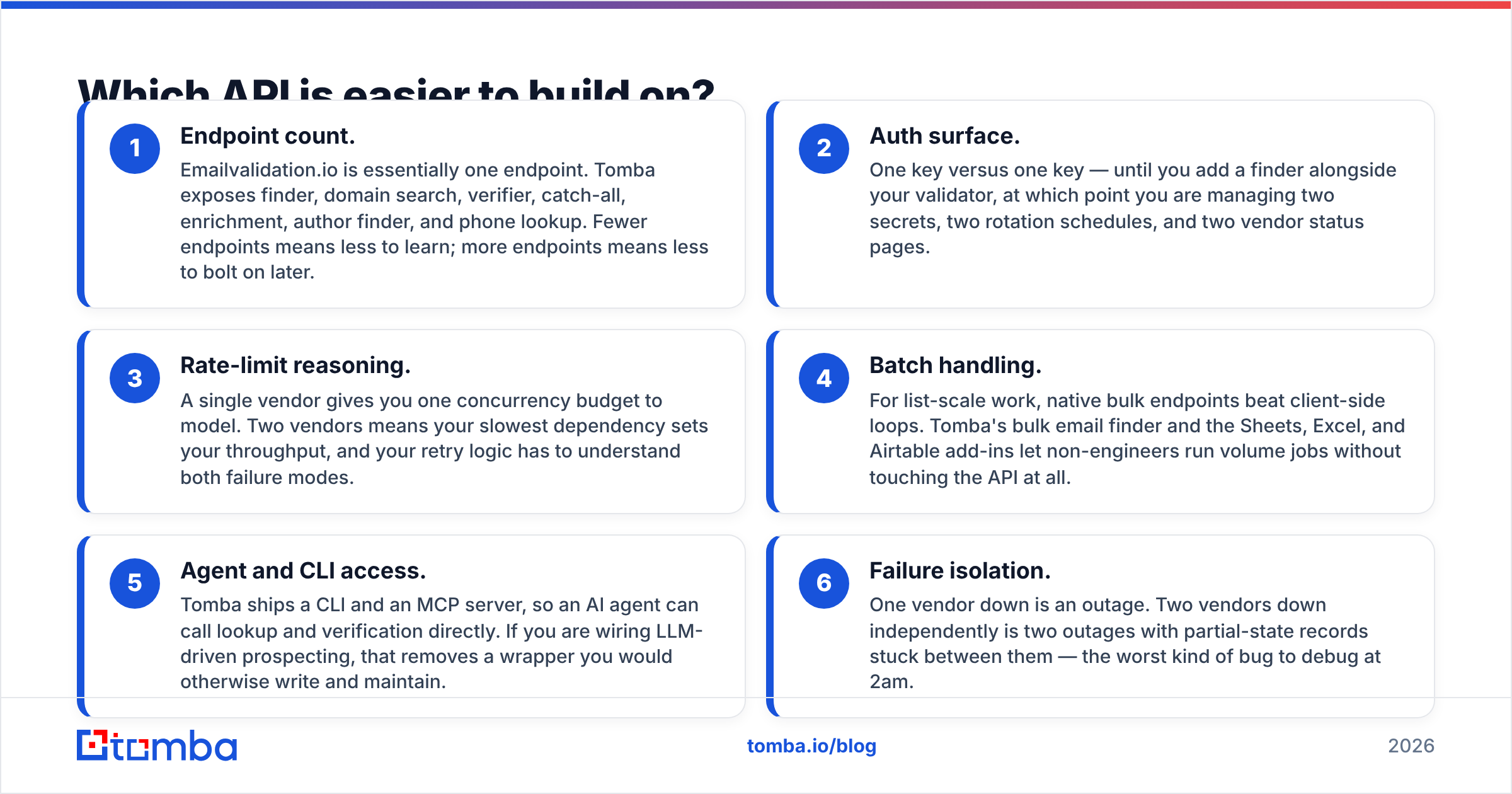
Both are REST and JSON. Both use one API key. Both answer in well under a second on healthy domains. The difference is scope, not comfort.
- Endpoint count. Emailvalidation.io is one endpoint. Tomba exposes finder, domain search, verifier, catch-all, enrichment, author finder, and phone lookup. Fewer endpoints means less to learn. More endpoints means less to bolt on later.
- Auth surface. One key versus one key. That holds until you add a finder next to your validator. Then you manage two secrets, two rotation schedules, and two status pages.
- Rate limits. One vendor gives you one budget to plan around. With two, your slowest dependency caps your speed. Your retry logic has to handle both.
- Batch jobs. For big lists, native bulk endpoints beat client-side loops. Tomba's bulk email finder and the Sheets, Excel, and Airtable add-ins let non-engineers run volume jobs without code.
- Agent and CLI access. Tomba ships a CLI and an MCP server, so an AI agent can call lookup and verification directly. If you wire up AI prospecting, that saves you a wrapper.
- Failure isolation. One vendor down is an outage. Two vendors down is two outages, with half-finished records stuck between them. That is a painful bug to chase at 2am.
None of this makes the small API worse. One endpoint you fully understand is a real asset. It only hurts if your roadmap includes finding addresses.

Which should you choose for cold outreach?#
For outbound, Tomba fits better. The reason is the order of the steps, not the quality.
Cold outreach starts with a target account and a job title, not an address. First you pick the company. Then you pick the person. Then you find their email, confirm it is safe to send, and send. A validator only helps with step four. Everything before it has to come from somewhere else: a database, a scraper, a guessing tool, or manual LinkedIn work.
Tomba covers steps two through four in one place. Search by domain, filter by team or seniority, get the address, and verify it. Then enrich it with a job title and company data. Push it to your CRM through HubSpot, Salesforce, Pipedrive, or Zapier. The sender reputation benefit of verification is the same either way. But you only get it once you have an address, and only one of these tools gets you one.
There is a fair counter-case. Some teams buy contact data from a list provider, such as BookYourData. Then discovery is already handled upstream. What you need is a hygiene pass before import, and a lean validation API does that job well at a lower unit cost. That is a valid setup, not a compromise.
What about catch-all domains?#
Catch-all domains are where verification tools quietly split apart. Understand them before you compare accuracy claims.
A catch-all server accepts mail for every address at the domain, real or not. ceo@example.com and notarealperson@example.com both get accepted. A verifier that leans on the handshake alone learns nothing. It can only say "catch-all detected, verdict unknown". That is honest, but it does not help you.
Emailvalidation.io flags catch-all domains. That is correct behaviour for a validator, and most tools in this class do the same. Tomba goes further. Its catch-all verifier uses address patterns, past observations, and public sources to return a usable confidence signal instead of a shrug.
Here is why that matters in practice. Catch-all setups are common in enterprise and mid-market B2B. Those are the exact accounts outbound teams care about most. If much of your target market is catch-all and your tool says "unknown", you either send blind or throw away good leads. Neither is a good outcome.
For more on the downstream effect, see the email deliverability glossary entry. It is also worth checking user reports on G2 before you decide.
What is the final verdict?#
Pick based on where your data comes from, not on feature counts.
Choose Emailvalidation.io if your addresses already exist and you need them cleaned. Think signup-form protection, quarterly database hygiene, newsletter scrubbing before a send, or a workflow where you verify but never prospect. It is focused, easy to plug in, and cheap at pure verification volume.
Choose Tomba if you need to produce addresses, not just judge them. Think outbound SDR teams, agencies running client campaigns, recruiters, and partnership roles. Anyone whose week includes "find the head of engineering at these 40 companies". One vendor, one key, one credit pool, with verification built in rather than bolted on.
So Emailvalidation.io vs Tomba is really a question about your funnel, not a scoreboard. Do not decide on headline accuracy numbers from either vendor. Both free tiers exist for a reason. Run your own 200-address sample through each, send to the survivors, and count the real bounces. The tool that wins on your data is the one to buy.
Want to test the discovery half of the equation? Start with the Tomba Email Finder. The free tier gives you 25 searches a month with no card. That is enough to benchmark it against whatever you run today. If it holds up on your accounts, the Starter plan is $49/mo and covers finding, verification, catch-all checks, and enrichment on one key. If it does not, you have lost an afternoon.
Related guides#
Ready to find emails that actually work?
Join 150,000+ professionals who stopped guessing and started sending. Free credits on signup — no credit card required.
Get the Tomba newsletter
Practical outbound tactics and product updates — once every two weeks.
About the author