Emojis in Email Subject Lines: Do They Still Work in 2026?
Emojis in email subject lines used to be an easy open-rate win. In 2026 the effect is smaller, segment-dependent, and occasionally negative. Here is what the data, the filters, and the rendering quirks actually say.
TL;DR
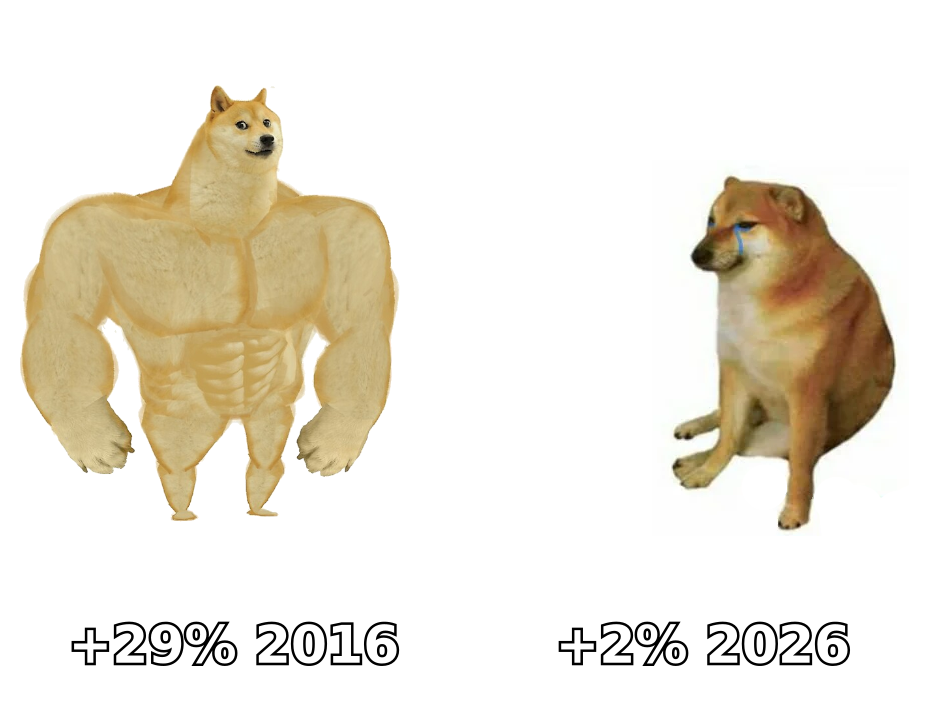
- Emojis in email subject lines no longer produce a reliable open-rate lift. The big double-digit gains reported in 2015–2018 were mostly novelty effects that decayed as adoption spread.
- The effect is now segment-dependent: B2C lifecycle and promotional sends can still see small positive movement; B2B cold outbound usually sees flat-to-negative results.
- Emojis do not directly trigger spam filters. They correlate with promotional patterns, which is a different and more dangerous problem — especially in Gmail, which classifies before it filters.
- Rendering is still inconsistent across Outlook desktop, dark mode, and older Android builds. A broken glyph costs more than a missing emoji ever would.
- If you test, test one emoji, at the front or the end, on a 5,000+ recipient split, and measure replies or clicks — not opens, which Apple Mail Privacy Protection has made unreliable since 2021.
What are emojis in email subject lines, and why is this still debated?#
An emoji in a subject line is a Unicode pictograph — 🎉, ✅, 🚀 — rendered inline by the recipient's email client. Technically it is just a character, encoded the same way as a letter. Practically it is a visual interrupt in a text-only list, which is why marketers latched onto it a decade ago.
Think of the inbox like a shelf of identical white boxes. In 2015, putting a red sticker on your box made it the only one with a sticker. Everyone noticed. In 2026, half the shelf has stickers, and some of the stickers are on boxes people already regret opening. The sticker still exists. The advantage does not.
That is the core of the debate. The mechanism (visual salience) is real and well documented in attention research. The competitive advantage has been arbitraged away in the categories where usage is heaviest — retail, travel, events — while remaining largely untouched in categories where usage is near zero, like enterprise B2B and financial services.
The second reason this argument won't die: measurement broke. Since Apple Mail Privacy Protection began pre-fetching tracking pixels in 2021, a large share of "opens" are machine opens. Any emoji test that reports only open rate is measuring a number that is roughly 30–60% synthetic depending on your audience's Apple share. Most of the confident blog posts claiming "+45% opens from emojis" were run on that broken metric.
Do emojis actually increase open rates in 2026?#
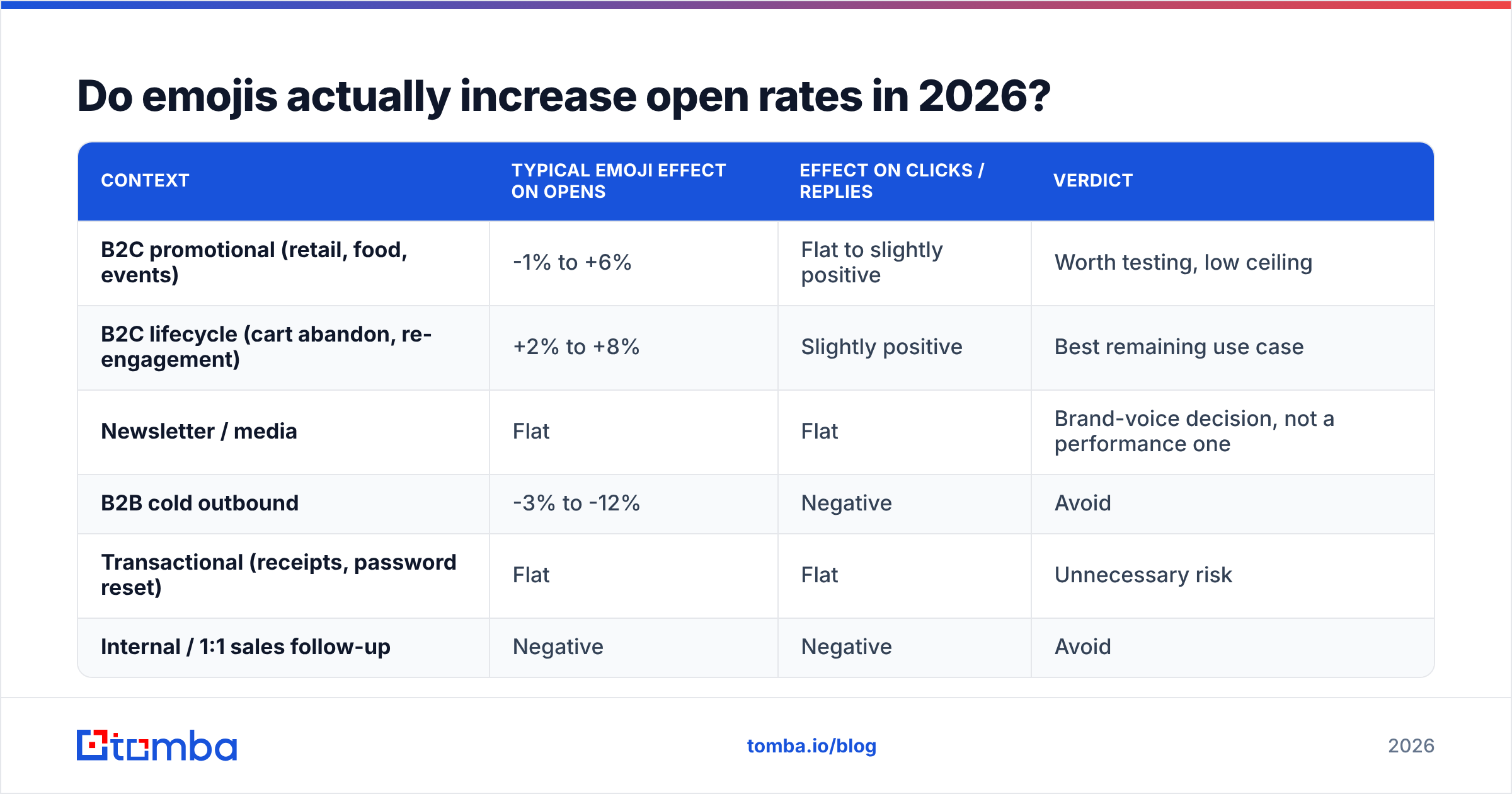
The honest answer: sometimes, slightly, in specific contexts, and less than almost any other subject-line variable you could change.
Here is how the published evidence stacks up when you separate it by context rather than averaging everything into one misleading number.
| Context | Typical emoji effect on opens | Effect on clicks / replies | Verdict |
|---|---|---|---|
| B2C promotional (retail, food, events) | -1% to +6% | Flat to slightly positive | Worth testing, low ceiling |
| B2C lifecycle (cart abandon, re-engagement) | +2% to +8% | Slightly positive | Best remaining use case |
| Newsletter / media | Flat | Flat | Brand-voice decision, not a performance one |
| B2B cold outbound | -3% to -12% | Negative | Avoid |
| Transactional (receipts, password reset) | Flat | Flat | Unnecessary risk |
| Internal / 1:1 sales follow-up | Negative | Negative | Avoid |
The pattern is consistent: emojis help most where the recipient already has a relationship with you and the message is explicitly commercial. They hurt most where you are a stranger pretending to write a personal note. A 🚀 in a cold email from someone the prospect has never heard of does one thing efficiently — it announces that the message is bulk.
HubSpot's ongoing subject-line research has repeatedly found that personalization, specificity, and length matter far more than decoration. That ordering has held stable for years. If you have limited testing bandwidth, spending it on emojis is spending it on the smallest lever available.
Do emojis hurt deliverability or trigger spam filters?#
No filter in 2026 has a rule that says "contains emoji → spam." That myth needs to die. What actually happens is subtler and worth understanding, because the practical outcome can still be bad.
Modern filtering at Gmail, Outlook, and Yahoo works on aggregate engagement signals and content-pattern classification. Emojis are a weak feature in a much larger model. The problem is correlation: subject lines with three emojis, all-caps words, and exclamation marks tend to come from senders with poor engagement histories. Your message gets scored against that neighborhood.
Three concrete risks:
- Promotions-tab routing in Gmail. Emoji-heavy commercial subject lines are a signal in Gmail's tab classification. For B2C that may be fine — Promotions is where shoppers shop. For B2B outbound aiming at the Primary tab, it is a real cost.
- Corporate gateway rules. Some Mimecast, Proofpoint, and Barracuda deployments carry legacy custom rules that penalize non-ASCII subject characters. These are administrator-configured, not vendor defaults, but they exist in enough enterprises to matter if you sell into large organizations.
- Encoding failures. Subject lines are encoded per RFC 2047. Poorly built sending systems occasionally emit raw UTF-8 or mangle the base64 encoding, and the recipient sees
=?utf-8?B?8J+agA==?=instead of a rocket. That is not a filter problem, it is a stack problem, and it makes you look broken.
Google's own sender guidelines never mention emojis. They talk about authentication, complaint rates below 0.3%, and list hygiene. That is the actual deliverability hierarchy. If your emails are landing in spam, the emoji is not the reason — a stale list, a missing DMARC policy, or a bad-data bounce rate is.
Run your draft through a spam checker before you blame the pictograph, and clean the list with an email verifier before you blame anything at all. Bounces from invalid addresses damage sender reputation an order of magnitude faster than any subject-line character ever will.
How do emojis render across clients and devices?#
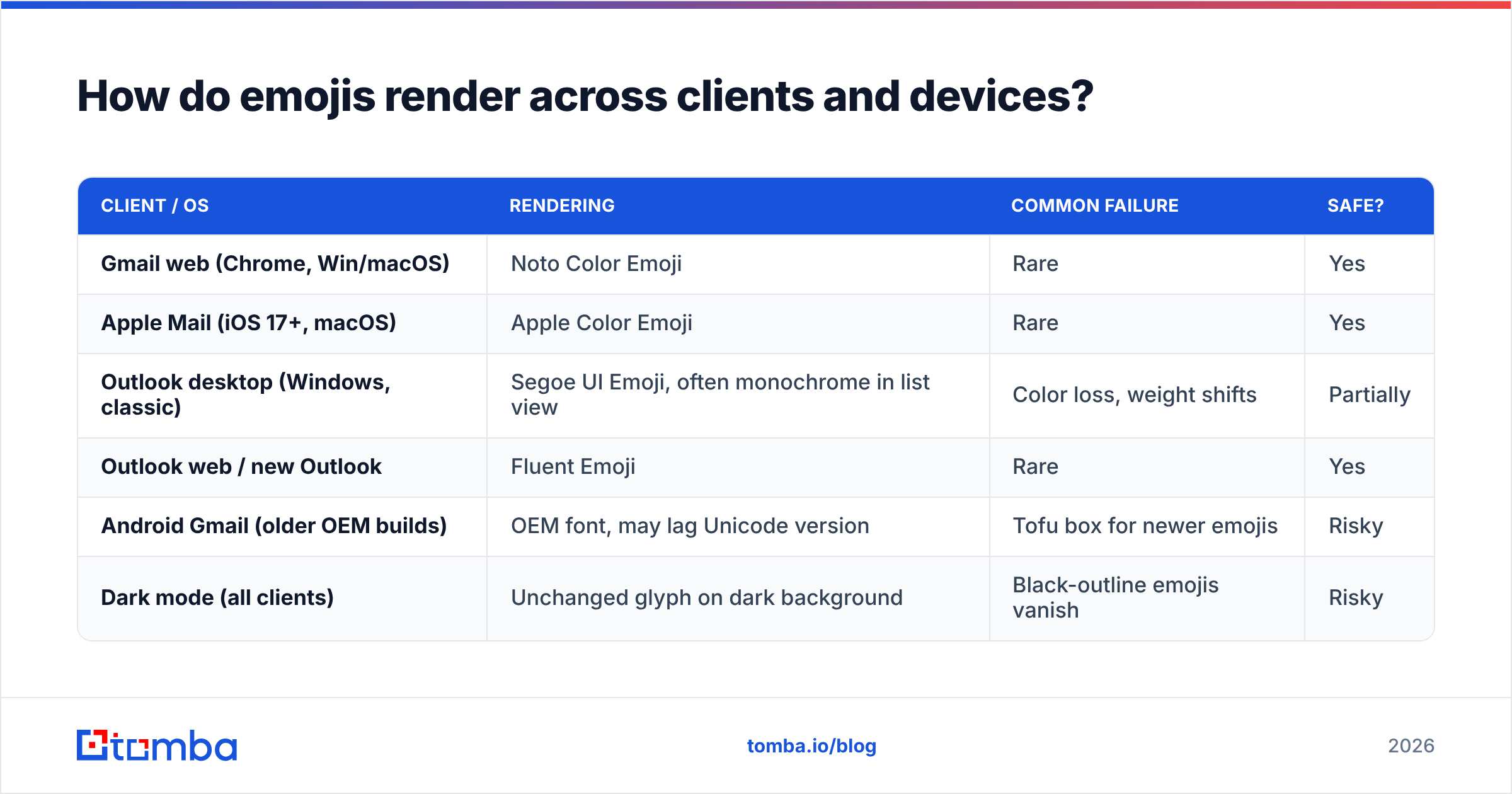
This is where most emoji experiments quietly lose money. You compose in Gmail on macOS, see a crisp Apple-style glyph, and ship. A third of your list sees something else.
| Client / OS | Rendering | Common failure | Safe? |
|---|---|---|---|
| Gmail web (Chrome, Win/macOS) | Noto Color Emoji | Rare | Yes |
| Apple Mail (iOS 17+, macOS) | Apple Color Emoji | Rare | Yes |
| Outlook desktop (Windows, classic) | Segoe UI Emoji, often monochrome in list view | Color loss, weight shifts | Partially |
| Outlook web / new Outlook | Fluent Emoji | Rare | Yes |
| Android Gmail (older OEM builds) | OEM font, may lag Unicode version | Tofu box for newer emojis | Risky |
| Dark mode (all clients) | Unchanged glyph on dark background | Black-outline emojis vanish | Risky |
Two rules fall out of that table. First, stick to emojis introduced before Unicode 9.0 (2016) — ✅, ⚠️, 🔥, 📈, 🎯, ⏰. They are universally supported. Anything from the last few Unicode revisions risks a tofu box on devices that stopped receiving font updates. The Unicode emoji reference is the authoritative version history if you need to check a specific glyph.
Second, avoid emojis whose legibility depends on a light background. Dark-outline symbols and anything predominantly black disappear in dark mode, which now accounts for a majority of mobile email views.
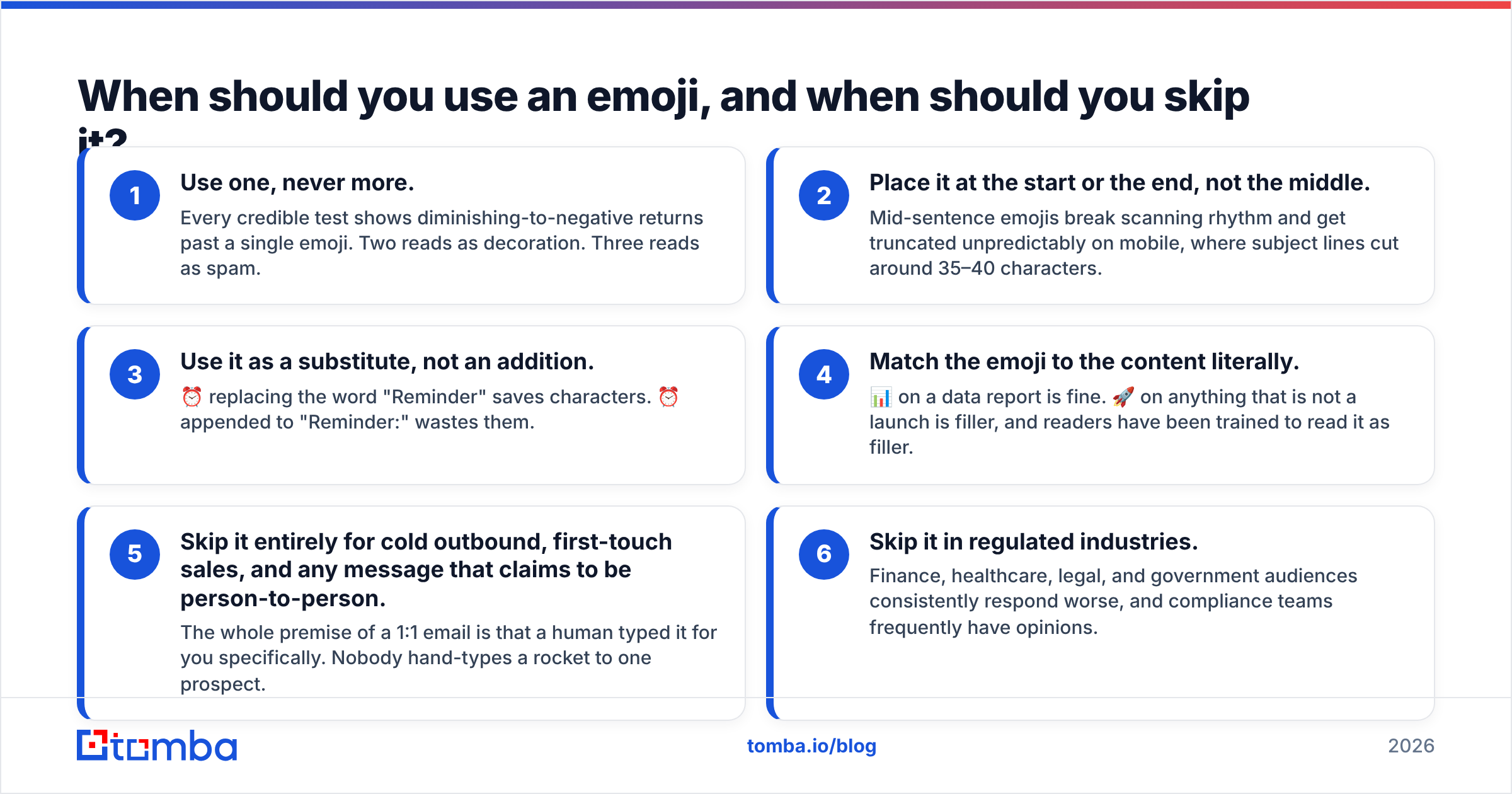
When should you use an emoji, and when should you skip it?#
Use this as a decision checklist rather than a style preference.
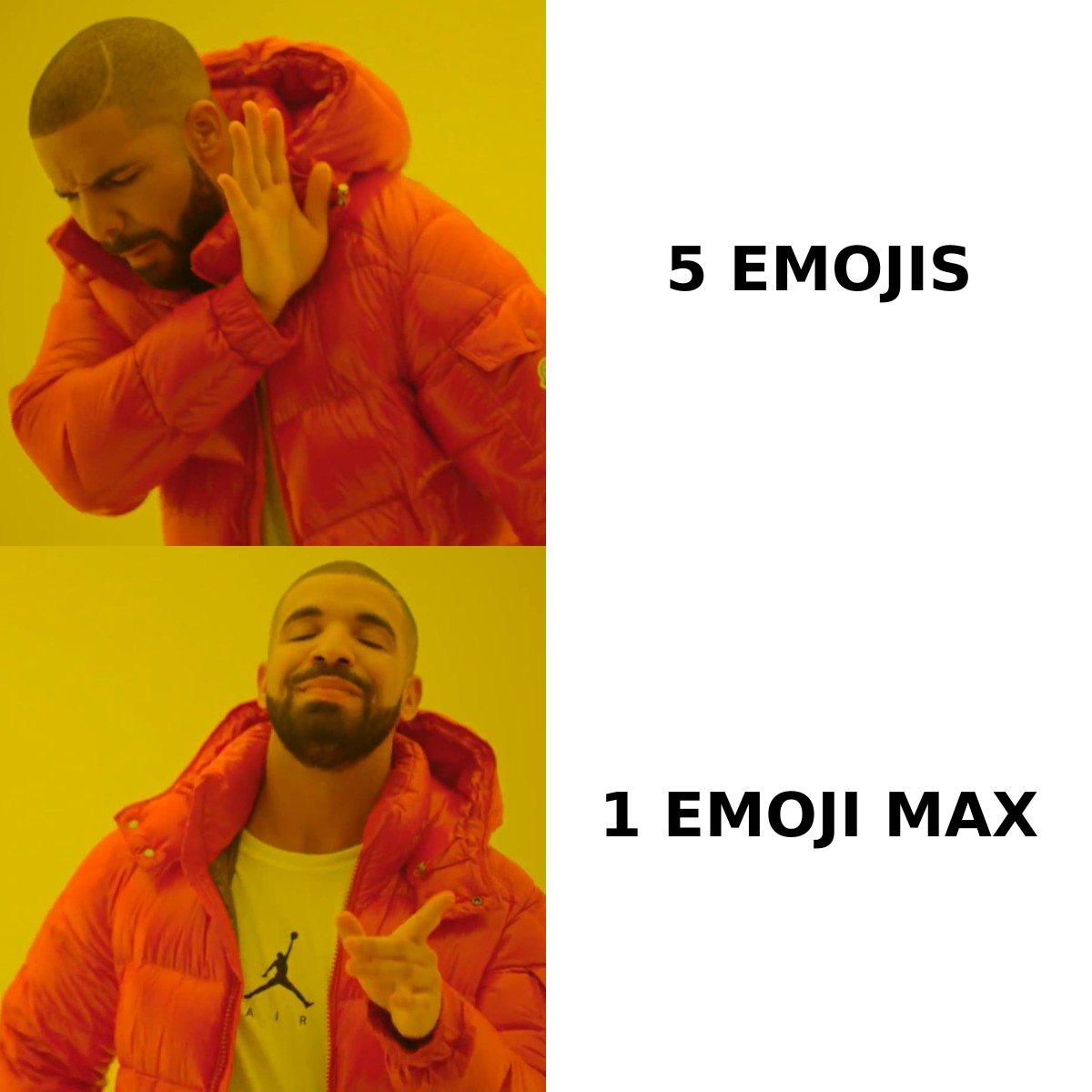
- Use one, never more. Every credible test shows diminishing-to-negative returns past a single emoji. Two reads as decoration. Three reads as spam.
- Place it at the start or the end, not the middle. Mid-sentence emojis break scanning rhythm and get truncated unpredictably on mobile, where subject lines cut around 35–40 characters.
- Use it as a substitute, not an addition. ⏰ replacing the word "Reminder" saves characters. ⏰ appended to "Reminder:" wastes them.
- Match the emoji to the content literally. 📊 on a data report is fine. 🚀 on anything that is not a launch is filler, and readers have been trained to read it as filler.
- Skip it entirely for cold outbound, first-touch sales, and any message that claims to be person-to-person. The whole premise of a 1:1 email is that a human typed it for you specifically. Nobody hand-types a rocket to one prospect.
- Skip it in regulated industries. Finance, healthcare, legal, and government audiences consistently respond worse, and compliance teams frequently have opinions.
If you want a fast sanity check on length, truncation, and spam-trigger words before sending, run the line through a subject line tester. If you are stuck generating variants to test at all, a subject line generator will give you a spread of angles faster than staring at a blank field.
Which emojis still perform, and which ones are burned?#
Burnout is real and category-specific. An emoji that appears in every third promotional email in your vertical has zero interrupt value left — it is wallpaper.
Generally still functional: ✅ (confirmation, checklist), ⚠️ (genuine warning, use sparingly), 📈 (data, growth reports), ⏰ (deadline, expiry), 📌 (saved/pinned reference), 🔒 (security, privacy).
Heavily burned in most B2C categories: 🔥, 🎉, 💰, 😍, 🚀, ❤️, 🎁, ⭐. These carry a strong "mass promotional email" association. In retail they are neutral background noise. In B2B they actively signal automation.
Never use: anything with an implied tone the reader has to interpret (😉, 😏), anything that could read as manipulative urgency in a regulated context (💸, 🆘), and any recently added glyph you have not verified renders on Android.
One more consideration nobody talks about: screen readers announce emojis by their full Unicode name. "🔥 Last chance" is read aloud as "fire, last chance." Three emojis produce a three-word preamble before your actual message. That is a real accessibility cost for a marginal attention gain.
How do you test emojis without wrecking your list?#
Most emoji "tests" are not tests. They are one send with an emoji, compared to a different send from three weeks earlier, on a different day, to a slightly different segment. That is a story, not data.
A defensible test looks like this:
- Hold everything else constant. Same copy, same send time, same segment, same offer. The only variable is the emoji.
- Split at least 5,000 recipients per arm. Below that, a 2-point difference is noise. Emoji effects are small, which means you need volume to detect them at all.
- Measure clicks and replies, not opens. Apple MPP has made open rate directionally useful at best. If your primary metric is opens, you are measuring Apple's proxy servers.
- Run it twice. Small-effect findings that don't replicate weren't findings.
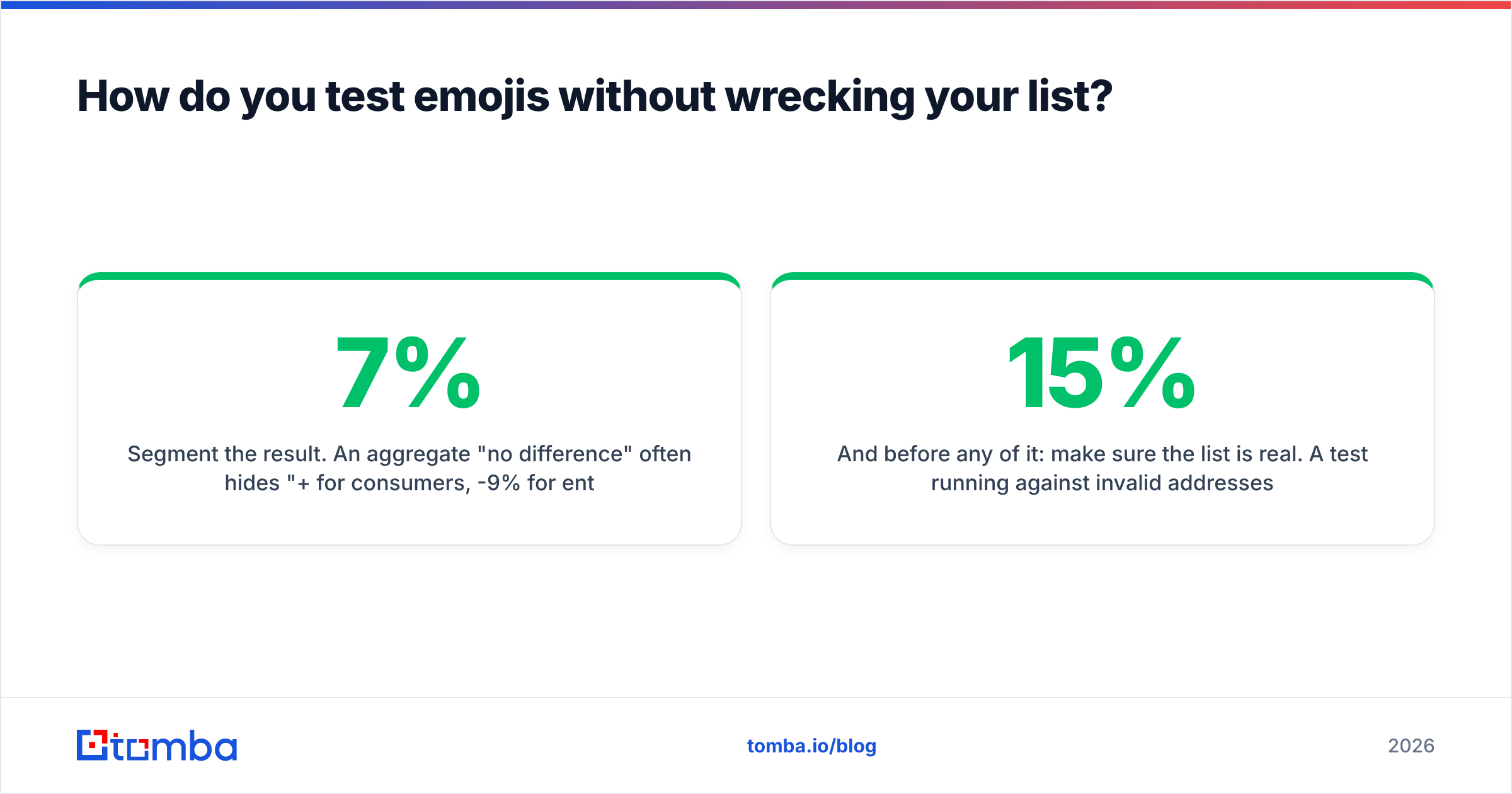
- Segment the result. An aggregate "no difference" often hides "+7% for consumers, -9% for enterprise." That split is the actual insight.
- Check the deliverability side. Compare inbox placement and Promotions-tab routing between arms, not just engagement.
And before any of it: make sure the list is real. A test running against 15% invalid addresses produces bounce noise that swamps a 3% subject-line effect. Clean data first, creative second. If you are building lists from scratch, pulling verified contacts through a proper email finder rather than scraping and guessing removes the largest source of variance in any email experiment you will ever run.
What actually moves the needle instead?#
Ranked by observed effect size, from largest to smallest:
- List quality. Sending to real, current, role-appropriate addresses. Nothing else comes close.
- Segmentation and relevance. The right message to the right 500 people beats a clever subject to 50,000.
- Specificity in the subject. "Your Q3 renewal is up on March 14" beats "Important update 🔔" every time.
- Length. 30–50 characters on mobile. Front-load the meaning.
- Sender name and authentication. Recognizable from-name, aligned SPF/DKIM/DMARC.
- Emojis. Last. Genuinely last.
That ordering is not a hot take. It is what falls out of every large-sample analysis published by the major ESPs and reviewed on platforms like G2. Emojis are a finishing touch on a working system, not a fix for a broken one.
The bottom line#
Emojis in email subject lines are a small, decaying, context-dependent lever. In consumer lifecycle email they are worth a properly designed test. In B2B outbound they are a liability that marks your message as bulk before anyone reads a word. Use one at most, pick an old and universally supported glyph, verify it renders in dark mode and on Outlook desktop, and never let it substitute for a subject line that says something specific.
Then go fix the thing that actually determines whether the email lands: the data behind it. Start with Tomba's Email Finder to build lists from verified, source-attributed professional addresses instead of guesses — free tier includes 25 searches a month, and paid plans start at $49/mo on the Starter tier. A clean list with a plain subject line will beat a dirty list with a perfect one, every single send.
Related guides#
Ready to find emails that actually work?
Join 150,000+ professionals who stopped guessing and started sending. Free credits on signup — no credit card required.
Get the Tomba newsletter
Practical outbound tactics and product updates — once every two weeks.
About the author