Enrichley vs Generect: Which B2B Data Tool Wins in 2026?
Enrichley and Generect both promise fresh B2B contact data, but they solve different problems. Here is an honest breakdown of coverage, accuracy, pricing models, and API fit — plus where a cheaper third option beats both.
Enrichley vs Generect comes down to one question. Do you need new leads, or better data on the leads you already have? Generect builds lists. Enrichley fills the gaps in lists you own. This guide compares coverage, accuracy, pricing, and API fit — plus a cheaper third option most buyers miss.
TL;DR
- Generect is built around LinkedIn-sourced lead lists and a real-time search API. It shines when you want to turn a Sales Navigator-style filter into a contact list without scraping it yourself.
- Enrichley leans toward enrichment and data hygiene. It takes records you already have and fills the gaps, rather than building net-new lists from scratch.
- Neither publishes a self-serve price you can check in ten seconds. Both lean on demos and custom quotes. For small teams, that is the single biggest friction point.
- If your real job is "find and verify work emails at scale, via API, without a sales call," a dedicated email finder like Tomba covers it at $49/mo. There is a free tier to test first.
- The honest verdict on Enrichley vs Generect: pick Generect for list building, Enrichley for CRM cleanup, and a specialist finder for the email layer under both.
Enrichley vs Generect: what does each tool do?#
Both are B2B contact-data vendors. But they enter the problem from opposite ends.
Generect is a lead generation data provider with an API-first delivery model. You hand it a search definition — job titles, headcount, geography, industry, sometimes a LinkedIn URL. It returns structured lead records with work emails and company details. The value is in generation. You start with a segment and end with a list.
Enrichley comes at it from the enrichment side. You start with something you already own: a CSV of signups, a stale CRM segment, a webinar list with only names and domains. The platform appends the missing fields — role, seniority, company size, tech stack, contact details. The value is in completion. You start with rows and end with better rows.
That distinction matters more than any feature checklist. It decides what happens when the tool fails. A list tool that comes back thin costs you pipeline. An enrichment tool that comes back thin costs you match rate on records you already had.
Here's the practical test. Open your CRM. If the problem is "we don't have enough accounts," you need generation. If the problem is "half our contact fields are empty or three years stale," you need enrichment.
Enrichley vs Generect: head-to-head comparison#
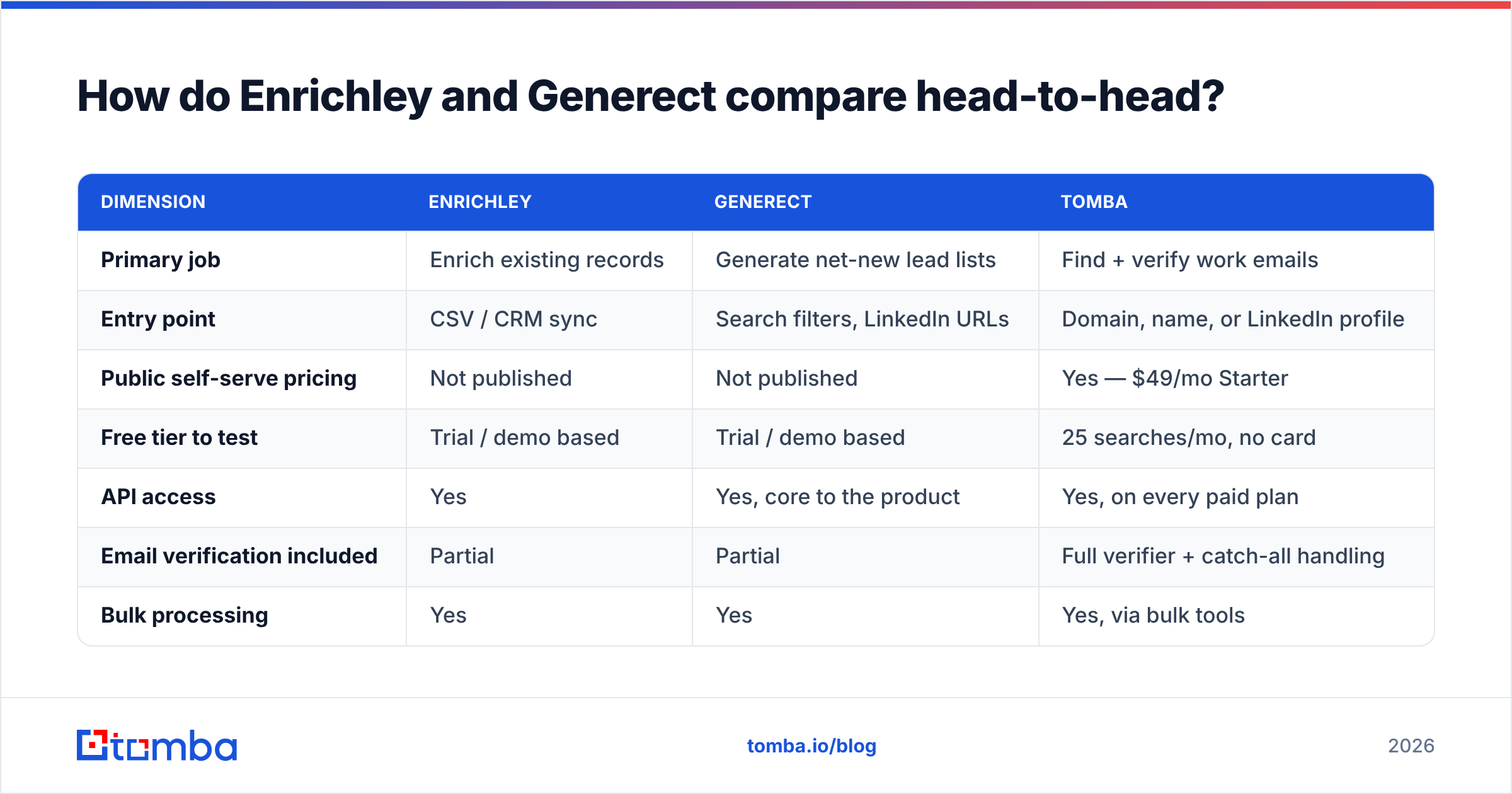
Below is the comparison as of early 2026. Both vendors move fast, and neither publishes a full public price card. Treat the pricing rows as directional and confirm on a call before you sign.
| Dimension | Enrichley | Generect | Tomba |
|---|---|---|---|
| Primary job | Enrich existing records | Generate net-new lead lists | Find + verify work emails |
| Entry point | CSV / CRM sync | Search filters, LinkedIn URLs | Domain, name, or LinkedIn profile |
| Public self-serve pricing | Not published | Not published | Yes — $49/mo Starter |
| Free tier to test | Trial / demo based | Trial / demo based | 25 searches/mo, no card |
| API access | Yes | Yes, core to the product | Yes, on every paid plan |
| Email verification included | Partial | Partial | Full verifier + catch-all handling |
| Bulk processing | Yes | Yes | Yes, via bulk tools |
| Best for | RevOps data hygiene | Outbound list building | Email layer for either workflow |
| Weak spot | Coverage outside core regions | Enrichment depth on owned data | Not a full lead database |
The row that trips up most buyers is "public self-serve pricing." When a vendor hides the price, the number is usually negotiated against seat count and record volume. That is fine at 50 seats and painful at three. A two-person founding sales team can spend two weeks in demos before learning whether either tool fits the budget.
Enrichley vs Generect: which has better data accuracy?#
Neither vendor wins outright. They are accurate about different things.
Generect is strongest on identity and firmographics. Is this person really the VP of Engineering at this company, right now? Its pipeline leans on professional network signals, so job changes surface fast. That recency is genuinely valuable. The weak link is the email itself. Knowing who someone is and knowing which mailbox accepts mail are two different problems.
Enrichley is strongest on fill rate against a known list. Feed it clean domains and full names, and match rates hold up. Feed it messy input — nickname-only first names, acquired company domains, personal Gmail signups — and the match rate drops, the way it does for every enrichment tool.

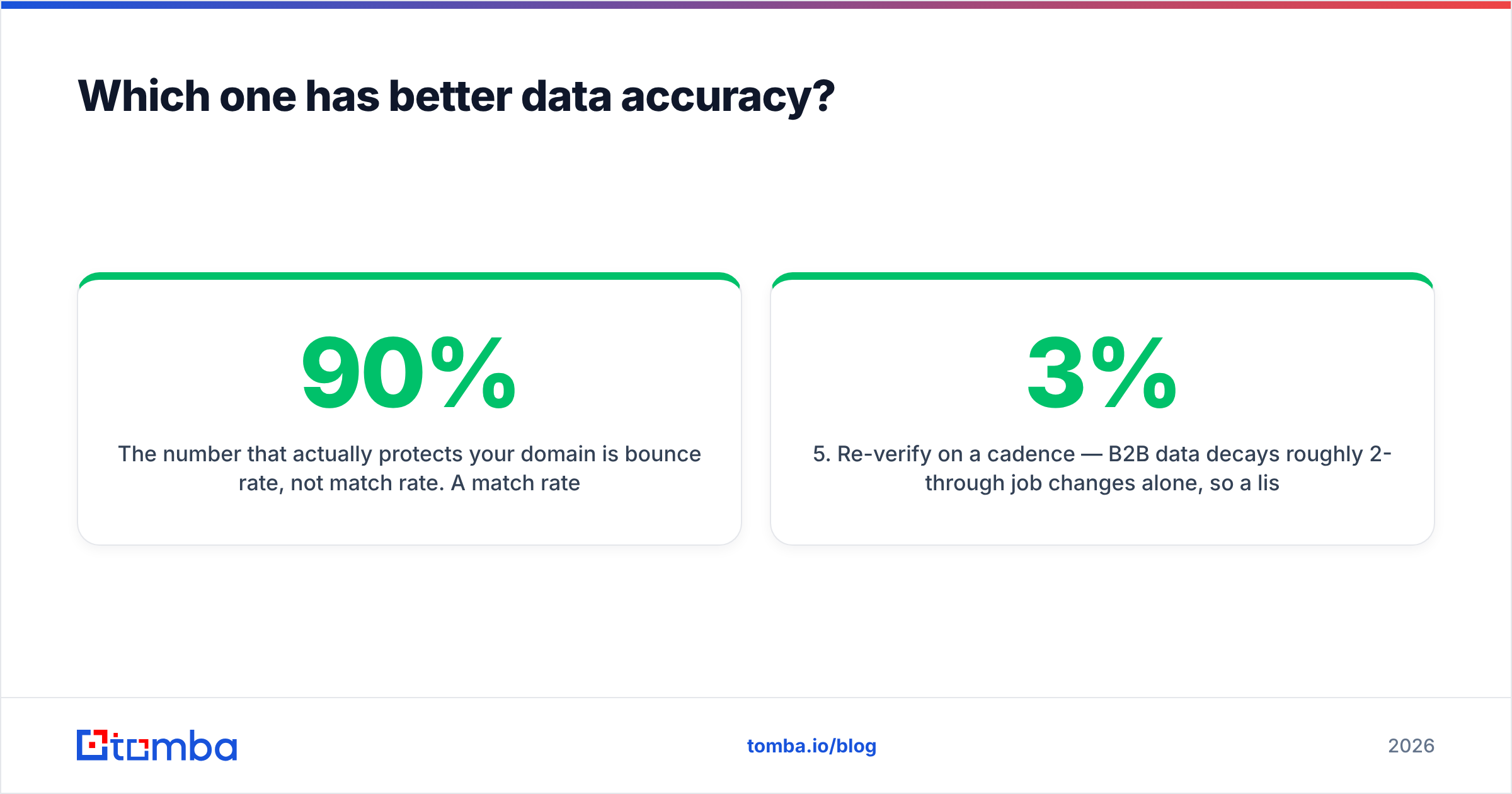
The number that protects your domain is bounce rate, not match rate. A 90% match rate with 12% bounces is worse than a 70% match rate with 1% bounces. The first one burns sender reputation you spent months building. Mailbox providers read hard bounces as a sign that you bought a list. The penalty then lands on every campaign you send after that, including the ones to good contacts.
That is why the strongest setup is layered, not monolithic:
- Source the identity — use Generect, a LinkedIn export, or a database to work out who you want to reach and where they work today.
- Resolve the email — run the name plus domain through a dedicated finder that returns a confidence score, not just a guessed pattern.
- Verify before send — SMTP-check every address with an email verifier. Route catch-all domains to a separate risk bucket instead of deleting them or sending blind.
- Enrich for personalization — append only the context your copy actually uses. If the template never references a field, don't pay to append it.
- Re-verify on a cadence — B2B data decays roughly 2-3% per month through job changes alone. A list verified in January is much worse by June.
Skip step three and the other four don't matter. Most teams comparing Enrichley vs Generect are shopping for step one and step four. Then they discover they still need step three from somewhere else.
How do pricing models differ?#
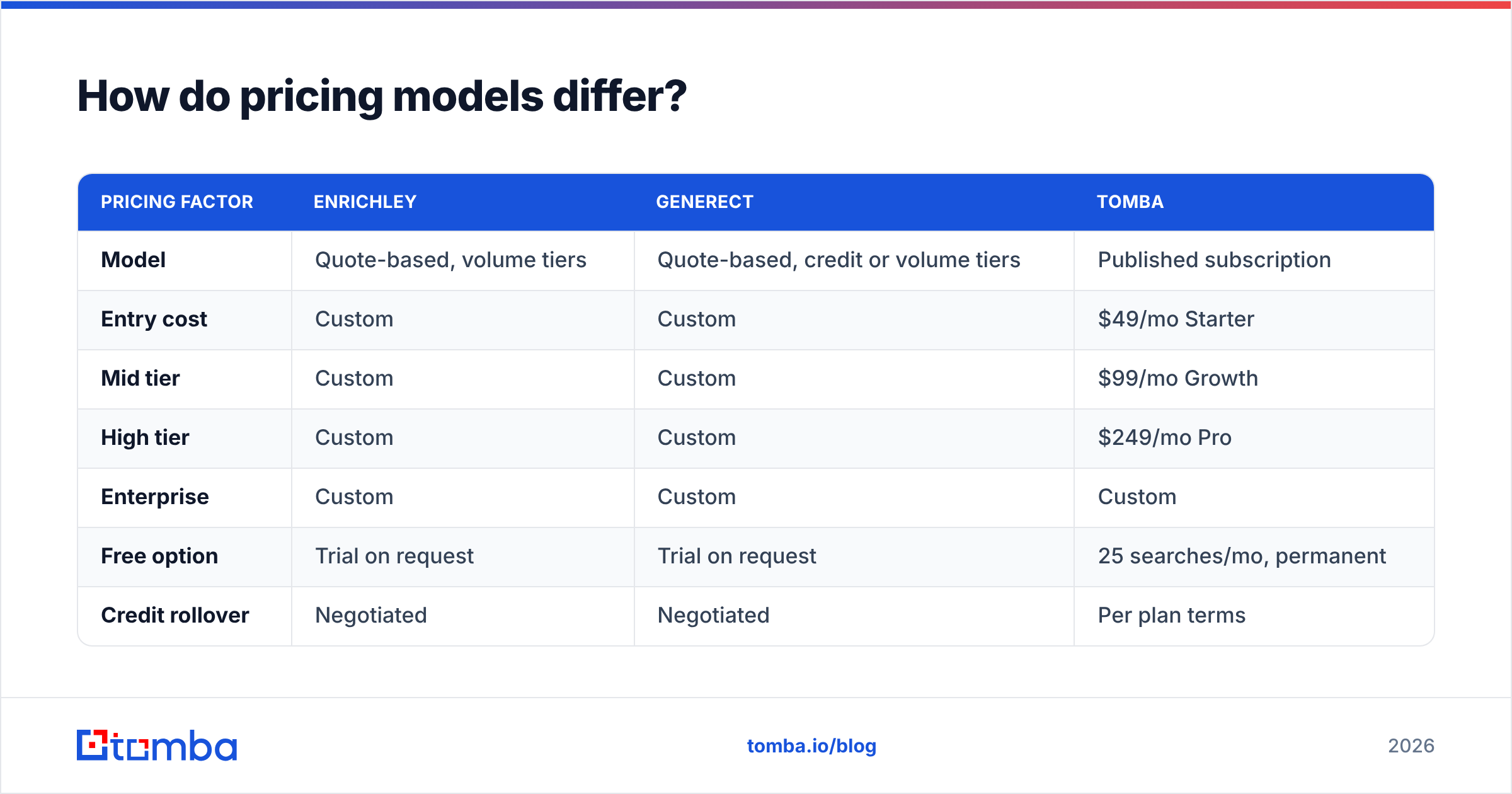
This is where Enrichley vs Generect gets uncomfortable. Both vendors make you ask.
| Pricing factor | Enrichley | Generect | Tomba |
|---|---|---|---|
| Model | Quote-based, volume tiers | Quote-based, credit or volume tiers | Published subscription |
| Entry cost | Custom | Custom | $49/mo Starter |
| Mid tier | Custom | Custom | $99/mo Growth |
| High tier | Custom | Custom | $249/mo Pro |
| Enterprise | Custom | Custom | Custom |
| Free option | Trial on request | Trial on request | 25 searches/mo, permanent |
| Credit rollover | Negotiated | Negotiated | Per plan terms |
| Annual commitment pressure | Common | Common | Monthly available |
Quote-based pricing is not automatically bad. If you enrich two million records a quarter, a negotiated contract beats any published card. But it front-loads cost onto your evaluation. Three demos, a security questionnaire, and a procurement cycle — all before you know whether the data even works on your ICP.
For a self-serve buyer, published pricing is a feature. You can see Tomba pricing without a calendar invite. The free tier exists so you can burn 25 lookups on your own hard accounts before spending anything. Run the same twenty target contacts through every shortlisted vendor. Compare hit rate and bounce rate on your ICP, because vendor-published accuracy averages are computed on their sample, not yours.

Which tool fits which team?#
The Enrichley vs Generect choice depends on the constraint that is actually hurting you.
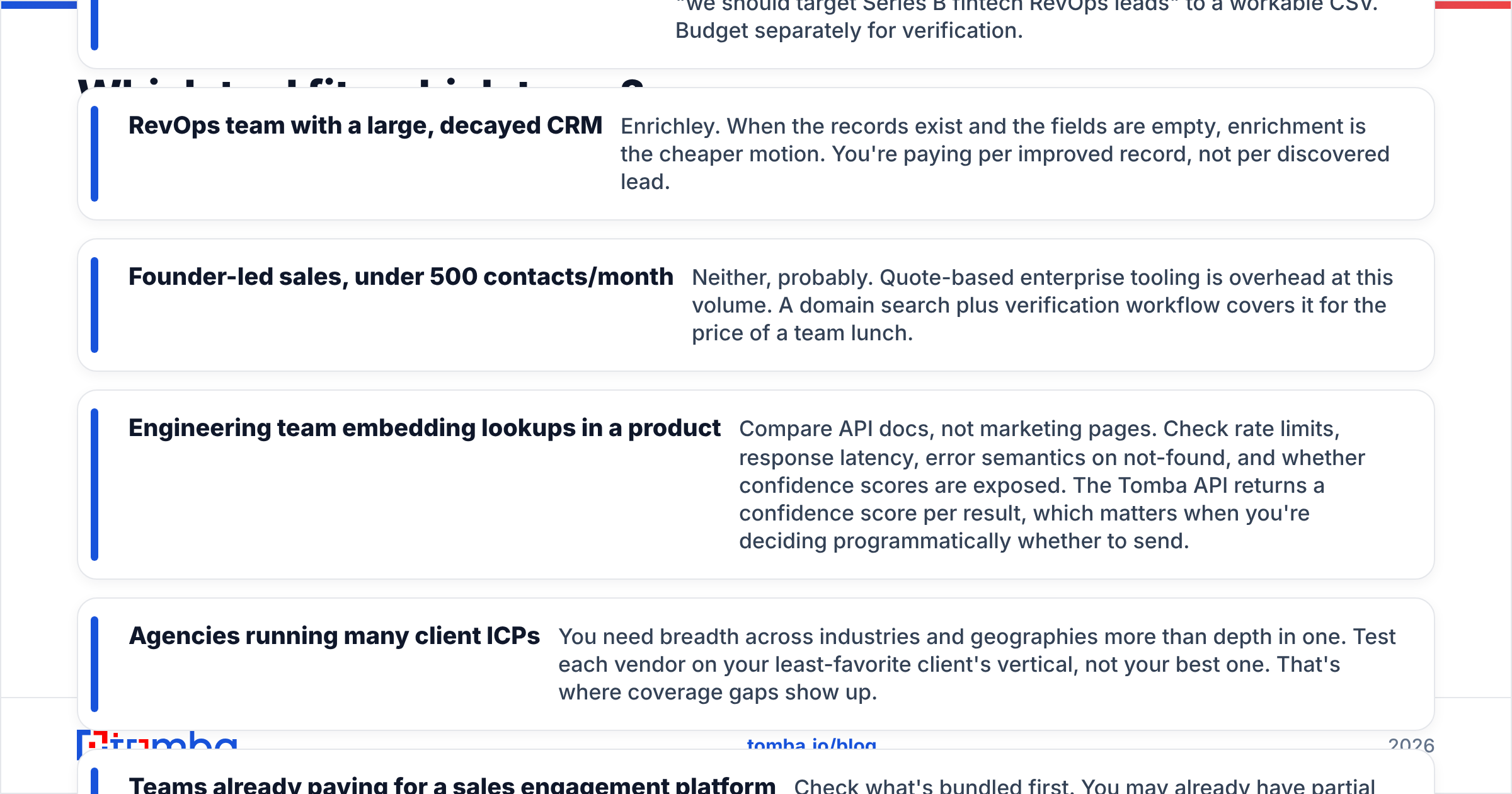
- Outbound team with no list and a defined ICP — Generect. The search-to-list path is the fastest way from "we should target Series B fintech RevOps leads" to a workable CSV. Budget separately for verification.
- RevOps team with a large, decayed CRM — Enrichley. The records exist and the fields are empty, so enrichment is the cheaper motion. You pay per improved record, not per discovered lead.
- Founder-led sales, under 500 contacts a month — Neither, probably. Quote-based enterprise tooling is overhead at this volume. A domain search plus verification covers it for the price of a team lunch.
The rest depends on how you consume the data.
- Engineering team embedding lookups in a product — Compare API docs, not marketing pages. Check rate limits, latency, error behavior on not-found, and whether confidence scores are exposed. The Tomba API returns a confidence score per result.
- Agencies running many client ICPs — You need breadth across industries and regions more than depth in one. Test each vendor on your least-favorite client's vertical. That is where coverage gaps show up.
- Teams already paying for a sales engagement platform — Check what's bundled first. You may already have enrichment credits sitting unused in your seat cost.
What are the real limitations of both?#
Every Enrichley vs Generect comparison that lists only strengths is an ad. Here are the honest constraints.
Generect's limitations. Coverage skews toward markets with heavy professional-network use. North America and Western Europe are strong. Results thin out in parts of APAC, LATAM, and the Middle East. Identity data and email data come from different sources, so a correct person can still come with a shaky mailbox. Your compliance team will also want to review the legal basis for processing under GDPR before you push records into a European sequence.
Enrichley's limitations. Enrichment is only as good as your input. Bad domains produce bad matches, and you pay for the attempt either way. Match rates quoted in a demo run on the vendor's clean sample list. Insist on running your own messy export during the trial and measure the gap. Also confirm what happens to unmatched records, because some vendors charge for the lookup regardless of outcome.
Shared limitations. Neither is a deliverability tool. Neither will warm your domain, fix a missing SPF record, or stop you from sending 400 cold emails a day from a two-week-old mailbox. Data quality and deliverability are separate disciplines. Buying more data solves none of the second. Independent review sites like G2's lead intelligence category help you sanity-check vendor claims. Filter reviews by company size closest to yours, since enterprise reviewers rarely mention the pricing friction that blocks small teams.
Is there a better option than both?#
It depends entirely on what you are buying.
If you genuinely need a lead database — filterable, refreshable, with millions of company records — a specialist finder is not a replacement. Neither is a general enrichment tool. Buy the database.
But most teams in an "Enrichley vs Generect" evaluation are solving a narrower problem than they think. The real requirement is usually this: given a person and a company, return a work email that doesn't bounce, fast, via API, at a price I can predict. That is a specialist job, and specialists do it cheaper.
| Requirement | Best fit |
|---|---|
| Net-new list from ICP filters | Generect |
| Fill gaps in an existing CRM | Enrichley |
| Email discovery + verification at scale | Tomba |
| Contact data inside a HubSpot workflow | Any with native HubSpot integration |
| Zero-budget validation of an idea | Free tiers only |

A pattern worth stealing: use one vendor for identity and a second for the email layer. Teams running this split report lower bounce rates than teams trusting a single provider end to end. The second tool acts as an independent check on the first. It also gives you negotiating leverage, because you are never fully locked into either contract.
How should you run the evaluation?#
Run your own Enrichley vs Generect test. Three steps, one week, no drawn-out procurement.
Build a golden list. Take 50 contacts you already know are correct — customers, partners, people who have replied to you. This is your ground truth. Vendor-reported accuracy means nothing without it.
Run the same list through every candidate. Measure four things: match rate, bounce rate on a small test send, cost per valid contact, and API latency if you are integrating. Cost per valid contact is the only number that survives contact with reality. A $0.02 credit that is wrong half the time costs $0.04.
Check the exit. Before signing, confirm export rights, data retention on cancellation, and whether credits expire. Quote-based contracts bury these in the MSA. Read them.
The bottom line#
Generect wins on generating fresh, identity-accurate lead lists. Enrichley wins on completing records you already own. Both make you sit through a demo before you learn the price. Neither fully solves the email-validity problem that decides whether your campaign lands in the inbox or the spam folder. That is the real Enrichley vs Generect trade-off.
If your bottleneck is the email layer — finding addresses reliably, verifying them before you send, and doing it through an API you can wire into your own stack — start with the Tomba Email Finder. The free tier gives you 25 searches a month with no card. Starter is $49/mo. You can test it against your golden list this afternoon instead of next quarter. Find the emails, verify them, then decide whether you still need a full database on top.
Related guides#
Ready to find emails that actually work?
Join 150,000+ professionals who stopped guessing and started sending. Free credits on signup — no credit card required.
Get the Tomba newsletter
Practical outbound tactics and product updates — once every two weeks.
About the author