Enrichley vs LeadIQ (2026): Which B2B Data Tool Wins?
Enrichley and LeadIQ solve overlapping problems in different ways — one leans enrichment-first, the other sales-workflow-first. Here's the honest breakdown of accuracy, pricing, and which one fits your team.
Enrichley vs LeadIQ is a fair fight, but a short one. The two tools do different jobs. Enrichley cleans and fills the data you already have. LeadIQ helps reps grab new contacts and start sequences. Pick the one that matches your bottleneck, not the longer feature list.
TL;DR
- Enrichley is enrichment-first: you bring a list, it fills in the gaps (emails, firmographics, technographics) and pushes the result back into your stack. It's strongest as a background data layer.
- LeadIQ is workflow-first: it lives in the browser and in Salesforce, capturing prospects from LinkedIn into sequences with one click. It's strongest for SDR teams that prospect manually every day.
- Pricing shape differs more than price: LeadIQ charges per seat plus credits, Enrichley leans per-record/volume. A 10-rep team feels that difference hard.
- Neither is the cheapest way to get verified emails at volume. A dedicated email finder with API access usually costs less per verified contact than either platform's enrichment credits.
- Pick Enrichley if your bottleneck is dirty CRM data. Pick LeadIQ if your bottleneck is rep speed on LinkedIn. Pick a standalone finder/verifier if your bottleneck is cost per valid email.
Enrichley vs LeadIQ: what does each tool actually do?#
Both sell "B2B contact data." That is why buyers compare them. But they sit at different points in the pipeline.
Enrichley positions itself as a data enrichment engine. The core loop is simple: upload or sync a list of companies and people, and the platform appends the missing fields (work email, direct dial, job title, headcount, tech stack, funding). The enriched records then flow back to your CRM or warehouse. Waterfall logic is the selling point: if provider A misses, provider B gets a shot.
LeadIQ (leadiq.com) is built around the prospecting motion. A rep browses LinkedIn Sales Navigator and clicks the extension. LeadIQ captures the contact, finds the work email, checks Salesforce for duplicates, and drops the record into an Outreach or Salesloft sequence. LeadIQ also ships Scribe, an AI message writer, and tracks buyer-intent signals like job changes.
The practical distinction: Enrichley is something your ops team configures once and forgets. LeadIQ is something your reps touch forty times a day.
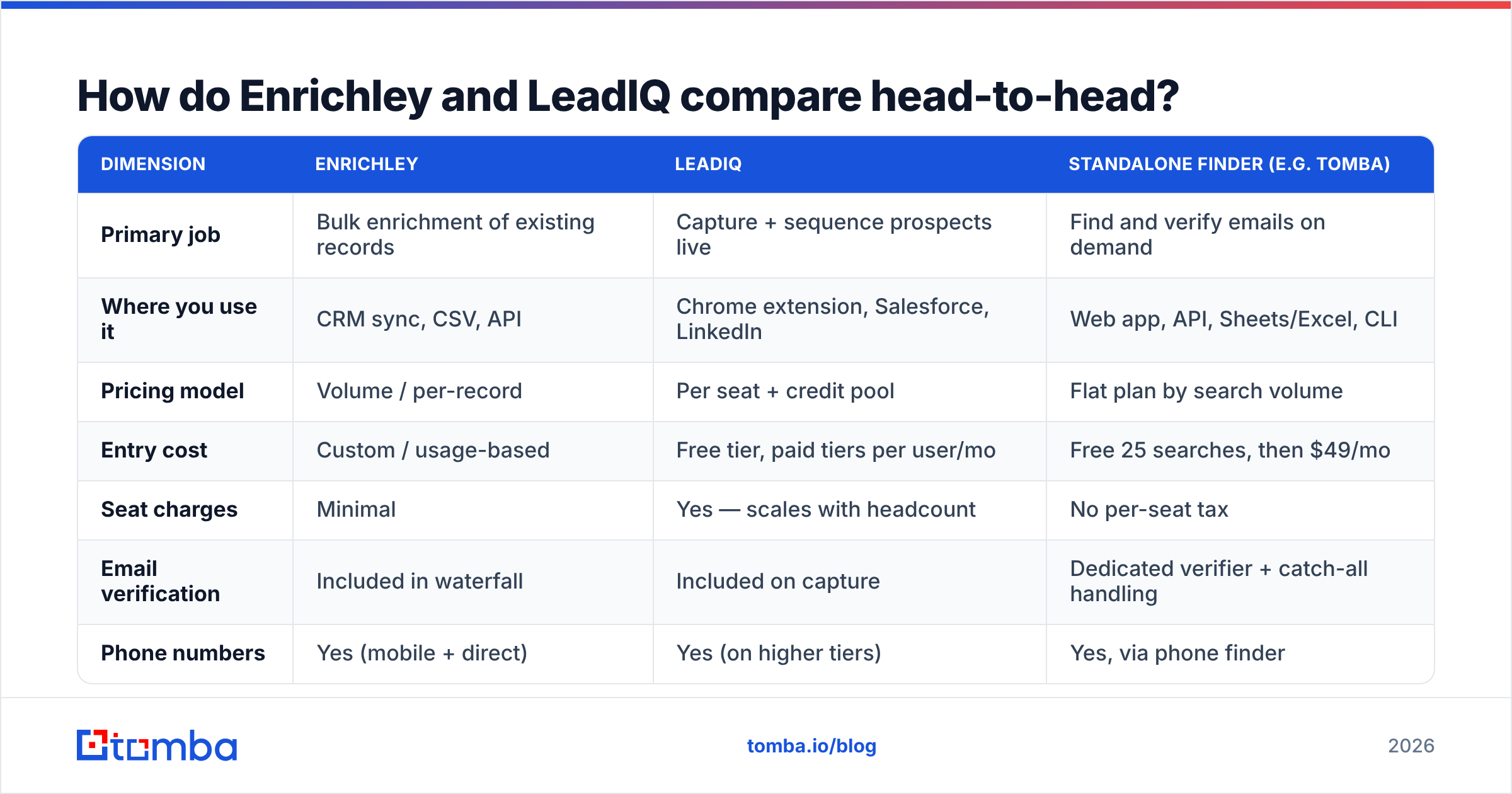
Enrichley vs LeadIQ: how do they compare head-to-head?#
Here's the shape of the decision. Treat exact prices as directional. Both vendors quote custom deals above the entry tier, and published pricing moves.
| Dimension | Enrichley | LeadIQ | Standalone finder (e.g. Tomba) |
|---|---|---|---|
| Primary job | Bulk enrichment of existing records | Capture + sequence prospects live | Find and verify emails on demand |
| Where you use it | CRM sync, CSV, API | Chrome extension, Salesforce, LinkedIn | Web app, API, Sheets/Excel, CLI |
| Pricing model | Volume / per-record | Per seat + credit pool | Flat plan by search volume |
| Entry cost | Custom / usage-based | Free tier, paid tiers per user/mo | Free 25 searches, then $49/mo |
| Seat charges | Minimal | Yes — scales with headcount | No per-seat tax |
| Email verification | Included in waterfall | Included on capture | Dedicated verifier + catch-all handling |
| Phone numbers | Yes (mobile + direct) | Yes (on higher tiers) | Yes, via phone finder |
| CRM dedupe | Depends on integration | Native Salesforce dupe check | Via integrations |
| API access | Yes | Yes, on higher tiers | Yes, on all paid plans |
| Best for | RevOps cleaning a database | SDR teams sourcing daily | Cost-per-verified-email efficiency |
The row that decides most deals is seat charges. If you have three power users, LeadIQ's model is fine. If you have twenty reps who each need occasional access, you pay for a lot of idle seats. That is why LeadIQ alternative searches spike when teams scale past ten reps.
Which one has better data accuracy?#
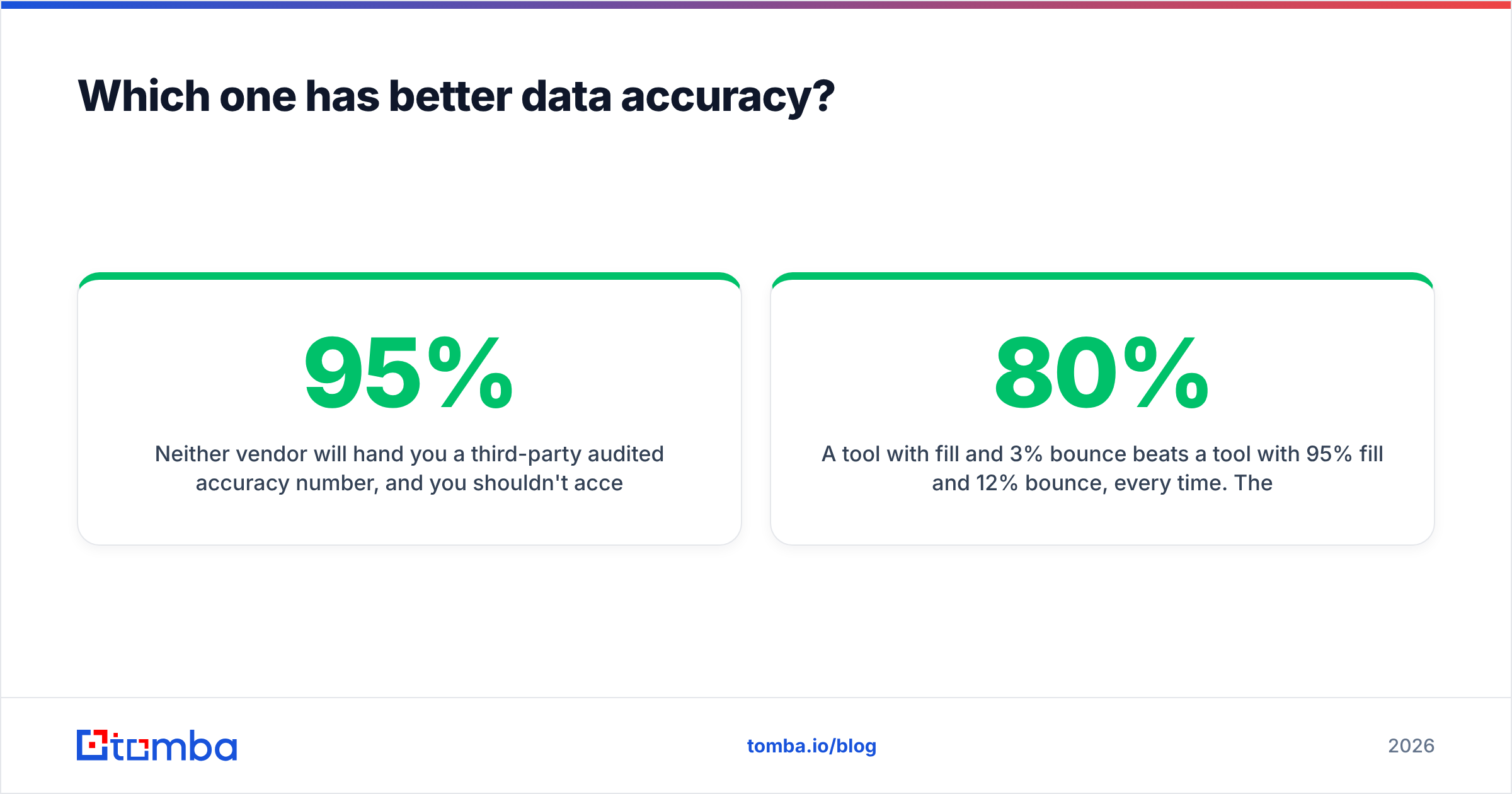
Neither vendor will hand you a third-party audited accuracy number. And you shouldn't accept marketing claims of "95%+ accuracy" from anyone without testing.
Here's what actually drives accuracy differences:
- Source breadth. Enrichley's waterfall approach queries several providers per record. More sources means a higher fill rate. It also means more variance in freshness, since a record can be "found" and still be nine months stale.
- Verification depth. Finding
firstname.lastname@company.comis pattern matching. Confirming that the mailbox accepts mail is SMTP verification. Tools that skip the second step inflate their hit rate and hurt your deliverability. - Catch-all handling. Roughly a third of B2B domains are catch-all, so the server accepts everything. Tools differ wildly here. Some mark catch-alls "valid" (dangerous), some mark them "unknown" (honest), and some run deeper probes. Check how your candidate handles this before you trust the number — a catch-all verifier is a separate product category because the job is hard.
Two more factors decide the winner in practice:
- Recency of job data. LeadIQ's job-change tracking is genuinely useful here. A contact who moved companies last month is a wrong email and a warm lead at the same time.
- Regional coverage. Both skew North America. EMEA and APAC fill rates drop for nearly every vendor, so test on your real ICP geography, not a US sample.
The only accuracy test that matters#
Take 200 real contacts from your ICP — same industry, same seniority, same regions you actually sell into. Run them through both tools plus a control. Then measure three things, not one:
- Fill rate — what percentage returned any email
- Verified rate — what percentage passed independent verification (run the outputs through a neutral email verifier, not the vendor's own scoring)
- Bounce rate on send — the only number your domain reputation cares about
A tool with 80% fill and 3% bounce beats a tool with 95% fill and 12% bounce, every time. The second one is quietly burning your sender reputation.
Is LeadIQ worth the per-seat price?#
It depends entirely on whether your reps prospect manually.
LeadIQ earns its seat cost when: your SDRs live in Sales Navigator, you run Outreach or Salesloft, and the capture-to-sequence flow saves each rep 30+ minutes a day. At that usage level, the seat price is small next to fully loaded rep cost. The Salesforce duplicate check alone prevents the CRM sludge that kills attribution.
LeadIQ struggles when: your motion is list-based rather than browse-based. If your ops team builds target lists in a warehouse and pushes them to sequences programmatically, you pay for an extension nobody opens. Credits get consumed by bulk operations that a straight API call handles for a fraction of the cost.
Watch for these cost traps on either platform:
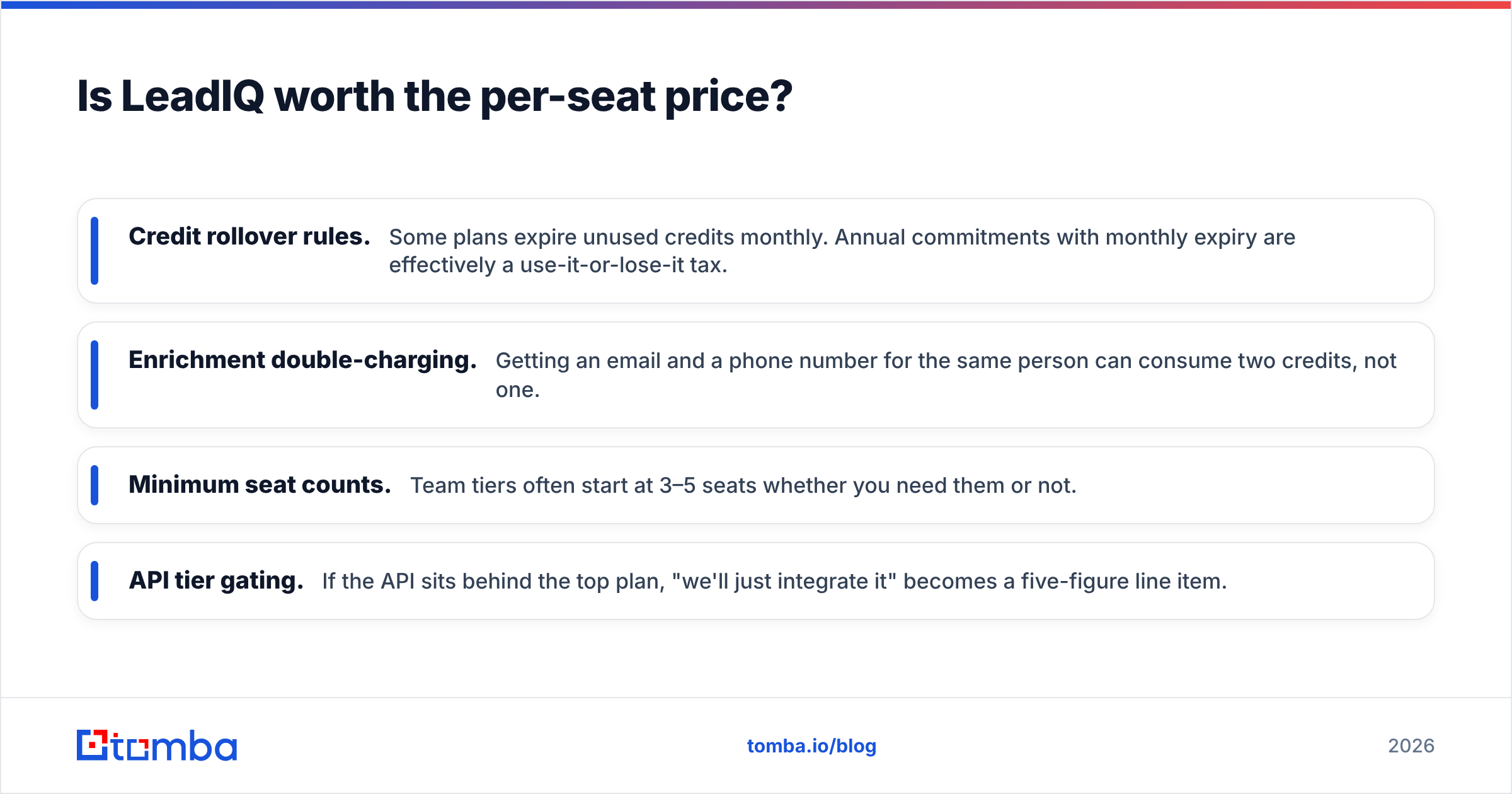
- Credit rollover rules. Some plans expire unused credits monthly. Annual commitments with monthly expiry are effectively a use-it-or-lose-it tax.
- Enrichment double-charging. Getting an email and a phone number for the same person can consume two credits, not one.
- Minimum seat counts. Team tiers often start at 3–5 seats whether you need them or not.
- API tier gating. If the API sits behind the top plan, "we'll just integrate it" becomes a five-figure line item.

When should you skip both and use a dedicated email finder?#
When your actual constraint is cost per verified contact rather than workflow convenience.
Full-platform tools bundle prospecting UI, sequencing, AI writing, intent signals, and CRM sync. If you use all of it, the bundle is good value. If you need one thing — reliable work emails at volume — you're subsidizing features you don't touch.
A dedicated finder wins in three scenarios:
1. Programmatic enrichment. You have a database of domains and names and want emails appended by a nightly job. That's an API problem, not a UI problem. The email finder API handles it without a per-seat license, and Tomba pricing starts at $49/mo on Starter with a free tier of 25 searches to test first.
2. Domain-first prospecting. You know the company, not the person. Domain search returns every discoverable address at a company with role and confidence scoring — a different starting point than LinkedIn-first capture.
3. List hygiene at scale. You inherited a 50,000-record list of unknown provenance. You don't need enrichment; you need to know what's still deliverable before you send. That's bulk verify territory, and it's cheap relative to the cost of a blocked domain.
Honest counterpoint#
A finder is not a replacement for a full platform. You don't get sequencing, you don't get intent data, and you don't get an SDR-facing UI with Salesforce dedupe. Plenty of teams run a finder alongside a platform: the platform for the rep workflow, the finder for the bulk backend where per-record cost compounds.
It's also worth noting that some teams solve the volume problem with a pre-built database instead. Vendors like BookYourData sell verified contact lists outright with pay-as-you-go pricing and bounce guarantees — a reasonable fit if you want a static list rather than an ongoing enrichment pipeline. Different tool, different failure modes, genuinely useful for some ICPs.
How do you choose between Enrichley and LeadIQ for your team?#
Run through these five questions in order. The first one that gets a strong yes is your answer.
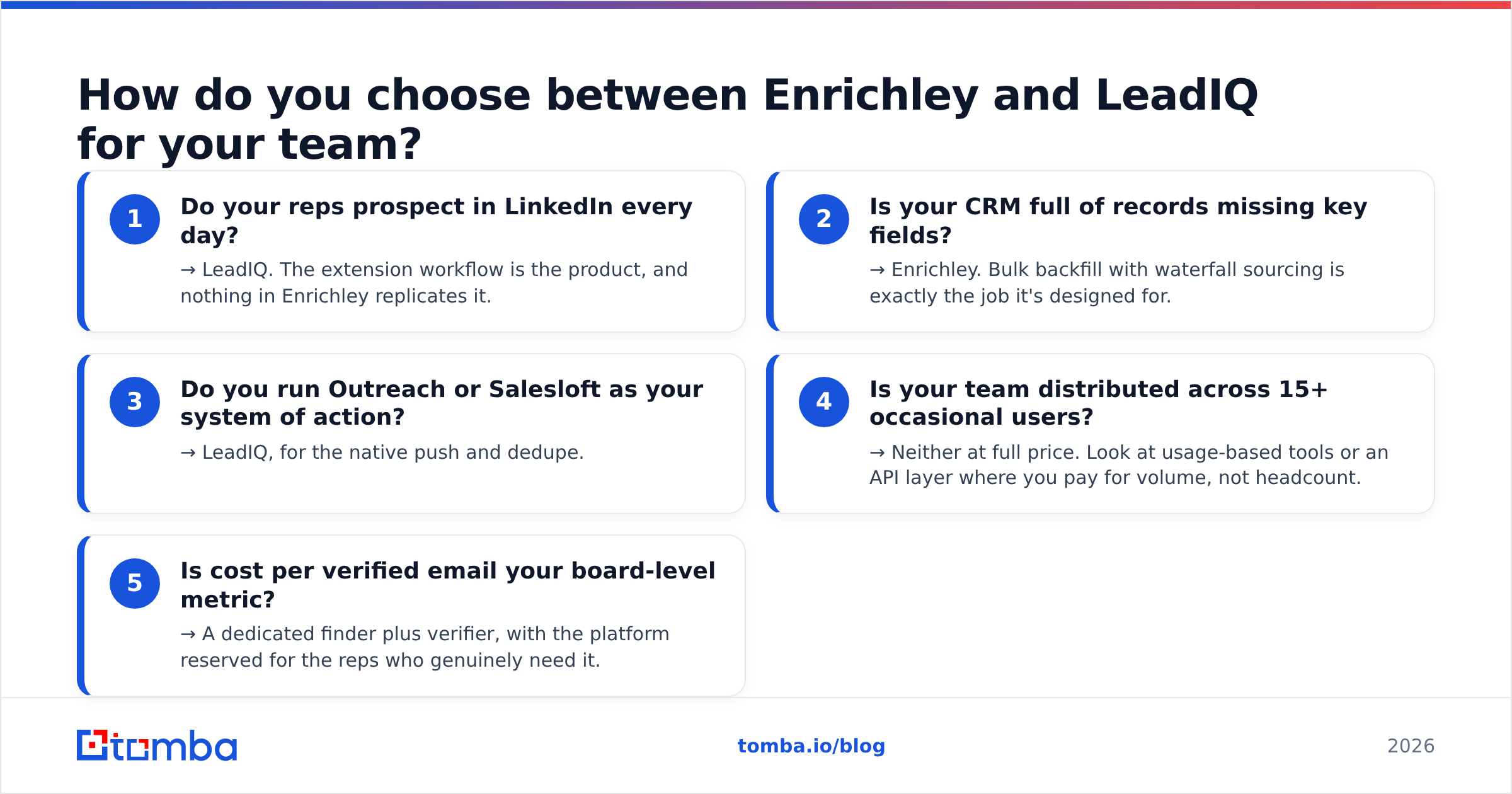
- Do your reps prospect in LinkedIn every day? → LeadIQ. The extension workflow is the product, and nothing in Enrichley replicates it.
- Is your CRM full of records missing key fields? → Enrichley. Bulk backfill with waterfall sourcing is exactly the job it's designed for.
- Do you run Outreach or Salesloft as your system of action? → LeadIQ, for the native push and dedupe.
- Is your team distributed across 15+ occasional users? → Neither at full price. Look at usage-based tools or an API layer where you pay for volume, not headcount.
- Is cost per verified email your board-level metric? → A dedicated finder plus verifier, with the platform reserved for the reps who genuinely need it.
Most mid-market teams end up with a hybrid: a workflow tool for the five reps who prospect manually, and an API-driven enrichment layer for everything else. That's not indecision — it's matching spend to how the tool actually gets used.
What about implementation and switching costs?#
Underrated factor. The tool comparison is easy; the migration is where teams lose a quarter.
Field mapping is the first hurdle. Every enrichment tool has its own schema for job titles, seniority, and company size. If your CRM uses picklists, you need a normalization layer or you'll get "VP Sales," "Vice President of Sales," and "VP, Sales" as three distinct values within a week.
Dedupe rules matter more than fill rate. A tool that enriches enthusiastically into a CRM without matching logic creates duplicates faster than your ops team can merge them. LeadIQ's Salesforce dupe check is a real differentiator here; verify how any alternative handles it before you sign.
Compliance review takes longer than you think. If you sell into the EU, procurement will ask where the data came from and what the lawful basis is. Ask every vendor for their data sourcing documentation up front — Tomba publishes data sources openly, and you should expect the same transparency from anyone else on your shortlist.
Rollback plan. Run the new tool in parallel with the old one for 30 days on a subset of records. Compare bounce rates on actual sends. Reputation damage from a bad data source takes months to repair, and email deliverability recovery is far more expensive than a redundant month of subscription overlap.
For a broader view of how buyers rate these categories, G2's sales intelligence grid is a reasonable sanity check against vendor claims — filter to reviews from companies your size, since enterprise reviews describe a different product experience than the self-serve tier.
The verdict#
Enrichley wins on backend data operations. If your problem statement is "our CRM is 40% incomplete and our reps waste time on bad records," an enrichment-first platform with waterfall sourcing addresses it directly, and the volume-based pricing model scales more gracefully than per-seat as your database grows.
LeadIQ wins on rep velocity. If your problem statement is "our SDRs spend two hours a day copying data between LinkedIn and Salesforce," the extension plus native sequencer integration pays for itself in a month. Job-change tracking is a genuine edge for account-based teams.
Neither wins on cost per verified email, and that's fine — it isn't what they're optimizing for. If that's your constraint, the honest answer is a specialized tool.
Start with a real test before you sign anything. Pull 200 contacts from your ICP, run them through both platforms, and independently verify the outputs. Tomba's Email Finder gives you 25 free searches to build that control set — no card, no seat license — and paid plans start at $49/mo with full API access on every tier, so you can benchmark first and integrate later. Whatever you choose, choose it on bounce rates you measured yourself, not fill rates someone put on a landing page.
Related guides#
Ready to find emails that actually work?
Join 150,000+ professionals who stopped guessing and started sending. Free credits on signup — no credit card required.
Get the Tomba newsletter
Practical outbound tactics and product updates — once every two weeks.
About the author