Enrichley vs Listkit (2026): Which B2B Data Tool Wins?
Enrichley and Listkit both promise clean B2B contact data, but they solve different problems. Here is how they compare on accuracy, pricing, list building and cost per verified contact in 2026.
Enrichley vs Listkit is really one question: do you need contacts you do not have yet, or better data on the ones you already own? The two tools solve different halves of that problem. Here is the short version.
TL;DR
- They are not the same category. Listkit is a list-building platform: you filter a database, export contacts, and often send from the same stack. Enrichley sits closer to the enrichment layer: you bring records, it fills in missing emails and attributes.
- Buy Listkit if you have no list. Buy an enrichment tool if you already have names, domains, or CRM rows going stale.
- Neither replaces verification. Both hand you addresses that were correct at index time. Bounce risk lives in the gap between "found" and "still valid today."
- Cost per verified contact is the only honest metric. A $97/month seat that yields 40% deliverable emails is more expensive than a $49/month plan that yields 95%.
- Most teams end up with two tools, not one: a source of contacts and an independent verifier that answers to nobody but you.
Enrichley vs Listkit: what does each tool do?#
Think of it like a grocery run. Listkit is the supermarket — you walk in with an empty cart, filter by aisle, and walk out with a basket of contacts you never had before. Enrichley is the person who takes your half-empty fridge and fills the gaps: you already know who you want, you just do not have their email, phone, or job title.
That distinction drives almost every decision below.
How the two tools differ in practice:
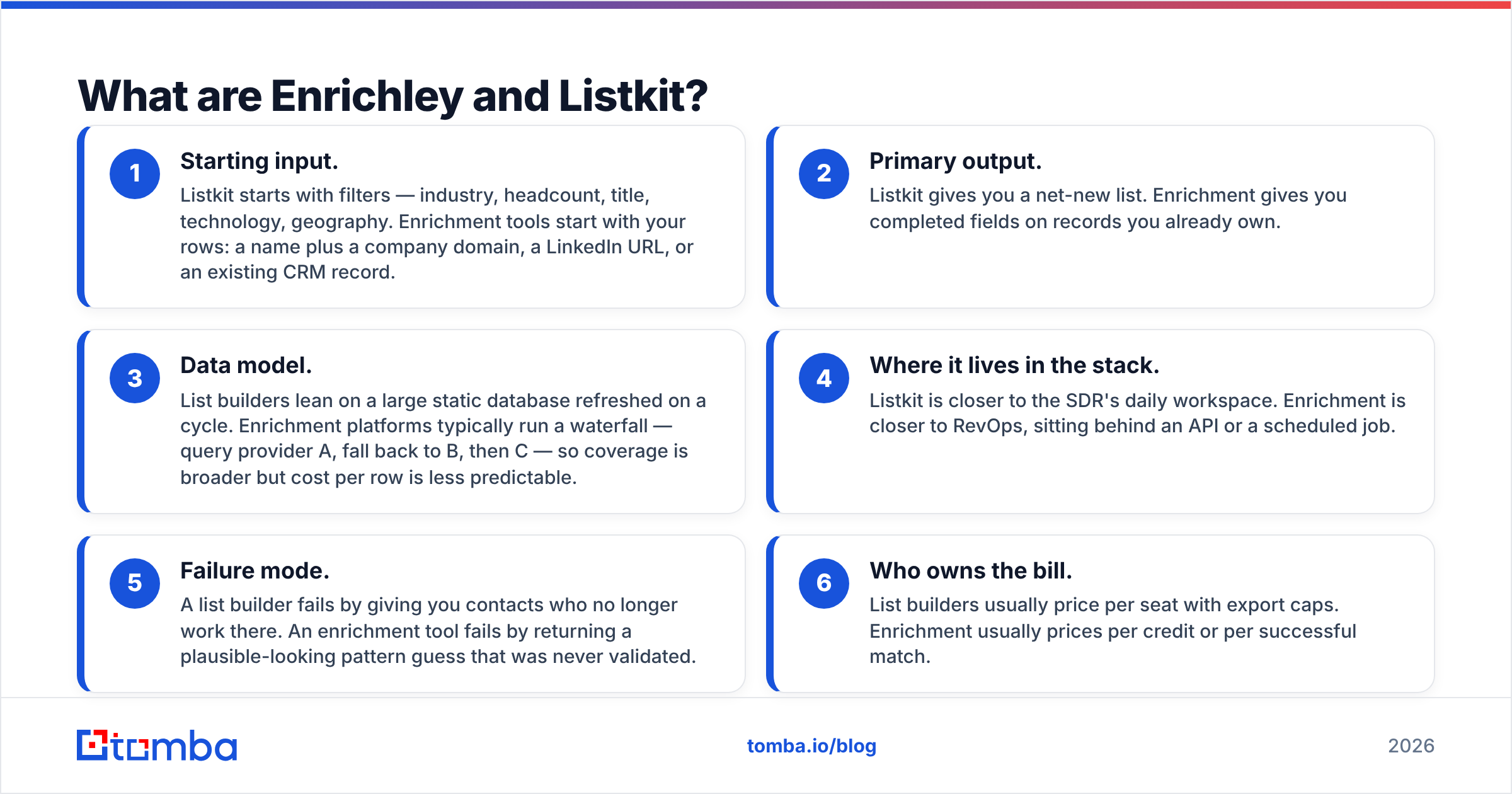
- Starting input. Listkit starts with filters — industry, headcount, title, technology, geography. Enrichment tools start with your rows: a name plus a company domain, a LinkedIn URL, or an existing CRM record.
- Primary output. Listkit gives you a net-new list. Enrichment gives you completed fields on records you already own.
- Data model. List builders lean on a large static database refreshed on a cycle. Enrichment platforms typically run a waterfall — query provider A, fall back to B, then C. Coverage is broader, but cost per row is less predictable.
Where each tool sits, and how it fails:
- Where it lives in the stack. Listkit is closer to the SDR's daily workspace. Enrichment is closer to RevOps, sitting behind an API or a scheduled job.
- Failure mode. A list builder fails by giving you contacts who no longer work there. An enrichment tool fails by returning a plausible-looking pattern guess that was never validated.
- Who owns the bill. List builders usually price per seat with export caps. Enrichment usually prices per credit or per successful match.
A quick honesty note before the numbers: Listkit publishes its plans openly, while Enrichley's public pricing and coverage claims have shifted more than once. Treat every figure below as directional and confirm on the vendor's own page before you sign anything. Vendor-reported match rates in this category are marketing numbers, not audited ones — the only rate that matters is the one you measure on your own accounts.
Enrichley vs Listkit: how do features and pricing compare?#
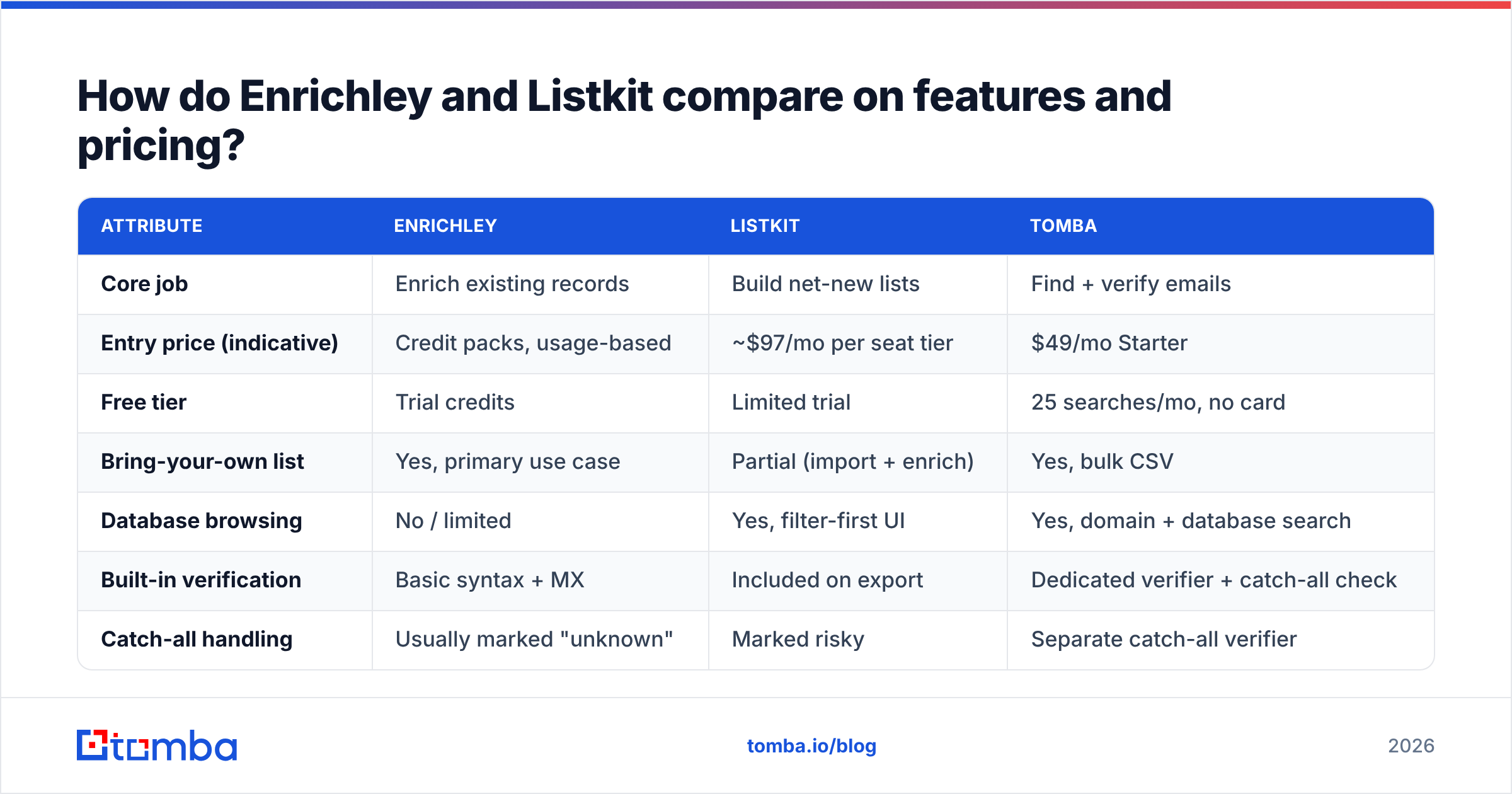
| Attribute | Enrichley | Listkit | Tomba |
|---|---|---|---|
| Core job | Enrich existing records | Build net-new lists | Find + verify emails |
| Entry price (indicative) | Credit packs, usage-based | ~$97/mo per seat tier | $49/mo Starter |
| Free tier | Trial credits | Limited trial | 25 searches/mo, no card |
| Bring-your-own list | Yes, primary use case | Partial (import + enrich) | Yes, bulk CSV |
| Database browsing | No / limited | Yes, filter-first UI | Yes, domain + database search |
| Built-in verification | Basic syntax + MX | Included on export | Dedicated verifier + catch-all check |
| Catch-all handling | Usually marked "unknown" | Marked risky | Separate catch-all verifier |
| Phone numbers | Add-on / waterfall | Yes on higher tiers | Yes, phone finder |
| Sending / sequencing | No | Yes on some plans | No — stays a data layer |
| API access | Yes | Limited | Yes, full REST API |
| Spreadsheet add-ons | Varies | CSV export | Sheets, Excel, Airtable |
| Best for | RevOps filling CRM gaps | SDRs starting from zero | Teams that want both, cheaply |
Read that table as three jobs, not three competitors. If your CRM has 12,000 accounts with 4,000 missing contacts, a filter-first list builder does not help you — you do not need more companies, you need the people at the ones you already track. If you are a two-person team with an empty pipeline, an enrichment API is useless because you have nothing to enrich.

Which one has better data accuracy?#
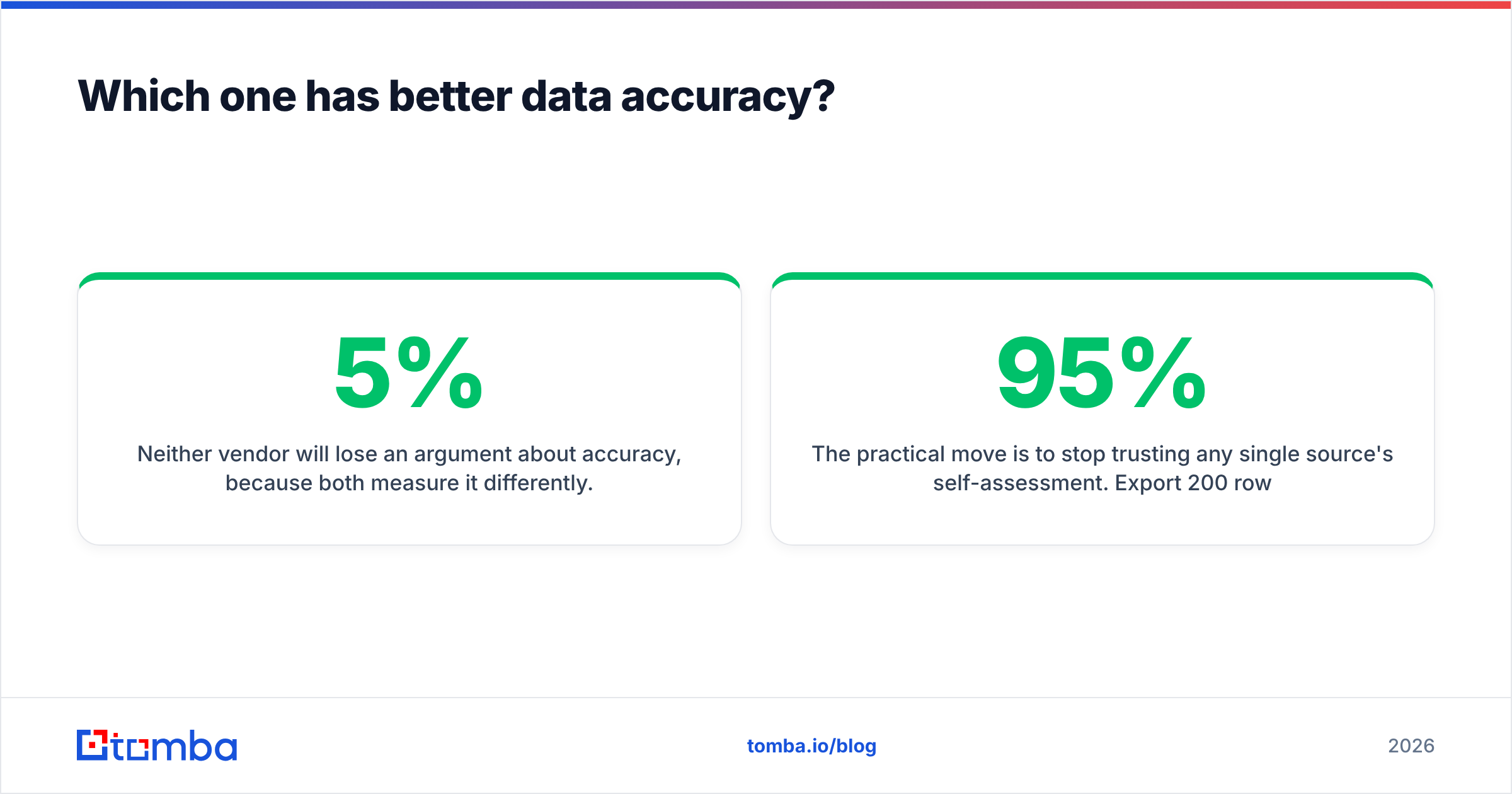
Neither vendor will lose an argument about accuracy, because both measure it differently. List builders quote a deliverability guarantee on exported rows — typically "under 5% bounce or we credit you." Enrichment platforms quote a match rate, which is the share of input rows that came back with an email at all. Those are different numbers. A tool can score well on one and still be useless on the other.
Here is what actually degrades your list, regardless of vendor:
- Job changes. Roughly a quarter to a third of B2B contact records decay per year. A database refreshed quarterly is, on average, six weeks stale the day you export.
- Pattern guessing. Many providers infer
first.last@domain.comfrom a known company pattern and ship it as a hit. It is often right. When it is wrong, it lands on a spam trap or a catch-all that swallows the message silently. - Catch-all domains. Any address at a catch-all domain accepts mail at SMTP time, so naive verification marks it valid. It might route to a black hole. This is where bounce rates quietly explode.
- Role accounts.
info@,sales@, andcareers@inflate coverage stats and destroy reply rates.

So stop trusting any single source's self-assessment. Export 200 rows from whichever tool you are testing, run them through an independent email verifier, and compare the "valid" count against what the vendor promised. That takes twenty minutes and settles the argument for good. If a claimed 95% comes back as 61% deliverable on your ICP, you have your answer — and you have it before you burn a sending domain, not after.
[Suggested visual: side-by-side screenshot of a verifier results dashboard showing valid / catch-all / risky / invalid breakdown on the same 200-row export.]
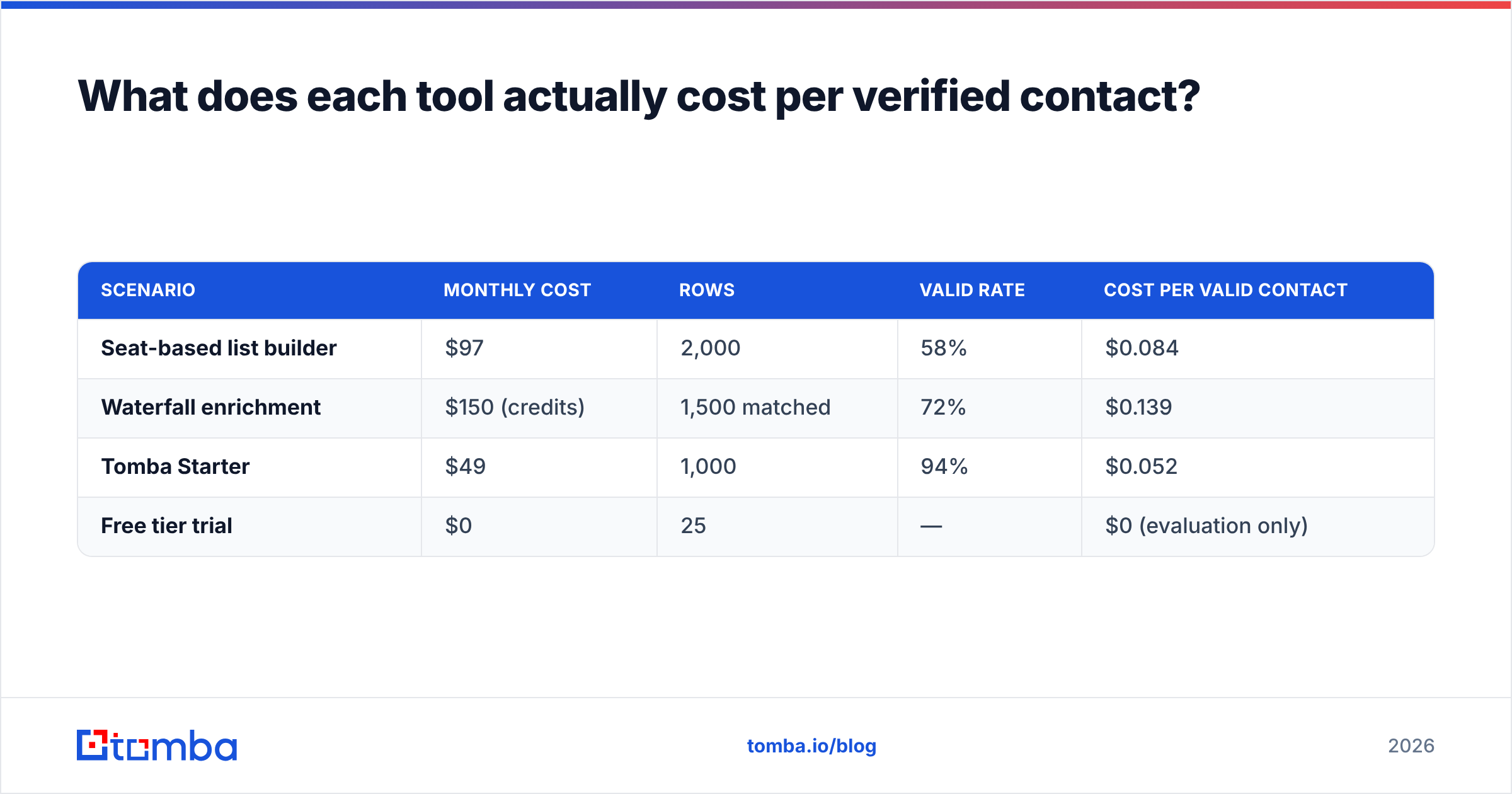
What does each tool actually cost per verified contact?#
Seat pricing hides the real number. Run this calculation before you compare monthly fees:
Cost per verified contact = (monthly price) ÷ (exported rows × verified-valid rate)
Work an example. A $97/month seat that exports 2,000 rows looks like $0.049 per contact. Verify those rows and find 58% are genuinely deliverable, and you are paying $0.084 per usable contact. A $49/month plan that returns 1,000 rows at a 94% valid rate costs $0.052 — cheaper in real terms, despite delivering half the volume on paper.
| Scenario | Monthly cost | Rows | Valid rate | Cost per valid contact |
|---|---|---|---|---|
| Seat-based list builder | $97 | 2,000 | 58% | $0.084 |
| Waterfall enrichment | $150 (credits) | 1,500 matched | 72% | $0.139 |
| Tomba Starter | $49 | 1,000 | 94% | $0.052 |
| Free tier trial | $0 | 25 | — | $0 (evaluation only) |
Two caveats so nobody quotes this out of context. First, valid rates vary enormously by ICP. European mid-market SaaS behaves nothing like US healthcare, and any vendor that quotes one global number is simplifying. Second, waterfall enrichment costing more per row is not automatically a loss. If it is the only tool that finds the 400 contacts you actually need, a higher unit cost can still be the right spend. Cheap rows you cannot use are the expensive option.
Which is better for cold email teams?#
If your whole workflow is "build list, load sequencer, send," Listkit's integrated approach saves real friction — one export, one import, done. That convenience is genuinely worth something when your team is three SDRs and nobody owns RevOps.
The tradeoff is independence. When your list source and your verification are the same vendor, you have no referee. The tool grading its own homework will always pass. Teams that survive a deliverability scare usually end up with the same architecture:
- Source layer — a database or list builder for net-new contacts.
- Fill layer — an email finder or enrichment API for rows the database missed.
- Referee layer — an independent verifier that runs on every row before it touches a sequencer.
- Sending layer — Instantly, Smartlead, or your sequencer of choice, kept deliberately separate from data.
That fourth separation matters more than people expect. When bounce rates spike, you want to know whether the problem is bad data or a warming issue, and you cannot diagnose that if one vendor owns both.

Where does each tool fall short?#
Enrichley's weak spots. Usage-based credit pricing is hard to forecast, and waterfall billing can charge for matches you would not have accepted if you had seen them first. Coverage outside North America and Western Europe thins out fast. And because enrichment assumes you already have a target list, it does nothing for a team starting from zero.
Listkit's weak spots. Seat pricing punishes small teams who want breadth over volume. Filter-first databases skew toward companies that are easy to index — well-funded tech, US-heavy — so niche verticals and non-English markets come back sparse. Export caps also mean the "unlimited" feel evaporates the moment you run a serious campaign.
What both share. Neither is a substitute for owning your own data hygiene. Neither will tell you a contact left the company three weeks ago. And neither is the cheapest way to answer the narrow question most teams actually have: what is this specific person's email address?
What are the alternatives worth testing?#
Before you commit to a seat, run a three-way test on the same 200-account sample. Realistic contenders:
- Tomba — email finder, verifier, domain search, catch-all verification, and data enrichment in one plan starting at $49/mo, with a free tier of 25 searches to sanity-check coverage on your ICP before paying.
- BookYourData — a strong option if you want a pay-as-you-go list purchase with a published accuracy guarantee rather than a recurring seat. Worth a look for teams that buy in bursts instead of continuously.
- Apollo — deep database plus sequencing, best when you want one platform and can tolerate its data quality variance. See our Apollo alternative breakdown for the tradeoffs.
- Clay-style waterfall setups — maximum coverage, maximum complexity, and a real ops cost to maintain.
Check third-party reviews on G2's sales intelligence category before deciding, but weight your own 200-row test far above any review score. Review sites measure satisfaction; your test measures deliverability, and only one of those affects your bounce rate. For the underlying mechanics of what makes an address valid in the first place, the Wikipedia entry on email addresses is a surprisingly good primer on local-part rules and why some "invalid" flags are false positives.
So which should you choose?#
Enrichley vs Listkit is not a head-to-head race. It is a question about which gap you are filling.
Choose Listkit if you are starting from an empty list, your ICP is US-centric tech or services, and you value a single workspace over modularity. Budget for an independent verification pass anyway.
Choose Enrichley if you already own the account list and the missing piece is contact-level data — especially if you have engineering capacity to call an API and want enrichment running on a schedule rather than as a manual export.
Choose neither as your only tool. The failure mode in this category is not picking the wrong vendor; it is picking one vendor and trusting its self-reported accuracy until a sending domain gets flagged.
Run the test. Export the same 200 accounts from each candidate, verify all three exports through the same independent checker, and compare cost per genuinely deliverable contact. The winner is usually not the one with the best landing page.
If you want the cheapest way to close the gap between "I have a company and a name" and "I have a verified address I can actually send to," start with the Tomba Email Finder. The free tier gives you 25 searches with no card, Starter is $49/mo, and every result runs through the same verification layer that powers our bulk email finder — so you find the address and confirm it is live in one step, without asking a vendor to grade its own work.
Related guides#
Ready to find emails that actually work?
Join 150,000+ professionals who stopped guessing and started sending. Free credits on signup — no credit card required.
Get the Tomba newsletter
Practical outbound tactics and product updates — once every two weeks.
About the author