Enrichley vs Salesbot: Which B2B Sales Tool Wins in 2026?
Enrichley and Salesbot get compared constantly, but they solve different halves of the outbound problem. Here's how each one performs on data quality, automation depth, pricing and real workflow fit — and when neither is the right buy.
TL;DR
- Enrichley and Salesbot are not really competitors. Enrichley sits in the data enrichment lane (fill in missing contact and firmographic fields); Salesbot sits in the sales automation / conversational lane (sequence, reply, route). Comparing them head-to-head only makes sense if you're deciding where your next $100–$300/month goes.
- If your reply rates are bad because your list is bad, buy data. If your reply rates are fine but nobody follows up fast enough, buy automation. Most teams misdiagnose this.
- Both categories are crowded and both vendors publish limited public pricing — verify current numbers on their own sites before you commit to an annual contract.
- The cheapest reliable configuration for most 2–20 person outbound teams: a dedicated email finder and verifier for the data layer, plus a sending tool you already own. That runs about $49–$99/month, not $300+.
- Whatever you pick, verification is non-negotiable. Enrichment that returns a plausible-looking address without an SMTP-level check is how you burn a sending domain in three weeks.
What are Enrichley and Salesbot, actually?#
Short answer: one fills gaps in your CRM records, the other acts on those records.
Enrichley is positioned as a lead-enrichment layer. You feed it a partial record — a domain, a name, a LinkedIn URL, a raw email — and it returns a fuller profile: job title, company size, industry, technologies, and contact channels. The value proposition is coverage: how many of your blank fields get filled, and how many of those fills are correct.
Salesbot is positioned as an automation and conversational layer. Note that "Salesbot" is also the name of the automation builder inside Kommo's CRM, so make sure you're evaluating the product you think you're evaluating. In its generic form, a salesbot handles sequencing, qualification questions, inbound routing, and sometimes AI-drafted replies. The value proposition is throughput: how many conversations you can run per rep without dropping any.
Those are different budget lines. Confusing them is the single most common mistake in this evaluation, and it's why "Enrichley vs Salesbot" searches usually end with someone buying the wrong thing.
Here's the honest framing:
- Data tools decide who you talk to. Bad data caps your ceiling no matter how good your copy is.
- Automation tools decide how often you talk. Bad automation caps your volume no matter how good your list is.
- Data errors are silent. A wrong email bounces, and the damage lands on your sender reputation weeks later.
- Automation errors are loud. A broken sequence sends the same email twice and someone tells you within an hour.
- You almost always fix the data layer first, because automation multiplies whatever quality is underneath it — including the bad parts.

How do Enrichley and Salesbot compare on the things that matter?#
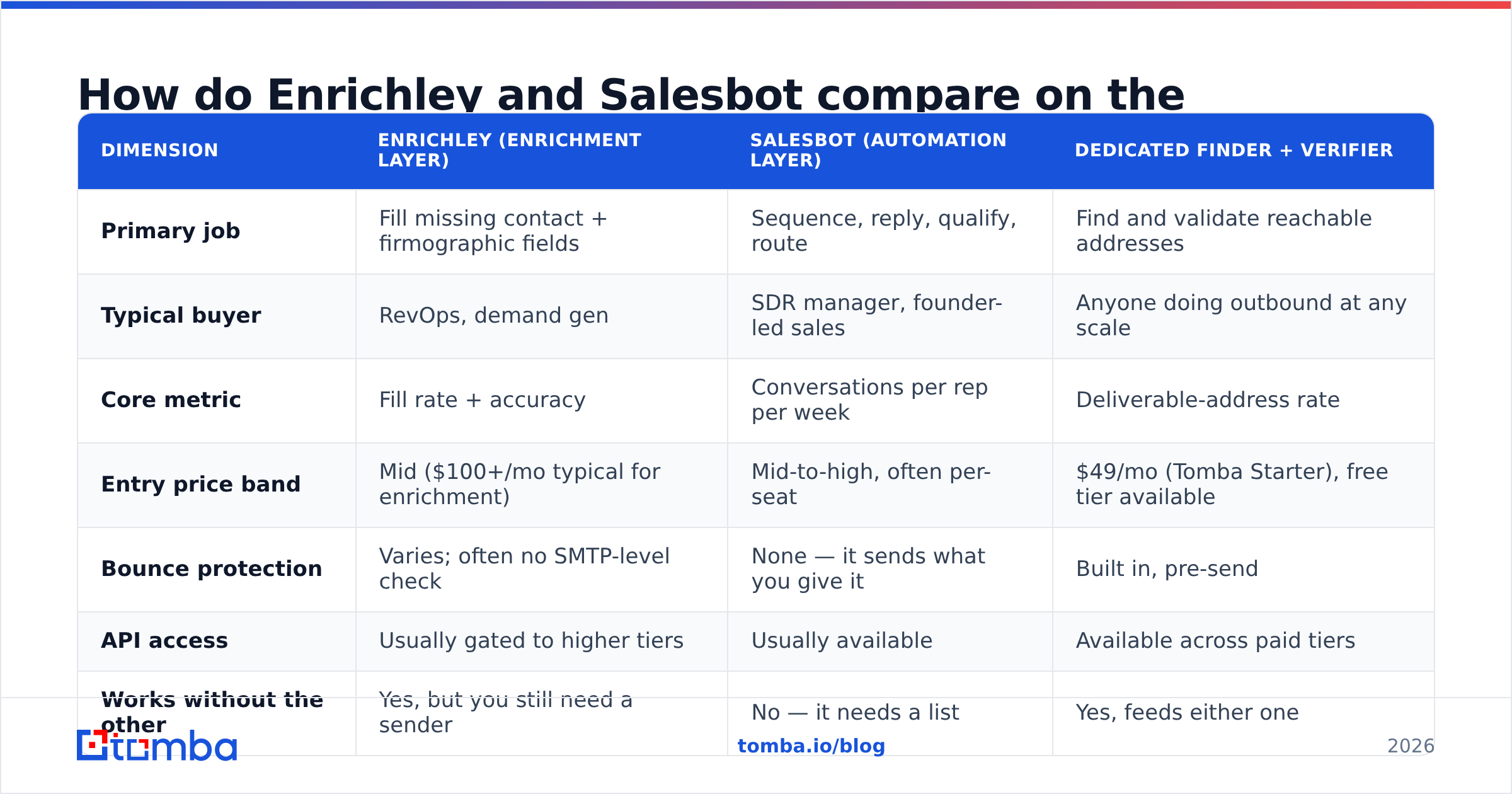
Public, verifiable pricing for both products is thin — neither publishes the kind of detailed tier breakdown that, say, Tomba pricing does. Treat the table below as a category-level comparison and confirm live numbers before purchase.
| Dimension | Enrichley (enrichment layer) | Salesbot (automation layer) | Dedicated finder + verifier |
|---|---|---|---|
| Primary job | Fill missing contact + firmographic fields | Sequence, reply, qualify, route | Find and validate reachable addresses |
| Typical buyer | RevOps, demand gen | SDR manager, founder-led sales | Anyone doing outbound at any scale |
| Core metric | Fill rate + accuracy | Conversations per rep per week | Deliverable-address rate |
| Entry price band | Mid ($100+/mo typical for enrichment) | Mid-to-high, often per-seat | $49/mo (Tomba Starter), free tier available |
| Bounce protection | Varies; often no SMTP-level check | None — it sends what you give it | Built in, pre-send |
| API access | Usually gated to higher tiers | Usually available | Available across paid tiers |
| Works without the other | Yes, but you still need a sender | No — it needs a list | Yes, feeds either one |
| Biggest failure mode | Confident but stale records | Amplifying a bad list at scale | Coverage gaps on small/private domains |
Read the last row of that table carefully. Every tool in this comparison has a failure mode, and pretending otherwise is vendor marketing. The relevant question is which failure mode you can afford.
Is Enrichley better than Salesbot for outbound?#
For cold outbound specifically, the data layer wins the priority argument. Here's the arithmetic.
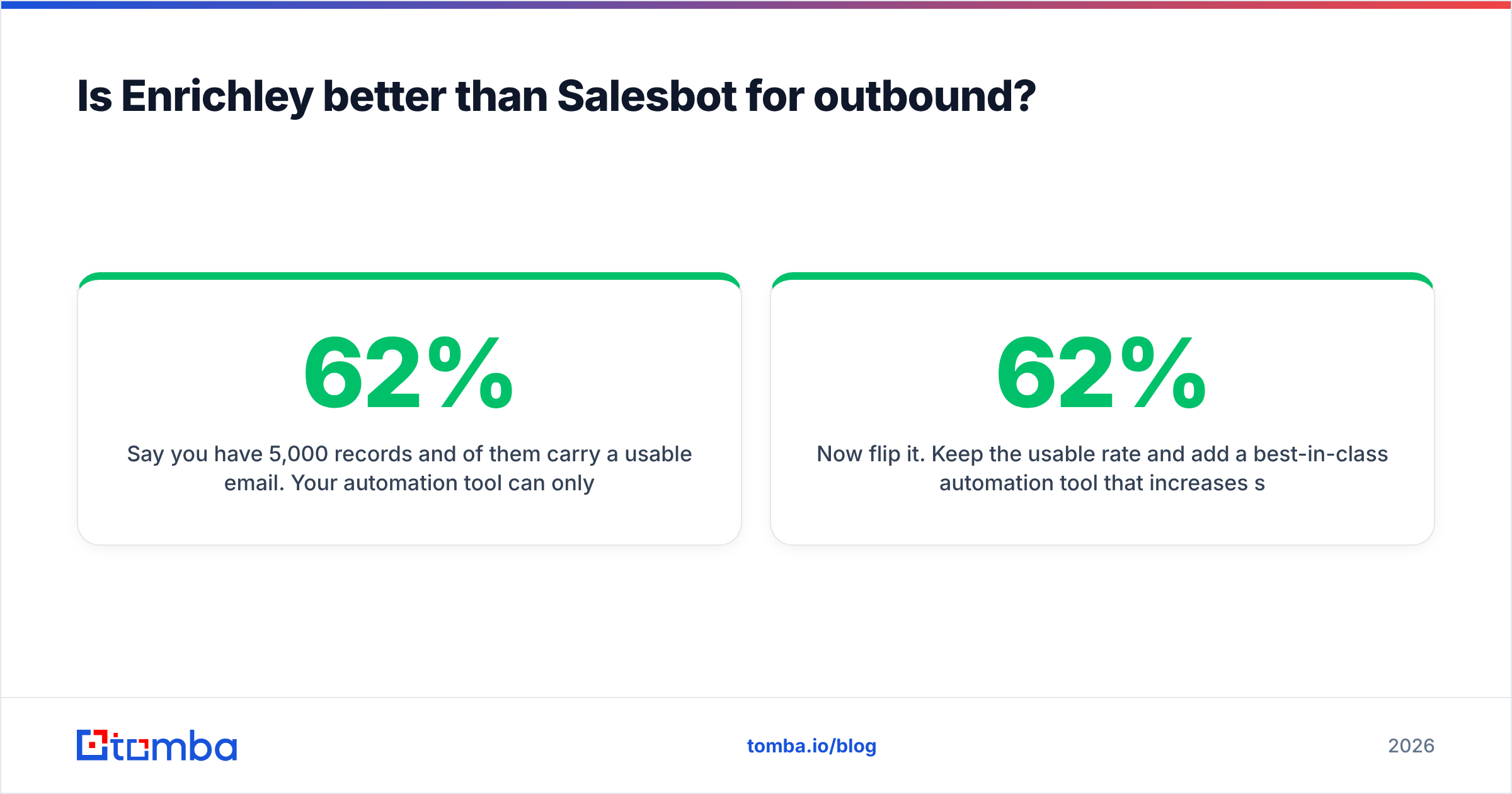
Say you have 5,000 records and 62% of them carry a usable email. Your automation tool can only ever work with 3,100 contacts. Push the usable rate to 88% through better enrichment and verification and you're at 4,400 — a 42% increase in addressable pipeline without writing a single new email, changing your sequence, or hiring anyone.
Now flip it. Keep the 62% usable rate and add a best-in-class automation tool that increases sends per rep by 30%. You now send more emails to the same limited pool, with the same bounce-prone remainder. Your absolute reply count moves, but so does your bounce rate — and once bounces cross roughly 2%, mailbox providers start throttling you. Google and Microsoft both published stricter bulk-sender requirements in 2024 and have kept tightening enforcement since. HubSpot's own research on cold email benchmarks has consistently shown list quality outranking send volume as a driver of reply rate.
So the sequencing is: fix data, then scale sending. Not the reverse.
That said, Enrichley isn't automatically the right data purchase. Enrichment tools and email finders overlap but aren't identical:
- Enrichment starts from a known record and adds attributes. Great for inbound leads, CRM hygiene, and lead scoring.
- Email finding starts from a name plus domain (or a domain alone) and produces contact points. Great for building net-new outbound lists.
- Verification is a separate step that both should feed into. An email verifier running a real SMTP handshake is what stands between you and a blocked domain.
If your problem is "our CRM is full of records with no titles," buy enrichment. If your problem is "we need 2,000 contacts at 400 target accounts by Friday," buy an email finder with a domain search mode instead.
What does each tool actually cost you at real volume?#
Sticker price is the least interesting cost. Three others matter more.
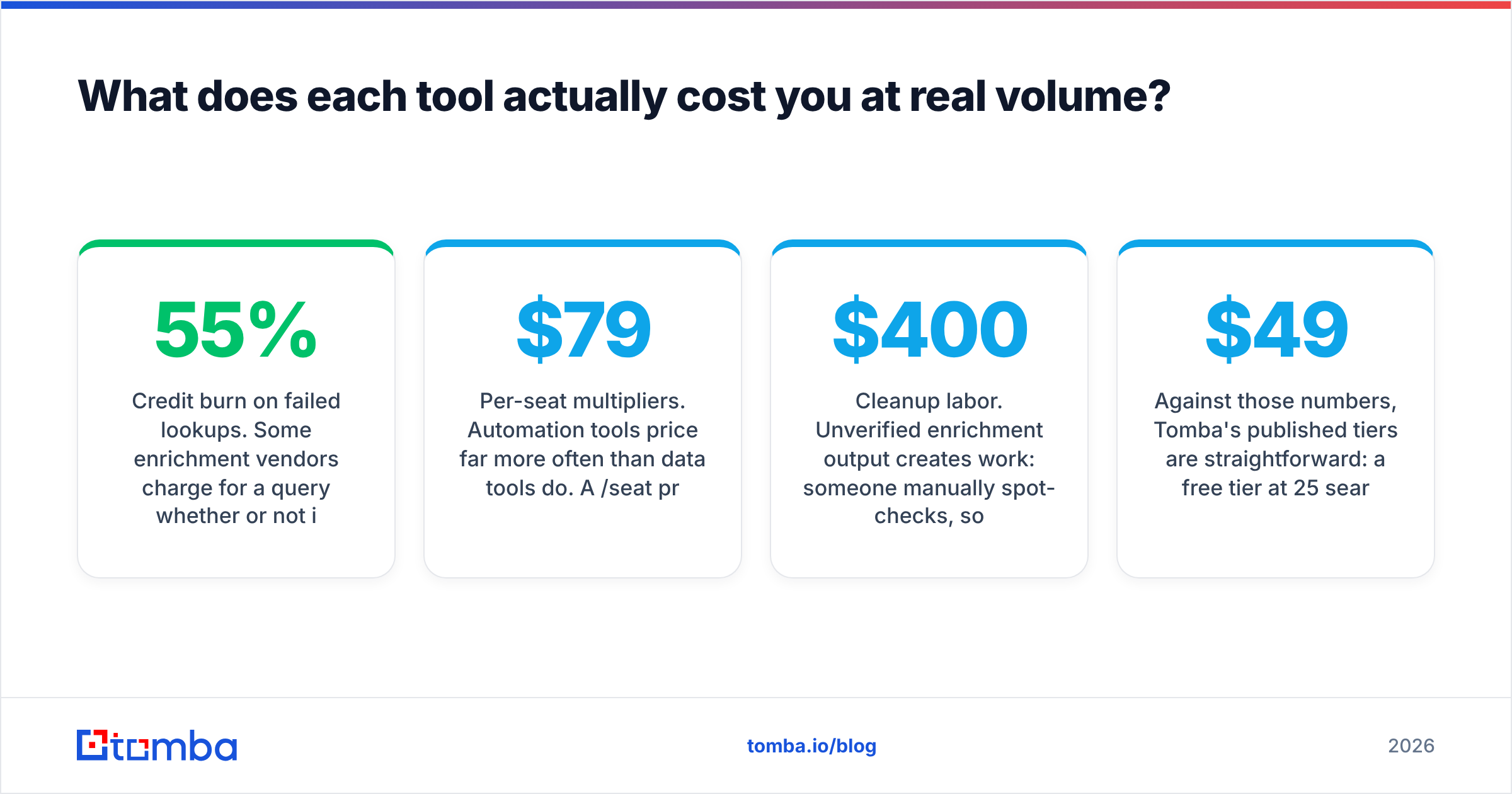
Credit burn on failed lookups. Some enrichment vendors charge for a query whether or not it returns anything. At a 55% hit rate, a "10,000 credit" plan is really 5,500 usable records. Ask every vendor, in writing, whether misses are billed. This one question changes effective cost per contact by 40–80%.
Per-seat multipliers. Automation tools price per seat far more often than data tools do. A $79/seat product across six SDRs is $474/month — more than most teams spend on their entire data stack. Data tools that price on credits scale with usage, not headcount, which is usually the friendlier curve for a growing team.
Cleanup labor. Unverified enrichment output creates work: someone manually spot-checks, someone handles the bounce report, someone rebuilds the suppression list. Two hours a week of an ops person's time is roughly $400/month in loaded cost. That's real money that never appears on an invoice.
Against those numbers, Tomba's published tiers are straightforward: a free tier at 25 searches/month for evaluation, Starter at $49/month, Growth at $99/month, Pro at $249/month, and custom Enterprise pricing. Credits cover finding and verification in the same account, so you're not paying two vendors to complete one workflow. Full details are on the pricing details page.
Which one fits your team? A decision framework#
Answer these five in order. Stop at the first "yes."
- Is your bounce rate above 3%? Buy verification first. Nothing else you buy this quarter will matter as much. Run your existing list through a bulk verify job before you spend on anything else.
- Is more than a third of your CRM missing an email or title? Buy the data layer — enrichment for existing records, an email finder for net-new prospecting.
- Are reps manually copying contacts between tools? Buy integration, not features. A tool with a solid Tomba API or native CRM connector removes more cost than a new dashboard adds.
- Are leads sitting unanswered for more than an hour? Now automation pays. This is the point where Salesbot-style tooling earns its price.
- None of the above? Your problem is probably targeting or messaging, and no tool in this comparison fixes that.
What are the honest weaknesses of each approach?#
Enrichment weaknesses. Enrichment data decays. B2B contact data goes stale at roughly 25–30% per year as people change jobs, and the databases underneath most enrichment vendors are refreshed on their schedule, not yours. A record enriched in January can be wrong by June with no signal that anything changed. Ask any enrichment vendor how recently a given record was last confirmed — if they can't answer per-record, treat every field as a hypothesis. Wikipedia's overview of data quality dimensions is a useful checklist here: completeness is not accuracy, and neither is timeliness.
Automation weaknesses. Automation tools are indifferent to quality. They will happily send 3,000 emails to a list where 900 addresses don't exist, and the resulting bounce spike lands on your domain, not the vendor's. AI-drafted replies add a second risk: they sound plausible and are occasionally wrong about your own product. Every automation deployment needs a human review gate for at least the first month.
Both. Neither category solves catch-all domains cleanly. Roughly 15–20% of B2B domains accept all mail at the server level, which means standard verification returns "unknown" rather than valid or invalid. That's why a dedicated catch-all verifier matters more than most buyers realize — the alternative is either discarding a fifth of your enterprise TAM or gambling on it.
What should most teams buy instead?#
For teams under 25 reps, the configuration that consistently costs least and breaks least is:
- One data source that finds and verifies in the same pass, so you're not reconciling two vendors' definitions of "valid."
- One sending tool you already pay for — your CRM's sequencer is usually sufficient below 200 sends a day.
- One enrichment pass on inbound leads only, not on your whole database. Enriching records nobody will contact this quarter is pure credit waste.
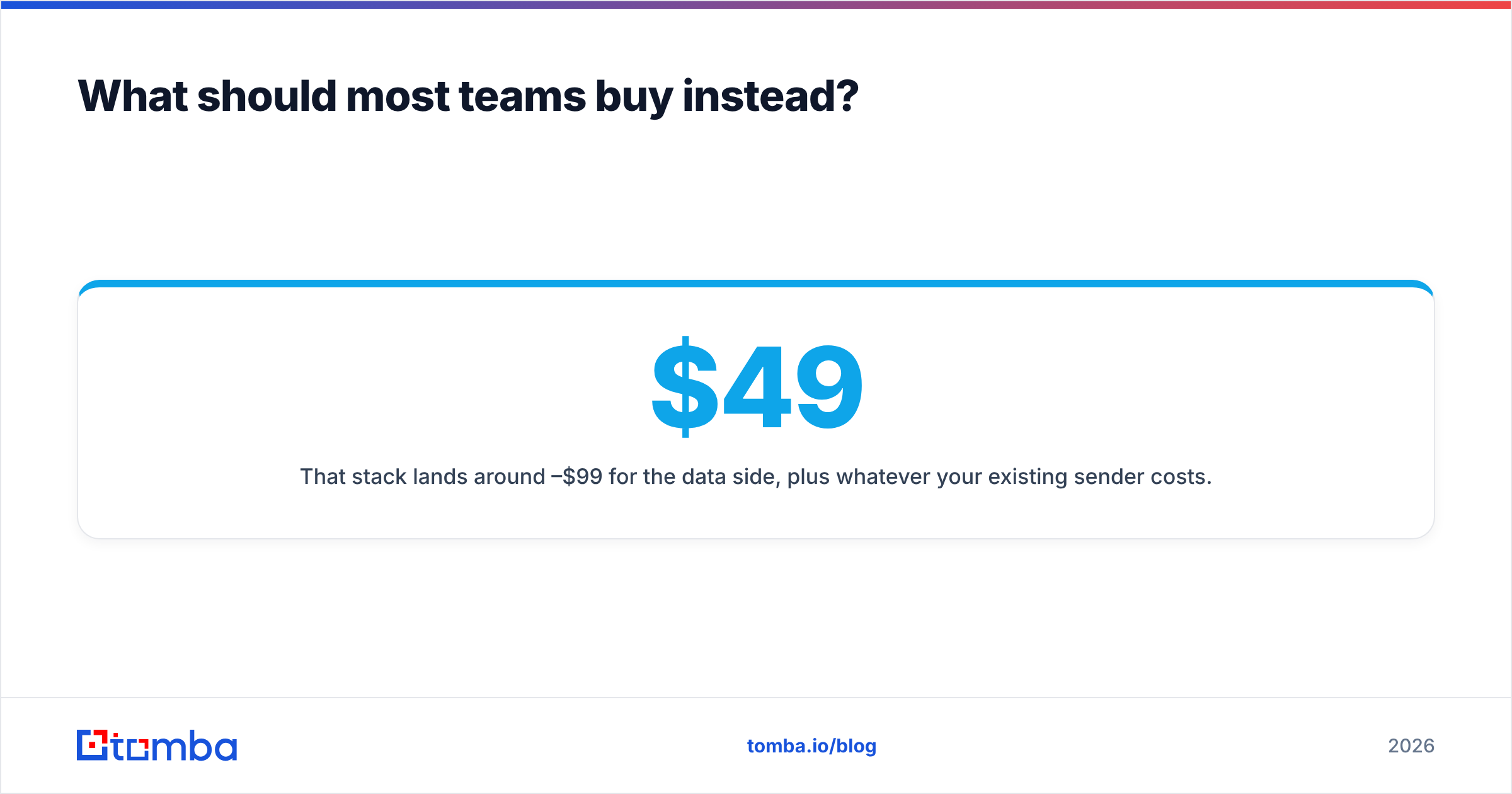
That stack lands around $49–$99/month for the data side, plus whatever your existing sender costs. Compare that to a mid-tier enrichment contract plus per-seat automation, which routinely clears $400–$600/month for the same output. If you want third-party validation on category leaders before you decide, G2's sales intelligence category and Capterra's lead generation listings both aggregate verified reviews with filters for company size — more useful than any vendor's own case study page.
If you're specifically replacing a broad platform rather than choosing between these two, the tradeoffs are documented in our breakdowns of the Apollo alternative and Clearbit alternative landscapes.
Verdict: Enrichley vs Salesbot in 2026#
Neither wins outright, because they're answering different questions. Enrichley-style enrichment wins if your records are incomplete. Salesbot-style automation wins if your follow-up is slow. And if you're genuinely unsure which problem you have, run this diagnostic: export 200 records, verify them, and count how many are deliverable. If more than 20% fail, you have a data problem, and no automation purchase will fix it.
The uncomfortable truth is that most teams evaluating these two tools should buy neither yet. They should first establish a verified, reachable contact base — because that base is what every downstream tool multiplies.
Start there. Run 25 free searches through the Tomba Email Finder against your hardest target accounts, verify what comes back, and compare the deliverable rate to whatever you're getting today. If the numbers move, scale it at $49/month on Starter. If they don't, you've learned your bottleneck is somewhere else — and that's worth knowing before you sign an annual contract with anyone.
Related guides#
Ready to find emails that actually work?
Join 150,000+ professionals who stopped guessing and started sending. Free credits on signup — no credit card required.
Get the Tomba newsletter
Practical outbound tactics and product updates — once every two weeks.
About the author