Enrow vs GetProspect 2026: Verification vs Prospecting
Enrow verifies emails. GetProspect finds them. Comparing the two head-to-head only makes sense once you know which half of the pipeline is actually leaking — here is the honest breakdown, with pricing, accuracy and workflow fit.
TL;DR
- Enrow and GetProspect are not really competitors. Enrow is an email verification engine built for catch-all domains; GetProspect is a prospecting database plus LinkedIn extension that finds contacts in the first place.
- If your bounce rate is the problem, Enrow is the closer fit. If your list is empty, GetProspect is the closer fit. Buying the wrong one solves nothing.
- GetProspect's free tier (around 50 valid emails/month) makes it the cheaper starting point for solo founders; Enrow's per-credit verification pricing scales better for teams already sitting on large unverified lists.
- Running both means two subscriptions, two credit systems, and two APIs to reconcile. A single find-and-verify platform usually costs less at the same volume.
- Whatever you pick, verify before you send. Roughly 2-3% of B2B addresses decay every month, so a list sourced in January is measurably worse by March.
What are Enrow and GetProspect, exactly?#
They sit on opposite ends of the same pipeline.
Enrow is a French email verification tool that markets itself on one specific hard problem: catch-all domains. A catch-all mail server accepts every address you throw at it, so a standard SMTP ping returns "valid" for nonsense@company.com just as happily as for the CEO's real inbox. Enrow's pitch is that it resolves those unknowns instead of dumping them into a "risky" bucket you have to guess about. It is a verifier first, with waterfall enrichment layered on top.
GetProspect is a lead generation platform. Its core assets are a large B2B contact database, a LinkedIn Chrome extension that pulls contacts off profiles and Sales Navigator lists, a bulk domain search, and a lightweight built-in CRM for organising what you find. Verification exists, but it is a supporting feature, not the product.
So "Enrow vs GetProspect" is really the question: is my funnel leaking at discovery or at delivery? Answer that first and the comparison mostly answers itself.
How do Enrow and GetProspect compare feature by feature?#
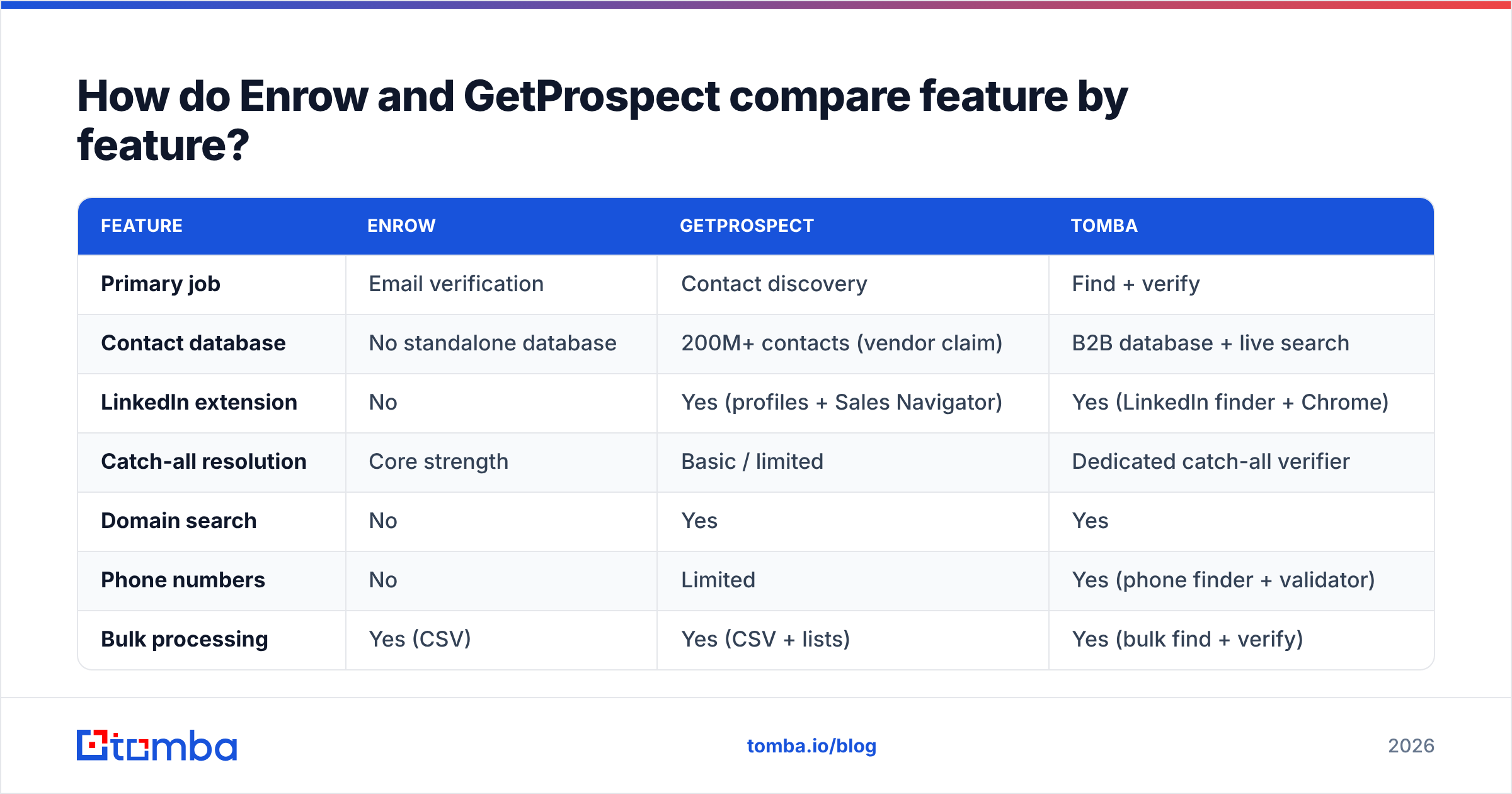
Here is the side-by-side, with Tomba included as the neutral third data point since it spans both halves of the workflow.
| Feature | Enrow | GetProspect | Tomba |
|---|---|---|---|
| Primary job | Email verification | Contact discovery | Find + verify |
| Contact database | No standalone database | 200M+ contacts (vendor claim) | B2B database + live search |
| LinkedIn extension | No | Yes (profiles + Sales Navigator) | Yes (LinkedIn finder + Chrome) |
| Catch-all resolution | Core strength | Basic / limited | Dedicated catch-all verifier |
| Domain search | No | Yes | Yes |
| Phone numbers | No | Limited | Yes (phone finder + validator) |
| Bulk processing | Yes (CSV) | Yes (CSV + lists) | Yes (bulk find + verify) |
| Built-in CRM | No | Yes (lightweight) | No — integrates with your CRM |
| Public API | Yes | Yes | Yes, plus CLI and MCP |
| Free tier | Trial credits | ~50 valid emails/mo | 25 searches/mo |
| Best for | Cleaning existing lists | Building lists from LinkedIn | One pipeline end to end |
Two things jump out. First, the feature overlap between Enrow and GetProspect is thin — maybe 20% of the surface area. Second, if you only buy one, you inherit that tool's blind spot: Enrow users still need a source of contacts, and GetProspect users still need something stronger than a basic syntax-and-MX check before they hit send.
Which one is more accurate?#
Accuracy means different things for each tool, and vendors exploit that ambiguity.
For Enrow, accuracy means: of the addresses you submit, how many verdicts are correct? The relevant failure mode is a false "valid" on a catch-all domain — you send, it bounces, and your domain reputation absorbs the hit.
For GetProspect, accuracy means: of the contacts you pull, how many emails are real and current? The relevant failure modes are pattern-guessed addresses that were never confirmed, and database records that were accurate two years ago.

A few things worth knowing before you trust any accuracy number on a pricing page:
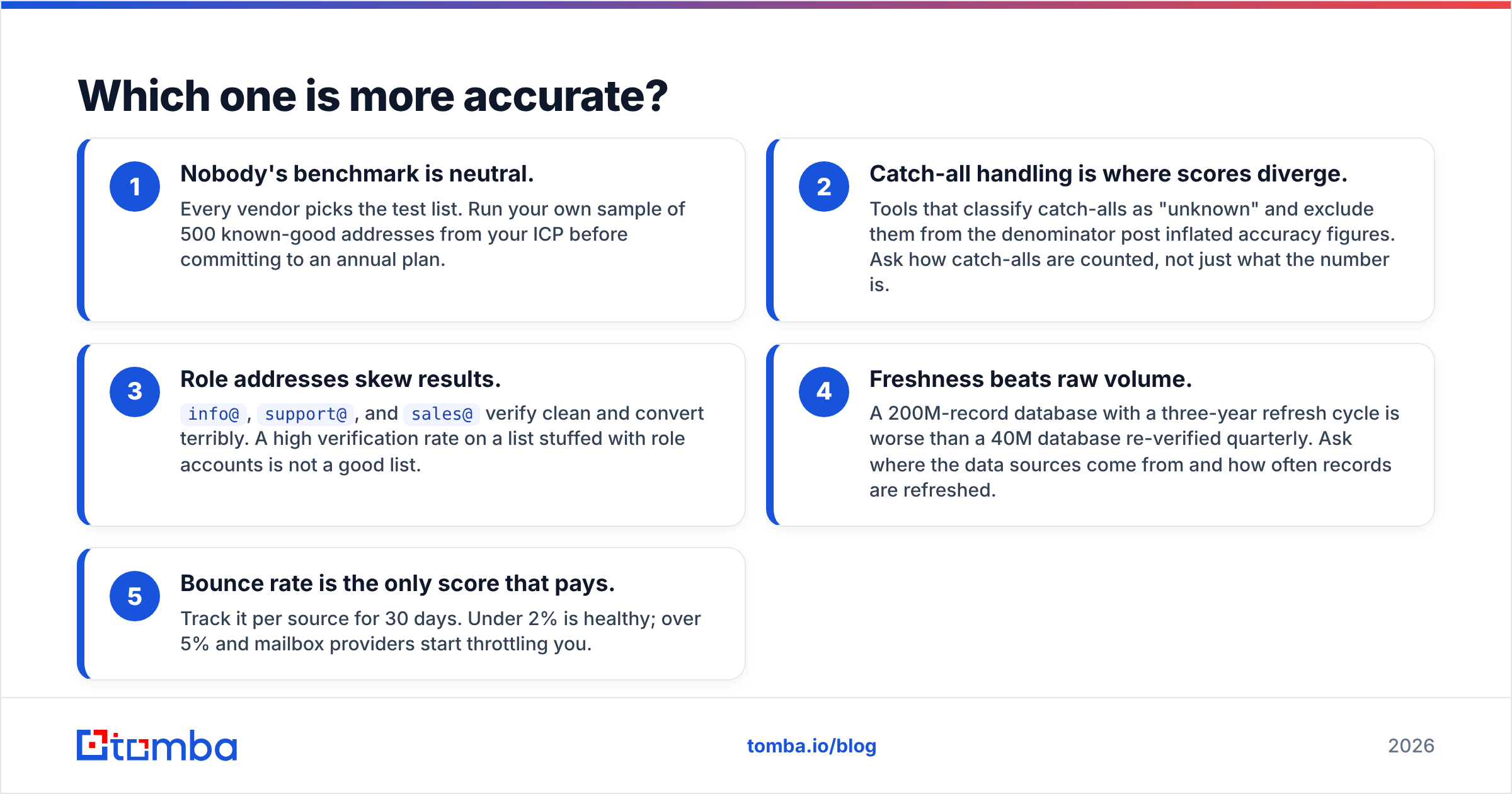
- Nobody's benchmark is neutral. Every vendor picks the test list. Run your own sample of 500 known-good addresses from your ICP before committing to an annual plan.
- Catch-all handling is where scores diverge. Tools that classify catch-alls as "unknown" and exclude them from the denominator post inflated accuracy figures. Ask how catch-alls are counted, not just what the number is.
- Role addresses skew results.
info@,support@, andsales@verify clean and convert terribly. A high verification rate on a list stuffed with role accounts is not a good list. - Freshness beats raw volume. A 200M-record database with a three-year refresh cycle is worse than a 40M database re-verified quarterly. Ask where the data sources come from and how often records are refreshed.
- Bounce rate is the only score that pays. Track it per source for 30 days. Under 2% is healthy; over 5% and mailbox providers start throttling you.
Practical read: Enrow is genuinely strong on the catch-all problem, which is its whole reason to exist. GetProspect is competitive on mainstream domains but not built to be the last line of defence before a send. If catch-all domains are more than a quarter of your list — common in enterprise and European B2B — you need a dedicated catch-all verifier, whether that is Enrow's or someone else's.
How does pricing compare?#
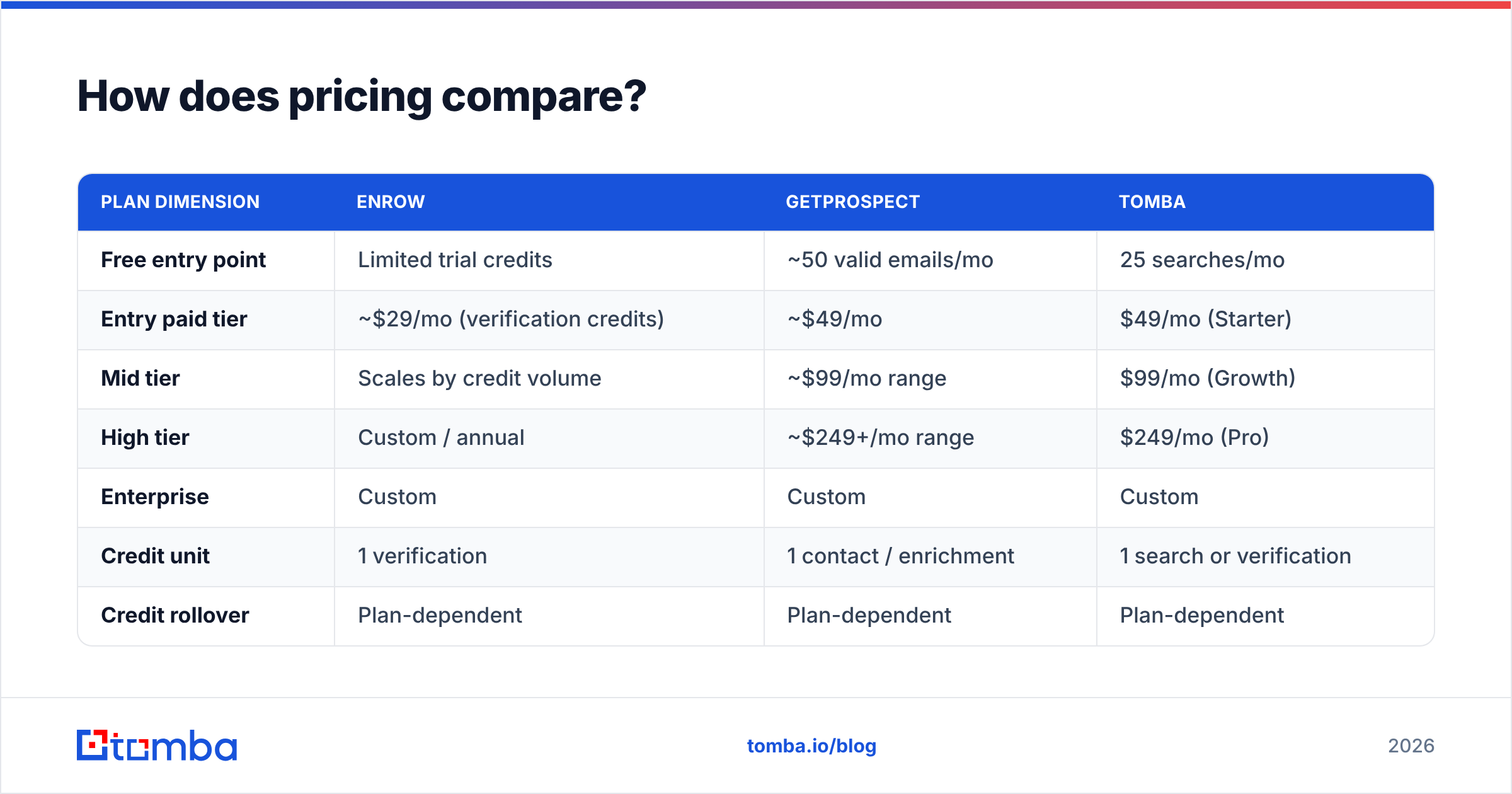
Both vendors use credit models, but the credits mean different things — an Enrow credit buys a verdict, a GetProspect credit buys a contact record. Comparing headline prices without normalising for that is how teams end up surprised at renewal.
| Plan dimension | Enrow | GetProspect | Tomba |
|---|---|---|---|
| Free entry point | Limited trial credits | ~50 valid emails/mo | 25 searches/mo |
| Entry paid tier | ~$29/mo (verification credits) | ~$49/mo | $49/mo (Starter) |
| Mid tier | Scales by credit volume | ~$99/mo range | $99/mo (Growth) |
| High tier | Custom / annual | ~$249+/mo range | $249/mo (Pro) |
| Enterprise | Custom | Custom | Custom |
| Credit unit | 1 verification | 1 contact / enrichment | 1 search or verification |
| Credit rollover | Plan-dependent | Plan-dependent | Plan-dependent |
| API access | Included | Included on paid plans | All paid plans |
Vendor pricing changes often — treat these as of writing and confirm on each vendor's page. Tomba's numbers are exact and current: see Tomba pricing.

The stack-cost math is the part most teams skip. If you run GetProspect for sourcing at roughly $49/mo and Enrow for verification at roughly $29/mo, you are at ~$78/mo for two dashboards, two credit balances, two API keys, and a CSV shuttle between them. That is not unreasonable — but it is the same order of magnitude as a single platform that does both, and the single platform doesn't charge you twice for the same contact.
Who should actually use Enrow?#
Enrow makes sense when these are true:
- You already have contacts. An exported CRM list, a scraped set, an old newsletter database, or output from another finder.
- Catch-all domains are hurting you. You keep seeing "unknown" verdicts and you have been guessing whether to send.
- Deliverability is a board-level metric. You are protecting a warmed domain and cannot afford a 6% bounce week.
- You verify in batches, not continuously. Periodic list hygiene fits credit-based verification pricing well.
Enrow is a specialist. Specialists are excellent at their one job and useless outside it. If you buy Enrow expecting a prospecting workflow, you will be disappointed for reasons that are not Enrow's fault.
Who should actually use GetProspect?#
GetProspect fits when:
- LinkedIn is your primary sourcing channel. The extension over Sales Navigator lists is the strongest part of the product.
- You want a light CRM included. Solo founders and two-person teams often don't want a separate pipeline tool yet.
- You are cost-sensitive and low-volume. The free tier genuinely works for testing an ICP before spending.
- You need contact volume, not forensic verification. For mainstream domains, its built-in checks clear the basic bar.
Where it gets uncomfortable: at scale, cost per verified contact climbs, and you will likely still layer a real verifier on top. That is exactly how teams end up running two subscriptions.
Do you need both, or one tool that does both?#
Test it against your own workflow before you decide. Here's the honest decision path:
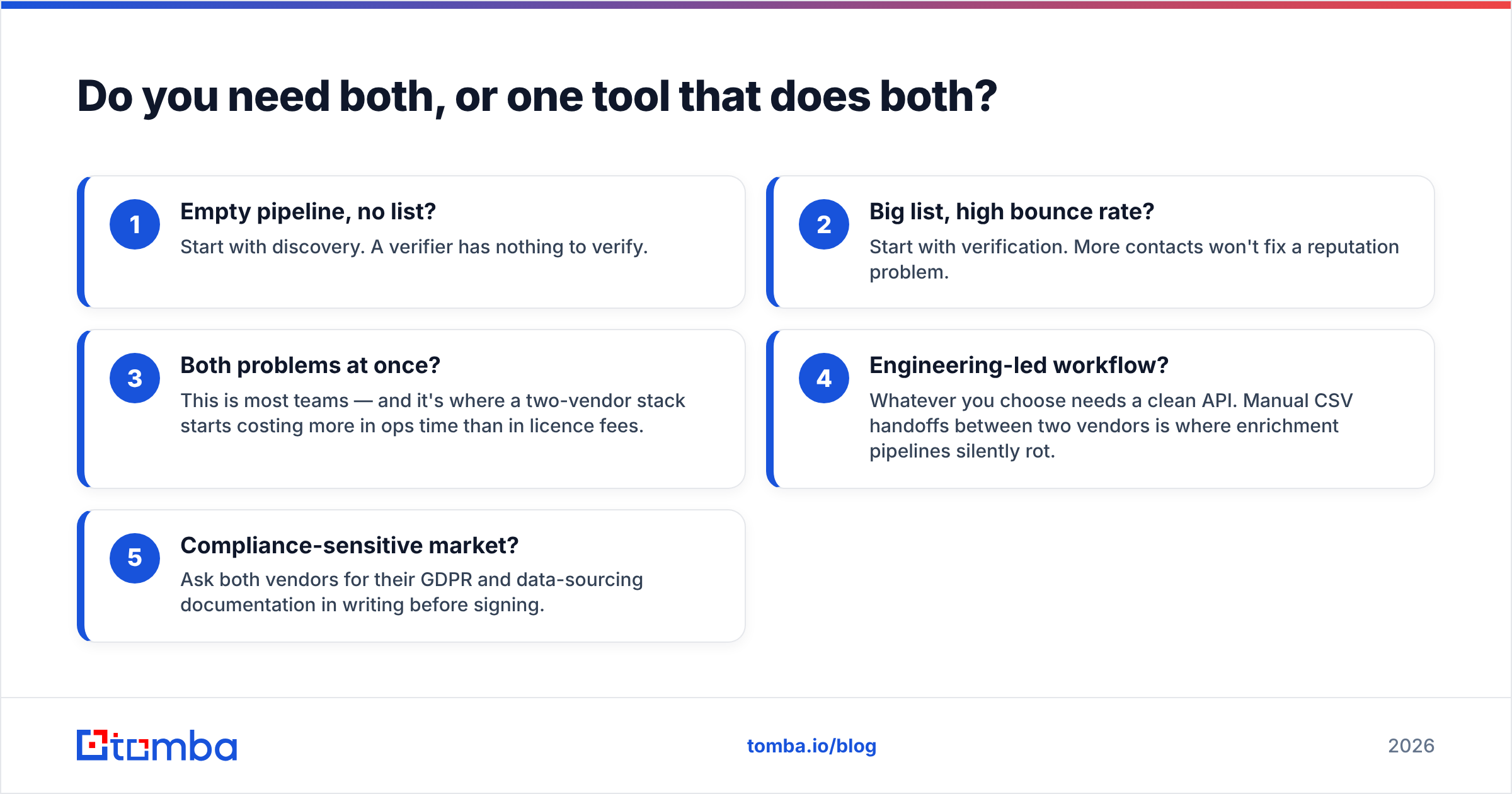
- Empty pipeline, no list? Start with discovery. A verifier has nothing to verify.
- Big list, high bounce rate? Start with verification. More contacts won't fix a reputation problem.
- Both problems at once? This is most teams — and it's where a two-vendor stack starts costing more in ops time than in licence fees.
- Engineering-led workflow? Whatever you choose needs a clean API. Manual CSV handoffs between two vendors is where enrichment pipelines silently rot.
- Compliance-sensitive market? Ask both vendors for their GDPR and data-sourcing documentation in writing before signing.
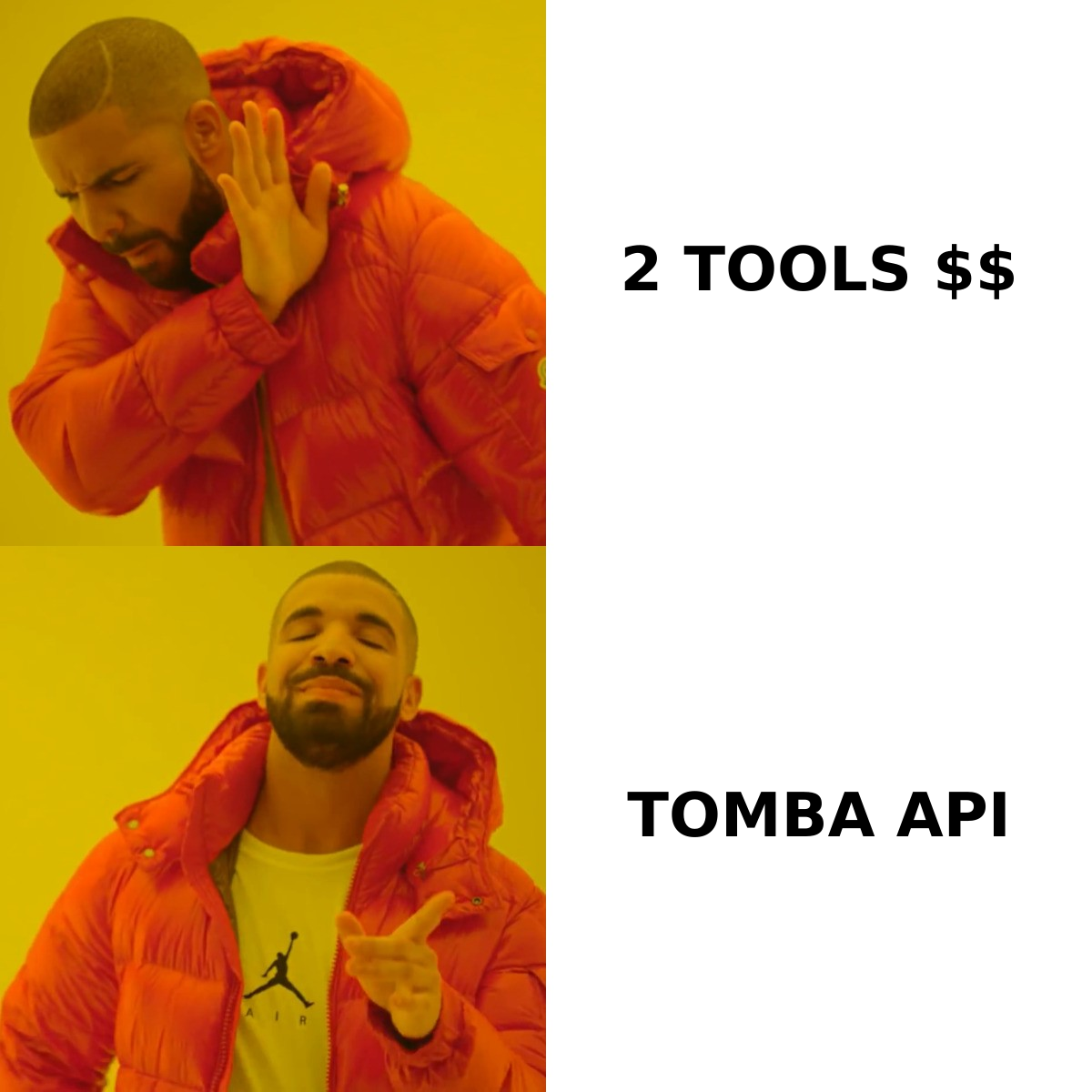
For the third case, the consolidation argument is straightforward. A single platform lets you find an address, verify it, resolve catch-alls, and push it to your CRM in one call. Tomba's email finder and email verifier share one credit pool and one Tomba API, so there is no reconciliation step and no double-charging for the same contact. Bulk workflows run through the same bulk email finder rather than a CSV round-trip between vendors.
That is not a knock on either tool. Enrow is a good verifier and GetProspect is a reasonable sourcing tool. It is an argument about architecture: fewer moving parts, fewer places for data to go stale between systems.
What should you check before you commit?#
Run this before any annual contract:
- Sample test. 500 contacts from your real ICP, run through each tool, measured against actual send results. Not the vendor's demo list.
- Catch-all rate. What percentage of your target domains are catch-alls? If it's high, verification depth matters more than database size.
- Credit definition. Do you get charged for a failed lookup? For an unknown verdict? Read the fine print — this is where budgets die.
- API rate limits. Fine on the dashboard, a hard blocker in an automated pipeline.
- Peer reviews. Cross-check vendor claims against G2 and similar review sites, weighting reviews from companies your size.
- Export freedom. Can you get your data out cleanly if you leave? Test it during the trial, not after renewal.
Vendors optimise for their strongest demo. Your ICP is not their demo.
The verdict#
Enrow wins on verification depth, particularly catch-all resolution. GetProspect wins on sourcing breadth and has the friendlier free entry point. Neither wins the comparison outright because they are answering different questions — and a head-to-head between a verifier and a prospecting database is a category error dressed up as a shootout.
The real decision is whether you want two specialists or one platform. Two specialists give you best-in-class depth on each side and cost you integration overhead forever. One platform gives you a single credit pool, a single API, and one place to debug when a lead's email turns out to be wrong.
If that second option sounds right, start with the Tomba Email Finder. The free tier gives you 25 searches a month to test against your own list — no card, no sales call. Verification, catch-all resolution, and domain search sit behind the same key, so the moment a contact is found it is already checked and ready to send. Run your 500-contact sample through it alongside whatever you're evaluating, and let the bounce numbers decide.
Related guides#
Ready to find emails that actually work?
Join 150,000+ professionals who stopped guessing and started sending. Free credits on signup — no credit card required.
Get the Tomba newsletter
Practical outbound tactics and product updates — once every two weeks.
About the author