Enrow vs Kipplo (2026): Email Finder Accuracy Compared
Enrow and Kipplo both promise clean, verified B2B emails at low bounce rates. Here is how they actually differ on catch-all handling, credit economics, API depth, and which one belongs in your outbound stack in 2026.
TL;DR
- Enrow is built around verification confidence — its pitch is high-accuracy validation, including on catch-all domains, sold on a credit model aimed at agencies and outbound teams.
- Kipplo positions itself as a lighter, cheaper finder-plus-verifier for teams that want quick lists without an enterprise contract.
- The real decision is not "who has more data" — it is how each tool treats risky and catch-all addresses, because that single behavior drives your bounce rate.
- Neither is a full prospecting stack. If you need finding, verification, enrichment, phone data, and an API under one key, a platform like Tomba covers more of the workflow at $49/mo on the Starter plan.
- Whatever you pick, run your own 200-contact bake-off before you buy annual. Vendor accuracy claims are marketing numbers; your ICP is the only benchmark that matters.
What are Enrow and Kipplo?#
Both tools sit in the same narrow band of the market: you give them a name and a company domain (or a raw list of addresses), and they hand back an email plus a deliverability verdict. Neither is trying to be Salesforce. Think of them as specialist locksmiths rather than hardware stores.
Here is the practical breakdown of what each one actually does:
- Enrow — verification-first. Enrow markets itself on validation accuracy, with a particular emphasis on resolving catch-all domains that most verifiers punt on as "unknown". Its finder exists, but verification is the headline product.
- Kipplo — finder-first, budget-conscious. Kipplo aims at the "I need 500 good emails this week and I do not want a sales call" buyer. Simpler UI, simpler pricing logic, fewer enterprise controls.
- Both are credit-based. You buy a pool of credits per month; searches and verifications draw it down. The nuance that costs teams money is what counts as a billable credit — some vendors charge for "not found", others do not.
- Both offer an API. Depth varies. Check rate limits, bulk endpoint availability, and whether webhook callbacks exist before you commit engineering time.
- Neither is a CRM or a sequencer. You will still need something to hold the data and something to send the mail.
That last point matters more than teams expect. If Enrow or Kipplo becomes your fourth or fifth subscription in a stack that already includes a scraper, a sequencer, and a CRM, the consolidation math starts to favor a broader platform.

How do Enrow and Kipplo compare head to head?#
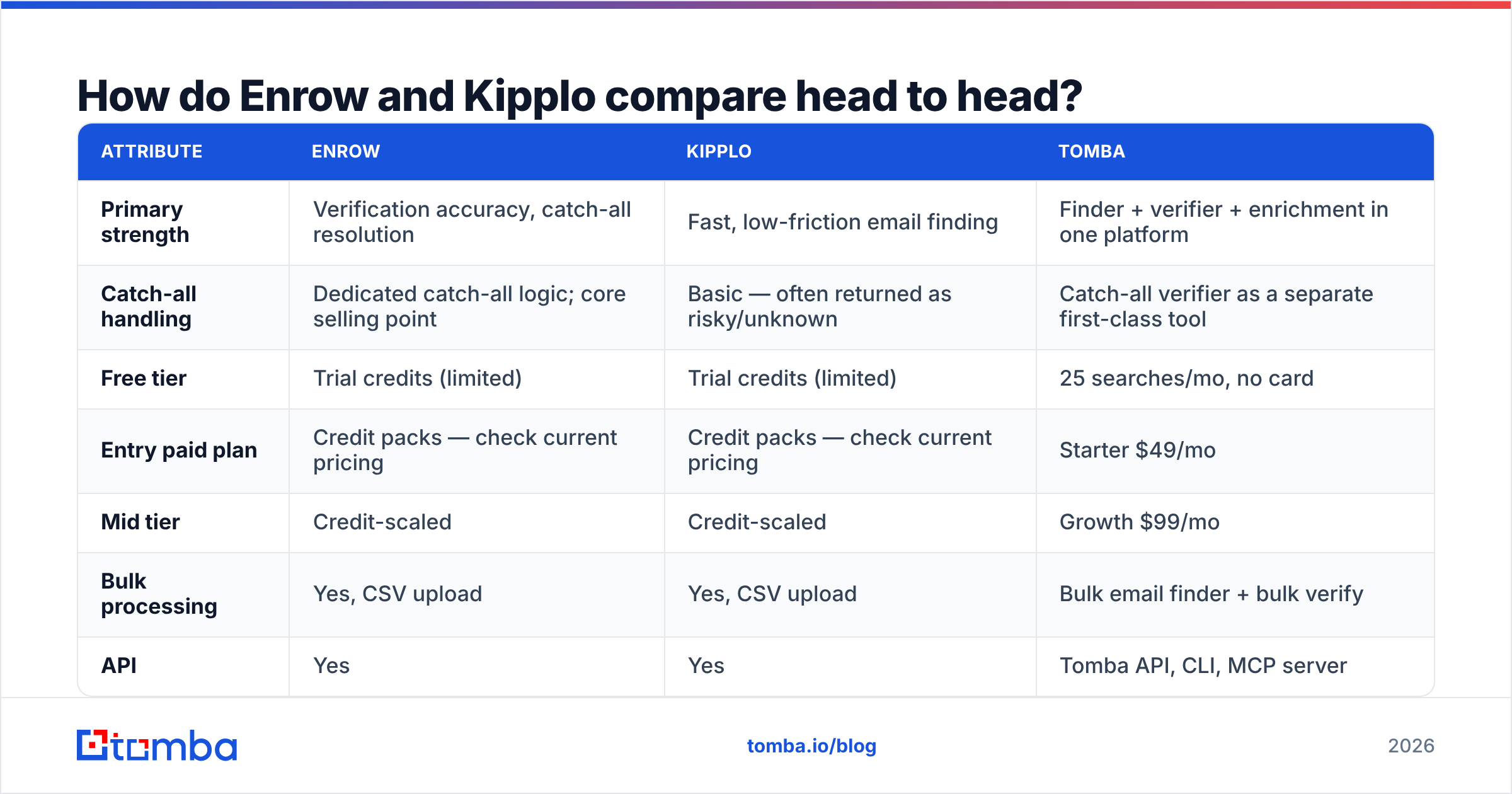
Feature parity between these two is closer than either brand would like to admit. The differences show up in edge cases — catch-alls, role accounts, and what happens on a failed lookup.
Pricing on both vendors moves regularly and both run promotional tiers, so treat any published figure as a starting point and confirm on the vendor's own page before you buy. Tomba's numbers below are current and fixed.
| Attribute | Enrow | Kipplo | Tomba |
|---|---|---|---|
| Primary strength | Verification accuracy, catch-all resolution | Fast, low-friction email finding | Finder + verifier + enrichment in one platform |
| Catch-all handling | Dedicated catch-all logic; core selling point | Basic — often returned as risky/unknown | Catch-all verifier as a separate first-class tool |
| Free tier | Trial credits (limited) | Trial credits (limited) | 25 searches/mo, no card |
| Entry paid plan | Credit packs — check current pricing | Credit packs — check current pricing | Starter $49/mo |
| Mid tier | Credit-scaled | Credit-scaled | Growth $99/mo |
| Bulk processing | Yes, CSV upload | Yes, CSV upload | Bulk email finder + bulk verify |
| API | Yes | Yes | Tomba API, CLI, MCP server |
| Phone numbers | No | No | Phone finder + validator |
| Native spreadsheet add-ons | Limited | Limited | Google Sheets, Excel, Airtable |
| Best for | Agencies protecting sender reputation | Small teams on a tight budget | Teams consolidating finding, verifying, and enriching |

Two things jump out of that table.
First, neither Enrow nor Kipplo gives you phone data. If your motion is email-only, fine. If your SDRs work a call-and-email cadence, you are buying a second vendor for B2B phone numbers regardless.
Second, the ecosystem gap is wide. A finder that lives only in a web app forces manual export-import loops. A finder with a Sheets add-on, a Chrome extension, and a documented API gets embedded into workflows and stops being a tab someone forgets to open.
Which one is more accurate?#
Accuracy is the question everyone asks and almost nobody measures correctly.
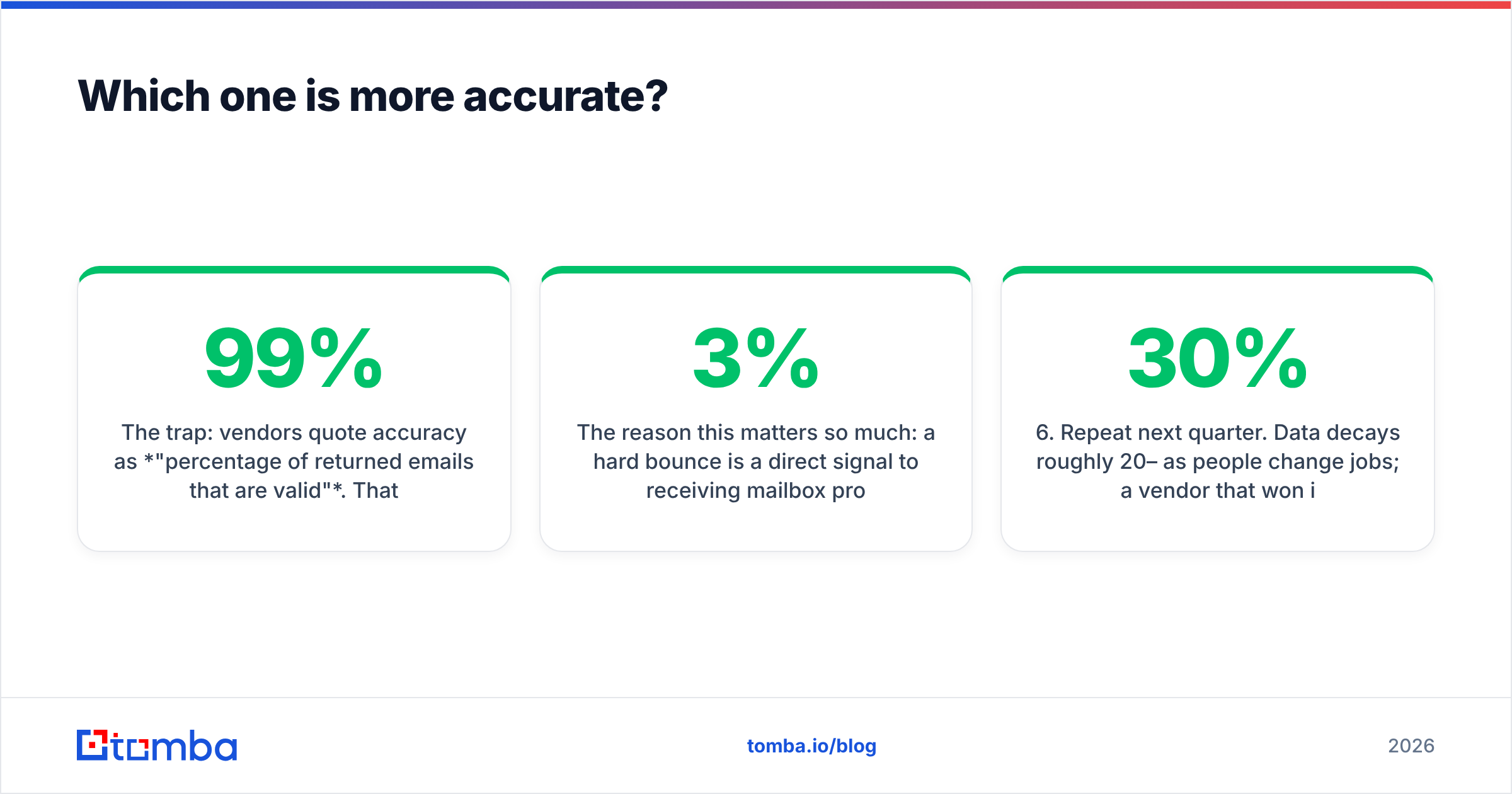
The trap: vendors quote accuracy as "percentage of returned emails that are valid". That is a self-selecting metric. A tool that only returns emails when it is 99% sure will post a beautiful accuracy number and a terrible coverage number — you get 34% of your list back, and the 66% gap costs you more pipeline than a few bounces would have.
Judge every finder on two numbers together:
- Hit rate — of 100 real prospects, how many addresses came back at all?
- Deliverability rate — of those returned, how many actually landed?
Enrow's design philosophy leans toward the second number. Its catch-all resolution work exists precisely so that "unknown" verdicts convert into usable yes/no answers instead of dead rows in your CSV. That is genuinely valuable if you sell into mid-market and enterprise, where Microsoft 365 catch-all configurations are everywhere.
Kipplo leans toward speed and cost per lead. For SMB-heavy ICPs on Google Workspace, where SMTP responses are honest and catch-alls are rarer, that trade is often fine and noticeably cheaper.

The reason this matters so much: a hard bounce is a direct signal to receiving mailbox providers that you do not know who you are emailing. Sustained bounce rates above roughly 2–3% degrade sender reputation, and once reputation slips, even your valid contacts start landing in spam. A bounce message is cheap once and expensive at volume.
How to run your own bake-off in 90 minutes#
Do not trust this article, Enrow's landing page, or Kipplo's G2 badges. Run this:
- Build a 200-row ground-truth list. Pull real prospects from your actual ICP — not a list of famous CEOs, which every vendor has memorized. Include a mix of domains: big enterprise, SMB, and at least 30 known catch-all domains.
- Run the same list through each trial. Same names, same domains, same day.
- Record four columns per tool: found / not found, verdict returned, credits consumed, seconds elapsed.
- Send a real 50-address test batch from a warmed secondary domain and count hard bounces after 24 hours.
- Compute cost per delivered contact, not cost per credit. This is the only number that survives contact with a CFO.
- Repeat next quarter. Data decays roughly 20–30% per year as people change jobs; a vendor that won in Q1 can lose in Q4.
Most teams skip step 4 and then wonder why their "verified" list bounced. Verification verdicts are predictions, not guarantees — the only ground truth is a send.
Which should you choose for your use case?#
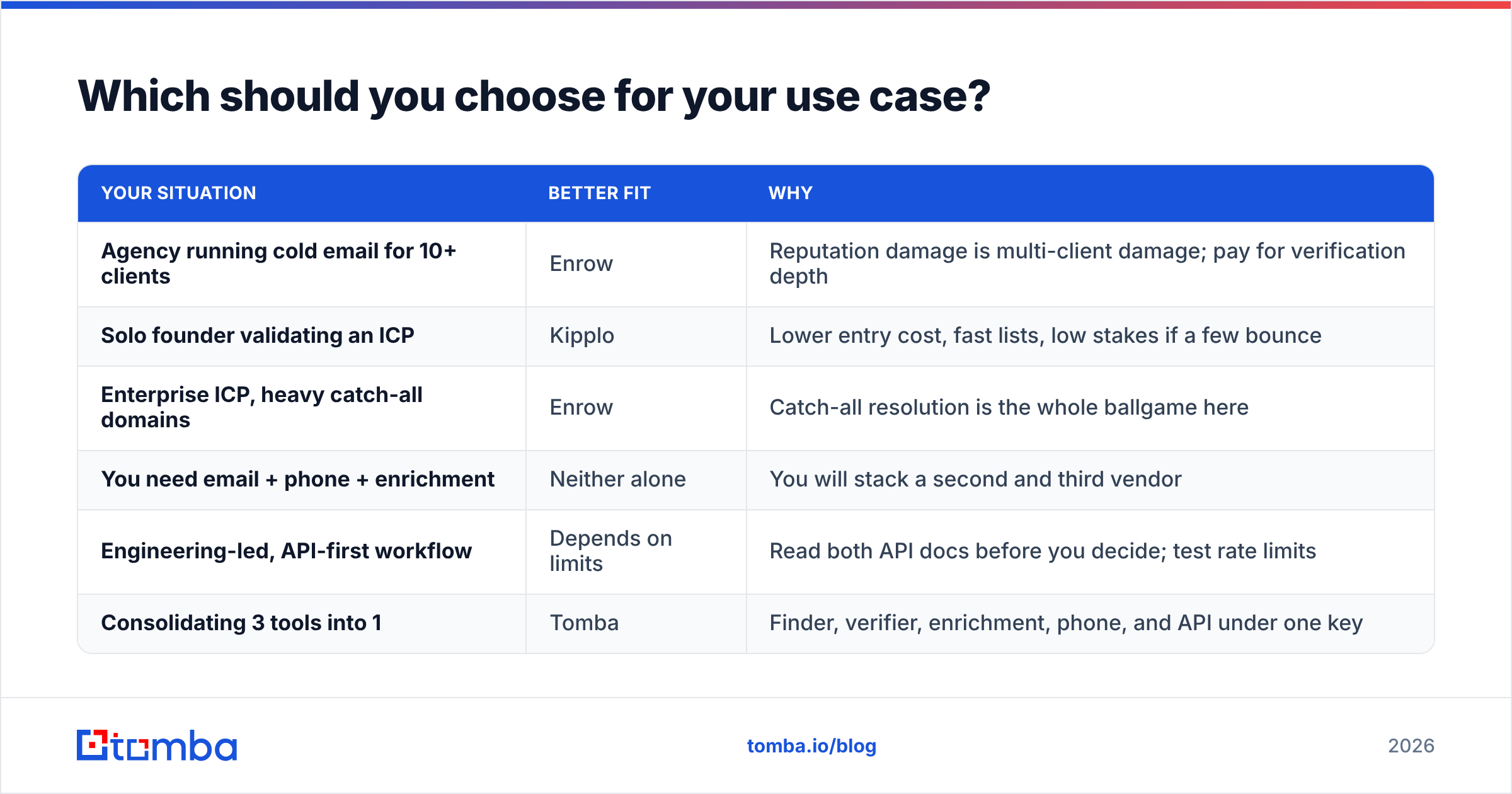
| Your situation | Better fit | Why |
|---|---|---|
| Agency running cold email for 10+ clients | Enrow | Reputation damage is multi-client damage; pay for verification depth |
| Solo founder validating an ICP | Kipplo | Lower entry cost, fast lists, low stakes if a few bounce |
| Enterprise ICP, heavy catch-all domains | Enrow | Catch-all resolution is the whole ballgame here |
| You need email + phone + enrichment | Neither alone | You will stack a second and third vendor |
| Engineering-led, API-first workflow | Depends on limits | Read both API docs before you decide; test rate limits |
| Consolidating 3 tools into 1 | Tomba | Finder, verifier, enrichment, phone, and API under one key |
The pattern: Enrow buys you safety, Kipplo buys you speed. If your cold email program is your primary revenue channel, safety is worth the premium. If you are still testing whether outbound works for you at all, speed and low cost win.

Where does Tomba fit in this comparison?#
Honest framing: if you only need verification and Enrow's catch-all engine is the single best on the market for your domain mix, buy Enrow. Specialist tools exist for a reason.
But most teams comparing Enrow vs Kipplo are not actually shopping for a verifier — they are shopping for "how do I get clean contact data into my sequencer without four subscriptions". That is a different question, and it is where a platform answer beats a point solution.
Tomba's coverage of that workflow:
- Email finder — name + domain in, verified address out.
- Domain search — pull every discoverable address at a company, with role and department context.
- Email verifier and a dedicated catch-all check for lists you bought or inherited.
- Data enrichment — job title, company size, social profiles appended to a bare email.
- API, CLI, and MCP server — so your RevOps engineer can wire it into whatever you already run, and your AI agents can call it directly.
- Chrome extension, Google Sheets, Excel, Airtable — for the people who will never open an API doc.
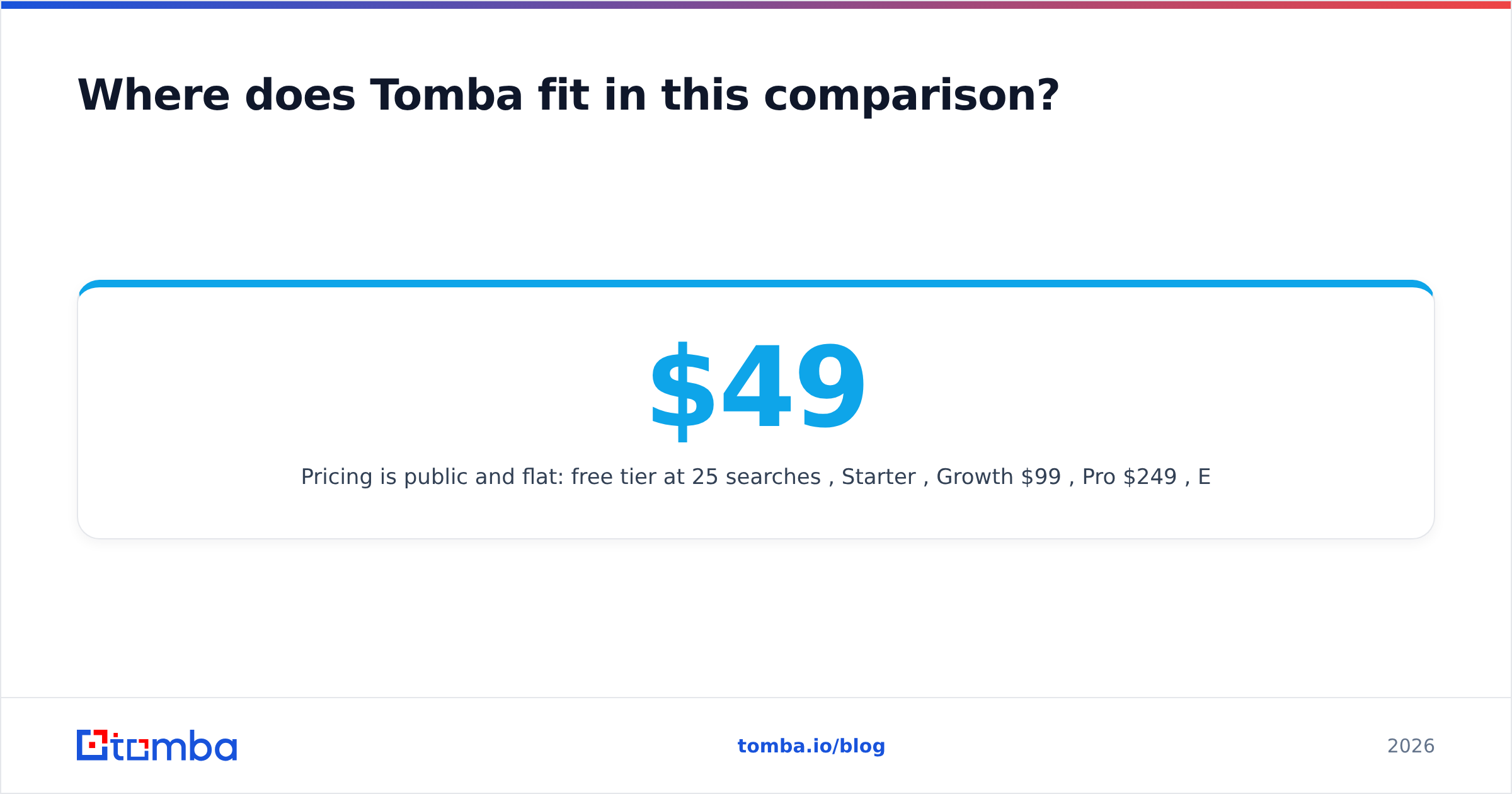
Pricing is public and flat: free tier at 25 searches/mo, Starter $49/mo, Growth $99/mo, Pro $249/mo, Enterprise custom. Full Tomba pricing is on the site with no "contact us for the real number" gate on the mainline plans.
The comparison worth running is not Enrow vs Kipplo in isolation. It is (Enrow or Kipplo) + a scraper + an enrichment tool + a phone provider versus one platform. Add the monthly line items and the consolidation case usually makes itself.
What should you check before you sign an annual contract?#
Four questions that separate a good purchase from a regretted one:
Do you get charged for failed lookups? Some vendors bill a credit whether or not an email comes back. On a 10,000-row list with a 60% hit rate, that is 4,000 credits burned on nothing. Ask explicitly and get it in writing.
What happens to unused credits? Rollover, partial rollover, or use-it-or-lose-it? A cheaper plan with no rollover often costs more in practice than a pricier plan that banks the surplus.
Where does the data come from? Ask any vendor to explain their sourcing and their GDPR/CCPA posture. Tomba publishes its data sources openly. A vendor that will not answer this question is a vendor whose contracts your legal team will eventually kill.
Can you export everything? If the tool holds your enriched data hostage behind a UI with no CSV or API export, you are renting your own pipeline. Test the export on day one of the trial, not day 29.
Also worth ten minutes: read recent reviews on G2 with the date filter set to the last six months. Older reviews describe products that no longer exist, and both of these tools have shipped significant changes.
The verdict#
Pick Enrow if bounce rate is an existential risk — agencies, regulated industries, enterprise ICPs full of catch-all domains. You are paying for verification depth and it is worth it.
Pick Kipplo if you are early, budget-constrained, and selling to SMBs where verification is comparatively easy. Do not over-buy safety you do not need yet.
Pick a platform if the honest answer is that you will need finding, verifying, enriching, and phone numbers within the next two quarters. Consolidating later means migrating workflows, re-training reps, and re-writing integrations — cheaper to get it right now.
Whichever way you lean, start with 200 rows of your own data and a real send. Ninety minutes of testing beats ninety days of a contract you regret.
Ready to test the consolidated option? Start with the Tomba Email Finder — 25 free searches a month, no card required, and the same verification engine that powers the paid plans. Run it against the same 200-row list you give Enrow and Kipplo, compare cost per delivered contact, and let the numbers pick your vendor.
Related guides#
Ready to find emails that actually work?
Join 150,000+ professionals who stopped guessing and started sending. Free credits on signup — no credit card required.
Get the Tomba newsletter
Practical outbound tactics and product updates — once every two weeks.
About the author