Enterprise Prospecting in 2026: The Complete No-Fluff Guide
Enterprise deals involve 11+ stakeholders, 6-9 month cycles, and a champion who can't sign anything. Here's how to map buying committees, build account lists that hold up, and run multithreaded sequences that actually book meetings.
TL;DR
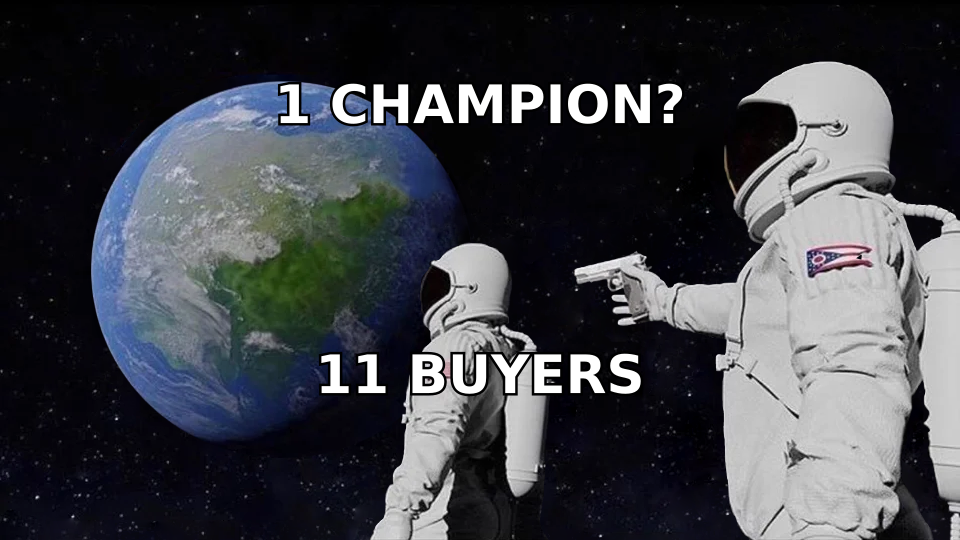
- Enterprise prospecting is not SMB prospecting with bigger logos. The unit of work is the account, not the contact, and the average buying group now runs 6-11 people.
- Single-threading is the number one killer of enterprise pipeline. If your champion leaves, gets reorganized, or goes quiet, the deal dies with them.
- Build the account list before you build the contact list. Fit criteria, trigger events, and territory logic come first; email discovery comes last.
- Your stack needs four layers: account intelligence, contact data, verification, and sequencing. Most teams overbuy layer 1 and underbuy layer 3.
- Measure accounts engaged, stakeholders reached per account, and meeting-to-opportunity rate — not emails sent.
What is enterprise prospecting?#
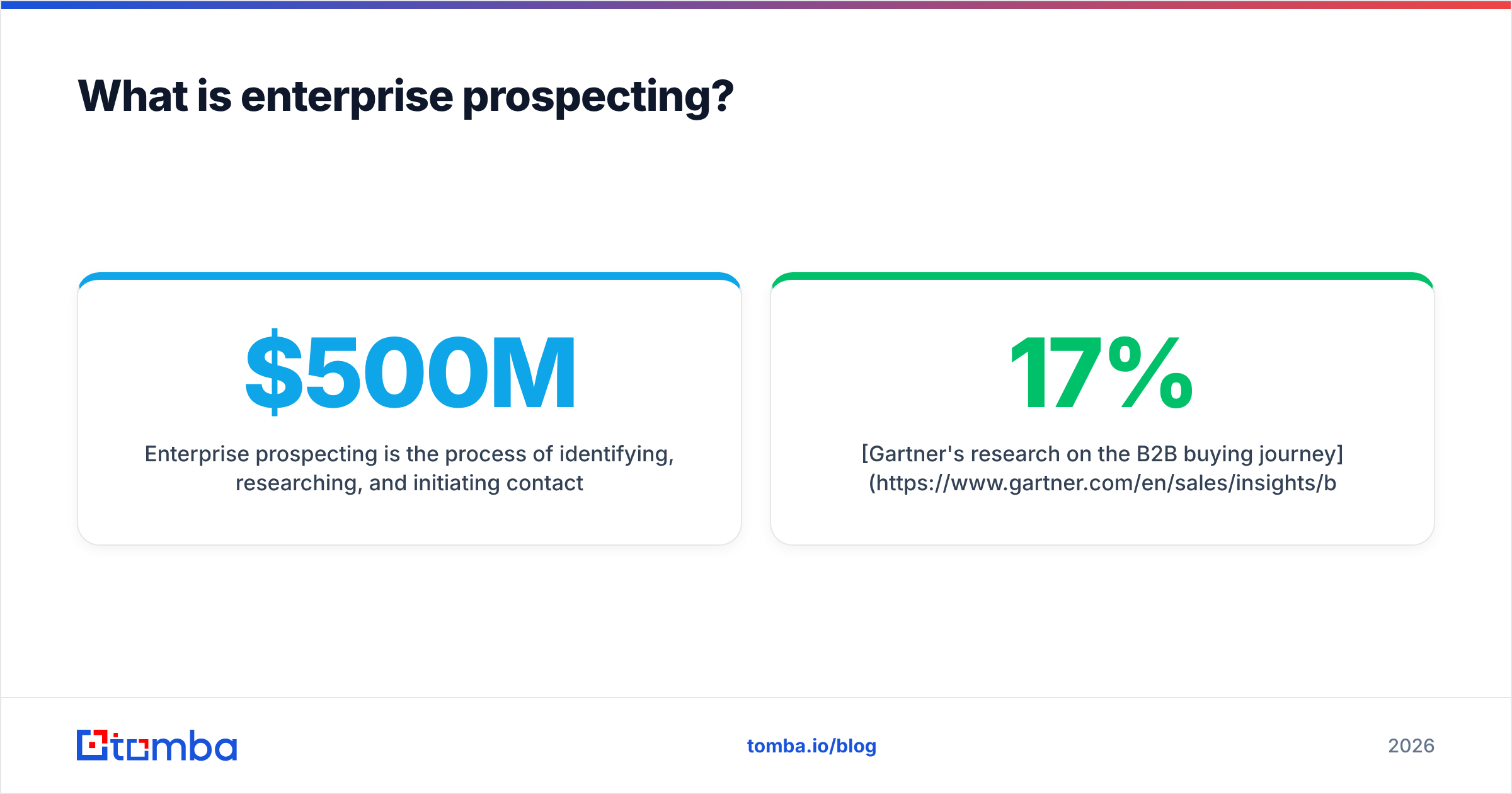
Enterprise prospecting is the process of identifying, researching, and initiating contact with large organizations — typically 1,000+ employees or $500M+ in revenue — where the purchase decision is made by a committee rather than an individual.
The everyday analogy: SMB prospecting is knocking on a house and hoping the homeowner answers. Enterprise prospecting is trying to get an apartment building to agree on a new roof. There's a board, a treasurer, a facilities manager, three residents who hate change, and one person who actually cares about the leak. You need all of them, and none of them can act alone.
Technically, that means your outreach has to be account-first. You don't work a list of 2,000 contacts; you work 40 accounts with 8-12 mapped contacts each. Every touch is designed to add a node to your map of the buying group, not to close a meeting on the first reply.
Gartner's research on the B2B buying journey is the canonical reference here: buying groups for complex solutions typically involve six to ten decision makers, each armed with four or five independently gathered pieces of information. Those buyers spend roughly 17% of their total purchase time meeting with any potential supplier — meaning a single vendor gets around 5-6% of the buying group's attention across the whole cycle.
That statistic should reshape your entire approach. You are not competing for a meeting. You are competing for a sliver of attention across a dozen people who mostly talk to each other, not to you.
How is enterprise prospecting different from SMB prospecting?#
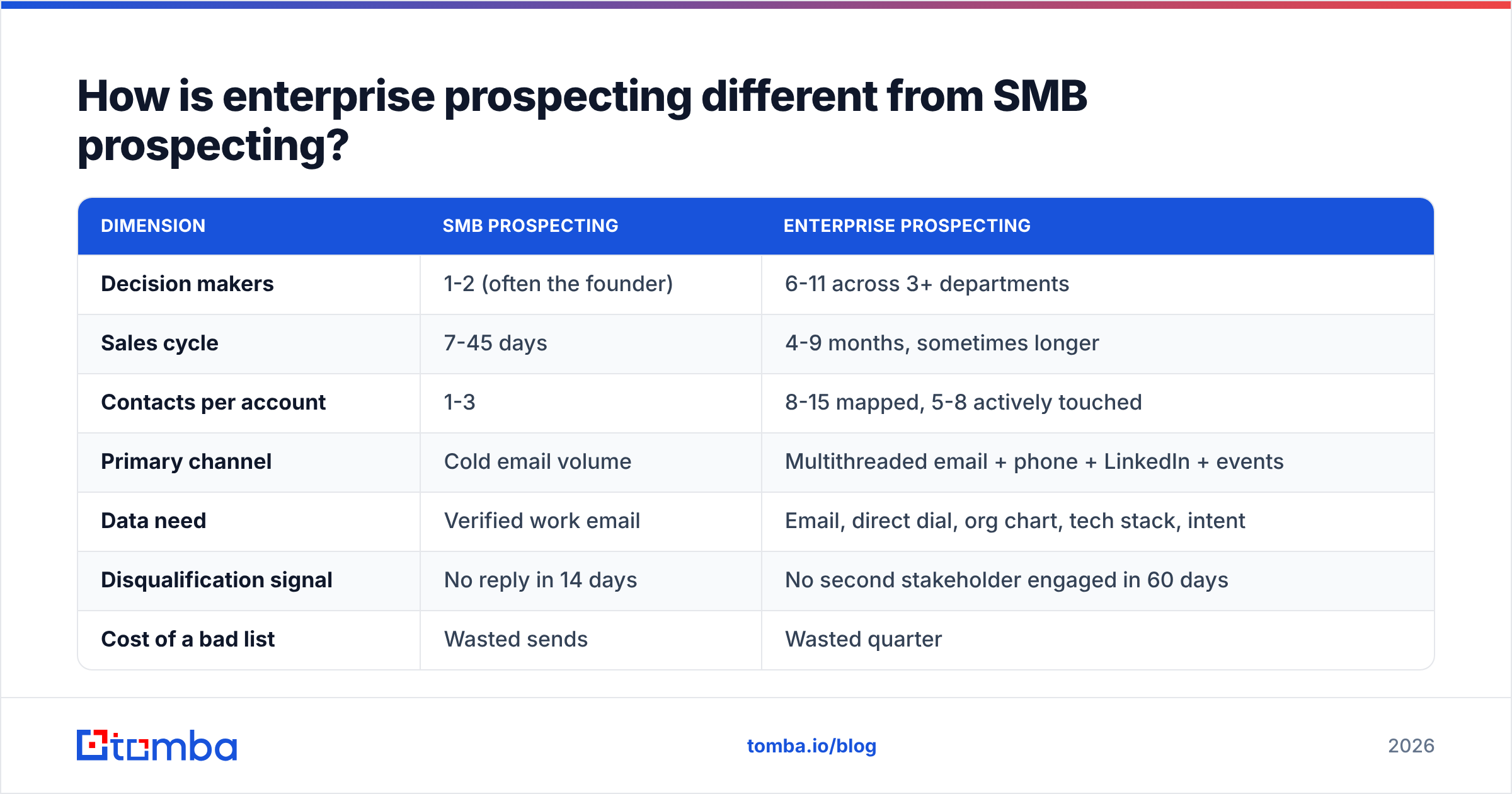
| Dimension | SMB prospecting | Enterprise prospecting |
|---|---|---|
| Decision makers | 1-2 (often the founder) | 6-11 across 3+ departments |
| Sales cycle | 7-45 days | 4-9 months, sometimes longer |
| Contacts per account | 1-3 | 8-15 mapped, 5-8 actively touched |
| Primary channel | Cold email volume | Multithreaded email + phone + LinkedIn + events |
| Data need | Verified work email | Email, direct dial, org chart, tech stack, intent |
| Disqualification signal | No reply in 14 days | No second stakeholder engaged in 60 days |
| Cost of a bad list | Wasted sends | Wasted quarter |
| Rep ratio | 1 SDR : 300 accounts | 1 SDR : 30-50 accounts |
The row that matters most is the last one. Enterprise SDR territories are small on purpose. If your reps are carrying 300 named enterprise accounts, they are doing SMB motions with enterprise logos and you will see it in your meeting-to-opportunity rate.
The second-most-important row is "cost of a bad list." In SMB, a 20% bounce rate costs you sends. In enterprise, a wrong contact costs you the account — because the one email you burned went to a VP who forwarded it to your actual champion with the subject line "do we know these people?"
Who is actually on an enterprise buying committee?#
Map every account against these roles before you send a single email. Names are less important than functions — one person can hold two roles, and two people can share one.
- The Champion — feels the pain daily, will advocate internally, has zero signing authority. Usually a director or senior manager. Easiest to reach, most likely to be your only thread if you get lazy.
- The Economic Buyer — controls the budget line. VP or C-level. Cares about payback period and risk, not features. Will almost never respond to your first cold email, which is fine; the goal is name recognition before the champion mentions you.
- The Technical Evaluator — security, IT, or data engineering. Can veto but cannot approve. Reaching this person early with documentation (SOC 2, API docs, data-sourcing policy) removes the most common late-stage stall.
- The End User — will live with the tool. Increasingly influential in bottom-up categories. Their enthusiasm is your best proof point in the business case.
- The Blocker — owns the incumbent solution or the process you're replacing. Ignoring them is the single most common enterprise prospecting mistake. Engage early and neutrally.
- The Procurement Gatekeeper — appears in month four, asks for three references and a security questionnaire, and adds six weeks. Anticipate them; don't discover them.
Your prospecting goal in the first 90 days of an account is simple: three named, engaged contacts across at least two of these roles. One is a lottery ticket. Three is a deal.
How do you build an enterprise account list that isn't garbage?#
Work top-down, in this order. Skipping steps here is why most "enterprise motions" produce SMB results.
Step 1 — Define fit, not size. Employee count is a proxy, not a criterion. Real fit criteria look like: "runs Salesforce + Marketo," "has 15+ open reqs for field sales," "operates in a regulated vertical," "recently acquired a company in an adjacent market." A 4,000-person manufacturer with no digital go-to-market is not an enterprise account for you — it's a distraction with a big logo.
Step 2 — Layer trigger events. Enterprise accounts don't buy because you emailed them. They buy because something changed. Useful triggers: new executive hire in your buyer function, funding or M&A activity, public initiative announcements, tech-stack changes, regulatory deadlines, competitor churn signals. Score accounts by trigger recency — a trigger from last week is worth ten times a trigger from last year.
Step 3 — Freeze the tier. Split into Tier 1 (10-15 accounts, fully researched, custom outreach, executive involvement), Tier 2 (30-50 accounts, semi-personalized sequences), Tier 3 (everything else, programmatic). Reps should spend 60% of prospecting time on Tier 1.
Step 4 — Map the org before you find emails. Use LinkedIn Sales Navigator, the company's own leadership page, conference speaker lists, and press releases. Write down the names and titles first. This is the part teams skip, and it's why they end up emailing whoever a database happened to have.
Step 5 — Then find and verify contact data. Now you go get the addresses and direct dials for the specific humans you identified. Not the reverse. Run names and domains through an email finder, fill the gaps with domain search to catch the account's email pattern, and pull direct dials with a phone finder for the roles that only answer a phone.
Step 6 — Verify before the first send. Enterprise domains are disproportionately catch-all, which means a naive verifier returns "unknown" and your rep sends anyway. Use a proper email verifier with catch-all handling, and treat unresolvable addresses as a research task, not a send.
The sequencing matters because contact data is cheap and account research is expensive. If you buy 5,000 enterprise contacts before doing steps 1-4, you have purchased a very expensive way to be ignored.
What does an enterprise prospecting sequence actually look like?#
Forget the 9-touch SMB cadence. Enterprise sequences are longer, quieter, and multithreaded by design.
A workable Tier 1 structure over 8 weeks:
| Week | Champion thread | Economic buyer thread | Technical thread |
|---|---|---|---|
| 1 | Pain-specific email + LinkedIn view | — | — |
| 2 | Call + voicemail, reference a peer account | Short "context" email, no ask | — |
| 3 | Value asset (benchmark, teardown) | LinkedIn connect | Docs link (security, API) |
| 4 | Call + break-up-lite email | — | Email: integration question |
| 5-6 | Re-engage on new trigger | Forwardable one-pager | Follow-up on docs |
| 7-8 | Ask for intro to EB explicitly | Direct call attempt | Offer technical walkthrough |
Three rules govern this:
- Never send the same message to two people at the same account. Buying committees forward emails. Getting caught sending identical "personalized" outreach to three people is unrecoverable.
- Each thread has its own value proposition. The champion cares about their week getting easier. The economic buyer cares about a number. The technical evaluator cares about not being blamed later.
- Ask for the intro, don't sneak around. "Who else should be in this conversation?" outperforms silently emailing the champion's boss, every time.
For channel mix, the honest 2026 read is that email alone has decayed for enterprise titles. HubSpot's sales research has tracked the same directional trend most teams see in their own data: reply rates on unaided cold email keep drifting down while multi-channel sequences hold. Phone is not dead for enterprise — it's dead for SMB, which is a different claim entirely. VPs still have assistants and direct lines.
Which tools do you actually need for enterprise prospecting?#
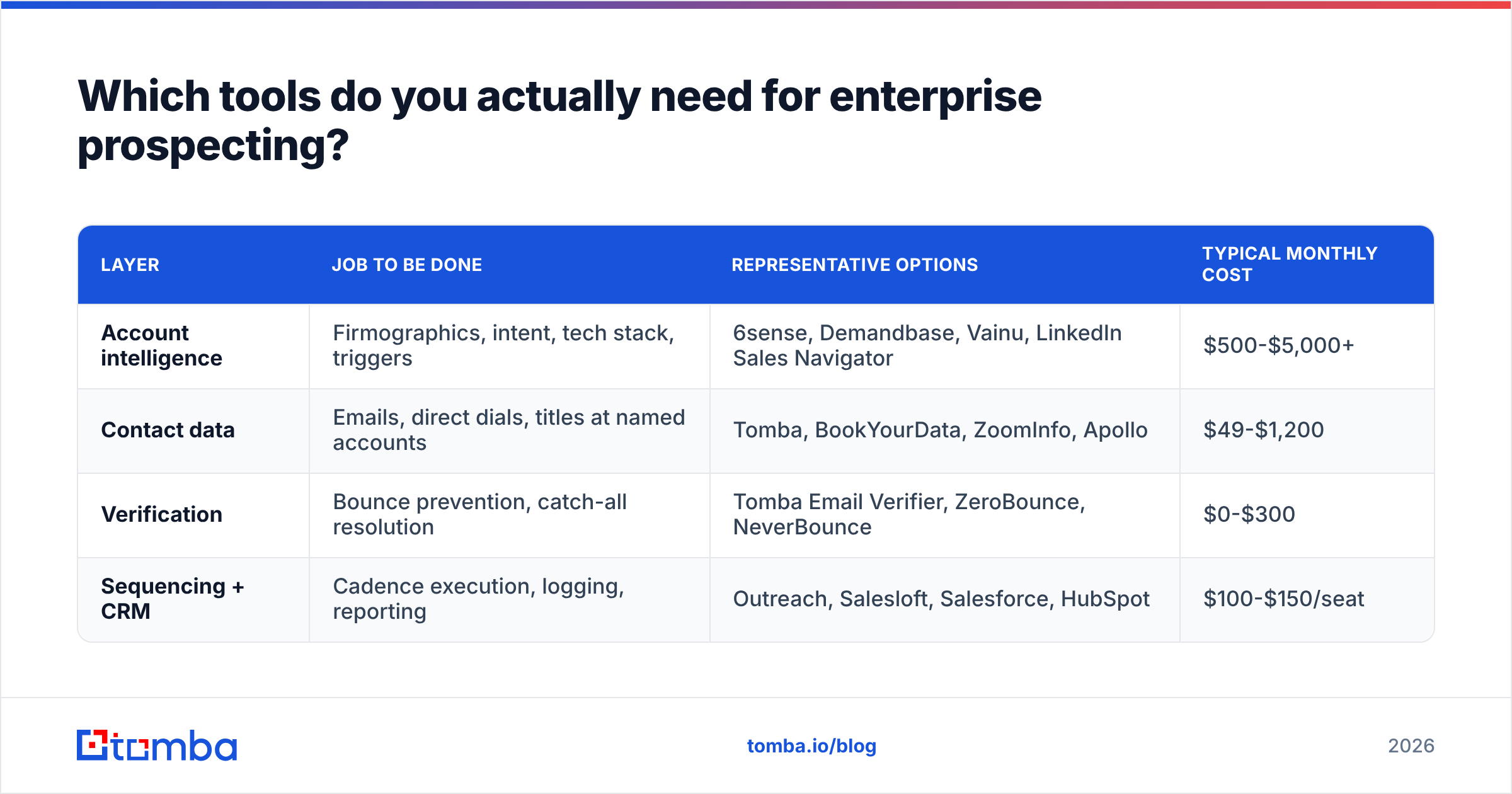
Four layers. Most teams overspend on layer 1 and underinvest in layer 3, which is exactly backwards — bad data at layer 3 poisons everything downstream.
| Layer | Job to be done | Representative options | Typical monthly cost |
|---|---|---|---|
| Account intelligence | Firmographics, intent, tech stack, triggers | 6sense, Demandbase, Vainu, LinkedIn Sales Navigator | $500-$5,000+ |
| Contact data | Emails, direct dials, titles at named accounts | Tomba, BookYourData, ZoomInfo, Apollo | $49-$1,200 |
| Verification | Bounce prevention, catch-all resolution | Tomba Email Verifier, ZeroBounce, NeverBounce | $0-$300 |
| Sequencing + CRM | Cadence execution, logging, reporting | Outreach, Salesloft, Salesforce, HubSpot | $100-$150/seat |
A few honest notes on that table:
On contact data: enterprise coverage varies wildly by region and seniority. ZoomInfo's US enterprise coverage is genuinely strong and priced accordingly. BookYourData is a solid choice when you want pay-as-you-go, pre-verified lists without an annual commitment — useful for teams testing a new segment before committing budget. Tomba sits at the discovery-and-verification end: Tomba pricing starts free at 25 searches/month, then $49/mo Starter, $99/mo Growth, and $249/mo Pro, with an email finder API if you're enriching inside your own systems. The right answer is usually two sources, not one — run the same 50 accounts through both and compare hit rate on your actual ICP before signing anything.
On verification: if your enterprise list is more than 30% catch-all domains — and it usually is — a verifier that returns "unknown" is functionally useless. Look specifically for catch-all verification as a named capability, not a footnote.
On enrichment cadence: enterprise contact data decays at roughly 2-3% per month through job changes alone. Re-enrich your named account list quarterly. Automated data enrichment into your CRM beats a manual scrub nobody schedules.
Before you sign an annual contract on any layer, read the current reviews on G2's sales intelligence category filtered to enterprise-segment reviewers only. Mid-market reviews of enterprise tools are close to noise.
How do you measure enterprise prospecting?#
Activity metrics lie at the enterprise level. A rep who sent 400 emails to 300 accounts did worse than a rep who sent 90 emails to 35 accounts, even though the dashboard says otherwise.
Track these instead:
- Accounts engaged — accounts with at least one meaningful two-way interaction in the period. This is your real top-of-funnel number.
- Stakeholders reached per engaged account — the multithreading metric. Target 3+. If your average is 1.2, you have a single-threading problem regardless of your meeting count.
- Meeting-to-opportunity rate — enterprise meetings are easy to book with a champion and worthless without a second thread. This ratio exposes the difference.
- Time to second stakeholder — days from first engagement to a second contact at the same account replying. Under 30 days correlates strongly with closed-won.
- Account penetration decay — how many previously engaged accounts went fully quiet last quarter. Your re-engagement list lives here.
Report these at the account level in your CRM with a proper account object, not as contact-level rollups. If your CRM hygiene can't support account-level reporting, fix that before you scale headcount.
What are the most common enterprise prospecting mistakes?#
Treating the champion as the deal. Covered above, worth repeating: one thread is not a pipeline entry, it's a conversation.
Personalizing the wrong things. "I saw you went to Michigan" is not enterprise personalization. "I saw your Q3 earnings call flagged field-sales productivity as a 2026 priority" is. Relevance beats familiarity at this level.
Sending before verifying. A 12% bounce rate on a 40-account territory means you burned five accounts. There is no volume to hide behind.
Prospecting without an executive sponsor on your side. Enterprise outreach works dramatically better when your own VP or CEO sends 5-10 peer-level emails per quarter into Tier 1 accounts. It costs an hour and moves more accounts than a month of SDR sends.
Giving up at 60 days. Enterprise cycles are long, and "not now" is the most common true answer. Build a structured nurture for accounts that engaged and stalled — most enterprise wins are second- or third-attempt accounts.
Buying a big database instead of building a small map. The teams that win enterprise don't have the most contacts. They have the most accurate picture of 40 accounts.
Where should you start this quarter?#
Pick 30 accounts. Map six roles each. Verify every address before the first send. Run three parallel threads per Tier 1 account for eight weeks. Measure stakeholders-per-account, not emails-sent. That's the whole playbook — the difficulty is discipline, not strategy.
When you get to the data step, the Tomba Email Finder handles the specific job enterprise prospecting demands: you already know the name and the company, and you need a verified, deliverable work address for that exact person — not a bulk list of whoever happened to be in a database. Start on the free tier with 25 searches, run it against a real Tier 1 account you already know the org chart for, and check the hit rate yourself before you spend anything.
Related guides#
Ready to find emails that actually work?
Join 150,000+ professionals who stopped guessing and started sending. Free credits on signup — no credit card required.
Get the Tomba newsletter
Practical outbound tactics and product updates — once every two weeks.
About the author