Enterprise Sales CRM in 2026: How to Choose the Right Platform
Enterprise CRM buys fail on adoption and data quality, not features. Here is how the major platforms actually compare on cost, admin burden, and what your reps will really use.
TL;DR
- An enterprise sales CRM is a system of record built for multi-team, multi-region revenue orgs — the differentiator is governance, permissions, and forecasting depth, not contact storage.
- Sticker price is the smallest line item. Budget 1.5x–3x license cost for implementation, admin headcount, integrations, and data hygiene.
- Salesforce still wins on configurability; Microsoft Dynamics 365 wins inside Microsoft-heavy estates; HubSpot Enterprise wins on time-to-value; Pipedrive and Zoho serve the mid-market end of "enterprise."
- The single biggest predictor of CRM ROI is data quality at the point of entry. A CRM does not create contact data — it stores whatever you feed it.
- Pair whichever platform you pick with an enrichment and verification layer so records arrive complete instead of getting cleaned up in quarterly fire drills.
What is an enterprise sales CRM?#
An enterprise sales CRM is the system of record for every account, contact, opportunity, and revenue forecast across an organization large enough that no single person can hold the pipeline in their head. Think of it less like a contact list and more like an air traffic control tower: dozens of teams moving simultaneously, each needing the same shared picture, with strict rules about who can touch what.
The word "enterprise" is doing real work in that phrase. A CRM at a 15-person startup needs to store deals and send reminders. An enterprise CRM needs to handle:
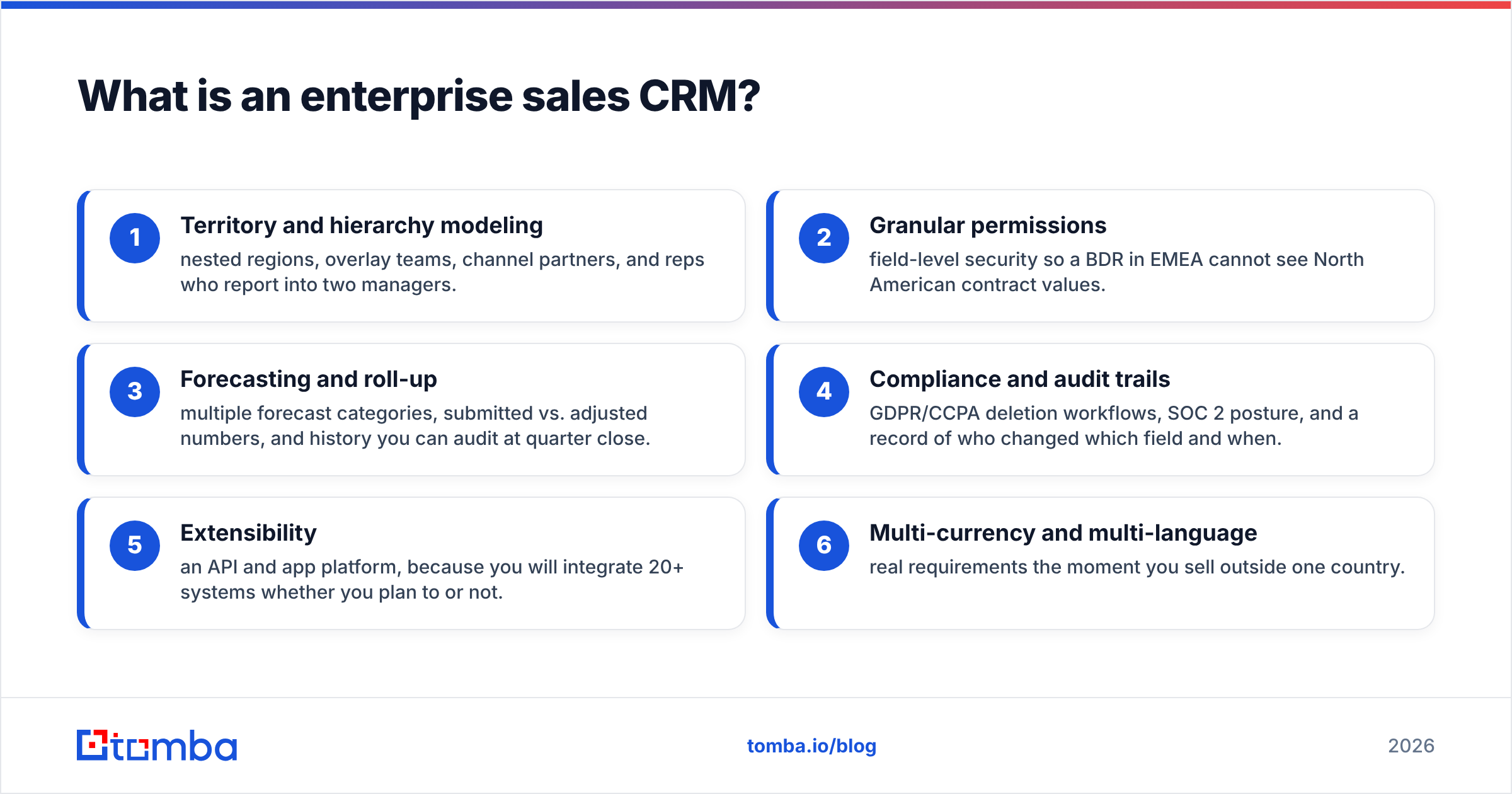
- Territory and hierarchy modeling — nested regions, overlay teams, channel partners, and reps who report into two managers.
- Granular permissions — field-level security so a BDR in EMEA cannot see North American contract values.
- Forecasting and roll-up — multiple forecast categories, submitted vs. adjusted numbers, and history you can audit at quarter close.
- Compliance and audit trails — GDPR/CCPA deletion workflows, SOC 2 posture, and a record of who changed which field and when.
- Extensibility — an API and app platform, because you will integrate 20+ systems whether you plan to or not.
- Multi-currency and multi-language — real requirements the moment you sell outside one country.
Miss any one of those and you will hit a wall roughly 18 months in, usually right as a new CRO wants a clean forecast.
Why do most enterprise CRM projects underdeliver?#
Because the failure mode is almost never the software. Gartner has repeatedly documented that CRM initiatives stumble on adoption, process design, and data quality rather than missing features. The pattern is consistent across companies:
Reps do not enter data. If logging an activity takes six clicks, it does not happen. Your forecast is then built on the deals reps remembered to update.
Records arrive incomplete. A lead lands with a company name and a first name. No verified email, no direct dial, no firmographics. Someone manually fills gaps — or nobody does, and the record rots.
Duplicates multiply. The same account appears four times with slightly different spellings because three teams imported lists independently.
Admin cost is underestimated. Enterprise CRMs need dedicated administrators. A single Salesforce admin per 100–200 users is a common planning ratio, and that headcount rarely appears in the initial business case.
The fix is upstream. If contact records enter the CRM already verified and enriched — correct email, validated phone, current job title — the downstream hygiene problem shrinks dramatically. That is a data pipeline decision, not a CRM decision, and it is why teams pair their CRM with a dedicated email verifier and data enrichment layer instead of hoping the CRM cleans itself.
How do the major enterprise sales CRM platforms compare?#
Pricing below reflects publicly listed per-user, per-month figures on annual billing as of early 2026. Enterprise deals are negotiated, so treat these as anchors, not quotes.
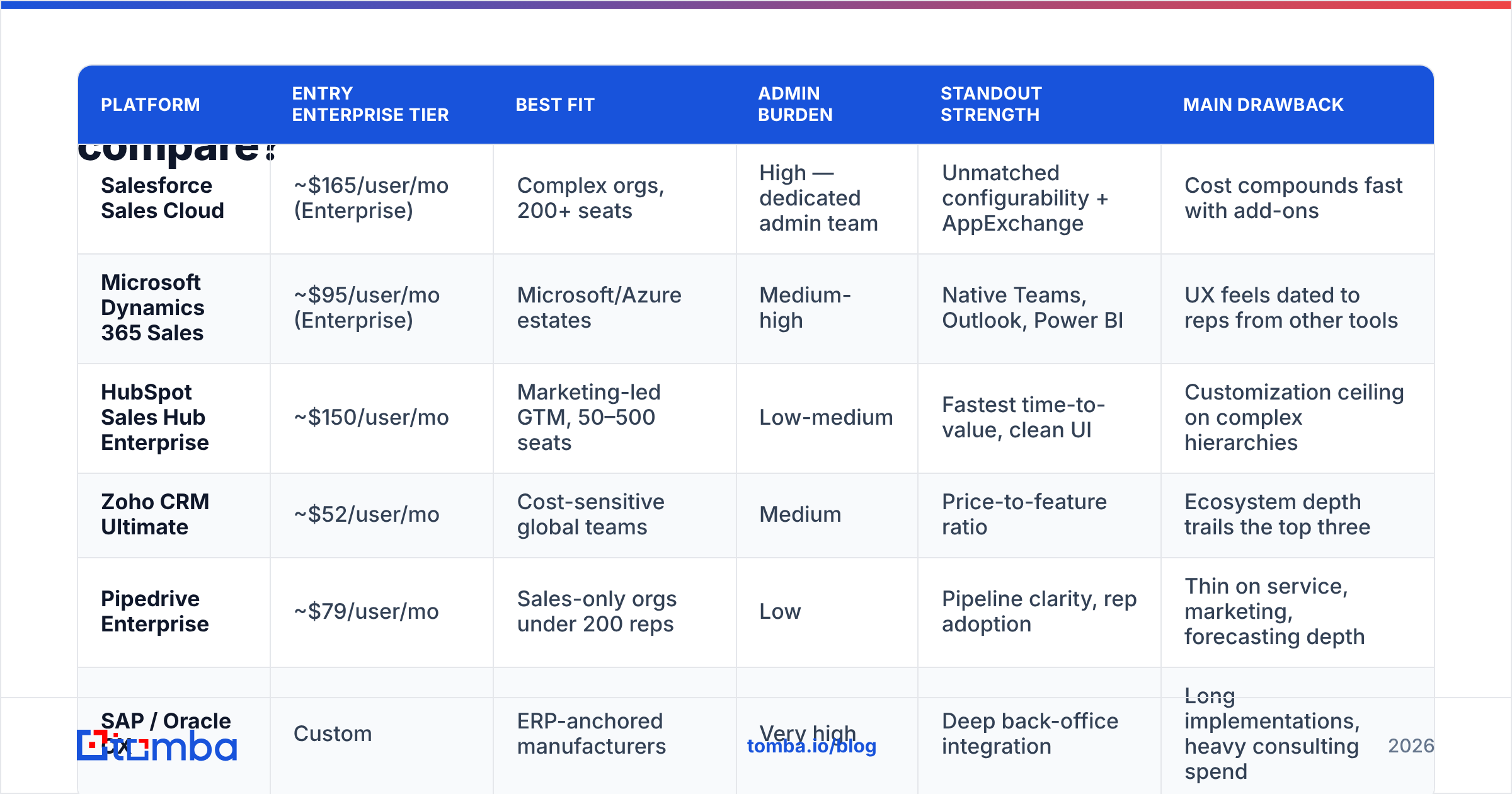
| Platform | Entry enterprise tier | Best fit | Admin burden | Standout strength | Main drawback |
|---|---|---|---|---|---|
| Salesforce Sales Cloud | ~$165/user/mo (Enterprise) | Complex orgs, 200+ seats | High — dedicated admin team | Unmatched configurability + AppExchange | Cost compounds fast with add-ons |
| Microsoft Dynamics 365 Sales | ~$95/user/mo (Enterprise) | Microsoft/Azure estates | Medium-high | Native Teams, Outlook, Power BI | UX feels dated to reps from other tools |
| HubSpot Sales Hub Enterprise | ~$150/user/mo | Marketing-led GTM, 50–500 seats | Low-medium | Fastest time-to-value, clean UI | Customization ceiling on complex hierarchies |
| Zoho CRM Ultimate | ~$52/user/mo | Cost-sensitive global teams | Medium | Price-to-feature ratio | Ecosystem depth trails the top three |
| Pipedrive Enterprise | ~$79/user/mo | Sales-only orgs under 200 reps | Low | Pipeline clarity, rep adoption | Thin on service, marketing, forecasting depth |
| SAP / Oracle CX | Custom | ERP-anchored manufacturers | Very high | Deep back-office integration | Long implementations, heavy consulting spend |
A few observations that do not show up in a feature matrix:
Salesforce's real price is the add-ons. Sales Engagement, CPQ, Revenue Intelligence, and extra sandbox environments each carry their own line. Teams routinely land at 2x the base license figure. Verify what's bundled at your tier on the official Salesforce pricing page before modeling budget.
Dynamics wins on bundling, not on standalone merit. If you already pay for Microsoft 365 E5 and Power Platform, the marginal cost and the integration story are both strong. If you don't, the calculus changes completely.
HubSpot's ceiling is real but higher than critics claim. The 2024–2026 releases added meaningful permissions and custom object depth. Where it still strains: deeply nested territory hierarchies and quote-to-cash logic. Check current capability against your actual requirements on HubSpot's pricing page rather than relying on three-year-old review threads.
Peer review sites are useful for adoption signal, not truth. Cross-reference implementation-time and support complaints on G2 — those are the categories where reviewers are most reliably honest.
What should you actually evaluate during a CRM selection?#
Feature checklists are how vendors win bake-offs. Score these instead:
- Time-to-first-value. How long until a rep runs their whole day in it? If the answer is over 90 days, adoption risk is high.
- Clicks-per-logged-activity. Sit with three reps and count. This single metric predicts data completeness better than any capability list.
- API rate limits and cost. You will sync marketing automation, an enrichment provider, a dialer, a conversation intelligence tool, and a data warehouse. Check the ceiling, not just whether an API exists.
- Migration path off the platform. Ask how you'd export everything, including custom objects and activity history. A vendor that answers cleanly is confident; one that stalls is telling you something.
- Total 3-year cost. Licenses + implementation partner + admin salaries + integrations + training + the enrichment/verification layer.
- Forecast auditability. Can you reconstruct what the forecast said on day 30 of last quarter? If not, your win rate analysis is guesswork.
Forrester's work on revenue technology stacks makes a related point worth internalizing: consolidation into one suite reduces integration overhead but increases switching cost. There is no free answer — decide deliberately which pain you'd rather have.
How does data quality determine enterprise CRM ROI?#
Your CRM is a warehouse. Warehouses do not manufacture goods; they store whatever arrives on the loading dock. If half your inbound records have guessed email addresses and stale titles, the CRM faithfully stores garbage and reports on it with beautiful dashboards.
B2B contact data decays fast. Between job changes, company restructures, domain migrations, and title inflation, a meaningful slice of any contact database goes stale each year. That decay hits three things directly:
Deliverability. Sending to invalid addresses drives bounces, which damages sender reputation, which drops inbox placement for the contacts that are valid. One bad import can cost a quarter of outbound performance.
Routing. Territory assignment rules fire off firmographic fields. Wrong company size or industry means the wrong rep gets the lead, or nobody does.
Forecast accuracy. Contact roles drive multi-threading scores drive deal health scores. Bad inputs, confident-looking wrong output.
The operational fix is a pre-CRM data layer with three jobs:
- Find the correct contact for a target account — by domain, name, or role — instead of guessing at a pattern.
- Verify every address before it enters the CRM or a sequence, including the awkward catch-all domains that most tools mark "unknown."
- Enrich the record with title, seniority, company data, and phone so routing and scoring rules have real inputs.
Running that as an automated step — via API on lead creation, or as a scheduled bulk pass over existing records — is what separates a CRM that improves each quarter from one that degrades. A bulk email finder pass over your dormant records typically resurfaces more usable contacts than most teams expect, because the accounts are still valid even when the people moved.
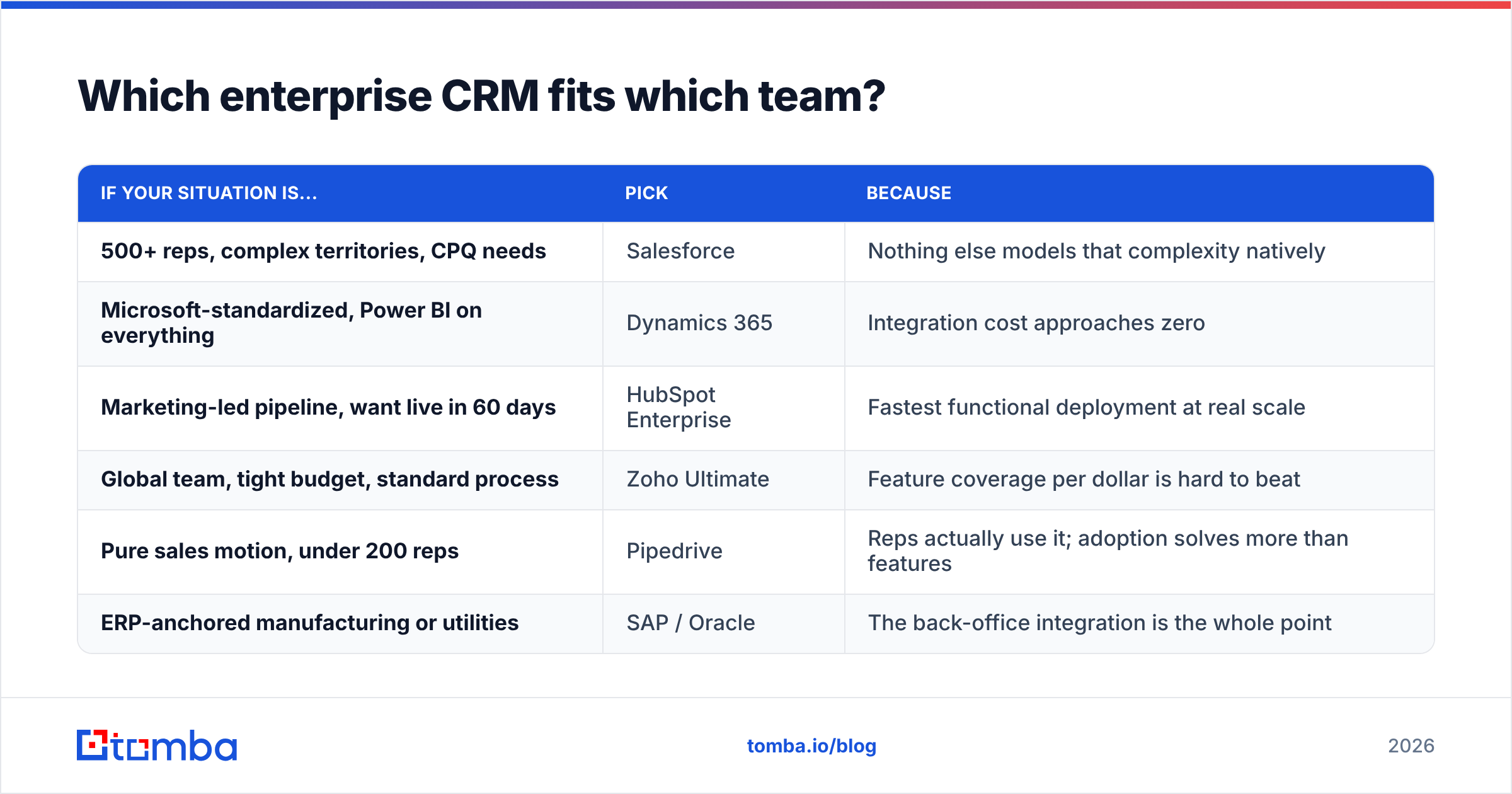
Which enterprise CRM fits which team?#
Short version, by shape of org:
| If your situation is... | Pick | Because |
|---|---|---|
| 500+ reps, complex territories, CPQ needs | Salesforce | Nothing else models that complexity natively |
| Microsoft-standardized, Power BI on everything | Dynamics 365 | Integration cost approaches zero |
| Marketing-led pipeline, want live in 60 days | HubSpot Enterprise | Fastest functional deployment at real scale |
| Global team, tight budget, standard process | Zoho Ultimate | Feature coverage per dollar is hard to beat |
| Pure sales motion, under 200 reps | Pipedrive | Reps actually use it; adoption solves more than features |
| ERP-anchored manufacturing or utilities | SAP / Oracle | The back-office integration is the whole point |
Two things to resist. First, buying capacity for the org you plan to be in five years — you will pay for it for five years and probably re-platform anyway. Second, letting a single stakeholder's must-have feature drive a seven-figure decision when a $200/month point solution covers it.
What does a working enterprise CRM stack look like?#
The CRM sits at the center, but it should not do everything. A stack that holds up looks roughly like:
- System of record: the CRM itself — accounts, contacts, opportunities, forecast.
- Data layer: contact discovery, verification, and enrichment feeding the CRM by API. This is where Tomba's API or an equivalent slots in, running on lead-create and on a recurring refresh schedule.
- Engagement layer: sequencing, dialer, and conversation intelligence, syncing activity back to the CRM record.
- Intelligence layer: BI or warehouse for the analysis your CRM reports can't do.
- Governance: dedup rules, required-field enforcement, and a documented owner for every object.
Keep the enrichment and verification step outside the CRM. Native CRM enrichment products exist, but they tie your data quality to your platform choice, and you will re-platform eventually. Vendors like BookYourData and other specialized providers exist precisely because a dedicated data layer outlives any single CRM contract — that's an argument for modularity, not against any particular tool.
Also budget for a quarterly hygiene ritual: bulk re-verify contacts on open opportunities, refresh titles on champion contacts, and flag accounts where every contact has bounced. Thirty minutes of automation beats a two-week annual cleanup project.
How do you get reps to actually use it?#
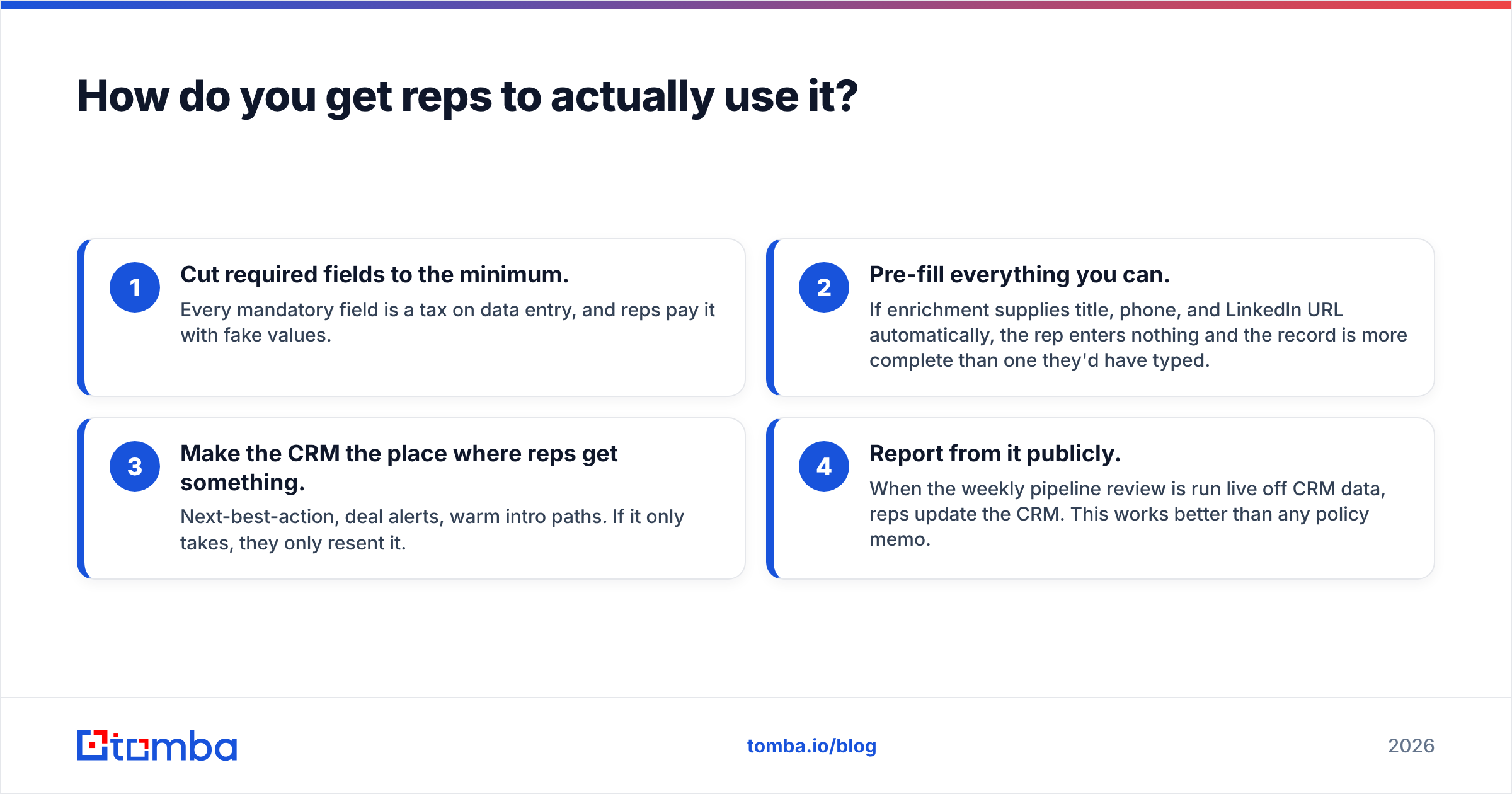
Adoption is a design problem, not a compliance problem. Four things that reliably move the needle:
- Cut required fields to the minimum. Every mandatory field is a tax on data entry, and reps pay it with fake values.
- Pre-fill everything you can. If enrichment supplies title, phone, and LinkedIn URL automatically, the rep enters nothing and the record is more complete than one they'd have typed.
- Make the CRM the place where reps get something. Next-best-action, deal alerts, warm intro paths. If it only takes, they only resent it.
- Report from it publicly. When the weekly pipeline review is run live off CRM data, reps update the CRM. This works better than any policy memo.
Point three is where enrichment quietly earns its budget. A rep who opens an account record and finds verified emails, a direct dial, and the org chart already populated has a reason to live in the CRM. One who finds an empty shell they must fill in manually does not.
Getting your CRM data right from the start#
Pick the CRM that matches your org's complexity and your team's tolerance for administration — then spend the next dollar on the data flowing into it. A perfectly configured Salesforce org full of stale contacts will underperform a plain Pipedrive instance fed with verified, enriched records. The platform decision gets the attention; the data decision gets the results.
If you're standing up a new CRM or cleaning up an old one, start at the source. Tomba's Email Finder locates verified professional email addresses by domain, name, or company, with verification built into the same call — so records land in your CRM already clean instead of getting flagged in next quarter's audit. The free tier covers 25 searches a month for testing, Starter is $49/mo, and the API plugs into lead-create workflows in any of the platforms above. Full details on Tomba pricing.
Related guides#
Ready to find emails that actually work?
Join 150,000+ professionals who stopped guessing and started sending. Free credits on signup — no credit card required.
Get the Tomba newsletter
Practical outbound tactics and product updates — once every two weeks.
About the author