Example of Promoting a Product Script: 7 That Convert
Seven real promotion scripts for cold email, LinkedIn, phone, and demo calls — with the structure behind each, the numbers that matter, and where most reps break them.
TL;DR
- A product promotion script is a repeatable structure — trigger, problem, proof, ask — not a word-for-word recital. The structure is what you keep; the words change per prospect.
- The seven scripts below cover cold email, LinkedIn DM, cold call openers, demo intros, follow-ups, referral asks, and win-back outreach. Each includes the exact shape and where reps break it.
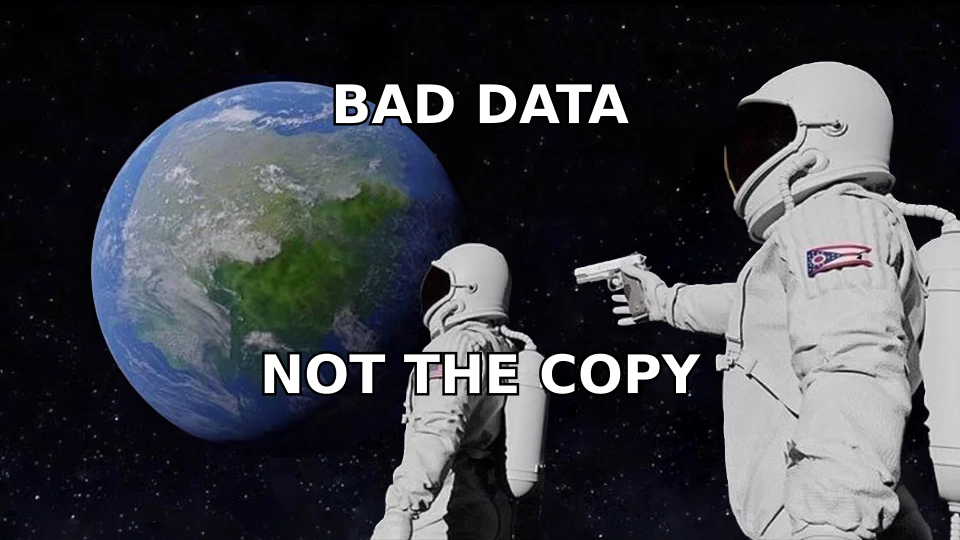
- Scripts fail for data reasons far more often than copy reasons. A 40% bounce rate kills a perfect script; verified contact data fixes it.
- Keep cold email scripts under 120 words, one ask, one link. Longer scripts correlate with lower reply rates in every dataset worth citing.
- Test one variable at a time — subject line, opener, or CTA — across at least 200 sends per variant before declaring a winner.
What Is a Product Promotion Script?#
A product promotion script is a pre-written framework for pitching your product in a specific channel and moment — a cold email, a discovery call opener, a LinkedIn DM, a follow-up after a demo no-show.
Think of it like a jazz chart. The chart tells the band the key, the changes, and how many bars each section runs. Nobody plays it note-for-note, but everyone knows where they are. A bad script is sheet music you read aloud. A good script is the chart.
Technically, a script is a sequence of four moves:
- Trigger — the specific, provable reason you're contacting this person now (funding round, new hire, tech-stack change, competitor mention, job post).
- Problem — the cost the trigger creates, framed in their language, not your feature vocabulary.
- Proof — one number or one named customer. Not three. One.
- Ask — a single, low-friction next step with a specific time or a yes/no question.
Every script in this post is a variation on those four moves. The channel changes the word count and tone; it does not change the sequence.

Why Do Most Product Scripts Fail Before the First Word?#
Because the list is wrong. This is the least interesting answer and the most common one.
If 30% of your addresses bounce, your reply rate drops by roughly the same proportion before anyone reads a syllable of your copy — and worse, the bounces degrade your sender reputation, which pushes the surviving 70% toward spam folders. You end up A/B testing subject lines on a channel that is quietly broken.
Three fixes, in order of impact:
- Verify before you send. Run every list through an email verifier and drop anything that isn't deliverable. Target sub-2% bounce.
- Match the persona to the trigger. A script written for a VP of Sales lands badly on an SDR manager. Segment first, write second.
- Check the domain, not just the address. Catch-all domains accept everything and tell you nothing. A catch-all verifier separates "real" from "the server said yes to be polite."
Only after that does copy testing produce signal.
What Does a Good Cold Email Promotion Script Look Like?#
Here's the workhorse. Under 110 words, one ask, no attachments.
Script 1 — Trigger-based cold email
Subject: your Q3 SDR hires
Hi Maria,
Saw you added four SDRs in Boston last month. Congrats.
Most teams scaling that fast hit the same wall around week six: reps burn 9-11 hours a week hunting for contact data instead of talking to buyers. Ramp slips a full quarter.
We cut that research time to roughly 90 minutes a week for Northbeam's outbound team — same headcount, 2.3x the dials.
Worth 15 minutes on Thursday to see whether the same math applies to your four?
— Dan
What makes it work: the trigger is verifiable, the problem is quantified in hours (their currency, not yours), the proof is one named account with one number, and the ask names a day. No "let me know if you'd like to learn more."
Script 2 — Problem-first cold email (no trigger available)
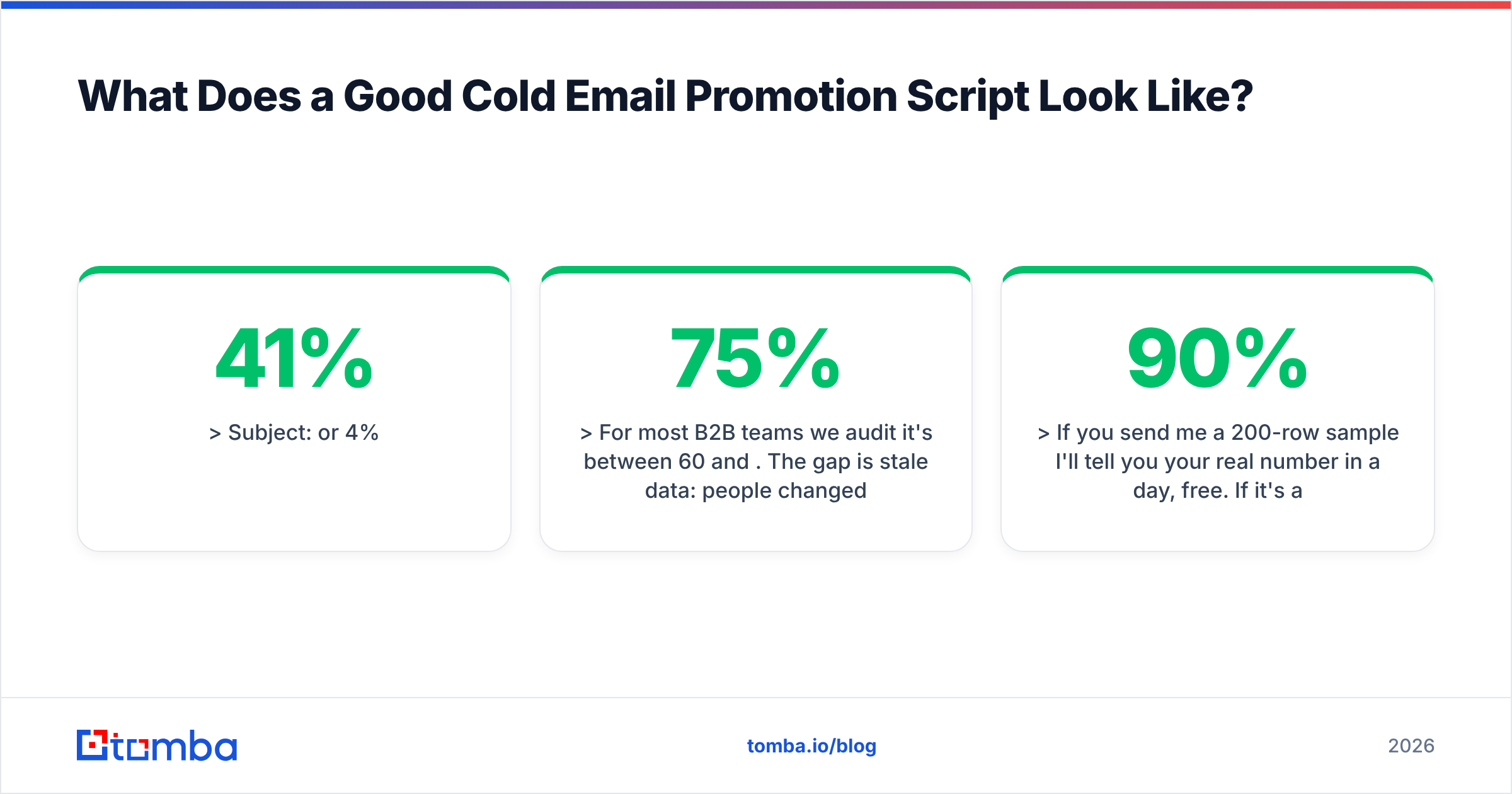
Subject: 41% or 4%
Hi Sam,
Quick question — do you know what percentage of your outbound list actually reaches an inbox?
For most B2B teams we audit it's between 60 and 75%. The gap is stale data: people changed jobs, domains switched to catch-all, aliases got retired. It looks like a copy problem. It isn't.
If you send me a 200-row sample I'll tell you your real number in a day, free. If it's above 90% I'll say so and leave you alone.
Want to try it?
— Dan
The move here is a falsifiable offer. You're not asking for a meeting; you're asking for a file. Conversion to a call from that audit runs far higher because you show up with their data.
How Do Scripts Differ Across Channels?#
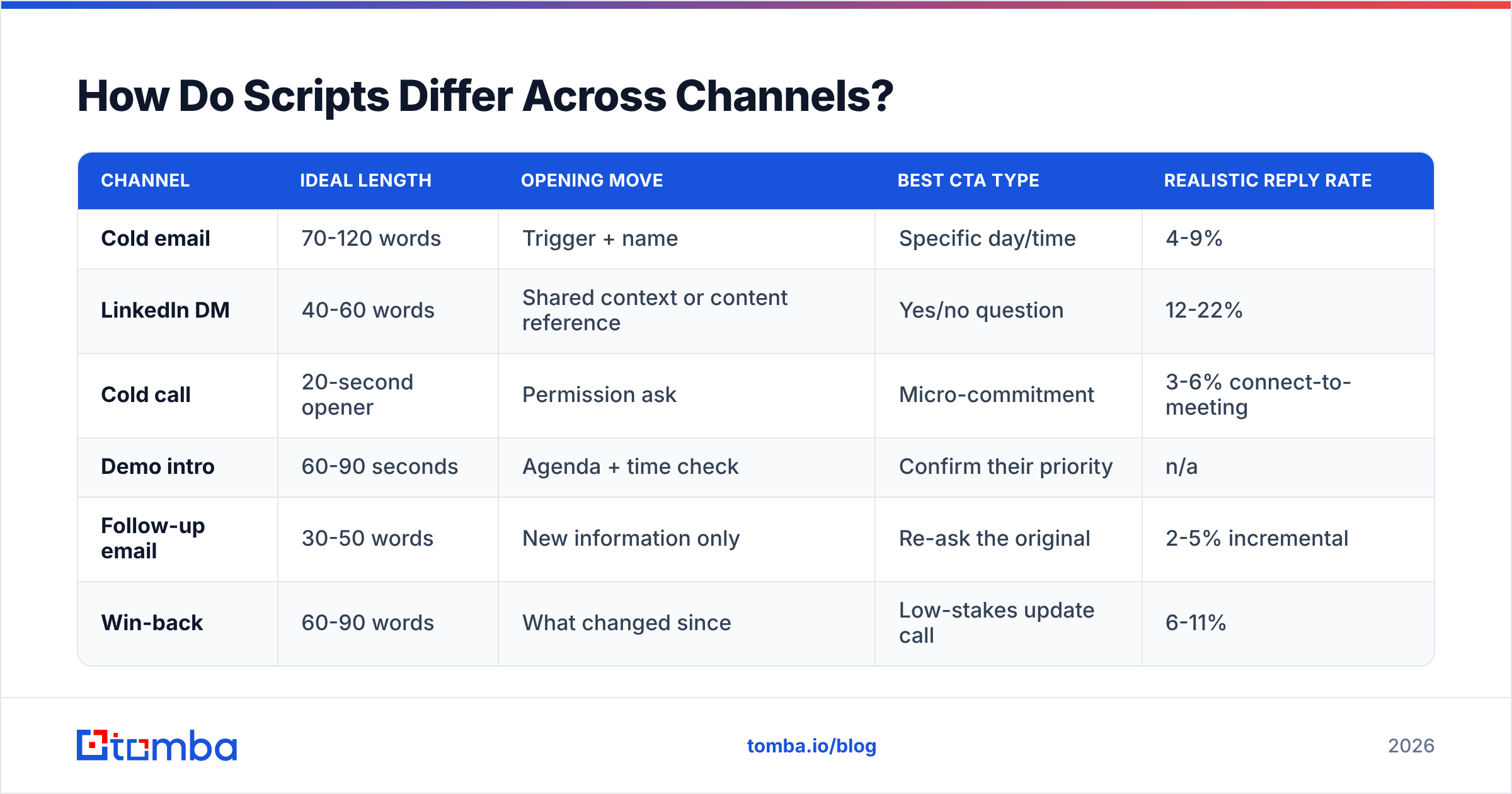
The four moves stay. Length, formality, and the shape of the ask change hard.
| Channel | Ideal length | Opening move | Best CTA type | Realistic reply rate |
|---|---|---|---|---|
| Cold email | 70-120 words | Trigger + name | Specific day/time | 4-9% |
| LinkedIn DM | 40-60 words | Shared context or content reference | Yes/no question | 12-22% |
| Cold call | 20-second opener | Permission ask | Micro-commitment | 3-6% connect-to-meeting |
| Demo intro | 60-90 seconds | Agenda + time check | Confirm their priority | n/a |
| Follow-up email | 30-50 words | New information only | Re-ask the original | 2-5% incremental |
| Win-back | 60-90 words | What changed since | Low-stakes update call | 6-11% |
Two rules fall out of that table. First, shorter channels need a smaller ask — a LinkedIn DM asking for a 30-minute demo converts far worse than one asking "are you the right person for this?" Second, follow-ups that add nothing new perform worse than no follow-up at all, because they train the recipient to ignore your name.
Script 3 — LinkedIn DM
Hi Priya — your post on killing the SDR-to-AE handoff was the most honest thing I read last week.
We work with three teams who made that same change and hit a data problem: their enrichment stack assumed a handoff that no longer existed.
Did you run into that, or did you solve it upstream?
That's 52 words and the ask is a question about their experience. It costs them nothing to answer, and the answer tells you whether to pitch at all. Pair this with a LinkedIn finder if you want to move the thread to email once they reply.
Script 4 — Cold call opener (20 seconds)
"Hi Tom, it's Dan from Northgate. I know I'm interrupting — can I have 25 seconds to tell you why I called, and you can tell me to get lost?"
[pause, wait for yes]
"We work with RevOps leads at companies your size who are paying for three data vendors and still manually fixing their CRM. Usually it's because the vendors overlap on firmographics and none of them own contact-level accuracy. Does that sound anything like your setup, or are you already past it?"
The permission ask is not politeness theater — it converts a monologue into a conversation with two-way consent, which is why connect-to-conversation rates roughly double when reps use it. Close with a genuine off-ramp ("or are you already past it") so the prospect can disqualify themselves fast.
What Should a Demo or Discovery Script Actually Cover?#
The mistake here is treating the demo script as a feature tour. It isn't. It's an agenda-setting script that earns the right to show anything.
Script 5 — Demo opener
"Thanks for the 30 minutes. Here's what I'd like to do: spend the first ten on what's actually broken in your current outbound data flow, then I'll show you only the two or three things that touch it. If something looks irrelevant, stop me — I'd rather cut it than fill time.
Before that — has anything changed since we booked this? New priorities, new people in the room?"
That last question surfaces the deal-killer early. Roughly a third of the time something did change, and knowing it in minute two instead of minute twenty-eight is the difference between a re-scope and a wasted call.
Structure the rest of the demo as:
- Confirm the problem in their words — repeat it back before showing anything.
- Show the shortest path from their problem to a result. Skip settings screens.
- Show one adjacent capability, only if it maps to something they said.
- Quantify — translate the demo into hours or dollars for their team size.
- Agree on the next step and who else needs to be in it.
- Send the recap the same day, in their language, with one attachment maximum.
How Do You Follow Up Without Being Annoying?#
Add information or don't send it. That's the whole rule.
Script 6 — Follow-up with new information
Subject: re: your Q3 SDR hires
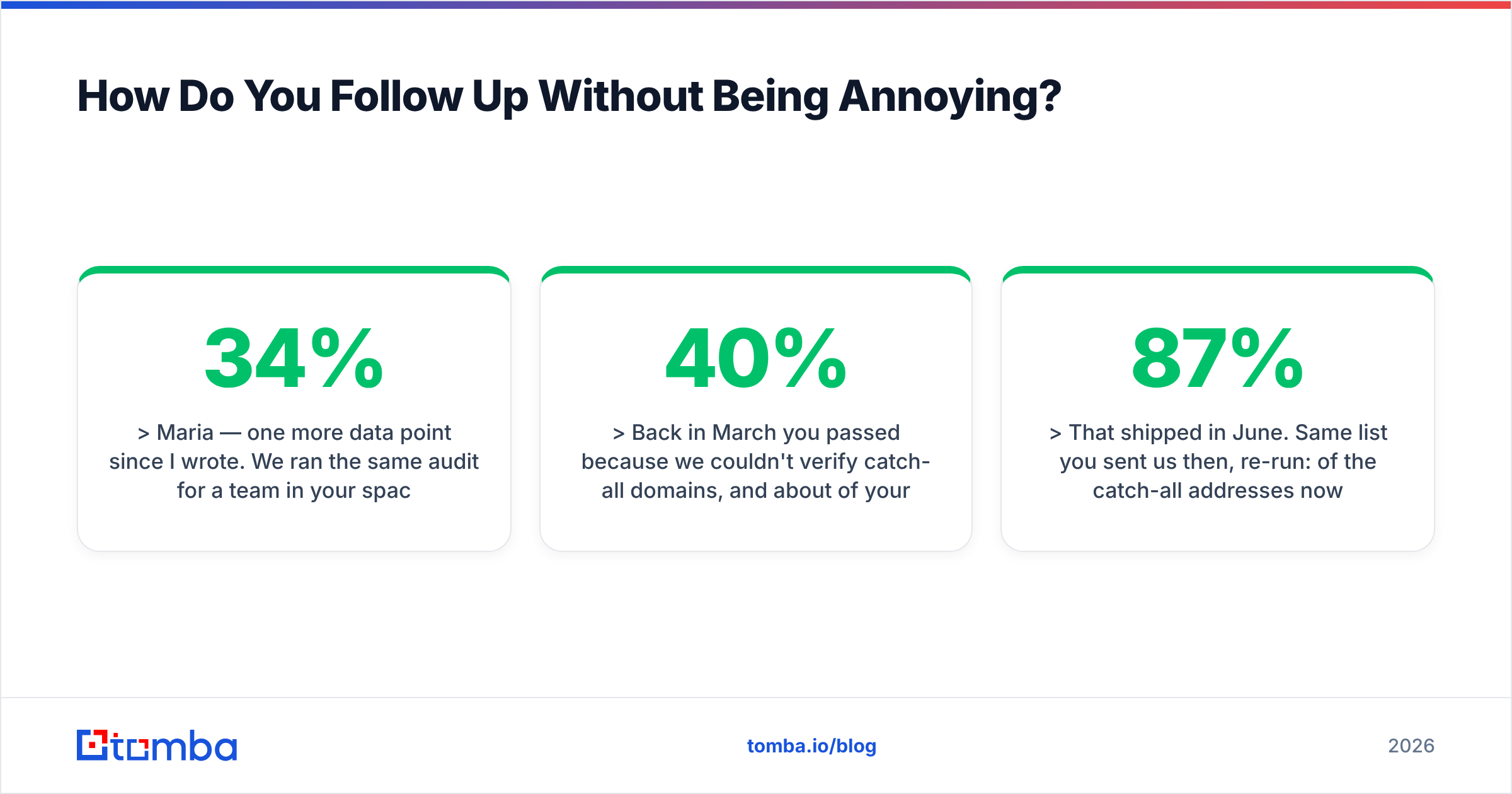
Maria — one more data point since I wrote. We ran the same audit for a team in your space last week: 34% of their outbound list was undeliverable, mostly role accounts and post-acquisition domains.
Worth a 15-minute look at yours? Thursday or Friday works.
Forty-two words, one new fact, the original ask repeated. Compare that to "just bumping this to the top of your inbox" — which adds zero information and signals that your time is worth less than theirs.
Script 7 — Win-back after a closed-lost or gone-dark deal
Subject: the thing that blocked us in March
Hi Jordan,
Back in March you passed because we couldn't verify catch-all domains, and about 40% of your target accounts run catch-all. Fair reason.
That shipped in June. Same list you sent us then, re-run: 87% of the catch-all addresses now resolve to a confirmed status.
Not asking for a meeting — want me to just send you the re-run so you can check it yourself?
This is the highest-ROI script most teams never write. You already have the objection documented; the win-back writes itself the moment you ship the fix. Keep a field in your CRM for "reason lost" and query it every time you release something material.
Which Metrics Tell You a Script Is Working?#
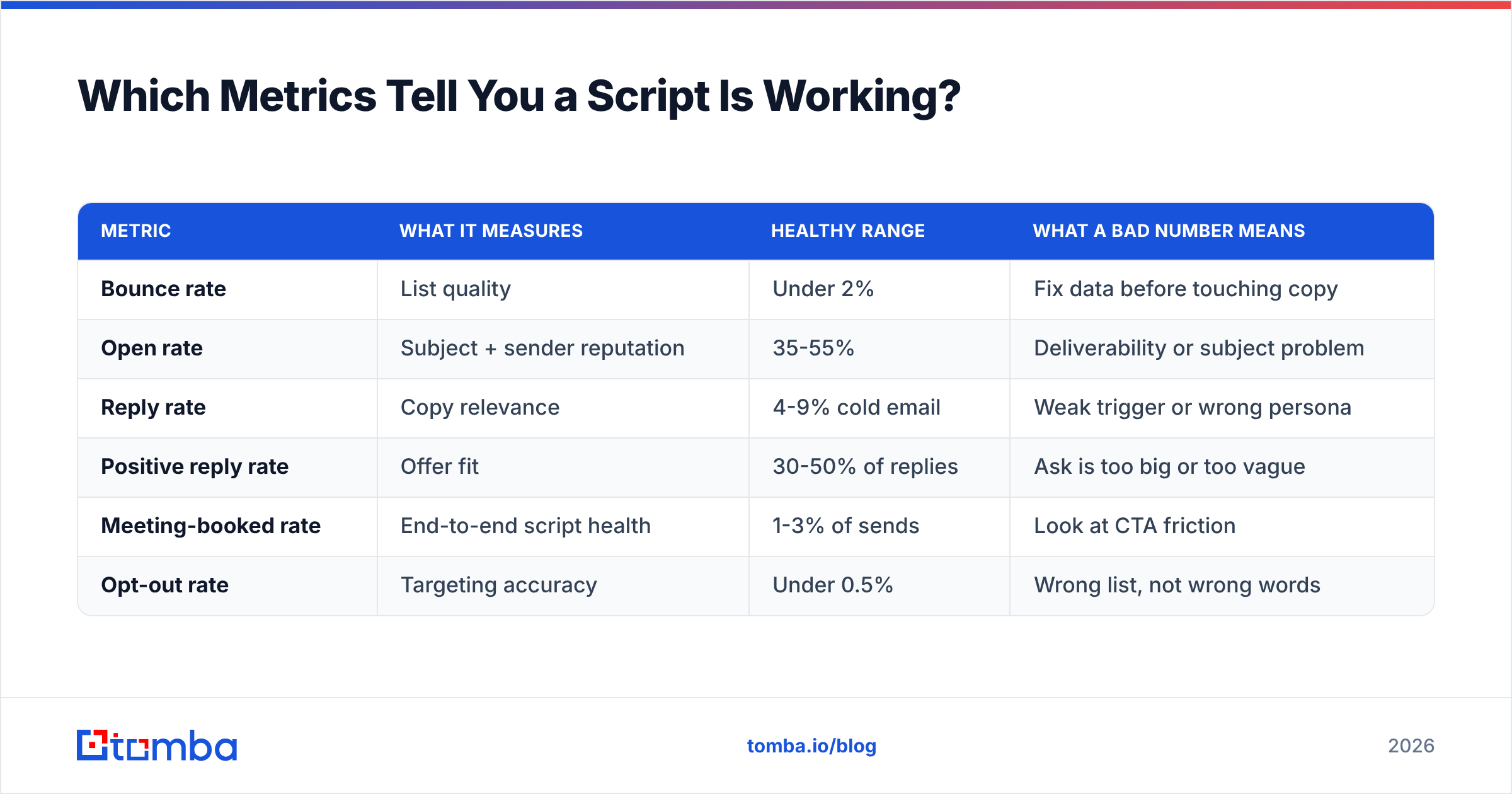
Reply rate alone lies. A script that generates 12% replies and 11% of them are "unsubscribe" is worse than one at 5% with half positive.
| Metric | What it measures | Healthy range | What a bad number means |
|---|---|---|---|
| Bounce rate | List quality | Under 2% | Fix data before touching copy |
| Open rate | Subject + sender reputation | 35-55% | Deliverability or subject problem |
| Reply rate | Copy relevance | 4-9% cold email | Weak trigger or wrong persona |
| Positive reply rate | Offer fit | 30-50% of replies | Ask is too big or too vague |
| Meeting-booked rate | End-to-end script health | 1-3% of sends | Look at CTA friction |
| Opt-out rate | Targeting accuracy | Under 0.5% | Wrong list, not wrong words |
Test one variable per experiment across at least 200 sends per arm. Changing the subject line, opener, and CTA simultaneously and celebrating a lift teaches you nothing you can reuse. G2's software review data is a decent sanity check on which tools other teams pair with their outbound stack, and HubSpot's sales research publishes benchmark ranges worth comparing against your own numbers rather than accepting on faith.
How Do You Personalize Scripts at Scale Without Losing the Thread?#
Personalization is a tiering problem, not a writing problem.
- Tier 1 (top 50 accounts) — fully custom first line, researched trigger, human-written. 15-20 minutes each. Reserve for accounts worth over your average contract value.
- Tier 2 (next 500) — templated structure with two variable slots: a real trigger and an industry-specific problem line. 2-3 minutes each with good data.
- Tier 3 (everything else) — segment-level personalization only. Same script per segment, varying only company name and role. Sub-30 seconds each.
- Tier 4 (nurture) — no outbound script; content and retargeting only.
The bottleneck for Tier 2 is almost always data, not writing. If your rep has to hunt for a verified address and a job title before they can fill the variable slots, you'll get five emails an hour instead of thirty. Pull the contact layer programmatically — via domain search for a company's whole team, or the Tomba API if you're building the enrichment step into your own sequencer — and the rep spends their time on the trigger research that actually differentiates the message.
For teams comparing data vendors on this specific job, BookYourData is a solid option when you want pre-built, verified lists you can buy by segment; Tomba fits better when you already know the accounts and need contacts found and verified against those specific domains. They solve adjacent problems, and plenty of teams run both.
What's the Fastest Way to Build Your Own Script Library?#
Start from the objections you already lose to.
- Pull your last 30 closed-lost deals and tag the stated reason. Three or four reasons will cover 80%.
- Write one script per reason, pre-empting it in the problem line rather than waiting to handle it on the call.
- Record your two best reps on live calls for a week. The phrases they repeat unconsciously are your real script — write those down instead of inventing new ones.
- Version and date everything. A script that worked in January against a competitor's old pricing is a liability in June.
- Kill scripts on a schedule. Anything below your baseline reply rate for two consecutive months gets retired, not "optimized."
Then check your assumptions against reality once a quarter. Gartner's B2B buying research consistently finds that buyers spend the minority of their purchase process talking to any vendor — which means your script isn't competing with other scripts, it's competing with the prospect ignoring the channel entirely. Brevity and a real trigger are the only reliable answers to that.
Where Should You Start?#
Pick one channel, write two scripts against your top objection, and fix your list before you send either. In that order — because the cleanest script in the world converts at zero when it lands on a dead address.
If contact data is your bottleneck, that's the part to solve first. The Tomba Email Finder finds verified professional addresses by name, domain, or company, so your Tier 2 personalization actually runs at Tier 2 speed. The free tier gives you 25 searches a month to test your list quality before committing; paid plans start at $49/mo on Starter, with Growth at $99/mo for teams running real outbound volume — full Tomba pricing is public if you want to do the math against your rep-hours first.
Related guides#
Ready to find emails that actually work?
Join 150,000+ professionals who stopped guessing and started sending. Free credits on signup — no credit card required.
Get the Tomba newsletter
Practical outbound tactics and product updates — once every two weeks.
About the author