Examples of a CRM: 9 Real Systems Compared (2026 Guide)
Everyone says "get a CRM" — nobody shows you what one actually looks like. Here are nine real examples of a CRM, what each one is genuinely good at, what it costs per seat, and which team size it breaks for.
TL;DR
- A CRM is a shared database of people, companies, and deals — plus the workflow rules that move records forward. Everything else (dashboards, sequences, AI summaries) is layered on top of that.
- The four practical categories are operational, analytical, collaborative, and all-in-one platform CRMs. Most teams need the first one and think they need the fourth.
- Real examples of a CRM in 2026 range from $12/seat/month (Zoho, monday CRM) to $165–$330/seat/month (Salesforce Enterprise and Unlimited). The software is rarely the expensive part — implementation and data hygiene are.
- Pick by team size and motion, not by feature count: solo/SMB → Pipedrive, Zoho, Freshsales; PLG and marketing-led → HubSpot; high-volume outbound → Close, Attio; complex enterprise → Salesforce, Microsoft Dynamics 365.
- A CRM is only as good as the contact data inside it. Bad emails and missing job titles kill more CRM rollouts than bad software does.
What Is a CRM, Exactly?#
A CRM (customer relationship management) system is a shared filing cabinet with rules. The filing cabinet part stores every contact, company, deal, email, call, and note. The rules part decides what happens next — when a deal moves stages, who gets notified, what task gets created, which reports update.
Strip away the marketing and every CRM has the same four object types:
- Contacts (people) — name, title, email, phone, LinkedIn, activity history.
- Companies / accounts — domain, industry, headcount, revenue band, owner.
- Deals / opportunities — value, stage, close date, associated contacts.
- Activities — calls, emails, meetings, tasks, notes tied back to the three above.
If you understand those four, you understand 90% of every CRM you will ever evaluate. The rest is UI, pricing, and how far the automation goes. For a formal definition and adjacent terminology, the CRM glossary entry is a useful reference to keep open while you compare vendors.
The failure mode is predictable: teams buy a CRM expecting it to generate pipeline. It does not. A CRM records and routes pipeline. Generating it is a data and outbound problem — which is why the "how do I fill it" section below matters more than the feature grids.
What Are the Main Types of CRM?#
Vendors blur these lines constantly, but the categories still predict which tool will feel right:
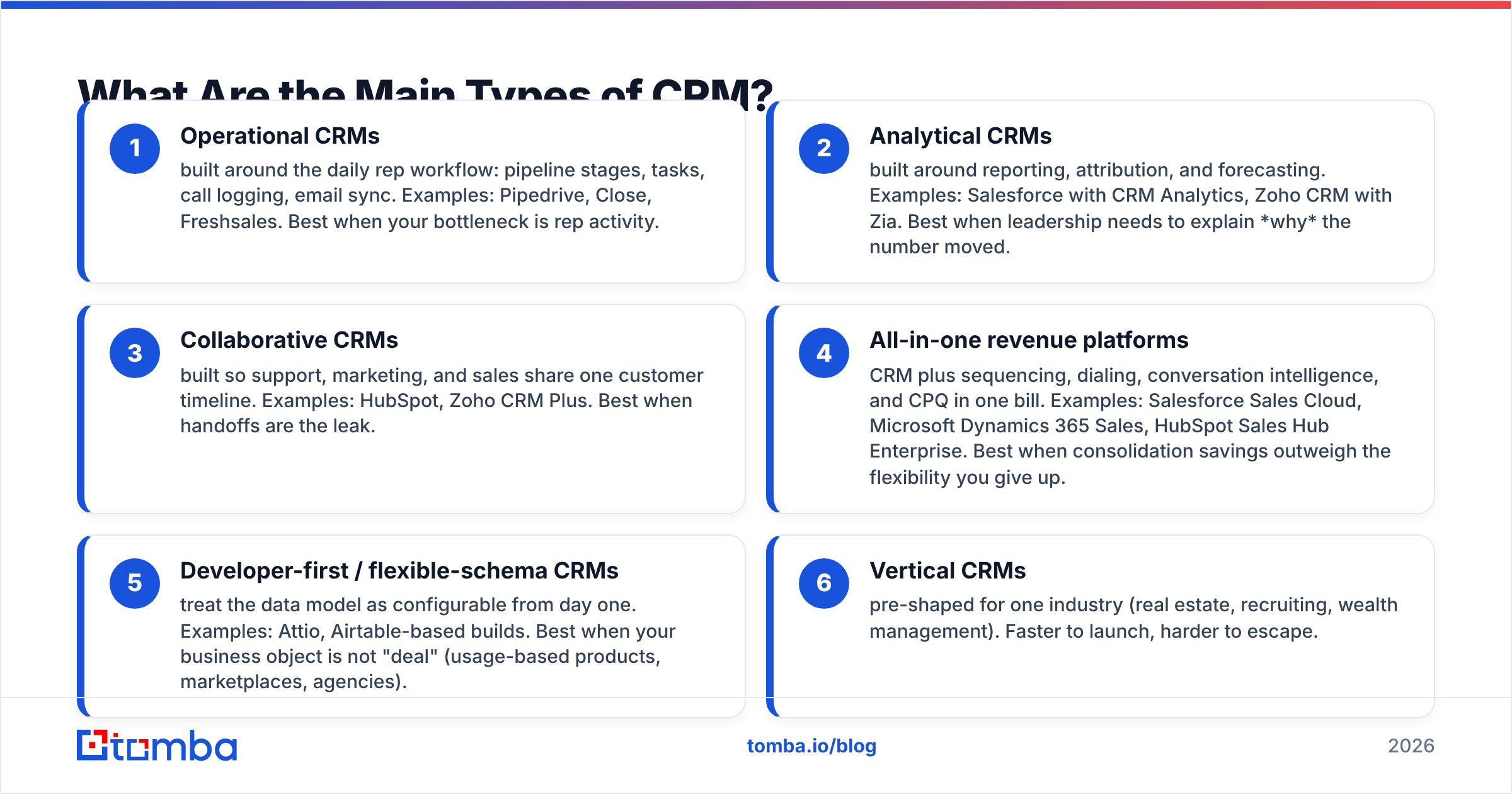
- Operational CRMs — built around the daily rep workflow: pipeline stages, tasks, call logging, email sync. Examples: Pipedrive, Close, Freshsales. Best when your bottleneck is rep activity.
- Analytical CRMs — built around reporting, attribution, and forecasting. Examples: Salesforce with CRM Analytics, Zoho CRM with Zia. Best when leadership needs to explain why the number moved.
- Collaborative CRMs — built so support, marketing, and sales share one customer timeline. Examples: HubSpot, Zoho CRM Plus. Best when handoffs are the leak.
- All-in-one revenue platforms — CRM plus sequencing, dialing, conversation intelligence, and CPQ in one bill. Examples: Salesforce Sales Cloud, Microsoft Dynamics 365 Sales, HubSpot Sales Hub Enterprise. Best when consolidation savings outweigh the flexibility you give up.
- Developer-first / flexible-schema CRMs — treat the data model as configurable from day one. Examples: Attio, Airtable-based builds. Best when your business object is not "deal" (usage-based products, marketplaces, agencies).
- Vertical CRMs — pre-shaped for one industry (real estate, recruiting, wealth management). Faster to launch, harder to escape.
Most B2B teams under 50 people are best served by an operational CRM they will actually update, not an analytical one they will avoid.
What Are Real Examples of a CRM in 2026?#
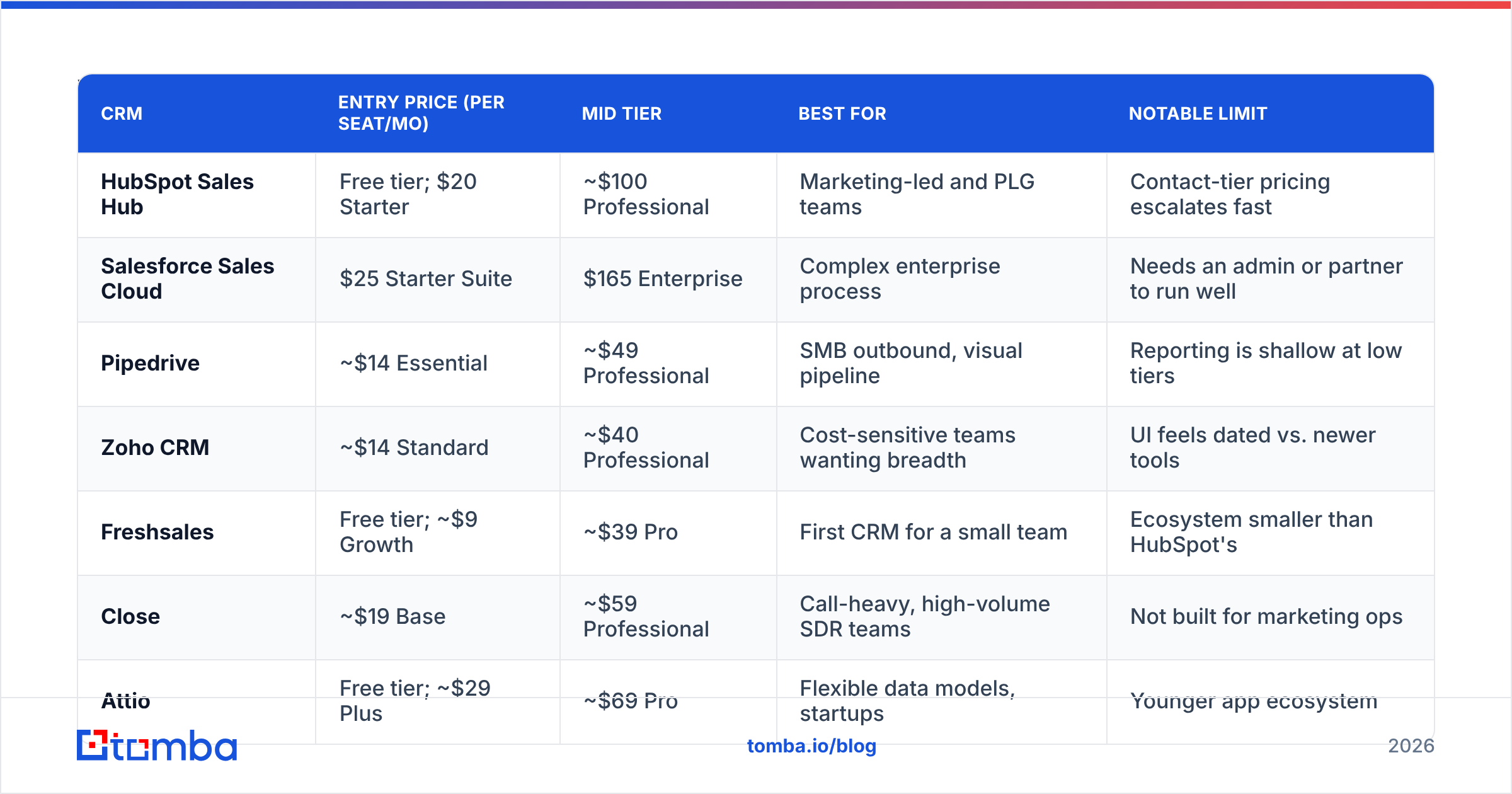
Here are nine systems you will realistically shortlist, with list pricing as published in early 2026. Always verify on the vendor's page — CRM pricing changes more often than the marketing pages admit.
| CRM | Entry price (per seat/mo) | Mid tier | Best for | Notable limit |
|---|---|---|---|---|
| HubSpot Sales Hub | Free tier; $20 Starter | ~$100 Professional | Marketing-led and PLG teams | Contact-tier pricing escalates fast |
| Salesforce Sales Cloud | $25 Starter Suite | $165 Enterprise | Complex enterprise process | Needs an admin or partner to run well |
| Pipedrive | ~$14 Essential | ~$49 Professional | SMB outbound, visual pipeline | Reporting is shallow at low tiers |
| Zoho CRM | ~$14 Standard | ~$40 Professional | Cost-sensitive teams wanting breadth | UI feels dated vs. newer tools |
| Freshsales | Free tier; ~$9 Growth | ~$39 Pro | First CRM for a small team | Ecosystem smaller than HubSpot's |
| Close | ~$19 Base | ~$59 Professional | Call-heavy, high-volume SDR teams | Not built for marketing ops |
| Attio | Free tier; ~$29 Plus | ~$69 Pro | Flexible data models, startups | Younger app ecosystem |
| monday CRM | ~$12 Basic | ~$28 Pro | Teams already on monday.com | CRM depth trails specialists |
| Microsoft Dynamics 365 Sales | ~$65 Professional | ~$105 Enterprise | Microsoft-stack enterprises | Licensing complexity |
A quick sanity check before you commit to any row above: pull the tool's profile on G2 and read only the 3-star reviews. Five-star reviews describe the demo; one-star reviews describe billing disputes; three-star reviews describe the actual product after nine months.
Which CRM example fits your team size?#
- 1–5 people, founder-led sales. Pipedrive, Attio, or the free tiers of HubSpot and Freshsales. The correct decision here is "the one you will open every day."
- 6–25 people, first real sales team. Pipedrive Professional, HubSpot Starter/Professional, or Close if you dial more than you email. This is where you should also standardize your data-entry rules.
- 25–150 people, multiple segments. HubSpot Professional or Salesforce Pro Suite. You now need territory logic, deal-stage exit criteria, and reporting that survives a board meeting.
- 150+ people, multiple products and regions. Salesforce Enterprise or Dynamics 365. Expect a named admin, a partner, and a six- to twelve-week implementation.
What Does a CRM Actually Look Like Day to Day?#
Concrete example. A B2B software company running outbound uses Pipedrive. A single day looks like this:
A rep opens the pipeline view: six columns — Prospect, Contacted, Discovery Booked, Evaluation, Proposal, Closed Won. The Contacted column holds 42 deals. Each card shows company name, deal value, days in stage, and a colored dot for overdue activity.
The rep clicks a card. Inside: the company record (domain, headcount, tech stack), two contacts (a VP of Engineering and a Director of Platform), the full email thread synced from Gmail, three call recordings, and a note from the SDR that says "asked about SOC 2 timeline."
The rep sends a follow-up. The email logs automatically. A workflow rule fires: because the deal has been in Contacted for 11 days with no reply, it drops to a "Nurture" filter and creates a task for 30 days out.
That is the whole job of a CRM. Not magic — memory plus routing. Every vendor above does that; they differ in how much configuration it takes and how much they charge when your contact count triples.
What Do CRM Examples Cost, Really?#
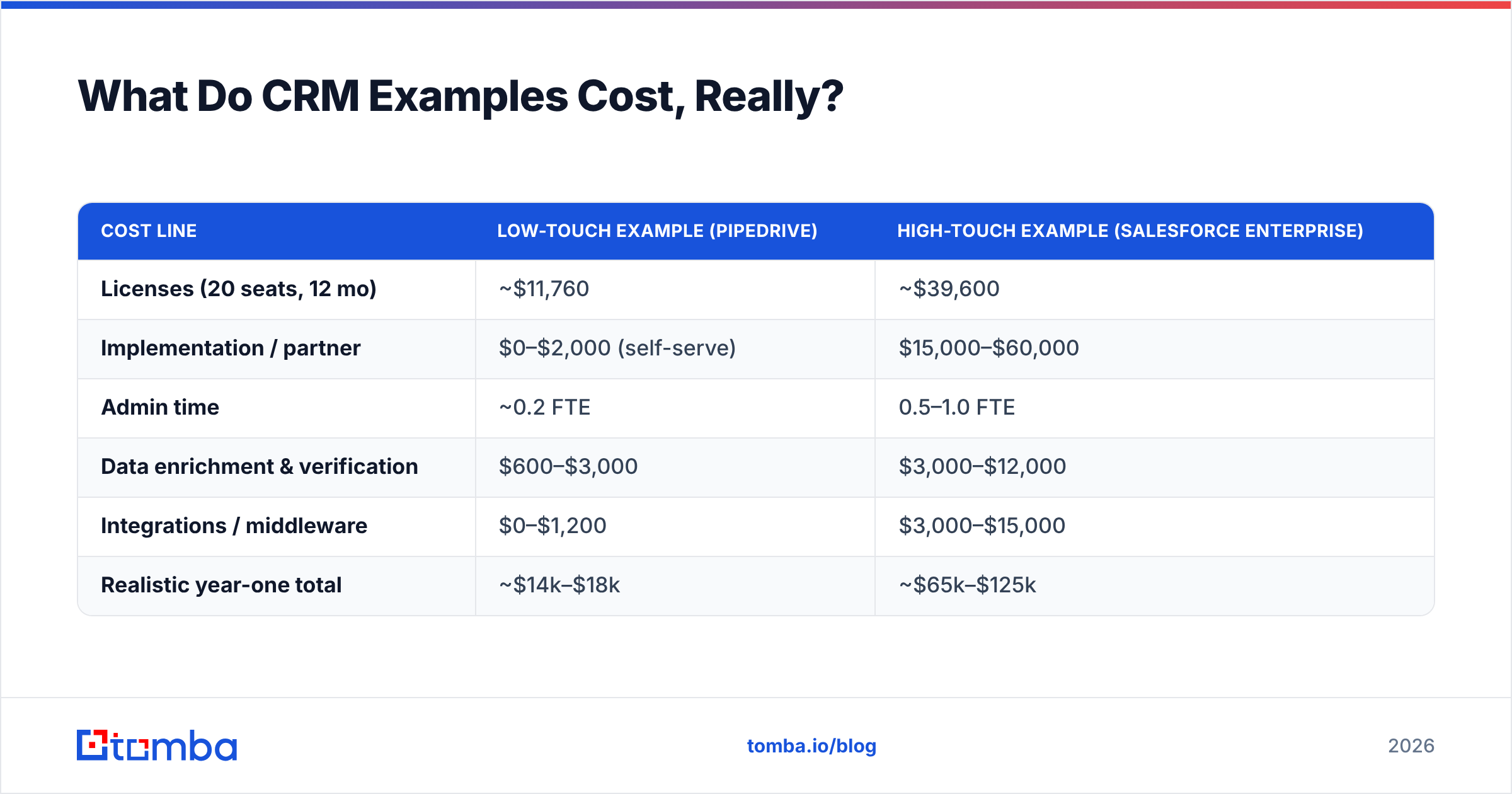
The sticker price is the smallest line item. Here is the honest total cost picture for a 20-seat team over year one:
| Cost line | Low-touch example (Pipedrive) | High-touch example (Salesforce Enterprise) |
|---|---|---|
| Licenses (20 seats, 12 mo) | ~$11,760 | ~$39,600 |
| Implementation / partner | $0–$2,000 (self-serve) | $15,000–$60,000 |
| Admin time | ~0.2 FTE | 0.5–1.0 FTE |
| Data enrichment & verification | $600–$3,000 | $3,000–$12,000 |
| Integrations / middleware | $0–$1,200 | $3,000–$15,000 |
| Realistic year-one total | ~$14k–$18k | ~$65k–$125k |
Two patterns that catch teams out:
- Contact-tier pricing. HubSpot's marketing tiers bill on stored contacts. Import 200,000 scraped records and your bill reprices before you have sent a single campaign. Import only what you will actually work.
- Seat creep. Finance, support, and ops all "just need read access." At $165/seat that is a five-figure decision. Check whether the vendor sells cheaper read-only or platform licenses before you buy 20 full seats.
How Do You Fill a CRM With Data Worth Storing?#
This is where most CRM projects quietly fail. The software works fine. The records are garbage.
A typical mid-market CRM audit finds 18–30% of contact emails are undeliverable, 40% of records are missing a job title, and a meaningful chunk of accounts are duplicated under two domain spellings. Every dashboard built on that is wrong, and every sequence sent to it damages your sender reputation.
A workable data pipeline into any of the CRMs above looks like this:
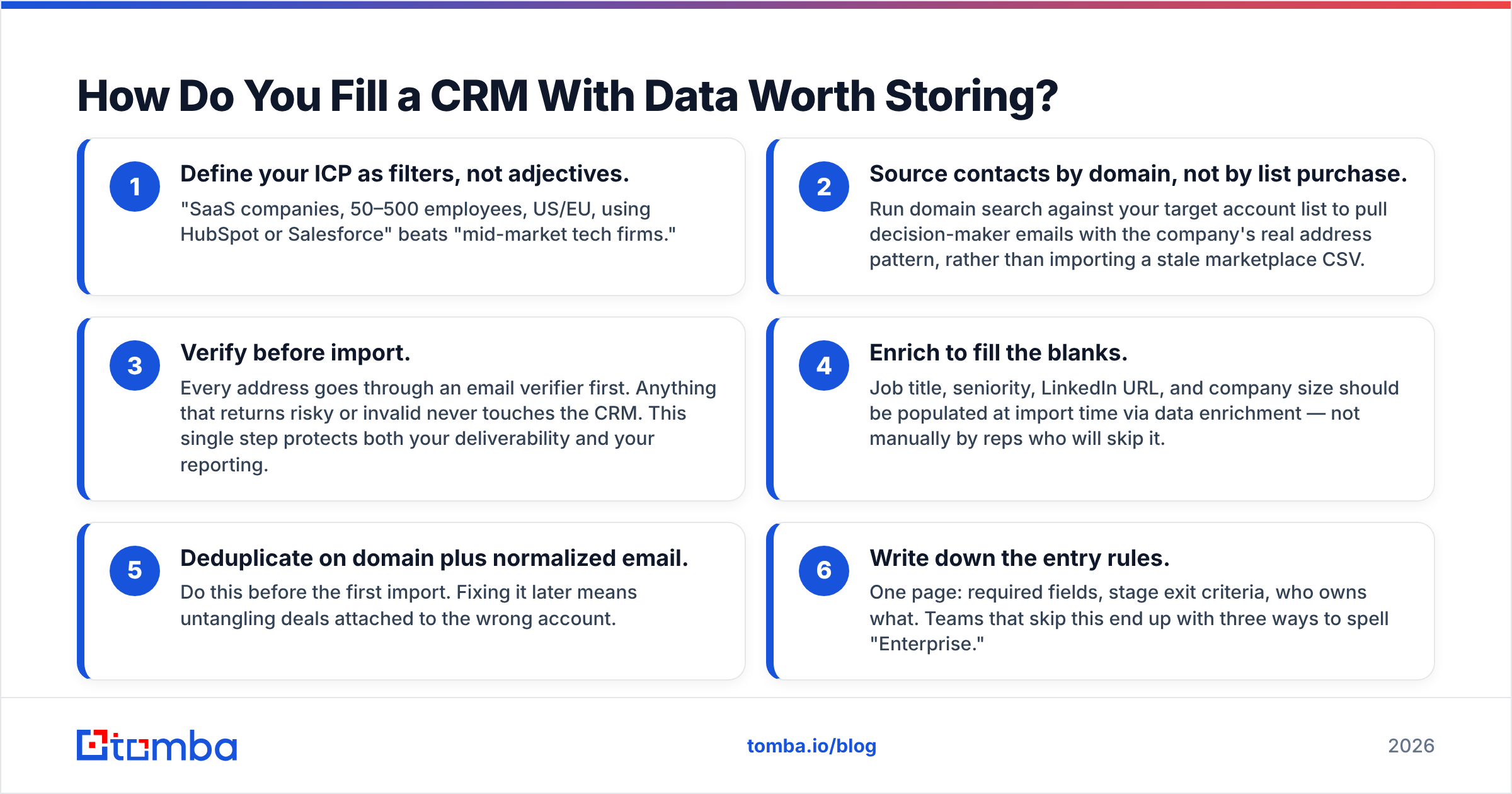
- Define your ICP as filters, not adjectives. "SaaS companies, 50–500 employees, US/EU, using HubSpot or Salesforce" beats "mid-market tech firms."
- Source contacts by domain, not by list purchase. Run domain search against your target account list to pull decision-maker emails with the company's real address pattern, rather than importing a stale marketplace CSV.
- Verify before import. Every address goes through an email verifier first. Anything that returns risky or invalid never touches the CRM. This single step protects both your deliverability and your reporting.
- Enrich to fill the blanks. Job title, seniority, LinkedIn URL, and company size should be populated at import time via data enrichment — not manually by reps who will skip it.
- Deduplicate on domain plus normalized email. Do this before the first import. Fixing it later means untangling deals attached to the wrong account.
- Write down the entry rules. One page: required fields, stage exit criteria, who owns what. Teams that skip this end up with three ways to spell "Enterprise."
If you are running HubSpot or Salesforce specifically, push enriched contacts in through the HubSpot integration or the Salesforce integration rather than uploading CSVs by hand — CSV imports are where duplicates are born.
Worth noting: not every data source is a scraper. Vendors like BookYourData sell pre-verified, human-checked B2B lists, which suits teams that want a static, compliant starting set rather than an API-driven pipeline. The two approaches complement each other — a purchased base list plus continuous verification and enrichment on top usually beats either alone.
What Are the Most Common CRM Mistakes?#
- Buying for the org you want in three years. Enterprise CRMs punish small teams with configuration overhead. You can migrate later; migration is annoying, not fatal.
- Custom fields as a first response. Every new field is a field someone must fill. Cap yourself at 10 custom fields on contacts and 15 on deals until you can prove a report depends on more.
- Stages that describe your feelings, not the buyer's actions. "Interested" is not a stage. "Discovery call completed" is — it is observable and it either happened or it did not.
- No mandatory close-reason. Without it your win/loss analysis is fiction and your win rate reporting cannot tell you anything actionable.
- Letting the CRM become the marketing database. Different jobs. Sync a filtered subset to your ESP; do not store 300,000 newsletter subscribers as CRM contacts on a per-contact plan.
- Skipping adoption enforcement in week one. If a deal is not in the CRM, it does not exist for commission purposes. Enforce that in month one or never.
Which CRM Example Should You Actually Pick?#
Short version, by motion:
- Marketing-led / inbound-heavy: HubSpot. The marketing-to-sales handoff is the tightest of any tool on the list, and the free tier lets you validate before paying.
- Outbound-heavy with calls: Close. The dialer and the CRM are the same product, which removes an entire integration category.
- Simple visual pipeline, tight budget: Pipedrive or Zoho. Both get a 20-person team to productive in under two weeks.
- Non-standard data model: Attio. If your revenue object is not a linear deal, flexible schema beats a rigid one.
- Enterprise complexity, existing admin capacity: Salesforce or Dynamics 365. The power is real; so is the cost of running it.
Then spend your remaining evaluation energy on the part nobody demos: how the records get in, and whether they are accurate 90 days later.
Ready to Fill Your CRM With Contacts That Actually Convert?#
Whichever example on this list you choose, the CRM will only reflect the quality of the data you feed it. Start with verified, enriched contacts instead of a scraped list you will spend six months cleaning.
Use the Tomba Email Finder to pull decision-maker addresses by domain, name, or company, verify them before import, and push clean records straight into HubSpot, Salesforce, or Pipedrive. The free tier gives you 25 searches a month to test the workflow; paid plans start at $49/month — see Tomba pricing for the full breakdown. Fill your pipeline with contacts that exist, and your CRM reports will finally tell you the truth.
Related guides#
Ready to find emails that actually work?
Join 150,000+ professionals who stopped guessing and started sending. Free credits on signup — no credit card required.
Get the Tomba newsletter
Practical outbound tactics and product updates — once every two weeks.
About the author