Extruct AI Pricing, Reviews, Pros and Cons (2026 Guide)
An independent breakdown of Extruct AI pricing in 2026: how credits are consumed, what reviewers actually praise and complain about, and when a cheaper, narrower data tool does the job better.
TL;DR
- Extruct AI is an AI company-research platform: you describe the kind of company you want, agents crawl the web, and you get a scored, enriched list — not a static database dump.
- Pricing is credit-based and tiered (free trial → self-serve → team → enterprise). Published entry pricing sits in the low-hundreds-per-month range, and your real cost depends almost entirely on how many enrichment columns you run per row.
- Reviewers consistently praise the research depth on hard-to-find, non-standard company criteria. The most common complaints: credit consumption is hard to forecast, and contact-level data (emails, phones) is the weakest part of the output.
- It is a strong fit for VC/PE sourcing, market mapping, and niche ICP discovery. It is a poor fit if you just need verified work emails at volume.
- The cheapest correct stack for most outbound teams is a research tool for company discovery plus a dedicated finder/verifier for contact data.
What is Extruct AI, and who actually uses it?#
Extruct AI is an AI agent platform for company research. Think of it as the difference between a phone book and a private investigator. A traditional B2B database hands you a fixed set of fields that someone already decided to collect — headcount, industry code, tech stack. Extruct instead sends agents out to read company websites, filings, job posts, and news, then answers the question you actually asked: "Which European manufacturers of industrial sensors have opened a US office in the last 18 months and mention ISO 13485 on their site?"
That question has no checkbox in any standard filter UI. That is the entire product thesis.
Technically, it works as a spreadsheet-style workspace. Each row is a company; each column is either a lookup (revenue, funding, headcount) or an AI research prompt you write yourself. The agent runs per cell, cites sources, and returns a value plus a confidence signal. You can seed the list from a description of your ICP, from a competitor's customer page, or by uploading domains you already have.
The user base skews toward three groups:
- Venture and private-equity sourcing teams who need to map a fragmented category and rank targets on qualitative criteria.
- GTM and market-research teams building TAM maps or category landscapes where SIC/NAICS codes are useless.
- Outbound teams with unusual ICPs — the ones whose buyer is defined by a behavior ("runs a Shopify Plus store with a wholesale portal") rather than a firmographic.
If your ICP is "Series B SaaS companies in North America with 50–200 employees," you do not need this. Any standard B2B database covers that in one filter, at a fraction of the cost.

How does Extruct AI pricing actually work in 2026?#
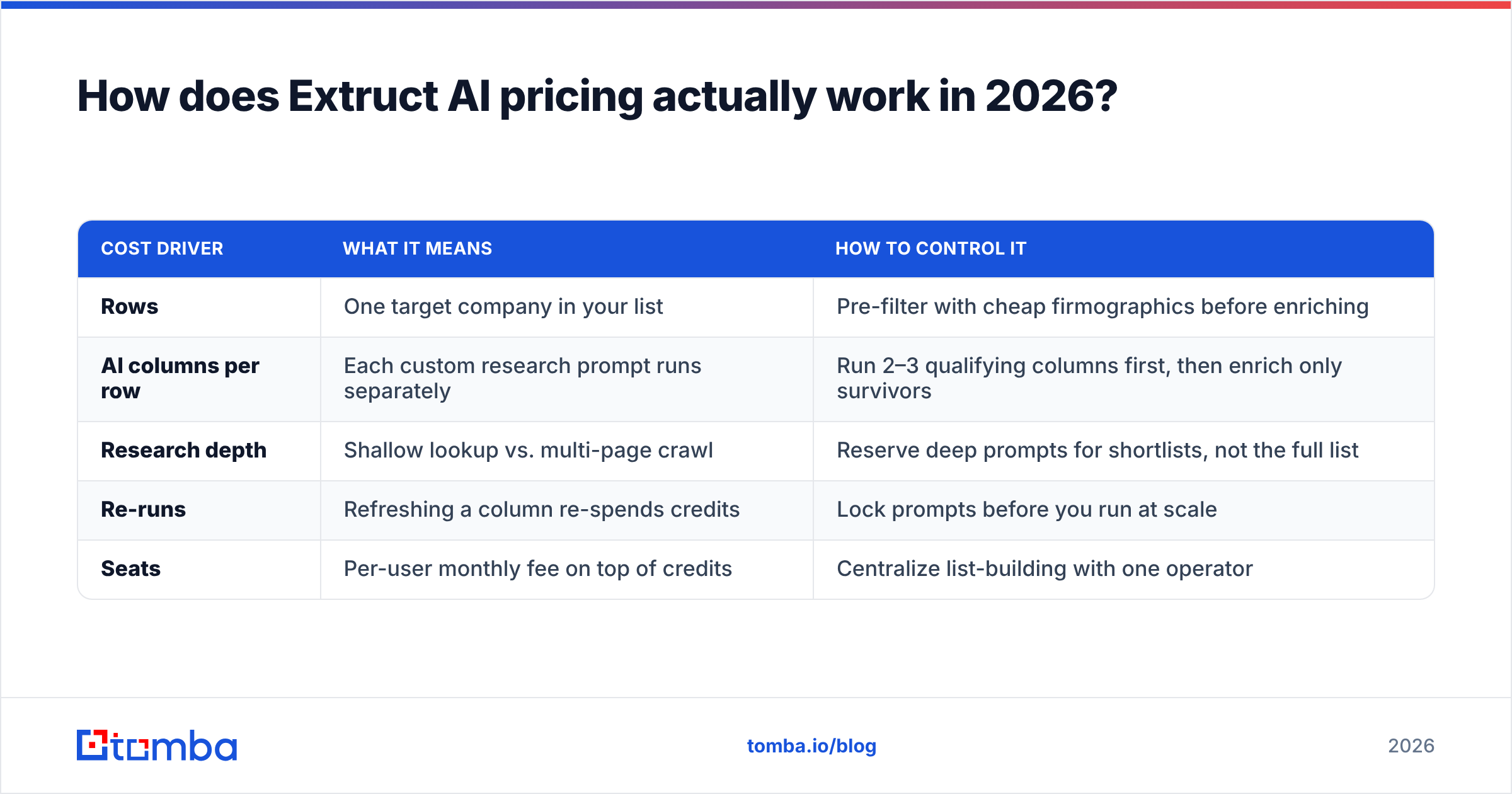
Conclusion first: the sticker price is not the number that matters. Credit consumption per row is.
Extruct uses a credit model layered on top of monthly seats. The published structure, at the time of writing, follows the familiar four-step SaaS ladder — a limited free trial, a self-serve individual plan, a team plan with higher credit allowances and API access, and a custom enterprise tier with SSO, dedicated support, and negotiated volume. Entry paid pricing sits in the low-hundreds-per-month range, with the team tier several multiples above it. Because AI-native vendors reprice frequently as inference costs move, confirm current numbers on extruct.ai before you budget — treat every figure below as directional structure, not a quote.
Here is the part vendors under-explain. A "row" is not one credit. Every AI column you add to a row triggers its own agent run, and deep-research columns cost more than shallow lookups. A 1,000-company list with eight custom research columns is not 1,000 units of work — it is 8,000 agent calls, some of which crawl a dozen pages each.
| Cost driver | What it means | How to control it |
|---|---|---|
| Rows | One target company in your list | Pre-filter with cheap firmographics before enriching |
| AI columns per row | Each custom research prompt runs separately | Run 2–3 qualifying columns first, then enrich only survivors |
| Research depth | Shallow lookup vs. multi-page crawl | Reserve deep prompts for shortlists, not the full list |
| Re-runs | Refreshing a column re-spends credits | Lock prompts before you run at scale |
| Seats | Per-user monthly fee on top of credits | Centralize list-building with one operator |
The single biggest budgeting mistake teams make: they prototype a 25-row list with twelve columns, love the output, then apply the same twelve columns to 5,000 rows and blow through a monthly allowance in an afternoon. The correct pattern is a funnel — cheap columns to disqualify, expensive columns only on what survives.
What does that mean in practice?#
A rough sanity model most teams land on after a month:
- Seed list — 2,000–5,000 companies from a description or upload. Low cost.
- Qualify pass — 2–3 binary AI columns ("Do they sell to hospitals? yes/no"). This is where most of your rows die, and it should be your cheapest step per row.
- Enrich pass — 5–8 columns on the 10–20% that survived. This is where most of your credits go.
- Contact pass — find and verify the humans. This is where Extruct is weakest and where a dedicated tool wins.
What do real Extruct AI reviews say?#
Public review volume is still modest compared to established data vendors — this is a young, fast-moving product — so read G2 listings and peer communities together rather than trusting a single aggregate score. Across what is available, the sentiment clusters cleanly.
What reviewers repeatedly praise:
- Answers to questions no filter can express. The most common positive theme is finding companies that existing databases structurally cannot surface, because the qualifying signal lives in prose on a website rather than in a structured field.
- Source citations. Each AI cell shows where the answer came from, which makes the output auditable. For investment teams, this is often the deciding feature — an uncited AI answer is worthless in a diligence memo.
- Speed of a first pass. Work that previously meant an analyst spending three days in browser tabs compresses to an afternoon.
What reviewers repeatedly criticize:
- Unpredictable credit burn. By a wide margin, the most common complaint. Users report difficulty estimating cost before running a job, and frustration when a re-run after a prompt tweak costs as much as the original.
- Contact data depth. Company-level research is the strength; person-level email and phone coverage is thinner and less reliable than dedicated providers. Several reviewers describe exporting to a separate tool for contact discovery.
- Prompt sensitivity. Output quality tracks prompt quality closely. Vague prompts produce confidently wrong cells. This is a skill curve, not a bug, but it surprises buyers expecting a database-like experience.
- Occasional hallucination on thin sources. When a company's web footprint is small, agents can over-infer. Citation review is not optional.
Analyst frameworks from firms like Gartner have flagged the same general pattern across AI-agent data tools: excellent for discovery and synthesis, still immature for high-precision, high-volume record retrieval. That is a fair summary of the Extruct experience.
What are the pros and cons of Extruct AI?#
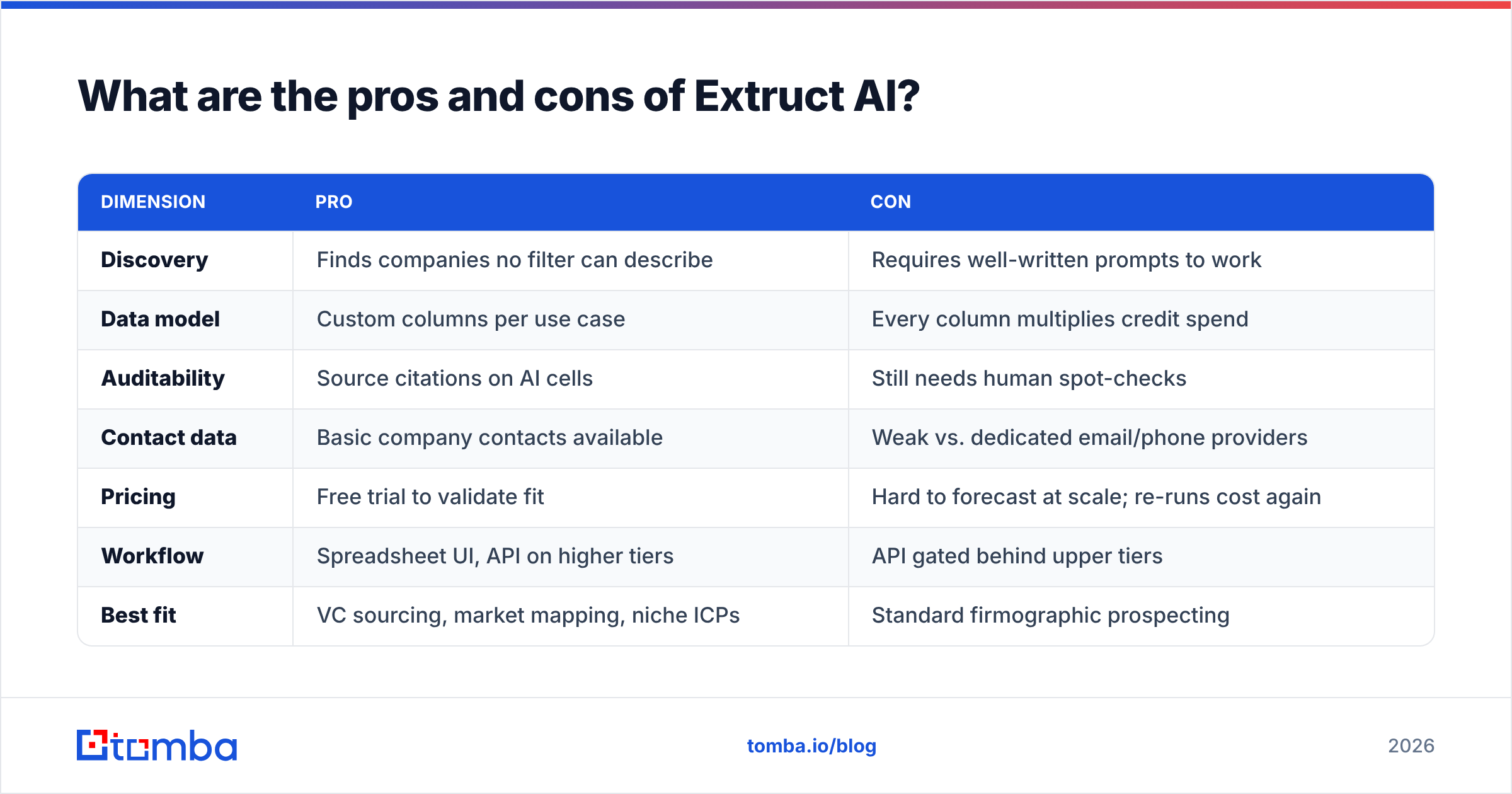
| Dimension | Pro | Con |
|---|---|---|
| Discovery | Finds companies no filter can describe | Requires well-written prompts to work |
| Data model | Custom columns per use case | Every column multiplies credit spend |
| Auditability | Source citations on AI cells | Still needs human spot-checks |
| Contact data | Basic company contacts available | Weak vs. dedicated email/phone providers |
| Pricing | Free trial to validate fit | Hard to forecast at scale; re-runs cost again |
| Workflow | Spreadsheet UI, API on higher tiers | API gated behind upper tiers |
| Best fit | VC sourcing, market mapping, niche ICPs | Standard firmographic prospecting |
How does Extruct AI compare to the alternatives?#
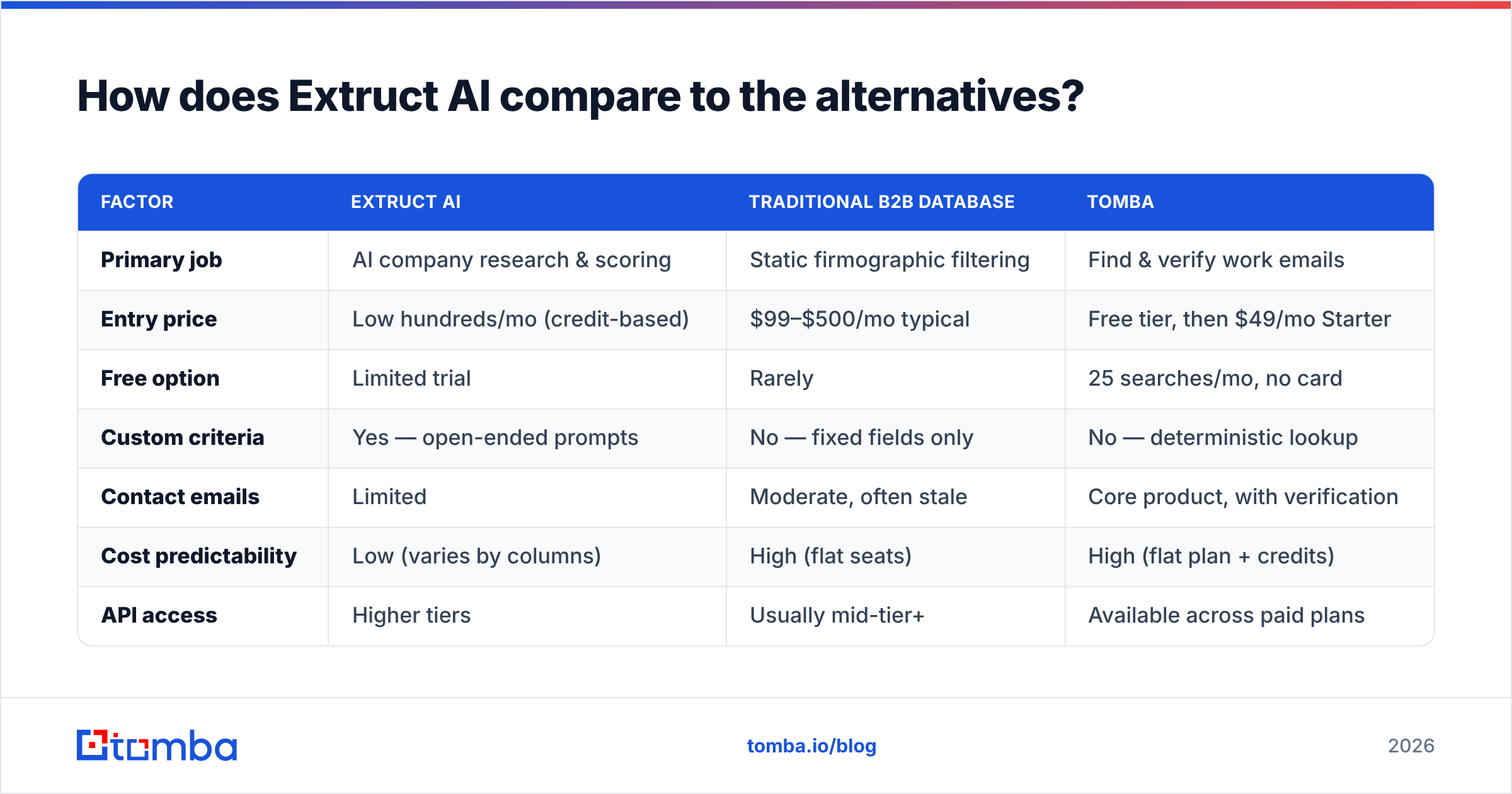
The honest framing: Extruct is not competing with email finders. It competes with analysts and with other AI research platforms. But buyers evaluate it alongside contact-data tools because the budget comes from the same pocket, so here is a fair side-by-side on the dimensions that actually drive the decision.
| Factor | Extruct AI | Traditional B2B database | Tomba |
|---|---|---|---|
| Primary job | AI company research & scoring | Static firmographic filtering | Find & verify work emails |
| Entry price | Low hundreds/mo (credit-based) | $99–$500/mo typical | Free tier, then $49/mo Starter |
| Free option | Limited trial | Rarely | 25 searches/mo, no card |
| Custom criteria | Yes — open-ended prompts | No — fixed fields only | No — deterministic lookup |
| Contact emails | Limited | Moderate, often stale | Core product, with verification |
| Cost predictability | Low (varies by columns) | High (flat seats) | High (flat plan + credits) |
| API access | Higher tiers | Usually mid-tier+ | Available across paid plans |
| Best for | Niche discovery, diligence | Broad, standard ICPs | Turning a domain into reachable contacts |
For contact-heavy motions, other specialists are worth a look too. BookYourData is a solid option when you want pay-as-you-go, pre-built lists with a bounce guarantee rather than a subscription — a genuinely different buying model that suits one-off campaigns. And if you are evaluating research platforms specifically, compare against the sourcing tools your peers use; our Clearbit alternative breakdown covers the enrichment side of that decision.

When is Extruct AI worth the money?#
Buy it if three of these are true:
- Your ICP cannot be expressed as filters. If you keep writing ICP definitions that contain the word "and mentions," this tool pays for itself.
- You currently pay humans to do this. One analyst-week costs more than a month of the team tier. The comparison is not "Extruct vs. a database" — it is "Extruct vs. headcount."
- You need citations. Diligence, investment memos, and board-facing market maps require traceable sources.
- Your list sizes are hundreds, not hundreds of thousands. Credit economics reward depth over breadth.
Skip it if:
- You need 20,000 verified contacts a month. Wrong tool, wrong unit economics.
- Your ICP is standard firmographics. You are paying AI prices for a job a
WHEREclause does. - Nobody on the team will own prompt quality. Output degrades to noise without an owner.
How do you keep the bill under control?#
- Cap your columns. Three qualifying columns, then enrich survivors only.
- Freeze prompts before scale runs. Test on 25 rows, iterate there, then run wide once.
- Export early. Pull the qualified company list out and do contact discovery elsewhere — it is cheaper and more accurate.
- Set a monthly credit alarm. Treat credits like cloud spend, because they behave like cloud spend.
- Audit 10% of cells. Spot-check citations on every new prompt before you trust a column.
What is the best stack around Extruct AI?#
Split the job. Use the AI research platform for the question "which companies?" and a dedicated contact layer for "which humans, and how do I reach them?"
That second half is deterministic work, and deterministic work should not be priced per AI inference. Once you have qualified domains, run them through a domain search to pull every public role-based and named address on that company, then push the results through an email verifier so bounces never touch your sending domain. If you are enriching a partial list you already own, bulk email finder handles thousands of rows without per-column pricing surprises, and the Tomba API drops the same lookups into whatever pipeline you have already built.
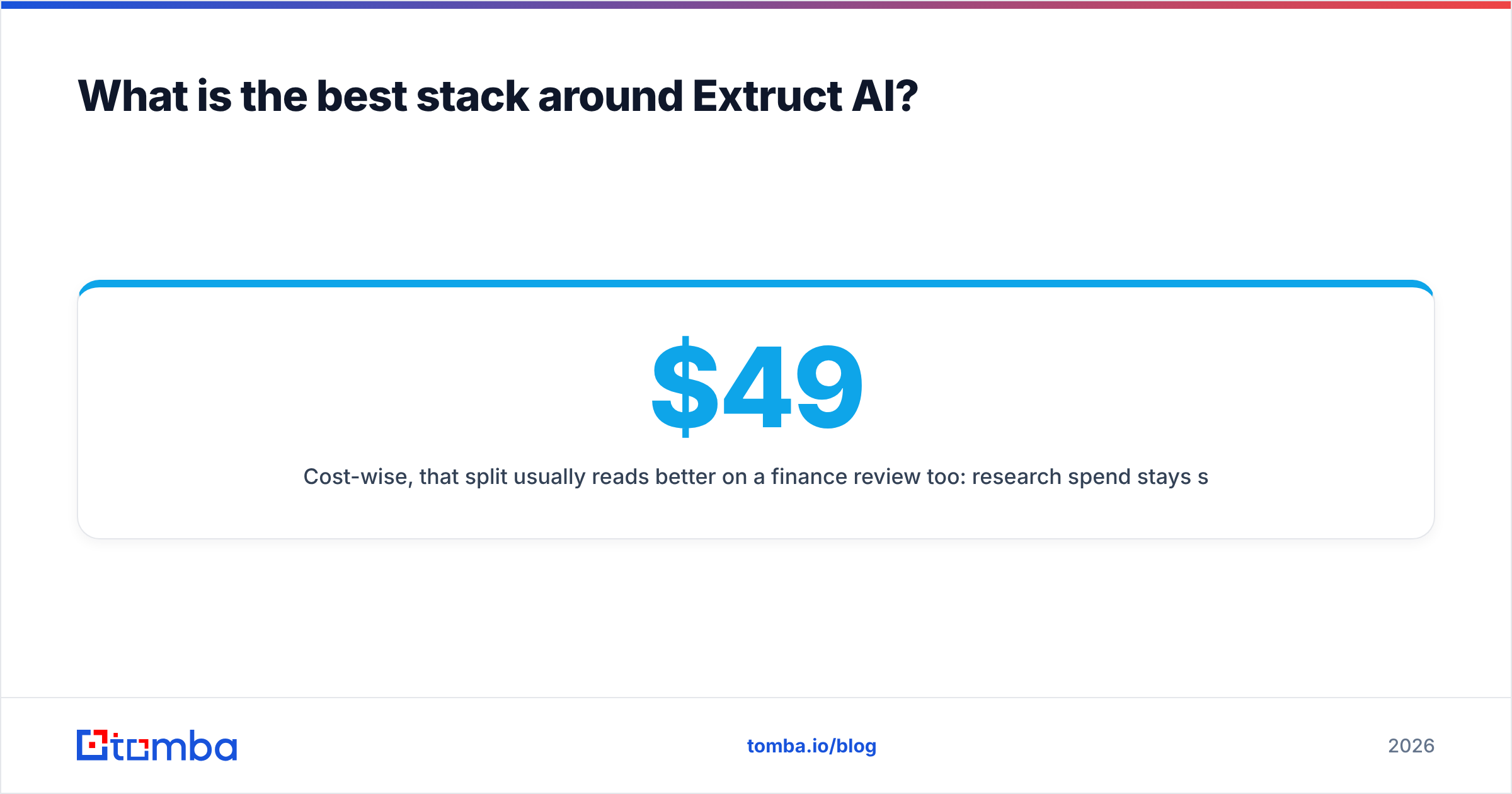
Cost-wise, that split usually reads better on a finance review too: research spend stays scoped to the discovery phase, while contact data runs on a flat, forecastable plan. You can see the full ladder on Tomba pricing — Free at 25 searches/mo, Starter at $49/mo, Growth at $99/mo, Pro at $249/mo, and custom Enterprise.
Frequently asked questions#
Is there a free version of Extruct AI? There is a limited free trial intended for evaluation, not production runs. Use it to test two or three prompts against a 25-row list and measure accuracy before committing.
Does Extruct AI provide email addresses? It can surface some company-level contact information, but person-level email coverage and verification are not its strength. Most teams pair it with a dedicated finder and verifier.
Is Extruct AI accurate? Company-level research with citations is generally strong on companies with a real web footprint. Accuracy drops on thin-footprint targets, and prompt phrasing has a large effect. Always spot-check.
How does credit consumption work? Roughly: rows × AI columns × research depth. Re-running a column after editing a prompt spends credits again. Budget by columns, not by rows.
What is the cheapest way to test it? Trial account, one narrow list, three columns. If the qualifying columns beat your current manual process on accuracy, scale from there — not before.
The bottom line#
Extruct AI is a legitimate answer to a real problem: finding companies that no filter can describe, with sources you can defend. Pay for it when the alternative is analyst hours. Just do not expect it to also be your contact database — that is the consistent gap in reviews, and it is a structural one, not a roadmap item you can wait out.
Close the gap the cheap way. Point the Tomba Email Finder at the domains your research produced, verify before you send, and keep your contact-data cost flat while your research spend flexes with the project. Start on the free tier, confirm the match rate on your own ICP, and upgrade only when volume demands it.
Related guides#
Ready to find emails that actually work?
Join 150,000+ professionals who stopped guessing and started sending. Free credits on signup — no credit card required.
Get the Tomba newsletter
Practical outbound tactics and product updates — once every two weeks.
About the author