Fac Intelligence vs Leadsforge: Which B2B Data Tool Wins?
A neutral, hands-on comparison of Fac Intelligence and Leadsforge: how each sources contact data, what they cost, where accuracy breaks down, and which one actually fits your outbound motion in 2026.
TL;DR
- Fac Intelligence leans toward account-level intelligence: firmographics, signals, and enrichment feeding a CRM. It rewards teams that already have a defined ICP and a RevOps owner.
- Leadsforge leans toward speed-to-list: describe who you want, get contacts, push them into a sequencer. It rewards small teams that need volume this week.
- Neither is a verification engine. Both hand you addresses that still bounce at rates you should measure yourself before scaling send volume.
- Pricing for both is quote-heavy and seat-based, which is where budgets quietly break. Always price against a 12-month contact-consumption forecast, not a monthly credit number.
- If your bottleneck is "I need accurate, verified work emails for a domain list, priced per credit and not per seat," a focused tool like Tomba usually beats both on cost-per-usable-contact.
Every "X vs Y" post in the B2B data space has the same problem: both vendors publish marketing pages, not benchmarks. So this comparison focuses on the things you can actually verify yourself — data model, credit mechanics, verification depth, export freedom, and what breaks at scale.
What are Fac Intelligence and Leadsforge?#
Short version: they solve adjacent problems that look identical on a landing page.
Fac Intelligence sits in the lead intelligence and enrichment category. The pitch is that raw contact records are a commodity, and the value is in the context around them — company size, tech stack, hiring signals, funding events — so your reps prioritize the right accounts instead of blasting a flat list. Tools in this bracket typically live downstream of your CRM and are judged on match rate against records you already own.
Leadsforge sits closer to AI-assisted list building. The pitch is conversational: describe your ideal customer in plain language, and the system assembles a targeted contact list you can export or sync into an outbound tool. Tools in this bracket are judged on how fast a non-technical user can go from blank screen to first sequence.
Both categories overlap on one deliverable — an email address attached to a person at a company — and that overlap is where most buying mistakes happen. You buy an intelligence platform and use 5% of it as an email finder. Or you buy a list builder and expect it to keep your CRM clean.

How do they actually differ under the hood?#
Here are the five dimensions that determine which one you'll still be paying for in 12 months:
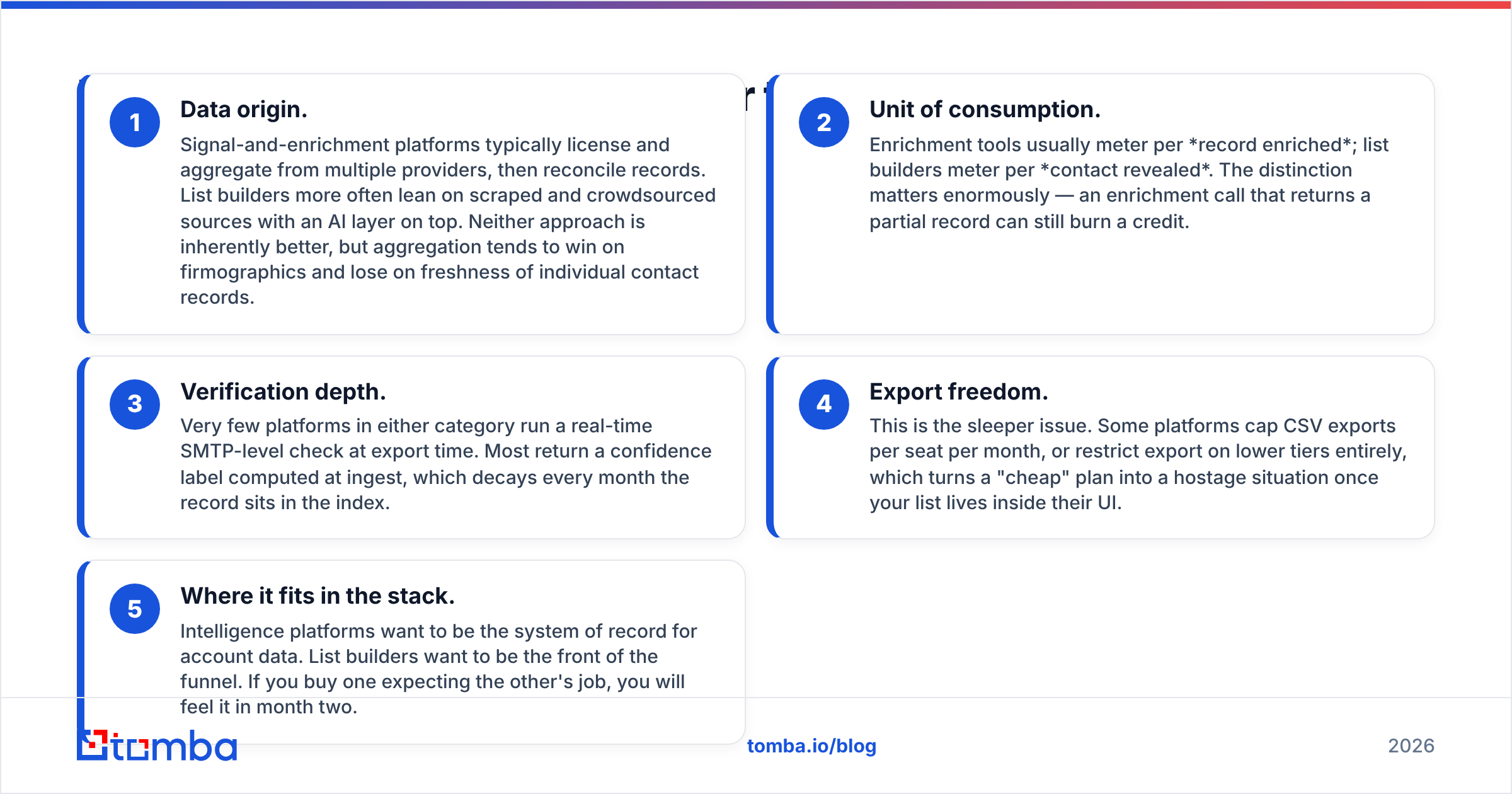
- Data origin. Signal-and-enrichment platforms typically license and aggregate from multiple providers, then reconcile records. List builders more often lean on scraped and crowdsourced sources with an AI layer on top. Neither approach is inherently better, but aggregation tends to win on firmographics and lose on freshness of individual contact records.
- Unit of consumption. Enrichment tools usually meter per record enriched; list builders meter per contact revealed. The distinction matters enormously — an enrichment call that returns a partial record can still burn a credit.
- Verification depth. Very few platforms in either category run a real-time SMTP-level check at export time. Most return a confidence label computed at ingest, which decays every month the record sits in the index.
- Export freedom. This is the sleeper issue. Some platforms cap CSV exports per seat per month, or restrict export on lower tiers entirely, which turns a "cheap" plan into a hostage situation once your list lives inside their UI.
- Where it fits in the stack. Intelligence platforms want to be the system of record for account data. List builders want to be the front of the funnel. If you buy one expecting the other's job, you will feel it in month two.
Write those five down before you take either demo. They're the questions vendors answer least clearly and that cost you the most.
Fac Intelligence vs Leadsforge: how do they compare?#
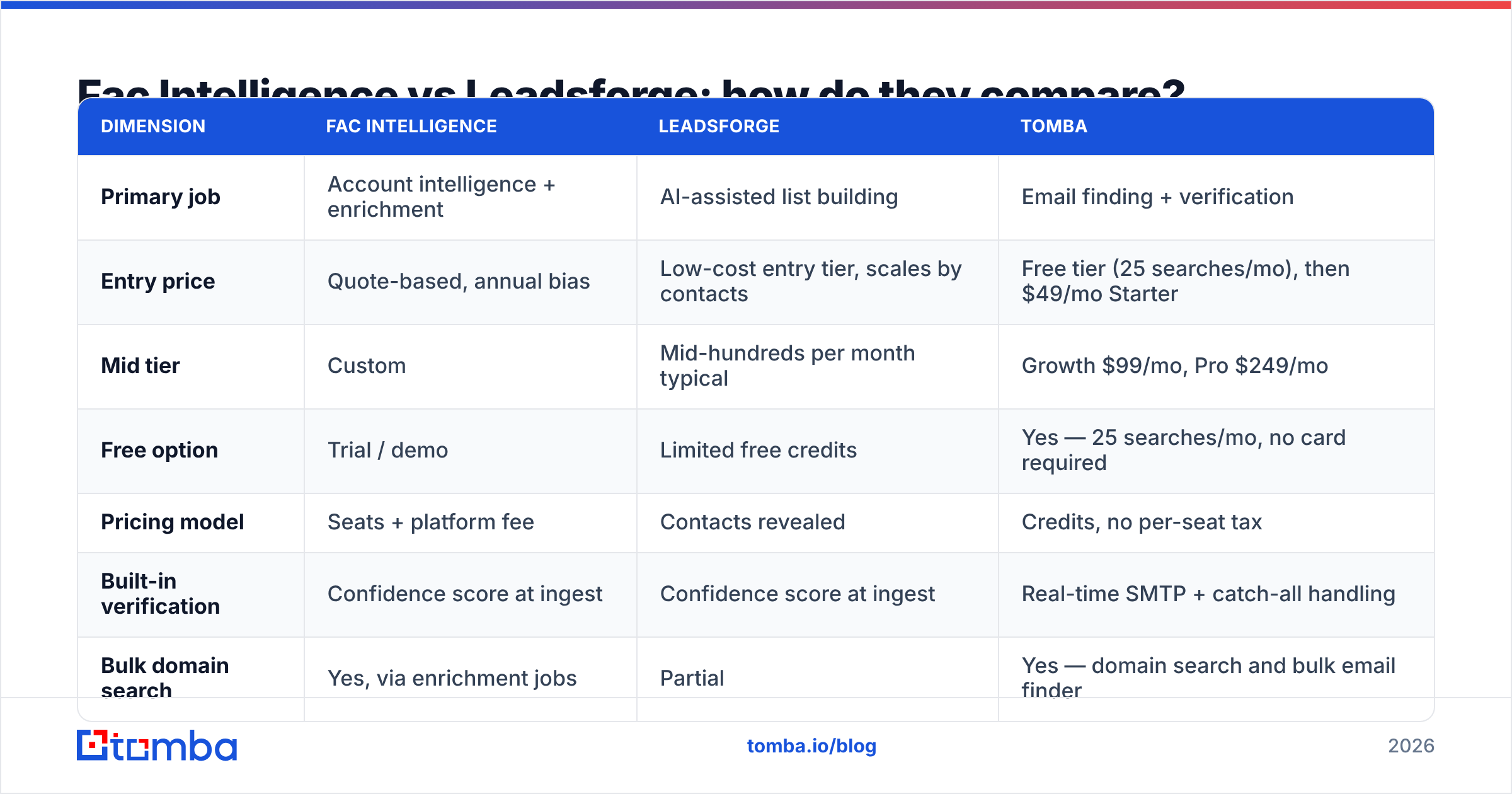
The table below is directional. Both vendors change packaging frequently and gate real numbers behind sales calls, so treat the middle two columns as "what buyers in this category consistently report" rather than a published rate card — and confirm on each vendor's own pricing page before you sign. The Tomba column uses published list pricing.
| Dimension | Fac Intelligence | Leadsforge | Tomba |
|---|---|---|---|
| Primary job | Account intelligence + enrichment | AI-assisted list building | Email finding + verification |
| Entry price | Quote-based, annual bias | Low-cost entry tier, scales by contacts | Free tier (25 searches/mo), then $49/mo Starter |
| Mid tier | Custom | Mid-hundreds per month typical | Growth $99/mo, Pro $249/mo |
| Free option | Trial / demo | Limited free credits | Yes — 25 searches/mo, no card required |
| Pricing model | Seats + platform fee | Contacts revealed | Credits, no per-seat tax |
| Built-in verification | Confidence score at ingest | Confidence score at ingest | Real-time SMTP + catch-all handling |
| Bulk domain search | Yes, via enrichment jobs | Partial | Yes — domain search and bulk email finder |
| API access | Enterprise tiers | Limited / higher tiers | All paid plans, documented |
| Export limits | Contract-dependent | Tier-dependent caps common | Unlimited CSV on paid plans |
| Best for | RevOps teams enriching an existing CRM | Founders and small teams needing lists fast | Teams who need verified emails at a predictable cost |

Two things jump out.
First, the pricing models aren't comparable, which is exactly why head-to-head evaluations go sideways. A seat-based platform fee looks expensive next to a per-contact tool until you add a fifth SDR to the per-contact tool. Model both at your projected headcount for next year, not today's.
Second, neither includes verification you'd trust for cold send. That's not a knock on either vendor — it's how the category works. Confidence scores are computed when the record enters the index. If that was seven months ago and your prospect changed jobs, the score is a historical artifact.
Which one has better data accuracy?#
Neither vendor will give you a number you can audit, so build your own test. It takes about an hour and it's the only accuracy data that matters for your ICP.
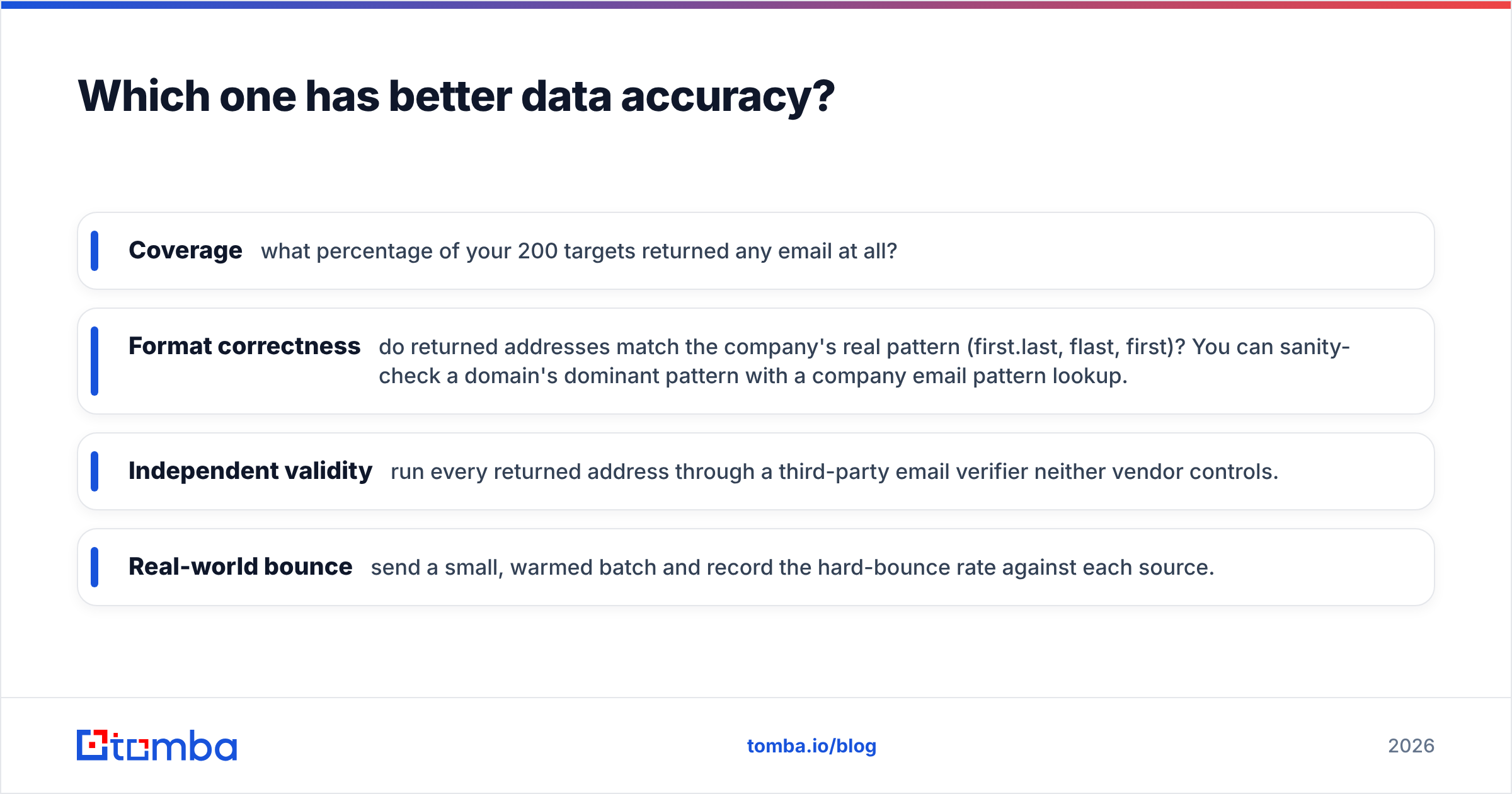
Take 200 companies you actually sell to. Run the same target roles through both tools. Then measure four things:
- Coverage — what percentage of your 200 targets returned any email at all?
- Format correctness — do returned addresses match the company's real pattern (first.last, flast, first)? You can sanity-check a domain's dominant pattern with a company email pattern lookup.
- Independent validity — run every returned address through a third-party email verifier neither vendor controls.
- Real-world bounce — send a small, warmed batch and record the hard-bounce rate against each source.
That last one is the only ground truth. A vendor can score an address "high confidence," a verifier can mark it valid, and the mailbox can still be a decommissioned alias sitting on a catch-all domain.

In our experience across this category, coverage and accuracy diverge sharply by segment. Aggregator-style platforms like Fac Intelligence tend to do better on mid-market and enterprise accounts in North America, where multiple licensed sources corroborate the same record. AI list builders like Leadsforge often surface more contacts at small companies and newer startups, but with a wider quality spread — you get more rows and more junk in the same export.
If your ICP is 20–200 employee SaaS companies in Europe, both will disappoint you relative to their US numbers. Test it, don't assume it.
What about deliverability and catch-all domains?#
This is where the "just export and send" workflow quietly kills a domain.
A meaningful chunk of B2B domains are configured as catch-all: the mail server accepts everything at the SMTP handshake, so a standard verification returns "accepted" whether or not the mailbox exists. Neither Fac Intelligence nor Leadsforge resolves that ambiguity for you — they hand you the address and move on.
You have three options:
- Skip catch-alls entirely. Safest, but on some ICPs you're discarding 20–30% of your list.
- Send to them anyway. Fastest, and the reason a lot of teams end up with a wrecked sender reputation and a bounce rate above the 2% threshold Google and Microsoft treat as a spam signal.
- Run a dedicated catch-all check. A catch-all verifier uses pattern confidence, historical engagement, and provider-specific probes to sort probable-valid from probable-junk instead of lumping them together.
Whatever tool you buy for sourcing, budget for this step separately. Both Google and Microsoft tightened bulk-sender requirements over the last two years, and the tolerance for sloppy lists keeps shrinking — the sender guidelines are the baseline, not the ceiling.

Is one of them cheaper in practice?#
Cheaper is the wrong frame. Compare cost per usable contact, which is:
(monthly platform cost + seats + overage) ÷ (contacts returned × verified-valid rate)
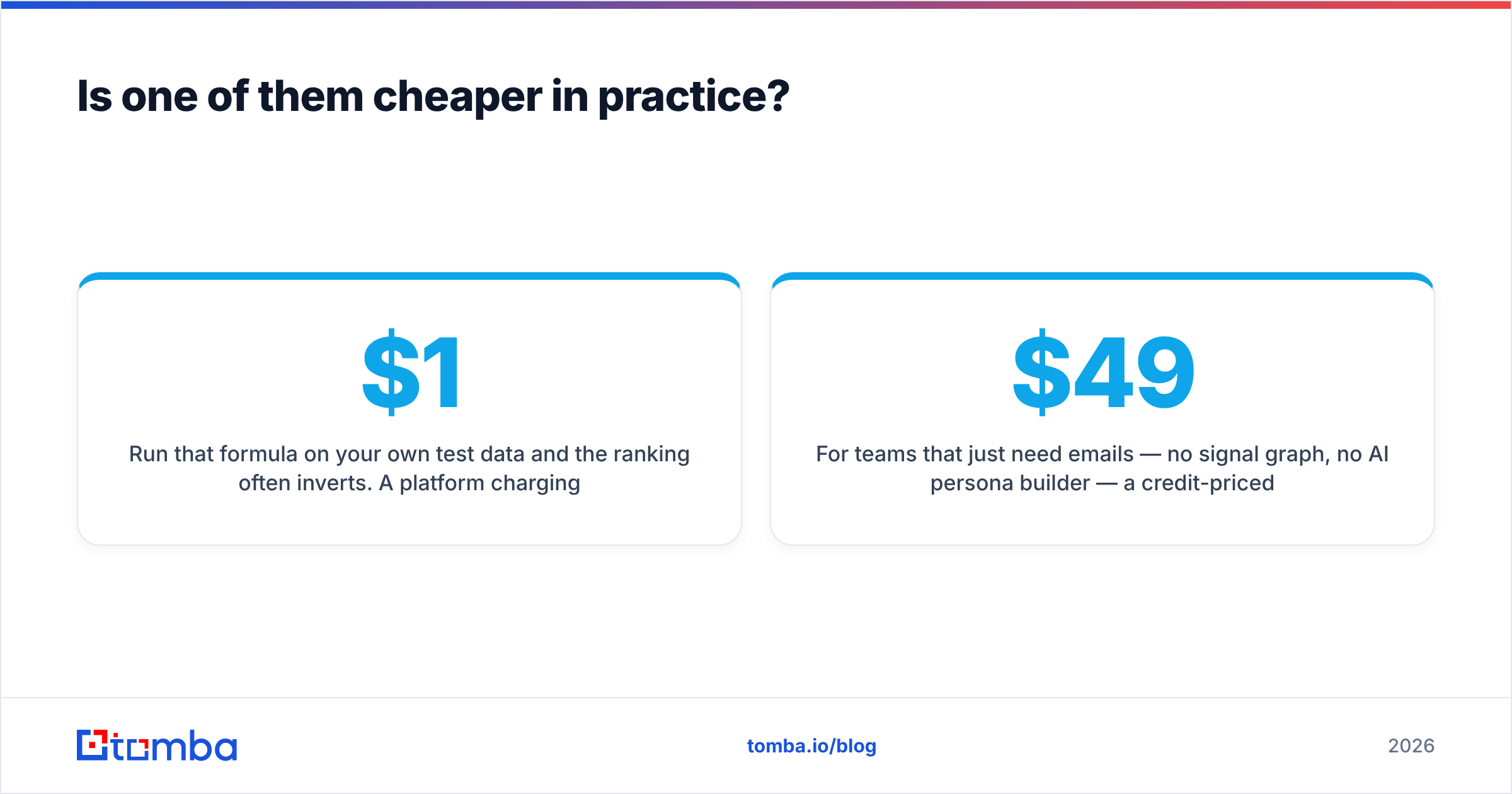
Run that formula on your own test data and the ranking often inverts. A platform charging $1,200/month that returns 4,000 contacts at 92% validity costs about $0.33 per usable contact. A tool charging $300/month that returns 2,000 contacts at 61% validity costs $0.25 — closer than the sticker price suggested, and worse once you price in the deliverability damage from the junk 39%.
Three cost traps specific to this pair:
- Seat inflation. Intelligence platforms price per seat because that's where expansion revenue lives. Adding two SDRs can cost more than doubling your data volume.
- Annual lock-in. Quote-based vendors push 12-month contracts. If your ICP shifts in Q2, you're paying for coverage you no longer need.
- Export gating. Confirm in writing what you can export, at what volume, and whether the data is yours after churn. Ask this on the first call.
For teams that just need emails — no signal graph, no AI persona builder — a credit-priced tool ends the argument. Tomba pricing starts free at 25 searches per month, then $49/mo Starter, $99/mo Growth, and $249/mo Pro, with no per-seat charge and API access included on paid plans. If you need bulk verified B2B records with a straightforward per-record cost instead, BookYourData is another well-regarded option worth pricing alongside these.
Which should you choose in 2026?#
Pick based on what's actually blocking you.
Choose Fac Intelligence if: you have a working CRM, an established ICP, and a RevOps owner who will maintain the enrichment pipeline. You want account signals to drive prioritization, and you have budget for a platform commitment. You'll get the most value if enrichment runs automatically on inbound and CRM records — not if you're manually pulling lists.
Choose Leadsforge if: you're a founder or a two-person sales team, you need lists this week, and nobody on the team wants to learn a filtering query language. Accept that you'll do more cleanup, and pair it with independent verification from day one.
Choose a focused email finder if: your workflow is "here are 500 companies and the roles I want, get me verified addresses." That's a different job from both platforms above, and paying platform pricing for it is the most common overspend in this category.
A practical setup a lot of teams land on: use whichever platform fits your prospecting style for discovery, then run everything through an independent finder and verifier before it touches a sequencer. Compare notes on your options — the lead intelligence listings on G2 and Capterra are useful for reading recent, dated reviews rather than vendor copy, and the general lead generation framing is worth revisiting if you're building the motion from scratch.
What's the fastest way to test all three?#
Give yourself a two-week window and a fixed 200-account test set.
- Week 1: run the same accounts through each tool's trial. Log coverage and format correctness.
- Between: verify every result through a neutral third party. Use a free email checker for spot checks and bulk verification for the full set.
- Week 2: send a small, warmed batch from each source. Record hard bounces, replies, and spam complaints separately by source.
- Decision: rank by cost per replied-to contact, not cost per row.
Anything less rigorous and you're buying a demo, not a data provider.
Ready to test the sourcing layer without a sales call? Start with the Tomba Email Finder — 25 free searches a month, no card required, real-time SMTP verification built into every result, and credit-based pricing that doesn't punish you for adding a rep. Run your 200-account test against it alongside Fac Intelligence and Leadsforge, then let the bounce rates decide.
Related guides#
Ready to find emails that actually work?
Join 150,000+ professionals who stopped guessing and started sending. Free credits on signup — no credit card required.
Get the Tomba newsletter
Practical outbound tactics and product updates — once every two weeks.
About the author