Fast Outreach: How to Go From Trigger to First Touch in Minutes
Fast outreach isn't about sending more email faster. It's about collapsing the gap between a buying signal and your first relevant touch — here's the workflow, the stack, and the numbers that matter.
TL;DR
- Fast outreach means shrinking the time between a buying signal and your first relevant message — not increasing send volume.
- Most teams lose hours in three places: finding the contact, verifying it, and writing the first line. All three can be automated down to seconds.
- Speed compounds. A reply in 5 minutes to an inbound trigger routinely outperforms a reply the next business day by a wide margin, and the effect is strongest on high-intent signals.
- Rushing without verification is the fastest way to burn a sending domain. Fast and clean are not opposites — they're sequential steps in the same pipeline.
- The practical target for 2026: trigger to first touch in under 10 minutes for inbound, under 24 hours for outbound triggers, with a bounce rate under 2%.
What is fast outreach, exactly?#
Fast outreach is the discipline of minimizing latency — the elapsed time between a prospect doing something interesting and you saying something relevant about it.
Think of it like a restaurant kitchen. Volume is how many covers you can serve in a night. Latency is how long a single diner waits between ordering and eating. A kitchen that plates 400 covers but makes everyone wait 50 minutes has a volume problem solved and a latency problem ignored — and the reviews reflect the wait, not the count.
Outbound teams keep optimizing the wrong number. Sending 3,000 emails a week instead of 1,500 is a volume change. Responding to a funding announcement within four hours instead of nine days is a latency change. The second one moves win rates; the first one mostly moves bounce rates.
Two things fast outreach is not:
- It is not spray-and-pray. Sending faster to a worse list is just failing faster.
- It is not sacrificing personalization. Modern signals — a job change, a new tech install, a pricing page visit — contain the personalization. Speed and relevance come from the same source.
Why does response speed matter so much?#
Because attention decays on a curve, not a line.
The most-cited data here is the Lead Response Management study, which found that the odds of qualifying an inbound lead drop sharply once you pass the five-minute mark, and fall off a cliff after the first hour. That research is over a decade old now and the exact multipliers get quoted loosely, so treat it as directional rather than gospel. But every replication since — vendor benchmarks from HubSpot, Salesforce, and independent analyst work from Gartner — has pointed the same direction: first vendor to respond with something useful wins a disproportionate share of the deal.
The mechanism is simple. When someone fills out a form, reads a comparison post, or announces a new role, they are in an active evaluation window. That window closes when they either (a) solve the problem, (b) pick a vendor, or (c) get pulled onto something else. In B2B, (c) is the most common outcome by a mile.
Speed also buys you a scarcity advantage. If four vendors reach a prospect in the same week, being first means you frame the evaluation criteria. Being fourth means you answer someone else's criteria.
Where does the time actually go?#
Audit your own funnel and you'll find latency clustered in a handful of predictable places. Here's the usual breakdown for a mid-market outbound team:
- Signal detection (0–48 hours lost). Nobody is watching the trigger. Funding news, job changes, and website visits get noticed on Friday during a weekly list build instead of Tuesday when they happened.
- Contact discovery (10–25 minutes per lead, manual). A rep has the company and the name but not the email. They check LinkedIn, guess the pattern, try a permutator, cross-check on the company site. Every one of those steps is API-able.
- Verification (5–15 minutes, or skipped entirely). The dangerous one. Under time pressure, reps skip verification, the bounce rate climbs past 3%, and inbox placement degrades for the whole domain.
- Message drafting (15–40 minutes for a "personalized" first touch). Research the company, find the hook, write three sentences, second-guess the subject line.
- Approval and sequencing (hours to days). Manager review queues, sequence assignment, CRM hygiene steps that nobody owns.
Add it up: a genuinely researched, verified, personalized first touch takes a good rep 45 to 90 minutes. That's why teams batch it into a weekly block — and why the average trigger-to-touch latency in B2B is measured in days rather than minutes.
The fix isn't asking reps to work faster. It's removing steps 2 and 3 from human hands entirely.
What does a fast outreach stack look like?#
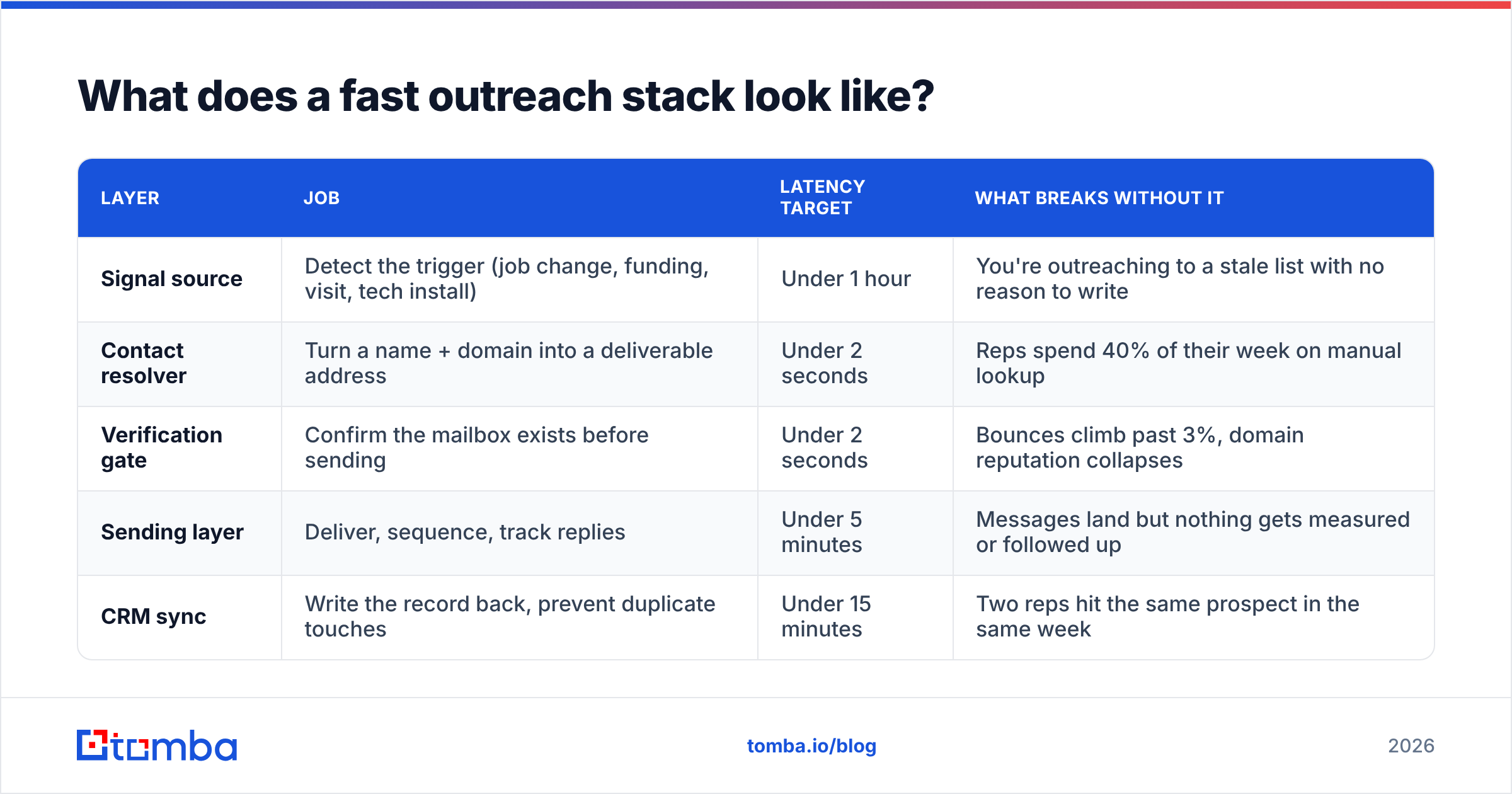
You need four layers: a signal source, a contact resolver, a verification gate, and a sending layer. Most teams over-invest in the fourth and under-invest in the second and third.
| Layer | Job | Latency target | What breaks without it |
|---|---|---|---|
| Signal source | Detect the trigger (job change, funding, visit, tech install) | Under 1 hour | You're outreaching to a stale list with no reason to write |
| Contact resolver | Turn a name + domain into a deliverable address | Under 2 seconds | Reps spend 40% of their week on manual lookup |
| Verification gate | Confirm the mailbox exists before sending | Under 2 seconds | Bounces climb past 3%, domain reputation collapses |
| Sending layer | Deliver, sequence, track replies | Under 5 minutes | Messages land but nothing gets measured or followed up |
| CRM sync | Write the record back, prevent duplicate touches | Under 15 minutes | Two reps hit the same prospect in the same week |
The resolver and verification layers are where fast outreach is won or lost, and they're the two most teams treat as an afterthought. If your reps are still copying names into a spreadsheet, no amount of sequencing software will fix your latency — you've automated the last mile and left the first mile on foot.
A practical setup: point a Tomba API call at the resolver step so contact discovery happens inside your automation rather than inside a browser tab. Chain the email verifier directly after it so nothing unverified reaches your sending tool. Both calls together add roughly a second of latency and remove roughly 30 minutes of human work per lead.
How do you build a trigger-to-send workflow in under 10 minutes?#
Here's the concrete pipeline. Each step should be automated; the only human decision point is the final message.
- Watch the signal. Pick two or three triggers you can actually act on — new funding round, a target-persona job change, a repeat visit to your pricing page. Route them into one queue (Slack channel, Airtable base, whatever your team already opens).
- Resolve the contact automatically. When a signal fires with a company domain, hit an email finder with the person's name and domain. If you only have a company, run a domain search to pull the relevant role holders.
- Verify before it enters the sequence. Route every resolved address through verification. Drop anything that comes back invalid; flag catch-all domains for a lower-risk sending pool rather than tossing them.
- Enrich the hook, not the whole record. You don't need 40 firmographic fields. You need the one detail that justifies the email: the round size, the new title, the page they read.
- Draft against a template with one variable slot. Keep the frame fixed and vary a single sentence. This is what makes 5-minute personalization possible — the rep writes one line, not one email.
- Send and log. The message goes out, the CRM record updates, and the follow-up cadence starts automatically.
Steps 1 through 4 should require zero human seconds. Step 5 is where your rep spends 90 seconds. Step 6 is plumbing.
Done properly, trigger-to-send lands between 4 and 10 minutes for inbound signals and same-day for outbound ones. That's the benchmark to hold yourself to.
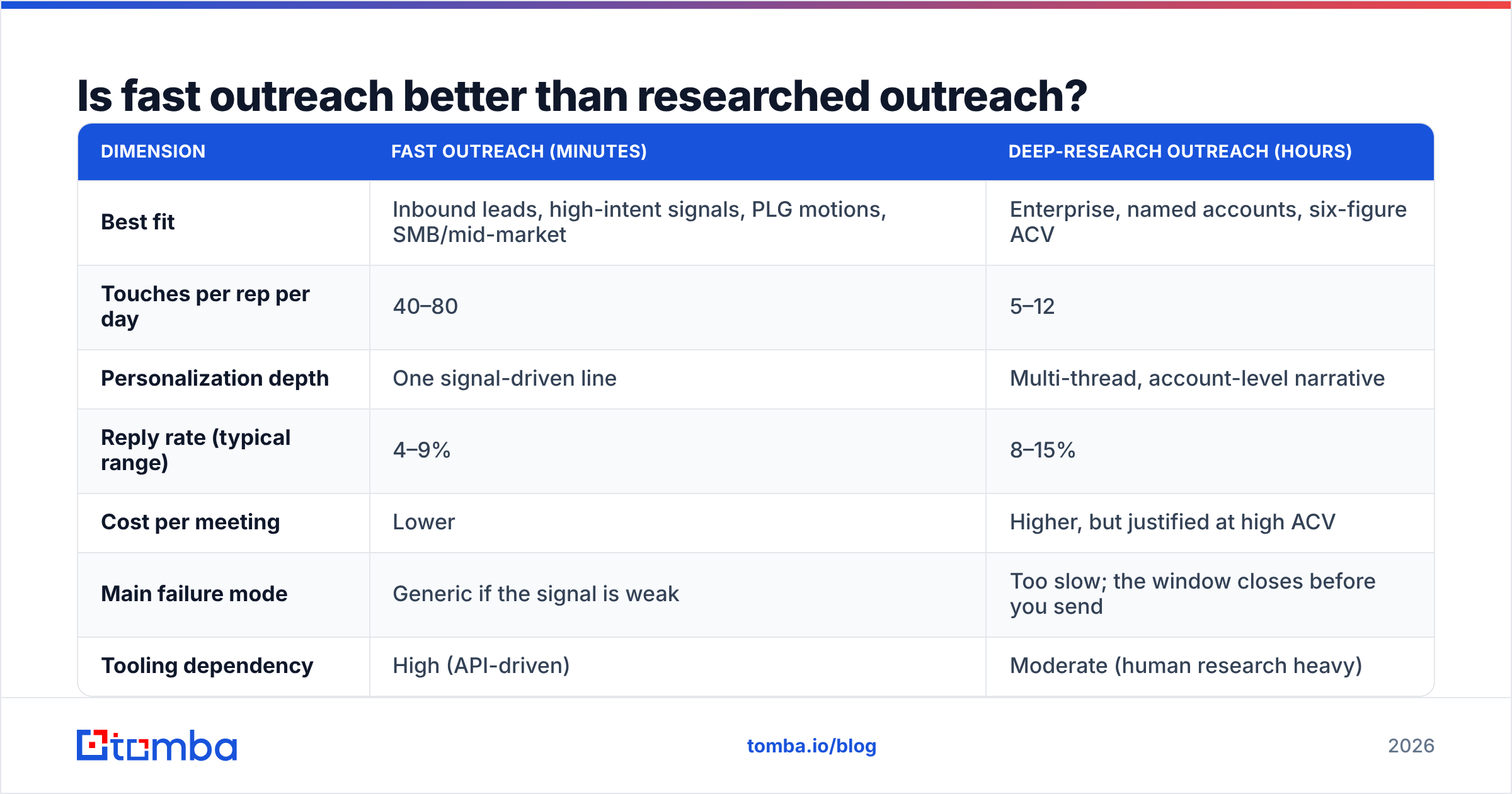
Is fast outreach better than researched outreach?#
Wrong framing — but here's the honest tradeoff table, because the answer genuinely depends on deal size.
| Dimension | Fast outreach (minutes) | Deep-research outreach (hours) |
|---|---|---|
| Best fit | Inbound leads, high-intent signals, PLG motions, SMB/mid-market | Enterprise, named accounts, six-figure ACV |
| Touches per rep per day | 40–80 | 5–12 |
| Personalization depth | One signal-driven line | Multi-thread, account-level narrative |
| Reply rate (typical range) | 4–9% | 8–15% |
| Cost per meeting | Lower | Higher, but justified at high ACV |
| Main failure mode | Generic if the signal is weak | Too slow; the window closes before you send |
| Tooling dependency | High (API-driven) | Moderate (human research heavy) |
The teams that beat both are the ones that triage. Signal strength decides the lane: a pricing-page visit from a target account gets the 5-minute treatment; a strategic logo you've chased for two quarters gets the two-hour treatment. Trying to give every prospect the deep-research pass is how latency gets to nine days.
How do you keep speed from wrecking deliverability?#
This is the part where fast outreach programs die, and it's entirely preventable.
When you compress the pipeline, you remove the accidental quality checks that manual work provided. A rep who hand-builds a list eyeballs it. An automation doesn't. So the quality gate has to be explicit:
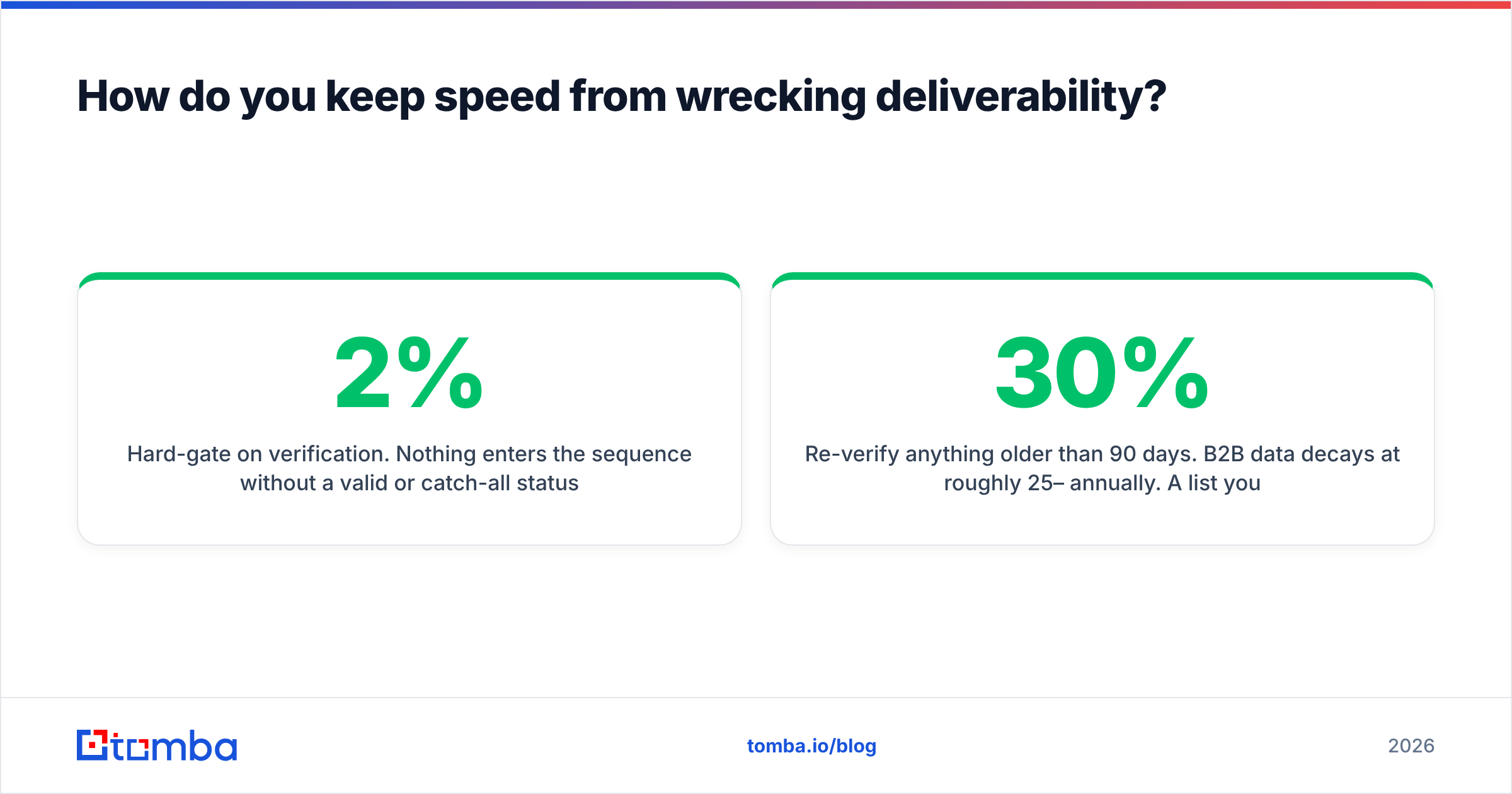
- Hard-gate on verification. Nothing enters the sequence without a valid or catch-all status. Keep your overall bounce rate under 2%; under 1% if you're on a young domain.
- Segregate catch-all sends. Catch-all domains accept everything and tell you nothing. Route them to a separate sending identity so a bad batch doesn't contaminate your primary domain. A dedicated catch-all verifier step will sort the recoverable ones from the guesses.
- Cap volume per inbox, not per campaign. Speed should increase how quickly you reach a given prospect, not how many prospects you reach per mailbox per day. Those are independent dials. Keep per-inbox daily volume conservative and add inboxes instead.
- Watch reply-to-send ratio weekly. If latency drops and replies drop with it, your signals are weak — you're being fast about the wrong things.
- Re-verify anything older than 90 days. B2B data decays at roughly 25–30% annually. A list you verified in January is not a verified list in June.
The rule of thumb: verification cost is always cheaper than reputation recovery. Rebuilding a burned domain takes six to eight weeks of warmup and costs you an entire quarter of pipeline.
What metrics should you actually track?#
Most outbound dashboards measure activity. Fast outreach requires measuring elapsed time, which almost nobody instruments.
Track these five:
- Median trigger-to-first-touch. The core metric. Median, not average — one nine-day outlier will hide a good week.
- Percentage of signals actioned within SLA. Set the SLA (10 minutes inbound, 24 hours outbound) and measure compliance. This exposes queue problems that median latency hides.
- Bounce rate by source. Split by resolver. If one source is producing 4% bounces and another 0.8%, you have a routing decision to make, not a deliverability problem.
- Reply rate by latency bucket. Bucket sends into 0–15 min, 15–60 min, 1–24 hr, 24 hr+ and compare response rate across them. This is the single chart that will win your budget argument internally.
- Meetings per 100 signals actioned. The output metric. If latency improves and this doesn't, your problem is message quality, not speed.
Instrument these before you buy anything. Half the teams that "need faster tooling" actually have a routing problem — signals arriving in a channel nobody watches on Thursdays.
What should you do this week?#
Pick one signal type. Just one. Measure your current median latency on it honestly — pull ten recent examples and check the timestamps. Most teams are shocked; the number is usually 5 to 15 times worse than they'd guess.
Then automate the two steps that cost the most and add the least judgment: contact discovery and verification. Those are pure mechanical latency. Every minute you remove there is a minute available for the message itself, which is the only part where a human actually adds value.
Once that pipeline runs, extend it to a second signal. Then a third. Don't try to rebuild the whole motion at once — you'll end up with a half-configured automation that nobody trusts and everyone bypasses.
Where does Tomba fit in a fast outreach stack?#
Tomba covers the resolver and verification layers — the two steps that consume the most rep time and produce the least differentiated output.
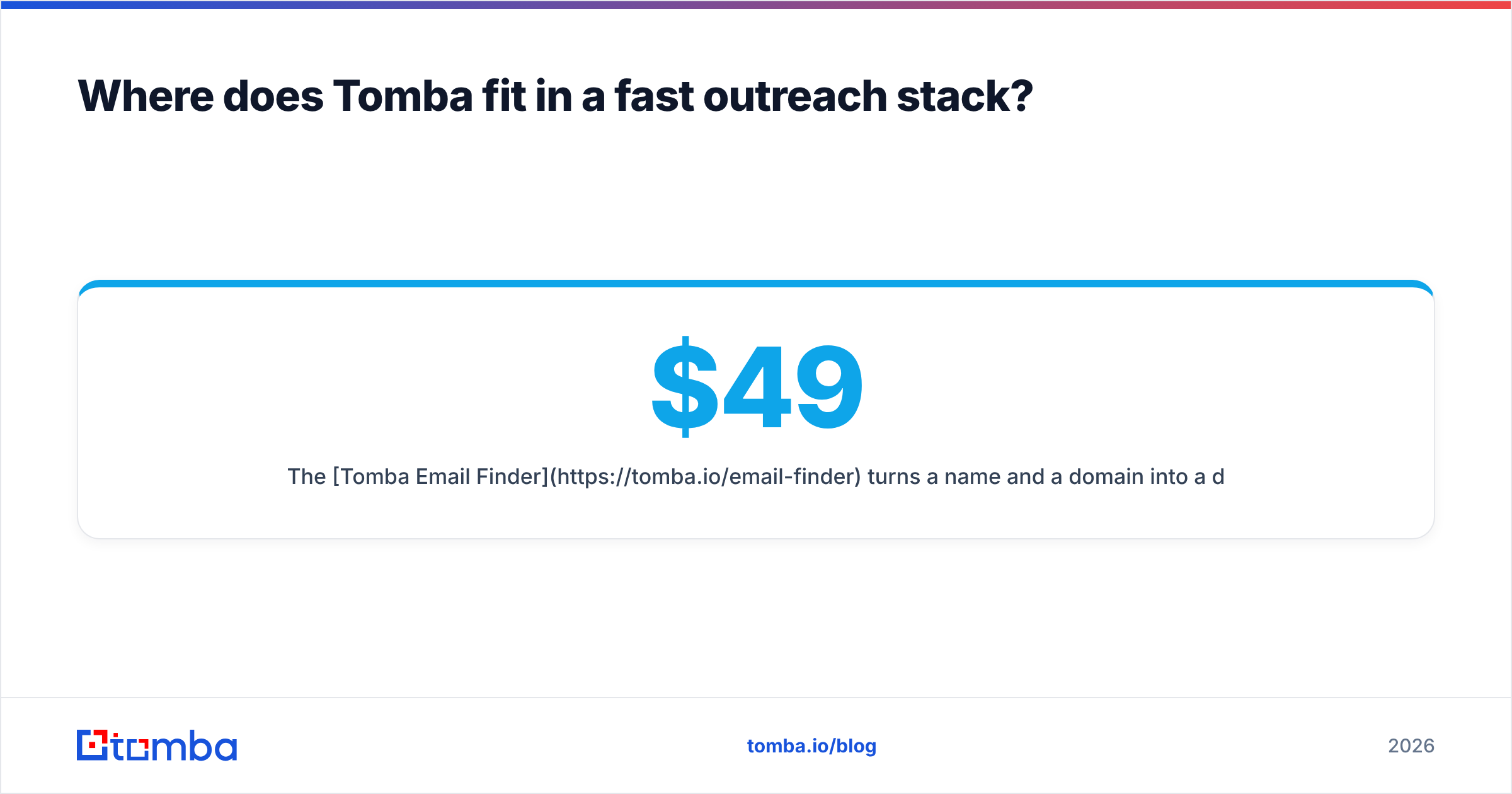
The Tomba Email Finder turns a name and a domain into a deliverable address in about a second, through the app, the Chrome extension, Google Sheets, or a direct API call inside whatever automation you already run. Verification chains straight onto it, so nothing unverified reaches your sending tool. The free tier gives you 25 searches a month to test the workflow before committing; paid plans start at $49/mo for Starter, $99/mo for Growth, and $249/mo for Pro — full Tomba pricing is public, no sales call required to see it.
Wire it into your trigger queue, hard-gate on verification, and let your reps spend their time on the one sentence that actually needs a human. That's fast outreach — not more email, just less waiting.
Related guides#
Ready to find emails that actually work?
Join 150,000+ professionals who stopped guessing and started sending. Free credits on signup — no credit card required.
Get the Tomba newsletter
Practical outbound tactics and product updates — once every two weeks.
About the author