FinalScout Pros and Cons: An Honest 2026 Tool Review
FinalScout turns LinkedIn profiles into email lists with AI-written outreach attached. Here is where it genuinely earns its price, where the credit math turns ugly, and which workflows are better served by a plain email finder plus a verifier.
TL;DR
- FinalScout is a LinkedIn-first email finder: you browse or search profiles, it extracts contacts, and an AI layer drafts the outreach email in the same window.
- The biggest pro is workflow compression — profile to inbox-ready draft without leaving the browser. The biggest con is credit economics: LinkedIn-scoped searching burns credits fast, and unfound contacts still cost you time.
- Its "98% deliverability" marketing claim describes verified-only exports, not the hit rate across every profile you touch. Those are two very different numbers.
- FinalScout is a poor fit for domain-wide prospecting, API-driven enrichment, or high-volume list building — a dedicated finder plus verifier costs less per usable contact.
- Best fit: solo founders and small teams who live inside LinkedIn Sales Navigator and want fewer tools, not the lowest cost per email.
What is FinalScout, and who is it actually built for?#
FinalScout (finalscout.com) is a Chrome-extension-driven email finder that sits on top of LinkedIn. You open a profile, a search result page, a group, or a Sales Navigator list, and it pulls contact data for those people. Then it layers a ChatGPT-style writer on top so you can generate a personalized first-touch email from the profile you just scraped.
That combination is the whole pitch. Most tools in this space do one job: they find the email, or they write the email, or they send the sequence. FinalScout compresses find-and-write into a single browser action.
The people who get real value from that are specific:
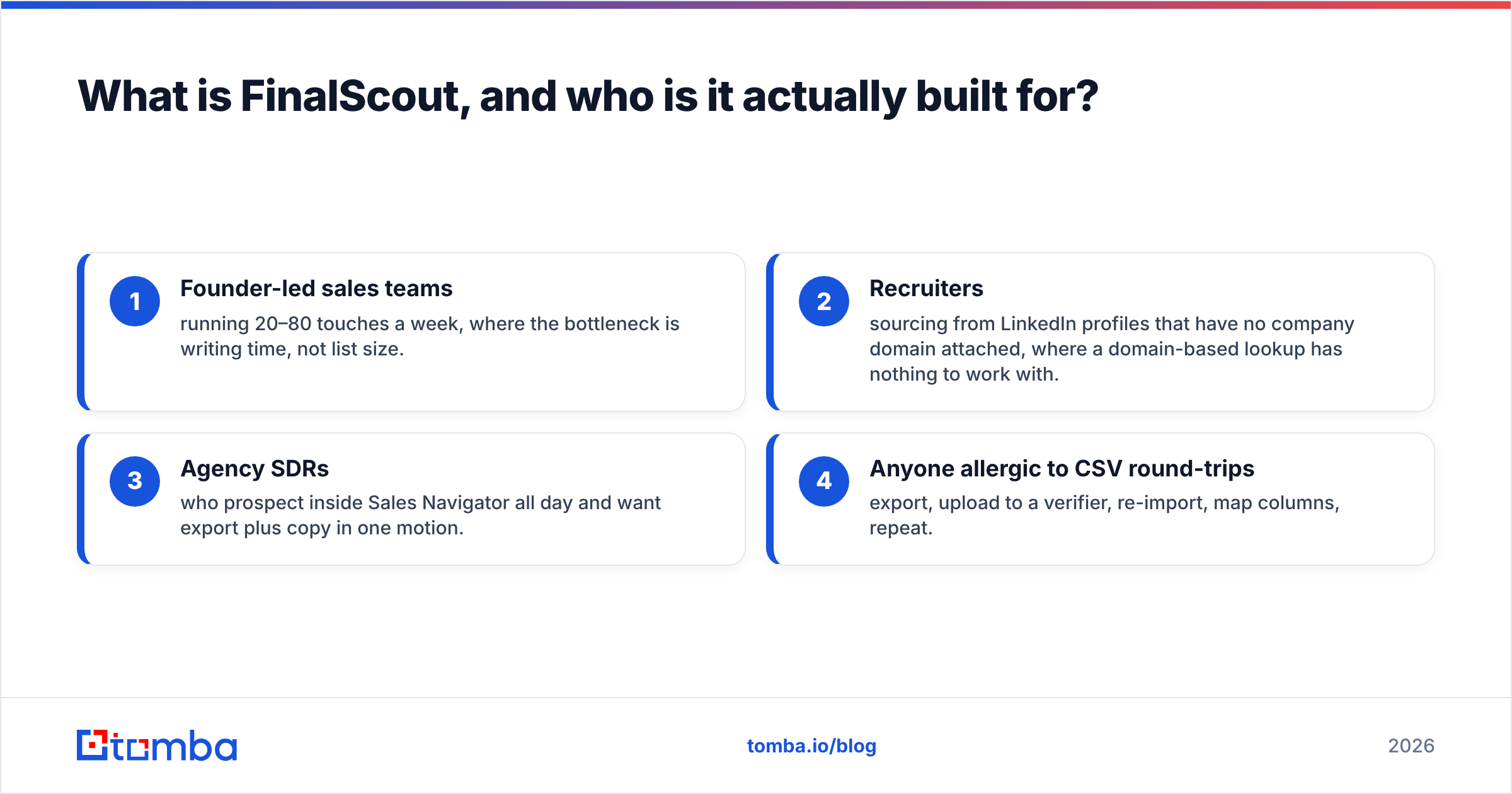
- Founder-led sales teams running 20–80 touches a week, where the bottleneck is writing time, not list size.
- Recruiters sourcing from LinkedIn profiles that have no company domain attached, where a domain-based lookup has nothing to work with.
- Agency SDRs who prospect inside Sales Navigator all day and want export plus copy in one motion.
- Anyone allergic to CSV round-trips — export, upload to a verifier, re-import, map columns, repeat.
The people who should think twice are equally specific: anyone doing programmatic enrichment, anyone building lists by company domain rather than by person, and anyone whose finance team measures cost per verified contact rather than cost per seat.

What are the strongest FinalScout pros?#
LinkedIn coverage where domain lookups fail. A classic email finder starts with a domain and a name. That breaks the moment your prospect works at a company whose website you don't know, or whose LinkedIn headline says "Building something new." FinalScout starts from the profile itself, which is a genuinely different entry point. If your entire pipeline is sourced inside LinkedIn, this matters.
Bulk export from search results. You can run a Sales Navigator search, apply your filters, and pull the whole result page rather than clicking through profiles one at a time. For a recruiter working a single niche, this is the feature that justifies the subscription.
AI drafting attached to context the model can actually see. Most AI email writers ask you to paste in a name and a company. FinalScout has the profile in front of it — headline, current role, recent job change. The drafts are not magic, and you will rewrite most of them, but they beat a blank page and they beat mail-merge templates that only swap {{first_name}}.
A usable free tier for evaluation. You get a small monthly credit allowance without a card, which is enough to test whether the tool resolves your ICP. That is the only test that matters. Coverage on US SaaS mid-market says nothing about coverage on German manufacturing or Brazilian logistics.
No infrastructure to run. Everything lives in the extension and the web app. There is no SMTP configuration, no proxy management, no engineering time. For a two-person team, that's worth real money.
What are the FinalScout cons you should know before paying?#
Credit math is the number one complaint. Read enough G2 reviews across this category and the pattern is consistent: users budget for the plan price and get surprised by throughput. Bulk extraction consumes credits per profile processed, and profiles that resolve to nothing still consumed your attention if not always your balance. Once you model cost per usable, verified contact rather than cost per plan, the entry tier starts looking narrow.
The 98% claim needs a footnote. Vendors in this category — FinalScout included — typically state deliverability on the subset of addresses returned as verified. That is a legitimate metric, but it is not the same as "98% of the profiles I clicked produced a working email." Your practical hit rate on a real list is a function of seniority, region, and company size, and it will land well below the headline. Always measure both: coverage (what percentage of your list resolved at all) and validity (what percentage of resolved addresses actually accept mail).

Browser-extension fragility. Anything that reads LinkedIn's DOM is exposed to LinkedIn's next front-end change and to LinkedIn's User Agreement, which restricts automated data collection. Extension-based tools do get throttled, and accounts do get flagged when extraction volume looks non-human. That is a category risk, not a FinalScout-specific defect, but it is a risk you inherit the moment your pipeline depends on one browser tab.
Weak fit for domain-first prospecting. If your motion is "here are 400 target accounts, find me the VP of Engineering at each," a LinkedIn-first tool makes you do the sourcing manually before it can help. A domain search inverts that: give it a company domain and it returns the addresses and the pattern behind them.
Limited automation surface. There is no deep, developer-grade API story here comparable to a data platform. If you want enrichment to happen inside your CRM, your warehouse, or a nightly job, you will be gluing exports together. Teams that need programmatic access are better served by an email finder API they can call from their own stack.
Verification is bundled, not independent. Bundled verification is convenient right up until it disagrees with your sending platform. Running a second, independent email verifier pass on anything you're about to email at volume is cheap insurance, and it means one vendor's confidence score never becomes your only line of defense.
How does FinalScout compare to other email finders on price and scope?#
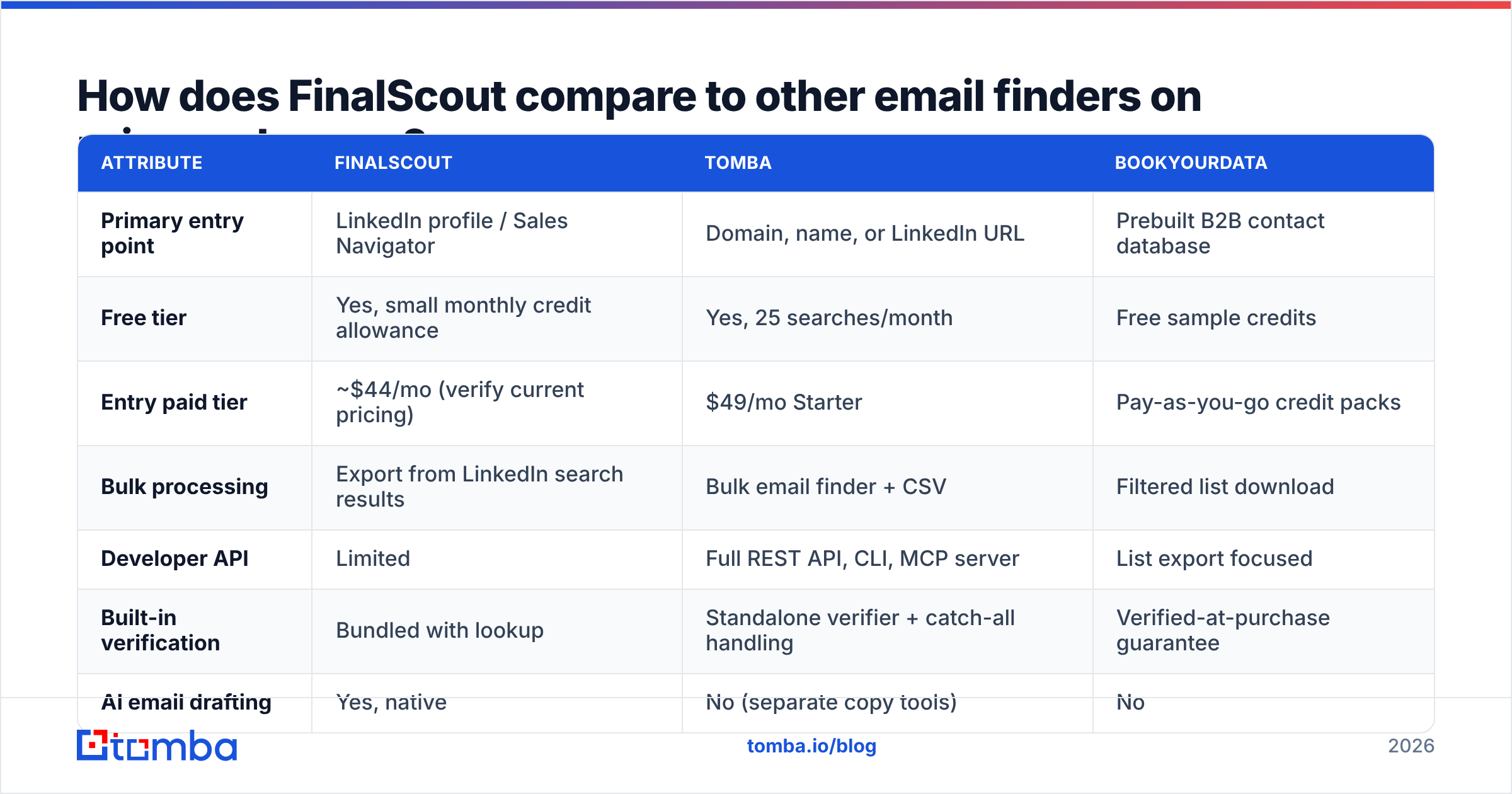
Pricing across this category shifts often, so treat the figures below as directional and confirm on each vendor's own page before you buy. FinalScout runs a free tier plus paid plans that start in the mid-$40s per month and climb past $170 for higher credit volumes; Tomba's published tiers are Free (25 searches/month), Starter $49/mo, Growth $99/mo, Pro $249/mo, and Enterprise on request — see Tomba pricing for current details.
| Attribute | FinalScout | Tomba | BookYourData |
|---|---|---|---|
| Primary entry point | LinkedIn profile / Sales Navigator | Domain, name, or LinkedIn URL | Prebuilt B2B contact database |
| Free tier | Yes, small monthly credit allowance | Yes, 25 searches/month | Free sample credits |
| Entry paid tier | ~$44/mo (verify current pricing) | $49/mo Starter | Pay-as-you-go credit packs |
| Bulk processing | Export from LinkedIn search results | Bulk email finder + CSV | Filtered list download |
| Developer API | Limited | Full REST API, CLI, MCP server | List export focused |
| Built-in verification | Bundled with lookup | Standalone verifier + catch-all handling | Verified-at-purchase guarantee |
| AI email drafting | Yes, native | No (separate copy tools) | No |
| Best for | Solo LinkedIn-heavy prospecting | Domain-first and programmatic enrichment | Buying a ready-made list fast |

Three honest observations from that table.
BookYourData solves a different problem well: when you want a filtered list now and don't want to source it person by person, buying a pre-verified list is faster than any extraction workflow. It's a purchase decision, not a tooling decision.
FinalScout wins on the "one window, one workflow" axis and on LinkedIn-native sourcing. Nothing in the domain-first camp replicates the experience of extracting a Sales Navigator page and drafting copy in the same session.
Domain-first finders win on cost per verified contact and on automation. If you already know your accounts, starting from the domain skips the manual sourcing step entirely — and a LinkedIn finder covers the profile-URL case when you need it, without making the browser extension the load-bearing part of your stack.
Is FinalScout accurate enough for cold outreach in 2026?#
Accurate enough — with a second pass. Here is how to evaluate it honestly rather than trusting anyone's marketing number, including ours.
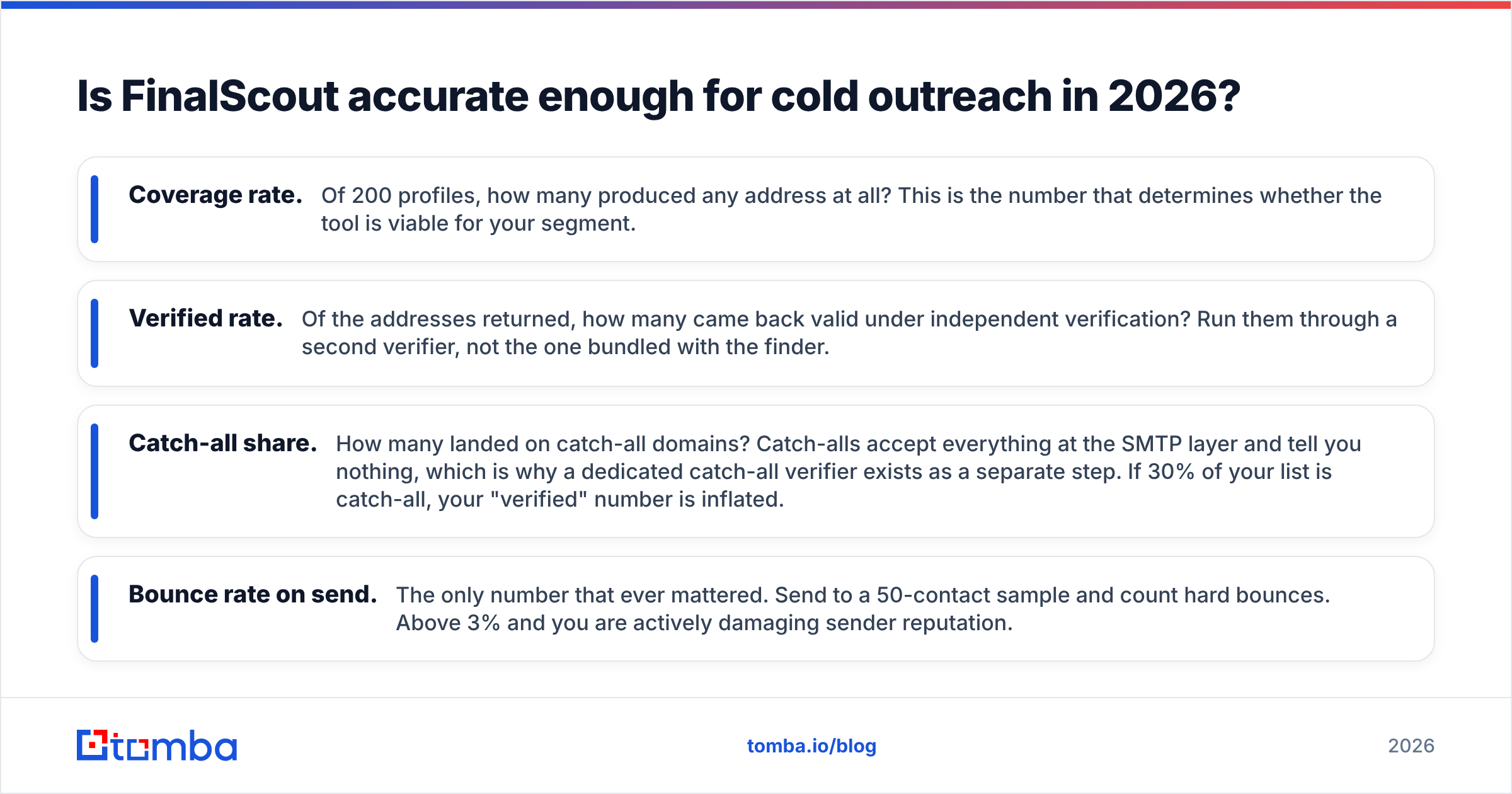
Take 200 contacts from your actual ICP. Not a demo list, not a famous-company list. Run them through FinalScout and record four numbers:
- Coverage rate. Of 200 profiles, how many produced any address at all? This is the number that determines whether the tool is viable for your segment.
- Verified rate. Of the addresses returned, how many came back valid under independent verification? Run them through a second verifier, not the one bundled with the finder.
- Catch-all share. How many landed on catch-all domains? Catch-alls accept everything at the SMTP layer and tell you nothing, which is why a dedicated catch-all verifier exists as a separate step. If 30% of your list is catch-all, your "verified" number is inflated.
- Bounce rate on send. The only number that ever mattered. Send to a 50-contact sample and count hard bounces. Above 3% and you are actively damaging sender reputation.
Two things reliably drag accuracy down across every tool in this category: senior executives at large enterprises (heavily gated, often aliased) and non-US regions where the underlying data sources are thinner. If either describes your ICP, test before you commit to an annual plan.
When should you pick something other than FinalScout?#
Skip it, or supplement it, when any of these describe you:
You prospect by account, not by person. Target account lists want a domain-first tool. Feed in the domain, get the pattern and the people.
You need contacts inside your own systems. CRM enrichment, warehouse jobs, and product-led signals all want an API and a scheduler, not a browser tab. Look at tools with data enrichment endpoints you can call on a cron.
Your volume is above a few thousand contacts a month. At that scale, per-credit pricing on a LinkedIn-scoped tool loses badly to bulk processing. Model the cost per verified contact, not per plan.
You already have a copy process. If your team has tested sequences that work, the AI drafting layer is a feature you're paying for and not using. Buy the finder, not the bundle.
Compliance is a live concern. Regulated industries and EU-heavy pipelines need clear provenance for every record. Ask any vendor — FinalScout, us, anyone — exactly where a given contact came from before it goes into a sequence. HubSpot's guidance on GDPR-compliant prospecting is a reasonable baseline for what your process should look like.
What's the verdict on FinalScout's pros and cons?#
FinalScout is a good tool with a narrow, well-defined sweet spot. If you live inside LinkedIn, prospect in the dozens rather than the thousands, and value one fewer tab over a lower unit cost, it earns its subscription. The AI drafting is a genuine time-saver for founder-led outreach where every email is bespoke.
If you prospect by domain, enrich programmatically, or process volume where credit math compounds, the same features become friction. You would be paying for a browser workflow you don't use and an AI writer you'd override, while spending more per verified contact than a dedicated finder-plus-verifier stack costs.
The strongest move for most teams is not either/or. Use LinkedIn extraction where LinkedIn is the only source, and use a domain-first finder for everything else — then run one independent verification pass over the combined list before anything hits a sequence. That is the setup that keeps bounce rates under 2% without paying twice for the same contact.
Ready to test the domain-first half of that stack? The Tomba Email Finder resolves professional addresses from a domain, a name, or a LinkedIn URL, returns a confidence score and the sources behind every result, and ships with a REST API, CLI, and Chrome extension so the same lookup works wherever your workflow lives. Start on the free tier — 25 searches a month, no card — run your own 200-contact benchmark against whatever you use today, and let the coverage and bounce numbers decide.
Related guides#
Ready to find emails that actually work?
Join 150,000+ professionals who stopped guessing and started sending. Free credits on signup — no credit card required.
Get the Tomba newsletter
Practical outbound tactics and product updates — once every two weeks.
About the author