FinalScout Reviews 2026: Is It Worth It for LinkedIn Leads?
An independent look at FinalScout: how its LinkedIn-first email finding actually performs, what the credit system really costs, and the three limits most reviews leave out.
TL;DR
- FinalScout is a LinkedIn-first email finder with a Chrome extension and an AI email writer bolted on. It is strongest when your entire prospecting motion happens inside LinkedIn or Sales Navigator.
- The headline "98% deliverability" claim is a validation metric, not a coverage metric. It tells you how clean the emails it returns are, not how many prospects it finds an email for.
- Credit-based pricing gets expensive fast at team scale, and exports are capped per plan — the single most common complaint in user reviews.
- If you need domain-level discovery, API access, catch-all handling, or bulk enrichment outside LinkedIn, a general-purpose finder is a better fit.
- Verdict: solid single-seat LinkedIn tool, weak as an outbound data backbone. Score it 7/10 for solo SDRs, 5/10 for RevOps.
What is FinalScout, and who is it actually for?#
FinalScout is a browser-extension-driven contact finder built around LinkedIn. You browse a profile, a Sales Navigator search, or a LinkedIn group, click the extension, and it attempts to resolve a work email for each person. It then layers an AI writing assistant on top so you can draft an outreach email without leaving the tab.
That framing matters more than any feature list. FinalScout is not trying to be a database you query — it's trying to be the layer that converts LinkedIn browsing into an exportable contact list. Think of it as a translator standing next to you at a conference: useful in the room, useless when you're back at your desk with a spreadsheet of 4,000 domains.
Most FinalScout reviews online are written by affiliates, which is why they cluster around the same three talking points (98% deliverability, GDPR/CCPA compliance, ChatGPT integration) and skip the operational realities. This review covers both.
The company positions itself for three buyer types:
- Solo founders and SDRs doing manual, high-context prospecting on LinkedIn — 50 to 300 contacts a month.
- Recruiters sourcing candidates from profiles where no email is publicly listed.
- Small agency teams who need a cheap seat per person rather than a shared data platform.
If you don't see yourself in one of those three, keep reading — but expect the verdict section to point you elsewhere.
How does FinalScout actually find emails?#
Every email finder on the market uses some blend of four techniques, and the blend determines the failure modes you'll hit. FinalScout leans heavily on the first two.
- Pattern inference. The tool identifies a company's dominant email format (
first.last@,f.last@,first@) and applies it to the name on the profile. Cheap, fast, and the reason coverage collapses on companies with mixed or randomized formats. - SMTP-level validation. Candidate addresses get pinged at the mail server to check whether the mailbox exists. This is what powers the deliverability claim.
- Crowd-sourced and crawled records. A smaller contribution than the pattern engine, based on how coverage behaves across obscure domains.
- Profile-to-company resolution. Mapping a LinkedIn employer string to an actual mail domain — the step that quietly breaks on holding companies, rebrands, and consultancies.
The practical consequence: FinalScout is very good when a prospect works at a company with a clean, single, guessable email format on a domain that answers SMTP probes honestly. It degrades sharply outside that envelope. That's not a knock unique to FinalScout — it's true of most pattern-first tools — but it does mean the tool's "hit rate" varies wildly by the segment you're targeting.

One structural note worth flagging: scraping LinkedIn at volume sits in tension with the LinkedIn User Agreement, and extension-based tools that automate profile visits carry account-restriction risk. FinalScout's own documentation encourages moderate usage for this reason. Read that as a real operational constraint, not boilerplate — a restricted LinkedIn account costs more than any subscription.
Is FinalScout accurate, or is the 98% number marketing?#
Both, in a specific way. The number is technically defensible and strategically misleading, and understanding the difference will save you a lot of money.
There are two accuracy metrics that matter, and vendors love to conflate them:
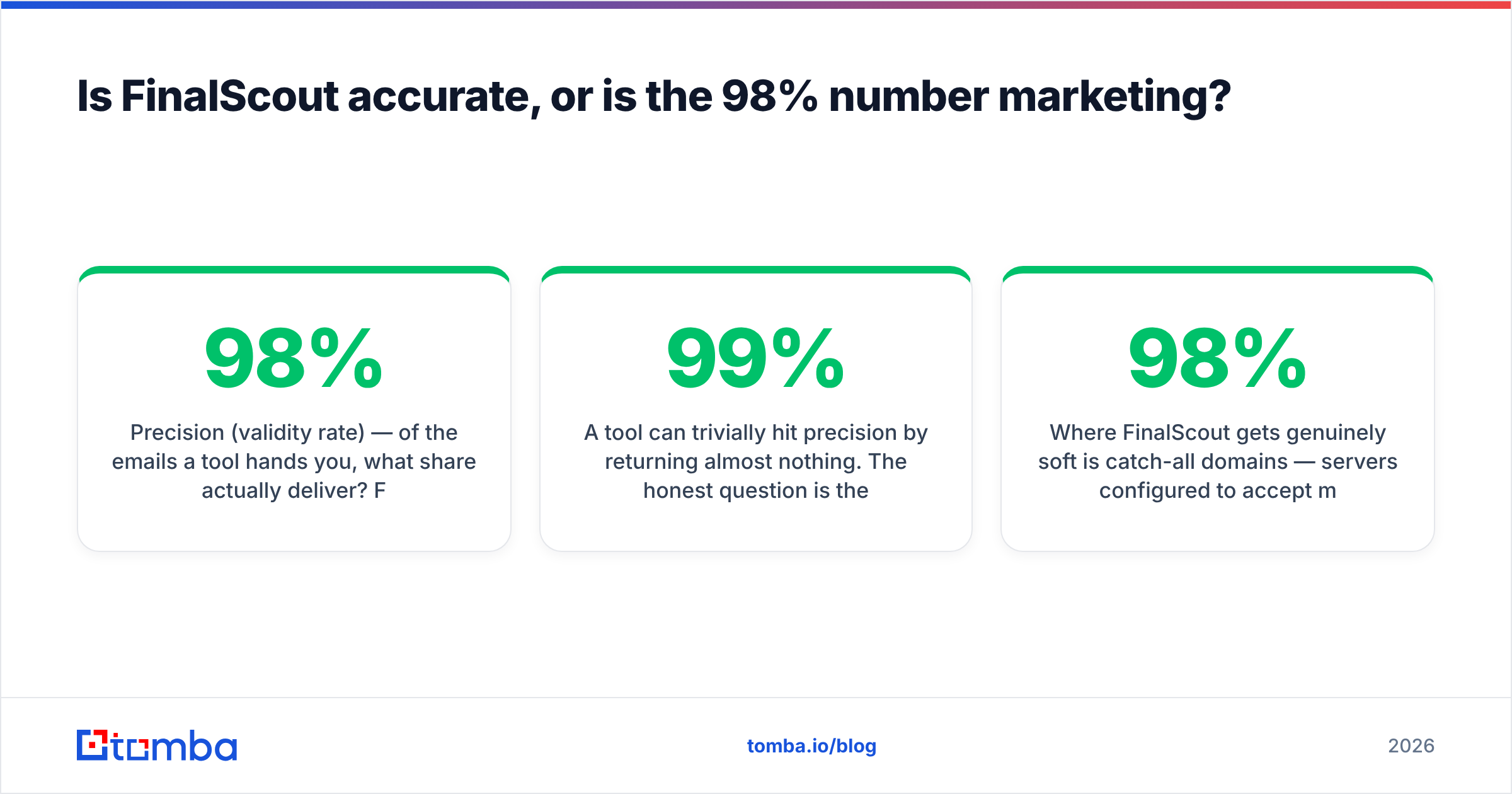
- Precision (validity rate) — of the emails a tool hands you, what share actually deliver? FinalScout's ~98% claim lives here, and SMTP validation genuinely does push this number high.
- Coverage (hit rate) — of the prospects you asked about, what share got an email at all? This is the number that determines whether your list of 500 targets becomes 400 contacts or 180.
A tool can trivially hit 99% precision by returning almost nothing. The honest question is the pair: how many did you find, and how many of those bounce? In independent testing across email finders, coverage is where the real spread lives.

Where FinalScout gets genuinely soft is catch-all domains — servers configured to accept mail at any address, which makes SMTP validation meaningless. A large share of mid-market and enterprise domains are catch-all. Pattern-first tools typically mark these "accept-all" or "risky" and hand the judgment call back to you, which means the safe-looking 98% shrinks once you subtract everything you weren't willing to mail. If catch-alls are a meaningful slice of your ICP, run results through a dedicated catch-all verifier before they hit a sequencer, regardless of which finder produced them.
The other accuracy caveat is staleness. LinkedIn profiles lag reality by months. Someone who changed jobs in March may still show the old employer in August, and a pattern-first tool will confidently build an email at a company they've left. No LinkedIn-sourced tool is immune, but tools that cross-check against live company data catch more of it than tools that trust the profile string.
What does FinalScout cost in 2026?#
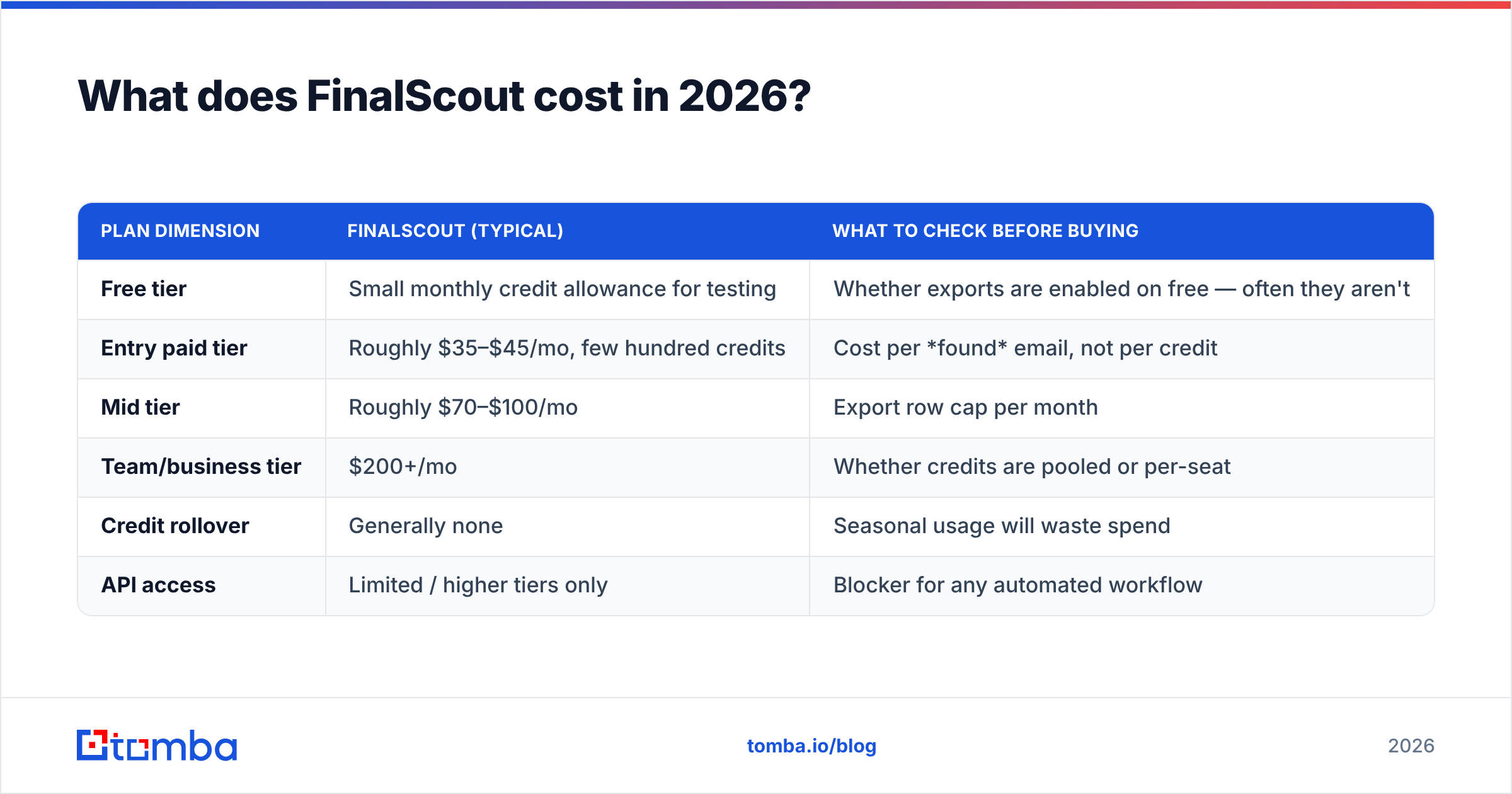
FinalScout uses a credit model — one credit per email revealed, with unused credits generally not rolling over. There's a free tier for testing, then paid tiers that scale credits and export limits together. Pricing tiers and credit allocations change frequently, so treat the figures below as directional and confirm on FinalScout's own pricing page before you buy.
| Plan dimension | FinalScout (typical) | What to check before buying |
|---|---|---|
| Free tier | Small monthly credit allowance for testing | Whether exports are enabled on free — often they aren't |
| Entry paid tier | Roughly $35–$45/mo, few hundred credits | Cost per found email, not per credit |
| Mid tier | Roughly $70–$100/mo | Export row cap per month |
| Team/business tier | $200+/mo | Whether credits are pooled or per-seat |
| Credit rollover | Generally none | Seasonal usage will waste spend |
| API access | Limited / higher tiers only | Blocker for any automated workflow |
The cost trap is not the sticker price — it's the effective cost per usable contact. If a plan gives you 1,000 credits for $80 and returns a verified, non-catch-all, currently-employed email for 55% of your targets, your real cost is roughly $0.145 per usable contact, not $0.08. Run that math with your own ICP before comparing any two vendors. Reviewers who compare sticker prices are comparing the wrong number.
Export caps deserve their own paragraph because they generate the most frustration in public reviews on G2 and similar sites. Credits and exports are separate meters on some plans, so it is possible to reveal contacts you cannot then download in bulk. Verify the export limit for your specific tier, in writing, before committing to an annual plan.
How does FinalScout compare to other email finders?#
The honest comparison isn't "which tool is best" — it's "which tool matches the shape of your prospecting." Here's how the main options line up on the dimensions that actually change your workflow.

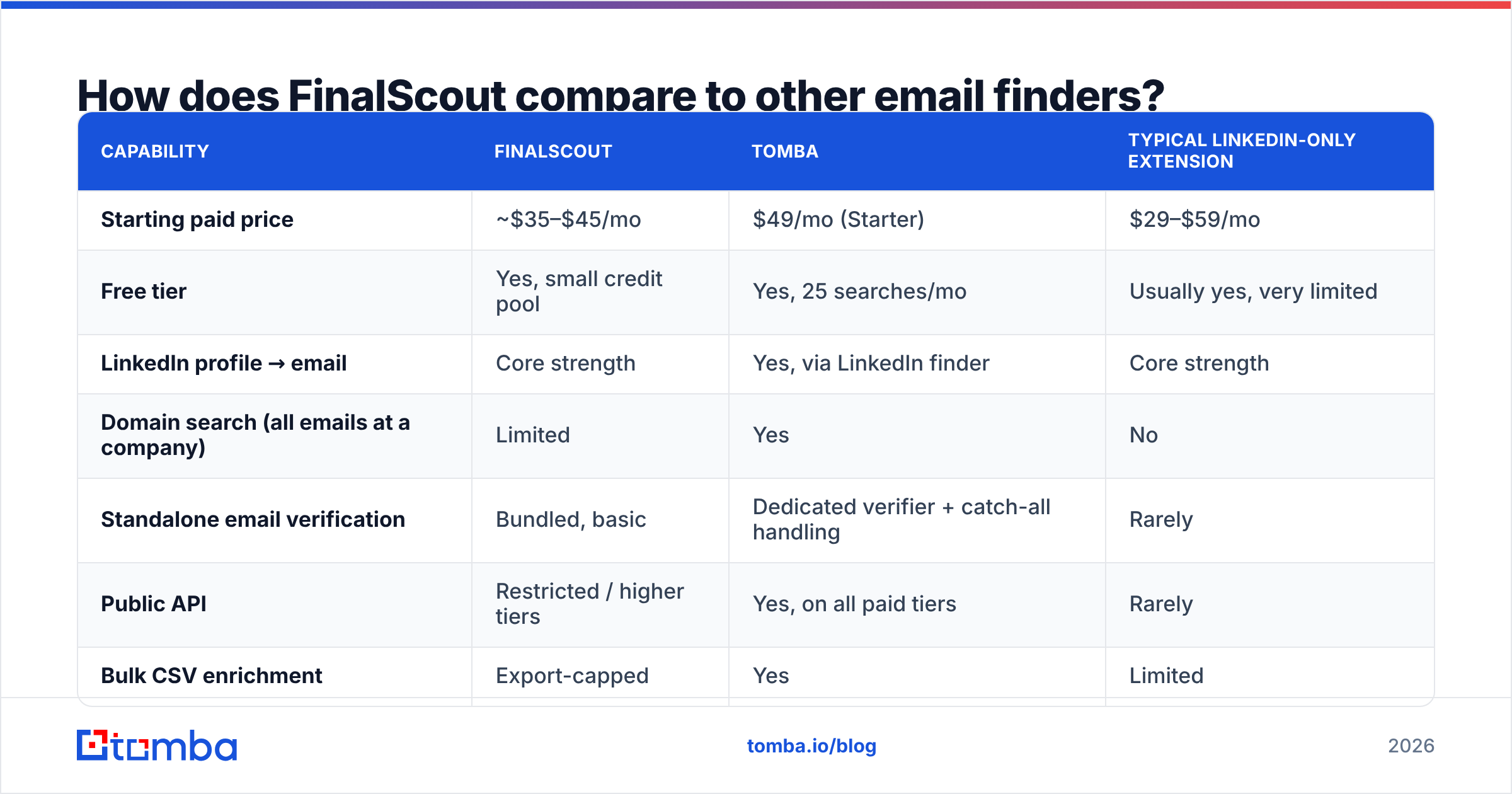
| Capability | FinalScout | Tomba | Typical LinkedIn-only extension |
|---|---|---|---|
| Starting paid price | ~$35–$45/mo | $49/mo (Starter) | $29–$59/mo |
| Free tier | Yes, small credit pool | Yes, 25 searches/mo | Usually yes, very limited |
| LinkedIn profile → email | Core strength | Yes, via LinkedIn finder | Core strength |
| Domain search (all emails at a company) | Limited | Yes | No |
| Standalone email verification | Bundled, basic | Dedicated verifier + catch-all handling | Rarely |
| Public API | Restricted / higher tiers | Yes, on all paid tiers | Rarely |
| Bulk CSV enrichment | Export-capped | Yes | Limited |
| Phone numbers | No | Yes | Sometimes |
| AI email writing | Yes, built in | No (use a dedicated sequencer) | Sometimes |
| Best fit | Solo LinkedIn prospecting | Multi-channel data ops | Ad-hoc single lookups |
A few reads from that table.
FinalScout wins on in-tab convenience. If your day is spent inside Sales Navigator and you want reveal-plus-draft in one click, the integrated AI writer is a genuine time-saver that most pure finders don't offer.
It loses on breadth. The moment your workflow includes "here are 800 company domains, find me the heads of engineering," you need domain search and bulk processing, which is a different product category. Tools like Tomba's bulk email finder are built for that list-in, list-out motion, and Tomba pricing starts at $49/mo on Starter with $99/mo Growth and $249/mo Pro tiers as volume scales.
It loses on automation. Restricted API access is the quiet dealbreaker for anyone building an enrichment pipeline, a CRM sync, or an internal tool. If a workflow needs to run without a human clicking an extension, an extension-first tool is architecturally wrong for it.

What do real FinalScout reviews complain about?#
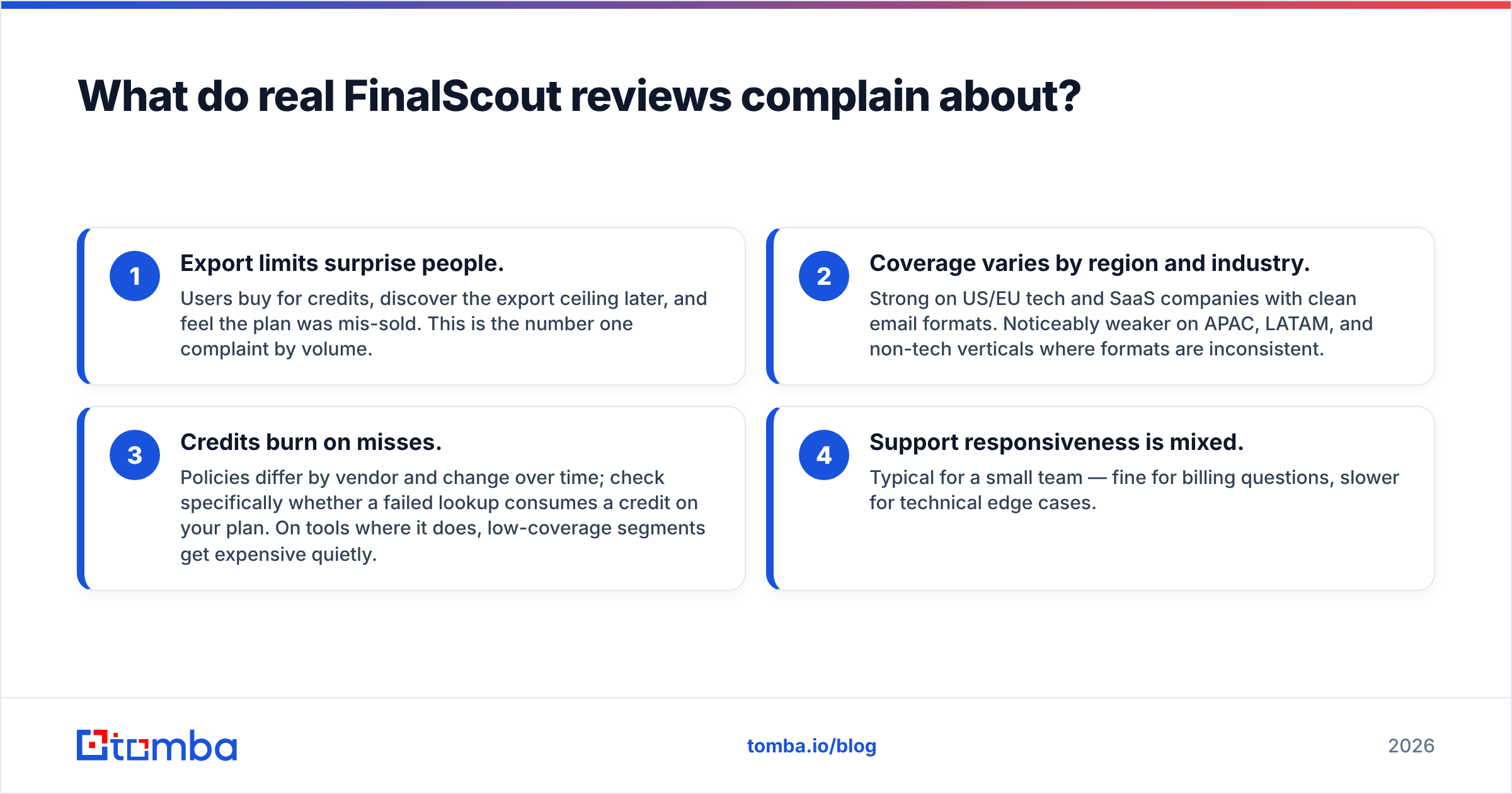
Filtering out affiliate content, four themes recur across user reviews:
- Export limits surprise people. Users buy for credits, discover the export ceiling later, and feel the plan was mis-sold. This is the number one complaint by volume.
- Coverage varies by region and industry. Strong on US/EU tech and SaaS companies with clean email formats. Noticeably weaker on APAC, LATAM, and non-tech verticals where formats are inconsistent.
- Credits burn on misses. Policies differ by vendor and change over time; check specifically whether a failed lookup consumes a credit on your plan. On tools where it does, low-coverage segments get expensive quietly.
- Support responsiveness is mixed. Typical for a small team — fine for billing questions, slower for technical edge cases.
None of these are disqualifying on their own. Together they describe a tool optimized for a single user doing moderate volume, not for a team running outbound as a system.
Who should buy FinalScout, and who should skip it?#
Buy it if: you're a solo founder or SDR, LinkedIn is genuinely where your prospects live, you do 100–500 lookups a month, and you'd use the AI drafting feature. At entry pricing, the convenience alone can justify the spend.
Skip it if: you need any of the following — API-driven enrichment, domain-first discovery, phone numbers, catch-all resolution at scale, more than a couple of seats, or bulk exports above a few thousand rows a month. Those needs point to a data platform, not an extension.
The hybrid play is worth considering and is what a lot of experienced teams actually do: keep a LinkedIn extension for opportunistic, high-context reveals during manual research, and run a separate finder-plus-verifier stack for systematic list building. The two motions have different economics and different failure modes, and trying to force one tool to serve both is where most tooling regret comes from.
What's the verdict on FinalScout in 2026?#
FinalScout is a competent, narrowly-scoped tool that does what it says within its lane. The 98% deliverability figure is real but answers the wrong question; coverage, catch-all handling, and export caps are where your actual cost per usable contact gets decided. Test it against your own ICP with 50 real targets before you commit — measure hit rate and bounce rate separately, and calculate cost per usable contact, not per credit.
If your prospecting extends past LinkedIn — domains, bulk lists, API-driven enrichment, multi-channel contact data — start with a finder built for that shape of work. The Tomba Email Finder covers name-and-domain lookups, company-wide domain search, and LinkedIn resolution from one credit pool, with a real API on every paid tier and a free plan at 25 searches a month so you can benchmark it head-to-head against FinalScout before either invoice lands. Run both on the same 50 prospects. The numbers will settle the argument faster than any review will.
Related guides#
Ready to find emails that actually work?
Join 150,000+ professionals who stopped guessing and started sending. Free credits on signup — no credit card required.
Get the Tomba newsletter
Practical outbound tactics and product updates — once every two weeks.
About the author