FinalScout vs Generect: Which Email Finder Wins in 2026?
FinalScout scrapes LinkedIn and writes your emails. Generect builds API-first lead lists. We break down accuracy, coverage, export limits and real cost so you can pick the one that fits your outbound motion.
FinalScout vs Generect is really a choice between two shapes of tool. One lives in your browser, on LinkedIn. The other lives in your codebase, behind an API. Here is how they differ — and when neither is the right pick.
TL;DR
- FinalScout is a LinkedIn-first tool. You browse profiles or Sales Navigator lists, extract emails, and let AI draft the outreach. Best if LinkedIn is where your prospecting actually happens.
- Generect is an API-first B2B data platform. You query companies and people in code or through lead lists, then pull contacts into your own system. Best if you have engineers and want data as infrastructure.
- Neither wins on raw email accuracy. Both lean on pattern guessing plus SMTP checks. You still need a separate verification step before you send.
- FinalScout's ceiling is LinkedIn rate limits and your credit tier. Generect's ceiling is EU/tech-skewed coverage and a steeper setup curve.
- Need clean, verified emails at volume without living inside LinkedIn? A dedicated finder plus verifier stack (Tomba's free tier through $249/mo Pro) usually costs less and exports cleaner.
What are FinalScout and Generect, exactly?#
They solve the same problem: get a working business email for a person you have already identified. But they come at it from opposite directions.
FinalScout is a Chrome extension plus web app built around LinkedIn. Open a profile, a search page, a Sales Navigator list, or a group. The extension pulls contact data for the people on screen. Its edge is a built-in AI writer that drafts a personal email from the scraped profile. The pitch is one loop: find the person, get the email, write the message, export.
Generect is a lead-data platform with a heavier API story. You define an ideal customer profile — industry, headcount, geography, tech stack, job title. Generect returns matching companies and people with contact data. It also offers LinkedIn-based sourcing. But the main surface is code: you wire it into a CRM, a sequencer, or an internal enrichment service.
That split explains almost every practical difference. One is a workflow tool for a human in a browser. The other is a data pipe for a team building a system.

FinalScout vs Generect: how do they compare head-to-head?#
Here is the practical breakdown. Pricing reflects published list rates at the time of writing. Both vendors change tiers, so check their sites before you commit.
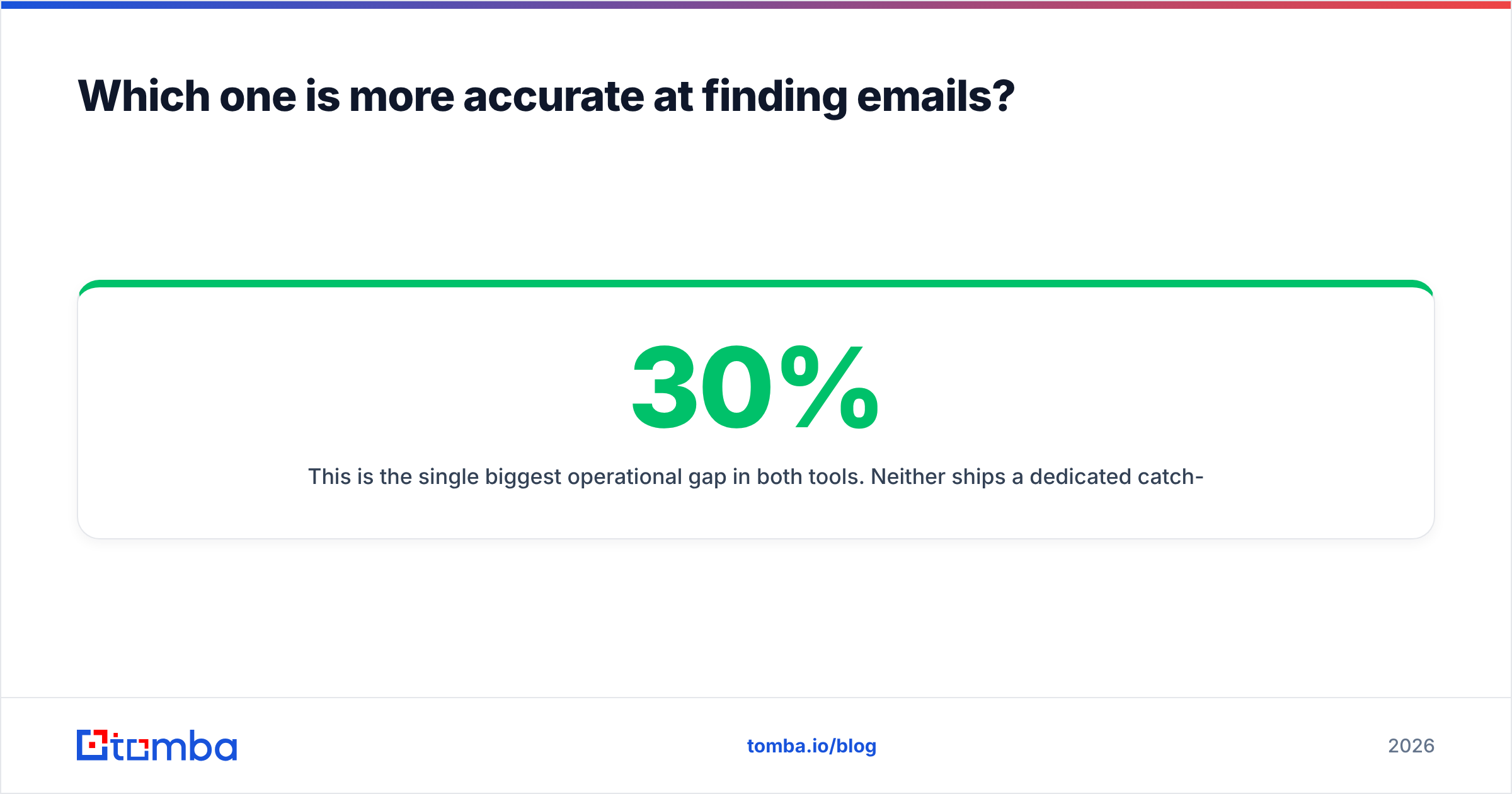
| Dimension | FinalScout | Generect | Tomba |
|---|---|---|---|
| Primary interface | Chrome extension + web app | REST API + web dashboard | Web app, API, Chrome extension, Sheets/Excel add-ins |
| Core motion | LinkedIn profile → email → AI draft | ICP query → company + people records | Domain/name → verified email at scale |
| Best for | SDRs living in Sales Navigator | RevOps teams building enrichment pipelines | Mixed teams needing volume + verification |
| Bulk export | Credit-gated CSV export | API pull, list export | Bulk finder + bulk verify, CSV/API |
| Built-in verification | Basic validity signal | Validity signal on returned records | Dedicated email verifier, catch-all verifier |
| AI email writing | Yes, native | No | No (uses external copy tools) |
| Free entry point | Limited free credits | Trial / demo-gated | Free tier, 25 searches/mo |
| Entry paid tier | ~$40–50/mo range | Custom / quote-led on most plans | $49/mo Starter |
| Setup effort | Minutes | Hours to days (dev work) | Minutes |
The table shows the real decision. You are not comparing two email finders. You are comparing a browser workflow against a data API. Email finding is just the shared part.
Which one is more accurate at finding emails?#
Neither vendor publishes an audited accuracy figure. Be skeptical of the marketing numbers on both sides. The industry norm is to quote deliverability on a filtered subset, not hit rate on a raw list.
What matters is the mechanism. Both use the same three layers most finders use:
- Pattern inference — work out the company's email format (first.last@, f.last@, first@) from known addresses at that domain, then apply it to your target's name.
- Public source matching — check scraped web pages, git commits, press releases, and public profiles for an address already in the open.
- SMTP validation — open a connection to the mail server and ask whether the mailbox exists, without sending.
They diverge at layer 3. Catch-all domains accept mail to any address. So SMTP validation returns "yes" for everything, including addresses that will hard-bounce. Both tools return catch-all results with a soft confidence label. That label is where lists quietly rot.

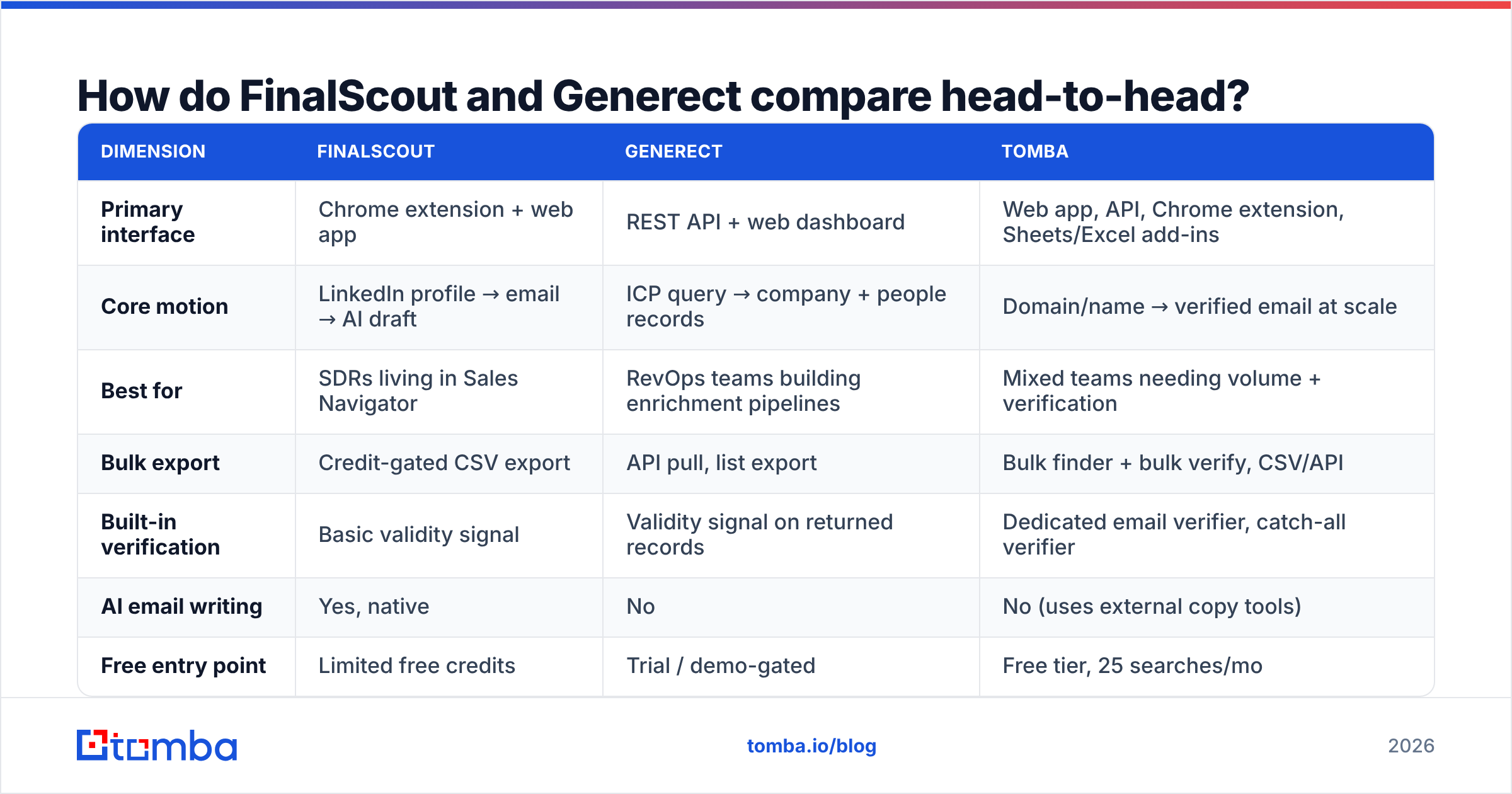
This is the biggest operational gap in both tools. Neither ships a dedicated catch-all step. Say 20–30% of your target accounts run catch-all. That is common in enterprise, and in anything running Microsoft 365 with a wildcard rule. You are then sending blind on a third of your list. A separate catch-all verifier stops being optional at that point. It is the difference between a 2% bounce rate and a 9% one. Google and Microsoft both treat sustained bounces above roughly 2% as a reputation signal.
Accuracy verdict on FinalScout vs Generect: FinalScout does better on individual, LinkedIn-identified people, because rich profile context helps it tell similar names apart. Generect does better on breadth. You get more contacts per company, at slightly lower average confidence. Both need a verification pass.
Is FinalScout's LinkedIn dependency a strength or a liability?#
Both. Be clear-eyed about the trade-off.
The strength: LinkedIn is the best B2B identity graph there is. Pull from a Sales Navigator list and you already know the person's title, tenure, company size, and recent activity. That context makes the found email far more likely to be the right person. It also makes personalization real instead of templated.
The liability: you inherit LinkedIn's rules. Extraction volume is capped by what your account can safely view in a session. Aggressive scraping puts your personal account at risk of restriction. For most sellers, that account is a career asset worth more than the tool. LinkedIn's User Agreement bans automated data collection, and enforcement has grown less patient.
So FinalScout has a hard throughput ceiling. You will not build a 50,000-contact list in a week without extra accounts or real risk. If your motion is 50–200 researched contacts a week, that ceiling never bites. If you run a broad, multi-segment program, it will.
Generect avoids the personal-account risk on its API path. You query a database instead of driving a browser session. Its LinkedIn-sourced features carry similar caveats, though. And coverage still depends on how recently the source data was refreshed.
Which has better data coverage?#
Coverage is regional and vertical. Honest answers require testing on your ICP, not a generic sample.
Broad patterns worth knowing:
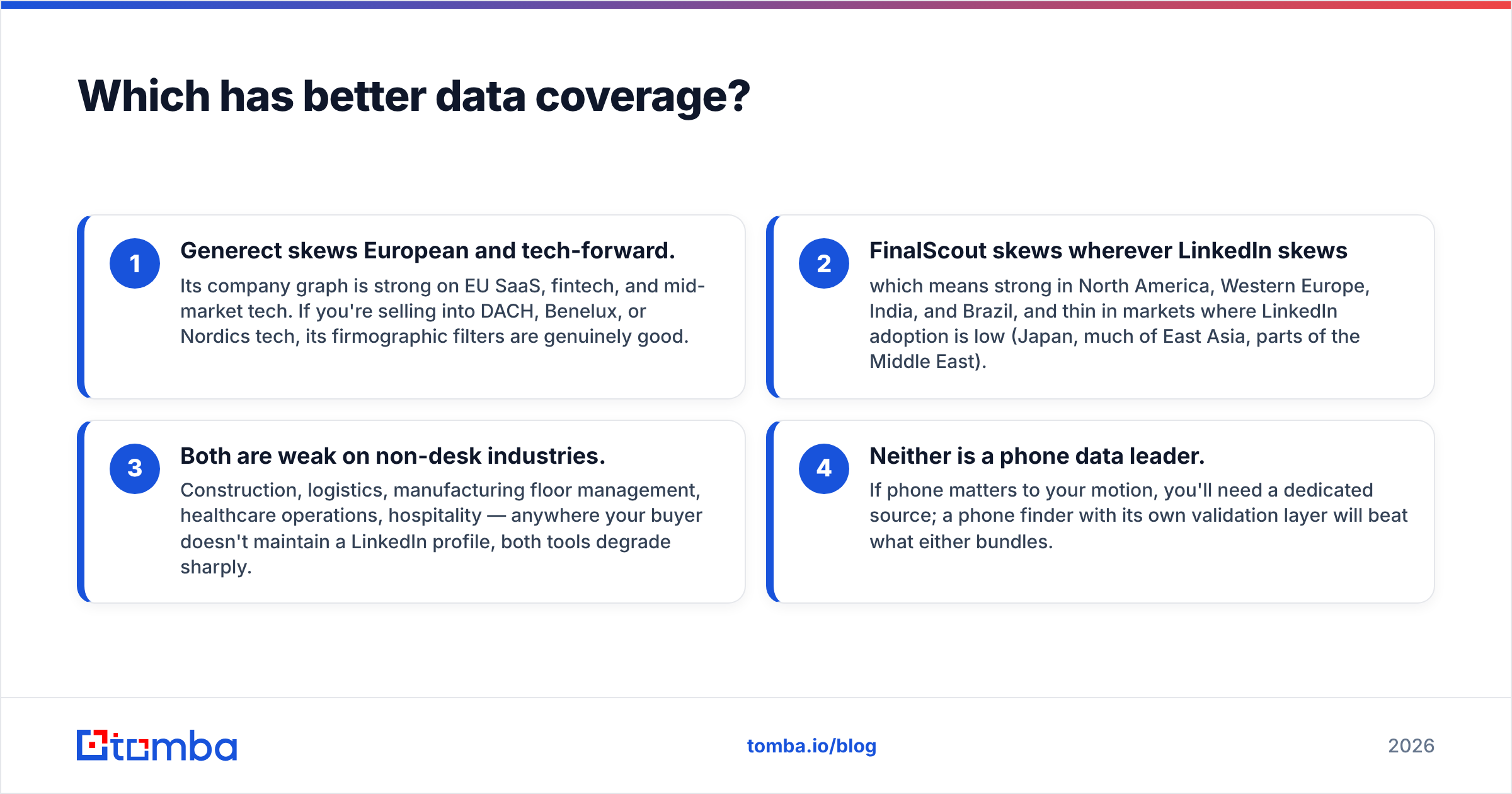
- Generect skews European and tech-forward. Its company graph is strong on EU SaaS, fintech, and mid-market tech. Selling into DACH, Benelux, or Nordics tech? Its firmographic filters are genuinely good.
- FinalScout skews wherever LinkedIn skews. That means strong in North America, Western Europe, India, and Brazil. It is thin where LinkedIn adoption is low, such as Japan, much of East Asia, and parts of the Middle East.
- Both are weak on non-desk industries. Construction, logistics, manufacturing, healthcare operations, hospitality. Where your buyer keeps no LinkedIn profile, both tools drop off sharply.
- Neither leads on phone data. If phone matters to your motion, get a dedicated source. A phone finder with its own validation layer beats what either one bundles.
The right test is boring and takes one afternoon. Pull 100 known-good contacts from your closed-won accounts. Strip the emails. Run the list through each tool's trial. Measure hit rate and correctness separately. Vendors optimize for hit rate, because that is the number in the demo. Correctness is the number that sets your bounce rate.
What does each one actually cost?#
Sticker price is the least interesting part of the cost question. Three things decide real spend.
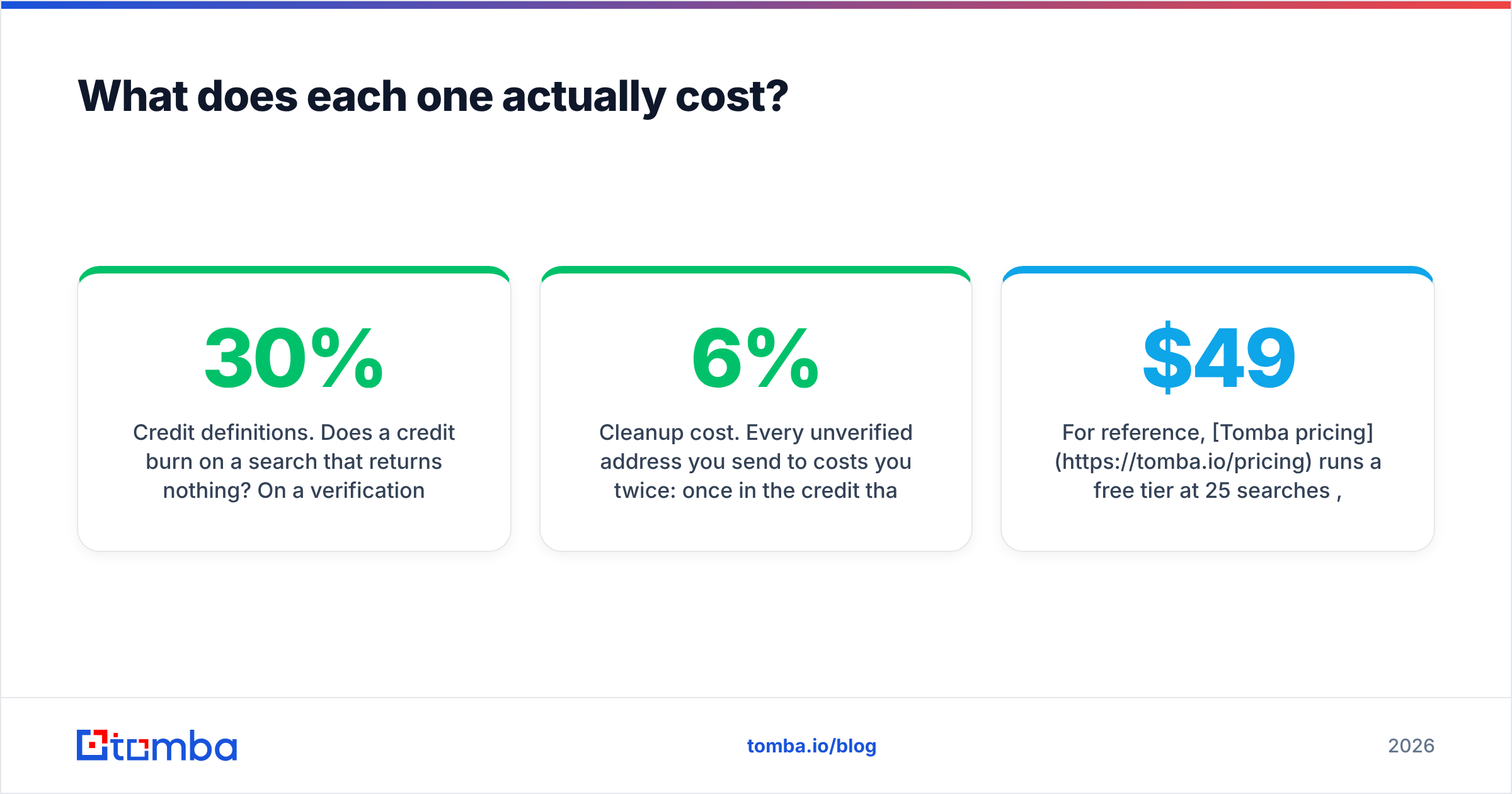
Credit definitions. Does a credit burn on a search that returns nothing? On a verification? On a repeat lookup of a contact you pulled last month? The two tools define this differently. A plan that looks 30% cheaper can burn credits 60% faster. Read the credit policy, not the price table.
Seat multiplication. FinalScout charges per user, because the extension lives in a browser. Five SDRs means five seats. Generect's API serves the whole team from one integration. But you pay for the volume tier plus the engineering time to build and maintain it. For a five-person team, the per-seat model often loses. For a solo founder, it usually wins.
Cleanup cost. Every unverified address costs you twice. Once for the credit that found it, and again in deliverability damage when it bounces. At scale, this dominates. A 6% bounce rate does not just waste 6% of your sends. It degrades sender reputation enough to suppress inbox placement for the other 94%.

For reference, Tomba pricing starts with a free tier at 25 searches a month. Starter is $49/mo, Growth is $99/mo, and Pro is $249/mo. Search and verification sit on the same plan, not in two separate purchases. The point is not which number is lowest. It is whether finding and verifying live under one budget line or two.

Should you use the AI email writer?#
FinalScout's AI drafting is its most-marketed feature. It also deserves the most scrutiny.
It works as advertised. It reads the LinkedIn profile and writes a competent, personal-looking email in about four seconds. That is real time saved on the blank-page problem.
The problem is that competent is now the floor, not the ceiling. Your prospect gets eleven of these a day. Profile-derived lines — "I saw you've been at Acme for three years and lead the platform team" — read as automated. They are automated, and the tells repeat across every tool that does it.
Use it as a first-draft accelerator, not a send-ready output. Replies still come from something the profile does not contain. A line from their earnings call. A shift in their job postings. A product decision you can name. If you want structural help instead, a subject line generator plus your own research beats profile-summary AI, and it costs nothing.
One more thing. Neither tool's AI writer helps deliverability. A perfect email to an invalid address still bounces. A great email from a cold domain still lands in spam. Copy quality, sequence quality, and infrastructure quality are separate problems. G2's category data shows buyers keep underrating this.
FinalScout vs Generect: which should you pick?#
Pick FinalScout if: LinkedIn and Sales Navigator are where you already prospect. You work in low volume with deep research. You are a team of one to three. You want find-and-write in a single browser loop. Accept the throughput ceiling and the account risk as the price of that convenience.
Pick Generect if: you have engineering capacity. You want lead data flowing into your own systems rather than exported as CSVs. Your ICP is European or EU-tech-heavy. You are building an enrichment layer that outlives any one tool. Accept the setup cost and the quote-led sales cycle.
Pick neither if: your bottleneck is volume of verified contacts rather than discovery workflow. That is the most common case, and the one both tools fit worst. If you already know which companies you target and you need every relevant contact at those domains, verified and exported, a domain search plus bulk email finder workflow does it in far fewer clicks and with no LinkedIn exposure.
How should you structure your stack either way?#
Whichever you choose, the pattern that works is the same:
- Source — pick targets from firmographic filters or from LinkedIn, not from whatever the tool surfaces first.
- Find — pull addresses at the domain level, not one profile at a time, wherever volume matters.
- Verify — run every address through real verification, and resolve catch-alls separately. Non-negotiable.
- Enrich — add only the fields your sequencing uses. Anything else is noise in your CRM.
- Send — from warmed infrastructure with correct SPF, DKIM, and DMARC.
Steps 1 and 2 are where FinalScout vs Generect is actually decided. Step 3 is where both leave you exposed, and where most cold email programs quietly fail.
Ready to fix the step both tools skip? Start with the Tomba Email Finder. Find professional addresses by domain, name, or company, with verification built into the same workflow rather than bolted on afterward. The free tier gives you 25 searches a month, enough to benchmark hit rate against whatever you use now. Starter is $49/mo when you are ready to scale. Run your closed-won list through it first. The numbers will tell you more than any comparison post can.
Related guides#
Ready to find emails that actually work?
Join 150,000+ professionals who stopped guessing and started sending. Free credits on signup — no credit card required.
Get the Tomba newsletter
Practical outbound tactics and product updates — once every two weeks.
About the author