FinalScout vs HitHorizons: Which B2B Data Tool Wins in 2026?
FinalScout pulls emails off LinkedIn profiles. HitHorizons maps European company registries. They solve opposite halves of the same prospecting problem — here's which one your pipeline actually needs, and when you need neither.
FinalScout vs HitHorizons is an odd matchup. One tool finds emails on LinkedIn. The other maps European company registries. This guide compares FinalScout vs HitHorizons on data, workflow, price, and fit, so you can pick the right layer for your outbound stack.
TL;DR
These tools are not swaps for each other. FinalScout is a LinkedIn-first email finder. It runs as a Chrome extension. HitHorizons is a European company database built on official registry data.
Pick FinalScout if your buyers live on LinkedIn. It suits reps who work one profile at a time. You also get AI-drafted first-touch copy in the same window.
Pick HitHorizons if you sell to European SMEs and mid-market firms. You get legal names, registration numbers, industry codes, and financials. Use it when finding companies is the hard part.
Neither one verifies email well. You would not trust either for a 5,000-address send. That gap burns sender reputation. So most teams add a dedicated finder plus a verifier.
Costs split fast at scale. FinalScout charges per email credit, per seat. HitHorizons charges per record, report, or API package. Model both against your real monthly volume before you sign an annual deal.
FinalScout vs HitHorizons: what does each tool do?#
They solve opposite halves of one problem. That is why so many FinalScout vs HitHorizons searches end in confusion.
FinalScout is a contact-extraction tool. You install a Chrome extension, then browse LinkedIn or Sales Navigator. It tries to find a work email for the profile on screen.
It also writes email drafts with AI. You feed it a profile, and it drafts a first touch. The product is built for the rep who works a list of people.
HitHorizons is a company data platform. It pulls registry and firmographic data on tens of millions of European companies across 50+ countries. You can search it, open company profiles, download reports, or call the API.
Each record can carry the legal name, registration number, address, industry code, and size band. Some countries and report tiers add financial data. The product is built for the analyst or RevOps lead who works a list of accounts.
Here is a fast way to spot the layer you are missing:
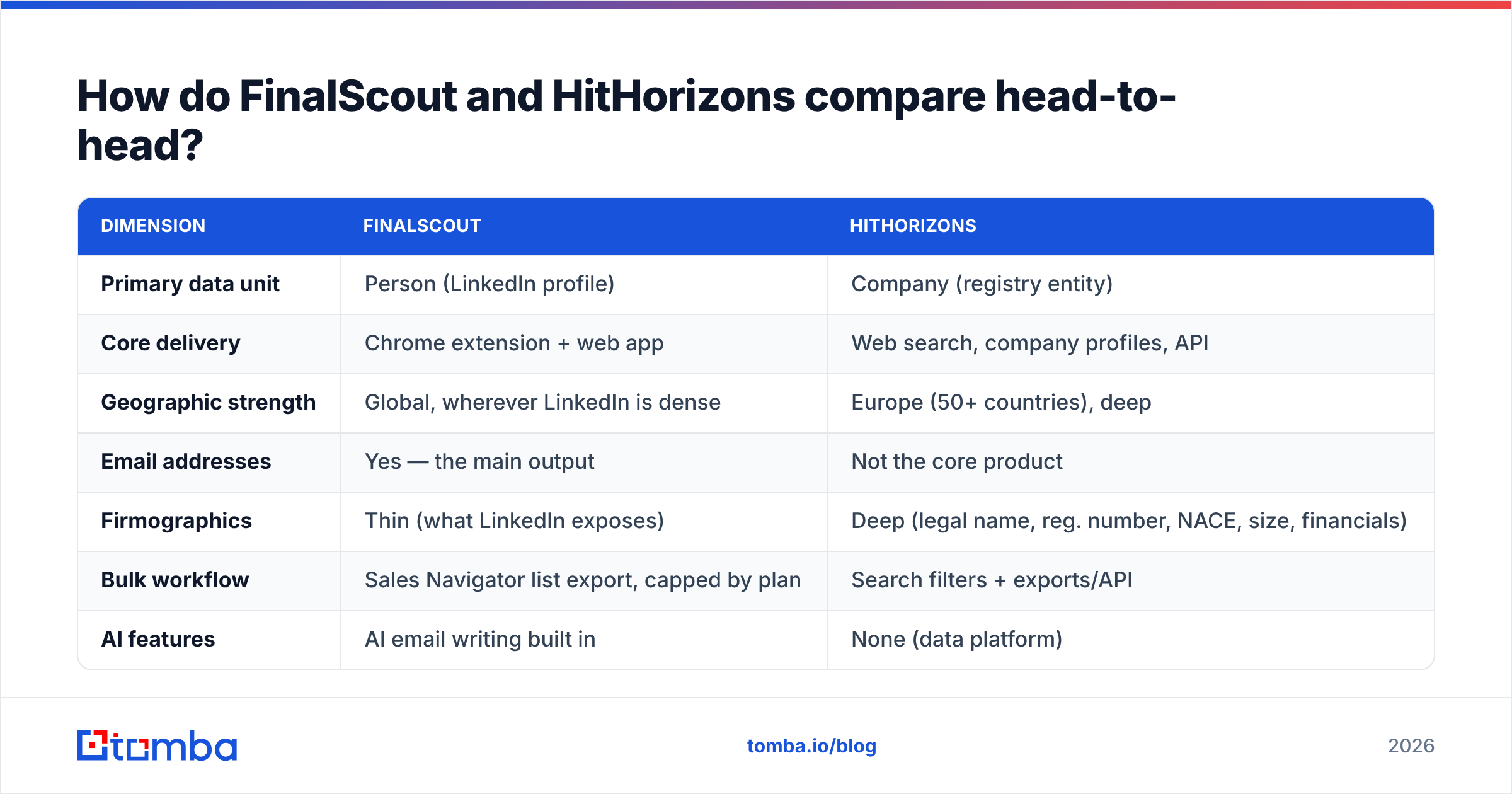
- You know the companies, not the people. You have 400 German manufacturers on a list and no procurement contacts. That is a contact problem. FinalScout covers it, though a domain-first email finder is usually cheaper at volume.
- You know the personas, not the companies. You sell to Heads of Logistics at mid-size distributors in Central Europe. You cannot build the account list at all. That is HitHorizons' side.
- You have both lists, but half your sends bounce. That is a verification problem. Neither tool solves it.
- You have neither list. You need a company filter first, then a contact layer. That means two tools, or one platform that does both.
- You need EU legal-entity accuracy. For compliance or credit checks, registry data beats email coverage. HitHorizons wins outright.
- You need scale, not manual browsing. Extensions cap out fast. Look at API-first options instead.

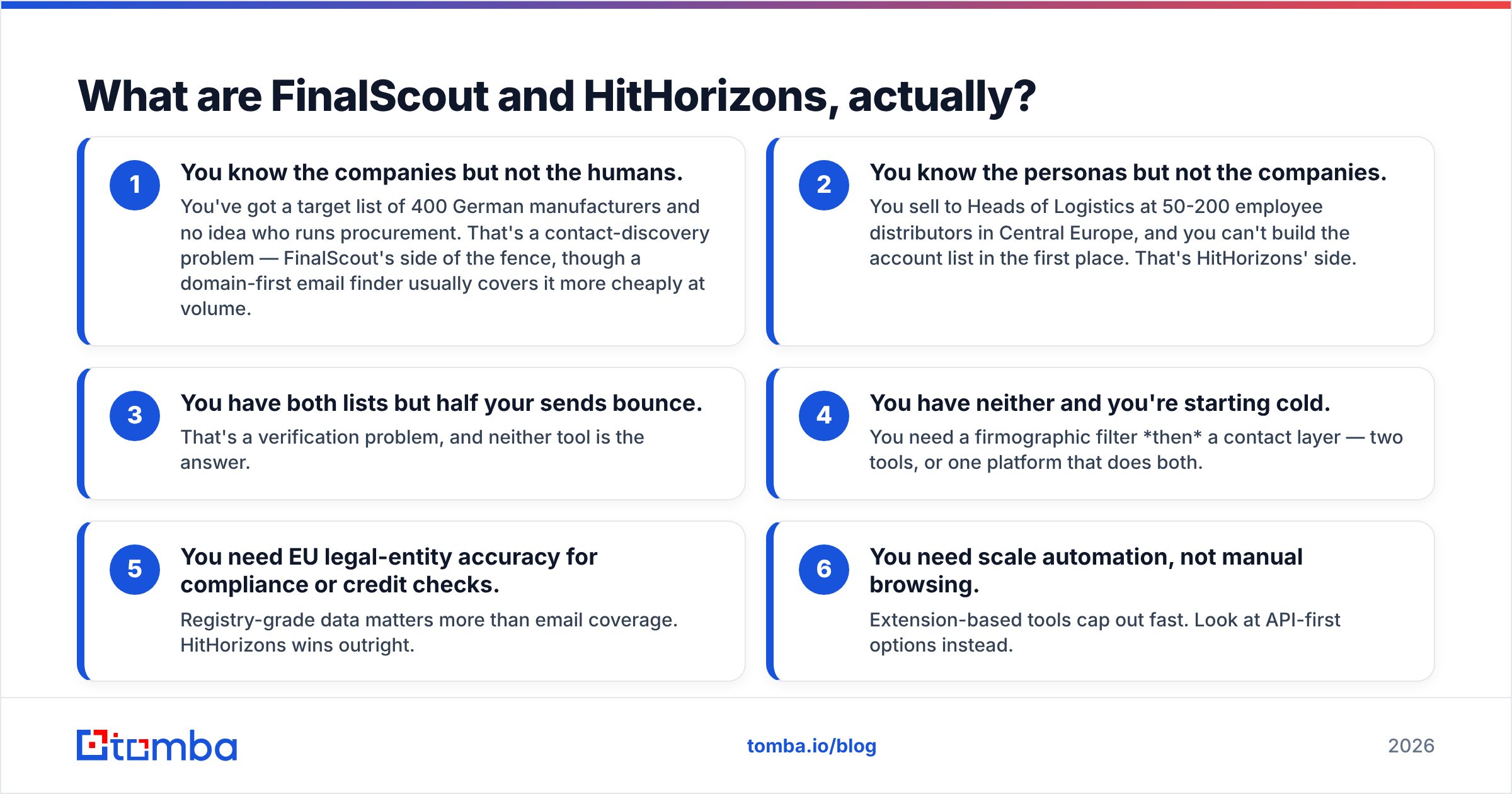
FinalScout vs HitHorizons: head-to-head comparison#
| Dimension | FinalScout | HitHorizons |
|---|---|---|
| Primary data unit | Person (LinkedIn profile) | Company (registry entity) |
| Core delivery | Chrome extension + web app | Web search, company profiles, API |
| Geographic strength | Global, wherever LinkedIn is dense | Europe (50+ countries), deep |
| Email addresses | Yes — the main output | Not the core product |
| Firmographics | Thin (what LinkedIn exposes) | Deep (legal name, reg. number, NACE, size, financials) |
| Bulk workflow | Sales Navigator list export, capped by plan | Search filters + exports/API |
| AI features | AI email writing built in | None (data platform) |
| Verification | Basic checks, deliverability claims | Not applicable |
| Best user | SDR working LinkedIn daily | RevOps / analyst building EU account lists |
| Worst fit | Non-LinkedIn ICPs, high-volume API needs | Any team that needs contact emails |
The table makes the real verdict clear. If you framed this as "which one do I buy," the frame may be wrong.
Teams that get value from HitHorizons almost always need a contact layer on top of it. Teams that get value from FinalScout usually have their account list already.
What does FinalScout do best?#
LinkedIn-native workflow. The extension sits where reps already work. There is no tab switching and no CSV round trip. For a rep touching 40-60 profiles a day, that saved time is real.
AI drafting in context. FinalScout reads the profile you are on and writes a first draft. It will not win awards, and you should edit every line. Still, it beats a blank screen at 4pm. For a second opinion on structure, a dedicated cold email AI writer does the same job on its own.
Sales Navigator list handling. You can push a saved search or lead list through the tool. You do not have to click each profile. This is where FinalScout earns its price.
Low setup cost. Install, sign in, start finding. There is no data model to learn and no onboarding call.
Now the rough parts. Coverage drops outside LinkedIn-heavy markets. Seat-based pricing punishes team growth. And "found" is not the same as "deliverable."
Extension-sourced emails often include role accounts and stale addresses from a past employer. Some are pattern guesses that no mail server ever confirmed. That flaw is not unique to FinalScout. It is built into profile scraping as a method.
What does HitHorizons do best?#
Registry-grade European coverage. This is the moat. National registers and filed accounts give you the legal entity, not a guess at company size. If you sell into Germany, Austria, Czechia, Poland, Italy, or the Nordics, that depth is hard to match. US-centric databases treat Europe as an afterthought.
Filters that map to real buyers. Industry codes, employee bands, revenue bands, and geography stack in one query. You can ask for "manufacturers, 50-250 staff, DACH, NACE 28.xx" and get a clean list. Try that in a LinkedIn-derived database and you get noise.
API access for pipeline builds. Feeding a CRM, a scoring model, or a territory plan? Machine-readable data beats a UI you have to click through. It is the same pattern you would use to wire a contact-side email finder API.
Compliance and diligence use cases. Credit teams, partner vetting, KYB checks, and market sizing all use this data. That is a wider buyer base than outbound alone. It also explains why HitHorizons does not try to be an email tool.
Here is where it stops short for a sales team. You finish account selection and hit a wall. You have a company, an address, and a registration number. You do not have a person, a title, or an inbox. HitHorizons starts your outbound motion. It does not finish it.
FinalScout vs HitHorizons pricing in 2026#
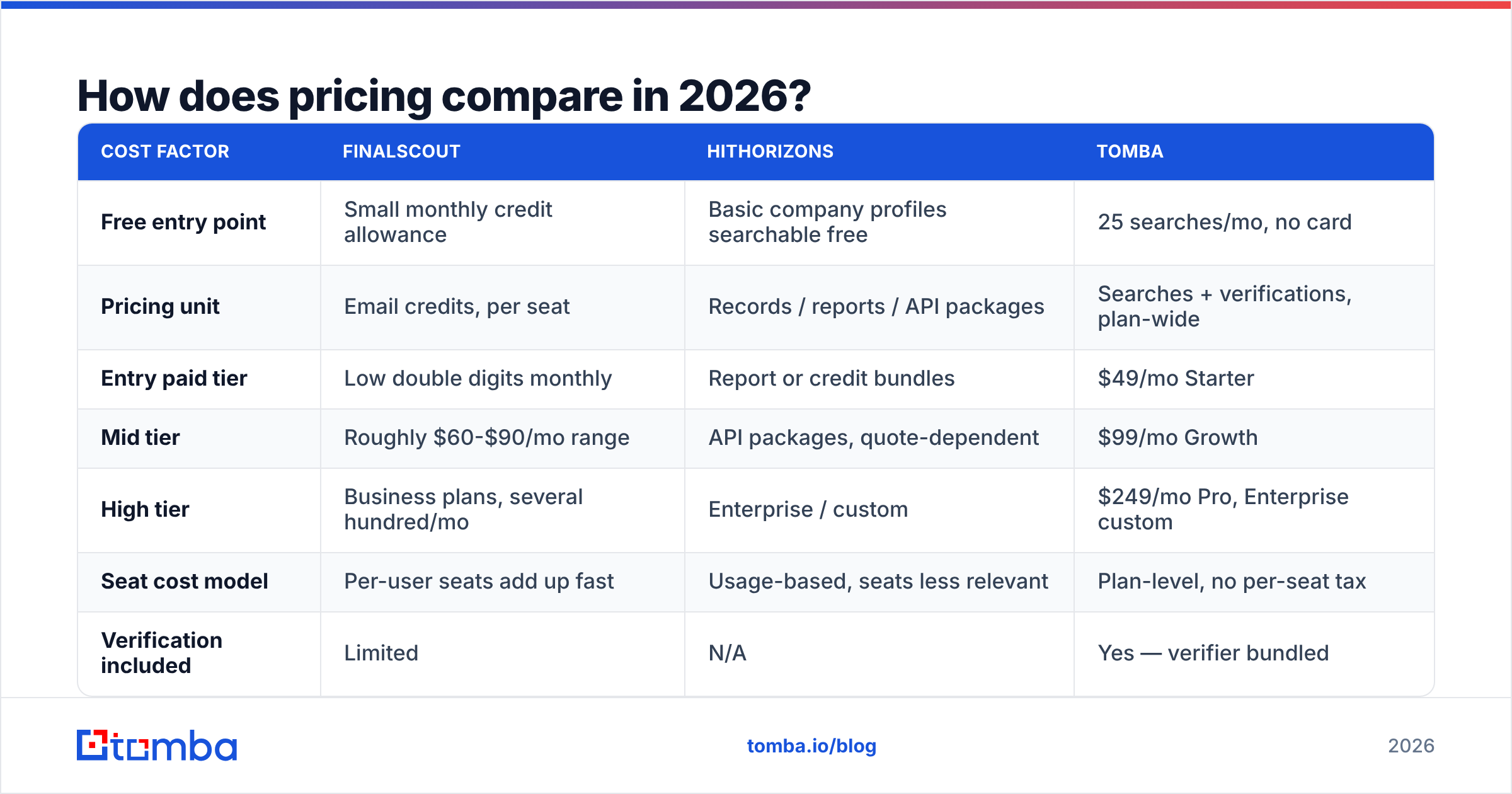
Both vendors have reshuffled their plans more than once. Treat the shape below as a guide, then confirm current numbers on the vendor pages.
| Cost factor | FinalScout | HitHorizons | Tomba |
|---|---|---|---|
| Free entry point | Small monthly credit allowance | Basic company profiles searchable free | 25 searches/mo, no card |
| Pricing unit | Email credits, per seat | Records / reports / API packages | Searches + verifications, plan-wide |
| Entry paid tier | Low double digits monthly | Report or credit bundles | $49/mo Starter |
| Mid tier | Roughly $60-$90/mo range | API packages, quote-dependent | $99/mo Growth |
| High tier | Business plans, several hundred/mo | Enterprise / custom | $249/mo Pro, Enterprise custom |
| Seat cost model | Per-user seats add up fast | Usage-based, seats less relevant | Plan-level, no per-seat tax |
| Verification included | Limited | N/A | Yes — verifier bundled |
Two pricing traps are worth naming.
Seat multiplication. Per-seat contact tools look cheap for one rep. They look expensive for six. Run the math at your Q4 headcount, not today's. Set that against Tomba pricing and the gap at team scale is usually wider than the gap for a single user.
Credit burn on bad data. A credit spent on a bouncing address costs you twice. You pay once at purchase and again in sender reputation. Tools that charge for a "found" email, deliverable or not, push that risk onto you. So track cost per valid email, not cost per credit. User reviews on G2 help here. Filter for reviews that mention bounce rates, not star ratings.

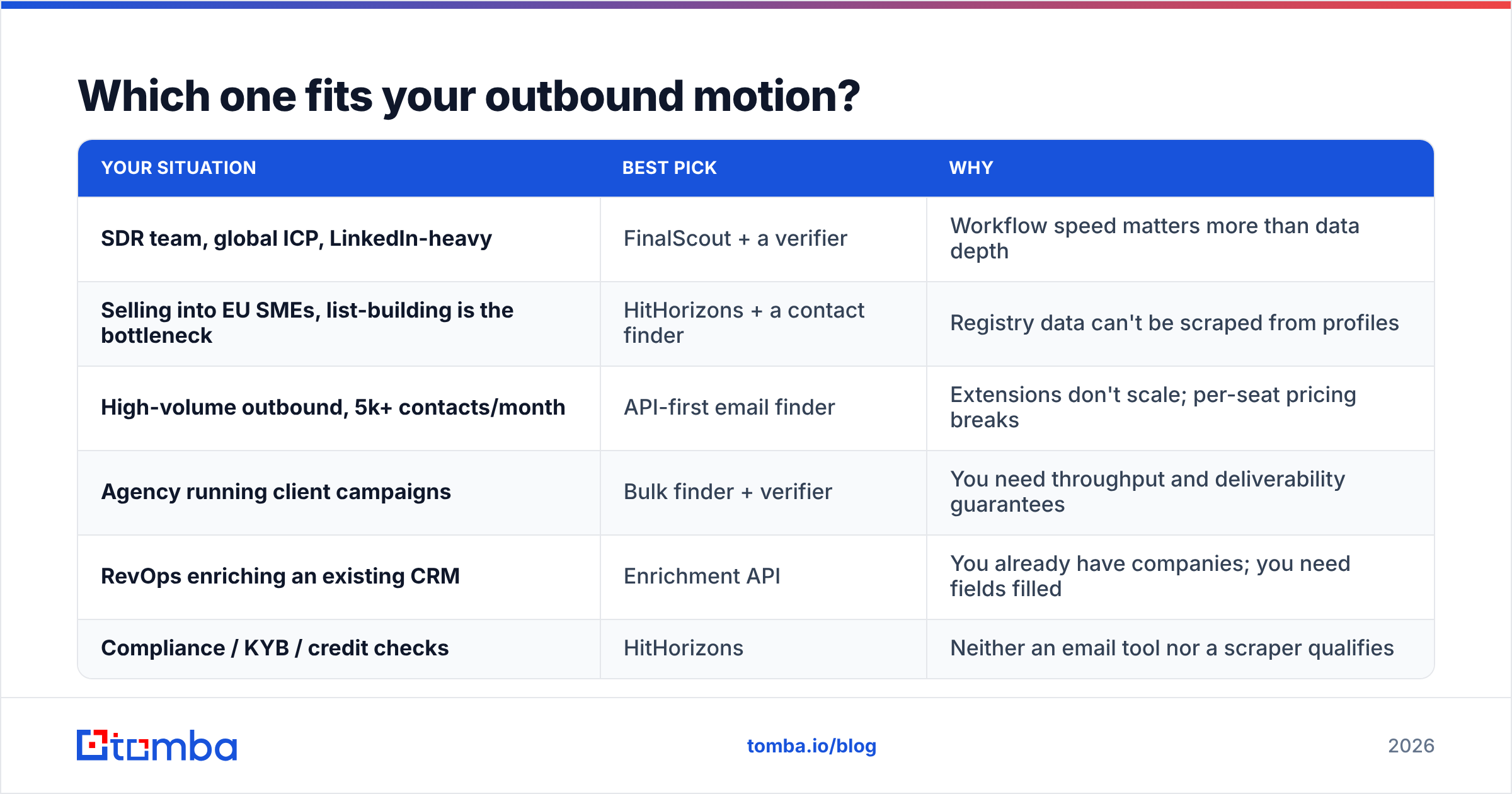
Which one fits your outbound motion?#
| Your situation | Best pick | Why |
|---|---|---|
| SDR team, global ICP, LinkedIn-heavy | FinalScout + a verifier | Workflow speed matters more than data depth |
| Selling into EU SMEs, list-building is the bottleneck | HitHorizons + a contact finder | Registry data can't be scraped from profiles |
| High-volume outbound, 5k+ contacts/month | API-first email finder | Extensions don't scale; per-seat pricing breaks |
| Agency running client campaigns | Bulk finder + verifier | You need throughput and deliverability guarantees |
| RevOps enriching an existing CRM | Enrichment API | You already have companies; you need fields filled |
| Compliance / KYB / credit checks | HitHorizons | Neither an email tool nor a scraper qualifies |
What do both tools leave you to solve?#
Verification. This theme keeps coming back, and it is not a nitpick. Mailbox providers in 2026 are strict. Google and Yahoo enforce bulk-sender rules. A bounce rate above 2-3% starts to cost you inbox placement across the whole domain.
No LinkedIn scraper can tell you if firstname.lastname@company.de still accepts mail. No company registry can either. You need an SMTP-level check before you send, which is the job of a dedicated email verifier. Catch-all domains need their own handling. They are very common in the European mid-market, and a standard verifier just returns "unknown."
Multi-source coverage. Any single-source tool inherits that source's blind spots. Profile scrapers miss people who ignore LinkedIn. Registry databases hold no personal contact data at all.
Cross-checking domain patterns, public web pages, and profile data lifts hit rates well above any one method. That is the case for a finder that runs domain search and profile lookup side by side.
Workflow beyond discovery. Finding a contact is step one of about six. Dedupe, CRM sync, sequencing, and suppression lists all come after. FinalScout covers part of the drafting step. HitHorizons covers none of it. Budget for the rest of the stack.
Non-European accounts. If you sell into the US and APAC too, HitHorizons only solves part of the map. You will run a second data source anyway. Add that overlap to your total cost.
Are there better alternatives to both?#
It depends on which half of the problem you have.
For contact discovery at scale, an API-first email finder beats an extension. You get the same lookup logic with no seat licensing. You can also wire it into any list-building process, including one seeded by HitHorizons. Tomba's free tier gives you 25 searches a month, so you can test hit rates on your own domains first. Paid plans start at $49/mo.
For LinkedIn-specific work, a LinkedIn finder does the same profile-to-email job. Verification runs in the same pipeline, which is the piece FinalScout leaves you to bolt on.
For ready-to-send contact lists, BookYourData is worth a look. It sells verified contact records outright instead of making you assemble them. That suits teams who would rather buy a list than build one.
For deep company data outside Europe, the large vendors (D&B and ZoomInfo-class platforms) cover ground HitHorizons does not. They also cost far more. If Europe is your market, HitHorizons is tighter and usually cheaper.
FAQ: FinalScout vs HitHorizons#
Can HitHorizons find email addresses? Not as a core function. It is a company data platform. Some records list company-level contact details. You will not get the personal work inboxes an outbound sequence needs.
Is FinalScout accurate enough for cold email? Accuracy shifts by market and seniority. And "found" is not "valid." Run every extraction through a verifier before you send. A finder that flags valid, invalid, or catch-all upfront saves you that second step.
Can I use both together? Yes. For European outbound it is a sound stack. HitHorizons builds the account list, a contact finder resolves the people, and a verifier gates the send. Check first whether one platform covers the last two steps. Otherwise you pay for three subscriptions.
Which is cheaper? That is the wrong axis. The two price different units. In a FinalScout vs HitHorizons cost review, compare price per usable outcome: one verified contact at a qualified account.
Does either handle catch-all domains? Neither handles them well. European mid-market domains are often catch-all. If that is your market, a catch-all verifier is not optional.
The FinalScout vs HitHorizons verdict#
Do you sell into Europe, and is which companies to target your problem? Buy HitHorizons. Nothing scraped from a social profile matches registry-grade company data.
Is your problem who to email at companies you already picked? FinalScout is a fair, low-friction choice for a small LinkedIn-native team. It will get costly per seat, though, and it hands you the verification problem unsolved.
For most outbound teams the answer is both. In that case, start with the contact layer, because that is where deliverability risk sits. Try the Tomba Email Finder on your current target accounts. You get 25 free searches, no card, and verification in the same result. Measure hit rate and bounce rate against your current tool, then decide what else your stack needs.
Related guides#
Ready to find emails that actually work?
Join 150,000+ professionals who stopped guessing and started sending. Free credits on signup — no credit card required.
Get the Tomba newsletter
Practical outbound tactics and product updates — once every two weeks.
About the author