FinalScout vs Kipplo: Which Email Finder Wins in 2026?
FinalScout is a LinkedIn-first email finder with an AI writer bolted on. Kipplo is a database-first prospecting tool. We break down accuracy, credits, real pricing, and which one actually fits your outbound motion in 2026.
TL;DR
- FinalScout is LinkedIn-first. It lives in a Chrome extension on top of LinkedIn, Sales Navigator, and Recruiter, and pairs email lookup with an AI email writer. If your prospecting starts with a LinkedIn search URL, it fits your hands.
- Kipplo is database-first. You filter a stored B2B contact set by title, industry, size, and geography, then export. If your prospecting starts with an ICP definition rather than a specific person, it fits better.
- Neither is a verification platform. Both return emails; neither gives you the SMTP-level, catch-all-aware verification layer that keeps a cold domain alive past month two.
- Credits are not comparable across vendors. One vendor's "credit" is a returned contact, another's is a lookup attempt. Read the definition before you compare the price.
- The honest answer for most teams is a split stack: one tool for sourcing, a dedicated finder/verifier like Tomba for the email layer, and a sender you already trust.
What are FinalScout and Kipplo?#
They solve the same end problem — get a working email for a person you want to reach — from opposite directions.
FinalScout (finalscout.com) is built around the LinkedIn workflow. You install the extension, open a profile or a Sales Navigator list, and it resolves emails for the people on screen. Its differentiator is the AI writing layer: it drafts a first-touch email using the profile context it just scraped. The pitch is "find and write in the same tab."
Kipplo (kipplo.com) is positioned as a broader B2B prospecting platform: a searchable contact database with filters, email finding, verification, and export. You're not required to have a LinkedIn list first — you describe the segment and pull contacts out of it.
Here's the practical difference, item by item:
- Starting point. FinalScout starts from a person or a LinkedIn list you built. Kipplo starts from a filter set you define.
- Where the work happens. FinalScout: inside the browser, on top of LinkedIn's UI. Kipplo: inside its own web app.
- What you're buying. FinalScout sells lookups plus AI copy. Kipplo sells access to records plus lookups.
- Ceiling on volume. Extension-based tools are throttled by LinkedIn's own limits and by how fast you can page through results. Database tools are throttled by your plan's export cap.
- Risk profile. Heavy LinkedIn automation carries account-restriction risk. Database exports don't touch your LinkedIn account at all.
- Data freshness. Extension tools read what LinkedIn shows today. Databases show what was crawled and last refreshed — which may be 3 months or 18 months ago, depending on the vendor.
If you internalize only one thing: the sourcing model determines the failure mode. LinkedIn-first tools fail by being slow and account-risky. Database-first tools fail by being stale.

How do FinalScout and Kipplo actually find emails?#
Both use the same underlying family of techniques, which is why raw hit rates across mid-tier vendors cluster closer than the marketing suggests.
The stack, in order of reliability:
- Known-good records. The email was previously observed, confirmed, and stored. Highest confidence, lowest coverage.
- Pattern inference. The tool knows
acme.comusesfirst.last@, knows the person's name, and constructs the address. Good when the pattern sample is large, dangerous when it's one observation. - SMTP validation. The tool asks the receiving mail server whether the mailbox exists. Works well — until the domain is catch-all, at which point every address returns "valid."
- Third-party enrichment. The vendor buys or licenses data to fill gaps. Quality varies wildly and is rarely disclosed.
FinalScout leans on LinkedIn context (current employer, name spelling as the person writes it) plus pattern and SMTP work. That's a genuine advantage on people who just changed jobs, because the profile is usually updated before any database is. Kipplo leans on its stored set first and falls back to inference. That's an advantage on breadth — you can pull 500 CFOs at 50–200 employee logistics companies without ever opening LinkedIn.
Neither approach solves the catch-all problem on its own. Roughly a fifth of B2B domains accept mail for any local part, and on those domains an unverified "valid" verdict is worth nothing. This is where a dedicated catch-all verifier earns its keep — it applies additional signals instead of shrugging and marking everything deliverable.
Which one returns more valid emails?#
Be skeptical of every published accuracy number, including the ones you'll see below.
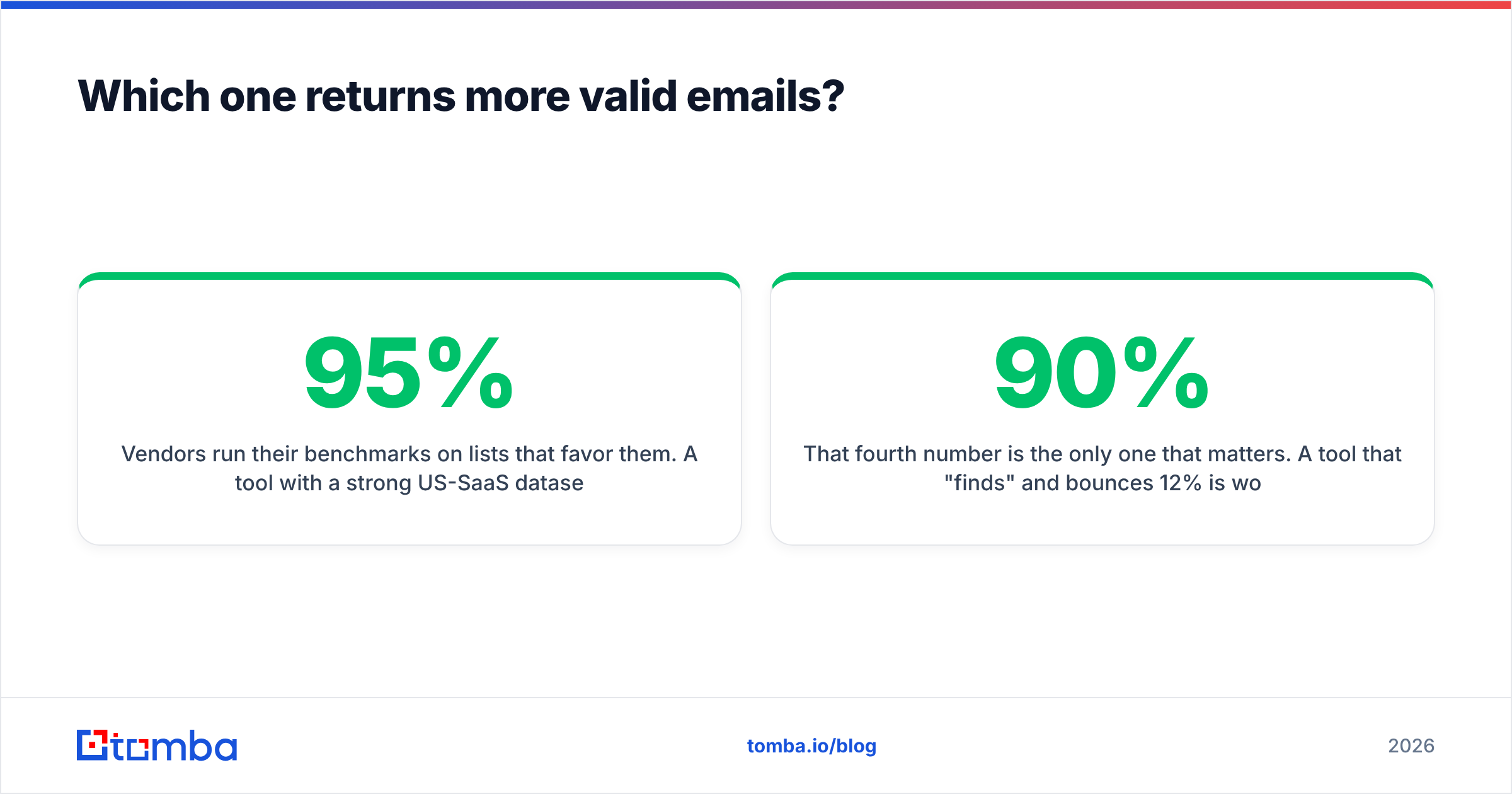
Vendors run their benchmarks on lists that favor them. A tool with a strong US-SaaS dataset will post 95%+ on a US-SaaS test list and 60% on European manufacturing. The only number that means anything is the one you generate on your ICP.

Run this test before you commit to either tool — it takes an afternoon:
- Pull 100 real prospects from your actual target segment, not a clean list of tech executives.
- Run all 100 through each tool's free tier.
- Record three numbers separately: found rate (an address came back), valid rate (it survives independent verification), and catch-all rate (unknowable without extra work).
- Send to the confirmed-valid set only and record hard bounces after 48 hours.
That fourth number is the only one that matters. A tool that "finds" 90% and bounces 12% is worse than one that finds 62% and bounces 0.7% — because the second one keeps your domain reputation intact, and reputation is the asset that compounds.
Independent user reviews on G2 are more useful here than vendor pages, particularly the one- and two-star reviews, which is where you'll find the honest coverage complaints by region and industry.
How do FinalScout and Kipplo compare feature by feature?#
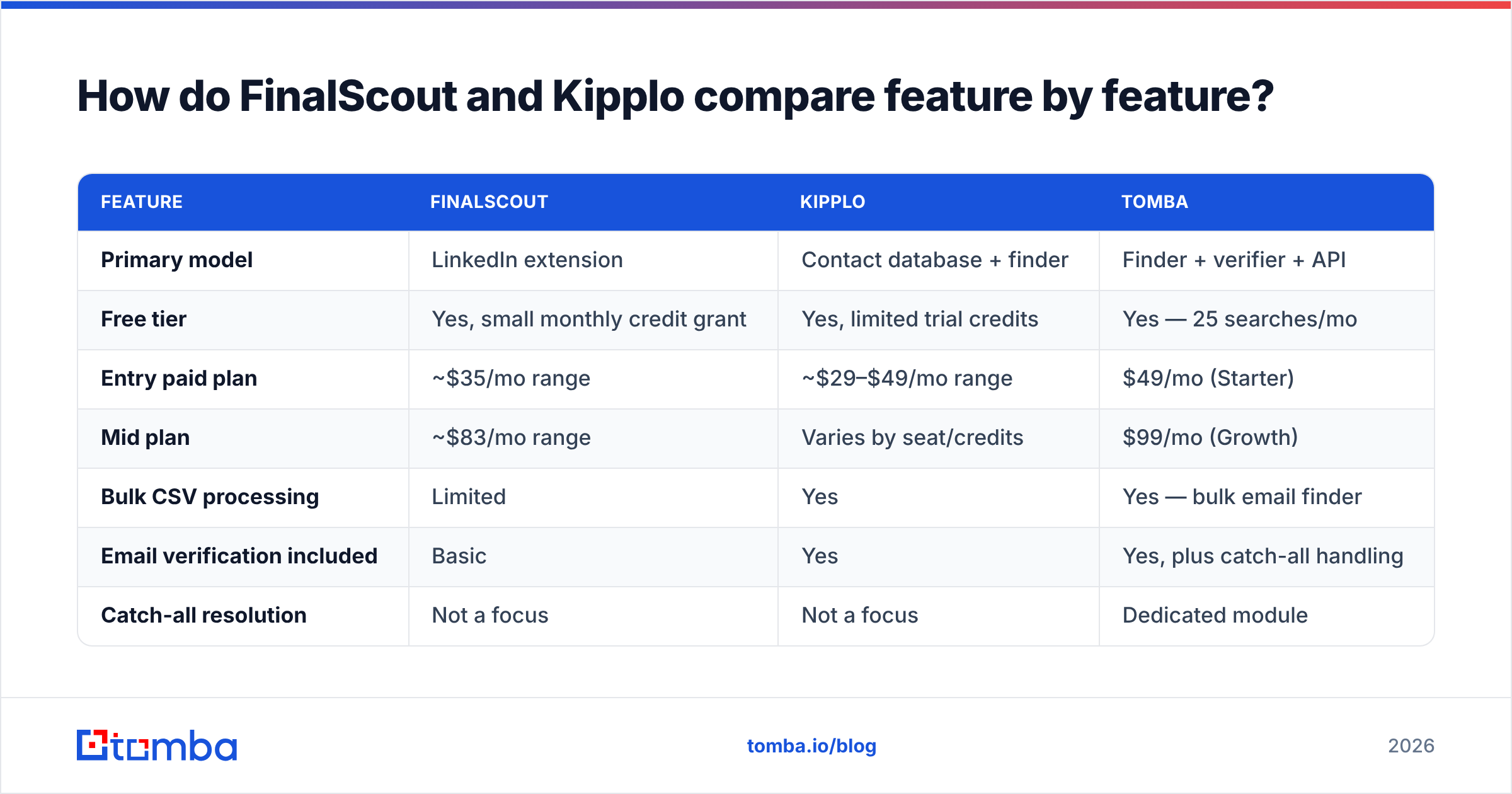
Figures below reflect publicly listed information at the time of writing. Both vendors change plans frequently — confirm on their own pricing pages before you buy.
| Feature | FinalScout | Kipplo | Tomba |
|---|---|---|---|
| Primary model | LinkedIn extension | Contact database + finder | Finder + verifier + API |
| Free tier | Yes, small monthly credit grant | Yes, limited trial credits | Yes — 25 searches/mo |
| Entry paid plan | ~$35/mo range | ~$29–$49/mo range | $49/mo (Starter) |
| Mid plan | ~$83/mo range | Varies by seat/credits | $99/mo (Growth) |
| Bulk CSV processing | Limited | Yes | Yes — bulk email finder |
| Email verification included | Basic | Yes | Yes, plus catch-all handling |
| Catch-all resolution | Not a focus | Not a focus | Dedicated module |
| Public REST API | Limited | Limited | Full email finder API |
| AI email writing | Yes — core feature | No | No (deliberately) |
| Phone numbers | No | Partial | Yes, via phone finder |
| Sheets / Excel add-ons | No | No | Yes |
| Best for | 1:1 LinkedIn prospecting | Segment-level list building | Email accuracy layer at scale |

Two things jump out of that grid.
First, FinalScout's AI writer is the real differentiator, not its data. If you strip the writer out, you're comparing two mid-market finders on coverage — and coverage is regional. Second, neither tool is API-first. If you want email resolution inside your own product, your CRM automation, or a nightly enrichment job, you will hit a wall with both.
What do FinalScout and Kipplo actually cost per usable email?#
Sticker price is the wrong unit. Cost per usable email is the right one, and it's computed like this:
Cost per usable email = (monthly price ÷ credits) ÷ (found rate × valid rate)
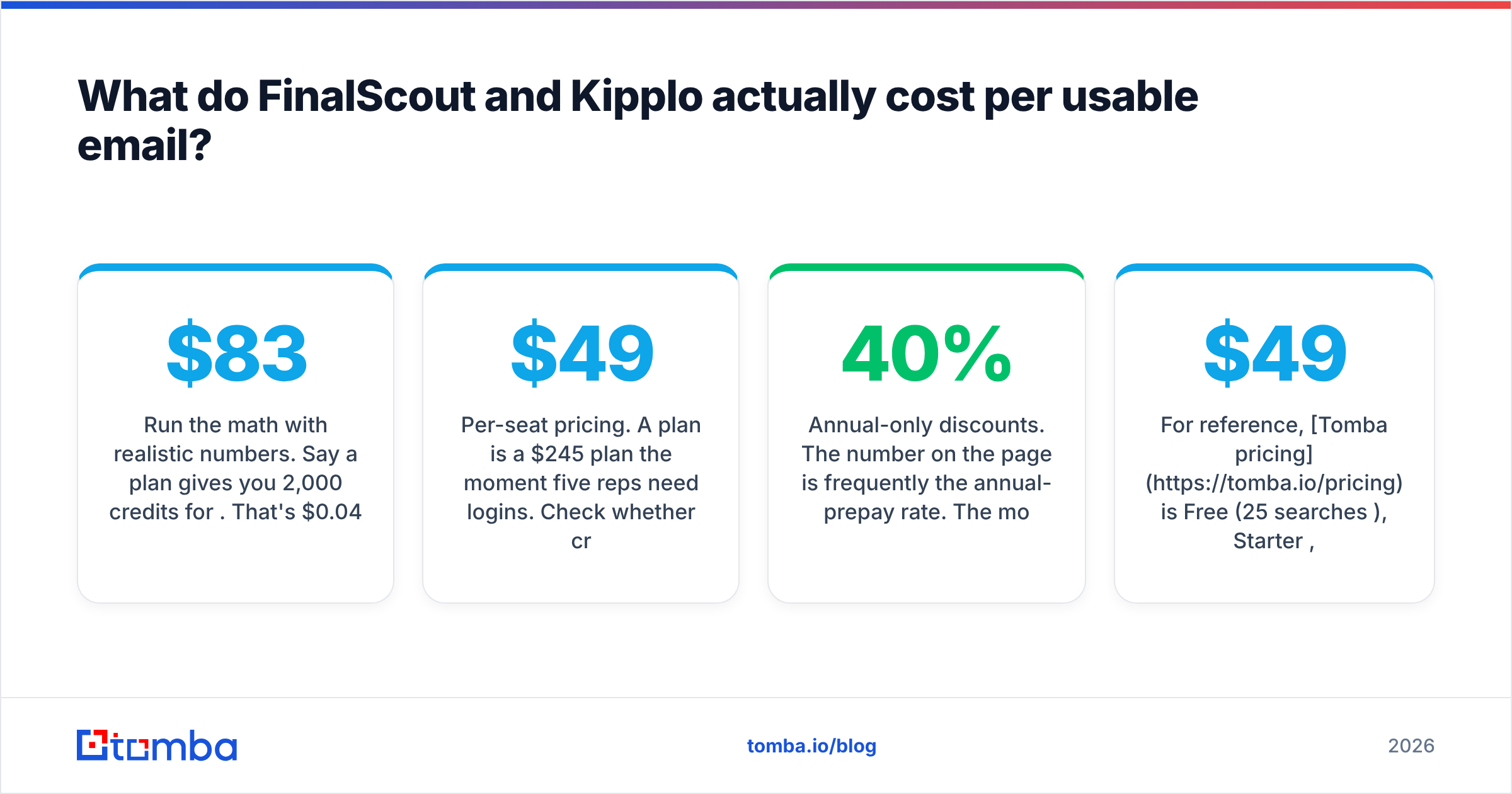
Run the math with realistic numbers. Say a plan gives you 2,000 credits for $83. That's $0.042 per credit. If the tool finds an address for 65% of your list and 85% of those survive verification, your true rate is 55%. Your real cost is $0.076 per usable email — nearly double the headline.
Now the traps that inflate that number further:
- Credits burned on misses. Some vendors charge for a lookup attempt, not a returned contact. Ask this question in writing before you pay.
- Per-seat pricing. A $49 plan is a $245 plan the moment five reps need logins. Check whether credits pool across the team or reset per seat.
- Annual-only discounts. The number on the page is frequently the annual-prepay rate. The monthly rate can be 30–40% higher.
- Rollover rules. Unused credits usually expire monthly. Lumpy prospecting cycles waste a lot of budget under that rule.
- Verification sold separately. If you have to send finder output through a second verification vendor, add that line item to your comparison.
For reference, Tomba pricing is Free (25 searches/mo), Starter $49/mo, Growth $99/mo, Pro $249/mo, and custom Enterprise — with credits pooled at the account level and verification included rather than billed as an add-on.
Which tool should you actually pick?#
Match the tool to your motion, not to the feature list.
Pick FinalScout if: you run genuinely 1:1 outbound, your volume is under a few hundred contacts a month, you source everything from LinkedIn, and you want the drafting step collapsed into the finding step. Solo founders, recruiters, and agency BD people get real value here. The AI writer is decent for a first draft you then rewrite — treat its output as a skeleton, never as a send-ready email.
Pick Kipplo if: you think in segments rather than individuals, you want to build a 2,000-row list without touching LinkedIn, and you'd rather filter than scrape. Small teams doing repeatable ICP-based campaigns are the fit.
Pick neither as your only tool if: you're sending at volume, you have a technical team, or deliverability is already shaky. At that point the email layer needs to be its own component, and it needs an API.
There's a fourth path worth naming honestly: if you'd rather skip tooling entirely and buy a pre-verified list for a specific segment, BookYourData is a well-regarded option in that lane and worth a look — different model, same destination.

Where do both tools fall short?#
Three gaps show up repeatedly in reviews of this whole tool category, not just these two products.
Verification depth. Finding is the easy half. A finder that hands you a syntactically plausible address with an SMTP "OK" from a catch-all domain has handed you a coin flip. Running finder output through a dedicated email verifier before it enters a sequence is not optional at volume — it's the difference between a 0.5% bounce rate and a 6% one, and Google and Microsoft both start throttling well before 6%.
Automation ceiling. Extension-based and web-app-based tools both assume a human clicking. The moment you want "when a lead enters HubSpot with a blank email field, resolve it and write it back," you need programmatic access. Neither FinalScout nor Kipplo is built for that. A REST endpoint plus CRM integrations covers it — that's the same reason a LinkedIn finder that also exposes an API beats one that only exists as a browser button.
Regional coverage honesty. Every vendor in this space is strongest where its data came from. If you sell into DACH, the Nordics, LATAM, or APAC, assume the published accuracy figure was measured in North America and discount accordingly. Test with your own list — there is no substitute.
How should you structure the stack instead?#
The teams with the best cold-email numbers rarely run one tool. They run three layers with clean boundaries:
- Sourcing layer — where the names come from. LinkedIn Sales Navigator, a database tool, event lists, or intent signals.
- Email layer — where addresses are resolved and, critically, verified. This is the layer that protects your domain.
- Sending layer — sequencing, inbox rotation, reply handling.
FinalScout tries to be layers one and two plus a slice of three. Kipplo tries to be one and two. Both compromises are reasonable at low volume and expensive at high volume, because a weak email layer poisons everything downstream. A 5% bounce rate doesn't just waste 5% of your sends — it degrades placement for the other 95%.
Keep the layers separate and you can swap any one of them without rebuilding the other two.
Getting the email layer right#
If your FinalScout vs Kipplo evaluation is really a question about which tool gives you more deliverable addresses, the honest answer is to stop evaluating bundles and fix the email layer directly.
The Tomba Email Finder is built for exactly that job: find the address by name and domain, verify it before it ever reaches a sequence, handle catch-all domains rather than pretending they don't exist, and expose all of it through an API, bulk CSV, Sheets, Excel, and CRM integrations so it plugs into whatever sourcing tool you already like. Start on the free tier — 25 searches a month, no card — run it against the same 100-prospect test list you use for the other two, and compare bounce rates after 48 hours. Let the numbers pick the winner.
Related guides#
Ready to find emails that actually work?
Join 150,000+ professionals who stopped guessing and started sending. Free credits on signup — no credit card required.
Get the Tomba newsletter
Practical outbound tactics and product updates — once every two weeks.
About the author