FinalScout vs LeadRocks (2026): Which Email Finder Wins?
FinalScout scrapes LinkedIn profiles into verified emails. LeadRocks sells you a 100M-plus contact database. They solve different problems badly if you pick wrong — here is the honest breakdown.
FinalScout vs LeadRocks is not a fair fight, because the two tools do different jobs. One scrapes LinkedIn. The other sells you a database. Here is the short version.
TL;DR
- FinalScout is a LinkedIn-first scraper. You work from profiles, searches, or Sales Navigator lists. It turns them into emails, with an AI writing layer on top.
- LeadRocks is a static contact database. You filter by title, industry, headcount, or location. Then you pull records — emails plus phone numbers — without touching LinkedIn.
- They are not really competitors. FinalScout needs you to find the person first. LeadRocks needs the person to already sit in its warehouse of records.
- Both charge in credits. Both burn credits on results you will delete. Clean verification matters more than the sticker price.
- If your workflow starts with domains, not profiles, a finder-plus-verifier stack (Tomba, Hunter, Findymail) usually costs less per usable contact.
What are FinalScout and LeadRocks?#
Start with the honest framing. These two tools sit in different halves of the prospecting stack. Half the "FinalScout vs LeadRocks" posts online pretend otherwise.
FinalScout is a Chrome extension and web app built around LinkedIn. You open a profile, a company page, a group, an event list, or a Sales Navigator search. FinalScout then pulls the person's work email. Its long-running claim is a 98% deliverability guarantee. It also adds ChatGPT-based email drafting, so you can write the first message in the same tool. GDPR and CCPA alignment is part of the pitch, which matters if you sell into the EU.
LeadRocks is a B2B contact database. It advertises over 100 million contact records and tens of millions of company profiles. You search by job title, company, industry, headcount, and location. It also has a LinkedIn extension for enriching profiles you already have open, and it sells phone numbers next to emails. LeadRocks grew through lifetime deals. That is why you still see it named in bootstrapper communities more often than in enterprise RevOps threads.
So the real question is not "which tool is better." It is this: do you already know who you want, or do you need the tool to tell you?
How does each tool find an email address?#
The mechanics tell you where each one breaks.
- FinalScout — profile-triggered. It reads the LinkedIn profile for name, employer, and sometimes a personal site. Then it resolves an email against that company domain. No profile means no result. Coverage tracks LinkedIn activity. An active VP of Sales resolves easily. A plant manager who last logged in during 2019 often does not.
- LeadRocks — index lookup. The record is in the database or it is not. Nothing is resolved live, so results come back fast. Freshness depends on the last refresh date. Someone who changed jobs eight months ago may still show the old work email.
- Pattern-based finders — domain-triggered. Tomba, Hunter, and Findymail start from
company.complus a name. They derive the likely format (first.last@,flast@) and confirm it. This scales when you have a target-account list instead of a list of people. - Verification — the step that sets your bounce rate. Any address is a guess until a mail server confirms it. Catch-all domains accept everything at the gateway. That is where weak verifiers say "valid" and your campaign still bounces.
- Enrichment — the second pass. Phone numbers, seniority, tech stack, and company size get added after the email exists. LeadRocks bundles this. FinalScout mostly does not.

So the FinalScout vs LeadRocks ceiling is easy to state. FinalScout is capped by how well LinkedIn covers your market. LeadRocks is capped by the age of its index. You cannot see either ceiling until you have paid.
Which has better data accuracy?#
Neither vendor publishes an audited accuracy figure. Treat any post that quotes a precise head-to-head percentage with suspicion, including the ones that rank above this one. What you can compare is method and user reports.
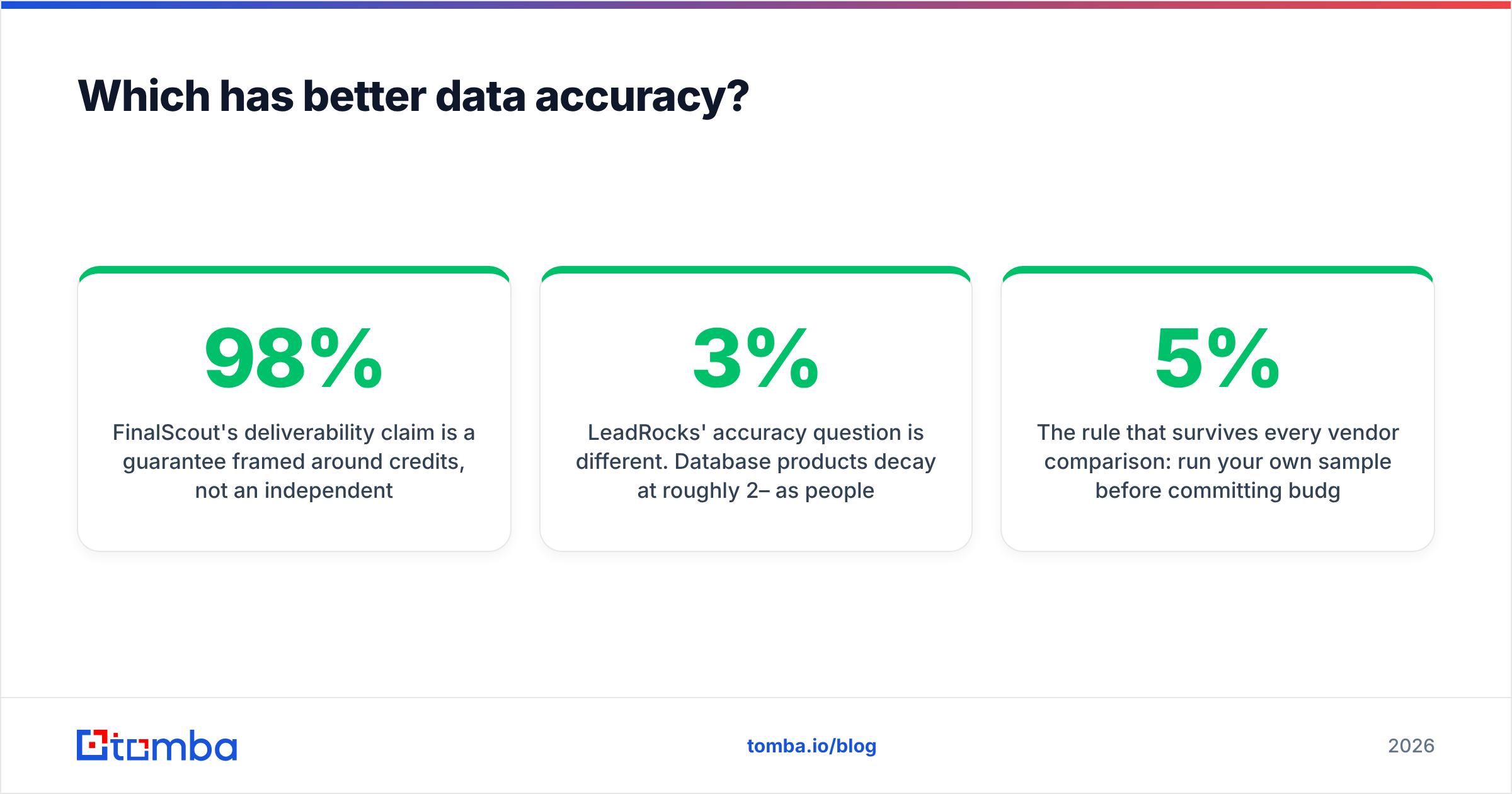
FinalScout's 98% deliverability number is a credit guarantee, not a benchmark. Bad results get refunded. They do not get filtered out before you spend. That is a fair commercial promise and a weak accuracy claim. Users in G2 reviews report strong results on senior titles at mid-market and enterprise firms. Coverage thins out on SMB, non-English markets, and technical individual contributors.
LeadRocks has a different problem. Database records decay by about 2–3% per month as people change jobs. That is an industry-wide figure, not a swipe at LeadRocks. The products that hold up re-verify records all the time. When users complain here, the complaint is staleness, or a gap between the search count and the usable rows in the export. It is rarely made-up records.

One rule survives every vendor comparison: run your own sample first. Pull 100 contacts from your real ICP, not the vendor's demo segment. Push them through an independent email verifier. If more than 5% come back risky or invalid, the headline number was measured on someone else's list.
FinalScout vs LeadRocks: features and pricing compared#
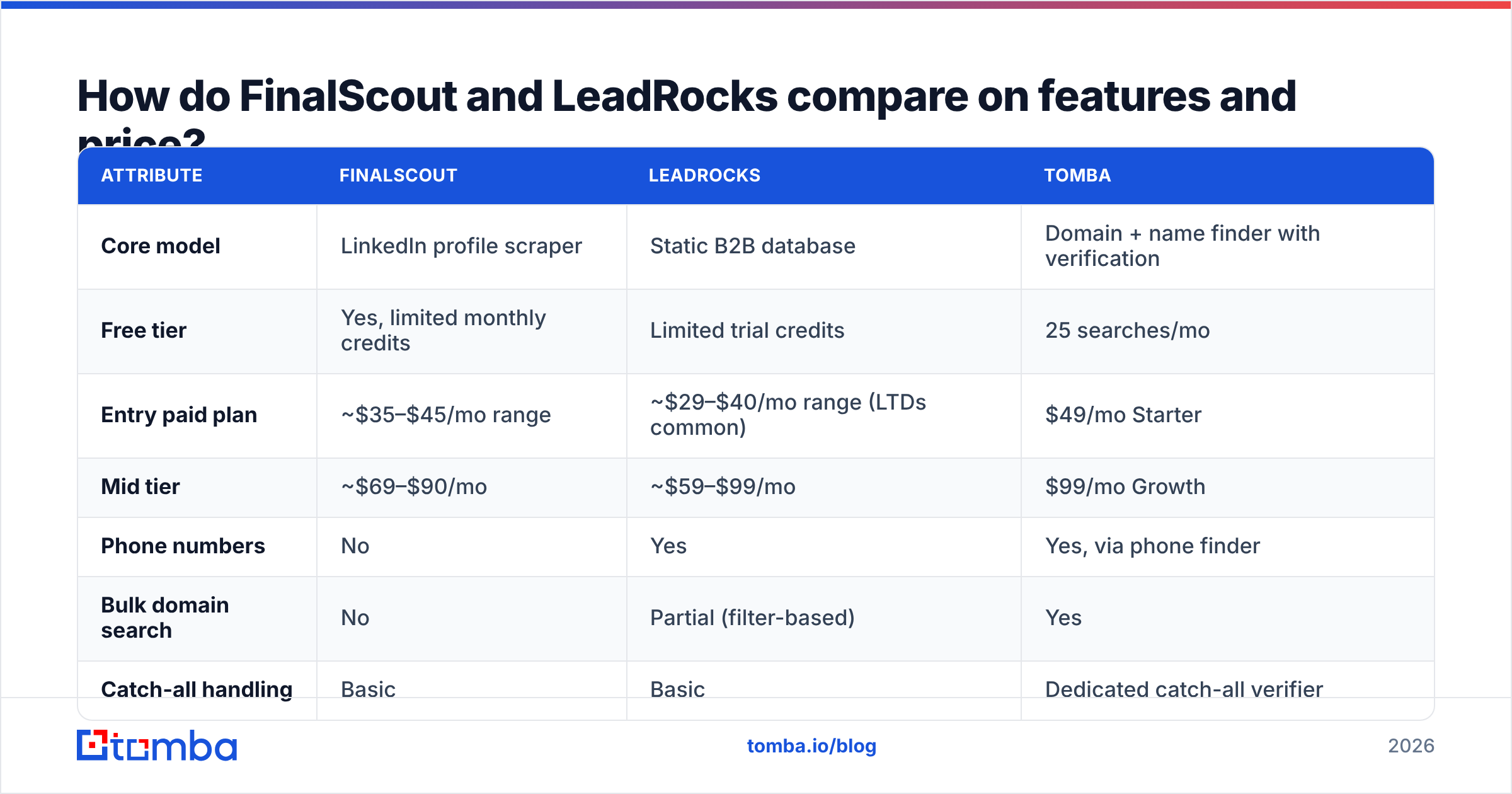
Prices change on both platforms. LeadRocks has run lifetime deals that make list prices misleading. Check each vendor's page before you buy. The table reflects published pricing at the time of writing.
| Attribute | FinalScout | LeadRocks | Tomba |
|---|---|---|---|
| Core model | LinkedIn profile scraper | Static B2B database | Domain + name finder with verification |
| Free tier | Yes, limited monthly credits | Limited trial credits | 25 searches/mo |
| Entry paid plan | ~$35–$45/mo range | ~$29–$40/mo range (LTDs common) | $49/mo Starter |
| Mid tier | ~$69–$90/mo | ~$59–$99/mo | $99/mo Growth |
| Phone numbers | No | Yes | Yes, via phone finder |
| Bulk domain search | No | Partial (filter-based) | Yes |
| Catch-all handling | Basic | Basic | Dedicated catch-all verifier |
| Public API | Limited | Limited | Full REST API + CLI + MCP |
| AI email writing | Yes, built in | No | No (integrations instead) |
| Best for | LinkedIn-led SDRs | Cheap list volume | Domain-led and API workflows |

Three things stand out.
First, FinalScout's AI writing is the real edge. If your SDRs live inside LinkedIn, getting extraction and a first draft in one motion has value. Whether those drafts are good enough to send is another argument. Most teams rewrite them.
Second, LeadRocks wins on cost per record and loses on cost per usable record. A cheap credit that returns someone who left in Q3 is not cheap.
Third, neither tool is built for code. Want to enrich a CRM on write, score signups in real time, or run enrichment inside a data pipeline? You need a proper email finder API, not a browser extension.
Which tool fits which use case?#
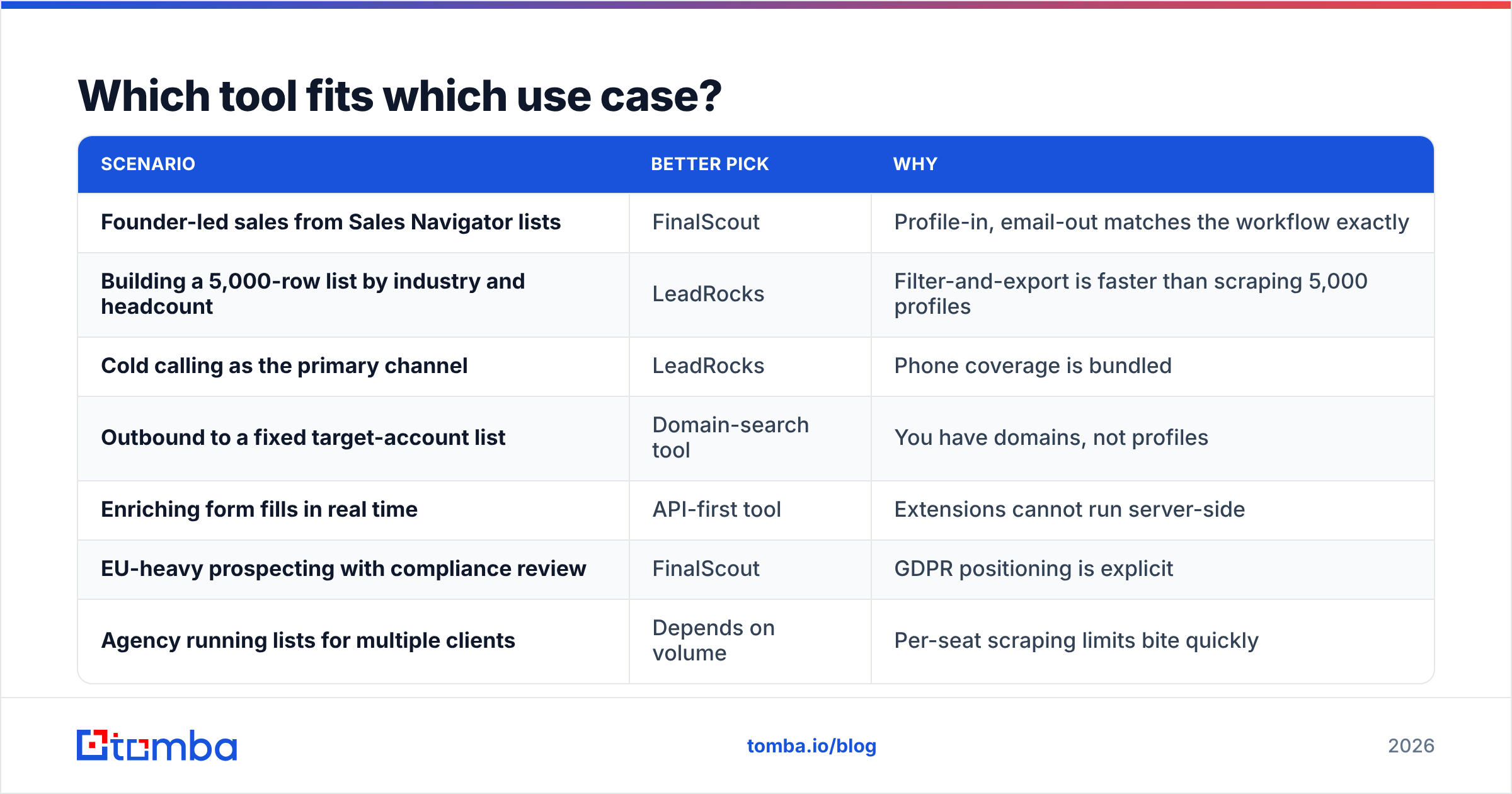
| Scenario | Better pick | Why |
|---|---|---|
| Founder-led sales from Sales Navigator lists | FinalScout | Profile-in, email-out matches the workflow exactly |
| Building a 5,000-row list by industry and headcount | LeadRocks | Filter-and-export is faster than scraping 5,000 profiles |
| Cold calling as the primary channel | LeadRocks | Phone coverage is bundled |
| Outbound to a fixed target-account list | Domain-search tool | You have domains, not profiles |
| Enriching form fills in real time | API-first tool | Extensions cannot run server-side |
| EU-heavy prospecting with compliance review | FinalScout | GDPR positioning is explicit |
| Agency running lists for multiple clients | Depends on volume | Per-seat scraping limits bite quickly |
There is a fourth group neither tool serves well: teams that already have thousands of contacts and just need them cleaned. That is a verification job, not a discovery job. Buying a discovery tool to fix it wastes most of your spend. Run the list through a bulk verify pass first. You will often find 20–30% of your bounce problem was already sitting in the CRM.
What do real users complain about?#
Skip the star ratings. Read the one- and two-star reviews on Capterra and G2. The themes repeat.
On FinalScout:
- Credits burned on searches that return nothing usable. The refund policy covers it, but does not prevent it.
- LinkedIn dependency: rate limits, session issues, and the account risk any scraping extension carries.
- Coverage gaps outside North America and Western Europe.
- The AI drafts read like AI drafts.
On LeadRocks:
- Search counts that overstate the export you actually get.
- Stale titles and old emails after job changes.
- Thin filters next to Apollo or ZoomInfo. Fine for basic firmographics, weak for intent or tech-stack targeting.
- Lifetime-deal buyers report slower feature updates.
Both lists are normal for the category. In a FinalScout vs LeadRocks decision, pick the failure you can absorb. A stale record wastes one send. A banned LinkedIn account costs you a channel.
Are there better alternatives to both?#
Yes, if your workflow does not match either shape.
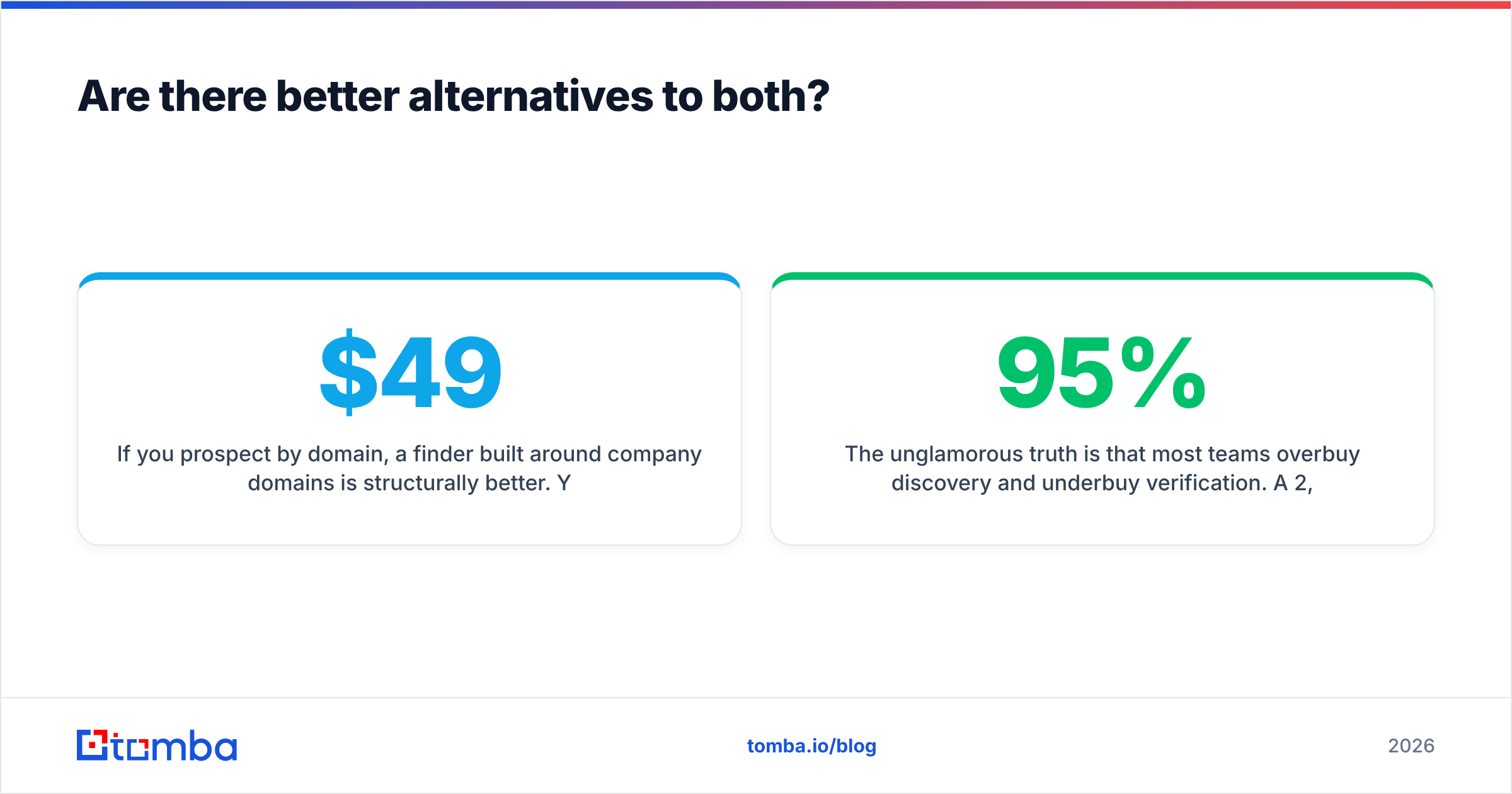
If you prospect by domain, a domain-first finder fits better. You feed it stripe.com and get the verified pattern plus role-relevant contacts. No LinkedIn profile needed per person. Tomba's domain search works this way. Pricing runs $49/mo Starter, $99/mo Growth, and $249/mo Pro, with a free tier at 25 searches a month — full Tomba pricing is public.
If deliverability is the bottleneck, buy verification depth over discovery volume. Catch-all domains are where most tools fail quietly. A dedicated catch-all verifier beats another 50,000 unverified records.
If you want database breadth with a clean compliance story, BookYourData sits in the same neighbourhood as LeadRocks. It is pay-as-you-go, which suits teams that will not sign a monthly contract for list building.
If you need phone plus email at scale, LeadRocks, Apollo, and Tomba's phone finder all cover it. Compare on your geography, because coverage swings a lot by country.
Most teams overbuy discovery and underbuy verification. A 2,000-contact list at 95% confirmed beats a 10,000-contact list at 70%. Bounces pile up. They damage sender reputation, and that hurts every later send, including the ones to good addresses.
FinalScout vs LeadRocks: what is the verdict?#
Pick FinalScout if LinkedIn is where you prospect. The extension workflow is tight, the compliance story is real, and built-in drafting saves a tab switch. Accept the ceiling: your coverage is LinkedIn's coverage, and scraping extensions carry account risk.
Pick LeadRocks if you need cheap volume and phone numbers. It is better value per record, especially on a lifetime deal. Accept that you will re-verify everything before you send, and budget for that.
Pick neither if you work from domains, need an API, or your main problem is a dirty database. Both tools are extraction-first. Neither is infrastructure.
Here is the test that settles FinalScout vs LeadRocks for your team. Run the same 100-contact ICP sample through both free tiers. Verify the output independently. Compare cost per confirmed contact, not cost per credit. That one test beats any comparison post, this one included.
Testing a finder this week? Start with the Tomba Email Finder. The free tier gives you 25 searches a month, no card required. Every result comes with a confidence score and SMTP-level verification. The same lookups run through the API, CLI, Chrome extension, and Google Sheets when you outgrow manual work. Run your ICP sample against it alongside FinalScout and LeadRocks, and let the bounce rate decide.
Related guides#
Ready to find emails that actually work?
Join 150,000+ professionals who stopped guessing and started sending. Free credits on signup — no credit card required.
Get the Tomba newsletter
Practical outbound tactics and product updates — once every two weeks.
About the author