FinalScout vs LeadzenAI (2026): Which Email Finder Wins?
FinalScout is a LinkedIn-first email extractor. LeadzenAI is an India-heavy B2B database. We compare accuracy, credits, pricing and API depth to show which one actually fits your outbound motion in 2026.
TL;DR
- FinalScout is a LinkedIn-first email extractor: you work inside LinkedIn or Sales Navigator, pull profiles, and it appends emails with AI-written outreach on top. Strong if LinkedIn is your prospecting surface.
- LeadzenAI is a database-and-search product with unusually deep India/APAC coverage and phone data. Strong if you want to search a contact universe rather than scrape a profile list.
- Neither is a great fit if you need domain-first discovery at scale — finding every reachable contact at a company you already know — which is where a dedicated email finder and API beat both.
- Real cost per verified email matters more than sticker price. Credits burn on misses, catch-all guesses, and duplicates on both platforms.
- Our pick: FinalScout for LinkedIn-native SDRs, LeadzenAI for APAC-focused teams, Tomba when you need verified emails by domain, in bulk, through an API.
What are FinalScout and LeadzenAI, exactly?#
They solve the same end goal — get a working email for a person — from opposite directions.
FinalScout works as a Chrome extension layered on LinkedIn. You browse a profile, a search result page, a group, or a Sales Navigator list, and FinalScout extracts contacts and finds business emails for them. Its differentiator is the ChatGPT-powered outreach writer: it drafts a personalized email using the profile data it just scraped. The pitch is "find and write in one motion."
LeadzenAI is closer to a traditional B2B data platform. You search a database by name, company, industry, location, or technology, and it returns contact records — emails plus phone numbers. It also offers a browser extension and bulk search, but the center of gravity is the database. Its coverage skews heavily toward Indian and broader APAC companies, which is genuinely rare among Western-built tools.
The practical difference: FinalScout needs you to find the person first on LinkedIn. LeadzenAI lets you discover people you did not already know existed. That single distinction drives most of the buying decision.

How do FinalScout and LeadzenAI compare head-to-head?#
Here is the honest side-by-side, with Tomba included as the domain-first reference point since it's the category most buyers are actually cross-shopping.
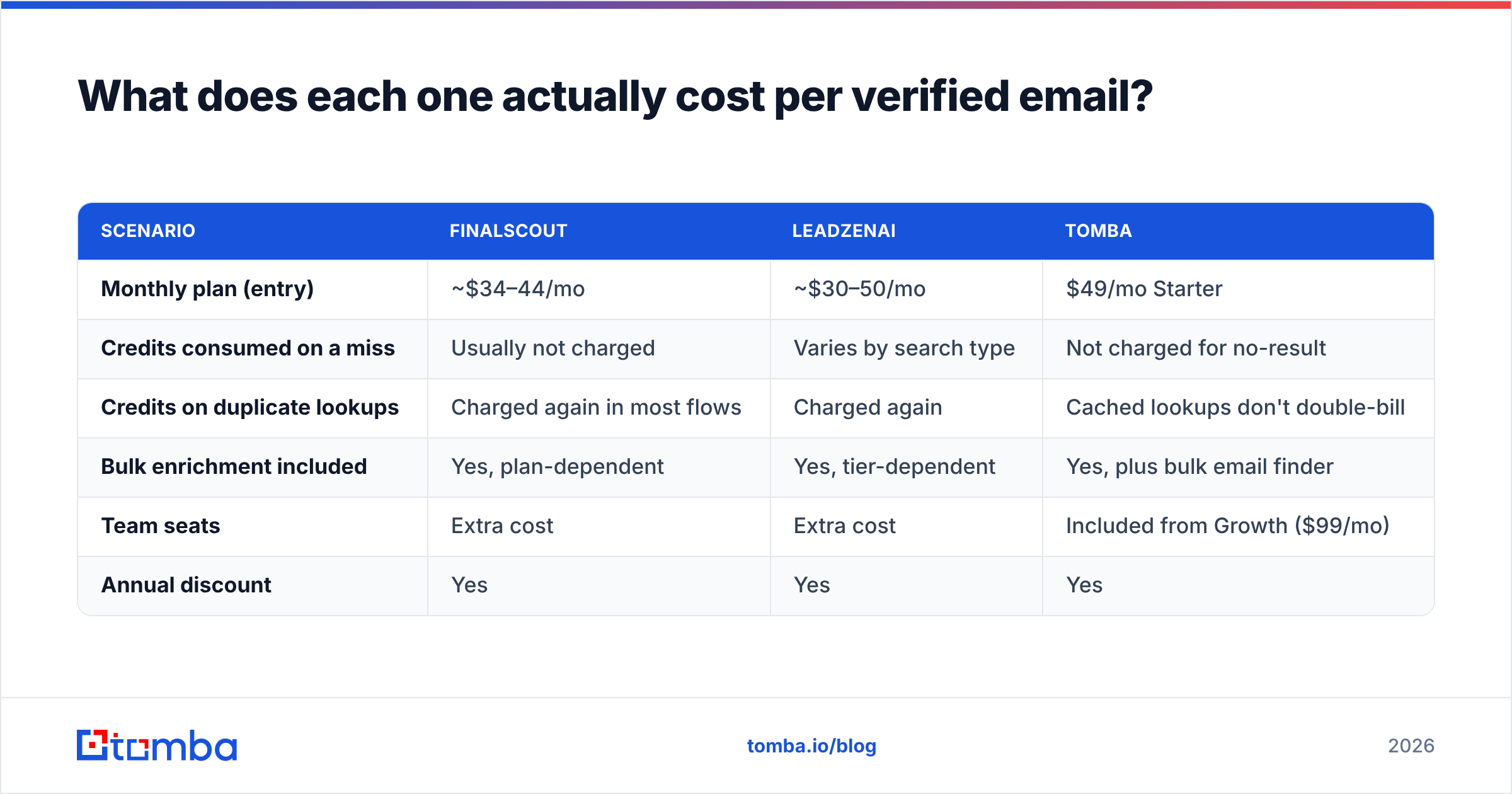
| Attribute | FinalScout | LeadzenAI | Tomba |
|---|---|---|---|
| Primary workflow | LinkedIn / Sales Nav extraction | Database search + filters | Domain search + email finder + API |
| Discovery without LinkedIn | Limited | Yes (native search) | Yes (domain, name, company) |
| Geographic strength | US / EU professional profiles | India, APAC, plus global | Global, strong EU/US/MENA |
| Phone numbers | Not a core feature | Yes, a headline feature | Yes, via phone finder |
| Built-in email verification | Claimed deliverability filter | Basic validation | Dedicated verifier + catch-all logic |
| AI outreach writing | Yes (core differentiator) | Limited | Separate AI writing tools |
| API for developers | Minimal | Available on higher tiers | Full REST API, CLI, MCP server |
| Bulk CSV enrichment | Yes | Yes | Yes, plus Sheets/Excel/Airtable |
| Free tier | Small monthly credit allowance | Trial credits | 25 searches/month, no card |
| Entry paid price | Roughly $34–$44/mo | Roughly $30–$50/mo equivalent | $49/mo Starter |
| Best for | LinkedIn-native SDRs | APAC prospecting, phone-heavy outbound | Domain-first, high-volume, dev workflows |
Two things stand out.
First, FinalScout and LeadzenAI barely overlap on coverage. If your ICP is Indian SaaS mid-market, FinalScout will leave you with a thin list no matter how good the extraction is. If your ICP is Series B US fintech, LeadzenAI's regional depth is wasted spend.
Second, neither is built for domain-first work. Ask either "give me every marketing contact at stripe.com" and you're back to LinkedIn searching or filter-stacking. That's a domain search job.
Which one is more accurate?#
Accuracy claims from any email tool deserve skepticism, and this pair is no exception.
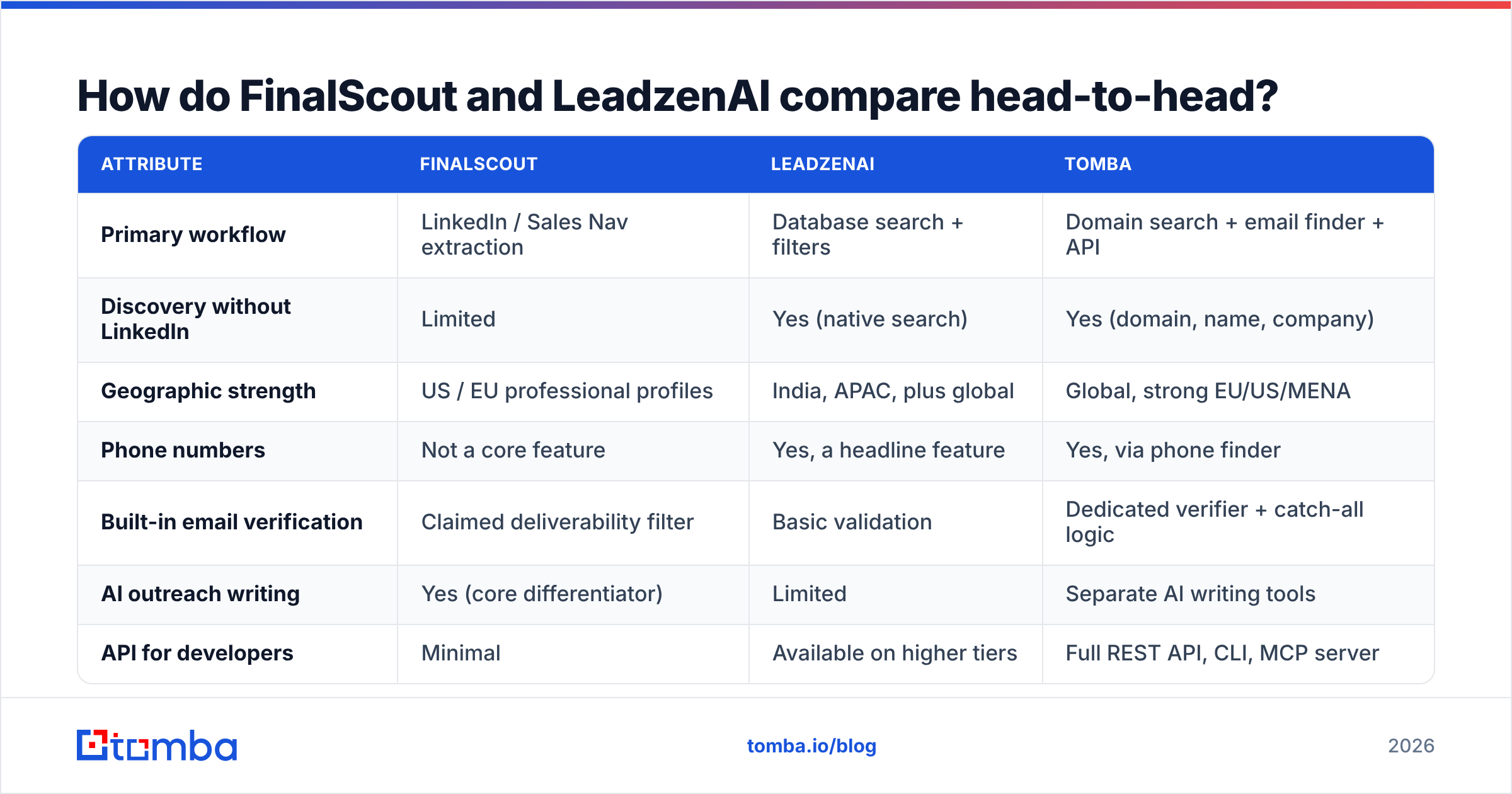
FinalScout markets a 98% deliverability rate. Read that number carefully: deliverability is measured on emails it chooses to return, not on the profiles you asked about. A tool that returns an email for 40% of your list with 98% deliverability gives you fewer usable contacts than one that returns 70% at 92%. The metric that pays your bills is verified emails per 100 target prospects, not the vendor's cherry-picked ratio.
LeadzenAI publishes less about accuracy methodology. In practice, its Indian records are noticeably fresher than its US records — which tracks, since that's where its collection strength is. Expect more decay on Western enterprise contacts, especially at companies that have been through layoffs or rebrands.
Four things to test before you commit either way:
- Hit rate on your own list. Take 100 real prospects from your CRM, run them through the trial, and count returned emails — not "found something" but a deliverable address.
- Catch-all handling. Ask what happens when a domain accepts all mail. Tools that silently return a guessed pattern on catch-all domains inflate their hit rate and your bounce rate. A dedicated catch-all verifier is how you separate the two.
- Role-account leakage. Count how many results are
info@,sales@, orcontact@. Those aren't prospects, but they still cost you a credit. - Freshness stamps. Ask when each record was last confirmed. Anything over 12 months old on a job-hopping persona is a coin flip.
Run those four tests and the marketing numbers stop mattering. Every serious buyer's guide — including reviewer aggregates on G2 — ends up saying the same thing: test on your ICP, not on the vendor's demo list.
What does each one actually cost per verified email?#
Sticker price is the wrong unit. Divide by usable output.
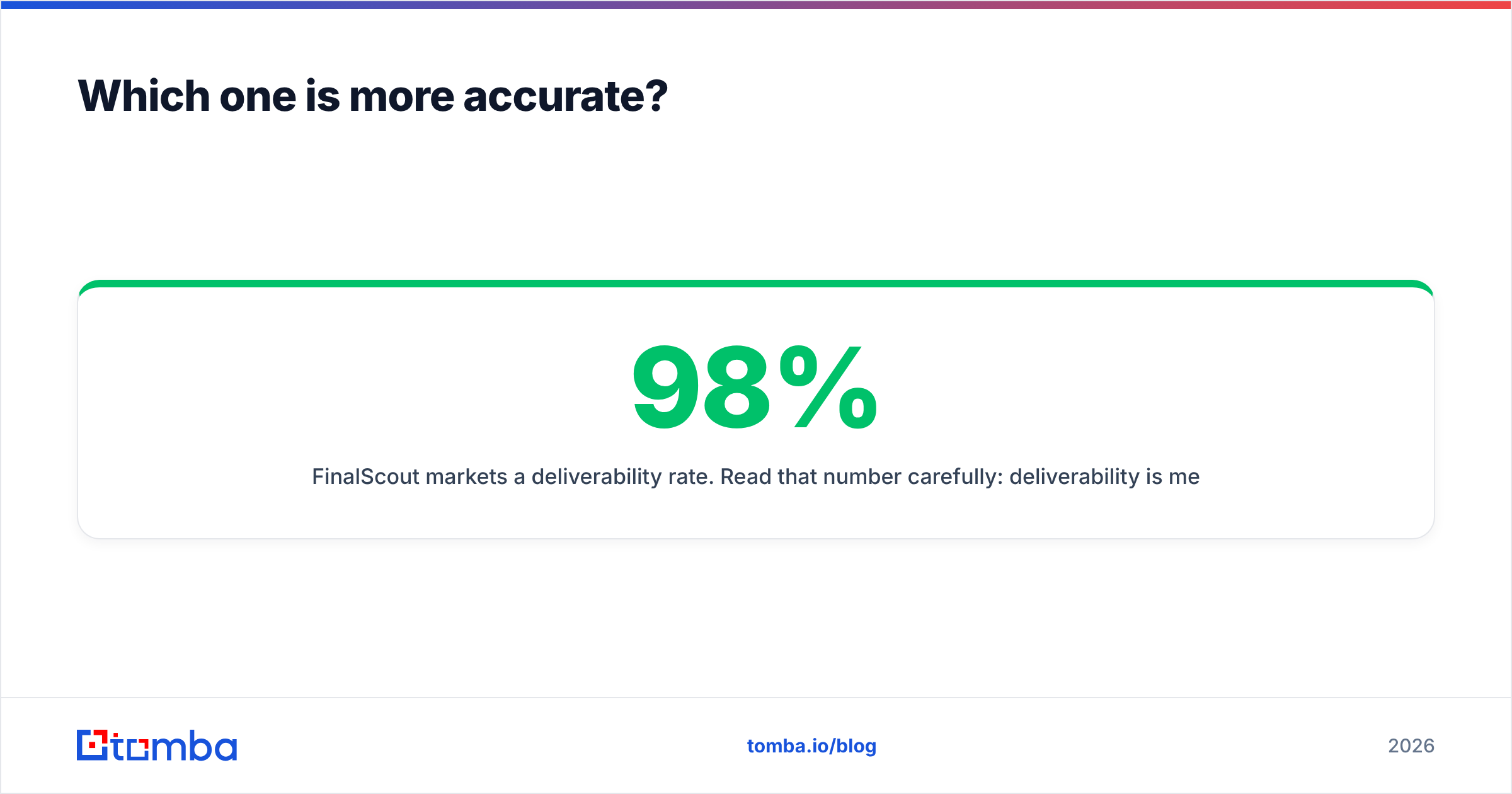
| Scenario | FinalScout | LeadzenAI | Tomba |
|---|---|---|---|
| Monthly plan (entry) | ~$34–44/mo | ~$30–50/mo | $49/mo Starter |
| Credits consumed on a miss | Usually not charged | Varies by search type | Not charged for no-result |
| Credits on duplicate lookups | Charged again in most flows | Charged again | Cached lookups don't double-bill |
| Bulk enrichment included | Yes, plan-dependent | Yes, tier-dependent | Yes, plus bulk email finder |
| Team seats | Extra cost | Extra cost | Included from Growth ($99/mo) |
| Annual discount | Yes | Yes | Yes |
The trap on both platforms is credit burn on non-answers. You budget for 5,000 lookups, you get 2,600 deliverable emails, and your true cost per contact nearly doubles. Before signing, ask each vendor in writing: do you charge for a search that returns nothing, and do you charge twice if two teammates look up the same person?
For reference, Tomba's pricing runs Free (25 searches/mo), Starter $49/mo, Growth $99/mo, Pro $249/mo, and Enterprise custom — with team seats bundled from Growth up, which is where per-seat tools usually start to hurt.

Is FinalScout better than LeadzenAI for cold outreach?#
It depends entirely on how you build lists.
Pick FinalScout if:
- LinkedIn is your source of truth. You already run Sales Navigator searches and just need emails appended to them.
- You want drafting inside the same tool. The AI writer removes a copy-paste step, and for a solo founder that's real time saved.
- Your volume is modest. A few hundred contacts a month, manually curated, is exactly the shape this tool was built for.
Pick LeadzenAI if:
- Your ICP is India or APAC. This is the strongest single reason to choose it, and most Western competitors can't match the depth.
- You need phone numbers alongside email. Multi-channel outbound with a dialer benefits more here than from an email-only tool.
- You want to discover accounts, not just enrich known ones. Filter-based search finds companies you hadn't shortlisted.
Pick neither if:
- You need thousands of contacts per month through an API, from a list of domains, with verification baked in. That's a different product category — and it's where an email verification API or a scriptable bulk email finder does in one call what these tools need a browser session to do.
Worth noting: if you're evaluating in the "buy a list" direction rather than "find emails one by one," providers like BookYourData occupy a genuinely different lane — prebuilt, filterable B2B lists with upfront volume pricing. That's a reasonable complement to either tool rather than a competitor to both.
What do you actually lose with a LinkedIn-only workflow?#
Three things, and they compound.
You inherit LinkedIn's rate limits. Extraction tools operate inside a platform that actively throttles scraping. Your list-building speed is capped by someone else's abuse detection, and account restrictions are a real operational risk — not a theoretical one.
You can't enumerate an account. If your motion is account-based — "we're going after these 200 companies, get me everyone in RevOps" — LinkedIn search gives you the profiles it decides to show you. Domain-based discovery gives you the roster.
Verification stays separate. Extraction and verification are different problems. A found email is a hypothesis; a verified email is a fact. Running found addresses through a dedicated email verifier before your first send is the single highest-ROI step in the whole chain, and it protects sender reputation more effectively than any warmup schedule.
Bounce rates above 3–5% are where mailbox providers start treating you as a risk. Both Google and Microsoft have tightened bulk-sender requirements since 2024, and the guidance from every major provider — see HubSpot's deliverability documentation for a vendor-neutral write-up — comes down to list hygiene before volume.
How should you actually decide?#
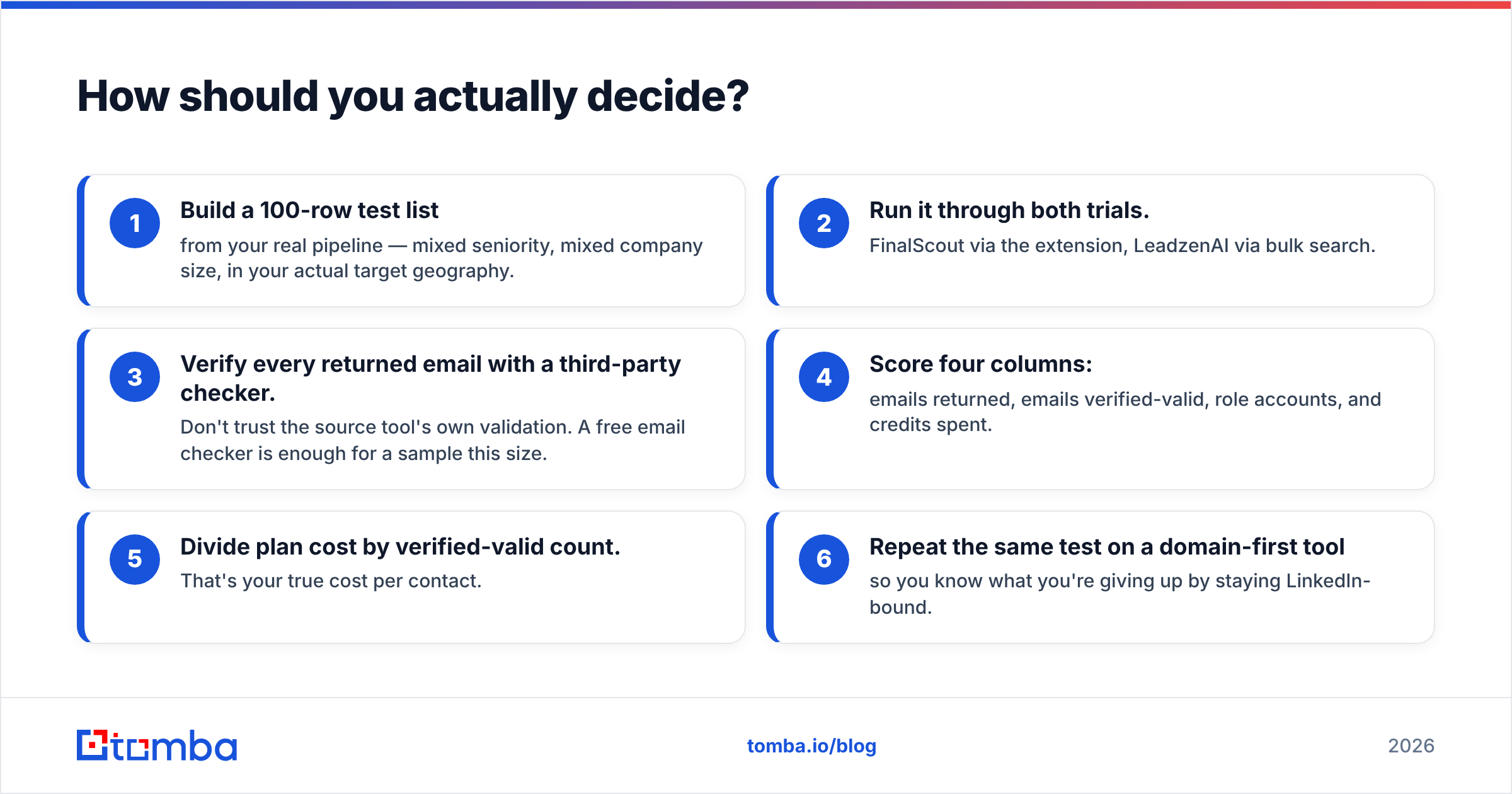
Run this in one afternoon:
- Build a 100-row test list from your real pipeline — mixed seniority, mixed company size, in your actual target geography.
- Run it through both trials. FinalScout via the extension, LeadzenAI via bulk search.
- Verify every returned email with a third-party checker. Don't trust the source tool's own validation. A free email checker is enough for a sample this size.
- Score four columns: emails returned, emails verified-valid, role accounts, and credits spent.
- Divide plan cost by verified-valid count. That's your true cost per contact.
- Repeat the same test on a domain-first tool so you know what you're giving up by staying LinkedIn-bound.
Teams that skip step 3 almost always overpay. The vendor's own validation grades its own homework.
Which should you choose in 2026?#
FinalScout wins if LinkedIn is your prospecting surface and you want extraction plus AI drafting in one extension, at low volume, in US/EU markets.
LeadzenAI wins if you sell into India or APAC, want phone numbers next to emails, and need to discover accounts rather than enrich a list you already built.
Neither wins if your bottleneck is volume, verification, or automation. Those workflows want an API, a verifier that handles catch-all domains honestly, and pricing that doesn't punish you for a miss.
That's the gap Tomba is built for. The Tomba Email Finder works from a domain, a name, or a company — no LinkedIn session required — and every result runs through the same verification layer that powers the standalone verifier, including proper catch-all handling instead of a silent pattern guess. Start on the free tier at 25 searches a month, run your own 100-row test against whatever you're using today, and compare verified-valid counts rather than marketing percentages. If the numbers favor your incumbent, keep it. If they don't, Starter is $49/mo and the API is included from day one.
Related guides#
Ready to find emails that actually work?
Join 150,000+ professionals who stopped guessing and started sending. Free credits on signup — no credit card required.
Get the Tomba newsletter
Practical outbound tactics and product updates — once every two weeks.
About the author