FinalScout vs NinjaPear: Which LinkedIn Email Finder Wins
FinalScout and NinjaPear both promise LinkedIn emails on demand. We break down coverage, verification depth, credit math, and compliance risk — plus where a straight email-finder API beats both.
FinalScout vs NinjaPear comes down to one question: do you want a full LinkedIn outreach suite, or a fast lookup button? Both tools pull work emails from LinkedIn profiles. Here is how they differ on coverage, credits, price, and risk.
TL;DR
- FinalScout is a LinkedIn-first extractor with AI email writing on top. Best if your whole prospecting motion starts in Sales Navigator and you want emails plus draft copy in one pass.
- NinjaPear is the leaner, extension-driven option. Quick single-profile and list pulls, fewer features, less workflow lock-in.
- Neither fits well if you prospect by company domain instead of by LinkedIn profile. That is a structural gap in both, not a pricing complaint.
- Credit math matters more than sticker price. A cheap plan that burns credits on unverified or catch-all results costs more per usable contact than a pricier plan with fewer, cleaner hits.
- If you need domain search, catch-all handling, and an API you can wire into your own stack, a dedicated finder like Tomba Email Finder covers the ground both tools leave open.
What are FinalScout and NinjaPear?#
Both tools solve the same narrow problem. You are looking at a LinkedIn profile or a Sales Navigator list, and you want a work email you can actually send to.
FinalScout (finalscout.com) sells itself as an end-to-end LinkedIn outreach layer. You install the extension and run it across profiles, search results, group members, or event attendees. It returns email addresses with a claimed deliverability guarantee. On top of extraction, it writes AI email drafts from the scraped profile context. The pitch: find the person and write the first line without leaving the tab.
NinjaPear takes the opposite posture. Fewer moving parts, faster to learn. It is a browser-extension email finder for people who want a contact pulled and dropped into a CSV or CRM. There is less to configure and less to pay for. There is also less to lean on when the simple path fails.
So the honest framing is this. These two are not really competitors on capability. They compete on scope. One wants to be your outreach cockpit. The other wants to be a fast button. Which is better depends on whether you already have a sequencer you like.

FinalScout vs NinjaPear: how do they compare head-to-head?#
Here is the practical breakdown. Vendors change plans often, so we describe the model instead of quoting a number that goes stale next quarter. Always confirm on the vendor's own pricing page before you buy.
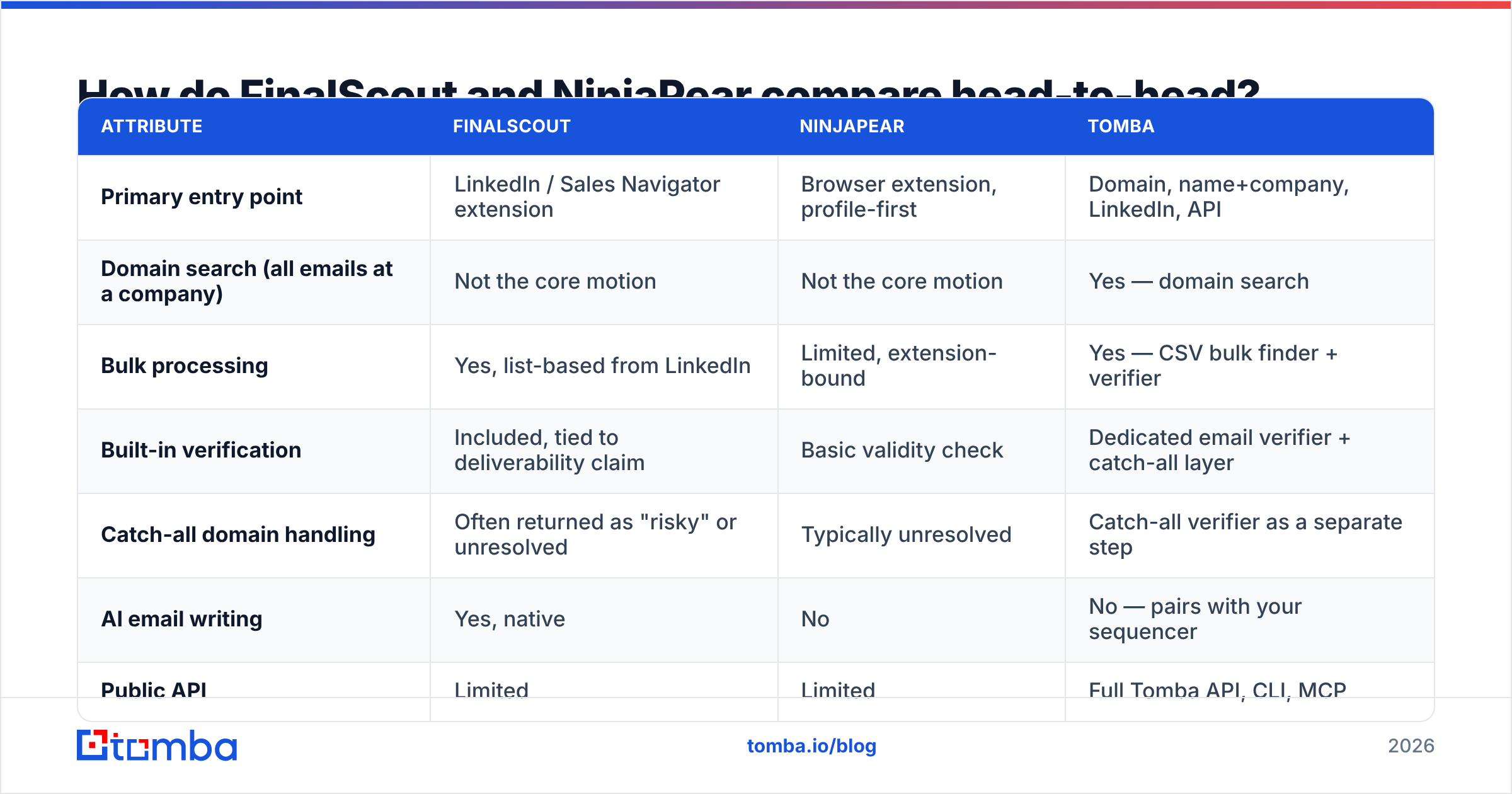
| Attribute | FinalScout | NinjaPear | Tomba |
|---|---|---|---|
| Primary entry point | LinkedIn / Sales Navigator extension | Browser extension, profile-first | Domain, name+company, LinkedIn, API |
| Domain search (all emails at a company) | Not the core motion | Not the core motion | Yes — domain search |
| Bulk processing | Yes, list-based from LinkedIn | Limited, extension-bound | Yes — CSV bulk finder + verifier |
| Built-in verification | Included, tied to deliverability claim | Basic validity check | Dedicated email verifier + catch-all layer |
| Catch-all domain handling | Often returned as "risky" or unresolved | Typically unresolved | Catch-all verifier as a separate step |
| AI email writing | Yes, native | No | No — pairs with your sequencer |
| Public API | Limited | Limited | Full Tomba API, CLI, MCP |
| Pricing model | Monthly credit tiers, free tier with export caps | Monthly credit tiers, small free allowance | Free 25/mo, Starter $49, Growth $99, Pro $249 |
| Best for | LinkedIn-only SDR workflows | Occasional, low-volume lookups | Domain-led prospecting and engineering-owned pipelines |
Two things fall out of that table right away.
First, both FinalScout and NinjaPear assume the LinkedIn profile is your unit of prospecting. Say your ICP list arrives as 400 company domains from a funding database. Neither tool has a natural entry point. You would have to rebuild LinkedIn profiles first, which is backwards and expensive.
Second, AI writing is the real differentiator on FinalScout's side. Whether it is worth the premium depends on how much you trust generated first lines. Most teams we have seen rewrite them or turn them off within two weeks. If that is you, you are paying for extraction and getting a copy feature you never use.
FinalScout vs NinjaPear: which one finds more valid emails?#
Coverage and accuracy are the only metrics that survive a quarter of real use. They are also the hardest to compare fairly. Every vendor benchmarks on a list that flatters it.

Run your own test before committing. The method takes an afternoon.
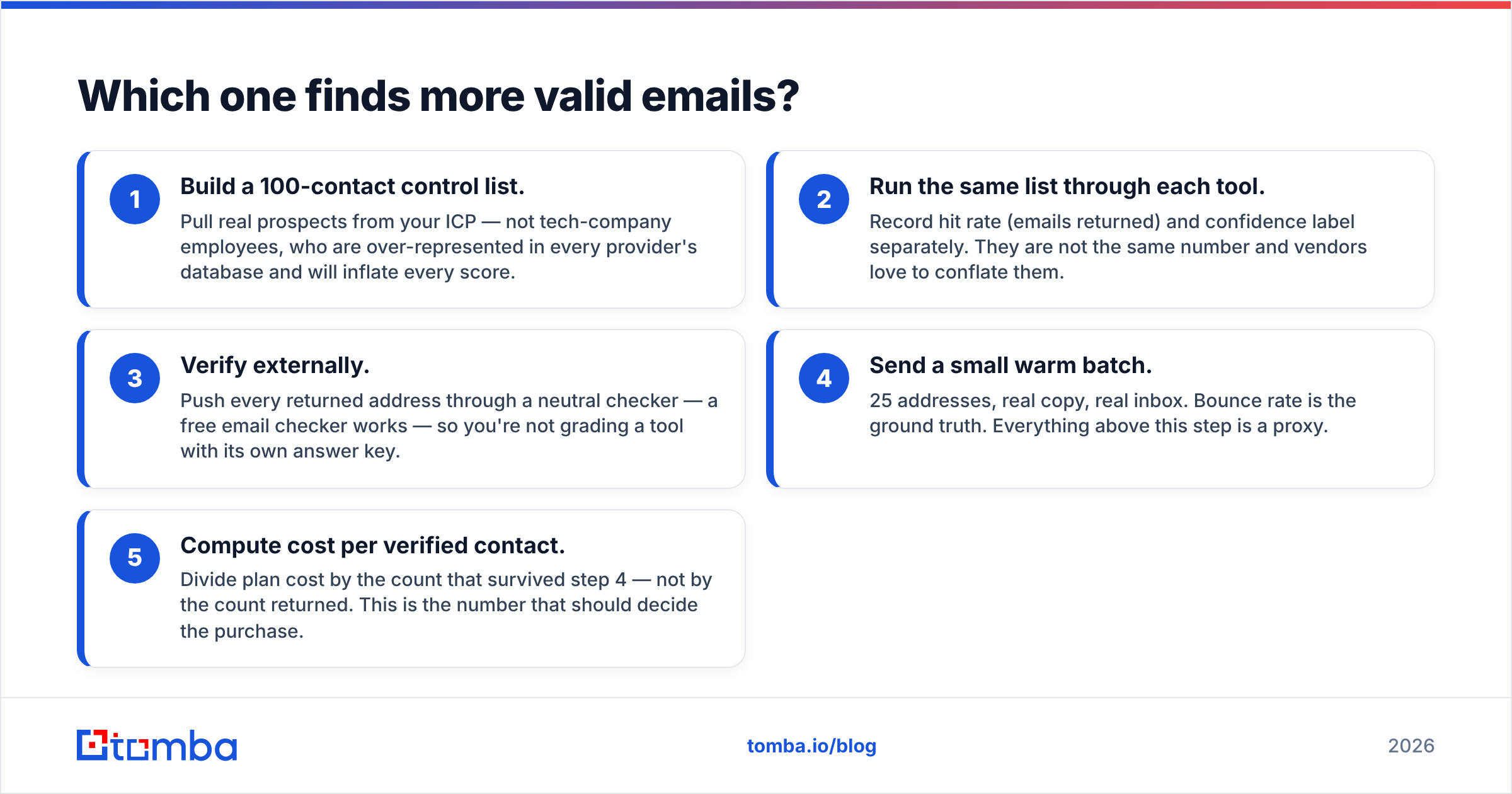
- Build a 100-contact control list. Pull real prospects from your ICP. Skip tech-company employees. They are over-represented in every provider's database and will inflate every score.
- Run the same list through each tool. Record hit rate and confidence label separately. They are not the same number, and vendors love to conflate them.
- Verify externally. Push every returned address through a neutral checker, such as a free email checker. Do not grade a tool with its own answer key.
- Send a small warm batch. 25 addresses, real copy, real inbox. Bounce rate is the ground truth. Every step above this one is a proxy.
- Compute cost per verified contact. Divide plan cost by the count that survived step 4, not by the count returned. That is the number that should decide the purchase.
Here is what the exercise usually shows. LinkedIn-native extractors do well on people with complete, recent profiles at mid-market companies. They do worse at large enterprises, where catch-all domains swallow verification signals. They also do worse at very small companies, where the person may not be on LinkedIn at all.
Catch-all domains are where the gap gets expensive. When a mail server accepts every address, a basic SMTP check returns "valid" for anything. That includes addresses that will bounce or land in a spam trap. FinalScout and NinjaPear both hand these back as risky or unknown and leave the call to you. A dedicated catch-all finder resolves a real slice of them instead. That matters if much of your ICP sits on Microsoft 365 tenants set up that way.
FinalScout vs NinjaPear: what does each cost per usable contact?#
Sticker price is the wrong comparison. Credits are the right one. And credit policy is the detail buried in the docs.
Ask each vendor three questions before you subscribe.
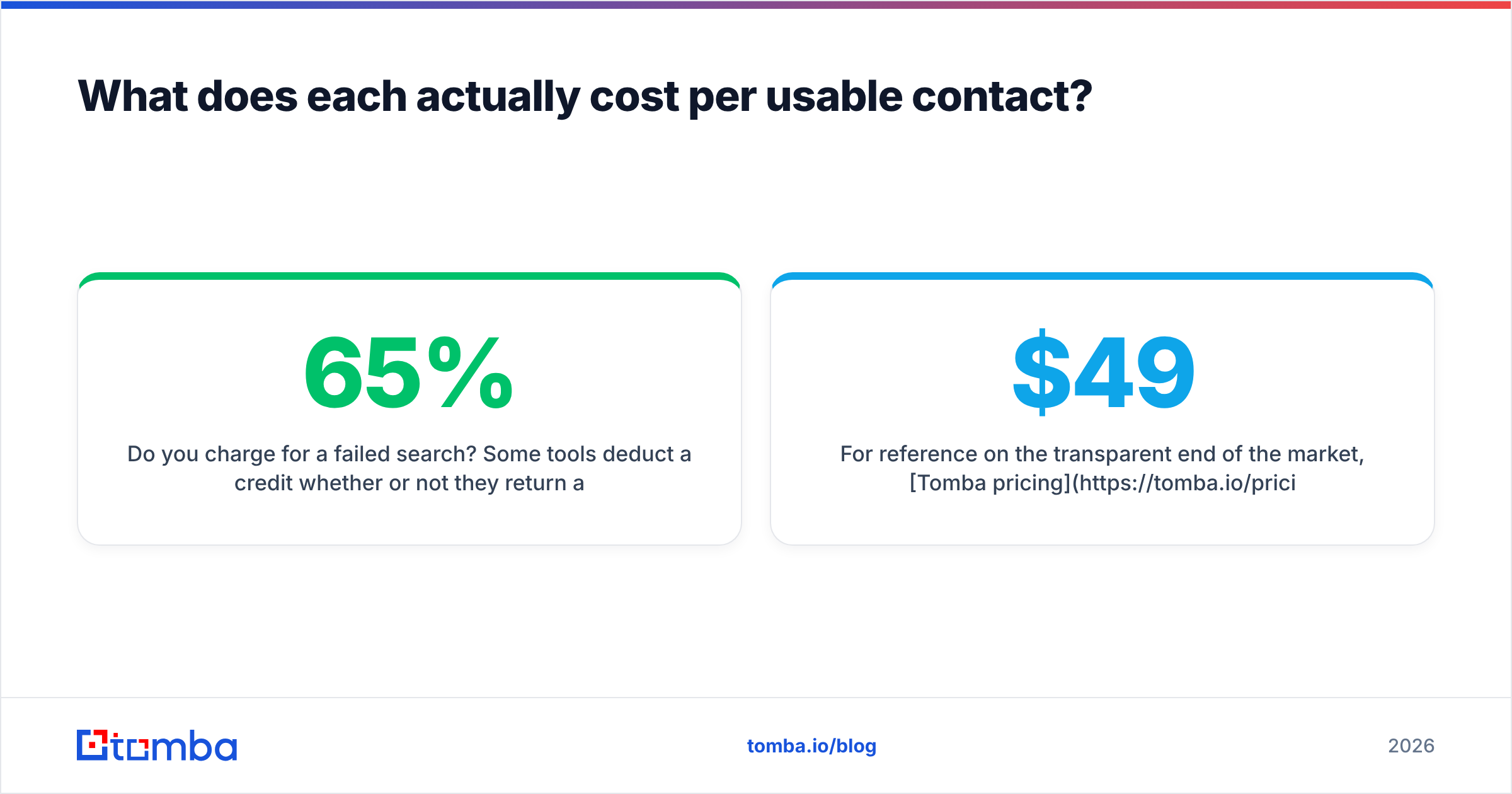
- Do you charge for a failed search? Some tools take a credit whether or not they return an address. Over a 5,000-lookup month at a 65% hit rate, that is 1,750 credits of pure waste.
- Do credits roll over? Non-rolling credits punish the natural rhythm of outbound, where you build lists in bursts.
- Is verification a separate charge? Find-then-verify billed as two credits doubles your cost per contact. It is easy to miss in a feature grid.

For a reference point on the transparent end of the market, Tomba pricing runs a free tier at 25 searches per month, Starter at $49/mo, Growth at $99/mo, and Pro at $249/mo, plus custom Enterprise. The finder, verifier, domain search, and bulk tools are included rather than metered as separate products. Compare that shape against whatever FinalScout and NinjaPear quote the week you evaluate. The shape of the plan tells you more than the headline figure.
One more option is worth pricing in. BookYourData sits in a different lane. Instead of looking contacts up one at a time, it sells pre-built, verified B2B lists on a pay-as-you-go basis with a bounce guarantee. Say your problem is "I need 5,000 verified contacts in one segment by Friday" rather than "enrich the profiles I am already browsing." A list purchase can then beat any per-lookup extractor on both time and cost. It is a genuinely different buying motion, and for some teams it is the right one.

What are the risks with LinkedIn-based extraction?#
Most comparison posts skip this section. It is the one that costs people accounts.
FinalScout and NinjaPear both run as browser extensions that read pages you are logged into. LinkedIn's User Agreement bans using software to scrape or copy profile data. Enforcement has grown more aggressive: rate-limit warnings, temporary restrictions, and permanent bans on accounts that show automated-extraction patterns.
Practical mitigations, in order of impact:
- Throttle hard. Volume spikes are the strongest detection signal. A few hundred profile views a day from an active account looks human. Three thousand in an hour does not.
- Do not extract from your closer's account. If a ban lands, let it hit a tooling account, not the rep with 4,000 first-degree connections.
- Keep a non-LinkedIn path to the same data. If one platform's policy change can zero out your pipeline, that is a single point of failure, not a strategy.
That last point is the strongest argument for a domain-based finder alongside a LinkedIn extension, or instead of one. Domain search reads public web and mail infrastructure signals rather than a logged-in social graph. There is no account to lose. Tomba publishes where its data comes from if you want to audit the provenance question. You can also compare provider methods on G2, where reviewers tend to be candid about hit rates.
When should you choose FinalScout over NinjaPear?#
Pick FinalScout if:
- Your reps live in Sales Navigator and prospect from saved searches and lead lists.
- You want extraction and first-draft copy in one pass, and you will actually use the AI output.
- You run list-based bulk pulls from groups, events, or post engagers. Its list handling is more developed.
- A stated deliverability guarantee is worth a heavier tool to you.
Pick NinjaPear if:
- Your volume is low. A few dozen lookups a week, not a few thousand.
- You already have a sequencer and a CRM you like, and you want a finder that stays out of the way.
- You would rather pay less for extraction alone than pay for AI writing you will bypass.
- Onboarding speed matters more than feature depth.
Pick neither if:
- Your lists arrive as company domains, not LinkedIn URLs.
- You need programmatic access, such as an API call from your own enrichment service.
- Catch-all domains are a large share of your ICP and "unknown" is not an acceptable answer.
- You need a verification layer you can point at data from other sources too.
Is there a better alternative to both?#
For domain-led and API-led prospecting, yes. It is not a close call, because the tools are built for different jobs.
A dedicated email-finding platform flips the workflow. Instead of "find a person, then get their email," you start from the company. Run a domain search to get every discoverable address at the org, with role and confidence attached. Filter to the titles you care about. Then verify in bulk before anything touches your sequencer. That scales far better when your list source is a funding round, a tech-stack query, a conference exhibitor list, or a customer lookalike model.
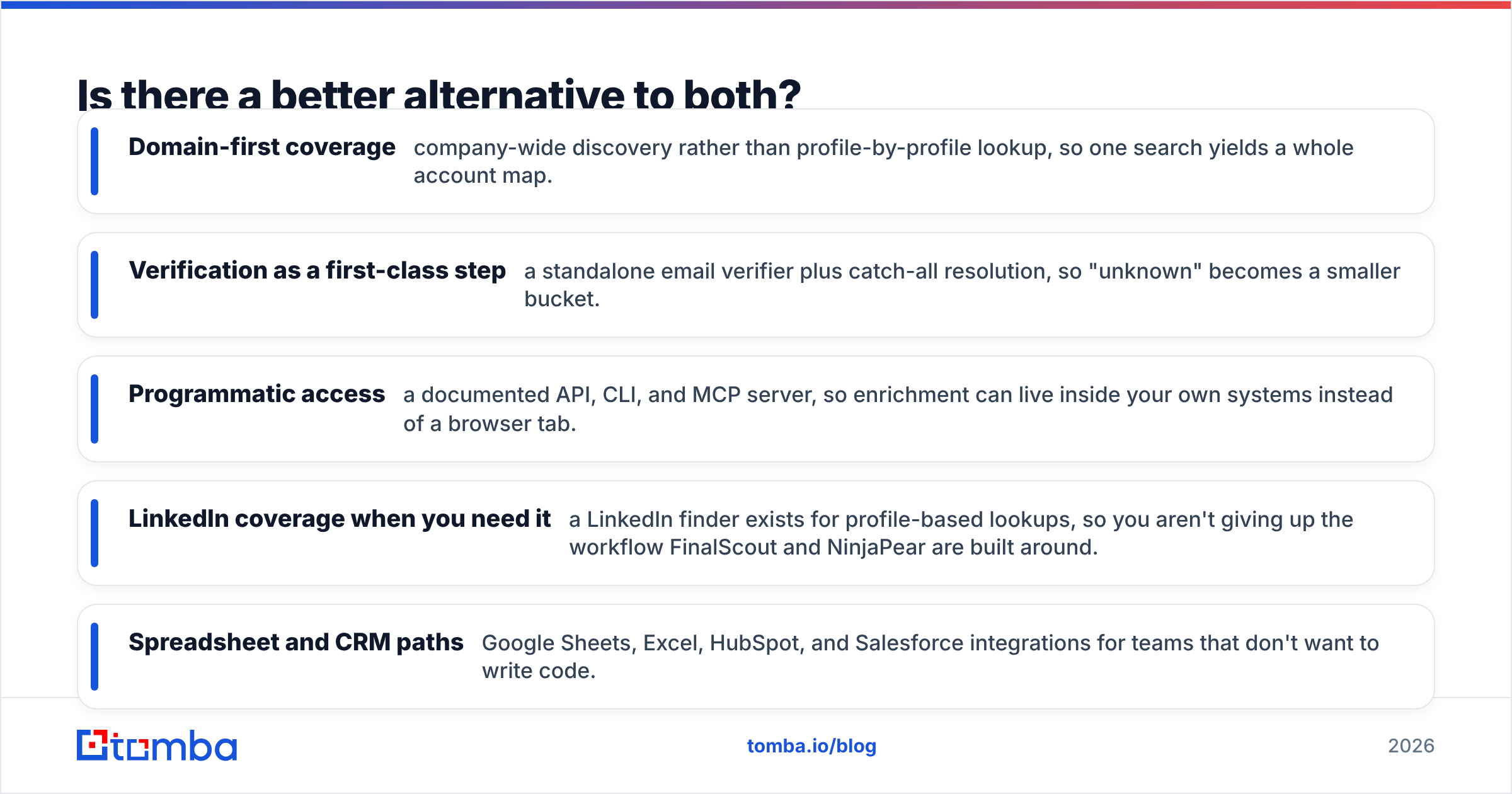
Where Tomba fills the gap:
- Domain-first coverage. Company-wide discovery instead of profile-by-profile lookup, so one search yields a whole account map.
- Verification as a first-class step. A standalone email verifier plus catch-all resolution, so "unknown" becomes a smaller bucket.
- Programmatic access. A documented API, CLI, and MCP server, so enrichment lives inside your own systems instead of a browser tab.
- LinkedIn coverage when you need it. A LinkedIn finder handles profile-based lookups, so you do not give up the workflow FinalScout and NinjaPear are built around.
- Spreadsheet and CRM paths. Google Sheets, Excel, HubSpot, and Salesforce integrations for teams that do not want to write code.
The realistic setup for most outbound teams is not one tool. It is a LinkedIn extension for opportunistic profile pulls, plus a domain-based finder and verifier for the systematic list building that actually fills a pipeline. FinalScout or NinjaPear can fill the first slot. Neither is built to fill the second.
FinalScout vs NinjaPear: the verdict#
FinalScout wins on depth if LinkedIn is your whole world and you will use the AI writing. NinjaPear wins on simplicity and cost if you just need occasional lookups and already own your outreach stack. Run the 100-contact test on your own ICP before you commit to either. Vendor-published accuracy figures are marketing artifacts. Your segment's real hit rate is the only number that counts.
But if you are building repeatable outbound at volume, the bigger decision is not FinalScout vs NinjaPear at all. It is whether your contact data pipeline depends on a logged-in social account that a policy change can switch off.
Start with the coverage test. Run 25 of your real target accounts through Tomba Email Finder on the free tier. No card required. Compare the verified hit rate against whatever you use now. If domain search returns contacts your LinkedIn extension missed, you have found the gap in your stack. If it does not, you just saved yourself a migration.
Related guides#
Ready to find emails that actually work?
Join 150,000+ professionals who stopped guessing and started sending. Free credits on signup — no credit card required.
Get the Tomba newsletter
Practical outbound tactics and product updates — once every two weeks.
About the author