FinalScout vs Noparam (2026): Which Email Finder Wins?
FinalScout is a LinkedIn-first email finder. Noparam is an accuracy-first lookup engine. They solve different halves of the same problem — here is which one belongs in your outbound stack in 2026, and where each one quietly costs you money.
TL;DR
- FinalScout is a browser-first tool. Its center of gravity is LinkedIn: you browse profiles or search results, the extension pulls emails, and you export. Great for reps who prospect by hand.
- Noparam is a lookup-first tool. You feed it names and domains (or hit the API) and it returns verified addresses. Great for ops people building lists at volume.
- They rarely compete head-to-head. Choosing between them is really choosing between manual sourcing and programmatic enrichment — most teams eventually need both.
- Neither is a full data stack. If you also need domain search, catch-all handling, phone numbers, and enrichment under one API key, a platform like Tomba covers more of the workflow per dollar.
- Bounce rate is the only benchmark that matters. Marketing pages quote accuracy; your ESP quotes reality. Verify before send, no matter which vendor you pick.
What are FinalScout and Noparam?#
FinalScout is a LinkedIn-centric email finder. Its core surface is a Chrome extension that sits on top of LinkedIn and Sales Navigator, scrapes the profiles you have open, and resolves them to business email addresses. It layers AI email drafting on top so you can go from profile to first-touch copy without leaving the tab. The company markets high deliverability on found addresses — you can read their current claims on the FinalScout site.
Noparam approaches the same job from the opposite end. Instead of asking you to browse, it asks you for inputs: a first name, a last name, a company domain. It runs multi-source resolution and SMTP-level checking, then returns a result with a confidence signal. There is no requirement to be logged into LinkedIn at all. Its pitch, on the Noparam site, is accuracy and low bounce rates rather than sourcing convenience.
That difference sounds academic until you price it out. FinalScout charges you for a seat and a credit allowance because it is a workspace. Noparam charges you closer to per-lookup because it is a utility. If you compare them on sticker price alone, you will pick the wrong one.
How do FinalScout and Noparam actually differ?#
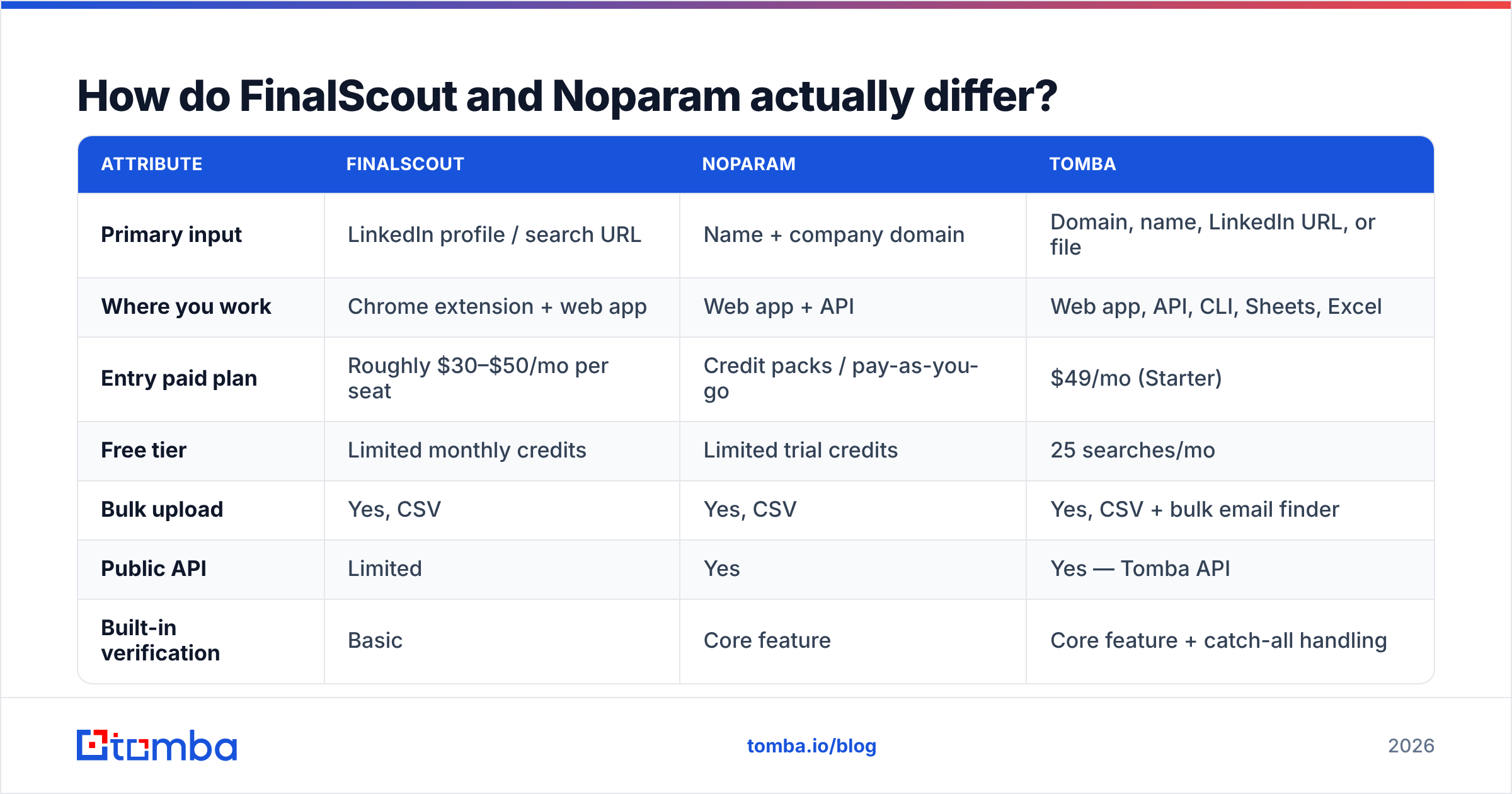
Here is the honest split, feature by feature. Pricing tiers move often — treat these as directional and confirm on each vendor's page before you buy.
| Attribute | FinalScout | Noparam | Tomba |
|---|---|---|---|
| Primary input | LinkedIn profile / search URL | Name + company domain | Domain, name, LinkedIn URL, or file |
| Where you work | Chrome extension + web app | Web app + API | Web app, API, CLI, Sheets, Excel |
| Entry paid plan | Roughly $30–$50/mo per seat | Credit packs / pay-as-you-go | $49/mo (Starter) |
| Free tier | Limited monthly credits | Limited trial credits | 25 searches/mo |
| Bulk upload | Yes, CSV | Yes, CSV | Yes, CSV + bulk email finder |
| Public API | Limited | Yes | Yes — Tomba API |
| Built-in verification | Basic | Core feature | Core feature + catch-all handling |
| Catch-all domains | Often returned as-is | Flagged | Dedicated catch-all verifier |
| Phone numbers | No | No | Yes |
| AI email drafting | Yes | No | No (use your sequencer) |
| Best for | SDRs sourcing by hand | RevOps enriching lists | Teams needing both plus an API |
Read that table twice and the pattern jumps out: FinalScout buys you convenience at the point of discovery. Noparam buys you confidence at the point of send. Tomba's argument is that you should not have to buy those separately.

Which one is more accurate?#
Accuracy claims in this category are close to meaningless without a definition attached, so start by insisting on one.
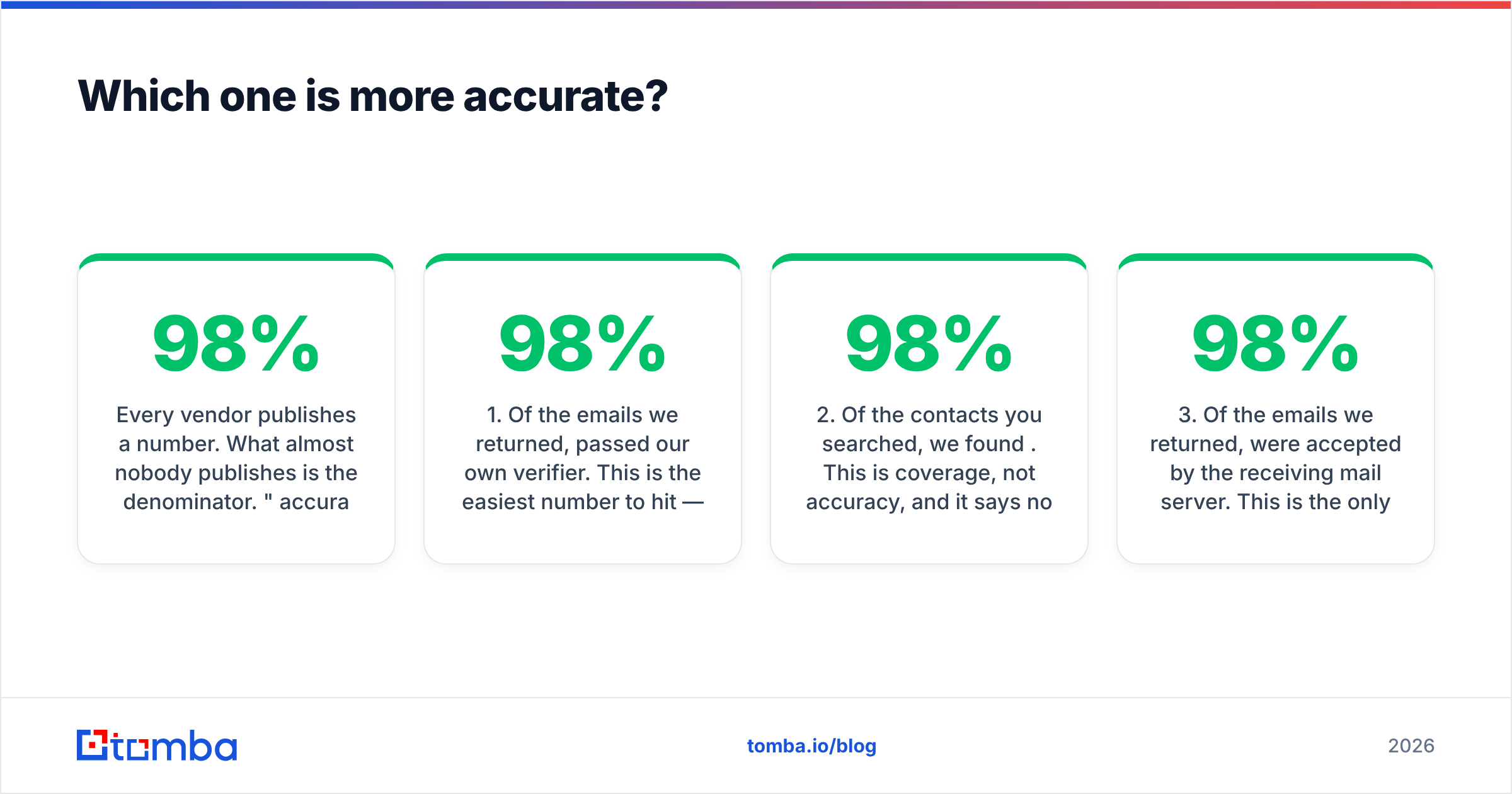
Every vendor publishes a number. What almost nobody publishes is the denominator. "98% accurate" can mean three completely different things:
- Of the emails we returned, 98% passed our own verifier. This is the easiest number to hit — you simply refuse to return anything risky, and your hit rate collapses while your accuracy looks perfect.
- Of the contacts you searched, we found 98%. This is coverage, not accuracy, and it says nothing about whether those addresses bounce.
- Of the emails we returned, 98% were accepted by the receiving mail server. This is the only version that maps to your bounce rate — and it is the version vendors quote least often.
FinalScout leans toward the deliverability framing. Noparam leans toward the verification framing. Both are defensible. Neither tells you what your list will do, because accuracy is segment-dependent: a list of US SaaS directors resolves far better than European mid-market manufacturing, and both resolve better than agencies running catch-all domains.

Run your own test before you commit. The method takes an afternoon:
- Build a 100-contact control set from a segment you actually sell into — not a random sample of Fortune 500 CEOs.
- Run the identical list through each tool. Same names, same domains, same order.
- Record hit rate and cost per found email separately. A tool that finds 60% at $0.02 each can beat one that finds 85% at $0.12 each, depending on your ACV.
- Verify every result through a neutral third party. Do not let a vendor grade its own homework — push all outputs through an independent email verifier so the scoring is consistent.
- Send to a 50-contact subset and count hard bounces. This is the number that decides the winner.
Teams that skip step 5 almost always over-index on hit rate and end up torching their sender reputation in month two.
Is FinalScout better than Noparam for LinkedIn prospecting?#
Yes — if LinkedIn is genuinely where your pipeline starts.
FinalScout's advantage is friction. An SDR working a Sales Navigator list does not want to copy names into a spreadsheet, upload it somewhere, wait, download a CSV, and re-import. They want to open a profile, see an email, and move. FinalScout is built for exactly that loop, and the AI drafting means the first message gets written while the context is still on screen.
The costs of that model are real, though:
- Seat-based pricing scales badly. Five reps means five subscriptions, whether or not all five prospect daily.
- You inherit LinkedIn's constraints. Session limits, view caps, and account-safety concerns are now part of your data pipeline. Scraping-adjacent tooling always carries some account risk — LinkedIn's user agreement restricts automated data collection, and enforcement is not consistent.
- It does not scale to list-building. Sourcing 10,000 contacts by clicking profiles is not a plan.
If your motion is LinkedIn-native and rep-driven — recruiting, agency BD, founder-led sales — FinalScout is a reasonable buy. If you want to keep the browser workflow but avoid seat-based lock-in, a LinkedIn finder plus a browser extension covers the same loop on a platform plan.
Is Noparam better than FinalScout for list building?#
Yes — if you already know who you want to reach.
Noparam's model assumes the targeting problem is solved. You have a list of companies from a market map, a funding database, a conference attendee export, or your CRM's stale-account segment. What you need is contact resolution at volume, with a confidence score attached to each row so you can decide what to send and what to drop.
That is a genuinely different job, and it is one FinalScout's browser-first design handles poorly. It is also the job that benefits most from an API: enrichment that runs on a schedule beats enrichment that runs when a rep remembers to click.
What Noparam does not give you is the front half of the funnel. It will not tell you which people at a company to target. It will not surface a role change. It will not hand you a list of every marketing contact at a domain — you need a domain search for that, which is where single-purpose lookup tools tend to run out of road.

How should you choose between them?#
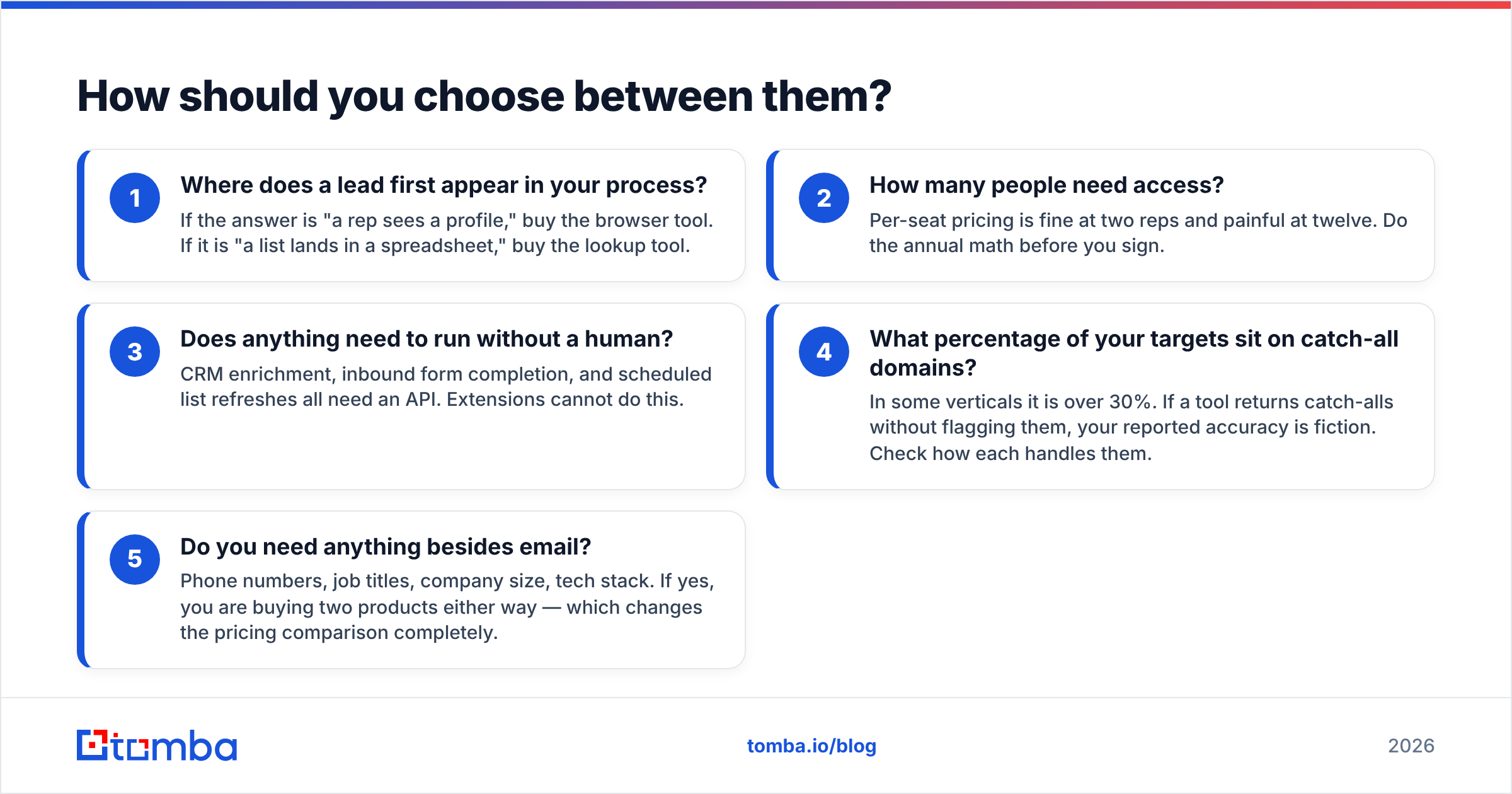
Pick on workflow shape, not on feature count. Five questions settle it:
- Where does a lead first appear in your process? If the answer is "a rep sees a profile," buy the browser tool. If it is "a list lands in a spreadsheet," buy the lookup tool.
- How many people need access? Per-seat pricing is fine at two reps and painful at twelve. Do the annual math before you sign.
- Does anything need to run without a human? CRM enrichment, inbound form completion, and scheduled list refreshes all need an API. Extensions cannot do this.
- What percentage of your targets sit on catch-all domains? In some verticals it is over 30%. If a tool returns catch-alls without flagging them, your reported accuracy is fiction. Check how each handles them.
- Do you need anything besides email? Phone numbers, job titles, company size, tech stack. If yes, you are buying two products either way — which changes the pricing comparison completely.
Also worth naming: if you would rather skip lookup entirely and buy a pre-built list, providers like BookYourData sell verified contact data outright. That is a legitimate third path, particularly for well-defined geographic or industry segments where building from scratch is wasted effort. Buying a list and running a lookup tool are not mutually exclusive — plenty of teams buy the base and enrich the gaps.

What does the total cost actually look like?#
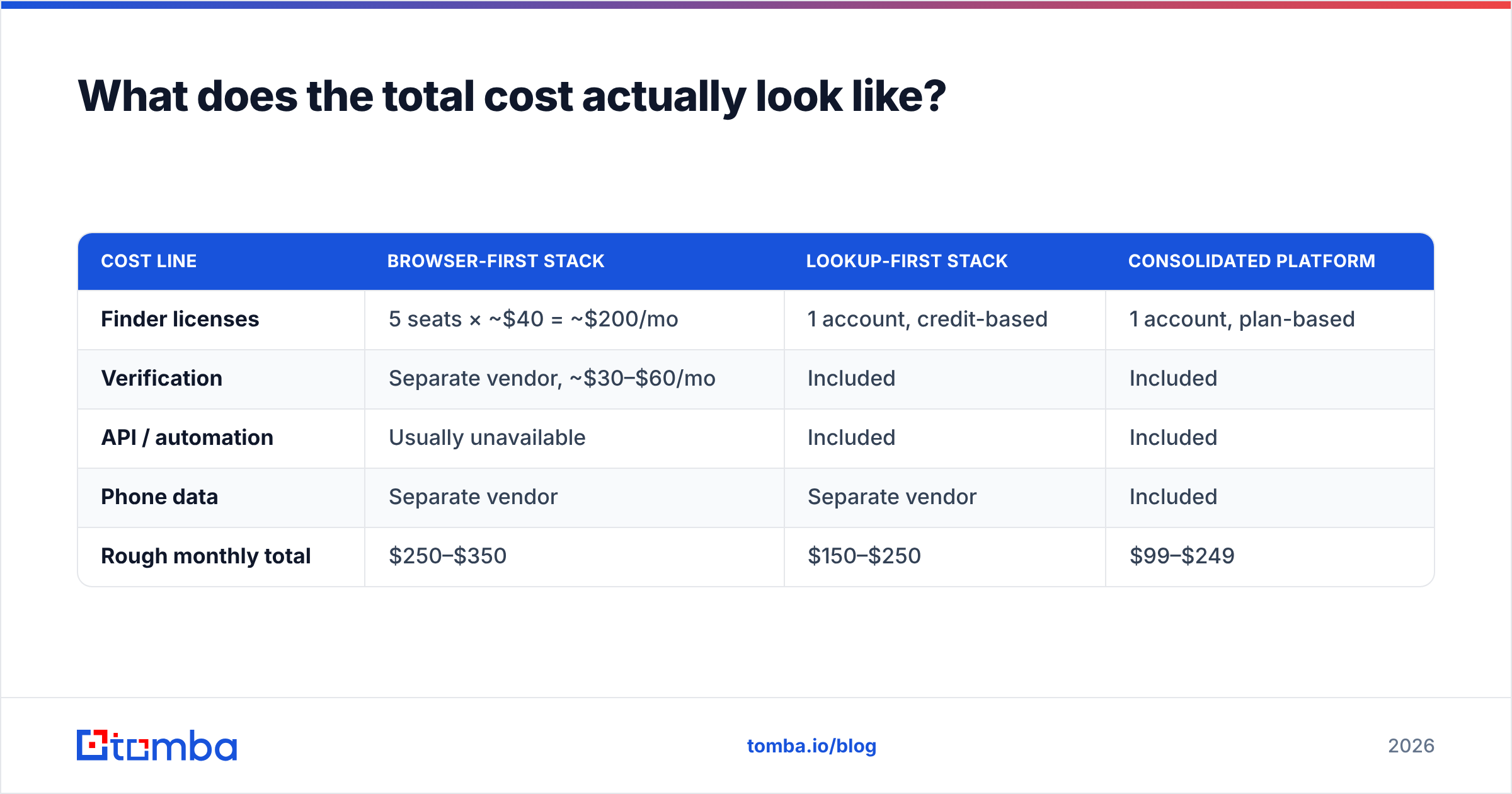
Sticker price is the smallest line item. Run the full stack cost for a five-person team doing 3,000 contacts a month:
| Cost line | Browser-first stack | Lookup-first stack | Consolidated platform |
|---|---|---|---|
| Finder licenses | 5 seats × ~$40 = ~$200/mo | 1 account, credit-based | 1 account, plan-based |
| Verification | Separate vendor, ~$30–$60/mo | Included | Included |
| API / automation | Usually unavailable | Included | Included |
| Phone data | Separate vendor | Separate vendor | Included |
| Rough monthly total | $250–$350 | $150–$250 | $99–$249 |
The comparison flatters consolidation, and that is not an accident — it is the structural reason multi-tool stacks get expensive. Every additional vendor adds a subscription floor, a credit system that does not roll over, and an integration you have to maintain. For reference, Tomba pricing runs Free (25 searches/mo), Starter $49/mo, Growth $99/mo, Pro $249/mo, and Enterprise custom — with verification, domain search, catch-all handling, and API access on the same key rather than as add-ons.
Before you commit to any of these, read recent reviews on G2 with a specific eye on two complaints that predict churn: credits expiring unused, and support response time when data quality drops.
What is the verdict on FinalScout vs Noparam?#
FinalScout wins if your reps prospect inside LinkedIn and you value speed at the point of discovery over cost per record. Its extension workflow is genuinely good, and the AI drafting removes a real bottleneck for teams that struggle to get first messages out.
Noparam wins if you already have target lists and need clean, verified addresses at volume with an API behind them. It is the better ops tool and the better economics at scale.
Neither wins if you need one system of record for contact data. That is the gap: FinalScout stops at the browser, Noparam stops at the email address, and you end up paying two vendors plus a verifier plus a phone provider to cover what should be one workflow.
If that describes your stack, consolidate. The Tomba Email Finder resolves contacts from a domain, a name, or a LinkedIn URL, verifies them in the same call, flags catch-all domains instead of quietly passing them through, and exposes all of it through an API, a CLI, and Google Sheets — starting free with 25 searches a month, no card required. Run your own 100-contact bake-off against whichever tool you are considering, compare cost per deliverable email rather than cost per credit, and let the bounce report pick the winner.
Related guides#
Ready to find emails that actually work?
Join 150,000+ professionals who stopped guessing and started sending. Free credits on signup — no credit card required.
Get the Tomba newsletter
Practical outbound tactics and product updates — once every two weeks.
About the author