FinalScout vs Null Bounce (2026): Which Email Tool Wins?
FinalScout scrapes LinkedIn for emails. Null Bounce cleans lists before you send. They solve different halves of the same problem — here is which one you actually need in 2026, and what each costs once credits run out.
TL;DR
- They are not really competitors. FinalScout is a LinkedIn-first email finder with AI writing built in. Null Bounce is a verification layer that exists to stop bounces before they hit your sending domain.
- If you already have a list, a verifier is the cheaper purchase. If you have nothing but company names and job titles, a finder is the only thing that unblocks you.
- Buying only one of the two is the most common mistake. A finder without verification burns your domain; a verifier without a finder leaves you refreshing LinkedIn tabs by hand.
- Credits are the real price. Both categories advertise a monthly fee and then meter per lookup — the number that matters is cost per usable, verified contact, not cost per credit.
- The consolidated option: a single provider that does discovery, verification, catch-all resolution and enrichment on one credit pool usually beats a two-vendor stack on both cost and workflow friction.
What is FinalScout and what is Null Bounce?#
Short version: FinalScout finds addresses, Null Bounce judges them.
FinalScout (finalscout.com) is a Chrome-extension-driven prospecting tool built around LinkedIn. You browse a profile, a search result page, a group, or an event attendee list, and it extracts contacts and attempts to resolve a professional email for each one. Its headline pitch is deliverability-guaranteed export plus ChatGPT-powered email drafting, so you can go from profile to first-touch copy in one session. The product's centre of gravity is sourcing from LinkedIn — take LinkedIn away and most of its value proposition goes with it.
Null Bounce sits at the other end of the pipeline. It is a bounce-prevention and list-hygiene product: you upload or API-push addresses you already have, and it returns a verdict — deliverable, undeliverable, risky, catch-all, role-based, disposable. It does not create contacts. It grades them. That distinction sounds pedantic until you have paid for a year of a tool that solves the half of the problem you did not have.
So "FinalScout vs Null Bounce" is really a question about where your pipeline is currently leaking.
How do FinalScout and Null Bounce actually differ?#
Here are the six dimensions that decide the purchase:
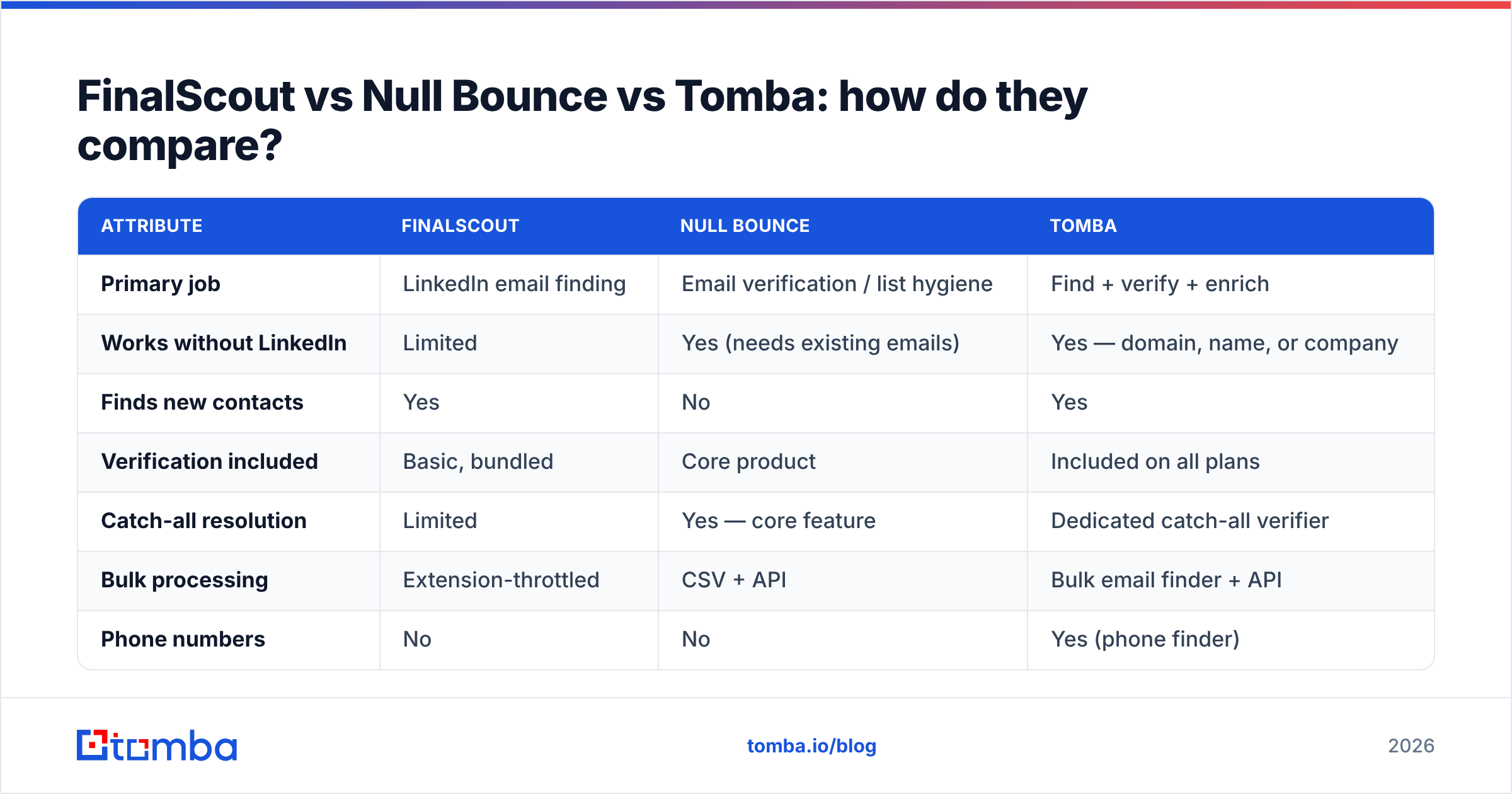
- Input requirement — FinalScout needs a LinkedIn presence (profile URL, search, Sales Navigator list). Null Bounce needs an existing address. Neither works from a bare company domain the way a domain search does.
- Output — FinalScout returns a contact record with a guessed-or-found email. Null Bounce returns a status code against an address you supply. One expands your list, the other shrinks it.
- Catch-all handling — this is where verifiers separate. Roughly 15–25% of B2B domains accept all mail at the SMTP layer, so a simple ping returns "accepted" for addresses that do not exist. A serious verifier resolves those with pattern intelligence and historical engagement signals rather than shrugging and labelling them "unknown."
- Scale model — extension-based scrapers are throttled by what a browser session can safely do. LinkedIn enforces view limits, and aggressive extraction risks the account you use to prospect. API-based verification has no such ceiling.
- Compliance surface — scraping a social network sits in a greyer zone than querying a compiled B2B dataset. If your legal team reviews vendors, expect questions about the former and far fewer about the latter.
- Where the cost lands — a finder charges you before you know whether an address is real. A verifier charges you after. Stacking both means paying twice per contact unless the two functions share a credit pool.
Which one finds more valid emails?#
Neither, strictly — because only one of them finds anything.
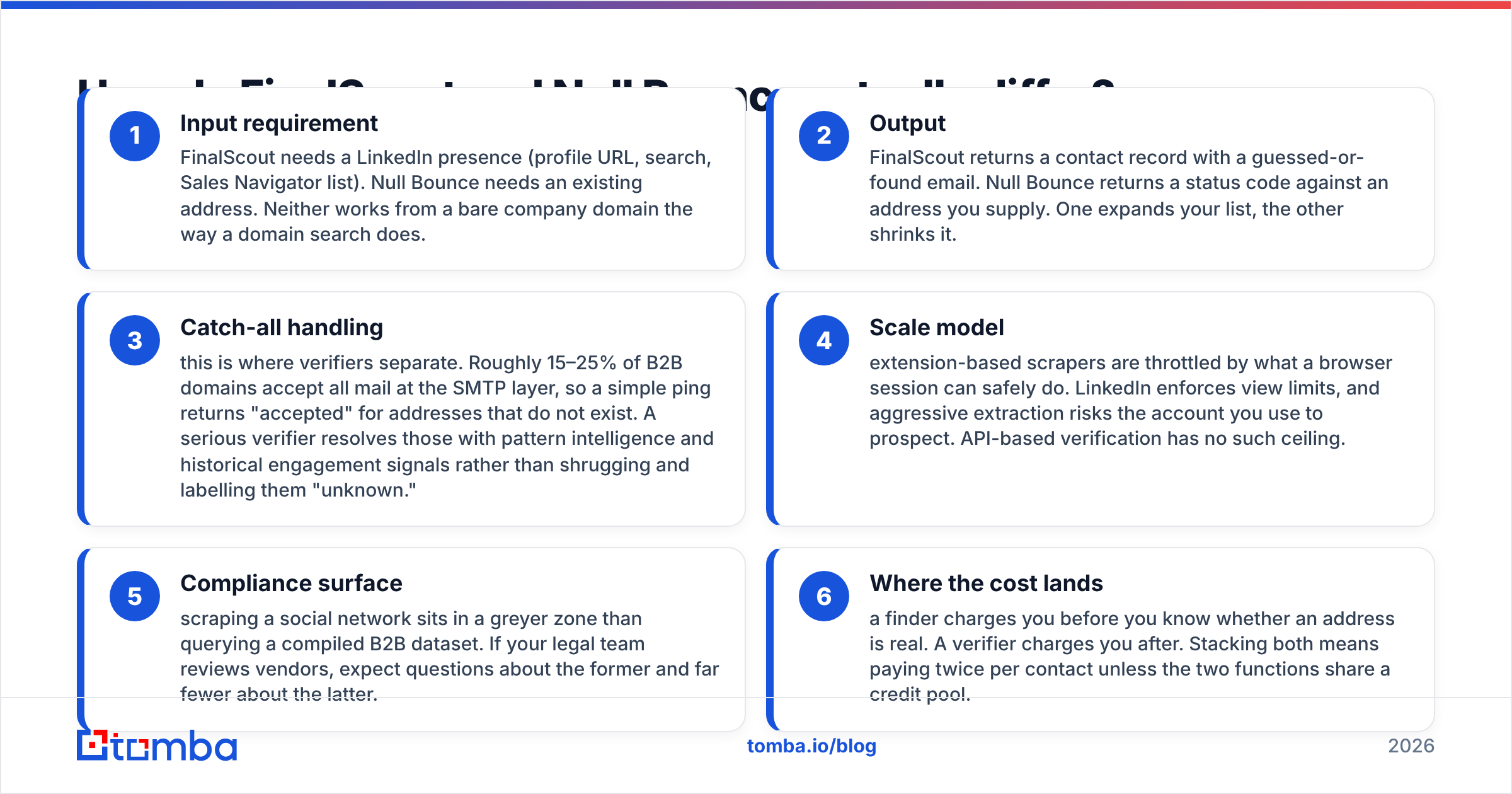
The useful question is: what percentage of the contacts you end up with are actually deliverable? That is a compound number. If a finder returns an address for 70% of your targets and 80% of those survive verification, your real coverage is 56%. Vendors quote the first number. Your bounce rate reflects the second.
Independent testing in this category consistently lands on three findings:
- Accuracy claims above 95% are almost always measured on the subset the tool was confident about. Coverage is quietly excluded from the denominator.
- Freshness beats database size. A 700M-record database compiled three years ago performs worse than a smaller one refreshed continuously, because roughly a fifth of B2B contacts change jobs annually.
- Catch-all domains are where tools diverge most. Two verifiers can agree on 90% of a list and still hand you wildly different bounce outcomes, because the disagreement is concentrated exactly where the risk is.

If you want to sanity-check any vendor's claims yourself, the test is cheap: pull 200 contacts you already know are valid (past customers, opted-in webinar registrants), strip the emails, and run the names and domains back through each tool. Anything under 60% recovery on known-good contacts is a coverage problem no marketing page will admit to.
[Suggested screenshot: side-by-side verification result screens showing how each tool labels the same catch-all domain]
FinalScout vs Null Bounce vs Tomba: how do they compare?#
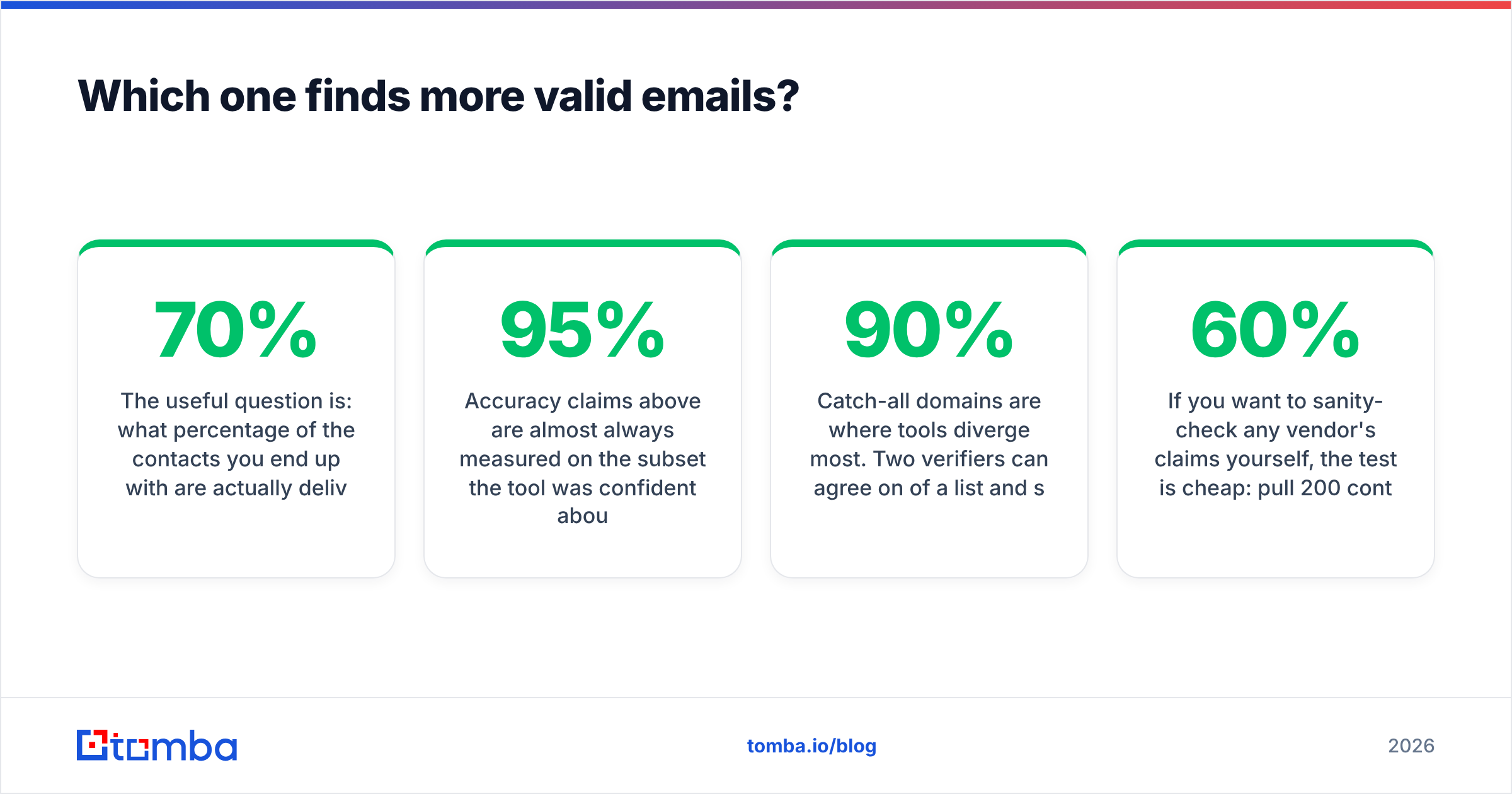
The table below compares the three on the attributes that change your monthly invoice and your bounce rate. Where a vendor does not publish a figure, "Not published" is the honest answer — check the vendor page before you budget.
| Attribute | FinalScout | Null Bounce | Tomba |
|---|---|---|---|
| Primary job | LinkedIn email finding | Email verification / list hygiene | Find + verify + enrich |
| Works without LinkedIn | Limited | Yes (needs existing emails) | Yes — domain, name, or company |
| Finds new contacts | Yes | No | Yes |
| Verification included | Basic, bundled | Core product | Included on all plans |
| Catch-all resolution | Limited | Yes — core feature | Dedicated catch-all verifier |
| Bulk processing | Extension-throttled | CSV + API | Bulk email finder + API |
| Phone numbers | No | No | Yes (phone finder) |
| Free tier | Limited free credits | Trial credits | 25 searches/mo, no card |
| Entry paid plan | Not published here — check vendor | Usage-based, check vendor | $49/mo Starter |
| Mid plan | Not published here | Not published here | $99/mo Growth |
| API access | Limited | Yes | Full email finder API, CLI, MCP |
| Native integrations | Chrome, CSV | CSV, API, ESPs | HubSpot, Salesforce, Pipedrive, Sheets, Zapier |
| Best for | Recruiters living in LinkedIn | Teams cleaning inherited lists | End-to-end outbound data |

Two things stand out. First, the FinalScout and Null Bounce columns barely overlap — they are complements dressed up as alternatives by search intent. Second, the moment you need both halves, you are running two subscriptions, two credit balances, two data-quality standards and a CSV shuttle between them.
Which should you pick for your use case?#
Pick a LinkedIn-first finder like FinalScout if: your entire sourcing motion is LinkedIn Sales Navigator or Recruiter, you work profile-by-profile rather than in batches of 5,000, and the AI drafting feature genuinely saves you a step. Agency recruiters and solo founders doing 30–60 highly researched touches a week get real value here.
Pick a dedicated verifier like Null Bounce if: you inherited a list, bought a database, or are re-activating a CRM that has not been touched in 18 months. When your problem is a 12% bounce rate on addresses you already own, buying a finder does nothing. Clean first, then send. Anything above roughly 2% hard bounces will start pulling your sender reputation down, and mailbox providers do not forget quickly — the mechanics of hard versus soft bounce messages are worth understanding before you tune anything else.
Pick a consolidated platform if: you run outbound at team scale, you need contacts by company and not just by LinkedIn profile, and you want one number to defend in a budget review. This is where a single provider covering find emails, verification, catch-all resolution and enrichment on one credit pool is structurally cheaper — not because any single feature is better, but because you stop paying twice for the same contact and stop reconciling two exports.
What does each option really cost per usable contact?#
Sticker price is the wrong metric. Run this calculation instead:
Cost per usable contact = (monthly fee ÷ credits) ÷ (coverage rate × validity rate)
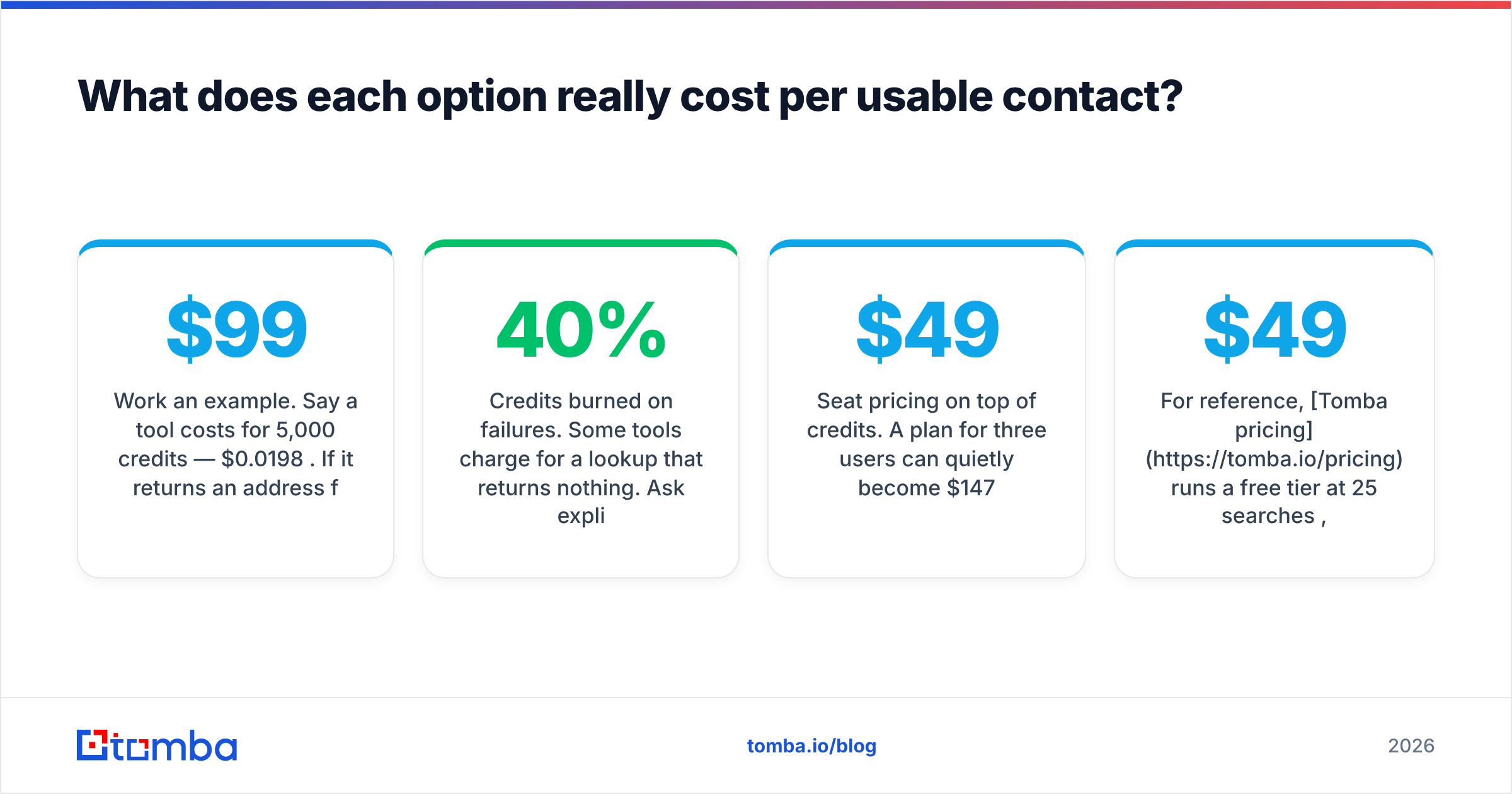
Work an example. Say a tool costs $99/mo for 5,000 credits — $0.0198 per credit. If it returns an address for 65% of your targets and 85% of those pass verification, your usable rate is 0.55. Real cost: $0.036 per usable contact, nearly double the headline. Now add a separate verifier at $0.004 per check on all 5,000 returned addresses and the number climbs again.
Three cost traps to check before signing:
- Credits burned on failures. Some tools charge for a lookup that returns nothing. Ask explicitly; the answer changes your effective price by 30–40%.
- Rollover policy. Unused credits that expire monthly mean you are buying peak capacity every month for average usage.
- Seat pricing on top of credits. A $49 plan for three users can quietly become $147.
For reference, Tomba pricing runs a free tier at 25 searches/month, Starter at $49/mo, Growth at $99/mo and Pro at $249/mo, with verification included rather than metered separately — which removes one of the three traps above by design.
[Suggested screenshot: credit usage dashboard showing found vs. not-found lookups over a 30-day window]
Do you still need a separate verifier in 2026?#
Yes — but not necessarily a separate vendor.
Verification stopped being optional when Google and Yahoo tightened bulk-sender requirements. Spam complaint thresholds and authentication enforcement mean a dirty list is no longer just a wasted send; it is a domain-level liability. Any serious outbound program now verifies every address before it enters a sequence, re-verifies anything older than 90 days, and treats catch-all domains as a separate risk tier rather than lumping them in with valid addresses.
What changed is where verification lives. Five years ago you bought it standalone because finders shipped garbage. Now the credible finders verify at the point of discovery — the address never enters your CRM unverified. That collapses the two-vendor stack into one, and it means the FinalScout-vs-Null-Bounce framing is increasingly a legacy one.
The exception: if you send at very high volume from multiple domains and need a second opinion on your primary vendor's verdicts, a dedicated verifier as a cross-check still earns its place. Most teams sending under 50,000 emails a month do not need that second layer. If you want to spot-check without committing, a free email checker will tell you whether a single address is worth the send.
How do you evaluate any of these tools in one afternoon?#
- Build a 200-row control list from contacts you already know are valid. Strip the emails, keep names and domains.
- Run the same list through each candidate. Record coverage (how many returned anything) and accuracy (how many matched the known-good address) separately.
- Send the survivors to a throwaway subdomain, not your primary sending domain. Measure actual bounces, not predicted ones.
- Check the catch-all bucket specifically. Count what each tool marks "unknown" or "risky" — that bucket is your unpriced risk.
- Read the credit terms, not the pricing page. Failures, rollover, seats, overage rate.
- Test one integration end to end — if it cannot push cleanly into your CRM, you have bought a CSV generator.
Real buyer reviews on G2's email verification category are useful for one thing in particular: filtering by company size. A tool that delights a two-person agency often collapses at 40 seats, and vice versa.
The verdict#
If your bottleneck is finding people and you live inside LinkedIn, FinalScout is a reasonable fit for that narrow motion. If your bottleneck is a list you already own that is quietly destroying your deliverability, a verification-first tool like Null Bounce is the right purchase and the cheaper one. Neither is wrong; they answer different questions.
But if you are choosing between them because you need both — and most outbound teams do — buying two subscriptions to solve one pipeline is the expensive path. Consolidating discovery, verification and catch-all resolution onto one credit pool is where the actual savings sit.
Try it against your own control list. The Tomba Email Finder gives you 25 free searches a month with no card required — enough to run the 200-row test above on a sample and see your real coverage and validity rates before you commit to anything. Run it side by side with whatever you use today, compare cost per usable contact, and let the numbers decide.
Related guides#
Ready to find emails that actually work?
Join 150,000+ professionals who stopped guessing and started sending. Free credits on signup — no credit card required.
Get the Tomba newsletter
Practical outbound tactics and product updates — once every two weeks.
About the author