FinalScout vs Sendigram: Which LinkedIn Email Finder Wins?
Both tools promise verified emails from LinkedIn profiles, but they get there very differently. Here is how FinalScout and Sendigram compare on match rate, credit math, exports, and risk — plus when neither is the right call.
TL;DR
- FinalScout is a LinkedIn-first email finder with an AI writing layer (ScoutGPT) bolted on. You browse profiles, it returns an email, and it drafts the outreach for you.
- Sendigram is the leaner, cheaper play: pull emails from LinkedIn profiles and searches, export, get out. Fewer bells, less overhead, less hand-holding.
- Neither tool is a good fit if your prospecting starts from a domain rather than a LinkedIn profile — that's a structurally different search, and both will leave gaps.
- Judge them on match rate on your ICP, not on marketing accuracy claims. Run 100 known-good contacts through each free tier before you pay anyone.
- If your workflow is API-driven, spreadsheet-driven, or domain-driven, a general-purpose email finder covers more surface area for the same money.
What are FinalScout and Sendigram?#
Both tools solve the same narrow problem: you're staring at a LinkedIn profile and you need that person's work email.
FinalScout positions itself as an AI-powered LinkedIn email extractor. The Chrome extension sits on top of LinkedIn, Sales Navigator, and Recruiter, pulls contact data as you browse, and pairs it with an AI assistant that drafts personalized emails from the profile it just scraped. The pitch is end-to-end: find, write, send, all without leaving the tab. It leans hard on a headline deliverability claim (they advertise up to 98% valid emails), which is a number you should treat as a ceiling under ideal conditions, not a promise for your list.
Sendigram plays it simpler. It's a LinkedIn email finder and outreach tool aimed at solo founders, recruiters, and small sales teams who want emails out of LinkedIn without an enterprise contract. Fewer features, cheaper entry point, faster to learn. There's no attempt to be your CRM or your copywriter.
Think of it like buying a knife. FinalScout is the multi-tool — it has a corkscrew you may never use, and it costs more because of it. Sendigram is the paring knife. Sharp, single-purpose, cheap. Which one is "better" depends entirely on whether you actually needed the corkscrew.
How do FinalScout and Sendigram actually find emails?#
This is the part most comparison posts skip, and it's the part that determines your match rate. Both tools run some version of the same pipeline:
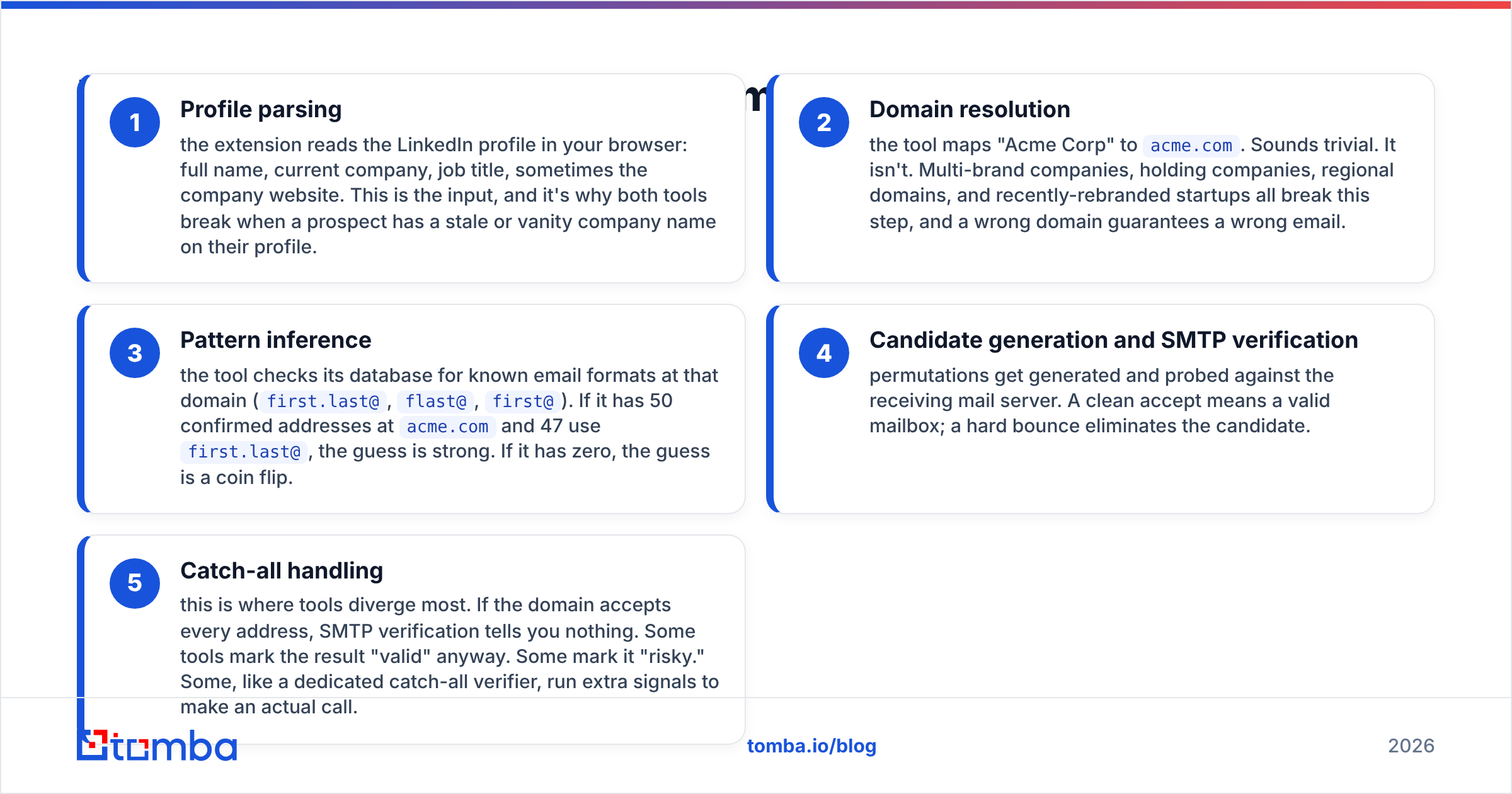
- Profile parsing — the extension reads the LinkedIn profile in your browser: full name, current company, job title, sometimes the company website. This is the input, and it's why both tools break when a prospect has a stale or vanity company name on their profile.
- Domain resolution — the tool maps "Acme Corp" to
acme.com. Sounds trivial. It isn't. Multi-brand companies, holding companies, regional domains, and recently-rebranded startups all break this step, and a wrong domain guarantees a wrong email. - Pattern inference — the tool checks its database for known email formats at that domain (
first.last@,flast@,first@). If it has 50 confirmed addresses atacme.comand 47 usefirst.last@, the guess is strong. If it has zero, the guess is a coin flip. - Candidate generation and SMTP verification — permutations get generated and probed against the receiving mail server. A clean accept means a valid mailbox; a hard bounce eliminates the candidate.
- Catch-all handling — this is where tools diverge most. If the domain accepts every address, SMTP verification tells you nothing. Some tools mark the result "valid" anyway. Some mark it "risky." Some, like a dedicated catch-all verifier, run extra signals to make an actual call.
Step 5 is the honest dividing line between vendors. A tool that reports catch-all guesses as "verified" will always show a higher advertised accuracy number and a worse real-world bounce rate. When you compare FinalScout vs Sendigram, ask each one what it does with catch-all domains before you ask about price.

Which one is more accurate?#
Neither vendor publishes a methodology you can reproduce, so treat both accuracy claims as marketing until you test them.
Here's the benchmark reality across the email-finder category: match rate (what percentage of your list returns any address) and accuracy (what percentage of returned addresses actually deliver) trade off against each other. A tool tuned for high match rate returns more addresses, including shakier ones. A tool tuned for accuracy returns fewer addresses but bounces less. Vendors advertise whichever number looks better.

For LinkedIn-sourced prospecting specifically, expect these patterns:
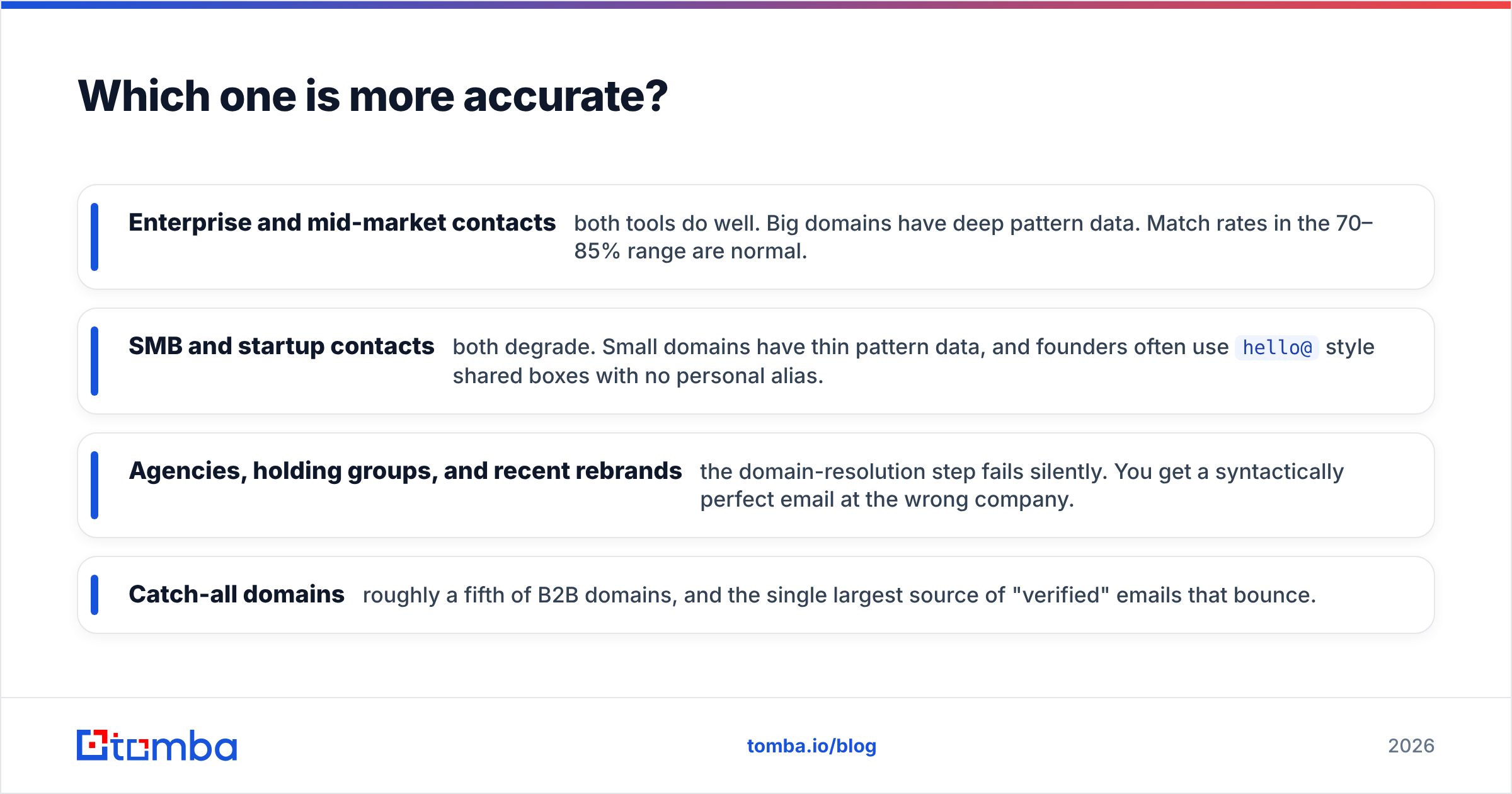
- Enterprise and mid-market contacts — both tools do well. Big domains have deep pattern data. Match rates in the 70–85% range are normal.
- SMB and startup contacts — both degrade. Small domains have thin pattern data, and founders often use
hello@style shared boxes with no personal alias. - Agencies, holding groups, and recent rebrands — the domain-resolution step fails silently. You get a syntactically perfect email at the wrong company.
- Catch-all domains — roughly a fifth of B2B domains, and the single largest source of "verified" emails that bounce.
The only test that matters: take 100 contacts you already have confirmed emails for, strip the emails, run the list through each tool's free tier, and score the output. Fifteen minutes of work beats any vendor claim, including ours. Then run whatever survives through an independent email verifier so you're not grading a vendor's homework with the vendor's own grading rubric.
How do FinalScout and Sendigram compare on features and pricing?#
Both vendors adjust tiers regularly, so treat the price column as a range to confirm on their own pricing pages before you buy. The structural differences below change much more slowly than the numbers.

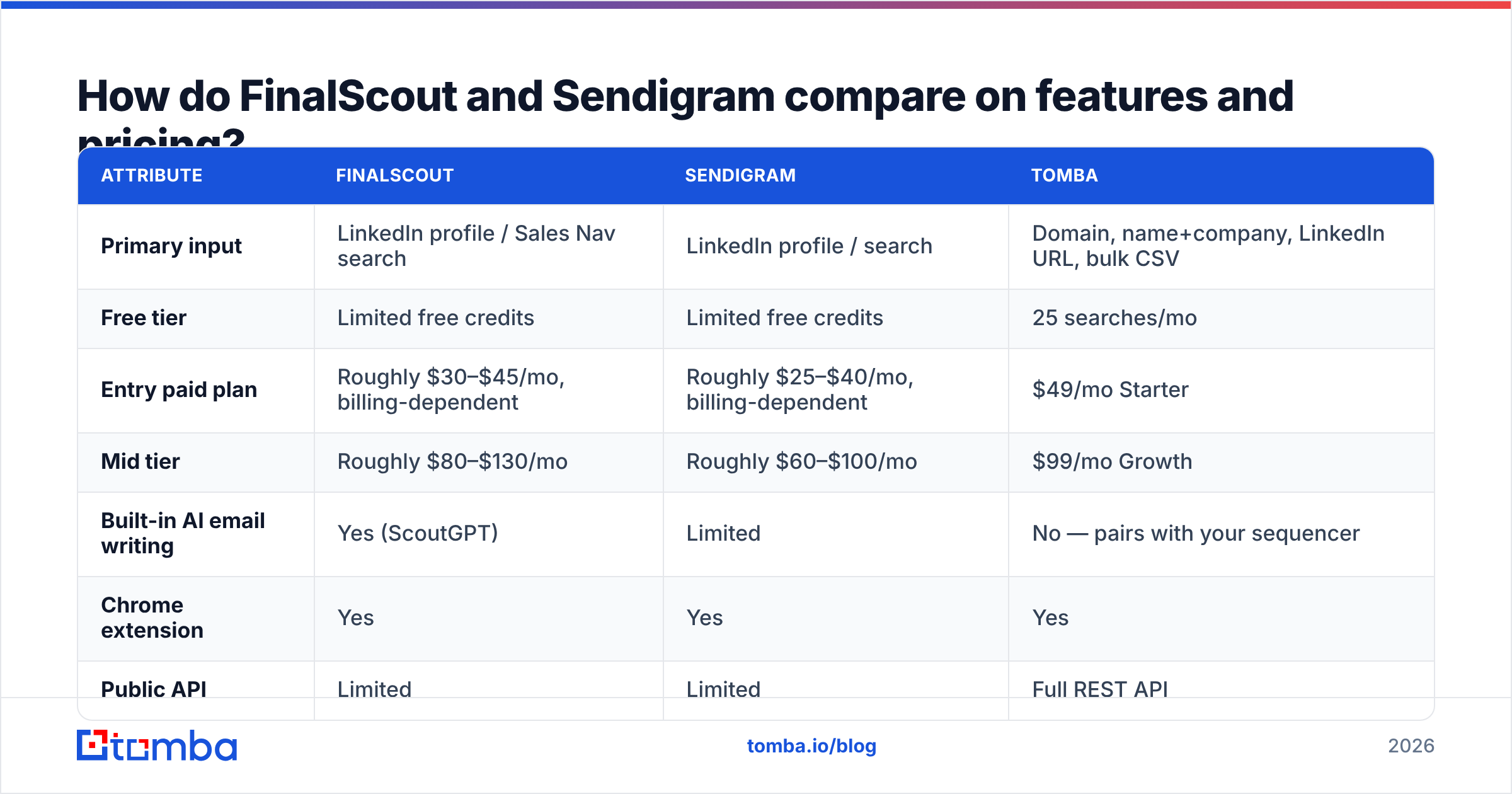
| Attribute | FinalScout | Sendigram | Tomba |
|---|---|---|---|
| Primary input | LinkedIn profile / Sales Nav search | LinkedIn profile / search | Domain, name+company, LinkedIn URL, bulk CSV |
| Free tier | Limited free credits | Limited free credits | 25 searches/mo |
| Entry paid plan | Roughly $30–$45/mo, billing-dependent | Roughly $25–$40/mo, billing-dependent | $49/mo Starter |
| Mid tier | Roughly $80–$130/mo | Roughly $60–$100/mo | $99/mo Growth |
| Built-in AI email writing | Yes (ScoutGPT) | Limited | No — pairs with your sequencer |
| Chrome extension | Yes | Yes | Yes |
| Public API | Limited | Limited | Full REST API |
| Bulk CSV enrichment | Yes, plan-dependent | Yes, plan-dependent | Yes, all paid plans |
| Catch-all handling | Marked, treatment varies | Marked, treatment varies | Dedicated catch-all verifier |
| Phone numbers | No | No | Yes |
| Works without LinkedIn | Weakly | Weakly | Yes — domain-first search |
The pattern in that table is the actual story. FinalScout and Sendigram are both LinkedIn-shaped tools. They assume your prospecting starts in a browser tab on a profile page. If that's genuinely your motion — recruiters, agency BD, founder-led sales, anyone working a Sales Navigator saved search — that assumption is fine and the tools are efficient.
If your prospecting starts anywhere else, that assumption becomes a tax. Building a list from a conference exhibitor page, an industry directory, a set of target domains from your CRM, or an enriched account list means you have companies before you have people. That's a domain search problem, and a LinkedIn extension is the wrong shape of tool for it.
What do the credit systems actually cost you?#
Sticker price is the least useful number in this comparison. Three things quietly determine your real cost per usable contact:
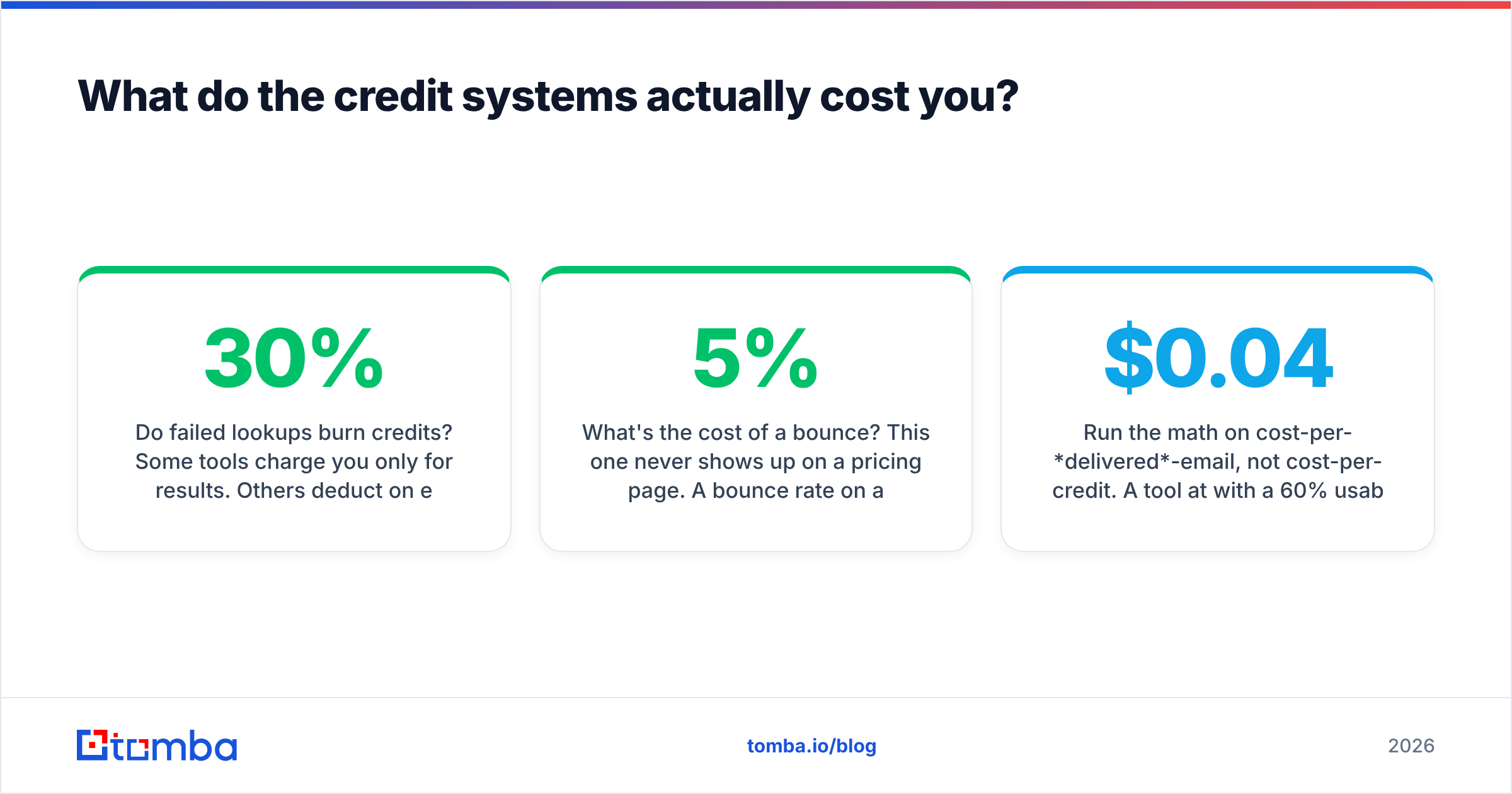
Do failed lookups burn credits? Some tools charge you only for results. Others deduct on every attempt. On a list where 30% of lookups fail, the second model makes your effective price 43% higher than advertised.
Are verification and finding billed separately? If finding costs one credit and verifying costs another, your per-contact price doubles the moment you stop trusting the vendor's own validation — which you should.
Do credits roll over? Monthly-reset credits punish lumpy prospecting. If you build lists in bursts before a quarter starts, you'll pay for months you barely touched the tool.
What's the cost of a bounce? This one never shows up on a pricing page. A 5% bounce rate on a cold domain damages sender reputation for weeks. The cheapest tool that gives you dirty data is the most expensive tool you'll ever buy.
Run the math on cost-per-delivered-email, not cost-per-credit. A tool at $0.04 per credit with a 60% usable rate costs $0.067 per real contact. A tool at $0.06 per credit with a 90% usable rate costs $0.067 too — and it wastes far less of your sequencing capacity. Check the full Tomba pricing tiers the same way you should check theirs: divide by the contacts you can actually send to.

Is LinkedIn-dependent tooling a risk you should price in?#
Yes, and both vendors carry it equally.
Any tool that reads data out of LinkedIn pages in your browser operates against LinkedIn's User Agreement, which prohibits automated scraping. The practical exposure isn't a lawsuit — it's account restriction. Aggressive extension use on a real LinkedIn account can trigger rate limiting or a temporary lockout, and if that account is your sales rep's primary network, that's a real cost.
Two mitigations are worth building in regardless of which tool you pick:
- Don't run extraction on the account you sell from. Separate the harvesting identity from the relationship identity.
- Keep a non-LinkedIn path to the same data. If your entire list-building pipeline depends on one platform's tolerance, you have a single point of failure. Domain-based search, bulk email finder runs from a CSV of companies, and API-based enrichment all survive a LinkedIn policy change. Browser extensions don't.
This is also why teams that scale past a few thousand contacts a month tend to migrate off extension-only tools. Manual browsing doesn't scale linearly with headcount, and it can't run overnight. Check G2's email-finder category reviews and you'll see the same complaint repeatedly across every extension-first vendor: it works great until you need volume.
Who should pick FinalScout, and who should pick Sendigram?#
Pick FinalScout if:
- Your entire motion is LinkedIn browsing, one profile at a time
- You want the AI drafting layer and will genuinely use it rather than rewriting every draft
- You're a recruiter or agency where personalization per contact matters more than volume
- You're comfortable paying a premium for the integrated writing feature
Pick Sendigram if:
- You want the same LinkedIn extraction without the AI layer or its price
- You're a solo founder or a two-person team watching every subscription line
- You already have a sequencer you like and don't want another writing tool
- Simplicity beats feature depth for you
Pick neither if:
- Your lists start from domains, CRM records, event pages, or directories
- You need an email finder API to enrich records programmatically
- You need phone numbers alongside emails
- You need catch-all resolution rather than a "risky" label you have to resolve yourself
- Your compliance team has opinions about browser-based scraping
That third bucket is bigger than most teams realize. Plenty of people buy a LinkedIn extension because it's the tool they saw first, then spend six months manually copying company names into it — which is a domain-search workflow wearing an extension costume.
What does a domain-first alternative look like?#
Instead of starting from a person and hunting for their company, you start from a list of target companies and pull the people. Feed 500 domains in, get back named contacts with roles, verified addresses, and confidence scores. No browsing, no rate limits, no extension.
That flips the bottleneck. With an extension, your throughput is capped by how fast a human can click. With a domain-first pipeline, it's capped by how many accounts you can actually work — which is the constraint you want, because it's the one tied to revenue.
Practically, that means:
- Bulk enrichment from CSV — upload target accounts, get contacts back, no per-profile clicking
- API integration — enrich on record creation in your CRM, so data arrives before a rep needs it
- Spreadsheet-native work — pull emails directly inside Google Sheets where your list already lives
- LinkedIn as one input among several — a LinkedIn finder still handles profile URLs when that's the input you have, without making it the only door
You lose the "click a profile, get an email" immediacy. You gain a pipeline that runs unattended and doesn't break when a platform changes its terms.
The honest verdict on FinalScout vs Sendigram#
If you forced a single answer: Sendigram for cost-conscious LinkedIn-only prospecting, FinalScout if the AI writing layer earns its premium in your workflow. They're closer to each other than either is to a general-purpose data platform, and the gap between them is smaller than the gap between "LinkedIn extension" and "prospecting infrastructure."
But run the 100-contact test before you commit to either. Match rates vary wildly by industry, company size, and geography, and the tool that wins for a US SaaS list can lose badly on a European manufacturing list. Vendor benchmarks are averages across everyone's data. You only care about yours.
Ready to test a domain-first approach against your LinkedIn workflow? Try the Tomba Email Finder — 25 free searches a month, no card required, and it works from a domain, a name and company, a LinkedIn URL, or a bulk CSV. Run the same 100 contacts through it that you run through FinalScout and Sendigram, and let the match rate decide.
Related guides#
Ready to find emails that actually work?
Join 150,000+ professionals who stopped guessing and started sending. Free credits on signup — no credit card required.
Get the Tomba newsletter
Practical outbound tactics and product updates — once every two weeks.
About the author