FinalScout vs Sendster: Full 2026 Comparison for B2B Teams
FinalScout finds emails on LinkedIn. Sendster sends bulk campaigns from your own server. They solve different halves of the same problem — here is which one you actually need, and what happens when you pick wrong.
TL;DR
- FinalScout is a LinkedIn-centric email finder and AI writer that lives in your browser. Sendster is a self-hosted bulk email marketing application that lives on your own server. They are not substitutes.
- If your bottleneck is "I don't have contact data," FinalScout is the relevant tool. If your bottleneck is "I have 40,000 contacts and per-subscriber ESP pricing is killing me," Sendster is the relevant tool.
- Buying either one alone leaves a hole: FinalScout doesn't run campaigns at scale, and Sendster doesn't source or verify a single address.
- Self-hosted sending shifts cost from a monthly bill to your own time — SMTP setup, IP warmup, SPF/DKIM/DMARC, bounce handling, and blacklist monitoring all become your job.
- The realistic 2026 stack for most B2B teams is a dedicated data layer (finder + verifier via API) feeding a sending layer, not one tool pretending to be both.
What is FinalScout?#
FinalScout is a browser-extension email finder built primarily around LinkedIn. You open a profile, a search result page, a Sales Navigator list, or a group, and the extension pulls contact data for those people, then lets you export the result to CSV or push it into an outreach flow. Its second selling point is AI-assisted writing: it drafts personalized emails from the profile context it just scraped, so you go from "found the person" to "wrote the first line" without switching tabs.
The positioning is aggressive on deliverability. FinalScout markets a high validity rate on the addresses it returns and leans on that number as its primary differentiator against generic scrapers. You can review the current claims and plan structure on the official FinalScout site, and cross-check user sentiment on G2 before you commit to an annual plan.
Where it fits: SDRs and founders doing LinkedIn-first prospecting, one profile or one list at a time, who want contact data and a first draft in the same motion.
Where it does not fit: high-volume, domain-first prospecting (give me everyone at these 900 companies), programmatic enrichment inside a data warehouse, or CRM-triggered lookups. Extension-driven workflows are bounded by how many pages a human can load, and LinkedIn's own rate limits sit underneath everything.
What is Sendster?#
Sendster is a completely different animal: a self-hosted email marketing platform. You buy a license, install it on your own server (LAMP-style stack), connect your own sending infrastructure — Amazon SES, a dedicated SMTP relay, Mailgun, SparkPost, whatever you already pay for — and it handles lists, segments, campaigns, autoresponders, templates, bounce processing, and reporting.
The economic argument is simple. Hosted email platforms charge by subscriber count or by send volume, and that bill compounds every month forever. A self-hosted app converts most of that into a one-time license plus raw sending costs, which at SES-style rates are a fraction of a cent per email. If you send to 100,000 contacts a month, the math gets interesting fast.
The hidden cost is operational. Self-hosting means you own the parts an ESP normally abstracts away: server uptime, PHP/MySQL updates, cron jobs that actually fire, SPF record and DKIM alignment, IP warmup schedules, feedback loops, and what to do at 2am when a shared IP lands on a blacklist. None of that is exotic, but it is real work, and it is work an ESP's deliverability team does invisibly. For background on how the sending side of the industry is structured, Wikipedia's overview of email marketing is a decent neutral primer.

Are FinalScout and Sendster actually competitors?#
No, and that is the single most useful thing to understand before you compare feature lists.
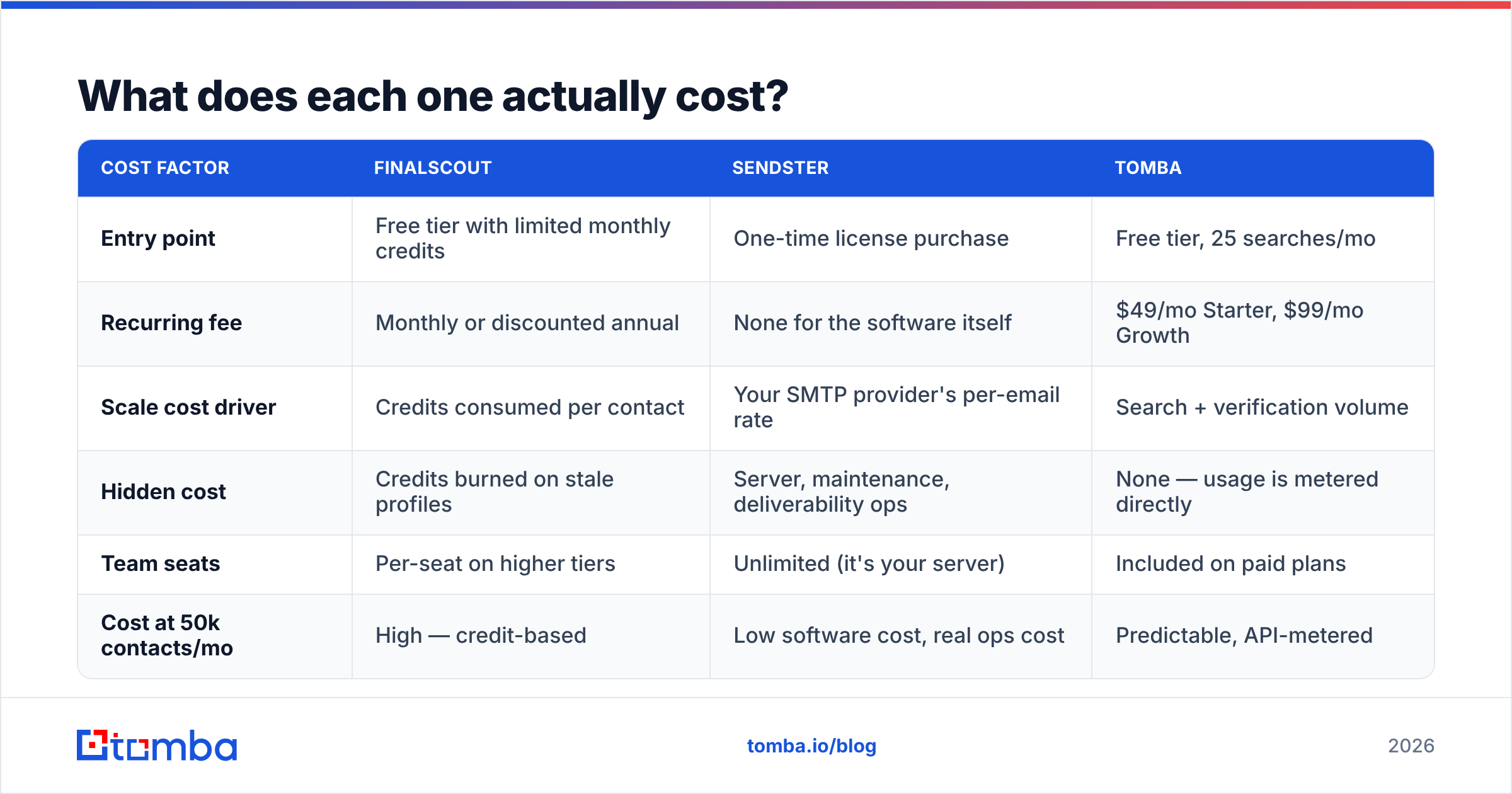
They sit on opposite ends of the outbound pipeline:
- Sourcing — deciding who to contact. Neither tool really does this; that's your ICP work, a B2B database, or an intent signal.
- Contact discovery — turning a name and a company into a working email address. This is FinalScout's job. Sendster has no capability here at all.
- Verification — proving the address will accept mail before you risk your domain on it. FinalScout does some of this internally; Sendster does none of it pre-send.
- Sending — pushing the message out with correct authentication, throttling, and reputation management. This is Sendster's job. FinalScout is not built for bulk sequencing.
- Measurement — opens, clicks, replies, bounces, unsubscribes. Sendster owns this. FinalScout does not.
The "vs" framing exists because both tools appear in searches for cheap cold email tooling. But comparing them head-to-head is like comparing a drill to a screwdriver bit. The honest question is not which one wins — it's which layer of your stack is currently broken.
How do FinalScout and Sendster compare feature by feature?#
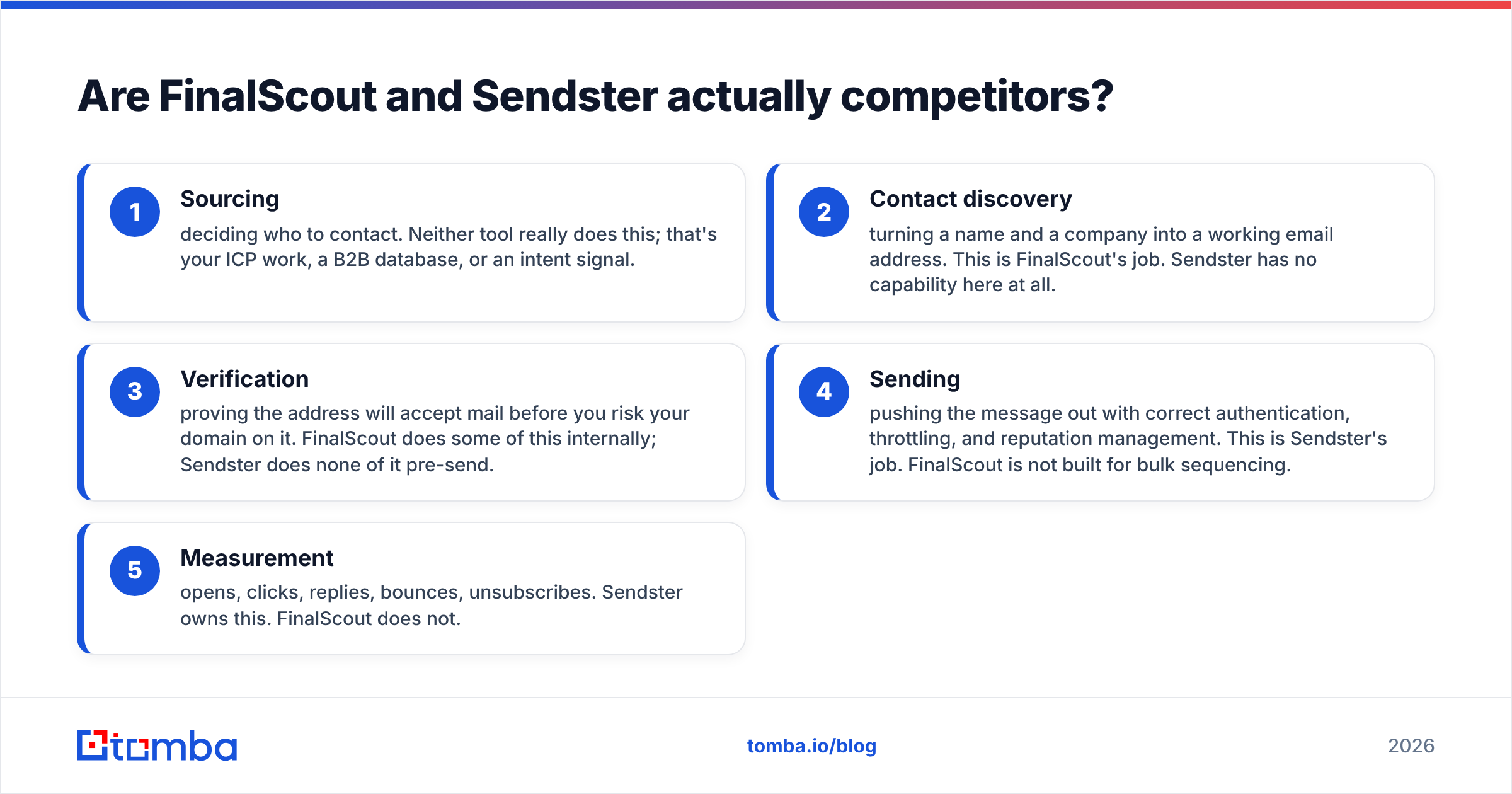
Here is the head-to-head, with a data-layer alternative in the third column so you can see what a dedicated finder brings that a browser extension doesn't.
| Capability | FinalScout | Sendster | Tomba |
|---|---|---|---|
| Primary job | Find emails from LinkedIn profiles | Send bulk email campaigns | Find + verify B2B emails at scale |
| Delivery model | Chrome extension + web app | Self-hosted PHP app on your server | Web app, API, CLI, extensions |
| Finds email addresses | Yes, LinkedIn-first | No | Yes, domain-first and name-first |
| Verifies before send | Built-in validity scoring | No pre-send verification | Dedicated verifier + catch-all handling |
| Bulk / list processing | CSV export, extension-bound | Imports lists you already own | Bulk upload, API, Sheets, Excel |
| Sends campaigns | Not a sending platform | Yes, its entire purpose | No — feeds your sender |
| Autoresponders / sequences | Limited | Yes | No |
| Requires server admin | No | Yes (LAMP, cron, SMTP) | No |
| Pricing shape | Monthly/annual subscription | One-time license + your SMTP costs | Free tier, then $49–$249/mo |
| Best for | LinkedIn prospecting by hand | High-volume senders escaping ESP fees | Data layer for any sending tool |
Two rows deserve a second look. "Verifies before send" is the one that quietly decides whether your campaign works, and "requires server admin" is the one that quietly decides whether your Saturday works.
What does each one actually cost?#
Pricing on both tools moves, so treat published numbers as a starting point and confirm on the vendor page before you buy. What does not move is the shape of the cost, and that's what should drive the decision.
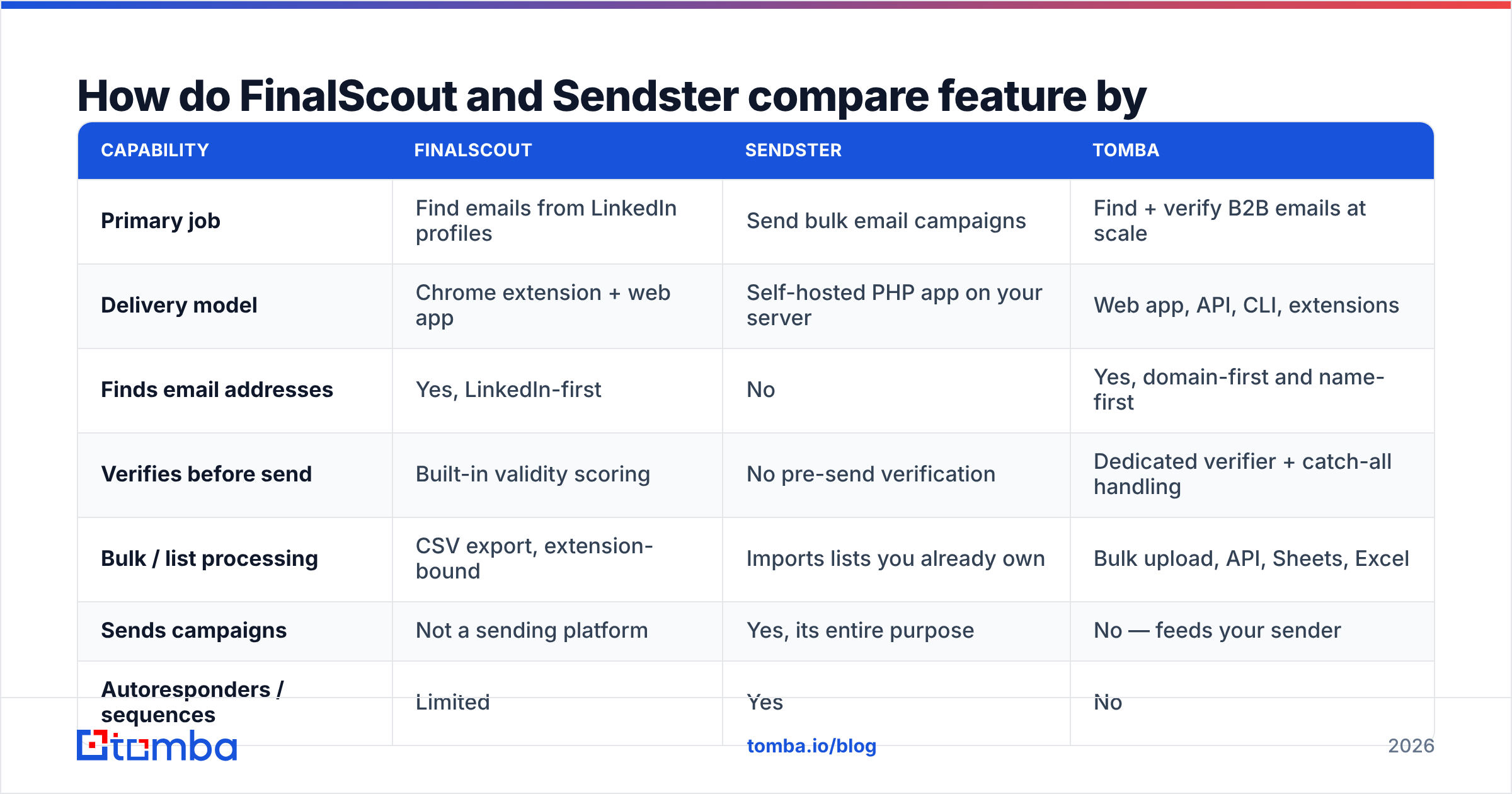
| Cost factor | FinalScout | Sendster | Tomba |
|---|---|---|---|
| Entry point | Free tier with limited monthly credits | One-time license purchase | Free tier, 25 searches/mo |
| Recurring fee | Monthly or discounted annual | None for the software itself | $49/mo Starter, $99/mo Growth |
| Scale cost driver | Credits consumed per contact | Your SMTP provider's per-email rate | Search + verification volume |
| Hidden cost | Credits burned on stale profiles | Server, maintenance, deliverability ops | None — usage is metered directly |
| Team seats | Per-seat on higher tiers | Unlimited (it's your server) | Included on paid plans |
| Cost at 50k contacts/mo | High — credit-based | Low software cost, real ops cost | Predictable, API-metered |
Full Tomba pricing runs Free (25 searches/mo), Starter $49/mo, Growth $99/mo, Pro $249/mo, and custom Enterprise. The reason it belongs in a FinalScout-vs-Sendster comparison is that it is the layer both tools assume you have already solved: FinalScout solves it only for people who exist on LinkedIn, and Sendster assumes you walked in the door with a clean list.
Self-hosted licensing looks unbeatable in a spreadsheet. Run the honest version: add four hours a month of sysadmin time at your loaded hourly rate, plus one incident per quarter where sending stops and nobody notices for a day. If that total is still lower than your ESP bill, self-hosting wins on economics. For a lot of teams under 20,000 contacts, it isn't.
Which one wins for cold outreach in 2026?#
Neither, alone. Here's the failure mode for each path.
FinalScout alone. You build a great list of 800 prospects, then discover you have nowhere to send from at volume. Gmail caps you, and blasting cold email from your primary domain is how you lose your primary domain. You end up buying a sequencer anyway, which means FinalScout's AI writing feature overlaps with tooling you now pay for twice.
Sendster alone. You have a beautiful self-hosted sender with unlimited capacity and no list worth sending to. You buy a scraped CSV from somewhere, import 40,000 rows, and hit send.

That second scenario is where self-hosting punishes you hardest. On a hosted ESP, a 30% bounce rate gets your account flagged and paused — annoying, but it's a circuit breaker that protects your domain. On your own infrastructure there is no circuit breaker. The bounces land, the mailbox providers notice, your IP reputation collapses, and by the time you see it in the dashboard your domain is already being filtered. Cleaning that up takes weeks, and no license refund covers it.
This is why the verification step is not optional. Running your list through an email verifier before it touches a sending queue is the cheapest insurance in the entire stack, and it matters more — not less — when you control your own SMTP. If a meaningful chunk of your list sits on catch-all domains, a catch-all verifier is what keeps you from treating "accepts everything" as "valid."
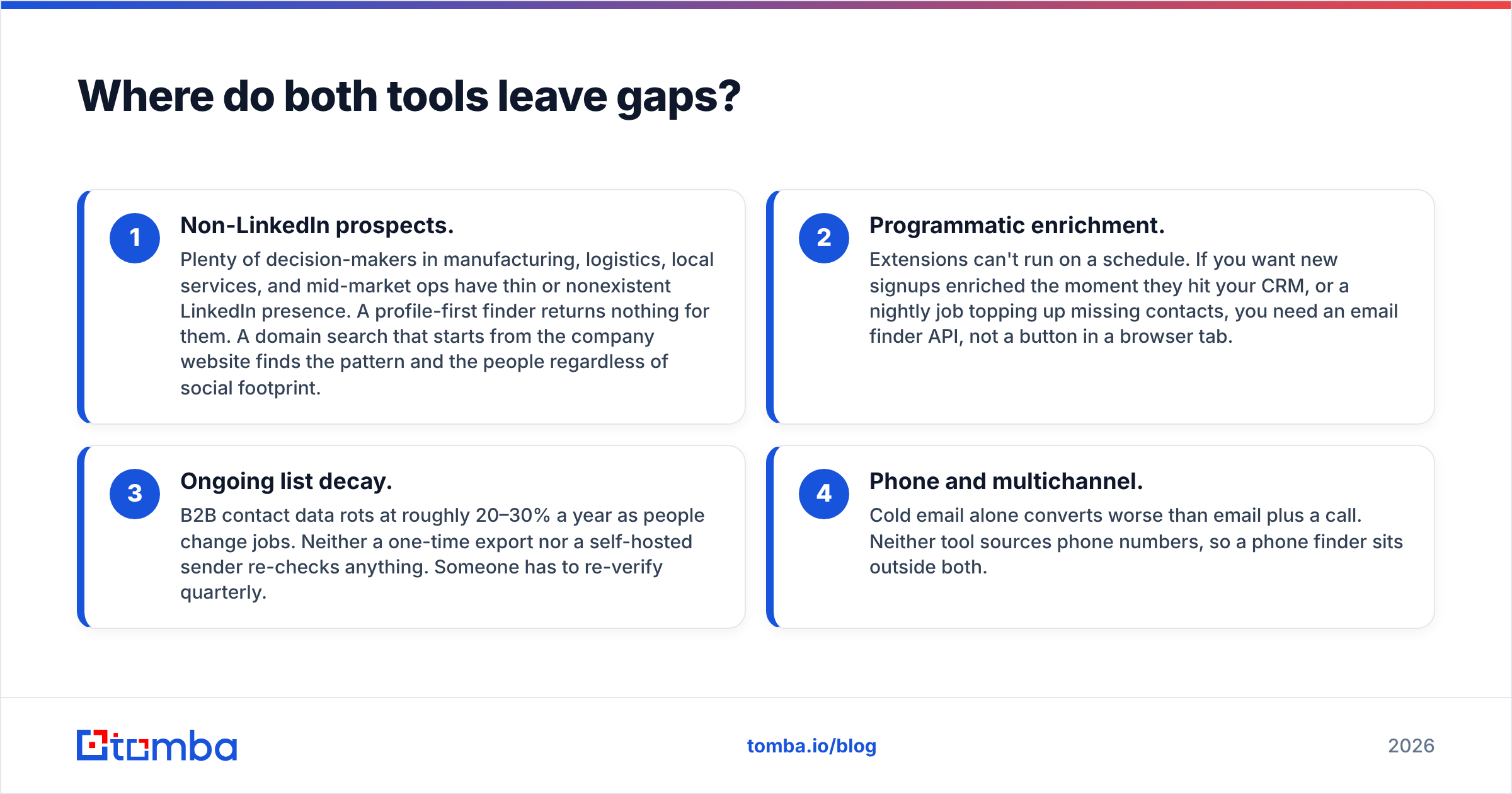
Where do both tools leave gaps?#
Four gaps show up in almost every deployment:
- Non-LinkedIn prospects. Plenty of decision-makers in manufacturing, logistics, local services, and mid-market ops have thin or nonexistent LinkedIn presence. A profile-first finder returns nothing for them. A domain search that starts from the company website finds the pattern and the people regardless of social footprint.
- Programmatic enrichment. Extensions can't run on a schedule. If you want new signups enriched the moment they hit your CRM, or a nightly job topping up missing contacts, you need an email finder API, not a button in a browser tab.
- Ongoing list decay. B2B contact data rots at roughly 20–30% a year as people change jobs. Neither a one-time export nor a self-hosted sender re-checks anything. Someone has to re-verify quarterly.
- Phone and multichannel. Cold email alone converts worse than email plus a call. Neither tool sources phone numbers, so a phone finder sits outside both.
If you want a broader survey of both categories before deciding, Capterra carries buyer reviews for self-hosted marketing apps and prospecting extensions side by side, which is useful for spotting the complaints that never make it onto a vendor page.
How should you actually build the stack?#
Pick your layers deliberately instead of hoping one purchase covers everything:
- Data layer — a finder plus verifier with API access, so contact discovery is repeatable rather than manual. This is where accuracy is either won or lost; everything downstream inherits it.
- Sending layer — either a hosted sequencer (simple, more expensive, deliverability handled for you) or a self-hosted app like Sendster (cheap at volume, you own the operations).
- Enrichment layer — firmographics and role data so segmentation is real, via data enrichment rather than guesswork in a spreadsheet.
- Hygiene layer — scheduled re-verification, suppression list management, and bounce feedback loops wired back into your source of truth.
Read that list against your current setup and the decision usually answers itself. Missing the data layer? FinalScout addresses part of it, a dedicated finder addresses all of it. Missing the sending layer and sending high volume? Sendster is a legitimate, cost-effective choice — provided you respect what self-hosting demands.
What's the verdict on FinalScout vs Sendster?#
Choose FinalScout if you prospect on LinkedIn by hand, work in modest volumes, and want AI drafting bundled into the same tab. It's a competent front-end for a manual workflow.
Choose Sendster if you already own a large, clean, opted-in list, you're paying an ESP by subscriber count, and you have someone on the team who is genuinely comfortable with servers, DNS, and IP reputation. The savings are real; so is the responsibility.
Choose neither as your whole stack. The comparison itself is a category error — you're weighing a screwdriver against a hammer. Whichever one you buy, the layer that decides whether your campaigns work is the accuracy of the addresses going in.
That's the layer to fix first. Start with Tomba's Email Finder on the free tier — 25 searches a month, no card — and run it against a domain you already prospect. Compare what comes back to your current list, verify the results, then plug the clean output into whichever sender you land on. The data layer is the part you cannot fake, and it's the cheapest place in the entire pipeline to be rigorous.
Related guides#
Ready to find emails that actually work?
Join 150,000+ professionals who stopped guessing and started sending. Free credits on signup — no credit card required.
Get the Tomba newsletter
Practical outbound tactics and product updates — once every two weeks.
About the author