FinalScout vs SMTP Ghost: Which Email Finder Wins in 2026?
FinalScout is a LinkedIn-first email scraper. SMTP Ghost is a cold-email suite with finding bolted on. They solve different halves of the same problem — here is which one belongs in your stack, and when neither does.
TL;DR
- FinalScout is a LinkedIn-first tool. It lives in your browser, reads profiles you have already surfaced in Sales Navigator, and turns them into email addresses. Take LinkedIn away and there is very little product left.
- SMTP Ghost is a sending platform first. Finding and verifying contacts are features that feed the sequencer — unlimited inboxes, warmup, and rotation are the actual pitch.
- They are not really competitors. The honest comparison is "which half of my outbound problem am I solving," not "which one is better."
- Neither is a great API-first data source. If you need programmatic lookup, bulk domain coverage, or catch-all resolution at scale, a dedicated finder like Tomba, Hunter, or Dropcontact will beat both on cost per verified contact.
- Verify at the point of send regardless. Every scraped list decays roughly 2-3% per month. The tool that finds the address is rarely the tool that should be trusted to say it still works.
What are FinalScout and SMTP Ghost, exactly?#
Start with the category confusion, because it drives most bad purchases here.
FinalScout is a Chrome extension and web app built around LinkedIn. You run a Sales Navigator search, open FinalScout, and it extracts profiles into a list with email addresses attached. It layers on an AI writer that drafts a personalised message from the profile it just scraped. The pitch is speed from "I found this person on LinkedIn" to "I have their email and a first draft."
SMTP Ghost sits on the other side of the workflow. It is a cold-email sending platform — you connect mailboxes, warm them, build sequences, and send. It ships an email finder and a verifier so you do not have to buy them separately, but those exist to keep leads flowing into campaigns. Nobody buys SMTP Ghost primarily for data quality.
So the real question is not "FinalScout vs SMTP Ghost." It is: is your bottleneck finding people, or is it sending to them? If you answer "both," you are looking at a two-tool stack no matter which of these you pick.
How do FinalScout and SMTP Ghost actually differ?#
Here is the split, broken down by the five decisions that matter when you evaluate either:
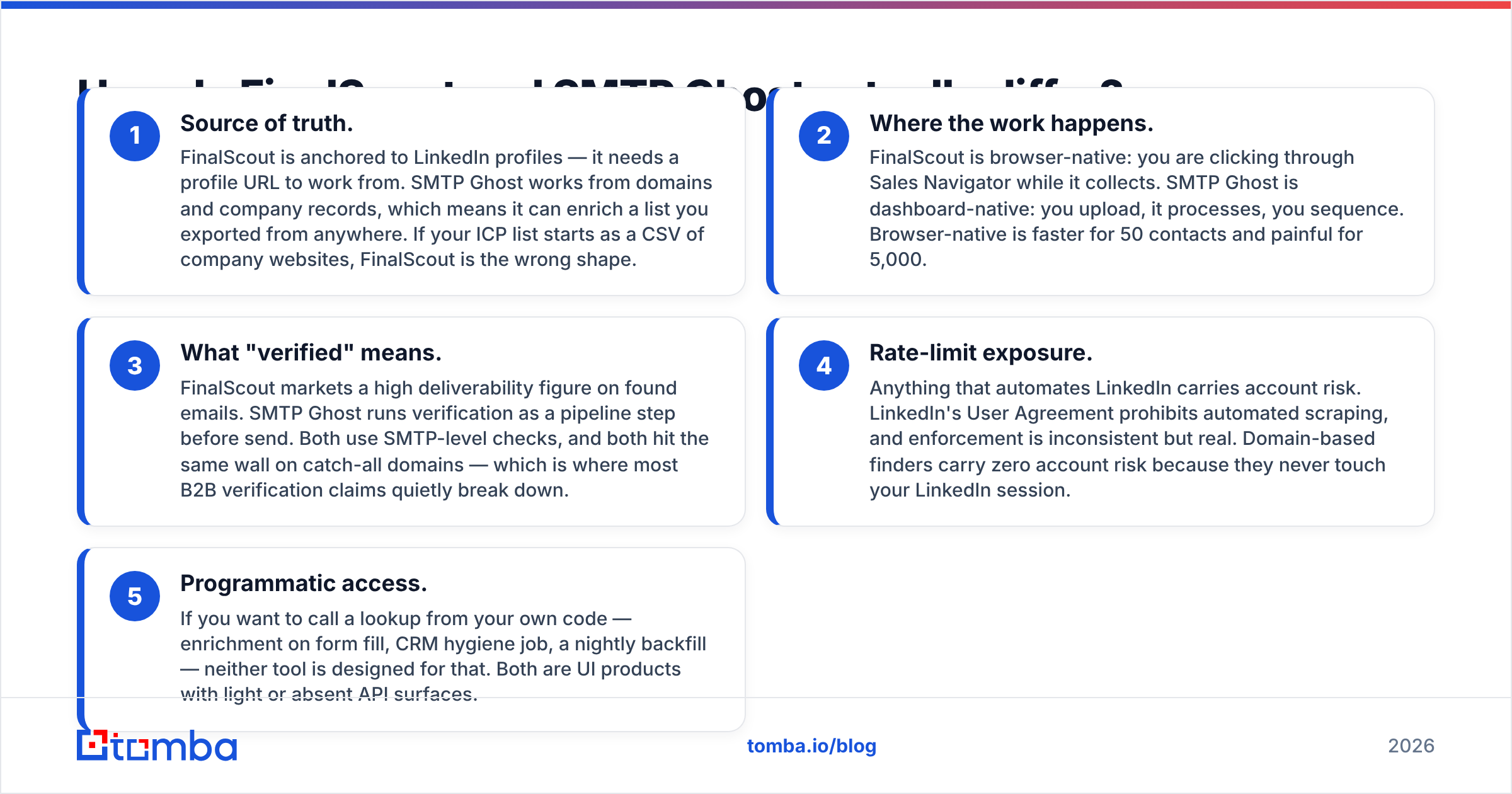
- Source of truth. FinalScout is anchored to LinkedIn profiles — it needs a profile URL to work from. SMTP Ghost works from domains and company records, which means it can enrich a list you exported from anywhere. If your ICP list starts as a CSV of company websites, FinalScout is the wrong shape.
- Where the work happens. FinalScout is browser-native: you are clicking through Sales Navigator while it collects. SMTP Ghost is dashboard-native: you upload, it processes, you sequence. Browser-native is faster for 50 contacts and painful for 5,000.
- What "verified" means. FinalScout markets a high deliverability figure on found emails. SMTP Ghost runs verification as a pipeline step before send. Both use SMTP-level checks, and both hit the same wall on catch-all domains — which is where most B2B verification claims quietly break down.
- Rate-limit exposure. Anything that automates LinkedIn carries account risk. LinkedIn's User Agreement prohibits automated scraping, and enforcement is inconsistent but real. Domain-based finders carry zero account risk because they never touch your LinkedIn session.
- Programmatic access. If you want to call a lookup from your own code — enrichment on form fill, CRM hygiene job, a nightly backfill — neither tool is designed for that. Both are UI products with light or absent API surfaces.

Which one finds more valid emails?#
Neither vendor publishes an independently audited match rate, so treat every headline percentage — theirs, ours, anyone's — as marketing until you test it on your own list.
What you can reason about is method, because method determines where each tool fails.
FinalScout's advantage is identity resolution. It knows exactly who the person is because it read the profile: name, current employer, title. That is the hard part of email finding. Its weakness is coverage — if the person's company domain has no discoverable email pattern, or they are at a 4-person company with no public footprint, there is nothing to pattern-match against.
SMTP Ghost's finder works the other direction: give it a domain and a name and it infers the pattern. That scales beautifully across mid-market and enterprise domains where patterns are consistent, and degrades badly on companies using randomised or personal-alias addressing.
The practical consequence: on a list of 1,000 VP-level contacts at companies with 200+ employees, both will land in a similar range. On a list of founders at seed-stage startups, LinkedIn-anchored tools usually pull ahead. On a list where you only have company domains and job titles, the domain-based approach is the only one that works at all.

The thing that actually moves your bounce rate is not which finder you picked — it is whether you re-check addresses at send time. A list found in January and sent in April will bounce harder than a mediocre list found the morning of. Run everything through an email verifier as a final gate and the difference between "good finder" and "great finder" shrinks to a couple of percentage points.
How do FinalScout and SMTP Ghost compare on features and price?#
Pricing on both tools moves, and both run promotional and lifetime-deal offers that distort the sticker price. Check the vendor pages before you commit — the figures below reflect published list pricing at the time of writing and are directional, not contractual.
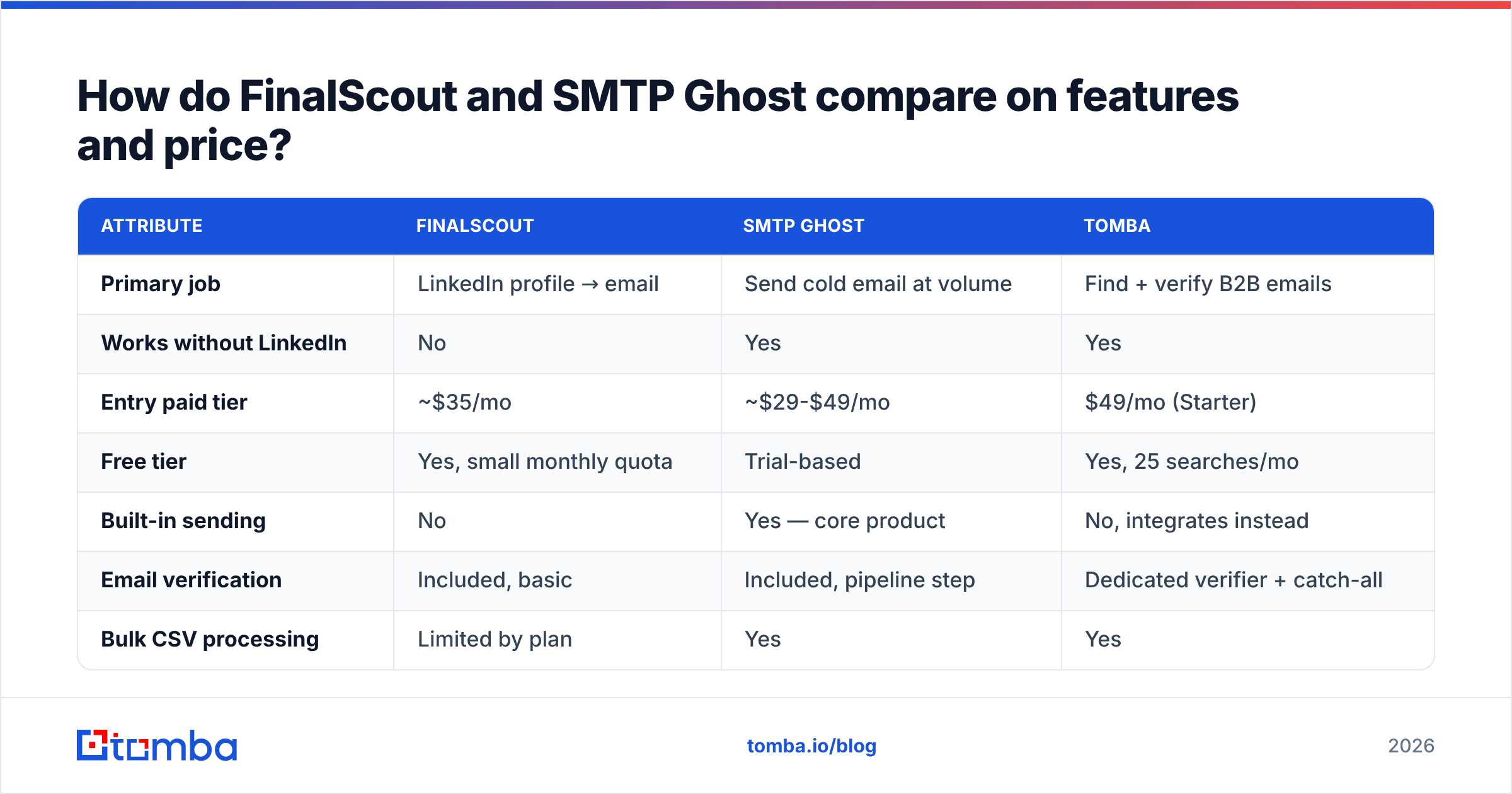
| Attribute | FinalScout | SMTP Ghost | Tomba |
|---|---|---|---|
| Primary job | LinkedIn profile → email | Send cold email at volume | Find + verify B2B emails |
| Works without LinkedIn | No | Yes | Yes |
| Entry paid tier | ~$35/mo | ~$29-$49/mo | $49/mo (Starter) |
| Free tier | Yes, small monthly quota | Trial-based | Yes, 25 searches/mo |
| Built-in sending | No | Yes — core product | No, integrates instead |
| Email verification | Included, basic | Included, pipeline step | Dedicated verifier + catch-all |
| Bulk CSV processing | Limited by plan | Yes | Yes |
| Public API | Minimal | Minimal | Full REST API |
| Chrome extension | Yes — the main UI | Secondary | Yes |
| CRM integrations | CSV / limited native | Native to sequencer | HubSpot, Salesforce, Pipedrive, Zapier |
| Best for | Solo AE working Sales Navigator | Agency sending from many inboxes | Data layer for a whole GTM stack |

Read that table as three different products, not three ranked options. FinalScout is priced like a per-seat productivity tool. SMTP Ghost is priced like infrastructure — the value is in unlimited mailbox connections, not in credits. A dedicated finder is priced per lookup because lookups are the product; see Tomba pricing for how the credit tiers stack up against per-seat models.
Is FinalScout worth it for LinkedIn prospecting?#
Yes, in one specific situation: you are one or two people, you already live in Sales Navigator, and your monthly volume is in the low hundreds.
In that shape, the browser-native workflow is genuinely faster than any export-enrich-import loop. You see a profile, you like the fit, you get the email, you get a draft. There is no CSV round trip. For an AE doing 30 targeted touches a week, that friction saving is worth more than a two-point accuracy difference.
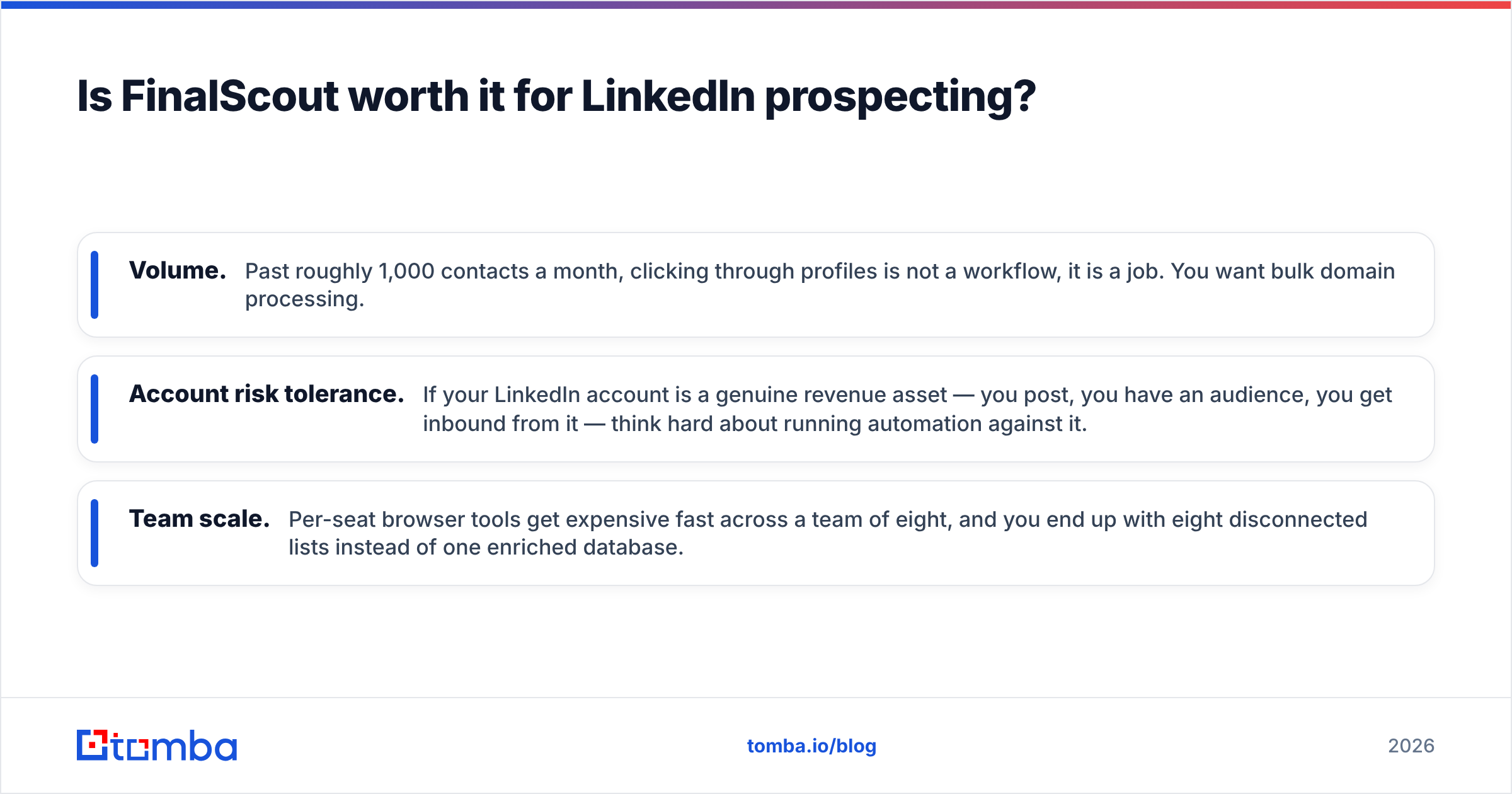
It stops making sense in three cases:
- Volume. Past roughly 1,000 contacts a month, clicking through profiles is not a workflow, it is a job. You want bulk domain processing.
- Account risk tolerance. If your LinkedIn account is a genuine revenue asset — you post, you have an audience, you get inbound from it — think hard about running automation against it.
- Team scale. Per-seat browser tools get expensive fast across a team of eight, and you end up with eight disconnected lists instead of one enriched database.
For teams past those thresholds, a domain search run against your target account list will surface every discoverable contact at a company in one call, which is a fundamentally different unit of work than one-profile-at-a-time extraction.
Is SMTP Ghost's bundled finder good enough to skip a dedicated tool?#
Usually not, and the reason is structural rather than a knock on the product.
When a sending platform bundles a finder, the finder is a retention feature. It exists so you do not churn to a competitor that has one. It is rarely the thing the engineering team is optimising this quarter — deliverability, inbox rotation, and warmup are. That is the correct priority for a sending tool, and it is exactly why the bundled data layer tends to lag behind specialists.
The place this shows up hardest is catch-all domains. A catch-all server accepts mail to any address at the domain, so a standard SMTP check returns "valid" for asdfgh@company.com. Bundled verifiers typically mark these as "risky" and hand the decision back to you. Depending on your ICP, catch-alls can be 20-30% of your list — that is a lot of leads to either send blind to or throw away.
Dedicated tooling resolves a meaningful share of those. A catch-all verifier uses additional signals beyond the SMTP handshake to separate real mailboxes from the accept-everything default. If a fifth of your list is sitting in "risky," that capability is worth more than any feature on the sequencer side.

The counter-argument is real, though: fewer tools means fewer integration points, one bill, and no data handoff to break. If your list volume is modest and your ICP skews toward larger companies with clean, non-catch-all mail setups, the bundled finder may genuinely be enough. Test it against a sample of 200 known-good addresses before deciding.
What should you actually buy in 2026?#
Match the tool to your bottleneck, not to the review that ranked highest on Google.
Buy FinalScout if: you are a solo seller or two-person team, LinkedIn is your primary sourcing channel, and you need speed on small batches. Accept the account risk consciously.
Buy SMTP Ghost if: your problem is sending — you need many inboxes, warmup, and rotation, and you are running an agency or high-volume outbound motion. Treat the bundled finder as a convenience, and budget for a real verifier on top.
Buy a dedicated finder if: you need the data layer to serve more than one workflow. CRM enrichment, form-fill lookups, list building for paid campaigns, and outbound all pulling from one source. This is the case for most companies past 10 people, and it is where per-lookup pricing beats per-seat.
Buy two things if: you are honest about the fact that finding and sending are separate problems. The common stack is a finder plus a sequencer, connected by an API or a Zap. That costs more in line items and less in wasted sends. Reviews on G2 show most teams past Series A land here.
One more note on evaluation method. Do not judge these tools on a demo list they suggest. Take 200 contacts you already have verified emails for, strip the emails, run them through each tool, and measure two numbers: how many it found, and how many it got right. That fifteen-minute test tells you more than every comparison post on the internet, including this one.
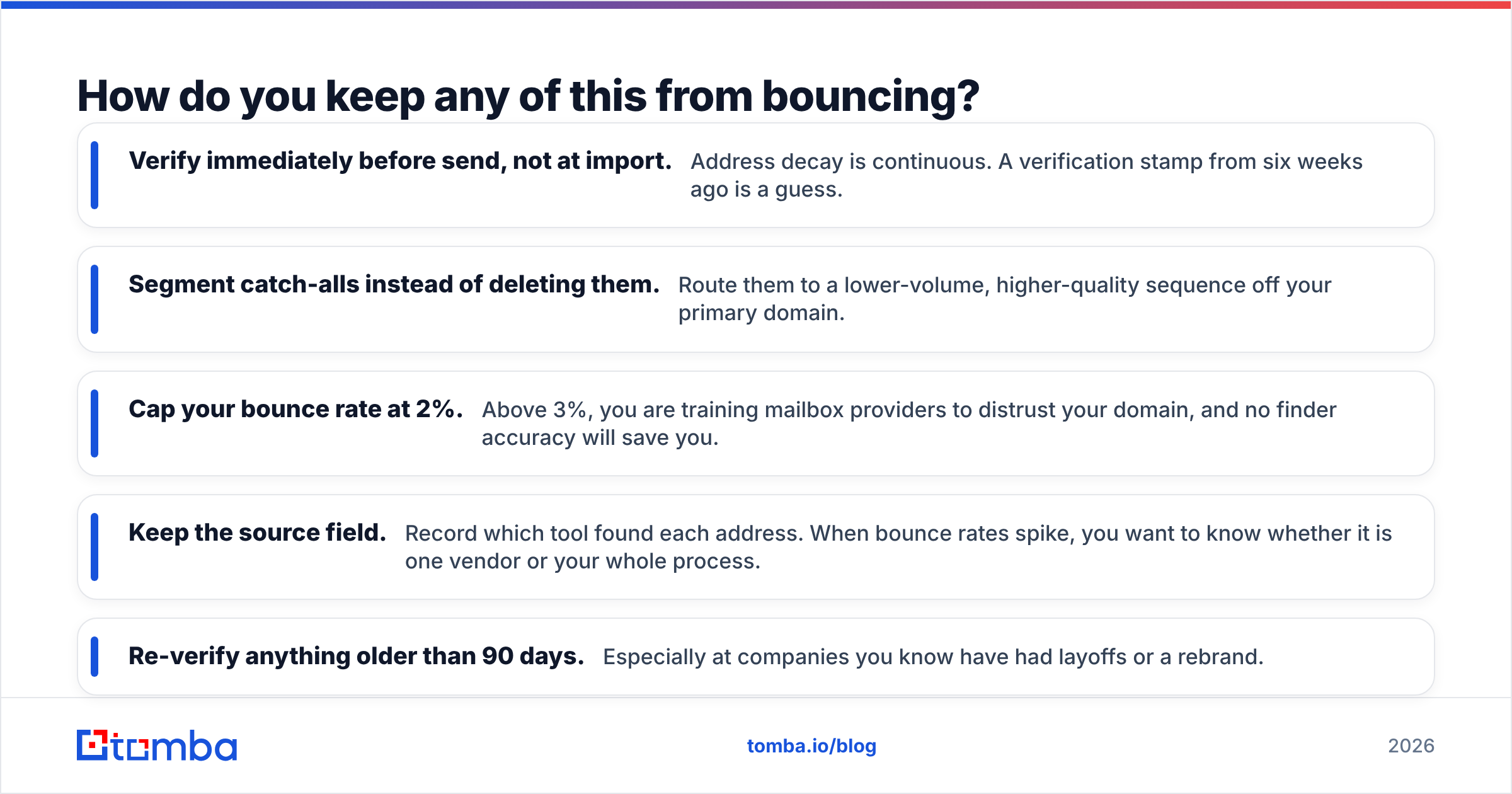
How do you keep any of this from bouncing?#
Whatever you pick, the operational discipline is the same:
- Verify immediately before send, not at import. Address decay is continuous. A verification stamp from six weeks ago is a guess.
- Segment catch-alls instead of deleting them. Route them to a lower-volume, higher-quality sequence off your primary domain.
- Cap your bounce rate at 2%. Above 3%, you are training mailbox providers to distrust your domain, and no finder accuracy will save you.
- Keep the source field. Record which tool found each address. When bounce rates spike, you want to know whether it is one vendor or your whole process.
- Re-verify anything older than 90 days. Especially at companies you know have had layoffs or a rebrand.
None of that is glamorous, and all of it matters more than the finder you choose.
Where does Tomba fit?#
If your conclusion from the above is "I need a data layer that is not tied to LinkedIn and not tied to one sequencer," that is exactly the gap Tomba fills. The Tomba Email Finder works from a domain plus a name or from a company domain alone, returns a confidence score with each result, and runs through the same verification pipeline as the standalone verifier — including catch-all resolution that most bundled tools punt on. There is a full REST API if you want lookups inside your own product, a Chrome extension if you want them in your browser, and native connections to HubSpot, Salesforce, and Pipedrive if you want them in your CRM.
Start on the free tier — 25 searches a month, no card — and run the 200-contact test described above against whatever you are using today. If the numbers do not beat your current tool, you have lost fifteen minutes. If they do, Starter is $49/mo and you can wire it into the sequencer you already like.
Related guides#
Ready to find emails that actually work?
Join 150,000+ professionals who stopped guessing and started sending. Free credits on signup — no credit card required.
Get the Tomba newsletter
Practical outbound tactics and product updates — once every two weeks.
About the author