FinalScout vs Supersend: Which Outreach Stack Wins in 2026?
FinalScout finds emails from LinkedIn. Supersend sends multichannel sequences. They are not really competitors — here is how each one performs, what they cost, and which half of the stack you should buy first.
TL;DR
- FinalScout and Supersend are not direct competitors. FinalScout is a LinkedIn-first contact finder with AI email drafting; Supersend is a multichannel sequencer that sends email, LinkedIn and X/Twitter touches from one inbox rotation.
- If your problem is "I have a list of companies but no contact data," you need a finder. If your problem is "I have 4,000 verified contacts and no sending infrastructure," you need a sequencer.
- FinalScout's coverage is strongest inside LinkedIn profiles and weakest for non-LinkedIn roles, regional domains, and anyone who scrubbed their profile.
- Supersend's LinkedIn automation is genuinely useful but carries account-safety risk that no vendor can fully engineer away.
- Most teams end up buying both categories anyway. The cheapest correct order is: data source first, sequencer second — a great sequence sent to a bad list is just a faster way to burn a domain.
What are FinalScout and Supersend, exactly?#
Start with the honest framing, because most "X vs Y" pages blur it.
FinalScout is a Chrome extension and web app that pulls professional email addresses off LinkedIn profiles, search results, group members, and event attendee lists. It layers ChatGPT-based email drafting on top, so you can go from profile to first-draft outreach message in one flow. Its core promise is deliverability-validated emails scraped in the same session you're already browsing LinkedIn.
Supersend is an outbound engagement platform. You import contacts, connect multiple mailboxes and LinkedIn accounts, and it runs sequences across channels with unified inbox handling, warmup, and reply detection. It does not pretend to be a database — enrichment is a bolt-on, not the core.
So "FinalScout vs Supersend" is really two questions:
- Which one solves the bottleneck I have right now?
- If I need both halves, which vendor combination costs least and breaks least?
Which one should you buy first?#
Buy the data layer first. Here's the mechanical reason.
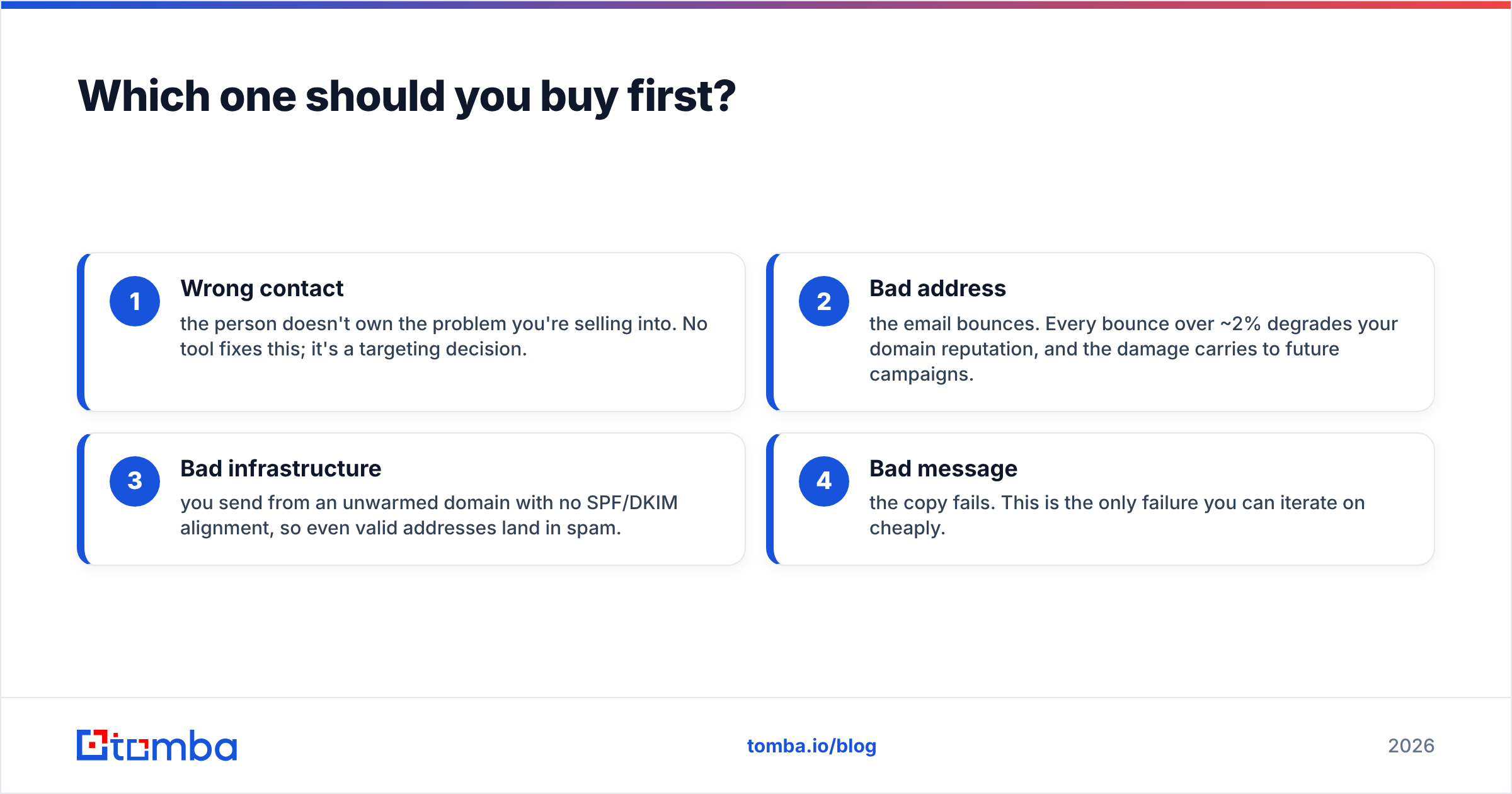
A cold email campaign has four failure points, and they compound in order:
- Wrong contact — the person doesn't own the problem you're selling into. No tool fixes this; it's a targeting decision.
- Bad address — the email bounces. Every bounce over ~2% degrades your domain reputation, and the damage carries to future campaigns.
- Bad infrastructure — you send from an unwarmed domain with no SPF/DKIM alignment, so even valid addresses land in spam.
- Bad message — the copy fails. This is the only failure you can iterate on cheaply.
Sequencers fix #3 and help you test #4. Finders fix #2. If you buy the sequencer first, you'll spend the first month discovering that your list quality is the actual constraint — with a scorched sending domain as the souvenir.

How do FinalScout, Supersend, and Tomba compare on features and price?#
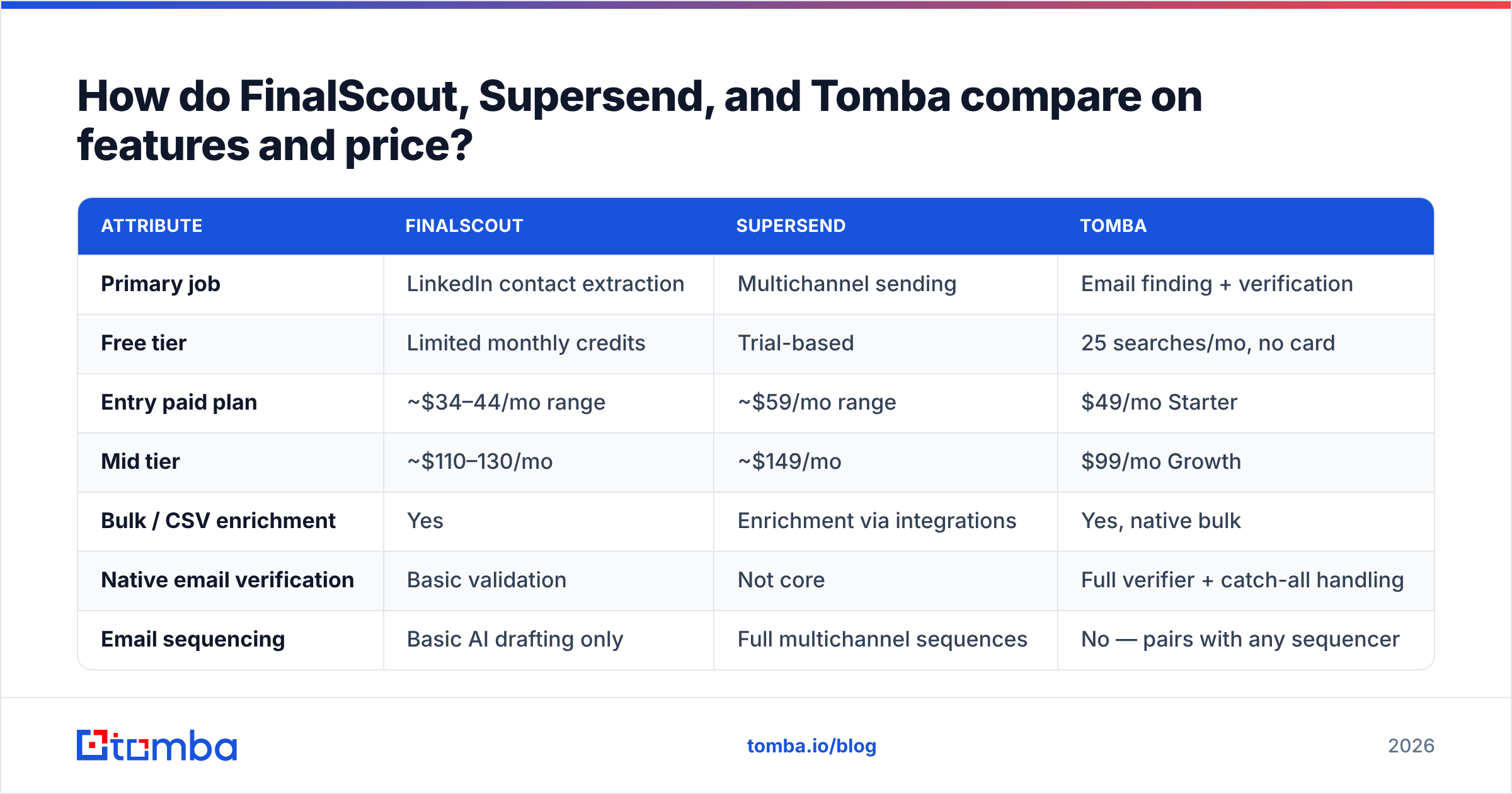
| Attribute | FinalScout | Supersend | Tomba |
|---|---|---|---|
| Primary job | LinkedIn contact extraction | Multichannel sending | Email finding + verification |
| Free tier | Limited monthly credits | Trial-based | 25 searches/mo, no card |
| Entry paid plan | ~$34–44/mo range | ~$59/mo range | $49/mo Starter |
| Mid tier | ~$110–130/mo | ~$149/mo | $99/mo Growth |
| Bulk / CSV enrichment | Yes | Enrichment via integrations | Yes, native bulk |
| Native email verification | Basic validation | Not core | Full verifier + catch-all handling |
| Email sequencing | Basic AI drafting only | Full multichannel sequences | No — pairs with any sequencer |
| LinkedIn automation | Extraction only | Connect + message automation | Extraction via LinkedIn finder |
| Public API | Limited | Yes | Full REST API, CLI, MCP server |
| Best for | LinkedIn-native prospectors | Teams running multichannel plays | Data accuracy at scale |
Pricing on all three shifts with promotions and credit-pack structures, so treat the numbers as tiers, not quotes. Check each vendor's own page before committing; Tomba pricing is published in full with no sales call required.
The table makes the real story obvious: the FinalScout column and the Supersend column barely overlap. The rows where they do touch — enrichment on Supersend's side, AI drafting on FinalScout's side — are each vendor's weakest feature, not its strongest.
Where does FinalScout actually win?#
1. Session-native workflow. If your prospecting motion is "open LinkedIn Sales Navigator, filter, scroll," FinalScout lives exactly where you already are. No tab switching, no CSV round trip. For a solo founder or a two-person SDR team doing 40–80 profiles a day, that friction reduction is real.
2. Profile-attached context. Because it extracts from the profile you're viewing, you get title, company, and recent-activity context alongside the email. That context feeds the AI drafting step, which is meaningfully better than a blank template.
3. Group and event scraping. Pulling attendee lists from LinkedIn events and members from niche groups is a genuinely good targeting angle that pure-database tools can't replicate. If your ICP clusters around a specific community, this is your unfair advantage.
Where it struggles: coverage outside LinkedIn's graph. Anyone with a sparse profile, a non-English-market presence, or a role that doesn't index well on LinkedIn simply won't resolve. And LinkedIn-derived extraction is structurally exposed to platform policy changes — a UI change or an enforcement wave can degrade throughput overnight, through no fault of the vendor.
Where does Supersend actually win?#
1. True multichannel orchestration. Email → LinkedIn connection request → LinkedIn message → follow-up email, all with reply detection that stops the whole sequence when someone responds on any channel. Running that manually across separate tools is where most teams lose deals — a prospect replies on LinkedIn and still gets three automated emails.
2. Inbox rotation and volume management. Connecting several mailboxes and distributing send volume across them is table stakes for anything past ~200 sends/day. Supersend handles it, plus warmup, which saves you a separate warmup subscription.
3. Unified reply handling. One inbox for every channel is underrated. It's the difference between a rep working replies and a rep hunting for them.
Where it struggles: it is not a data provider. Enrichment inside a sequencer is almost always a resold third-party waterfall with less transparency and higher per-contact cost than buying the data directly. And LinkedIn automation — regardless of vendor — puts your personal account at risk. Vendors mitigate with rate limits and residential proxies, but they cannot eliminate the risk, and anyone claiming otherwise is selling.
Is accuracy the real differentiator?#
Yes, and it's the metric both categories under-report.
"Accuracy" gets quoted three different ways, which is how vendors end up with contradictory claims:
- Hit rate — of the contacts you searched, what percentage returned any email. High hit rates are easy to fake by returning guessed patterns.
- Bounce rate — of the emails you actually sent, what percentage hard-bounced. This is the number that matters to your domain.
- Verified-deliverable rate — of the returned emails, what percentage passed SMTP-level validation before you sent anything.
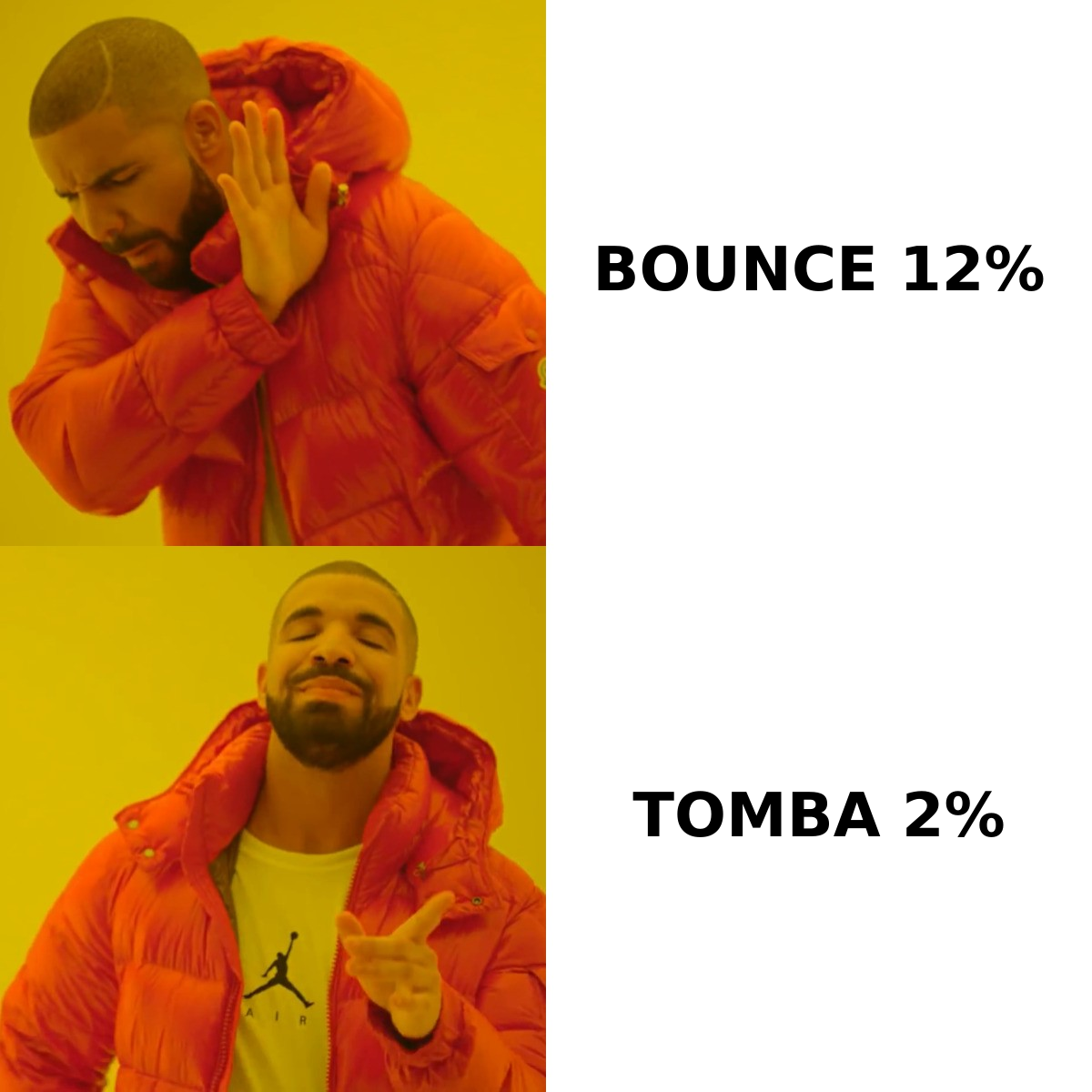
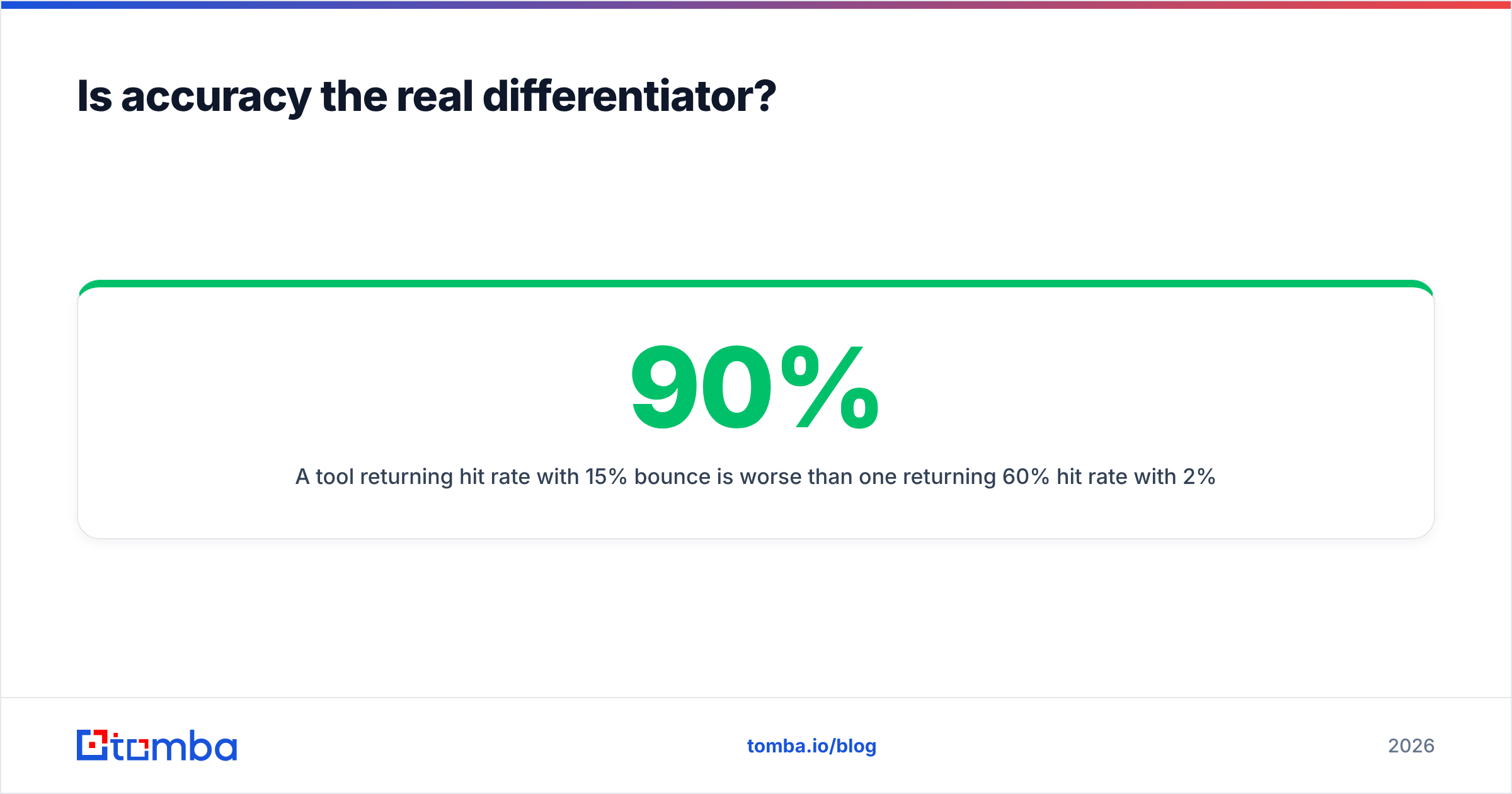
A tool returning 90% hit rate with 15% bounce is worse than one returning 60% hit rate with 2% bounce, because bounces cost you future deliverability, not just this campaign. Run the math on your own list before trusting any published benchmark.
The practical test: take 200 known-good contacts you already have verified emails for, run them through each tool blind, and score returns against ground truth. It takes an afternoon and settles the argument permanently.
This is also where a dedicated email verifier earns its keep regardless of which finder you pick. Verification is a separate discipline from discovery — catch-all domains, role accounts, and greylisting all need handling that extraction tools treat as an afterthought.
What does a sane 2026 outbound stack look like?#
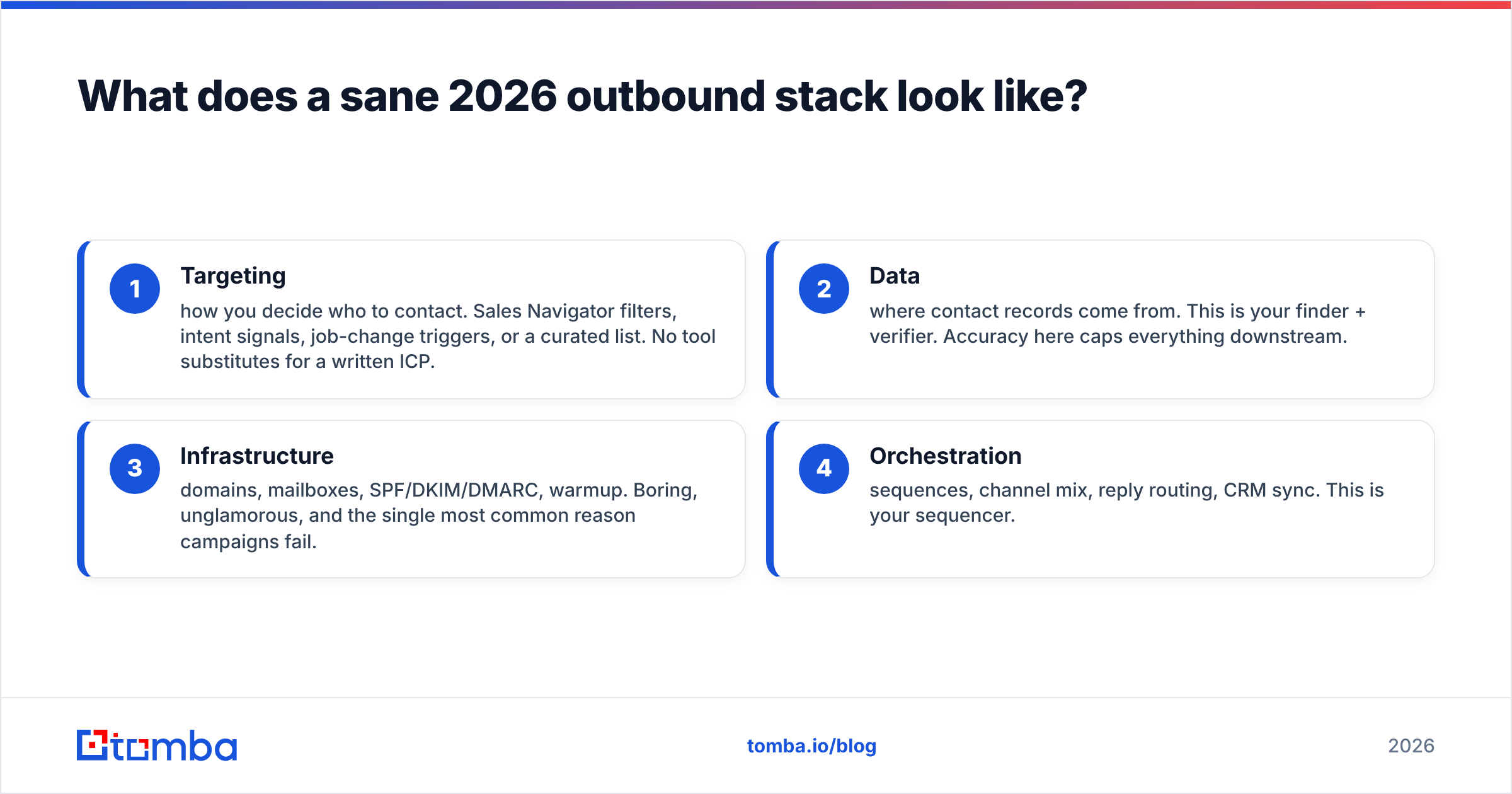
Four layers, and you should be able to name your vendor for each:
- Targeting — how you decide who to contact. Sales Navigator filters, intent signals, job-change triggers, or a curated list. No tool substitutes for a written ICP.
- Data — where contact records come from. This is your finder + verifier. Accuracy here caps everything downstream.
- Infrastructure — domains, mailboxes, SPF/DKIM/DMARC, warmup. Boring, unglamorous, and the single most common reason campaigns fail.
- Orchestration — sequences, channel mix, reply routing, CRM sync. This is your sequencer.
FinalScout sits in layer 2 with a partial toe in layer 4. Supersend owns layers 3 and 4 outright. Neither covers all four, which is why the versus framing misleads.
If you want to keep vendor count low, the cleanest split is one strong data provider feeding one strong sequencer over API. Tomba's email finder API exists specifically for that — enrich at the moment of send rather than storing stale records, so a contact who changed jobs three months ago doesn't quietly poison your bounce rate.
How do the LinkedIn-specific risks compare?#
Both tools touch LinkedIn, but with different exposure profiles.
- FinalScout (extraction) — reads data you can already see while logged in. Risk is account rate-limiting or restriction if you scrape aggressively. Lower blast radius, and you can throttle your own behavior.
- Supersend (automation) — performs actions as you: connection requests, messages, profile views. Risk is account restriction or permanent ban, and the actions are attributable. Higher blast radius.
Neither is against the law, but both sit outside LinkedIn's user agreement. Practical mitigations: use a dedicated LinkedIn account for automation, keep daily action volumes conservative (20–25 connection requests, not 100), and never run automation from the account your pipeline depends on.
If LinkedIn-sourced emails are what you're after without running automation on your main account, a purpose-built LinkedIn finder keeps extraction and outreach in separate systems — which is also how you avoid a single ban taking out both halves of your motion.
Which should you choose?#
Match the tool to the bottleneck, not to the review score.
Choose FinalScout if:
- LinkedIn is where your ICP actually lives and you prospect profile-by-profile.
- You want extraction and a first-draft message in one motion.
- Volume is moderate — hundreds per month, not tens of thousands.
Choose Supersend if:
- You already have clean, verified contact data.
- Multichannel (email + LinkedIn) materially lifts reply rate in your market.
- You're running enough volume to need inbox rotation and warmup.
Choose a dedicated data provider like Tomba if:
- Bounce rate is your active problem.
- You need bulk enrichment, catch-all handling, and API access rather than a browser workflow.
- You want the data layer decoupled from whatever sequencer you use this year — sequencers get swapped far more often than data providers.
Cross-check any of this against third-party reviews on G2 before you commit, and weight recent reviews heavily. Outbound tooling changes fast, and a 2024 review of any of these products describes a different product.
What's the fastest way to test all three?#
Run a single controlled experiment instead of three sequential trials:
- Pick 200 target accounts inside one tight ICP segment.
- Source contacts for 100 of them through your LinkedIn-native workflow, and 100 through a database + verifier path.
- Verify both sets with the same verifier so the measurement is neutral.
- Send both through the same sequencer with the same copy.
- Compare bounce rate, open rate, and reply rate by source.
You'll have a defensible answer in about two weeks, and the result will be specific to your market rather than to a vendor's marketing page. Most teams are surprised by how much of their "copy problem" turns out to be a data problem.
For bulk testing, running the list through a bulk email finder is faster than one-by-one extraction and gives you a clean control group to measure against.
Ready to fix the data layer first? Start with the Tomba Email Finder — 25 free searches per month, no card required, with verification built into the same call so you see deliverability status before anything leaves your outbox. Paid plans start at $49/mo, and the API, CLI, and browser extension all draw from the same verified index. Whichever sequencer you pair it with, your bounce rate stops being the reason campaigns underperform.
Related guides#
Ready to find emails that actually work?
Join 150,000+ professionals who stopped guessing and started sending. Free credits on signup — no credit card required.
Get the Tomba newsletter
Practical outbound tactics and product updates — once every two weeks.
About the author